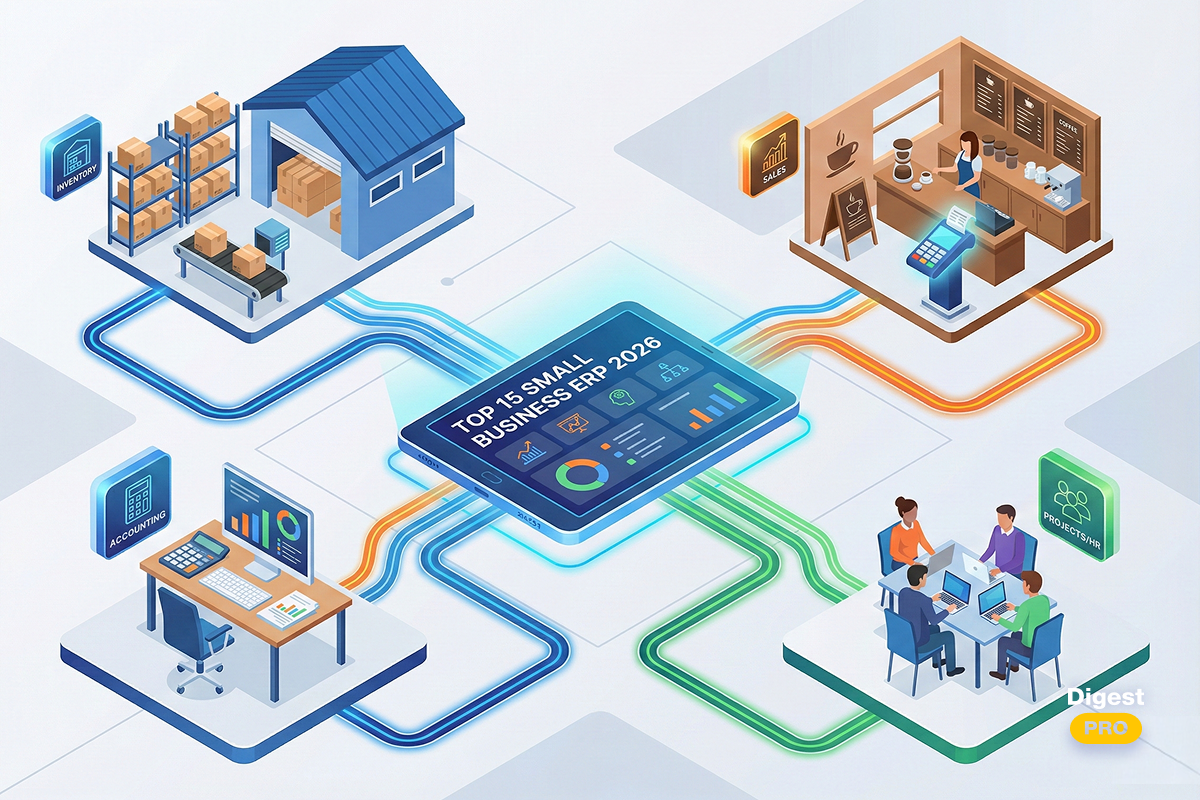
Without a unified platform, operating today’s business resembles sailing rough waters with no guidance. Energy fades when staff enter information by hand. Growth slows under such conditions. Though leaders want improvement, worries about expensive software subscriptions linger.
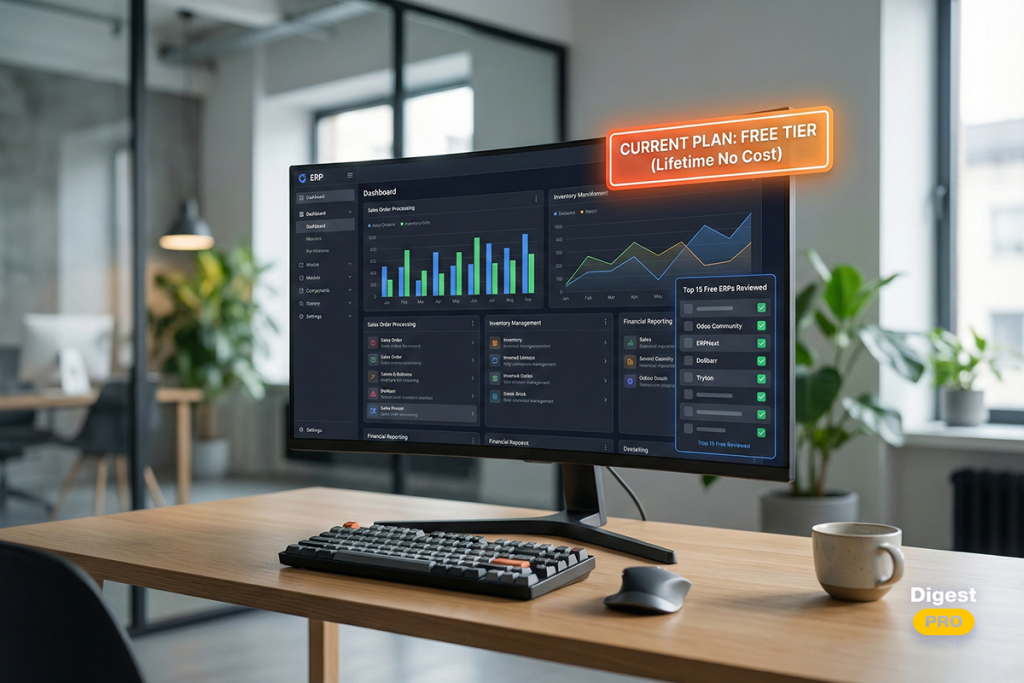
Finding suitable free ERP software may change how things work. Instead of messy spreadsheets, these systems offer structure without the cost of large-scale solutions. One platform handles financial tracking, staff records, and logistics together. Because updates happen instantly, choices rely on current information.
In this article, we will take a closer look at leading free ERP systems that reveal differences in strengths.
What Is ERP Software?
Known as Enterprise Resource Planning, ERP software functions through linked programs used by current businesses. From various operations, information flows into these systems—allowing unified analysis instead of isolated records. Data is gathered within one structure, avoiding fragmentation across departments. Interpretation occurs centrally, supporting consistent decisions over time.
Advantages and Disadvantages of Using Free ERP Software
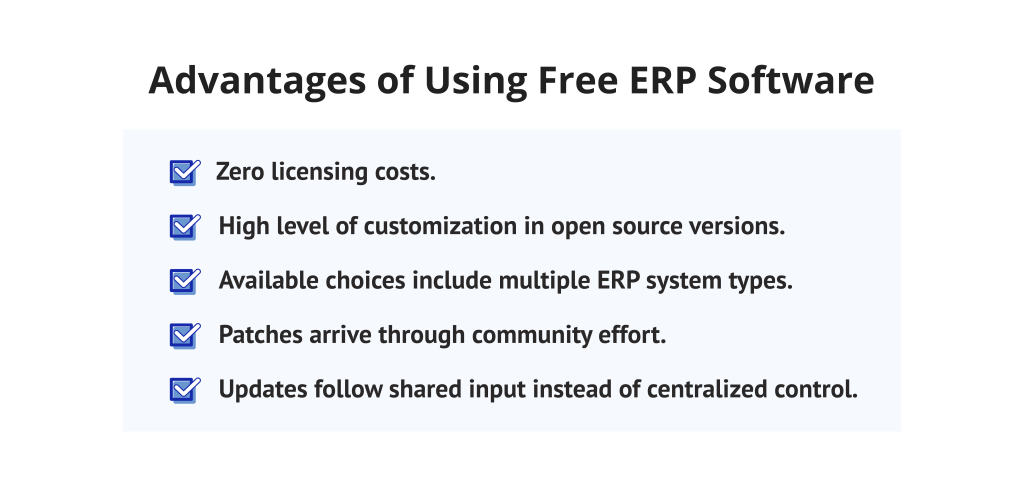
Advantages:
- Zero licensing costs.
- High level of customization in open source versions.
- Available choices include multiple ERP system types.
- Patches arrive through community effort.
- Updates follow shared input instead of centralized control.
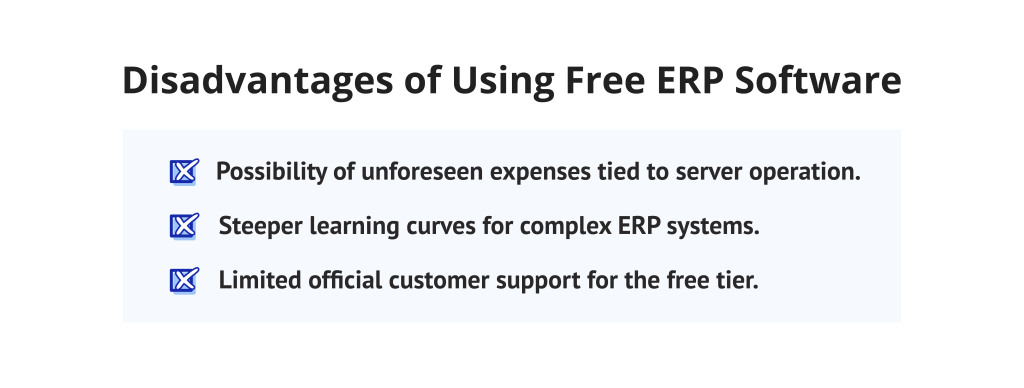
Disadvantages:
- Possibility of unforeseen expenses tied to server operation.
- Steeper learning curves for complex ERP systems.
- Limited official customer support for the free tier.
Top 15 Free ERP Software
The market for free ERP systems is diverse. We have analyzed the leading tools to help you choose. These systems range from simple accounting modules to full-scale open source ERP systems.
Comparison Table: Top Free ERP Software
Software | Best For | Key Pros | Key Cons |
|---|---|---|---|
Odoo | Scaling businesses | Customizable, easy UI, CRM | Setup complexity, limited mobile |
|
ERPNext |
Manufacturing |
Full modules, modern UI |
Hosting needs tech skills |
|
Dolibarr |
Solopreneurs/SMEs |
Easy install, low resources |
Limited manufacturing, dated UI |
|
Bitrix24 |
CRM-focused teams |
CRM/chat, mobile app |
Cluttered nav, shallow ERP |
|
Apache OFBiz |
Large enterprises |
Scalable, stable |
Hard setup, needs dev work |
|
iDempi |
Multi-currency |
Accounting, plugins |
Technical install, basic UI |
|
Axelor |
Modern UI businesses |
Ergonomic, BPM |
Sparse docs, fewer free features |
|
Tryton |
Stable/secure needs |
Secure, Python-based |
Bare UI, config time |
|
Metasfresh |
Wholesale/distribution |
High-volume, real-time sync |
Niche focus, Docker setup |
|
ADempiere |
Industrial manufacturing |
Workflows, procurement |
Dated UI, steep curve |
|
BlueSeer |
Small manufacturing |
EDI, fast performance |
No web/remote access |
|
ERP5 |
Complex/large orgs |
Flexible for enterprises |
High barrier, overkill for small |
|
inoERP |
Oracle-like manufacturing |
Responsive, capacity planning |
Small community |
|
LedgerSMB |
Financial accuracy |
Double-entry, lightweight |
Weak CRM |
|
WebERP |
Multi-location wholesale |
Low overhead, multi-currency |
Basic features |
Read more: 20 Best Kanban Tools To Improve Workflow Efficiency In 2026
1. Odoo
Odoo is a scalable, modular, and free ERP program. It provides a wide range of business management tools for different sectors. Moreover, Odoo comes up with a complete platform for designing, developing, and building unique business applications from the ground up.
Best for: Good fit for small- to mid-sized enterprises that look for a free, open source ERP solution with a modular structure.
Key features:
- Accounting and invoicing.
- Inventory management.
- Sales and CRM modules.
Pros:
- Extremely customizable.
- Easy-to-use interface.
- Large community of developers.
- Diverse integration capabilities.
Cons:
- Initial setup might be complex.
- The community version lacks some enterprise features.
- The mobile app is limited in the free version.
2. ERPNext
ERPNext is arguably the most comprehensive free open source ERP software available today. It includes everything from HR to manufacturing in its base version. It is built on a modern web framework.
Best for: Small to medium-sized manufacturing and retail businesses.
Key features:
- Financial accounting.
- Project management.
- Production planning.
- Asset management.
- HR and payroll.
Pros:
- Real open source with no additional costs.
- A sleek, contemporary user interface.
- Available is a broad set of written guidance.
Cons:
- An adaptation period may be difficult and long.
- Technical knowledge is required for hosting.
- When placed beside Odoo, certain modules appear less refined.
- Hosting it yourself becomes essential when using the free edition.
3. Dolibarr
What begins as basic software turns into a full management aid through steady function. Dolibarr runs without heavy installation needs, fitting those who avoid complicated setups. Instead of layers of features, it offers only what helps daily operations move forward smoothly.
Best for: Enterprises with fewer employees and self-employed freelancers who are seeking a basic but complete management solution.
Key features:
- Contact management.
- Proposal and contract tracking.
- Electronic document management.
- Billing and payments.
Pros:
- Very easy to install.
- Low system resource requirements.
- Intuitive navigation.
Cons:
- Limited for high-volume manufacturing.
- The UI looks slightly outdated.
4. Bitrix24

Bitrix24 stands out as a unique free ERP system because of its focus on collaboration. It blends traditional ERP features with social communication tools. It is ideal for remote teams.
Best for: Teams that prioritize CRM and internal communication over heavy manufacturing.
Key features:
- Advanced CRM.
- Social intranet and chat.
- Time tracking.
- Task and project management.
- Workload management.
Pros:
- Excellent communication tools.
- The mobile application is top-tier.
- Generous free cloud storage.
- Includes a built-in website builder.
Cons:
- Navigation can feel cluttered.
- ERP features are less “deep” than specialized tools.
5. Apache OFBiz
Apache OFBiz is more than just ERP software. It is a flexible framework that businesses can use to build their own systems. It provides common data models and business processes.
Best for: Larger organizations with an internal IT team capable of building custom solutions.
Key features:
- Warehouse management.
- Catalog management.
- Advanced order processing.
- Accounting integration.
Pros:
- Unlimited scalability.
- Mature and stable code.
Cons:
- Very difficult for beginners to set up.
- UI requires custom development.
- Documentation is highly technical.
- No “out-of-the-box” cloud version.
One way to keep pace involves tracking advances in both design methods and team direction. If you want to be aware and have access to exclusive updates, subscribe to Digest.Pro, and the freshest analysis will appear in your inbox consistently alongside evaluations of present conditions.
6. iDempiere

iDempiere is a community-driven project that evolved from Compiere and ADempiere. It offers professional-grade ERP software functionality. It is highly regarded for its robust accounting engine.
Best for: Medium-sized businesses requiring strong multi-currency and multi-organization support.
Key features:
- Supply chain management.
- Customer relationship management.
- Detailed financial reporting.
- Materials management.
Pros:
- Powerful business logic.
- Supports multiple languages.
- Plugin architecture for easy updates.
Cons:
- Technical installation process.
- The user interface is functional but not modern.
7. Axelor

Axelor offers a modern interpretation of free ERP software, emphasizing the importance of ergonomic design. It is based on the low-code platform approach. This allows for faster customization, unlike traditional ERP systems.
Best for: Modern businesses with a responsive and visually appealing interface.
Key features:
- BPM (Business Process Management) engine.
- Standard ERP modules (Finance, Sales).
- Integrated collaboration tools.
- Mobile responsive design.
- Supply chain visibility.
Pros:
- Exceptional user experience.
- Integrated BPM for workflow automation.
- Modular and flexible.
Cons:
- The community version has fewer features than the enterprise.
- English documentation is sometimes sparse.
Read more: Best AI Project Management Tools in 2026: Benefits, Key Features, and How to Choose
8. Tryton
Tryton conforms to a three-tier architecture. It is a highly stable and secure free ERP software. Also, Tryton uses Python, which makes it a favorite among many.
Best for: Enterprises that need a dependable, expandable, and secure solution.
Key features:
- Financial accounting.
- Inventory control.
- Analytical accounting.
- Purchasing and sales.
Pros:
- Very stable and predictable.
- Excellent data integrity controls.
- Strong security features.
Cons:
- The interface is very “bare-bones.”
- Configuration takes significant time.
9. Metasfresh

Metasfresh is an open source solution designed for the modern age. It focuses on the food and fresh produce industry. However, its generic version works well for general wholesale.
Best for: Wholesale, distribution, and fresh food supply chain businesses.
Key features:
- Automated mass processing.
- Order fulfillment.
- Advanced pricing engines.
- Real-time data synchronization.
- Quality control modules.
Pros:
- Designed for high-volume transactions.
- Modern and responsive web UI.
- Frequent weekly updates.
Cons:
- Niche focus can limit general applicability.
- Setup requires Docker or Linux knowledge.
Read more: 15 Best Product Roadmap Tools for Stakeholder Alignment in 2026
10. ADempiere

Among long-standing options in open-source ERP systems stands ADempiere. A full range of functions comes included within its structure. Devoted contributors preserve the codebase with consistent effort.
Best for: Industrial firms that need deep functionality in manufacturing and distribution.
Key features:
- Production management.
- Standardized business workflows.
- Procurement management.
Pros:
- Complete feature set.
- Strong financial integration.
- Flexible data structures.
Cons:
- The UI feels quite dated.
- A learning curve is challenging.
- Lacks native mobile support.
11. BlueSeer

BlueSeer is a unique, desktop-based, free ERP software for small businesses. It is entirely free with no hidden tiers. It is powerful in EDI (Electronic Data Interchange).
Best for: Small manufacturing shops that prefer a local desktop application over the cloud.
Key features:
- Double-entry accounting.
- Inventory and MRP.
- EDI integration.
- Barcode labeling.
Pros:
- Truly free (no enterprise tier).
- No complex server setup required.
- Very fast performance.
Cons:
- Desktop only (not web-based).
- Limited for remote teams.
12. ERP5

ERP5 is a high-end open source ERP used by large organizations like banks and governments. It utilizes a unique “Unified Business Model.” This makes it incredibly flexible for complex processes.
Best for: Large organizations with highly complex, non-standard business requirements.
Key features:
- Document management.
- Knowledge management.
- High-level financial modeling.
Pros:
- Infinite flexibility.
- Proven in massive enterprise environments.
Cons:
- Overkill for small businesses.
- Extremely high technical barrier to entry.
- Complex conceptual framework.
13. inoERP
inoERP is a dynamic web-based ERP free software built on PHP. It resembles Oracle ERP in terms of its logic and structure. It is mobile-first and rapid.
Best for: Manufacturing businesses looking for an Oracle-like experience for free.
Key features:
- Master production schedule.
- Resource capacity planning.
- Quality control.
Pros:
- Dynamic and responsive UI.
- Excellent mobile support.
Cons:
- Smaller community compared to Odoo.
- Fewer third-party integrations.
14. LedgerSMB
LedgerSMB is a powerful open source accounting and ERP system that places a premium on sound data management and financial integrity. Also, this software offers a clear system for managing intricate ledgers and inventory tracking for small and medium-sized enterprises. LedgerSMB has earned its widespread recognition by using strict adherence to double-entry accounting standards and meticulous financial accuracy.
Best for: Businesses that prioritize precise financial management over other features.
Key features:
- General ledger.
- Accounts receivable/payable.
- Inventory tracking.
Pros:
- Rock-solid accounting principles.
- Lightweight and fast.
Cons:
- Limited CRM features.
- The user interface is utilitarian.
15. WebERP

WebERP is an entirely web-based system designed to be used with a standard browser. It is written in PHP and is very straightforward. It serves as reliable, top free ERP software for simple needs.
Best for: Wholesale and distribution companies with multi-location inventory.
Key features:
- Multi-warehouse support.
- Multi-currency accounting.
- Sales order entry.
Pros:
- Very low server overhead.
- Easy to modify and extend.
Cons:
- Basic feature set compared to Odoo.
- Limited modern integrations.
Using these specific tools within daily operations marks a beginning point on the path to improved performance. To remain informed about developments in project oversight and team guidance, subscribe to Digest.Pro: and you will no longer bother about the risk of skipping critical updates.
How to Choose Free ERP Software
A choice of system carries significant consequences. To assess alternatives thoroughly – look past simple features by applying this structure
- Assess technical maturity:
A decision made well begins by assessing how far technology has progressed within your organization.
- Openness vs. Integration:
Whether an open architecture matters more could depend on team priorities instead of defaulting to pre-built cloud tools. The choice often reflects underlying needs not visible at first glance across different setups.
- Industry-specific requirements:
What truly matters might differ by sector. In production settings, consistent supply tracking systems often take priority – service operations instead emphasize scheduling clarity.
- Security and Scalability:
Security of information holds equal weight to expansion potential. As dimensions shift, adaptable frameworks become necessary – ones that preserve accuracy without compromise.
- Planning for Transitions:
Later disruptions often fade when plans are complete. With care applied early, confidence grows through structure that guards private information well.
- Identify Hidden Expenses:
Start by reviewing expenses that appear after the initial cost is paid. Without a fee to enter, support tasks, server space, or guided learning often remain unpaid responsibilities.
- Participatory Evaluation:
Starting with leadership inclusion shapes how systems are reviewed. When heads of departments take part, real-world function becomes clearer.
Following through in this way grounds choices in daily practice. As a result, transitions after selection meet less resistance.
Read more: 8 Best Open Source Product Management Software of 2026
Final Words about Free ERP Software
Rarely has the range of no-cost ERP software appeared so strong. With today’s platforms, large-scale capability comes without high costs. Because processes grow more efficient, intricate operations become manageable. Improved insight into information leads some teams ahead of their peers.
Whichever path leads to Odoo’s flexible design or ERPNext’s solid framework, uniformity matters most. Support from top management becomes essential for effective rollout. Beginning with limited features allows full control before gradual growth occurs. Such a method supports sustained results along with optimal resource use.
Our Methodology: How We Choose The Best Free ERP Software
Through careful examination, each tool was measured against strict standards. Attention was centered on three main areas by the group. Criteria were applied thoroughly during assessment.
- Core Functionality: We checked for essential modules like Finance, HR, and Sales.
- Community Support: We looked at the activity levels of the developers and the availability of documentation.
- User experience: Through observation, the interface underwent evaluation regarding ease of interaction alongside contemporary layout standards.
- Another point was how simple it is to adjust settings alongside clear details on what the free version includes.
With this, surprise charges for basic tools are avoided. Unexpected costs fade when clarity leads.
Free ERP Software FAQs
Certainly not. Excel functions as a tool for organizing information in rows and columns. Though capable of recording entries, it does not include structured storage systems found in full ERP platforms. Automation across departments remains absent within its design. Integrated processes operate differently there. True enterprise resource planning goes beyond manual updates.
A tool built for managing finances—this defines QuickBooks at its core. Though later versions include functions resembling broader business systems, full enterprise resource planning remains beyond its scope. Features expand in advanced levels; nevertheless, the foundation stays fixed on accounting tasks alone.
Though Google lacks a dedicated ERP solution, its Workspace tools connect externally through API pathways. Functionality expands when shared files meet enterprise resource planning platforms. Integration allows cooperative tasks across separate systems. Data flows where structures permit, using established digital bridges.
Indeed, Microsoft provides Dynamics 365. Still, access requires payment, even if temporary versions appear for companies now and then.
Apart from being widely used, Access and Office do not function as ERP systems. Though they support daily operations, these tools lack built-in processes essential for enterprise resource planning. Instead of handling integrated workflows, they serve tasks in isolation. Without centralized data control, their role remains limited within larger infrastructures. While adaptable, they were never designed for full-scale operational coordination.
A typical offer from Microsoft includes thirty days at no cost for Dynamics 365. During this period, access is granted so users may navigate the system freely. One begins without financial obligation, ending only when the evaluation concludes. Experience unfolds gradually through interaction rather than instruction. Time passes while features reveal themselves under real usage conditions. Commitment follows insight gained during these initial weeks.
When comparing open source options, Odoo, along with ERPNext, frequently stands out. For smaller groups, functionality blends smoothly into usability here.
The program costs nothing to obtain or run. Still, expenses may arise from server space, setup work, or tailored coding.
Indeed, systems such as iDempiere and ERPNext follow recognized accounting practices. Handling multiple currencies along with intricate taxation requirements forms part of their core function.
Despite common belief, many current ERPs support file uploads in CSV or Excel format. Starting a column alignment process links each spreadsheet header to the corresponding system fields. Data moves only after field matching completes correctly.
Depending on what you require, the choice shifts. When ease of use matters most, Odoo takes priority. Functionality straight after setup favors ERPNext instead.
Although free of cost, some software remains under private ownership. When source code is shared openly, changes become possible—redistribution follows naturally. One begins without access to inner workings; the other ends with full transparency.
References
- Gartner. (2024). Market Guide for Enterprise Resource Planning Platforms.
- McKinsey & Company. (2023). The Future of ERP: Moving Beyond Modernization.
- Aman, M., & Rashid, M. A. (2022). Open Source ERP Systems: Benefits and Challenges for SMEs. Google Scholar.
- Hussain Abdul Nabi, Ali Abbas Hussain, Abdul Karim Sajid Ali, and Haroon Arif (The Asian Bulletin of Big Data Management Journal, 2025). “Data-Driven ERP Solutions Integrated with AI for Streamlined Marketing Operations and Resilient Supply Chain Networks.”
- Wanda, P. (2023). Comparative Analysis of Open Source ERP Software for Small and Medium Enterprises. Journal of Enterprise Information Management.
- Forrester Research. (2024). The State of Digital Operations and ERP.
- Alan R. Peslak, Girish H. Subramanian & George E. Clayton (2016). “The Phases of ERP Software Implementation and Maintenance: A Model for Predicting Preferred ERP Use.”