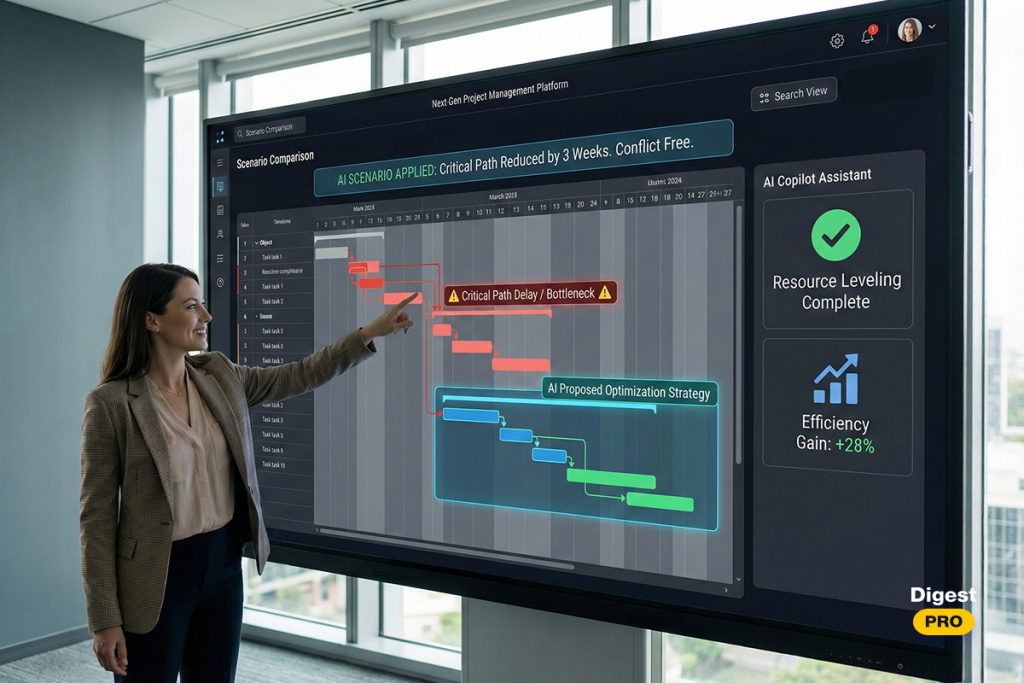
The traditional methods of project management cannot sustainably keep up with this challenge for any extended period. Today, artificial intelligence is rapidly being implemented in project management. Thus, the best AI project management tools act as the “brain” of the organization.
This article will focus on the best AI project management software currently available on the market and provide insight into what sets each one apart from the rest.
AI Project Management Tools Shortlist
Before we delve into the deeper analysis, here is our 2026 shortlist of the market leaders:
- Epicflow: Best for those companies with a high level of complexity in both their multi-project and resource management.
- ClickUp: Good for companies that want to have their entire team work together in one single centralized location.
- Wrike: Offers scalability at the level of an enterprise, along with cross-department collaboration.
- Asana: Best for aligning strategic goals and developing the “Work Graph.”
- Monday: Best for companies that have high visual needs for their workflow customization and are looking to implement low-code solutions.
- Zapier: Best for automating the connection between disparate apps through the use of AI.
- Smartsheet: Best for making sense of massive data and complex enterprise portfolios.
- Ayanza: Best for keeping teams healthy and happy while they collaborate with AI.
- Taskade: Best for setting up autonomous AI agents in a shared digital workspace.
- Trello: Best for keeping small projects and daily tasks moving on simple visual boards.
What Are AI Tools for Project Management?
Modern AI tools for project management represent a fusion of big data and organizational science. These platforms use advanced machine learning algorithms to analyze historical performance. They look at how long tasks actually take, not just how long we hope they take.
A true AI project management tool functions as a digital advisor. Thereby, it constantly scans the project landscape for risks. AI PM software identifies where resources are being wasted. It automates the administrative “noise” that consumes a manager’s time. Moreover, by processing data in real-time, these tools transform the Project Management Office (PMO) into a center of excellence.
Read more: How to Build AI Agents Step-by-Step Guide
Key AI Features of AI Project Management Tools
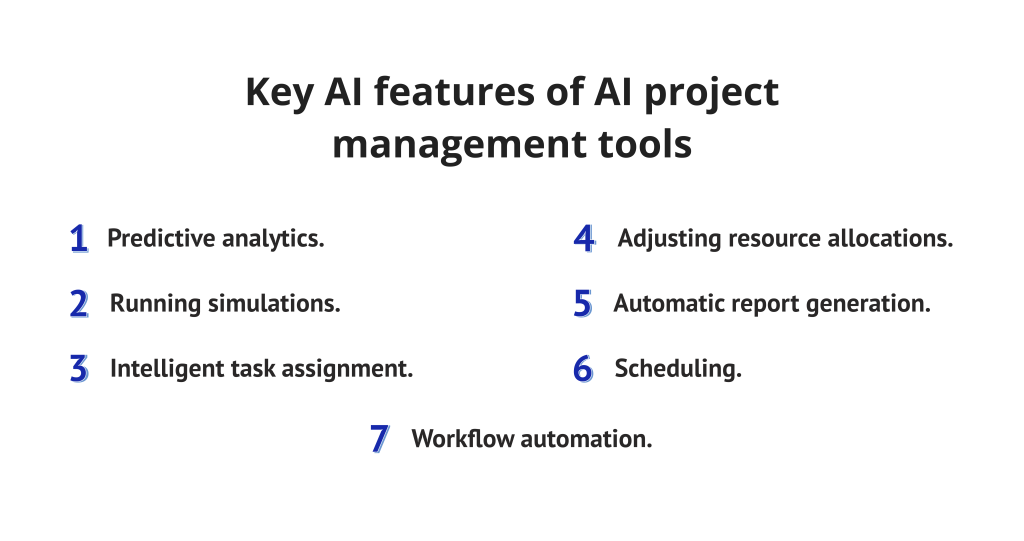
1. Predictive analytics
Predictive analytics uses previous trends in order to anticipate risks that could result in bottlenecks, overbudgeting, future delays, and low resources. This functionality allows managers to implement timely decisions that help reduce the likelihood of missing the deadlines.
2. Running simulations
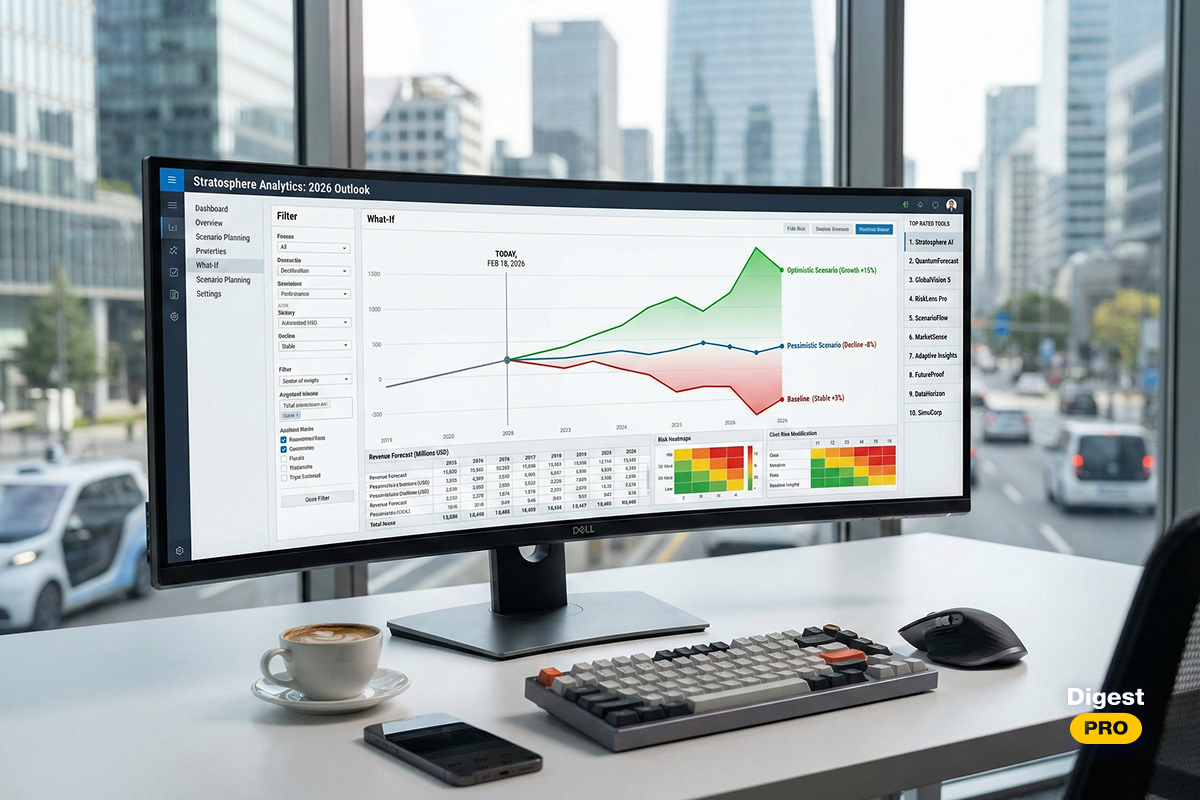
Strategic leaders need to test scenarios without risking real assets. Modern AI tools for project management allow you to run complex simulations.
3. Intelligent task assignment
AI ends manual task assignment. With artificial intelligence, it analyzes the skills, the experience, and the workload of team members.
4. Adjusting resource allocations
In a multi-project environment, resources move constantly. AI project management tools shift capacity dynamically where there is a need for additional resources.
5. Automatic report generation
C-level executives want concise and accurate data. AI will give them the ability to automate all aspects of report generation and data formatting, so they receive instant updates on their company’s financial health, the status of project completion, and load graphs of their workforce.
6. Scheduling
The scheduling process will use automated scheduling engines that can process complex dependencies between tasks within a project portfolio in real time. It will notify stakeholders of the new schedule and recommend actions to minimize any impact on the original schedule.
7. Workflow automation
AI identifies repetitive sequences in your project lifecycle. It then creates automations to handle them. This includes moving tasks between stages, notifying reviewers, and updating budgets. This significantly reduces the margin for human error.
Benefits of Using AI Project Management Tools
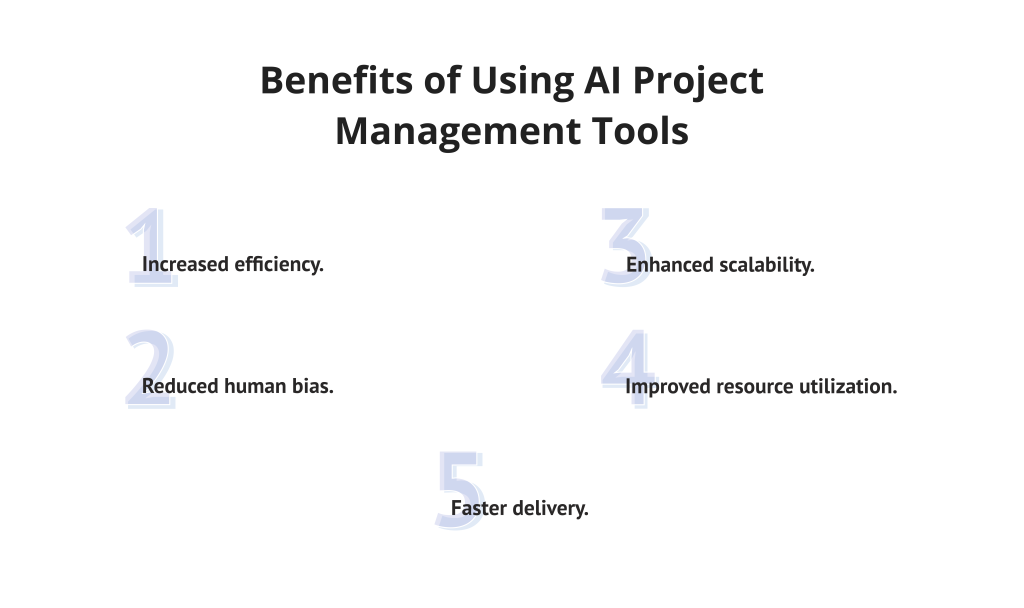
- Increased efficiency: Using AI provides increased operational efficiency by allowing for the reduction of time spent on manual, repetitive tasks, including making updates, and adjusting meeting times.
- Reduced human bias: AI algorithms will help make decisions based upon data only so that there are no irrational biases from the individual making the decisions.
- Enhanced scalability: AI manages complex portfolios by tracking hundreds of variables simultaneously. Expand your operations without a linear increase in management costs.
- Improved resource utilization: Intelligent systems will place the right skill set with the proper task.
- Faster delivery: Predictive engines clear roadblocks before they stall the project flow. Optimized workflows help you capture market opportunities much faster.
Staying ahead in the AI era shouldn’t feel like a full-time job. Subscribe to Digest.pro to receive a weekly breakdown of the project management shifts and tech trends that define modern leadership.
How to Select Appropriate Project Management Tools with AI
Selecting AI project management software requires careful consideration.
1. What are your needs and goals?
Determine where your main problem lies, which capacities you need, and where your final destination is. Based on this data, you should choose a tool that will be appropriate for your requirements and can provide you with the opportunity to reach your aims.
2. What AI capabilities does the tool have?
Every tool has unique AI functionality, from predicting future delays and detecting bottlenecks to “what-if” analysis. Make sure the AI features directly solve the biggest problem in your team’s workflow.
3. Is it easy to use?
The tool must be user-friendly and easy to implement for teams. An overwhelmed interface or steep learning curve will alienate the team and have a disastrous impact on productivity and overall team atmosphere.
4. Is the tool flexible?
If you plan to scale your company and team, flexibility is a vital indicator for a project management tool. Without any doubt, you should check and make sure that the selected software is scalable and can integrate with your existing toolset.
5. Does the tool follow data security standards?
Enterprise data is a valuable asset that requires military-grade protection at all times. Always confirm the vendor holds recognized certifications like SOC2 and global GDPR.
6. Does the vendor provide effective customer support?
Pick vendors that provide diverse support channels like live chat and dedicated managers. Extensive assistance is vital when implementing the complex advanced features of AI.
Read more: Enterprise AI Adoption Barriers in 2026: Why Most Enterprises Get Stuck with Digital Transformation.
Best AI Project Management Tools Comparison Table
|
Tool |
Primary AI Strength |
Pricing (2026 Est.) |
|
Epicflow |
Multi-project management & Resource optimization |
Starting from €22.5 per user per month. |
|
ClickUp |
Centralized productivity |
Starting at $7 per user per month, a free plan is available. |
|
Zapier | AI agents & Cross-app automation |
A limited free forever plan is available. Paid tiers pricing starts at $29.99/month. |
|
Wrike |
Work intelligence & Scalability |
A free plan is available; pricing starts at $10/user/month. |
|
Asana |
Goal alignment & Work graph |
A personal free plan and tiers for teams start at €10.99/user/month. |
|
Smartsheet |
Agentic AI data interactions. |
Starts at $9 per user per month. |
|
Monday |
Low-code workflow automation |
From €9/user/month, free plan available. |
|
Ayanza |
Team well-being & Flow analysis |
A free plan is available; paid tiers’ pricing starts from $6/user/month. |
|
Taskade |
AI agents & Real-time collaboration |
A free plan is available, and pricing starts at $6/month. |
|
Trello |
Visual Kanban automation |
A free plan is available; pricing starts at $5 per month. |
Read more: 11 Best AI Agents for Project Management: Tools, Trends & Examples (2026)
Top 10 AI Project Management Tools in 2026: Full Reviews
Epicflow
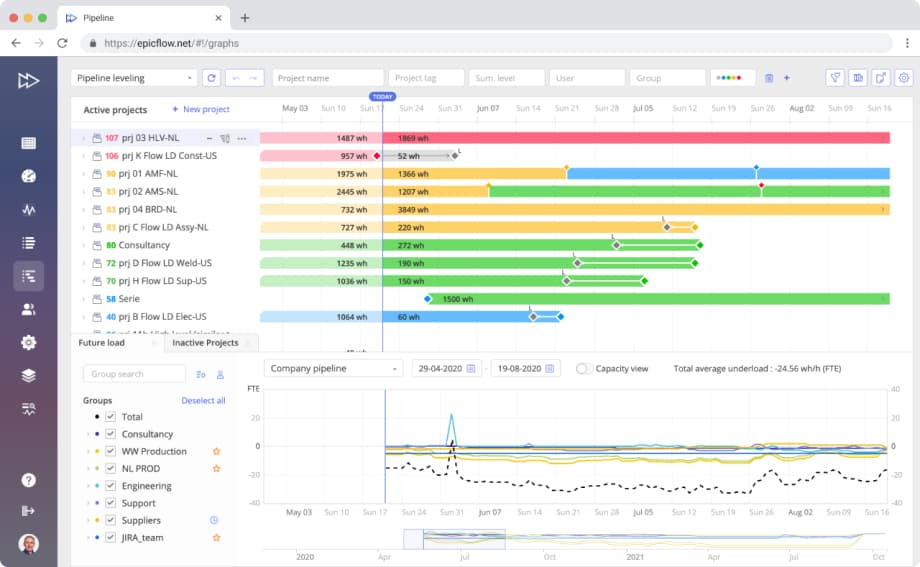
Epicflow is an outstanding multi-project and resource management solution, which focuses on optimizing workflows across the entire project portfolio. This software will help you to increase resource availability by detecting bottlenecks, predicting delays, and analyzing scenarios. Moreover, project performance will be enhanced and resilient in unstable circumstances such as limited resources, volatility or precariousness.
Best For
Complicated and unpredictable multi-project environments with a shared resource pool.
Key AI features
- Predictive analytics: It monitors future and present metrics in real time in order to determine if a project will lose time, therefore allowing project teams to remedy risks before they become persistent issues.
- Task prioritization: The software creates a list of tasks not on a predetermined schedule but rather based on the real-time availability of resources and the shifting priorities that occur.
- Load balancing: Epicflow’s AI analyzes resource workloads and recommends the optimal resource distribution to avoid overloads. It can reallocate resources based on their capacity and priorities and ensures resources are used efficiently.
- Bottleneck management: Epicflow’s algorithms can scan the portfolio to identify emerging and potential bottlenecks. The system flags where constraints are building and provides an opportunity to test practical solutions to prevent bottlenecks from affecting the overall project flow.
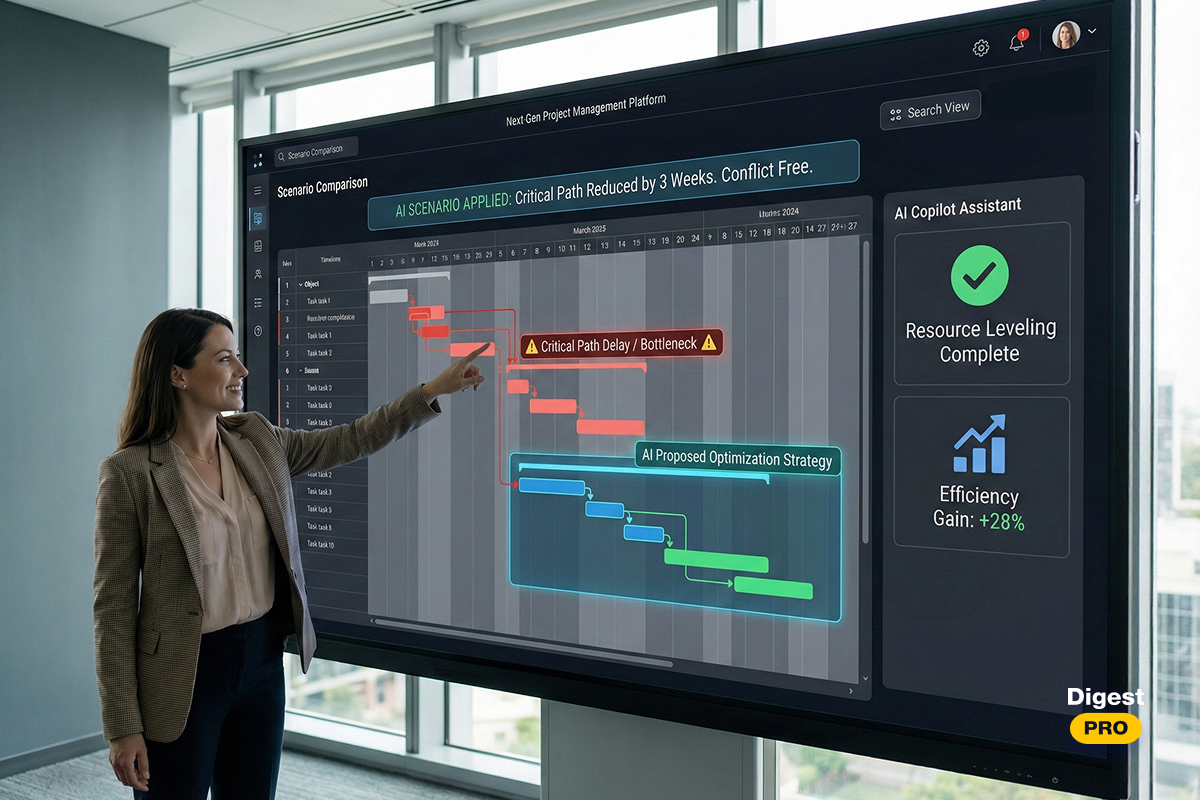
- Scenario simulation: Epicflow’s AI enables users to simulate different project and resource management scenarios. You can change variables like resource allocation, project priorities, or project deadlines, and can see the potential impact before making changes.
- AI-based capacity planning: The AI will use the amount of work per current project that is being performed to be able to predict when resources will be available to cover any potential future staffing gaps.
- Recommendation for strategic decision-making: The AI will utilize the information associated with the value of the projects being worked on and the capacity of resources available to determine what projects should be delayed to maintain a healthy project portfolio.
- Epicflow’s Epica AI assistant acts as a tireless advisor that automates administration, alerts you to budget risks, and proactively detects bottlenecks. In addition, it provides instant data on project health and uses natural language processing to assign the right experts to tasks. This intelligent support frees managers to focus entirely on high-level strategic growth and critical decision-making.
Epicflow can integrate with all widely used project management tools, including Jira, MS Project, Oracle Primavera, SAP, and other ERP systems.
Industries
Engineering-driven industry segments such as aerospace and defense, automotive, manufacturing, pharmaceuticals, software development, telecommunications, etc., as well as government entities.
Pros and Cons
Pros:
- Unmatched capability for balancing resources across hundreds of projects.
- Strong mathematical foundation based on the Theory of Constraints (TOC).
- Unique AI-based assistant.
- Outstanding high data security standards,
Cons:
- It may be too powerful for simple, single-project teams.
- Requires a commitment to “flow-based” management principles.
Pricing
Epicflow offers a Standard tier for €22.5 and a custom Enterprise tier.
Epicflow has a unique resource management approach, which can enable your enterprise to provide new ways to create value. Schedule an Epicflow demo today to discover how Epicflow’s AI-enabled platform could provide efficiency across your complete portfolio of projects.
ClickUp
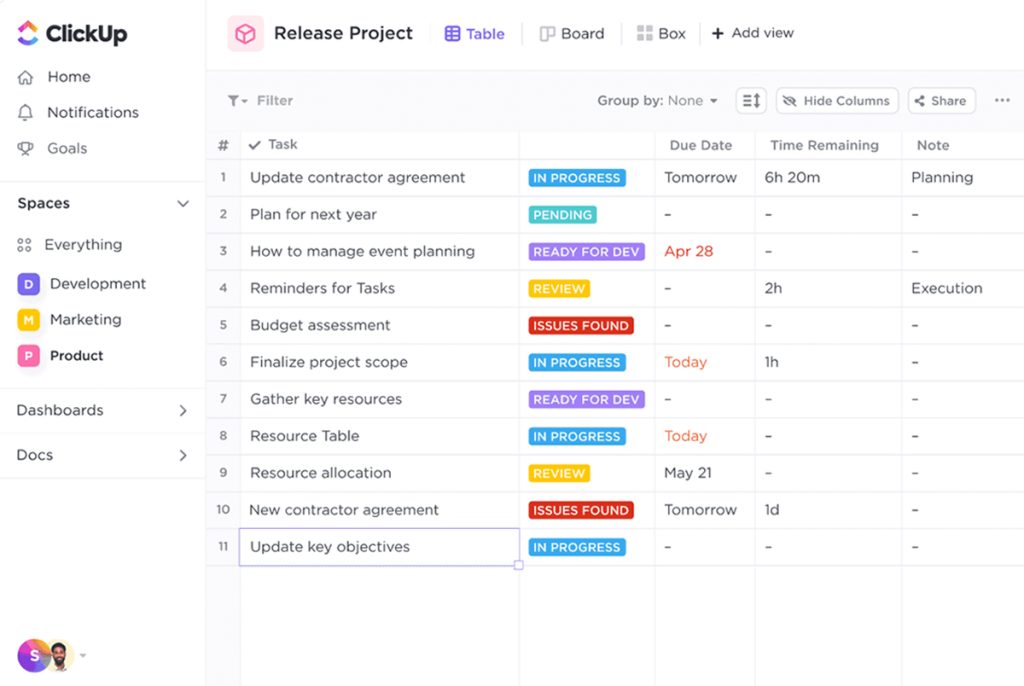
ClickUp excels at general productivity. In 2026, it evolved into a mature “work operating system.”
Best for
It is ideal for small- to medium-sized businesses and creative teams looking to centralize documents, tasks, and communication.
Key AI features
The “ClickUp Brain” can automatically write project briefs, summarize long comment threads, and even write meeting minutes. Predictive task estimates and automatic subtask creation are also on offer.
Pros and Cons
Pros:
- Can replace multiple tools.
Cons:
- The sheer number of features can lead to a cluttered interface.
- Performance can lag with very large datasets.
Pricing
Offers a free tier, while paid plans start at about $7 per user/month.
Zapier
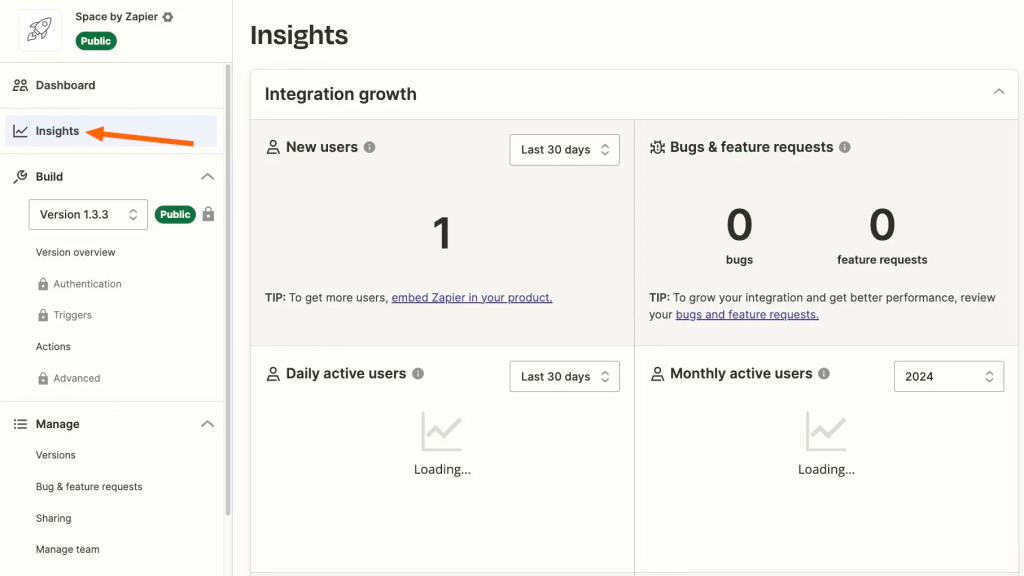
Zapier uses AI to create complicated integrations via a natural language interface.Thereby, AI-powered agents can watch data in one application for a user, like a spreadsheet, and act based on that data in another application, like Jira.
Best for
Organizations that use a diverse range of specialized tools need a unified AI layer to automate work between them.
Key AI features
Zapier uses AI to build complex automations using natural language. Also, its agents can monitor data in one app (like a spreadsheet) and take actions in another (like Jira) based on custom logic.
Pros and Cons
Pros:
- No-code interface.
Cons:
- Costs can escalate with increasing volumes of automation used.
- No native interface for tracking tasks.
Pricing
There is a free forever plan and a paid tier that starts from $29.99/month.
Effective project delivery in the AI era requires more than just tools; it requires continuous learning. To receive the latest case studies on how top firms are using AI to cut costs and hit deadlines, join our community at Digest.pro.
Wrike
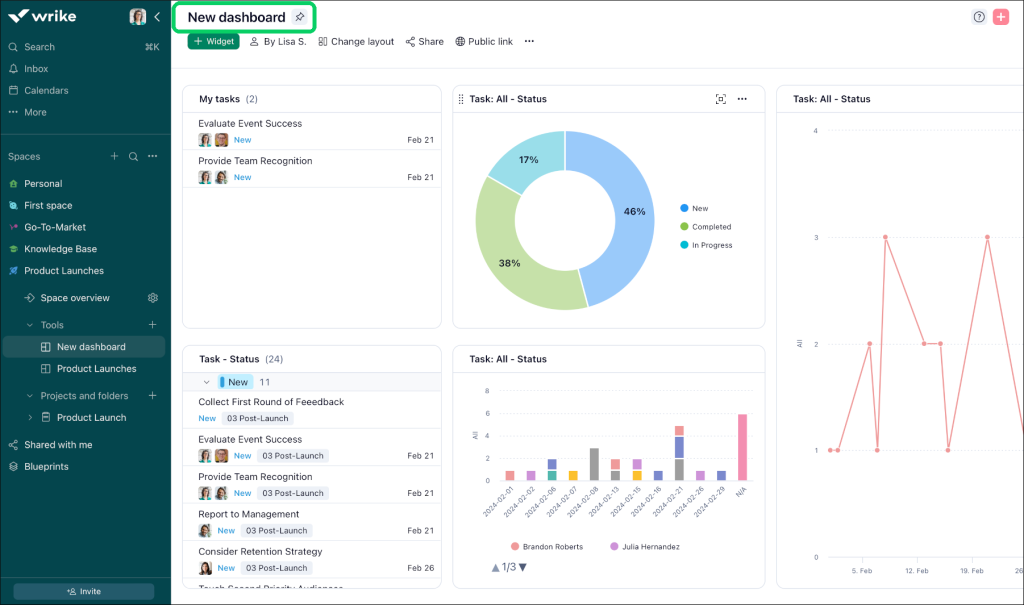
Wrike remains an enterprise leader in the artificial intelligence project management software market. It is known for its “Work Intelligence” engine, which provides deep insights into enterprise performance.
Best for
Large marketing organizations, as well as professional services companies where high security levels, together with functional clarity, are required.
Key AI features
Wrike has an automated project health scoring and risk prediction feature. Moreover, its artificial intelligence allows prioritization of tasks and conversion of voice memos or written notes into tasks.
Pros and Cons
Pros:
- Enterprise-class security and permissions.
Cons:
- The interface can feel rigid compared to newer competitors.
- Higher-priced plans incorporate more advanced features regarding artificial intelligence.
Pricing
Plans start from approximately $9.80 per user/month, and enterprise pricing is negotiable.
Asana
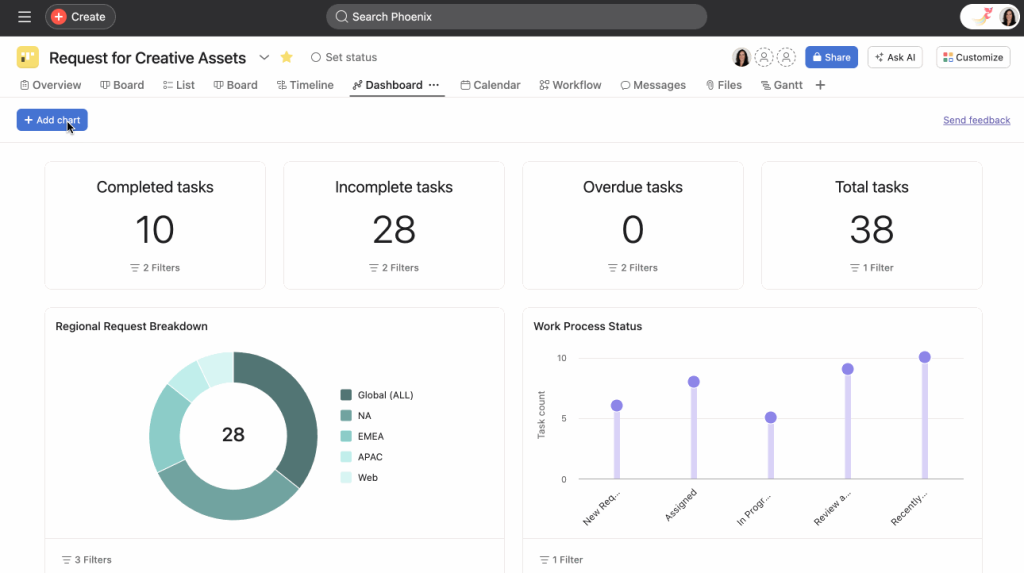
The “work graph” concept in Asana excels at serving mission-driven organizations. In the context of 2026, “connecting the dots” in Asana Intelligence refers to linking day-to-day activities to annual objectives.
Best for
Mid-to-large-sized organizations that already deploy OKRs—Objectives and Key Results.
Key AI features
Identifying unknown issues, giving executives a summary of project status, and answering questions from the user regarding project state may be of great assistance to users.
Pros and Cons
Pros:
- Intuitive interfaces.
Cons:
- Limited multi-project resource optimization.
- Can be expensive for large teams.
Pricing
The personal tier is free; paid tiers start around €11 per user/month.
Read more: Instant Guide to the Best Product Management Tools for Product Managers in 2026
Smartsheet
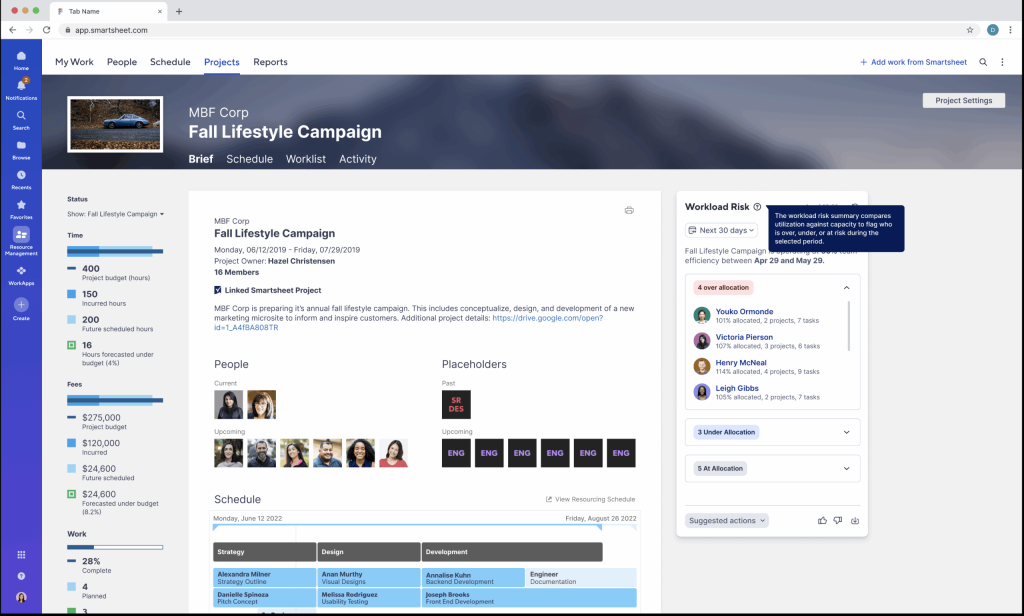
Smartsheet has evolved into a powerhouse for enterprise portfolio intelligence, using AI to turn massive grids into actionable boardrooms. It is the ideal bridge between traditional spreadsheet flexibility and advanced automated project governance.
Best for
Large-scale enterprises and teams with substantial volumes of information that manage many intricate project portfolios through an easily recognized strongly automated interface.
Key AI features
This AI-driven platform utilizes its intelligent engine to proactively discover risks in large numbers of portfolios and automate complex spreadsheet formulas via natural language, obtaining real-time summaries of portfolio health and strategic data concerning the use of resources to promote improved decision-making by leaders.
Pros and Cons
Pros:
- Incredible data processing power for large portfolios.
- Highly familiar interface for spreadsheet power users.
Cons:
- Higher learning curve for those unfamiliar with grid logic.
- Enterprise features often require higher-tier plans.
Pricing
Plans start from $9 per user/month.
Monday
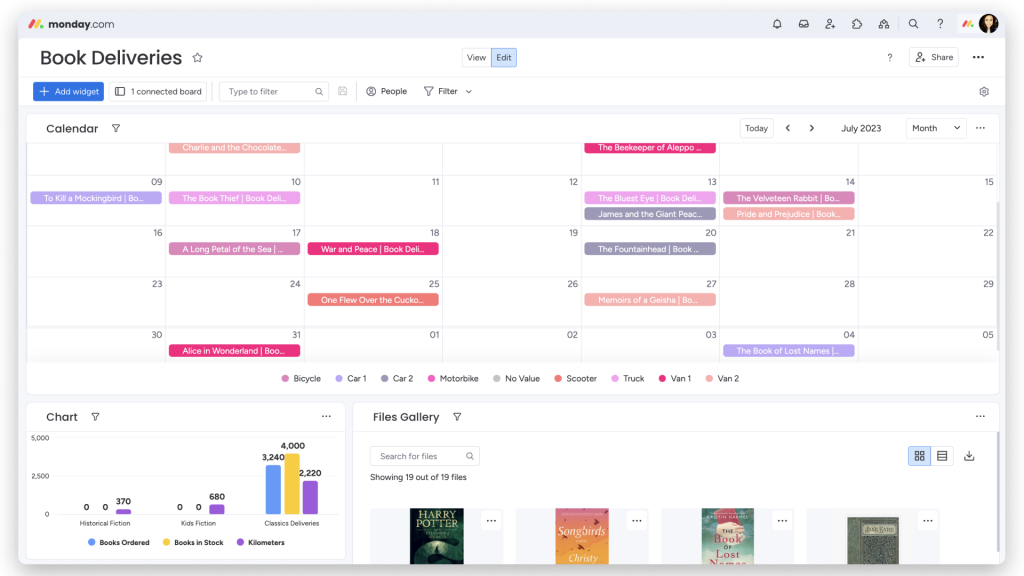
Monday is one of the most popular AI tools for project management. Using this tool, it is possible to create custom AI apps within boards.
Best for
Any teams looking for a highly visual and tailored system to manage unique workflows.
Key AI features
The user has access to the AI Assistant on Monday to use it for creating formulas, summarizing columns of data, and creating intricate automation using simple text commands.
Pros and Cons
Pros:
- High adoption rates owing to ease of use.
- Highly visual and engaging.
Cons:
- Can become disorganized if not governed properly.
- Some advanced AI features require the “Pro” or “Enterprise” plan.
Pricing
Standard plans start around €9 per user/month.
Ayanza
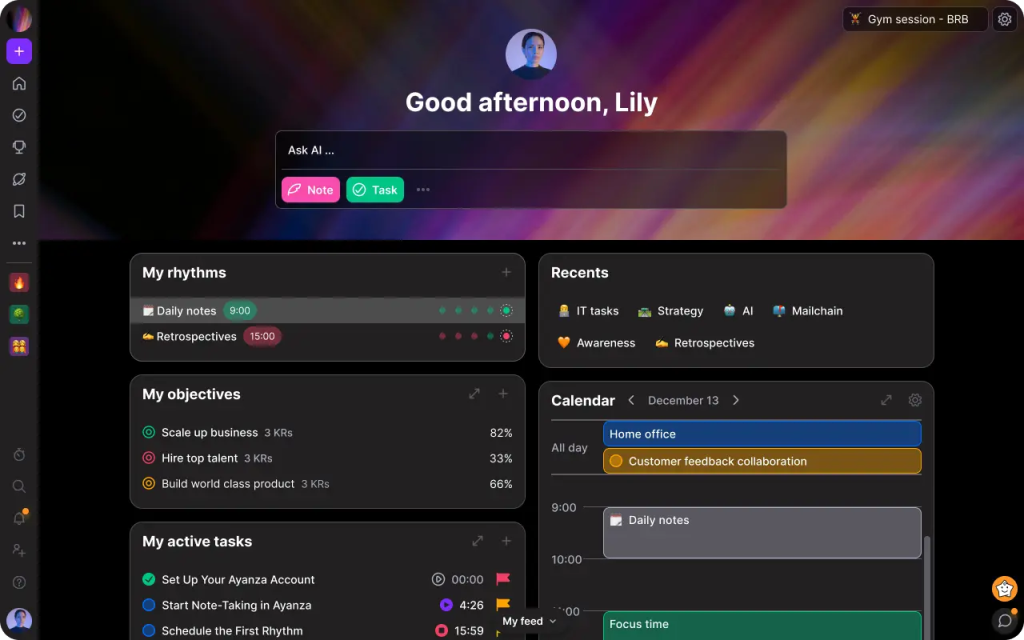
Ayanza can leverage the capabilities of artificial intelligence in analyzing the “rhythm” of the team, suggesting a better meeting time, identifying if a person might be overwhelmed, and utilizing artificial intelligence-based team bonding suggestions.
Best for
Remote and distributed teams that prioritize culture and mental health as part of their performance strategy.
Key AI features
Ayanza provides an automated or virtual “Project Coordinator” through AI Agent(s) who autonomously conduct routine check-ins and obtain status updates for the project team.
Pros and Cons
Pros:
- Special emphasis on team well-being.
- Modern, social media-style interface
Cons:
- Limited enterprise scheduling capabilities.
- Still building its enterprise feature set.
Pricing
There is a free plan available, and paid tiers’ pricing starts from $6/user/month.
Taskade
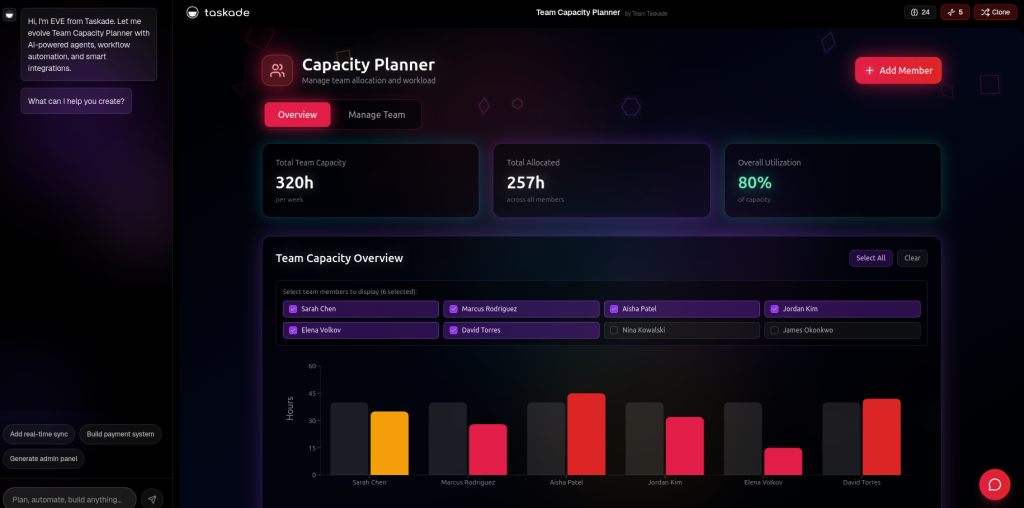
Taskade is the best AI project management software for those who want to use “AI Agents” as part of their team. It treats AI as a collaborative partner rather than just a tool.
Best for
Startups, freelancers, and small teams can maximize their productivity through automation.
Key AI features
Taskade’s AI agents automate status updates, generate progress reports, and suggest optimal task assignments.
Pros and Cons
Pros:
- Works seamlessly on mobile, desktop, and web.
Cons:
- May be uncomfortable because of the “nested list” format.
- Can be overwhelming.
Pricing
Free plan for personal usage and paid tiers for teams starting from $6 per month.
Trello
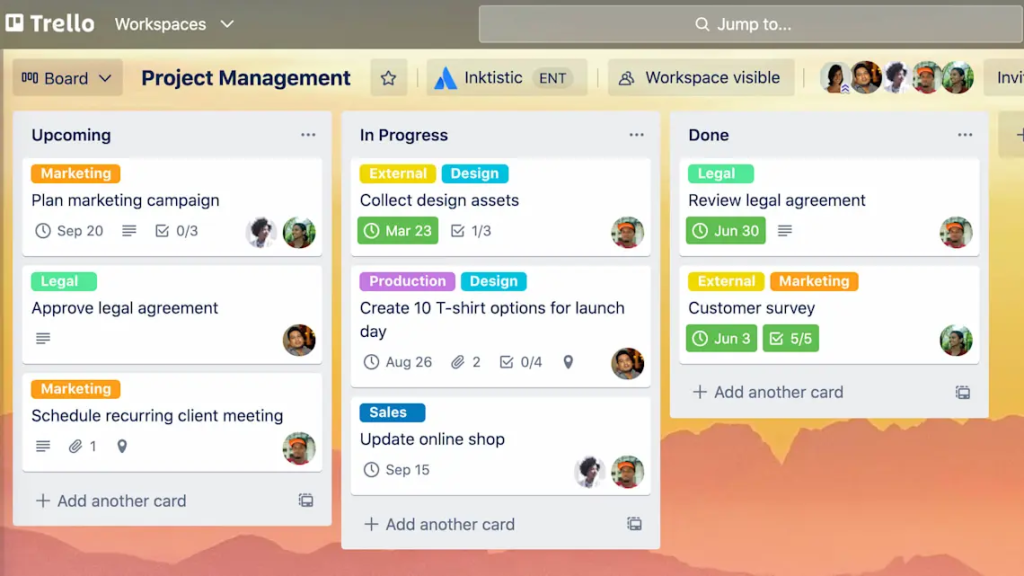
Trello is the “original” visual manager and remains a key player in the AI project management tools comparison, as its “Butler” AI got significantly smarter in 2026.
Best for
Individuals and small teams with simple pipeline management or personal to-do lists.
Key AI features
Trello’s Butler provides AI automation cards, suggested actions based on board history, and notifies when tasks fall behind schedule.
Pros and Cons
Pros:
- Zero learning curve.
- Huge marketplace of “Power-Ups.”
Cons:
- Too simple for enterprise-scale multi-project management.
- Lacks native reporting depth.
Pricing
Free for small teams and standard tiers for $5 per month.
Our Methodology
In order to offer a fair review of the top-rated project management tools for the realm of AI, a stringent assessment framework is employed, which focuses specifically on the key structural features that matter the most to the C-level management.
- Strategic intent (Best for): We determined the primary goal or objective of the tool.
- Technological maturity (Key AI features): Specifically, we considered the maturity of tools that provided predictive results over those that only provided automation.
- Operational balance (Pros and Cons): We evaluated ease of adoption and scalability.
- Ecosystem integration (Integrations & Industries): We considered how the tool integrates into the traditional software ecosystem found within organizations, such as Jira, SAP, or Salesforce.
- Economic viability of pricing: We also evaluated the different pricing structure strategies to affirm their capacity to generate a reasonable ROI for organizations of varying sizes.
Read more: AI in Project Management: Benefits, Use Cases & Trends [2026]
Final Thoughts
- Essential survival strategy: Utilizing AI project management software in 2026 is certainly no longer just a matter of choice; it is actually a vital route to organizational survival.
- Scientific excellence: When it comes to large-scale enterprises that handle complicated multi-project portfolios, Epicflow offers a very scientific, effective, and data-driven way to success.
- Creative agility: For a team whose top priority is the preservation of their creative freedom, software such as ClickUp or Monday will give them the level of flexibility most tailored to their needs that, in turn, will help them remain competitive.
- Reclaiming value: Time is the most valuable thing a person can have. AI’s ultimate goal is to allow you to take your time back.
- Strategic focus: AI saves up your time by doing the routine work. Also, with its predictive powers, it allows you to concentrate on the leadership and innovation that really drive your company forward.
Frequently Asked Questions
AI project management tools are project management softwares that incorporate AI technology into their features. AI project management software is better than traditional project management software at analyzing large volumes of project information to find trends, identify issues, give recommendations, generate reports and other activities related to projects.
It handles the heavy lifting that usually eats up your day—like scheduling, resource balancing, and risk detection. Modern tools go further by summarizing meeting minutes, matching expert skills to specific tasks, and testing “what-if” scenarios. It looks at millions of data points to predict delays and actively suggests the best path forward so you don’t have to guess.
Top criteria:
1) >90% prediction accuracy,
2) <2 hr onboarding.
3) SOC2/GDPR security,
4) Multi-project scalability.
They do this by consuming historical and real-time project data, with algorithms recognizing trends within team performance and resources being utilized to assist with predicting future trends and efficiently facilitating workflows.
They make work more efficient, thus minimizing the chances of human errors happening. In addition, they ensure proper utilization of resources. Besides that, they help achieve organizational growth, keeping delivery standards high. At the same time, employees experience less stress.
Epicflow is the leader in multi-project resource management solutions, but ClickUp and Monday can serve as excellent choices in the area of productivity in general, as can Wrike or Asana in the case of enterprise-level collaboration solutions.
Rather than merely providing you with more data, essential features of AI project management tools are designed to make your life easier. Predictive technology, which identifies hazards before they become major catastrophes, and scheduling, which actually corrects itself when circumstances change, are the first steps. To prevent burnout, you also need a system that distributes workloads among team members, a process known as intelligent resource leveling. Lastly, it must flawlessly sync with the apps that your team uses on a daily basis.
Types of AI project management tools are generally split into three main categories based on what you’re trying to build. You have simple, task-focused tools for small teams; creative-friendly platforms tailored for marketing groups; and heavy-duty, resource-centric systems like Epicflow that keep massive engineering or manufacturing jobs from going off the rails.
While traditional tools are static ‘record keepers,’ showing what has happened, AI tools are dynamic ‘advisors,’ not only forecasting what will happen but also indicating how to make it better!
Analyze the complexity of your organization and the way it shares resources. Select tools matching your organization’s complexity, required AI capabilities, and SOC2/GDPR security standards. It also needs to have robust data security features and support.
References
- McKinsey & Company. (2025). The state of AI in 2025: Agents, innovation, and transformation
- Gartner. (2025). Adaptive Project Management and Reporting Reviews and Ratings.
- Gartner (2025). Gartner Predicts 40% of Enterprise Apps Will Feature Task-Specific AI Agents by 2026, Up from Less Than 5% in 2025.
- Project Management Institute (PMI). (2025). Major Trends to Monitor: PMI Pulse of The Profession 2025 Report.
- Shadi Salimimoghadam, Amir Naser Ghanbaripour, Roksana Jahan Tumpa, Amir Kamel Rahimi, Mehdi Golmoradi, Sara Rashidian, and Martin Skitmore. (2025). The Rise of Artificial Intelligence in Project Management: A Systematic Literature Review of Current Opportunities, Enablers, and Barriers
- Diego Verga, Antonio del Bosque, Georgios Lampropoulos, and Pablo Fernández-Arias (2025). Trends and Applications of Artificial Intelligence in Project Management