Every business leader has to deal with the same stress: do more with less, and do it faster than ever. Autonomous AI agents are not just a thing of the future; they are already doing things like running workflows, writing code, setting up meetings, and closing deals.
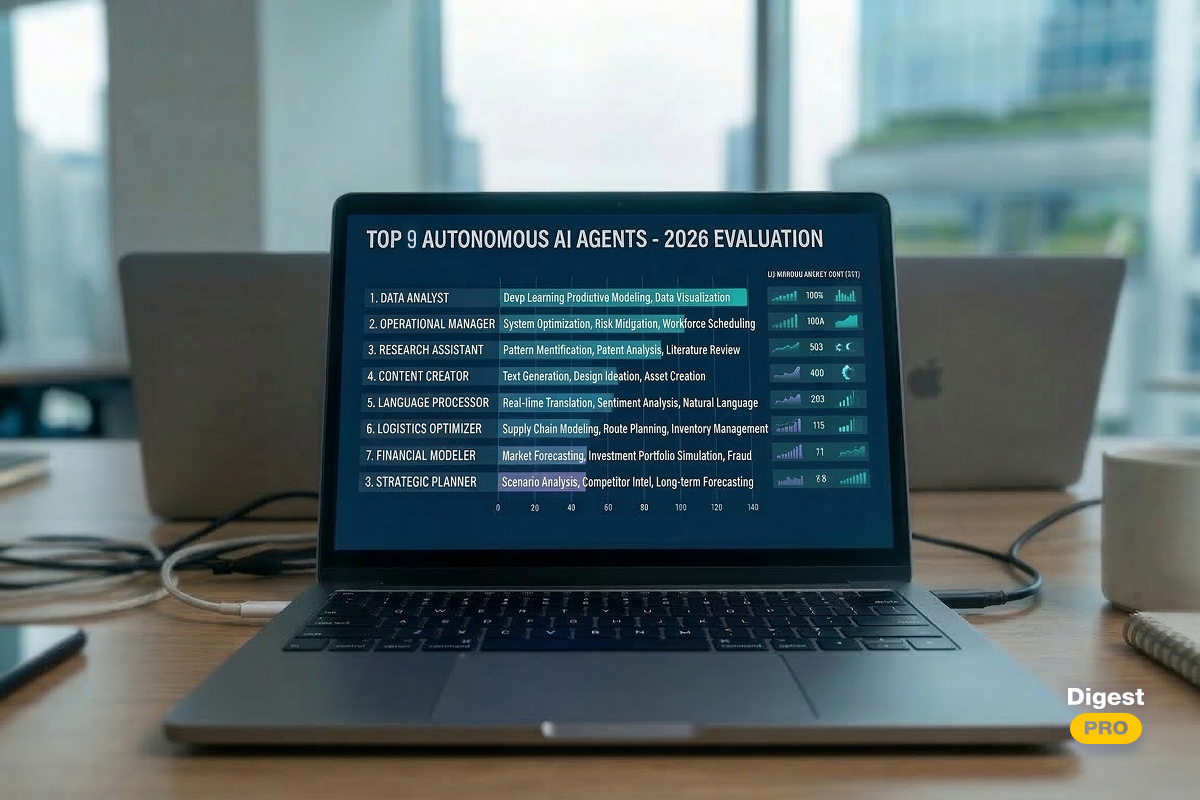
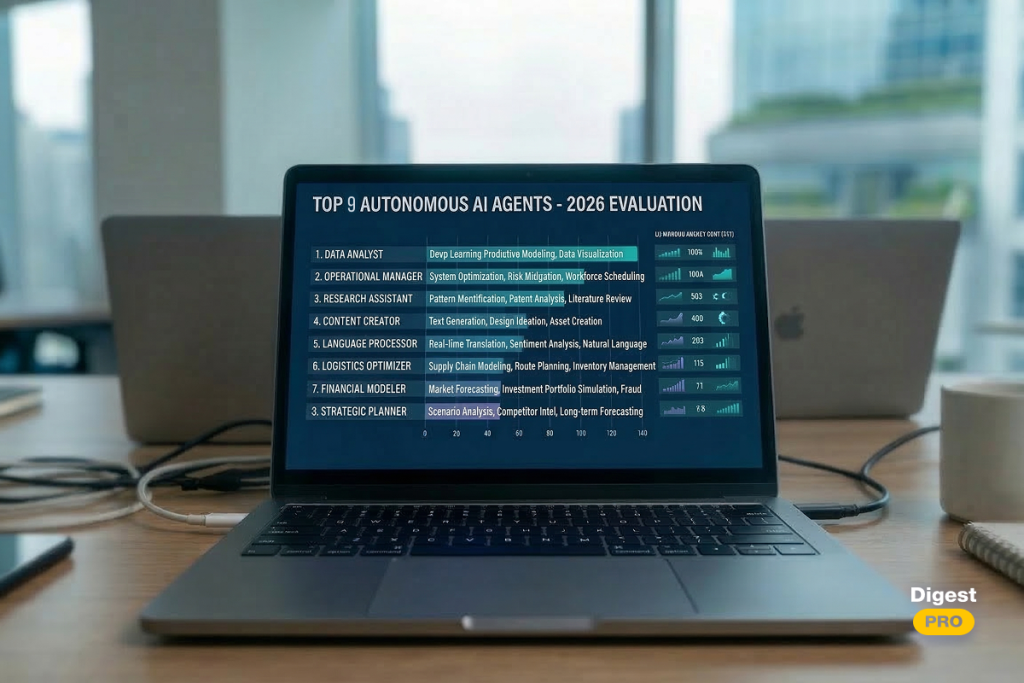
We looked at dozens of platforms, tried out real-world deployments, and looked at independent research to come up with the final list of the 9 best autonomous AI agents available in 2026. This list is ranked and reviewed for business leaders.
In this article, we will explore what makes a truly autonomous AI agent, why they deliver measurable ROI, how each of the top 9 AI agent platforms performs across key criteria, and how to deploy your first agent without costly mistakes.
Top 9 AI Agents in 2026: TL;DR
Short on time? Here is what you need to know before diving deeper.
Comparison Table of Best Autonomous AI Agents
|
Tool |
Best For |
Pricing (from) |
Coding Required |
Enterprise-Ready |
|---|---|---|---|---|
|
Epicstaff |
Visual multi-agent workflow builder |
Open-source (free) |
Optional |
Yes |
|
Devin |
Autonomous software engineering |
~$500/mo for team |
No |
Yes |
|
Agentforce |
CRM & sales automation |
$500/Per 100k Credits |
No |
Yes |
|
Lindy |
No-code personal assistance |
Free / $50/mo |
No |
Partial |
|
Claude Code |
Terminal-based developer workflows |
Usage-based |
Yes |
Yes |
|
Zapier Central |
Cross-platform app automation |
From $19.99/mo |
No |
Partial |
|
Carly |
Autonomous meeting scheduling |
Free/$19/custommo |
No |
Partial |
|
Manus |
Deep research & data synthesis |
From $20/mo |
No |
Growing |
|
CrewAI |
Multi-agent team orchestration |
Free/$25/custom per mo |
Yes |
Yes |
Not every autonomous AI agent suits every organization. Use this quick guide:
- Teams that want visual, no-code workflow building with full developer extensibility → EpicStaff.
- Developer teams → Devin or Claude Code.
- Sales & CRM teams → Agentforce.
- Operations & scheduling → Carly or Zapier Central.
- Research & analysis → Manus.
- No-code business users → Lindy.
- Advanced multi-agent workflows → CrewAI.
AI Agent Selection Cheatsheet: Which One Is Right for You?
Not every autonomous AI agent suits every organization. Use this quick guide:
- Teams that want visual, no-code workflow building with full developer extensibility → EpicStaff.
- Developer teams → Devin or Claude Code.
- Sales & CRM teams → Agentforce.
- Operations & scheduling → Carly or Zapier Central.
- Research & analysis → Manus.
- No-code business users → Lindy.
- Advanced multi-agent workflows → CrewAI.
To discover more about AI assistants, subscribe to our LinkedIn.
What Is an Autonomous AI Agent?
An autonomous AI agent is defined as “a software piece driven by large language models that are capable of independent planning, deciding, and executing multi-step actions without human intervention at each step.”
Traditional automation platforms are rule-bound systems. Autonomous AI agents are flexible systems. They are aware of their surroundings, create a plan, use tools like browsers, APIs, and code editors, and improve their way to accomplish something.
Here is a simple way to think about it: a basic chatbot answers questions. An AI agent takes action.
Key characteristics of a true autonomous AI agent include:
- Goal-directed behavior—it works toward an objective, not just a prompt.
- Tool use—it can call APIs, search the web, and write and run code.
- Memory—it retains context across long tasks.
- Self-correction—it evaluates its own output and adjusts.
- Minimal human oversight—it operates with high autonomy between checkpoints.
The term “agentic AI” describes this whole category. The best autonomous AI agents in 2026 combine powerful large language models with structured planning frameworks and robust tool integration.
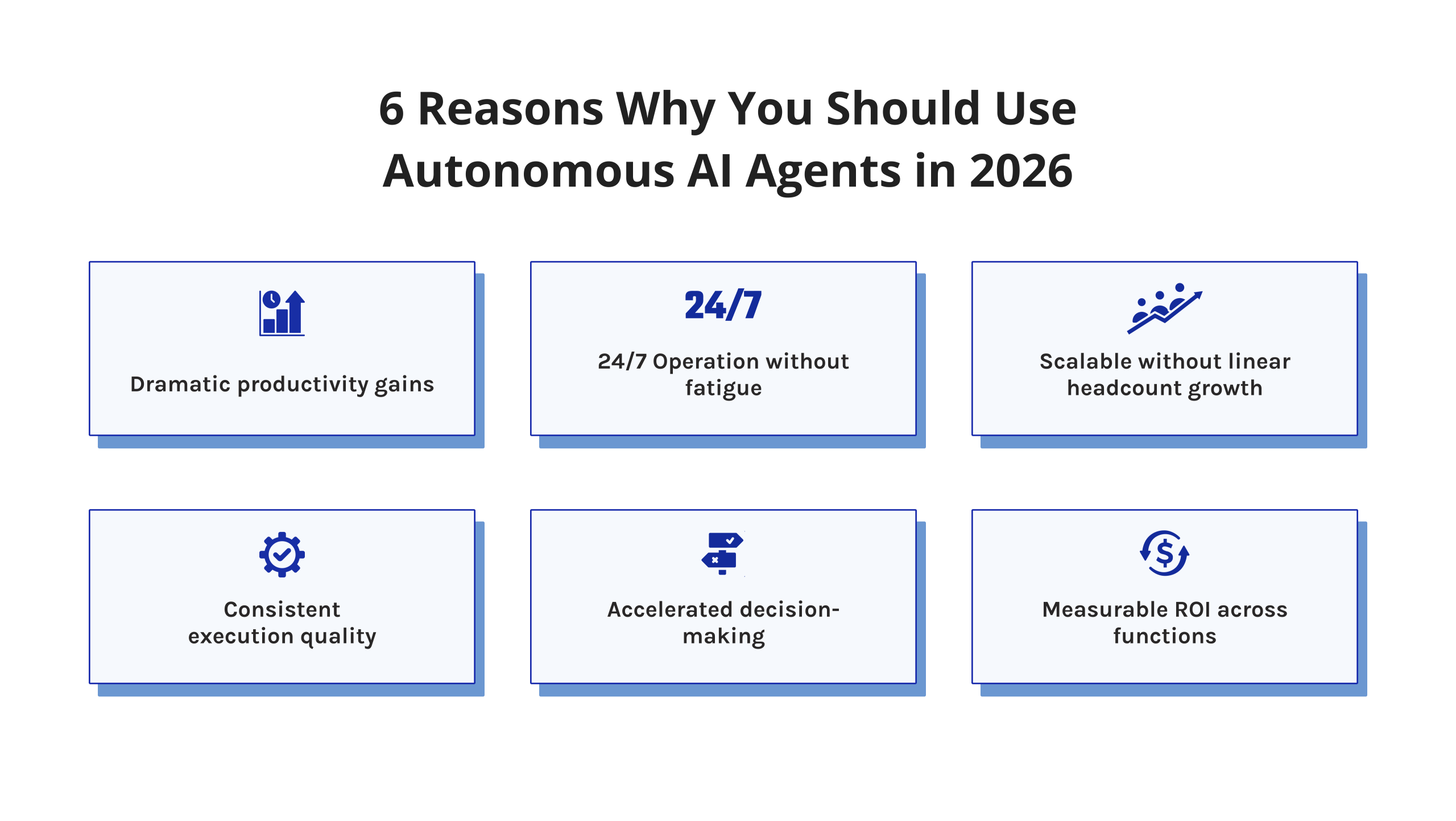
6 Reasons Why You Should Use Autonomous AI Agents in 2026
The business case for autonomous AI agents has never been stronger. Here is what the data shows.
1. Dramatic productivity gains
McKinsey’s research on generative AI has found that knowledge worker productivity can be increased by as much as 20-40% when AI is used to handle routine cognitive tasks. This is extended by autonomous agents that can complete entire workflows, not just individual tasks.
2. 24/7 Operation without fatigue
The autonomous agents are not subject to fatigue; that is, they don’t fall asleep or become distracted. They are able to run 24/7 according to the AI workflows that are defined for them.
3. Scalable without linear headcount growth
Hiring scales linearly. Deploying agents scales exponentially. One well-designed agentic workflow can handle the volume of 10–50 human operators for specific, well-defined tasks.
4. Consistent execution quality
Human error is unavoidable. Autonomous agents follow defined protocols every time. For compliance-heavy industries—finance, healthcare, legal—this consistency is not just useful. It is critical.
5. Accelerated decision-making
Enterprise AI agents can synthesize data from multiple sources in seconds. What once took an analyst days can now surface as a structured briefing in minutes. This speed directly impacts competitive agility.
6. Measurable ROI across functions
Early enterprise adopters report compelling returns. Salesforce data shows Agentforce deployments delivering significant cost-per-contact reductions. Developer teams using agentic coding tools report 30–50% reductions in time-to-ship for standard features. The AI agent ROI is no longer theoretical.
9 Best Autonomous AI Agents in 2026: Comprehensive Review
1. EpicStaff: Best for Multi-agent orchestration
Most agent platforms force a choice: either you get a polished no-code interface with limited flexibility, or you get full developer power buried in YAML files and Python scripts. EpicStaff is one of the few tools in 2026 that genuinely bridges that gap.
Built around a drag-and-drop canvas powered by Foblex Flow, EpicStaff lets domain experts visually construct complex agentic workflows while developers extend them with custom Python functions — all in the same shared workspace.
The platform is built on a simple framework designed to give clarity through meaning – Staff (individual agents acting in different capacities), Crews (multiple individual agents working together), Tools (everything from a Python script to a LangChain integration), and Nodes (the graphical building blocks connecting all of the components).
Key Features
- Drag-and-drop visual canvas for building multi-agent workflows without writing infrastructure code.
- Crews: assemble collaborative teams of specialized agents that work toward a shared objective.
- Custom Python tool support — developers can extend any workflow with bespoke logic alongside no-code components.
- Persistent memory via mem0, so agents learn and retain context across sessions and knowledge sources
- Native voice agent capability — users can speak directly to agents, ask questions from knowledge bases, and trigger tool actions verbally.
- LangChain and LLM integrations out of the box, with support for connecting any model of your choice.
Real-time collaboration — domain experts and engineers work in the same shared environment simultaneously.
Ease of Use & Setup
EpicStaff is free to start and open-source, so there is no procurement barrier. Non-technical users can begin building workflows visually within minutes. Developers who want to add custom logic drop into Python without leaving the platform.
The shared canvas model is particularly strong for mixed teams where business stakeholders and engineers need to co-own the same workflow — a scenario most agent platforms handle poorly.
Pricing Model
EpicStaff is open-source and free to use. Self-hosted deployment is available for teams that need full data control. Managed cloud and team plans are in development. For organizations comfortable with self-hosting, the cost of entry is effectively zero.
Pros and Cons
Pros:
- Open-source with no licensing cost — strong value proposition for cost-conscious teams.
- One of the few platforms that genuinely serves both technical and non-technical users in the same workspace.
- Visual canvas makes complex multi-agent logic accessible and auditable without reading code.
- Persistent memory gives agents genuine context retention across long-running workflows.
- Voice interaction capability is a differentiator — rare among workflow-focused agent platforms.
- Active community and rapid development cadence typical of strong open-source projects.
Cons:
- Self-hosted setup requires DevOps capacity that smaller teams may not have in-house.
- Managed cloud offering not yet fully available, which limits plug-and-play deployment options.
If EpicStaff looks like a fit for your team, it is worth exploring hands-on. The platform is free to start, and the best way to evaluate it is to build something real. Head over to epicstaff.ai and try it!
2. Devin: Best for Autonomous Software Engineering
Devin, created by Cognition AI, was the world’s first fully autonomous AI software engineer to get the biggest attention in 2024. By the year 2026, Devin has become highly competent and one of the best AI coding agents in the market.
Devin is not limited to just composing small pieces of code. It can open a terminal, browse the documentation, write and run code, debug, and change all independently. It is working in its own isolated development environment, where it has access to the browser, shell, and code back.
Key Features
- Full-stack autonomous development.
- Sandboxed environment with browser, shell, and code editor access.
- GitHub integration—opens PRs, responds to review comments, and resolves merge conflicts.
- Bug detection and self-correction loops are built into every task cycle.
- Natural language task assignment—no technical prompt engineering required.
Ease of Use & Setup
Setup requires access to Cognition’s platform. Non-technical managers can assign tasks in plain English. Developers can use more technical specifications.
The learning curve is low for assigning tasks, but teams need clear internal processes for reviewing Devin’s output before merging to production.
Pricing Model
Devin operates on a subscription model starting at approximately $500/month for team access. Enterprise pricing is available for larger deployments with SLA guarantees.
Pros and Cons
Pros:
- Handles genuinely complex engineering tasks end-to-end.
- Reduces dependency on developer availability for routine builds and maintenance.
- Strong context retention across multi-day projects—rare among the best AI coding agents.
- Dramatically cuts time-to-ship for standard features and bug fixes.
- People who aren’t engineers can assign development tasks without having to write any code.
Cons:
- It’s hard for small or new teams to justify because it’s so expensive.
- You can’t skip the step of having a human review all production code before merging it.
- Has trouble with codebases that are very specialized, proprietary, or old and have little documentation
Our experts conduct daily research and publish the most important news on our LinkedIn page. To not skip any valuable information, subscribe to Digest.Pro.
3. Agentforce: Best for Enterprise CRM and Sales Automation
Salesforce’s Agentforce is one of the biggest advancements in enterprise software in recent years. The latest Agentforce offering brings agentic artificial intelligence into your typical customer relationship management (CRM) workflow, making it a leading solution for sales, service, and marketing teams that currently use Salesforce.
With Agentforce, you can use AI agents to qualify leads, respond to customer inquiries, escalate issues, update records, and execute multiple-step workflows—all without human input.
Key Features
- Enterprise-grade security with full audit trails and role-based access controls.
- Pre-built templates for agents based on typical sales, service, marketing, and HR use cases.
- Agent Builder—Visual, no-code interface for configuring agents.
- Canned and automated lead qualification, escalation of cases, and updating records.
Ease of Use & Setup
Agentforce is designed for Salesforce admins and business users. No coding is required for most deployments. Agent Builder uses a visual interface. Most enterprise teams can deploy a working agent in days, not months.
Pricing Model
Agentforce is priced at $2 per conversation for standard deployments. Enterprise agreements with volume pricing are available. However, it offers a free version as well. Existing Salesforce licenses may include credits.
Pros and Cons
Pros:
- Good governance and audit trails are already satisfied out of the box.
- Has been proven in enterprise-wide deployments across Fortune 500 companies.
- Agent Builder is available for non-programmers to customize.
- Wide coverage of use cases across sales, service, marketing, and HR.
Cons:
- Significant investment is required in the Salesforce ecosystem to use this product.
- The $2/conversation model scales costs quickly at high interaction volumes.
- Customization beyond built-in templates requires certified Salesforce.
4. Lindy: Best for No-Code Personal Assistance
Lindy positions itself as a personal AI employee—one you can configure without writing a single line of code. It targets business users who want powerful agentic workflow automation without relying on IT or developers.
Lindy agents can manage email, schedule meetings, handle customer support, summarize documents, and connect to hundreds of apps via integrations.
Key Features
- No-code visual agent builder with plain-English task assignment.
- 200+ app integrations covering Gmail, Slack, Notion, HubSpot, Calendly, and more.
- Persistent memory system that personalizes behavior over time based on user preferences.
Ease of Use & Setup
Lindy is arguably the most accessible platform on this list. Setup takes minutes. Users describe tasks in plain English, and Lindy structures the workflow automatically. Ideal for entrepreneurs, executives, and operations teams.
Pricing Model
Lindy’s plans start at $50/month and scale by usage and team size.
Pros and Cons
Pros:
- Very easy to get started compared to the other tools in this list that are closely related to enterprise.
- An incredible range of integrations—most business software combinations can be covered.
- Great for executive support, email sorting, and preparing for meetings.
- Customizations get significantly better once the user has had the tool for a few weeks.
Cons:
- Memory and context limitations on lower tiers reduce reliability for complex tasks.
- Not designed for high-stakes, compliance-sensitive enterprise workflows.
- Less customizable than code-based alternatives when edge cases arise.
Stay ahead of the AI curve. Subscribe to our LinkedIn and get the most actionable AI intelligence delivered directly to your feed.
5. Claude Code: Best for Terminal-Based Developer Workflows
Claude Code is Anthropic’s command-line AI agent designed specifically for professional developers. Unlike browser-based coding assistants, Claude Code lives in the terminal—where serious engineering happens.
It reads entire codebases, writes and edits files, runs tests, executes shell commands, and iterates on solutions autonomously. For teams seeking one of the best autonomous AI agents for developers, Claude Code is a top-tier choice.
Key Features
- Native terminal integration—operates entirely in the CLI; no browser required.
- Full codebase context awareness across hundreds of files simultaneously.
- Autonomous multi-file editing, refactoring, and structural changes.
- Test execution and intelligent error interpretation with self-correction.
Ease of Use & Setup
Claude Code installs via npm in minutes. It requires a Claude API key. The interface is pure terminal, which means it is built for developers—not business users. However, for engineering teams, this is a feature, not a limitation.
Pricing Model
Claude Code is usage-based, billed through Anthropic’s API pricing. Costs depend on token usage and vary by project complexity. Teams typically see costs ranging from $20 per seat (Standard tier) to $100 per seat (Premium tier) to enterprise plans (prices depend on usage intensity).
Pros and Cons
Pros:
- Exceptionally strong at navigating and reasoning across large, complex codebases.
- Transparent reasoning builds developer trust—you always see why it made a change. Works natively within existing terminal workflows without context switching.
- Extended thinking mode unlocks genuinely sophisticated architectural problem-solving.
- Git-native operation makes it a natural fit for existing engineering.
Cons:
- Not suitable for non-developers—a pure terminal tool by design.
- Usage costs can be unpredictable on large, token-intensive refactoring projects.
- Requires developer judgment to set appropriate scope—unconstrained, it can over-engineer solutions.
6. Zapier Central: Best for Cross-Platform App Automation
Zapier Central brings agentic AI to the world’s most popular automation platform. It is not just about if-then triggers anymore. Zapier’s AI agents can reason, make decisions, and execute complex multi-app workflows with contextual judgment.
For operations teams managing AI workflows across dozens of tools, Zapier Central is the fastest path to intelligent automation.
Key Features
- AI-powered decision-making layered on top of existing Zap trigger-action workflows.
- 6,000+ app integrations—the broadest ecosystem of any automation platform.
- Natural language workflow creation.
- Behavior learning from past task history to improve routing and decision accuracy.
Ease of Use & Setup
Zapier’s interface remains among the most intuitive in automation. Central’s AI layer adds minimal complexity. Most users can build functional, intelligent workflows within an hour of onboarding.
Pricing Model
Zapier has a free plan; paid plans start at $19.99/month (Professional) and $69/month (Team) and include the Enterprise tier. Central features are available on Professional and Team plans.
Pros and Cons
Pros:
- Unmatched app integration breadth: If you use it, Zapier probably connects to it.
- The lowest-friction entry point for teams already using Zapier.
- Trusted and battle-tested by millions of businesses globally.
Cons:
- AI decision-making is less sophisticated than purpose-built agent platforms like CrewAI or Agentforce.
- Not suited for long-horizon, multi-day autonomous tasks requiring memory or complex reasoning.
- Costs can escalate sharply at high task volumes—pricing is task-based, not flat.
- The “AI layer” sometimes feels more like enhanced routing than true agentic behavior.
7. Carly: Best for Autonomous Meeting Scheduling
Carly is a specialized AI agent focused on one thing: eliminating scheduling friction. In enterprises where calendar coordination consumes hours per week, Carly delivers immediate, measurable time savings.
It reads availability, understands preferences, communicates with counterparts, and finalizes meetings—all without manual involvement.
Key Features
- Fully autonomous calendar management across Google Calendar and Outlook.
- Natural email and Slack communication.
- CRM integration for automatic follow-up logging after meetings are booked.
- Smart rescheduling: handles cancellations and conflicts autonomously without user input.
Ease of Use & Setup
Carly connects to Google Calendar or Outlook in minutes. Initial preference configuration takes 10–15 minutes. From there, users simply CC Carly on emails or assign meetings via Slack.
Pricing Model
Carly has Free, Personal ($19/month per user), and Enterprise (Custom) tiers. Team plans are available with volume discounts.
Pros and Cons
Pros:
- Removes one of the biggest time sinks for executives and sales teams.
- Communication quality with external parties is genuinely human-like.
- Adoption friction is low.
Cons:
- Narrow use case limits its value as a standalone investment for smaller teams.
- Occasional missteps in complex multi-timezone, multi-stakeholder coordination.
- Does not integrate deeply with project management tools for task-linked scheduling.
8. Manus: Best for Deep Research and Data Synthesis
Manus is one of the most exciting entrants in the best autonomous AI agents landscape. Developed by a China-based team and launched to global attention in early 2025, Manus specializes in deep, multi-source research and complex data synthesis.
It does not just summarize. It actively browses, reads, cross-references, and produces structured outputs—autonomously.
Key Features
- Carry out research on multiple sources simultaneously, where it browses the web, reads documents you have uploaded, and matches everything in parallel without requiring you to manage anything.
- Creates actionable long-form content, be it a research report, executive briefing, competitive analysis, or a presentation, and not just a summary.
- Carries out multi-step task chaining, where complex research is divided into smaller steps.
- Exports the content in a format you want, be it PDF, spreadsheet, markdown, or presentation.
- It makes its own decisions on sources to consult, verify, and prioritize, and you just have to specify the goal.
Ease of Use & Setup
Manus is available via waitlist and early enterprise access. The interface is simple—you describe a research objective, and the agent works. No technical knowledge required.
Pricing Model
Manus currently operates 3 tiers: $20/month, $40/month, and $200/month.
Pros and Cons
Pros:
- The depth and quality of research synthesis are genuinely impressive—results are on par with senior analyst work.
- Publishable structured output with minimal prompt engineering required.
- Handles multi-source complexity that would take a human researcher hours or days.
- Objective framing in plain English is sufficient—no technical configuration required.
Cons:
- Limited availability as of early 2026—the enterprise waitlist creates onboarding delays.
- The level of data sourcing transparency could be improved.
- Not well-suited for transactional or real-time work processes.
9. CrewAI: Best for Multi-Agent Team Orchestration
CrewAI is the leading open-source framework for multi-agent orchestration. It allows developers and technical teams to build systems where multiple specialized AI agents collaborate—each with a defined role, goal, and toolset.
For organizations building custom AI agent orchestration platforms, CrewAI provides the infrastructure to do it at scale.
Key Features
- Role-based multi-agent framework: assign Researcher, Writer, Analyst, and Executor agents with distinct goals and toolsets.
- Sequential and parallel task execution with configurable handoff logic between agents.
- An LLM-agnostic architecture works with OpenAI, Anthropic Claude, open-source models, or any combination thereof.
- The human-in-the-loop checks are customizable at any point in the pipeline.
Ease of Use & Setup
CrewAI requires Python programming skills for custom builds. However, the tool’s documentation is excellent, and the community support is vast and active. CrewAI Enterprise is used in enterprise setups with a visual interface and hosting.
Pricing Model
CrewAI’s core framework has free, professional ($25/mo), and enterprise (custom pricing) tiers.
Pros and Cons
Pros:
- Unmatched flexibility.
- Works with any LLM provider, avoiding vendor lock-in from day one.
- Strong and growing open-source community with extensive shared templates.
- Includes the enterprise version’s additional visual tooling and support necessary for production usage.
- Is the de facto standard for multi-agent orchestration within the developer community as of 2026.
Cons:
- Requires solid Python skills (not an option for non-technical teams without developer support).
- More setup time and iteration are required compared to SaaS alternatives.
- Debugging complex multi-agent workflows can be genuinely time-consuming.
- Monitoring and observability require additional tooling (LangSmith, Arize, etc.) out of the box.
Want more expert breakdowns like this? Subscribe to our LinkedIn to find out about enterprise AI, agentic workflows, and the tools reshaping how leaders work.
The “Dark Side” of Autonomous AI Agents: Security, Privacy, and Hallucination Risks
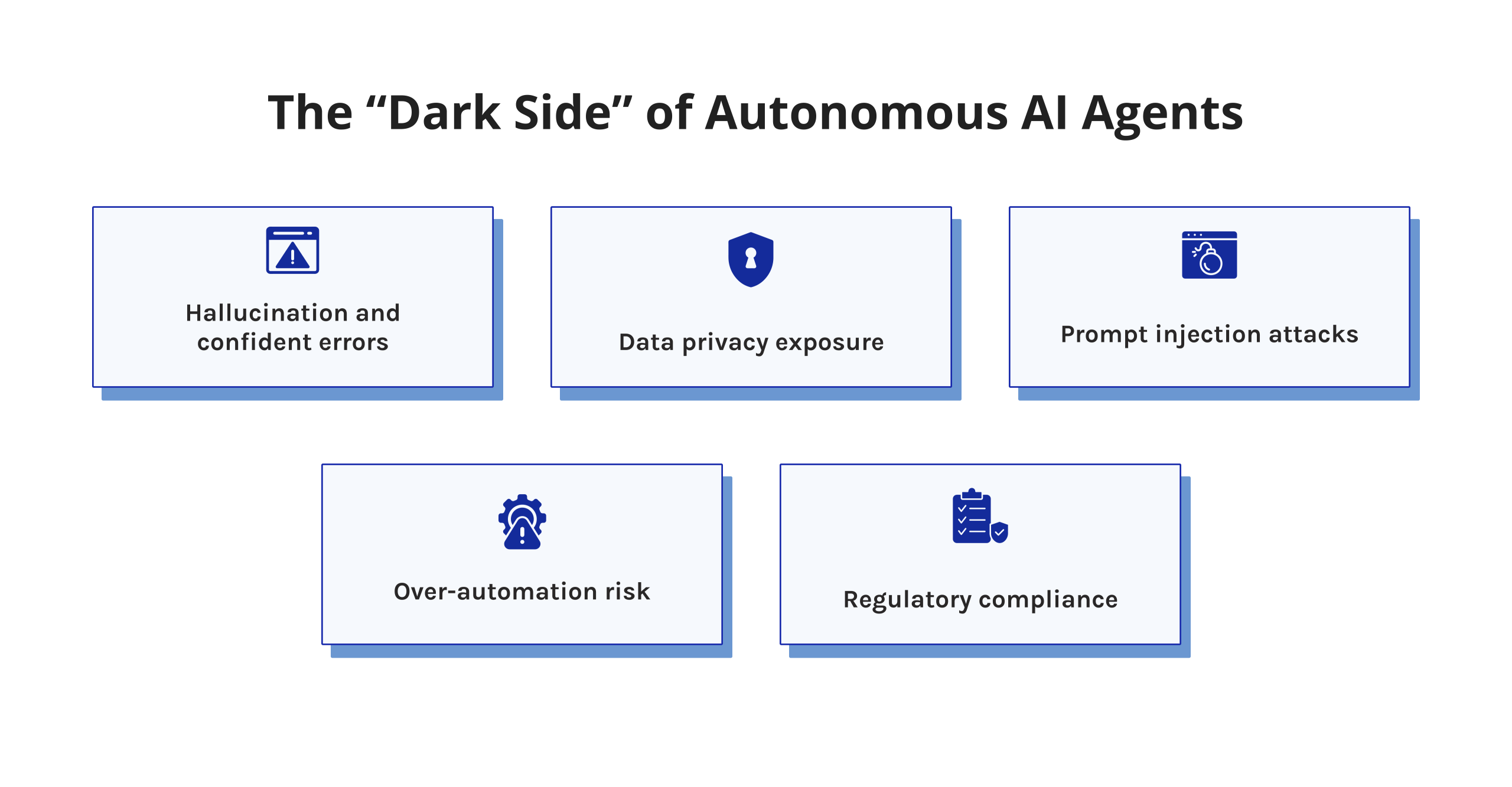
Every responsible enterprise leader needs to understand the risks before deploying agentic AI.
1. Hallucination and confident errors
Large language models can generate incorrect information with high confidence. In agentic systems, this risk compounds—a hallucinated fact can trigger a chain of wrong actions. Always build human review checkpoints into high-stakes workflows.
2. Data privacy exposure
Autonomous agents often need access to sensitive systems—email, CRM, and financial databases. This creates real AI agent security risks. Critically evaluate:
- What data does the agent access?
- Where is it stored and processed?
- Who can see the agent’s activity logs?
3. Prompt injection attacks
A sophisticated threat: malicious content in the environment (a web page, an email) instructs the agent to perform unauthorized actions. This is an emerging AI agent security challenge that most platforms are still solving. Prefer platforms with explicit prompt injection defenses.
4. Over-automation risk
Deploying agents without sufficient oversight creates operational fragility. If an agent fails silently, the damage compounds before anyone notices. Build alerting and escalation logic into every deployment.
5. Regulatory compliance
In the EU, the AI Act imposes obligations on high-risk AI applications. In the US, sector-specific rules apply in finance and healthcare. Know your regulatory environment before deploying agents in those domains.
The good news: these risks are manageable. They require deliberate design—not avoidance of agentic AI altogether.
Summary
The best autonomous AI agents in 2026 are enterprise-grade systems transforming how work gets done at scale. Here is what we found:
- Devin and Claude Code lead for software development automation.
- Agentforce dominates in CRM and enterprise sales workflows.
- Lindy and Zapier Central offer the fastest path to productivity for non-technical teams.
- Manus is unrivaled for deep research and synthesis.
- Carly solves scheduling with remarkable elegance.
- CrewAI is the foundation of choice for custom multi-agent orchestration.
The pattern is clear: the organizations winning with agentic AI are not those with the biggest budgets. They are the ones who start with a specific problem, choose the right tool, and deploy with discipline.
Our Methodology: How We Selected the Best Autonomous AI Agents
We started with a simple question: which of these tools would we actually recommend to a colleague running a real enterprise team in 2026?
For every platform, we evaluated the same core dimensions:
- Autonomy level — We tested whether each tool can genuinely carry out a multi-step task from start to finish on its own. Anything that still needs a human prompt at every turn is not an agent — it is an assistant with a better interface.
- Key features — We focused on what each platform reliably delivers in real deployments, not what looks good on a features page. Capabilities that require significant workarounds did not count.
- Ease of use & setup — Time-to-value matters as much as capability. We assessed realistic onboarding timelines for actual enterprise teams — not the best-case scenario a sales engineer would walk you through.
- Pricing model — We looked past the entry price. What does this tool cost when it is handling real volume for six months? We flagged every model where per-unit or per-conversation pricing can quietly become a budget problem.
- Enterprise readiness — We treated this as a procurement test. Does the platform offer the security posture, compliance documentation, audit logging, and access controls that a legal, IT, or InfoSec team would demand before sign-off?
- Pros and cons — We pulled limitations from user reviews, community forums, and documented production incidents — not from vendor-supplied comparison tables. If a weakness appears repeatedly in independent sources, it is in this review.
- Use-case fit — We asked a straightforward question for each tool: is it the strongest available option for its stated specialty, or is it a capable generalist with sharp marketing? Only the former made the final list.
The result is a list built for decision-makers who need to get this right the first time.
FAQs
What is the best autonomous AI agent?
There is no single best autonomous AI agent for every use case. Devin leads software engineering. Agentforce leads for CRM and sales. CrewAI leads in building custom multi-agent systems. The best choice depends on your specific workflow, technical capacity, and existing infrastructure.
Which is the best AI agent right now?
As of 2026, Agentforce and Devin are among the most capable and widely deployed best AI agents at enterprise scale. Manus is generating significant attention for research tasks. For developer workflows, Claude Code ranks among the top choices globally.
Who are the Big 4 AI agents?
While no official “Big 4” categorization exists, the most frequently cited enterprise AI agents by analysts in 2026 are Agentforce (Salesforce), Microsoft Copilot agents, Devin (Cognition), and CrewAI for orchestration infrastructure.
Who offers the best AI call agents?
For voice-based AI agents, platforms like Bland AI, Retell AI, and Vapi lead the market as of 2026. These are specialized tools distinct from the workflow automation agents in this guide. Agentforce also offers Service Cloud Voice capabilities for Salesforce users.
Is ChatGPT an autonomous agent?
ChatGPT, in its default configuration, is not an autonomous AI agent but rather answers individual questions posed to it. However, ChatGPT with Copilot Agent Mode, available in GPT-4o with Tools enabled, can execute multi-step procedures with some degree of autonomy. Agentic versions of this, such as OpenAI Operator, bring this concept closer to autonomous operation.
What are the 7 types of AI agents?
The widely known seven types of AI agents are
- Simple reflex agents.
- Model-based reflex agents.
- Goal-based agents.
- Utility-based agents.
- Learning agents.
- Multi-agent systems.
- Hierarchical agents,
Contemporary, self-directed AI agents such as Devin or CrewAI usually mix features of goal-based, learning, and multi-agent ones.
What are the top 5 AI agents to build to improve your PM work?
According to project managers, the most beneficial agents for increasing project success are the meeting summarization agent with action items, the project monitoring status agent, the risk management agent tracking projects for identifying risks, the resource allocation conflict agent, and the drafting communication agent for informing stakeholders. All of these agents can be implemented through tools like Lindy, Zapier Central, and CrewAI.
What is the actual difference between an autonomous AI agent and a Copilot?
A Copilot is a human helper. It can notify, write, and propose, but a human is the one who decides and acts. On the contrary, an autonomous AI agent is a self-acting entity; it can figure out a plan, carry it out, and make changes without a human being intervening every time. In a way, Copilot agent mode is a mixture of the above. It performs only a few activities, but it still functions under very strictly defined limits and with human supervision.
How do I ensure an autonomous agent doesn’t “hallucinate” or make costly mistakes?
A handful of good practices can lower this risk substantially:
(1) Specify what success means and the limits of the agent very clearly in its instructions,
(2) Implement regular obligatory points where people check the work of the agent, especially when the results are critical,
(3) Select products that have the feature of giving a score related to the level of confidence or showing uncertainty, and
(4) Make a pilot test of a low-risk nature and then work your way up to doing the most important tasks.
Besides this, go for software programs that provide very detailed logs of the auditing process so you can pinpoint every single decision made by the agent.
Can multiple AI agents from different companies work together on one project?
This is possible through AI agent orchestration platforms such as CrewAI. You can create a CrewAI workflow using a Claude research agent, a GPT writing agent, and a custom tool-calling agent.
To use these agents together, they must have an agreed-upon communication protocol, agreed-upon handoff points, and a central orchestration layer to manage the flow of tasks between them.
References
- McKinsey & Company. (2023). The economic potential of generative AI: The next productivity frontier. McKinsey Global Institute. https://www.mckinsey.com/capabilities/mckinsey-digital/our-insights/the-economic-potential-of-generative-ai
- Gartner. (2025). The Latest Hype Cycle for Artificial Intelligence Goes Beyond GenAI. Gartner Research. https://www.gartner.com/en/articles/hype-cycle-for-artificial-intelligence
- Wang, L., et al. (2024). A Survey on Large Language Model-based Autonomous Agents. Frontiers of Computer Science. https://doi.org/10.1007/s11704-024-40231-1
- Park, J. S., et al. (2023). Generative Agents: Interactive Simulacra of Human Behavior. ACM UIST 2023. https://arxiv.org/abs/2304.03442
- Shinn, N., et al. (2023). Reflexion: Language Agents with Verbal Reinforcement Learning. NeurIPS 2023. https://arxiv.org/abs/2303.11366
- https://www.researchgate.net/profile/Apurva-Kumar-10/publication/386735004_Building_Autonomous_AI_Agents_based_AI_Infrastructure/links/67592bd7138b414414d56a9b/Building-Autonomous-AI-Agents-based-AI-Infrastructure.pdf
- https://al-kindipublisher.com/index.php/jcsts/article/view/11195
- https://doi.org/10.1016/j.chb.2022.107308
- https://doi.org/10.1007/979-8-8688-0282-9_11
- https://www.ijai4s.org/index.php/journal/article/view/18