We can’t avoid the fact that changes are the most constant part of modern businesses. The market shifts faster than ever as new technologies arise, making company leaders find new ways to meet high customers’ expectations. But how can you meet changes with minimum losses and maximum outcomes?
The answer is quite simple: you need to implement change management tools into your workflows.
Read further to explore the most popular change management tools in the market and learn how to choose the right vendor to get the desired business outcomes. Let’s get started.
What Are Change Management Tools?
Let me, first of all, explain what change management is. According to the research, change management is an approach that allows companies to deal successfully with the change process in order to smoothly move to a desired state. Moreover, a vast majority of changes in modern companies are the result of digital transformation – fast technological shifts and growing demand for artificial intelligence.
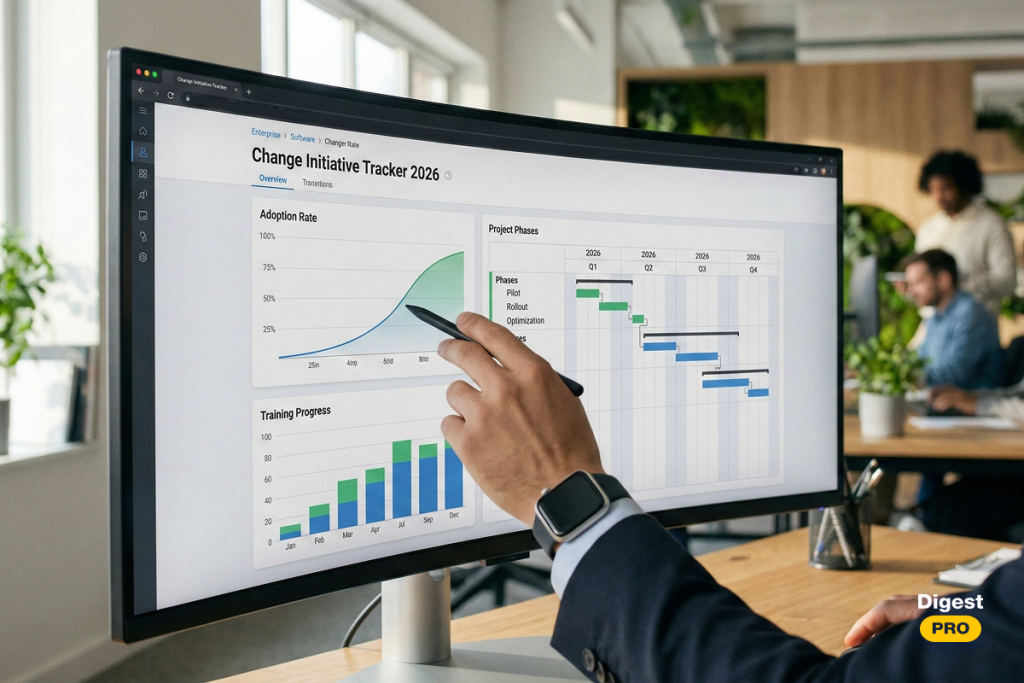
Change management tools are software platforms that help companies plan, control, approve, implement, and document changes across both technical and organizational processes. It can be, for instance, employee replacement, changes in scope of work within the particular project, or even the company’s restructuring.
Change management software creates a structured workflow from the very beginning to the end of the change process. They typically provide a set of features for:
- submitting change requests;
- assessing risks;
- scheduling updates;
- ensuring smooth implementation.
As we’ve examined the definition of change management tools, it’s time to understand their importance for modern businesses.
Why Change Management Tools Matter in Modern Organizations
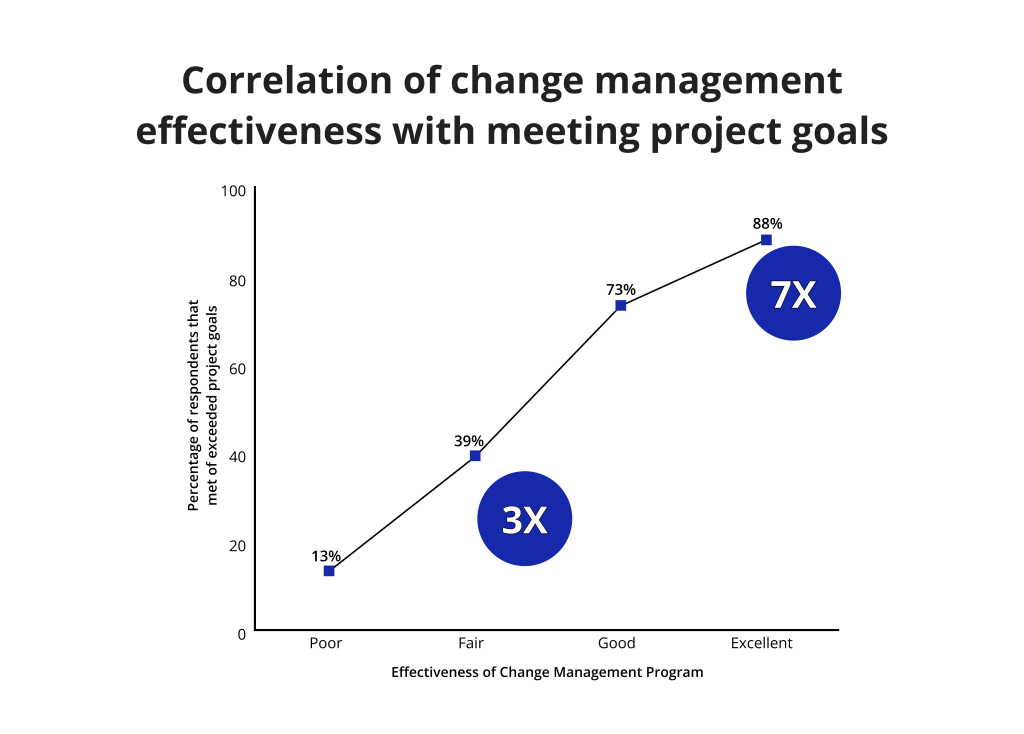
According to Prosci’s global study, there is a direct correlation between effective change management and project success. Statistics show that:
- 88% of projects with excellent change management have achieved their strategic objectives, compared to only 13% where this approach is poor or absent.
- As a result, projects with excellent change management are 7x more likely to meet business objectives compared to others;
To ensure excellent change management, you need to implement an efficient change management tool into your workflows. It provides several benefits that go far beyond common project management, which focuses mostly on delivering projects on time within the budget. Let’s take a closer look at them:
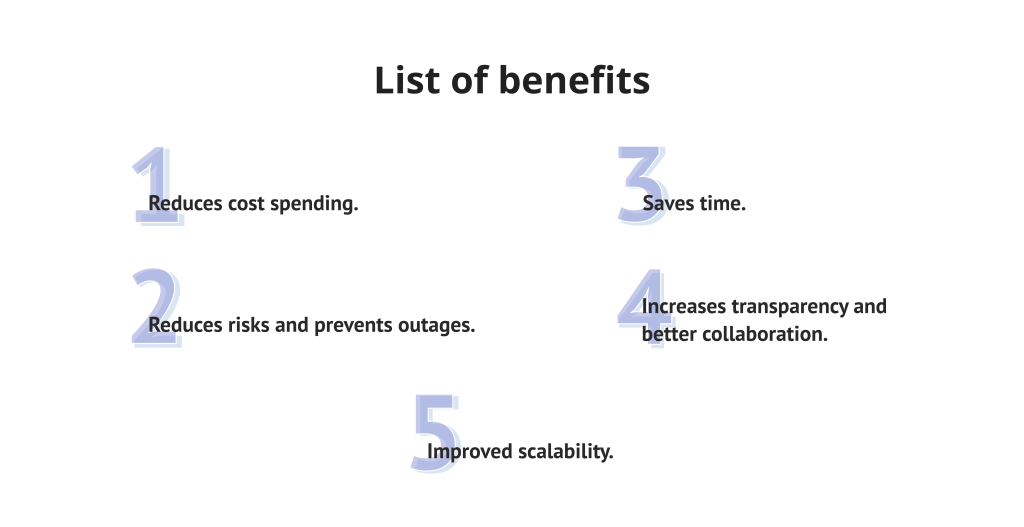
1. Reduces cost spending.
Tools for change management help companies to avoid unforeseen cost spendings caused by unmanaged or poorly tracked changes such as delays and rework. With time, it pays off in stronger ROI and bigger savings that can be invested in other impactful initiatives.
2. Reduces risks and prevents outages.
Change management tools provide clear approval processes, risk registers, and enable safety checks that ensure every risk is evaluated properly. This reduces the possibility of conflicts and unmanaged processes within the team.
3. Saves time.
Effective change management tools offer automation of routine tasks, making request processing and approvals faster. Thus, teams can accelerate change delivery and free up time for higher-value work.
4. Increases transparency and better collaboration.
Tools for change management address the problem of keeping everyone informed and aligned, creating a single source of truth for the entire company. With its unified dashboards and shared documentation, change management software guarantees that every team member is aware of their responsibilities and stays up-to-date with changes in the scope of work.
5. Improved scalability.
It can be obvious, but change management tools must be scalable and flexible. Why? Because as an organization grows, its workflow complexity and amount of changes grow as well. Thus, tools for change management ensure that processes are staying standardized across the entire organization to keep everything stable in the permanently unstable conditions.
To learn more tech trends and useful tools, subscribe to Digest.Pro using the form at the end of the page.
Key Change Management Features to Look For
While selecting proper change management software, keep in mind the most important features your perfect tool should have. Notice that this list could vary in different companies, according to their specific needs. So, let’s kick off.
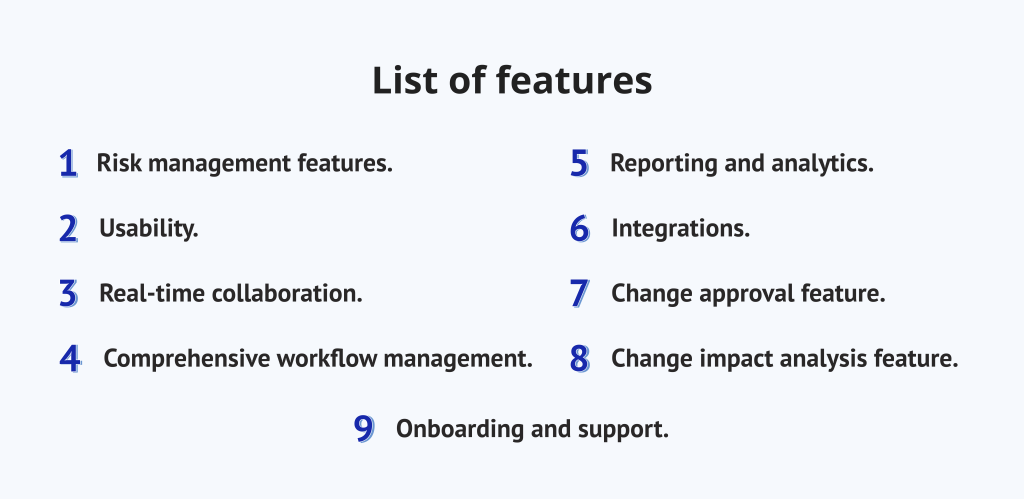
1. Risk management features.
The main purpose of change management tools and software is to timely identify and mitigate risks connected to changes. In turn, change management tools allow users to define risks and come up with strategies on how to mitigate them in the most efficient way.
2. Usability.
You won’t be able to implement even the best change management tools if their interface is complex or requires long-term training. Whereas, a user-friendly interface ensures that users with different technical skills can easily get used to the software.
3. Real-time collaboration.
Communication in live chats without long email conversations, helps teams to overcome issues more quickly. Tools for project and change management allow users to spend less time on discussions and be more productive.
4. Comprehensive workflow management.
The ability to create step-by-step visualization of the entire change process, makes it easier to understand the sequence of actions. This feature in tools for change management simplifies planning and ensures everyone follows a consistent, unified workflow.
5. Reporting and analytics.
Access to real-time data in dashboards and corporate charts enables team members and executives to measure the impact from the change management process. Leaders can see success points or make improvements for more efficiency according to this data.
6. Integrations.
Your project and change management capabilities greatly expands if your change management software supports various integrations with HR, CRM, and other third-party tools. The ability to connect systems you’re already using with new ones creates your own corporate ecosystem, adapted to your particular requirements.
7. Change approval feature.
This might be one of the most important parts for an efficient change management process, as it enables teams and managers to create approval paths for each requested change. It means that every change will undergo particular stages before a final decision will be made.
8. Change impact analysis feature.
Change management tools also offer features for analyzing the impact of changes on different processes within the organization. Without it you won’t be able to plan and execute change strategies effectively with the best outcomes.
9. Onboarding and support.
Onboarding and support resources in change management tools allow team members to quickly get used to the tool and use it in the most efficient possible way.
Now, we are moving to the most important part of the article – list of change management tools.
Top Change Management Tools in 2026
1. Jira Service Management
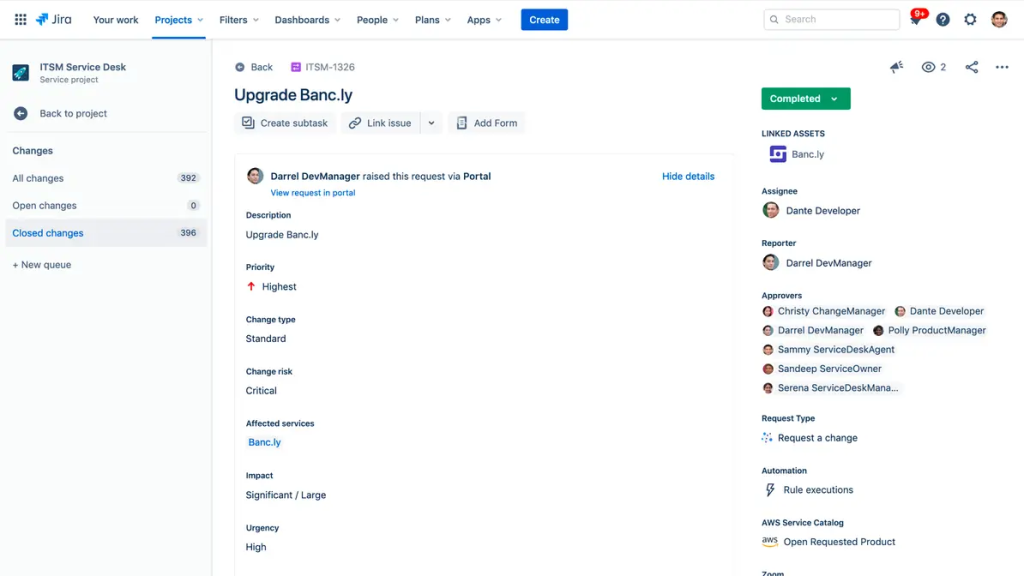
Jira Service Management is a part of the Atlassian ecosystem. It is one of the most widely known platforms for IT service management (ITSM), designed directly to help IT operations and Dev teams manage changes. It allows organizations to customize workflows to match their maturity level, from simple approval routing to complex multi-stage processes.
Best for:
IT and DevOps teams of any size, especially for those that are already using Jira Software. Also, it could be a great choice for Agile or hybrid teams.
Key features:
- Request management.
- Risk management.
- Change management.
- Configuration management.
- Incident management.
- Asset management.
- Knowledge management.
- Problem management.
Pricing
The system has a free plan forever for 3 agents. Paid starts from $20 agent/month.
Pros:
- Created directly for IT change management.
- Deep integration with the Atlassian ecosystem.
- Perfect choice for Agile or hybrid teams.
- Powerful built-in change and risk management features.
Cons:
- Requires expertise for advanced configurations.
- Scaling for enterprise level may be costly.
- For non-IT use cases or smaller companies, it may be overwhelming.
How do customers describe Jira Service Management?
“Great for tech companies but not for the average small business.” – Source.
2. InvGate Service Management
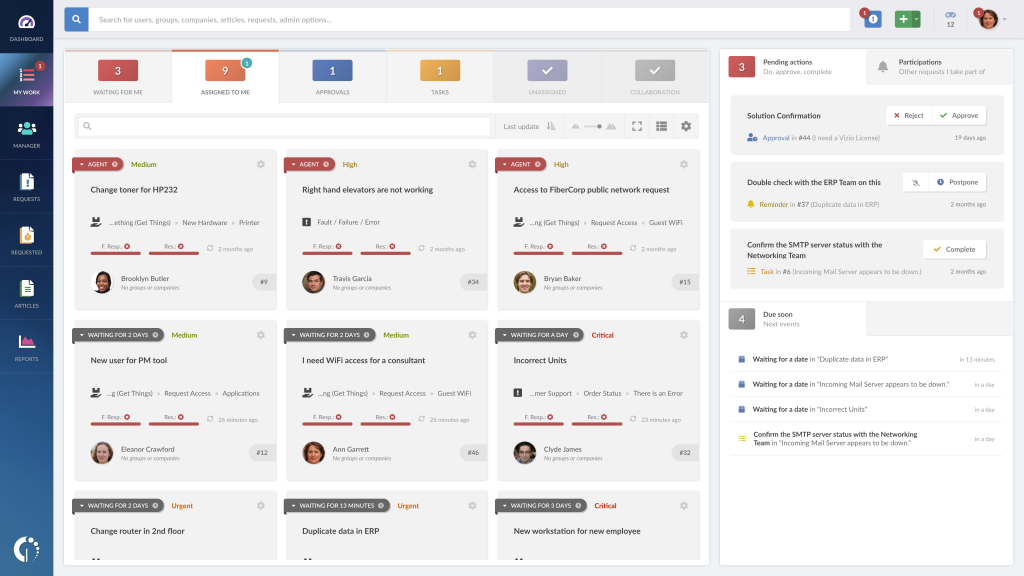
This is the next top platform from the list of tools for change management. The InvGate Service Management system is known for its intuitive interface and strong focus on usability. This makes it a versatile solution for companies from various industries simultaneously. It has gained traction due to its excellent user experience as well as its robust change management features.
Best for:
Medium to large organizations. Suits perfectly for enterprises in all industries.
Key features:
- Advanced change management analytics.
- Full ITIL-compliant change management workflow and automation.
- Change and problem management.
- Incident management.
- Virtual assistant.
Pricing
Has a free trial for 30 days. Paid plans start from $17 agent/month.
Pros:
- Good for a wide range of companies and industries.
- Prevention of change-related issues.
- Strong change workflows and approval processes.
- User-friendly interface.
Cons:
- Smaller ecosystem compared to Atlassian.
- Less known than bigger competitors.
How do customers describe InvGate Service Management?
“Stunningly beautiful yet powerful!” – Source.
3. Freshservice
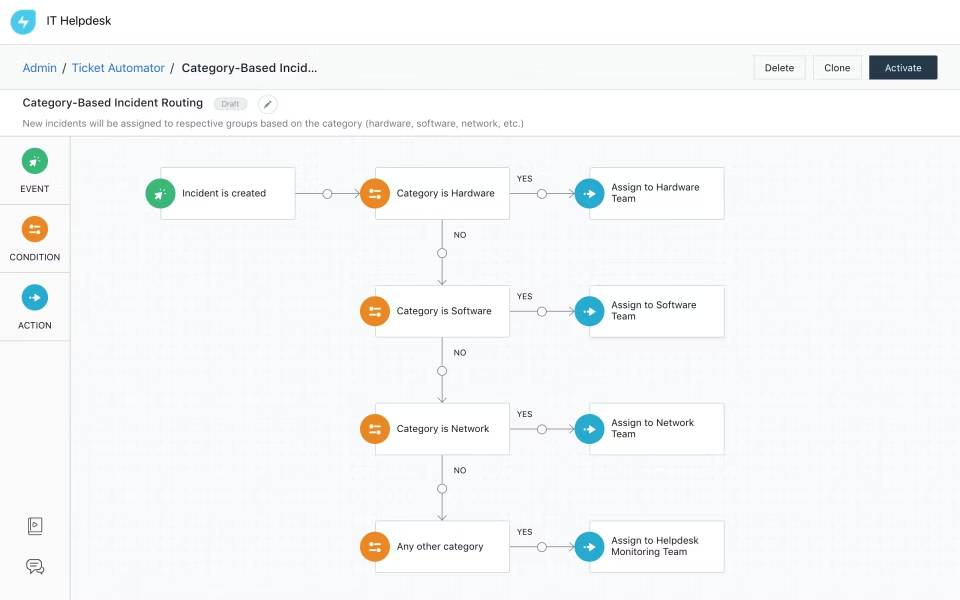
Freshservice is the next strong player from the top change management tools. It is an AI-powered solution for organizations seeking fast deployment and powerful features at the same time. It stands out for its gamification module called “Arcade”, which enables IT agents to gamify IT-related tasks.
Best for:
IT teams needing out-of-the-box ITIL workflows and companies prioritizing ease of use and fast onboarding.
Key features:
- Change management.
- Real-time reporting and statistics.
- Wide range of third-party integrations.
- Timely alerts about appeared bottlenecks.
- Automated routing.
- Collaboration tools.
Pricing
Has a free 14-day trial. Paid plans start from $19 agent/month.
Pros:
- A lot of AI-powered capabilities.
- Ability to integrate it with other third-party tools.
- Intuitive user interface.
- Highly customizable.
Cons:
- For some teams it may be overwhelming.
- With time and a bigger number of agents required, it might become less affordable.
How do customers describe Freshservice?
“Great support, great price point. We love being able to make support requests so simple to open and work on across the company.” – Source.
4. monday Service
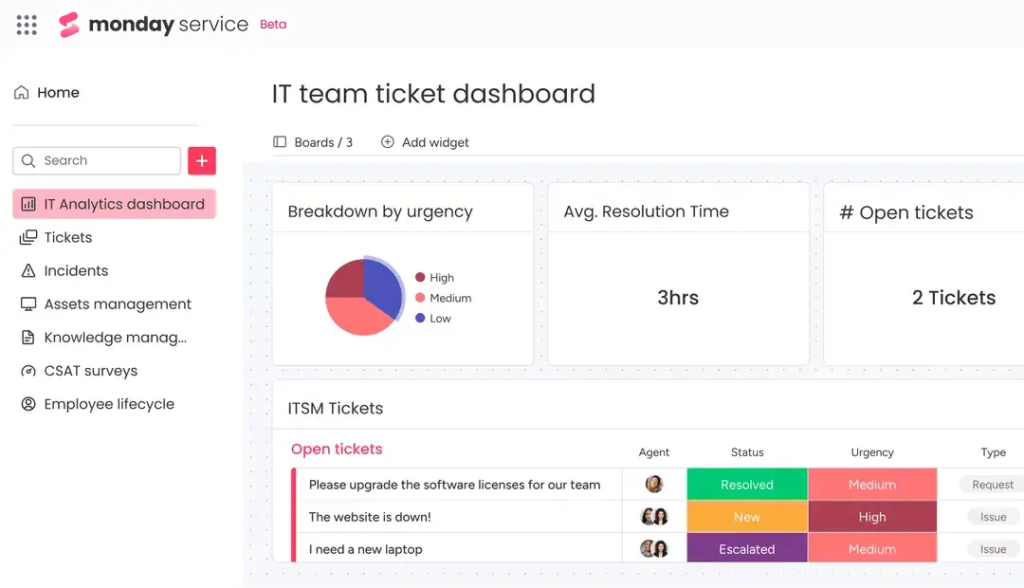
The next strong player in the list of tools for change management is monday Service. It is a cloud-based service designed to be a part of the monday.com ecosystem. Futhermore, it combines project management, workflow automation, and change management into a single source of truth perfect for cross-functional teams.
Best for:
Organizations that are already using other tools from the monday.com ecosystem.
Key features:
- Unified ticketing.
- AI-driven capabilities.
- Configuration and problem management.
- Change management.
- Reporting and analytics.
- Collaboration and communication tools.
- Asset management.
Pricing
Has a free trial. Paid plans start from €26 seat/month.
Pros:
- It’s efficient and easy to navigate.
- Modular change pipelines.
- Easy integrations with other ecosystem tools.
- Customizable visual workflows.
- Highly customizable.
Cons:
- Response time from swapping boards sometimes is a little longer than expected.
- Some of the most useful features are excluded from the basic paid plan.
How do customers describe monday Service?
“Great Tool – Slightly Predatory Pricing Packages” – Source.
5. ClickUp
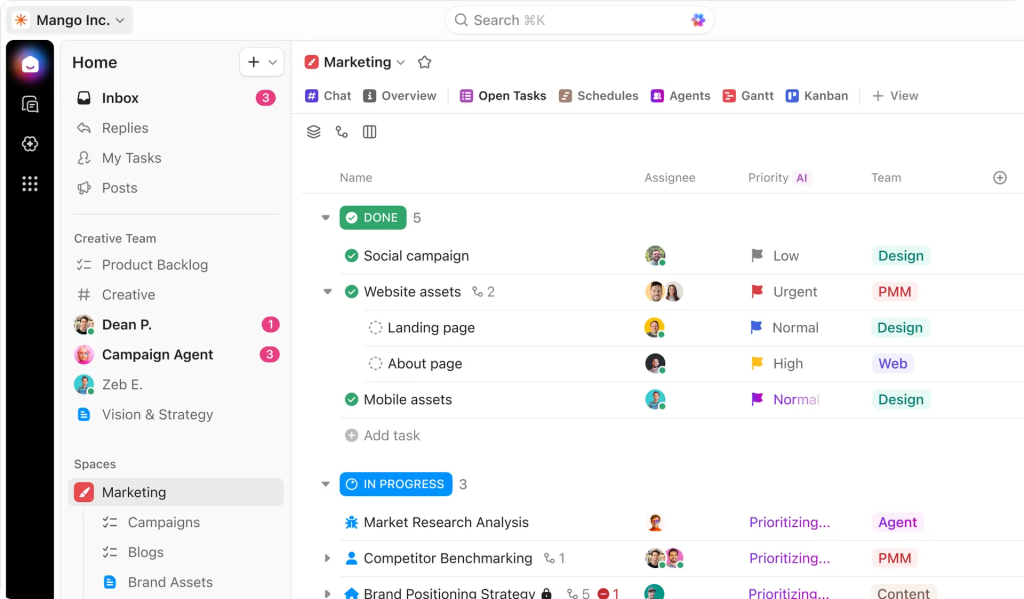
ClickUp is a great solution for both project and change management. It is an all-in-one platform designed for organizations and teams of all sizes. Moreover, the tool is extremely flexible and customizable to fit the requirements and needs of a wide range of companies from different industries.
Best for:
Smaller organizations such as startups, freelancers, and agencies seeking an all-in-one software that includes change management tools.
Key features:
- Approval process and control.
- Customizable dashboards.
- Risk management and predictive analytics.
- Real-time collaboration tools.
- Issue management.
- Request management.
Pricing
Has a free forever plan, while paid ones start from $7 user/month.
Pros:
- All-in-one solution suitable for a wide range of organizations and teams.
- Offers project management features alongside change management.
- Highly flexible and customizable.
- Has a pleasant, intuitive interface.
- Pricing is affordable.
- Extensive AI integrations allow you to simplify routine tasks.
Cons:
- Not an ITSM or ITIL-based tool.
- It may be hard to get used to at first.
How do customers describe ClickUp?
“It’s transformed the way we manage our documentation and tasks. Keeps us organized and on top of everything!” – Source.
6. Whatfix
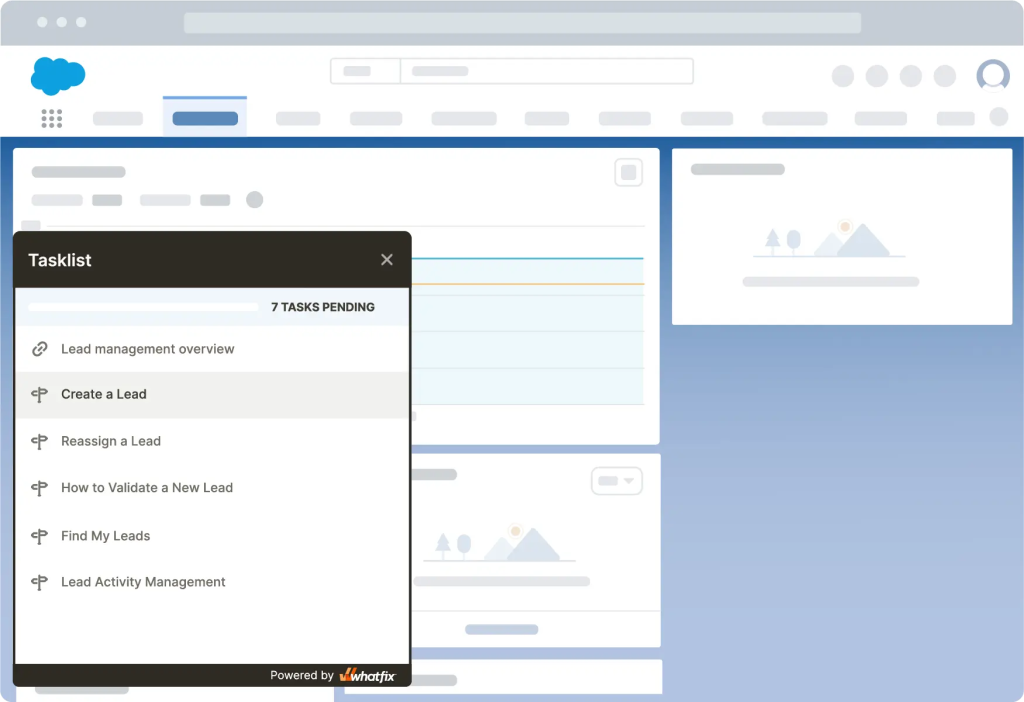
WhatFix is an enterprise-level tool that helps companies adopt new technologies and processes through personalized guidance. This change management software allows you to design real-time user guides and doesn’t require coding experience. While it’s not a traditional ITSM or change management tool, it is essential for organizational change management (OCM), where the goal is to make people successfully use new systems and processes.
Best for:
Enterprises that undergo major digital transformation and implement new software.
Key features:
- Real-time data and analytics.
- Performance tracking.
- Change management and planning.
- Collaboration tools.
- Employee onboarding.
- Various third-party integrations.
Pricing
Pricing is available upon request. It has three plans: Standard, Premium, and Enterprise.
Pros:
- Intuitive and user-friendly interface.
- Easy to use and get used to.
- Has in-app guidance.
- Reduces costs on training and adoption.
Cons:
- The free trial version is limited in both functionality and duration.
- Also, some users say that prices are a little high.
- Lacks analytical features.
How do customers describe WhatFix?
“WhatFix has been an excellent partner in supporting our initiatives. Their tools and services have not only met our needs but have also enhanced the experience for our customers.” – Source.
7. Apty
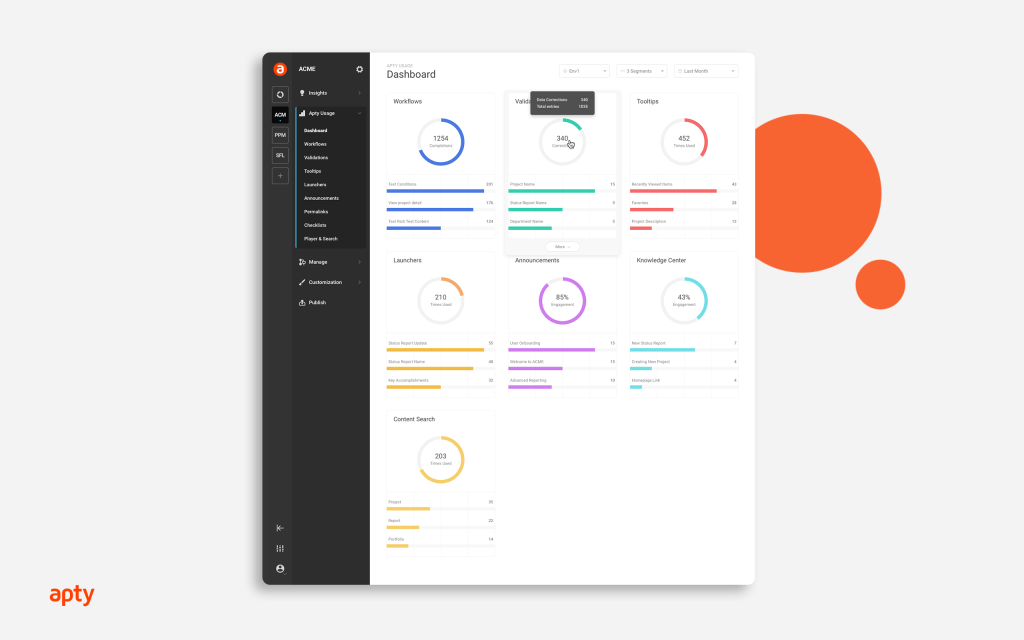
It is another digital adoption platform that focuses on user enablement. Similar to WhatFix, Apty helps employees adapt to new software and processes, but it distinguishes itself with stronger process enforcement and compliance tracking. This makes Apty more suitable for industries with strict governance.
Best for:
Organizations with strict compliance and documentation requirements.
Key features:
- No-code content creation.
- Role-based permissions.
- Approval workflows and versioning.
- Performance analytics.
- Enterprise integrations.
Pricing
Starts at $9,500 per app.
Pros:
- Efficient step-by-step user adoption.
- Value for money.
- Strong compliance and enforcement.
- Analytics and process mapping.
Cons:
- Not affordable for small and even some mid-sized companies.
- The interface may be overwhelming at first.
How do customers describe Apty?
“It is a superb tool, we love the experience that it provides to our users.” – Source.
8. Guru
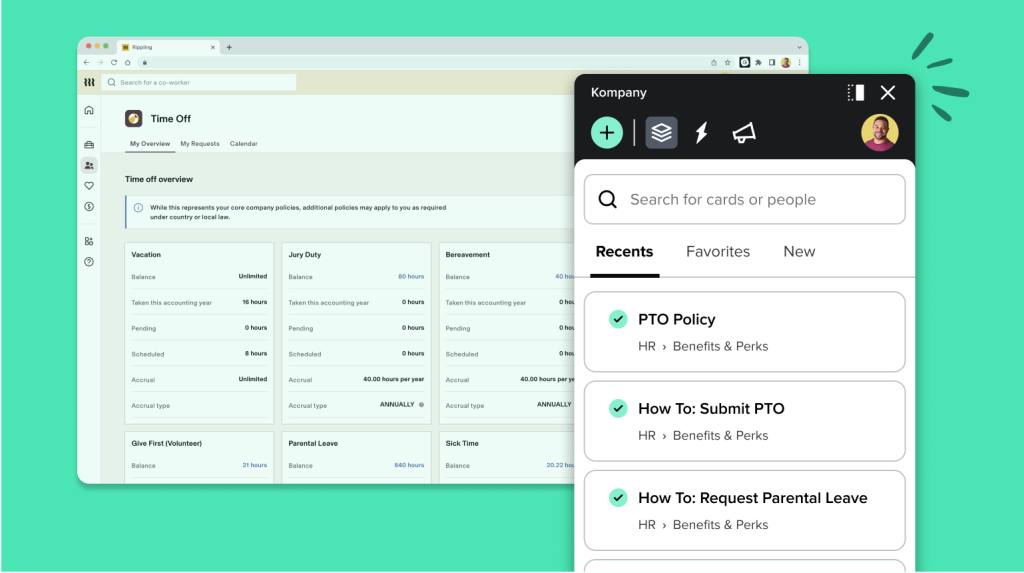
Guru is a knowledge management platform that creates a single source of truth for enterprises. Although it is not a change management platform itself, it helps to centralize data and provide a knowledge base for all employees within the company during change initiatives.
Best for:
Fast-growing companies with expanding knowledge bases and organizations that suffer from outdated or siloed documentation.
Key features:
- Real-time data monitoring.
- Reporting and analytics.
- Document management.
- Advanced generative AI features.
- In-context knowledge triggers.
- Access control and permissions.
Pricing
Has a free trial. Paid plans start from $25 per seat/month.
Pros:
- Many integrations with third-party tools.
- Highly customizable.
- As some users say, knowledge bases are searchable and easy to access.
- All-in-one tool that allows teams to collaborate across departments.
Cons:
- Cost can be not so affordable with the rising number of users.
- Limited automation capabilities.
How do customers describe Guru?
“No hassle, you just need to search the keyword, and that’s it. Everything you need is already there.” – Source.
9. WalkMe
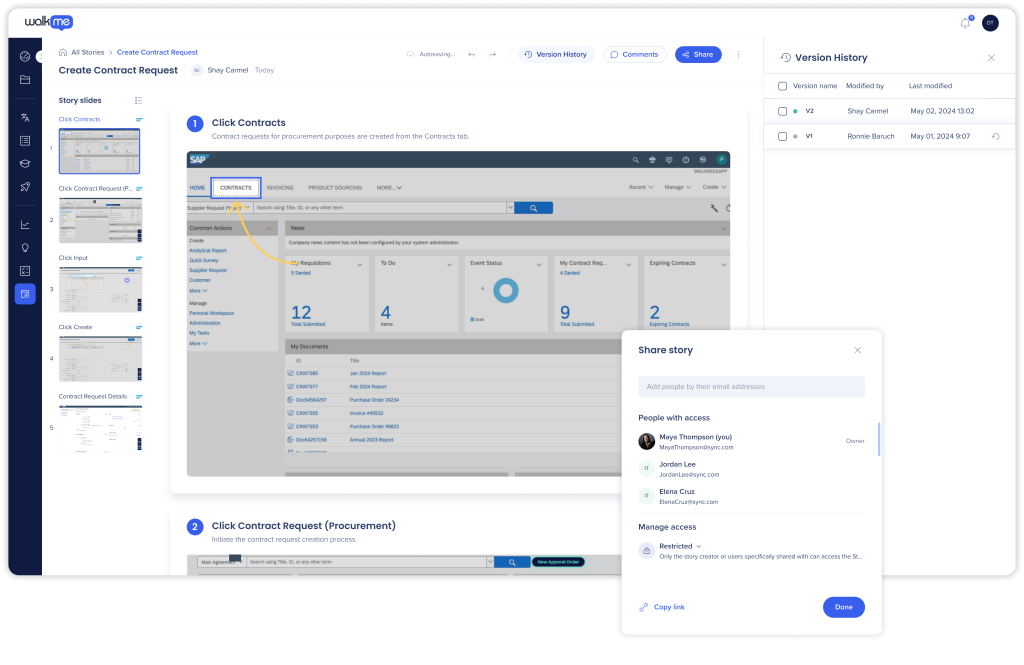
WalkMe is a cloud-based digital adoption platform (DAP) designed to help organizations guide users through complex software and drive complex digital transformation. Moreover, it focuses on the human side of change, ensuring employees use technology effectively and consistently.
Best for:
Enterprises that need advanced guidance while implementing and adapting to the changes.
Key features:
- Advanced flow analytics.
- WalkMeX contextual AI assistance.
- Custom dashboards.
- Reporting and insights.
- In-app guidance.
Pricing
It isn’t public; you should request pricing.
Pros:
- Enterprise-grade digital adoption.
- Efficient guidance and onboarding for many popular software tools.
- Easy-to-use intuitive interface.
- Value-driven digital adoption.
Cons:
- Sometimes it may be too technical.
- Very expensive.
- Can be complex to set up.
How do customers describe WalkMe?
“We used it to make an existing software experience much better for the end user and it delivered for us.” – Source.
10. Giva
The last system in our list of change management tools is Giva. It is a cloud-based IT service management platform focused on simplicity and strong reporting. It is especially popular among healthcare, education, government, and other compliance-heavy industries.
Best for:
Small to mid-sized organizations that need a scalable and easy-to-use change management tool.
Key features:
- Customizable dashboards.
- Reporting and analytics.
- Incident management.
- Problem management.
- Advanced reporting and analytics.
Pricing
Has a 30-day free trial; paid plans start from $69 per agent/month.
Pros:
- Highly customizable.
- Has an intuitive interface, and teams don’t get stuck like with other tools.
- Widgets on the dashboard allow users to see where the issue is.
- Simple to learn and use.
Cons:
- A large number of features can make navigation more complex.
- The customization process can be difficult for some users.
How do customers describe Giva?
“The help desk team has been able to identify where additional end user training is required and they’re able to work through help desk tickets much more quickly” – Source.
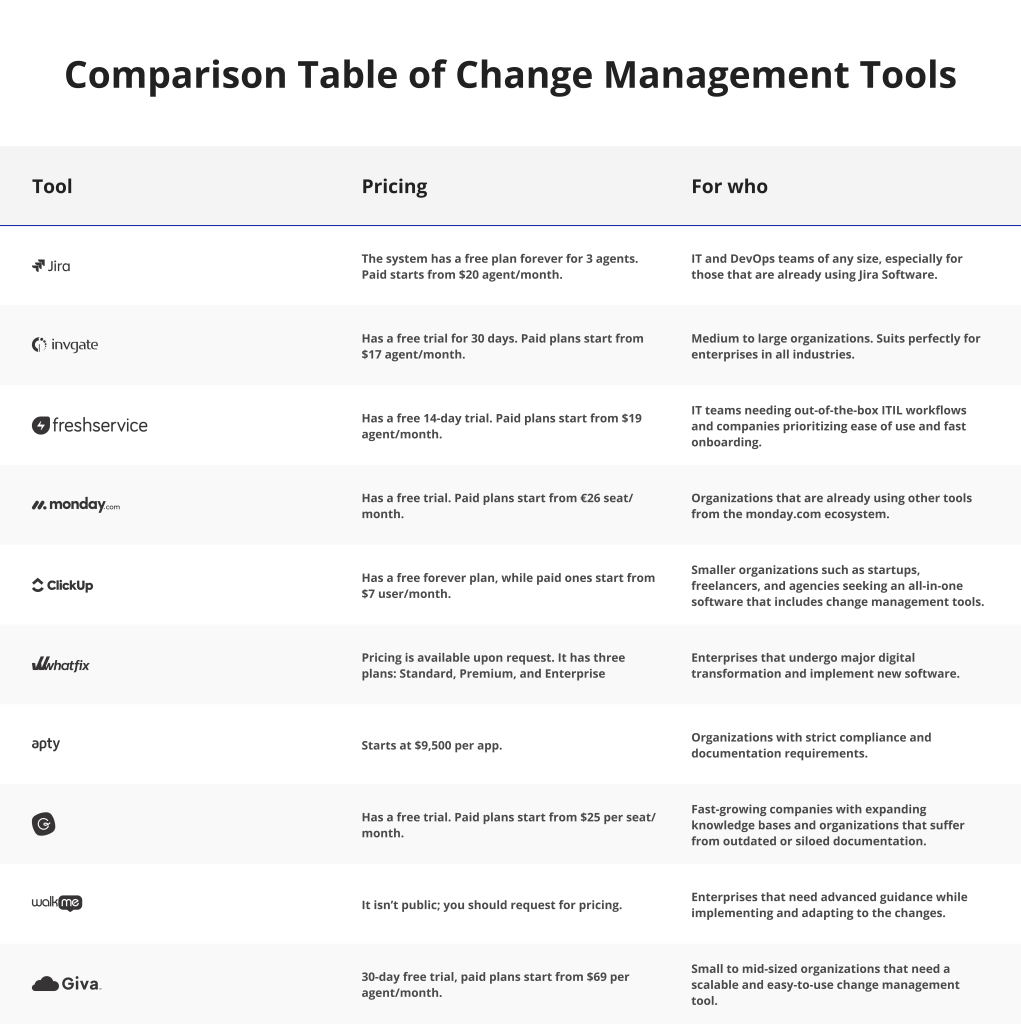
Comparison Table of Change Management Tools
How to Choose the Right Change Management Tool
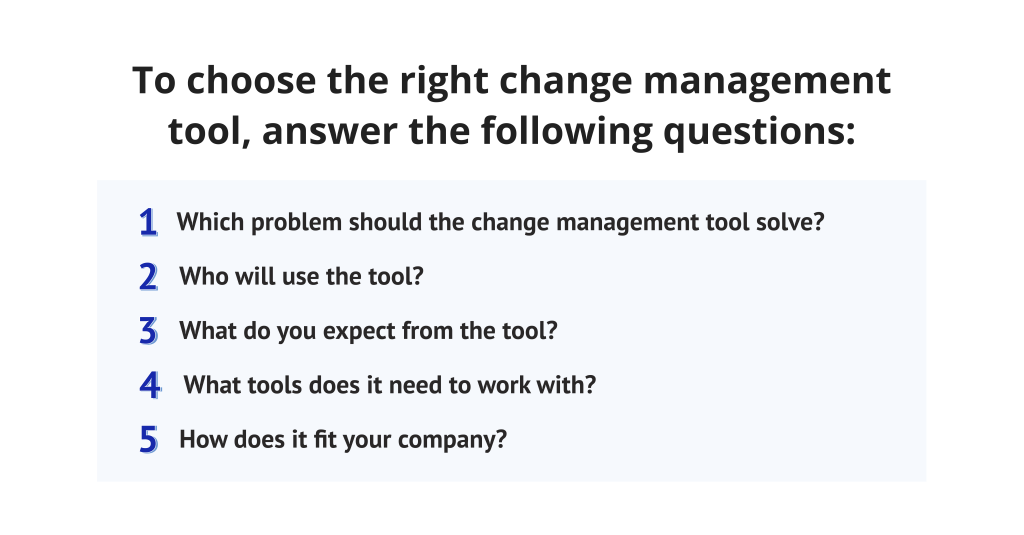
1. Which problem should the change management tool solve?
Identify the needs the change management software and tools must cover to avoid paying for unnecessary features. A good tool should directly address the pain points that slow down your change processes. It may be automation of manual workflows, poorly managed risks, lack of visibility, etc.
2. Who will use the tool?
Understand the target audience of the tool. It may be only project managers or the entire organization. Knowing the needs of potential users gives you the opportunity to select the tool with the right level of complexity, permissions, and usability.
3. What do you expect from the tool?
What are the results from the change management tools you expect, and which will be considered as a success? For instance, a desired outcome can be shortening the overall change cycle time. If your organization often struggles with slow approvals or implementation delays, you might define success as reducing the average time from change request to deployment.
4. What tools does it need to work with?
Identify which systems your new change management tool must connect with and which ones it might replace. Define whether it should integrate with applications such as CRM or HR systems you’re already using. Must it fully integrate with them or partially? Consider all these points while selecting.
5. How does it fit your company?
Don’t choose the tool for change management only because it’s popular – select one that will fit your working processes perfectly. Identify processes that run smoothly and ones that create bottlenecks and need improvement. Choose the change management software that will support your project management methodology and will be easy to adapt.
Conclusion
In conclusion, change management tools are the core of success in modern companies, as they help to make the change management process more predictable and allow to deal effectively with constant political and technological shifts. However, poor change management leads to unmanaged risks, uncontrolled approval processes, and even project failure.
To address these challenges with minimum losses and maximum outcomes, you should select the right change management tool. This choice depends on your company size, specific needs, complexity of workflows, and goals you’re planning to achieve.
If you enjoyed this article, subscribe to Digest.Pro using the form at the bottom of the page and follow us on social media.
FAQs
What is a change management tool?
Change management tools are software platforms that help companies plan, control, approve, implement, and document changes across both technical aspects and organizational processes. It can be, for example, changes in software, priorities, or even the company’s restructuring.
Why do companies need change management software?
Organizations need change management tools to manage projects and organizations more efficiently. Such tools provide features important for secure implementation of change processes. They help to reduce risks, manage approvals, and ensure effective collaboration and transparency of all ongoing processes.
What are the features of a change management tool?
Change management tools have a different set of features, but the core ones you should pay attention to are the following ones:
- Risk management.
- Intuitive user interface.
- Real-time collaboration.
- Comprehensive workflow management.
- Reporting and analytics.
- Diverse integrations.
- Change approval process.
- Change impact analysis.
- Onboarding and support.
What are the 5 P’s of change management?
The 5 P’s of change management are:
- Purpose: why the change must be done. What customer pain points or the company’s strategic goals does it support?
- People: who will influence the change and who will be affected?
- Process: the steps that must be done to embrace the change.
- Platforms: the technologies and methods that help to implement and maintain changes.
- Projects: how the change will be executed.
What are the 5 C’s of change management?
The 5 C’s of change management is a framework created for successful change implementations. These 5 C’s are:
- Clarity: clear understanding of expected results and success criteria of the change.
- Communication: consistent and clear communication about changes, reasons why they were made, and why other moments remain the same.
- Commitment: change must be supported by employees and leadership.
- Culture: the corporate culture must be adaptable and open to the changes.
- Capability: providing training for employees to gain skills necessary for adaptation to the changes.
How to choose the right change management tool?
To select the right change management software, answer the following questions:
- Which problem should the change management tool solve?
- Who will use the tool?
- What do you expect from the tool?
- What tools does it need to work with?
- How does it fit your company?