Kanban has become the standard for visualizing workflows in project management due to the ongoing push toward improved workflow efficiency. Teams can use dedicated Kanban software to view bottlenecks and define their work-in-progress (WIP) limits. Therefore, doing so can significantly reduce lead times across all departments.
Nevertheless, Kanban tools have evolved from simple digital boards. Moreover, current-day Kanban applications will support highly complex organizational issues, such as managing multiple simultaneous projects and resource-sharing/scarcity.
In this extensive article, we review the 20 best Kanban products and project management software available in 2026. We offer an in-depth analysis of the top 10 Kanban products. Ultimately, our goal is to provide analysis and hope to help organizations select the best Kanban tool for maximum organizational excellence.
What Is a Kanban Tool and the Kanban Methodology?
The Kanban system is an application that provides users with a visualization of the progress and flow of work through the implementation of Kanban principles. In particular, this system also enables users to see the progress of each piece of work as a “card” and to see how this item is being advanced through each column on the Kanban board at the current stage in the overall process.
Thus, the main purpose of the tool is to provide visibility throughout the workflow so teams can easily recognize points of congestion and obstruction, identifying the cause of inefficiency, allowing for greater effectiveness in team processes.
The Kanban approach is based on pulling work through to the next stage of production/processing only when the team has capacity in the next stage to continue. Additionally, the pull methodology reduces the cycle time between when work is performed by the previous stage and the time at which it is completed by the next stage while decreasing the potential of overworking/overburdening team members.
Read more: Best AI Project Management Tools in 2026: Benefits, Key Features, and How to Choose
The Limitations of Simple Kanban Tools for Complex Organizations
Using a basic Kanban board is an efficient way to track individual jobs for many companies. The common drawbacks that a basic Kanban will have for larger teams or organizations are multiple concurrent projects competing for the same limited resources (expertise).
The problem that will not be solved by just being able to view your tasks is that there is no single place to manage your shared resources. So, shared capacity management is called resource management, and it is not included in a simple Kanban board, so these bottlenecks, which are created elsewhere, will not be solved.
For an organization to become efficient in managing all projects within a portfolio, it must utilize a combination of visual (Kanban) and predictive (advanced project management tools) techniques. The need for this type of solution is provided by specialized Kanban tools.
Essential Kanban Features for Maximizing Workflow Efficiency
Kanban’s tools are a lot more than simply cards and columns; they include special features meant to help you improve your productivity and flow actively.
1. Visual Boards and Applying Effective WIP Limits
Every quality Kanban application comes with a visual interface that is easy to use. And being able to customize the columns, swimlanes, and cards is really important. Moreover, it’s very important that these tools allow project managers to establish and enforce Work In Progress (WIP) limits. Enforcing WIP limits is one of the Kanban methodology’s primary methods for keeping multitasking and bottlenecks at bay.
2. Automation and AI Orchestration
Today’s project management tools use automation in a way that saves time for users by automatically assigning tasks, moving cards based on status changes, and sending reminders. Hence, advanced Kanban tools utilize an AI orchestration capability and apply it to help users define potential risks and also recommend the best time to schedule tasks.
3. Collaboration and Remote Work Tools Support
Kanban applications of today serve as a central point at which distributed teams collaborate in real-time. Therefore, it is important that Kanban applications provide many of the following functional capabilities in order to effectively serve this purpose: real-time updates, the ability to comment on tasks, file sharing, and well-developed mobile applications. Moreover, when implementing any remote working tool, it is important to integrate it with popular teams’ communication platforms as well.
Scale your business in the same manner as the best unicorns in the region. Stay ahead of the game by being a subscriber of the Digest.pro in order to read in-depth analysis of AI and Startups topics. Receive in your inbox the tools and strategies being utilized by successful startups in Eastern Europe.
10 Best Kanban Tools Shortlist: Quick Picks
|
Tool |
Best For |
Key Focus |
|
Jira Software |
Agile Software Development |
Deep integration with CI/CD and large-scale Scrum/Agile. |
|
Trello | Simple Collaboration Tools & Small Teams |
Ease of use and visual flexibility. |
|
monday dev |
Customizable Work OS & Automation |
Versatile views and cross-functional teams. |
|
Wrike | Enterprise Project Management & Reporting |
Advanced reporting and high scalability. |
|
Asana |
Goal Tracking & Portfolio project management |
Linking tasks to strategic goals. |
|
ClickUp |
All-in-One Productivity |
High customizability and consolidation of views. |
|
Miro |
Visual Collaboration & Workshops | Digital whiteboard functionality and visual Kanban board creation. |
|
MeisterTask |
Focused Task Management |
Simple interface and streamlined focus. |
|
Kanban Zone |
Pure Kanban Enthusiasts |
Dedicated focus on flow and analytics. |
|
Tempo | Jira Resource Management & Capacity Planning |
Strategic resource allocation and time tracking within Jira. |
Read more: AI in Project Management: Benefits, Use Cases & Trends [2026]
The 10 Best Kanban Tools: Detailed Review
1. Jira Software
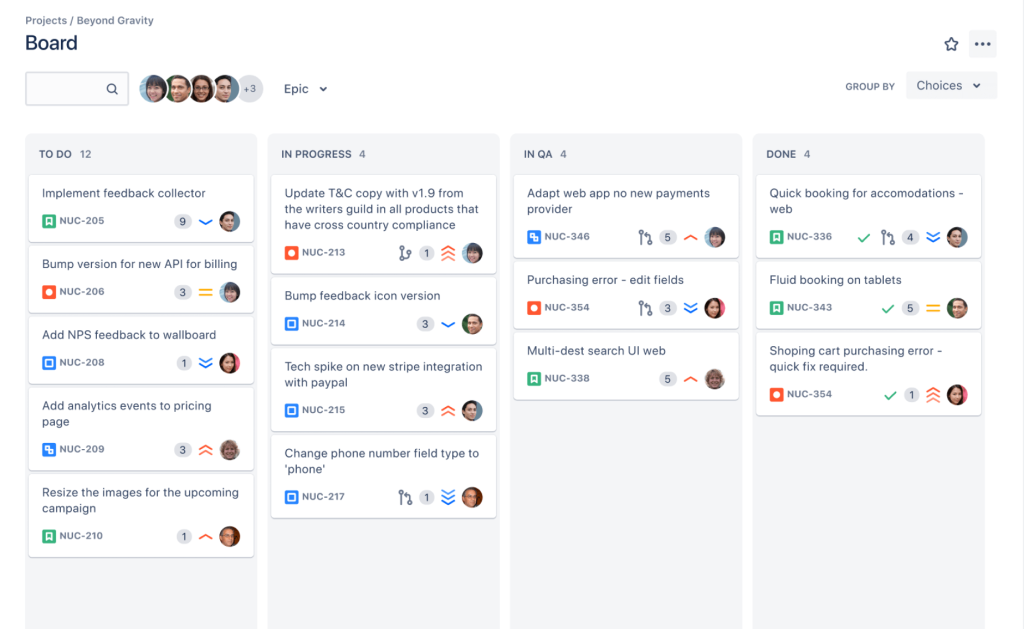
Jira is Kanban software used by developing teams around the world. It is the foundation for the many thousands of companies that are utilizing agile project management processes.
Features & Focus:
The Kanban board in Jira has many configurable options. The strength of Jira lies in its integration with the ecosystem of developer tools that support the relationships between tasks and the related code/builds/releases.
Pros:
- Jira provides an unparalleled level of integration with developer tools.
- Robust reporting features for cycle time and lead time.
Cons:
- Jira can be quite complicated and overwhelming for non-technical teams (i.e., marketing, HR)
- Also, Jira doesn’t have native support for multi-project flow or advanced resource management unless you purchase pricey add-ons.
Pricing: There is a free tier for smaller teams; standard, premium, and enterprise plans are also available.
2. Trello
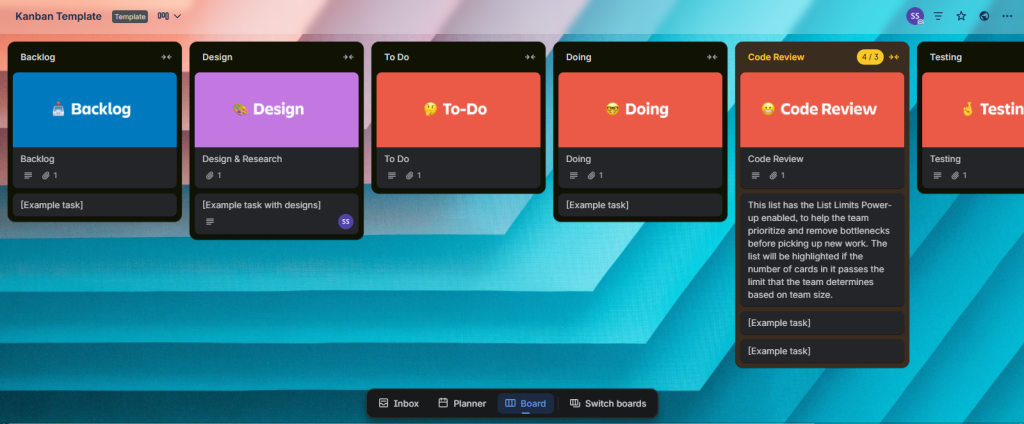
The first digital Kanban board was created by Trello, which is still one of the leading online Kanban board solutions available today because of its simplicity. Therefore, many teams will use Trello as their very first Kanban application because of the ease of use and how it is visually based.
Features & Focus:
The Trello system is a card-based digital visual board that allows you to organize tasks visually in a card format, with multiple options for customization using Power-Ups (features that can extend the base functionality of Trello). Trello also allows users to enforce very basic WIP limits using one or more of the Power-Up features.
Pros:
- Easy to understand/use.
- Free tier.
Cons:
- Limited ability to manage complex dependencies or required capabilities of advanced project management software.
- Limited ability for high-level resource management capabilities.
Pricing: Free, Standard, Premium, and Enterprise plans available.
3. monday dev
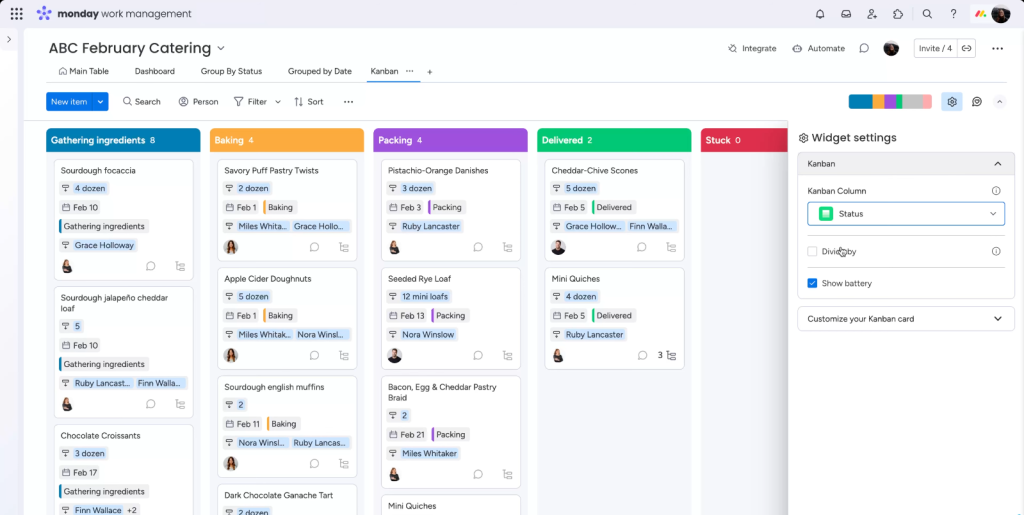
monday.com is the Work Operating System (Work OS) to which monday dev belongs. With its clean and appealing design and a multitude of ways to organize workflows with Kanban boards or other views, monday dev is exceptionally adaptable to meet the needs of your team.
Features & Focus:
monday dev provides users the capability to create customized project workflows. Users can create workflows using an intuitive drag-and-drop interface and develop robust task management rules and communication channels that help streamline the overall project workflow.
Pros:
- Variety of customization options and an aesthetically appealing interface.
- High level of built-in automation.
Cons:
- Subscription cost increases significantly if you want to use premium services.
- New users may be overwhelmed by the variety of available features.
Pricing: Individual (free for 2 users), Basic, Standard, Pro, and Enterprise plans.
4. Wrike
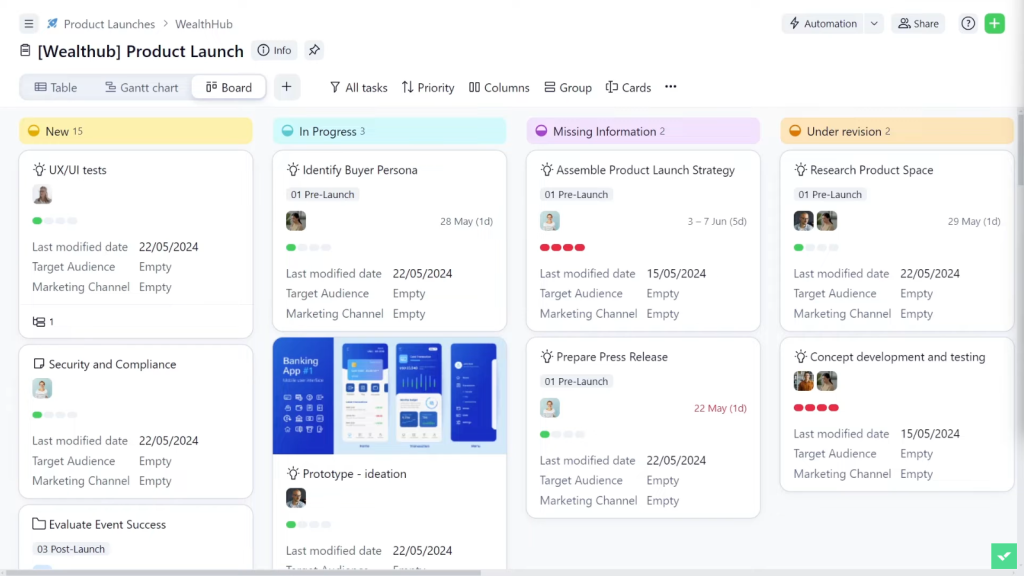
Wrike is a scalable software solution for project management that is used by businesses because they want the ability to generate high-quality reports and coordinate projects across many departments from one location.
Features & Focus:
Wrike’s Kanban board interface is integrated with the Gantt chart and reporting functionalities in this application. As a result, it provides many levels of hierarchy to support project managers managing their teams and projects (portfolio) at every level of workflow.
Pros:
- Enterprise-grade scalability and security.
- Exceptional report customization capabilities.
- Powerful report generation capabilities.
Cons:
- The software has an overwhelming amount of user interface problems, and you will have to spend time getting familiar with its approach to navigating through its interface.
- While it is evident that there are good resource management capabilities within the software, the performance of those capabilities cannot be compared with that offered by dedicated resource management products, which focus exclusively on resource management.
Pricing: Free, Professional, Business, and Enterprise plan tiers are available.
5. Asana
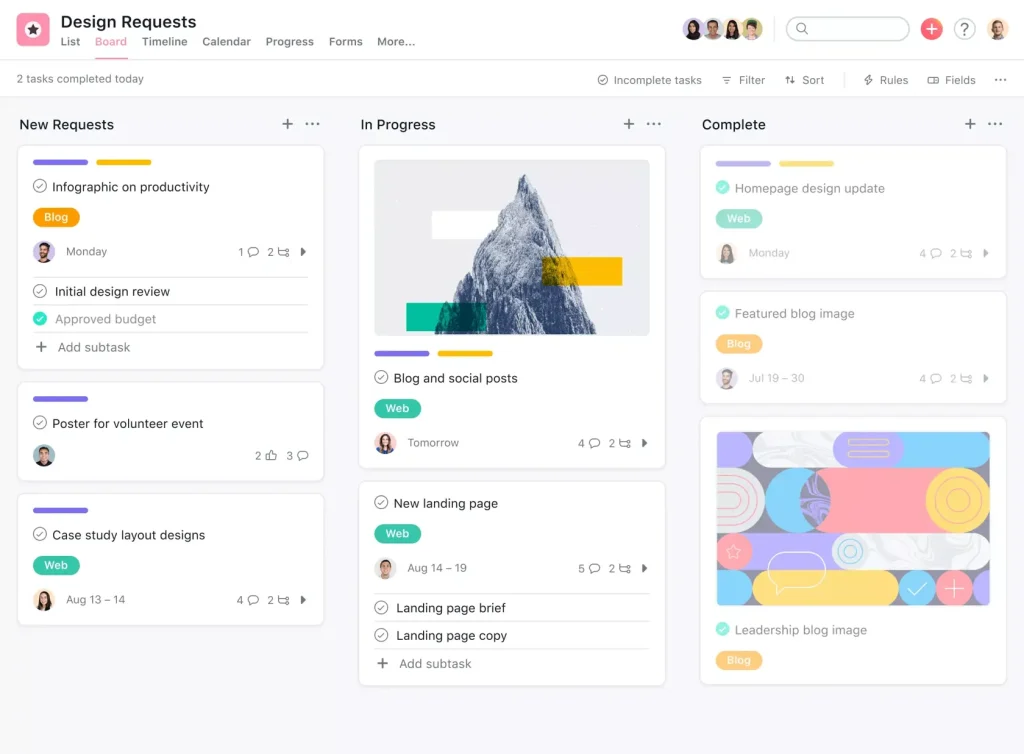
Asana is a tool in project management software and project management solutions. It helps project managers to manage teams by clarifying what they need to accomplish on a daily basis and connecting those tasks directly to the strategic initiatives of the organization.
Features & Focus:
Asana offers an easy-to-use Kanban board that has weathered many iterations of usability testing to ensure maximum productivity while utilizing this application. One of the features of Asana for improving workflow efficiency is its dependency mapping capability.
Pros:
- Excellent way to track portfolios and organizational goals.
- Easy-to-use interface with an array of advanced features for effective project management.
Cons:
- Basic resource management functionality
- To gain access to advanced features, users may need to purchase the higher-priced packages.
- Asana does not provide a strong emphasis on implementing forced WIP limit policies, nor does it have an emphasis on flow analysis.
Pricing: Basic (free), Premium, Business, and Enterprise tiers are available.
Read more: 8 Best Open Source Product Management Software of 2026
6. ClickUp
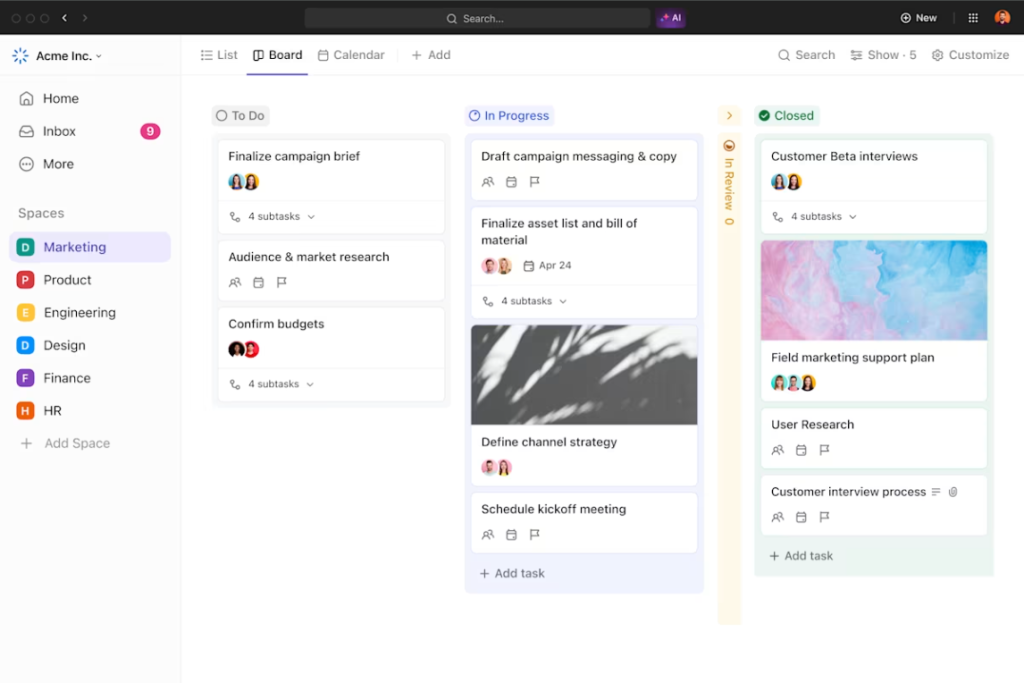
ClickUp offers many different features and views that provide flexibility as well as a range of customizable Kanban experiences suitable for virtually any type of project management workflow.
Features & Focus:
ClickUp’s features and focus are centered on its Kanban board view, but there are many ways to use ClickUp, including Gantt charts, lists, and whiteboards. The power of ClickUp’s Kanban board is that it is incredibly customizable, giving project managers the flexibility to define custom fields and project status and establish unique workflows and WIP limits.
Pros:
- Many different features and customization options exist.
- ClickUp has strong capabilities for consolidating multiple work types.
Cons:
- There are so many features available that users may feel overwhelmed when first using ClickUp.
- Due to ClickUp’s high complexity, users may need to invest significant time to set up ClickUp.
Pricing: Free, Unlimited, Business, Business Plus, and Enterprise plans.
7. Miro
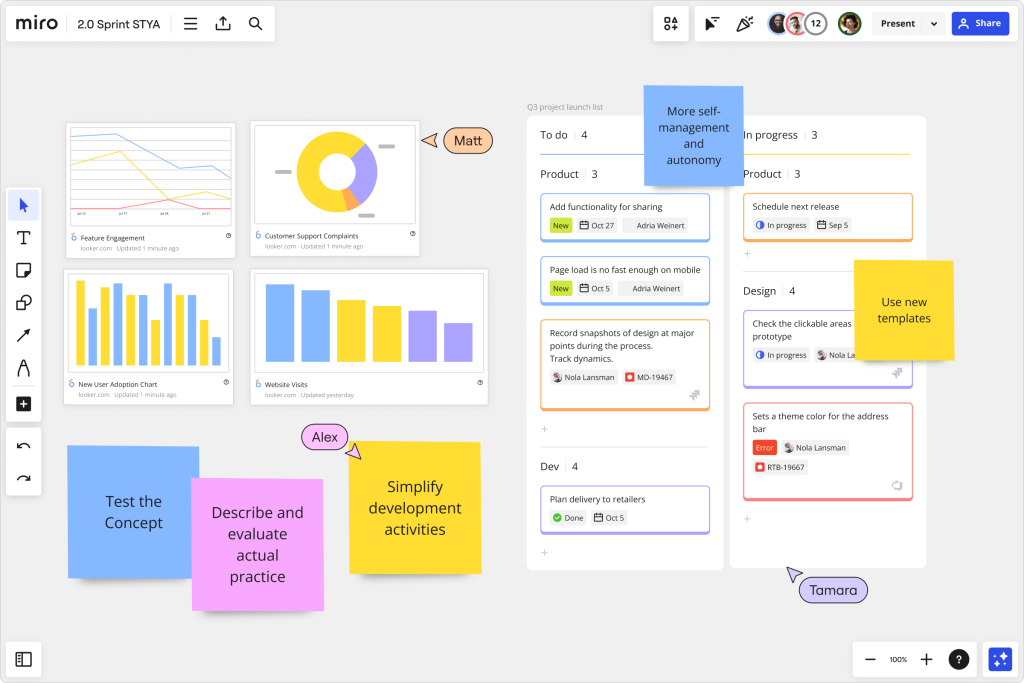
Miro is mainly a collaboration platform and digital canvas. It is highly used for virtual planning sessions and workshops. Its primary purpose is for large visual planning in agile project management frameworks.
Features & Focus:
Miro allows users to create a theoretically infinite collaborative Kanban board with cards that can be connected to external files, links, and visual content. Miro is an excellent tool for remote work planning, brainstorming, and implementing Kanban methodologies visually.
Pros:
- Can create customizable visualizations and templates.
Cons:
- Doesn’t operate as a dedicated project management software application; it offers few reporting capabilities.
- Enforcement of strict governance and resource management is manual.
Pricing: Free, Team, Business, and Enterprise plans.
8. MeisterTask
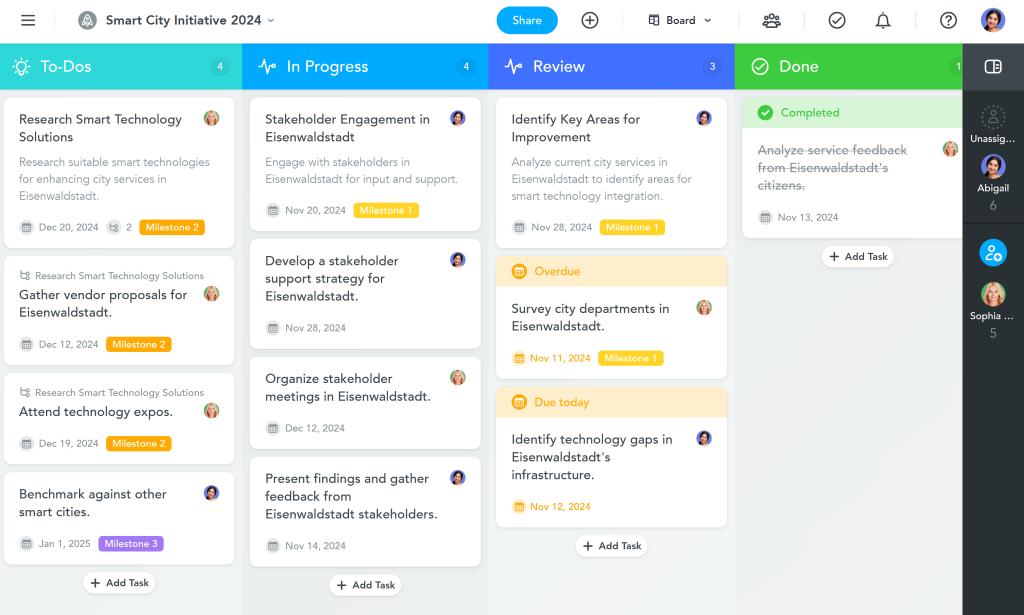
MeisterTask is an easy-to-use Kanban tool that can help you keep track of your project through a clean design and simplicity. It’s designed for fast and fluid project management.
Features & Focus:
The features, including the clean interface, are designed to make it easy to move tasks through customizable sections on the Kanban board.
Pros:
- Simple interface without distractions.
- Built-in automation triggers are simple and efficient.
Cons:
- Lacks large-scale project management software‘s comprehensive management features.
- Very limited resource management functionality.
Pricing: Basic (Free), Pro, Business, and Enterprise.
9. Kanban Zone
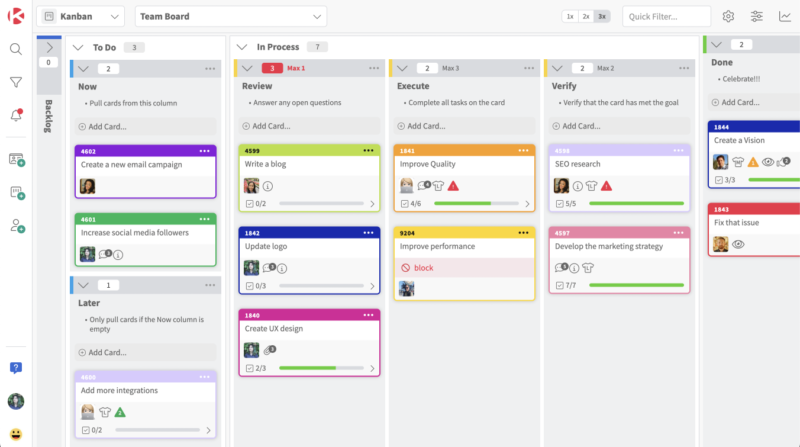
Kanban Zone is a product of the application of Kanban principles. It is developed for organizations that have made a full commitment to using the Kanban methodology, and the prioritization of flow metric data is a feature of Kanban Zone.
Features & Focus:
Kanban Zone focuses on providing tools to assist in the enforcement of WIP limitations and the tracking of lead time, and aggregates flow analysis data in the form of cumulative flow diagrams.
Pros:
- Focusing on flow analysis, data, and metrics is a strength of Kanban Zone.
Cons:
- Less integration with a broader project management software environment compared to the competition.
- For teams new to Kanban, there is going to be a steep learning curve.
Pricing: Kanban Zone has a number of different subscription levels depending on user count and what features are needed.
10. Tempo
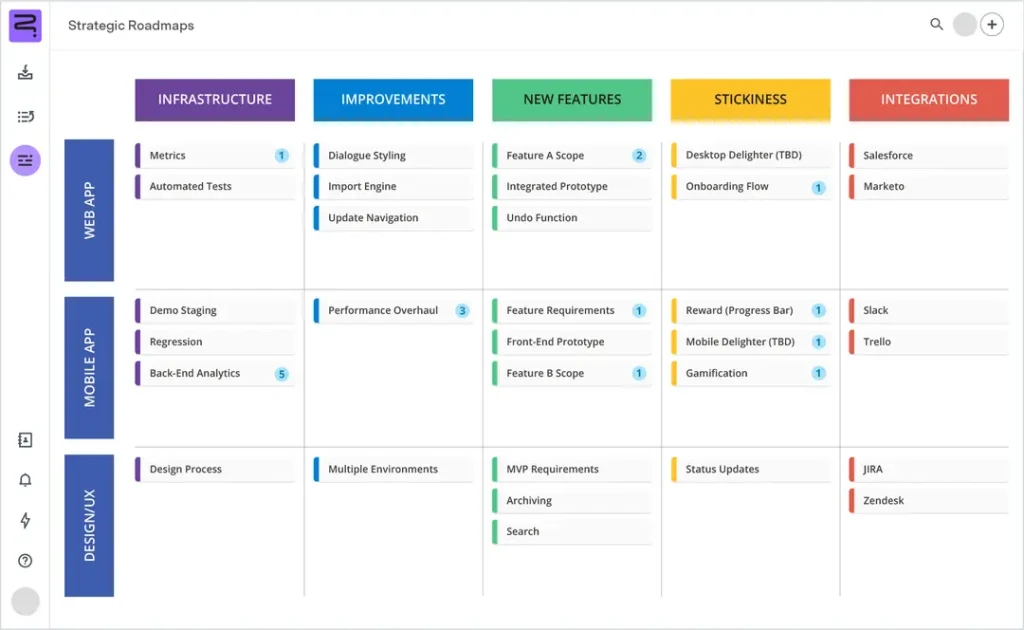
Tempo’s suite of different modules was built with a focus on providing additional capabilities to Jira, creating a powerful resource management tool from the standard configuration of Jira.
Features & Focus:
The Tempo application provides a solution for organizing capacity and real-time tracking in every area of the business. There are multiple modules offered that allow project managers to view their team’s availability to work on a project and how many hours each member has available at multiple levels in the organization. In this sense, Tempo provides a way to prevent employees from being overworked and underutilized, thereby creating a more balanced workforce.
Pros:
- The software works with Jira to create a “single source of truth” for all project-related information.
- Tempo can assist organizations with creating a complex flow of multiple projects without requiring them to change their core software programs.
Cons:
- Tempo exists only as an add-on and is not a standalone product.
- Your team will require additional training on setup and configuration.
- There can be a cost of licensing that can become quite hefty if you have a large team, as it is charged on a per-user basis.
Pricing: There is a free trial offered to users, with plans dependent on the module of your choice, combined with the overall number of users in your Jira subscription.
The trick, however, lies not only in choosing the right tool but also in keeping up-to-date with the ways and means of using it. To keep updated, consider subscribing to Digest.pro, where you will get weekly overviews of the latest project management tool functionalities and tricks used by the world’s best teams.
Read more: Instant Guide to the Best Product Management Tools for Product Managers in 2026
Other Valuable Kanban Tools: 10 Solutions at a Glance
There are many Kanban-related tools available on the market today. Many of these tools specialize in serving a particular type of user or provide useful project management functionality. Below are 10 examples of different types of Kanban tools.
- Azure DevOps by Microsoft is a set of project management software products designed to help teams that use other Microsoft products heavily.
- LeanKit is a version of Kanban software that is available for large enterprises.
- Pipefy is primarily focused on managing structured business processes and automating them wherever possible.
- Zoho Sprints is an illustration of an agile project management tool that includes a built-in Kanban board and is part of the Zoho Ecosystem.
- ProjectManager is a fully cloud-based software package that includes numerous tools for project managers, including Kanban boards, Gantt charts, and task lists.
- Targetprocess is a solution that provides enterprise-level, portfolio-wide agile project management and scaling frameworks such as SAFe.
- ProofHub provides access to a Kanban board for managing workflows, communicating with team members, collaborating on audits, and tracking team hours.
- Airtable provides multiple views of how you interact with your data. One of these options is visualizing the data in Kanban format.
- Teamwork.com provides project management tools specific to clients and is a tool for client-facing organizations.
- Quickbase is an environment of low-code development, built to facilitate creating custom apps within an organization.
Key Kanban Tool Selection Criteria for Growing Teams
When looking for an effective Kanban tool in your organization, there are various factors that you need to take into consideration. For example, if your team is small and simple, then Trello would be the right tool for you.
On the other hand, if you’re a large organization with complex organizational structures, you’ll need to look at three factors in addition to the basic functionality of cards to make sure that your Kanban softwarehas the capability to grow with your project management requirements as they continue to evolve.
1. The Critical Role of Resource Management in Scaling Kanban
As a company grows, it generally creates an increase in the number of shared resources, ultimately compromising efficiency within its workflow. To effectively optimize the flow of multiple projects, you’ll require a series of enterprise-plan Kanban software with a variety of tool sets targeted at managing your resources, scheduling your workloads, and avoiding overloading the team.
2. Scalability and Enterprise Plan Support
Kanban tools must have the features to be scalable to accommodate the future growth of your company. Solutions that operate on a tiered pricing structure (i.e., standard pricing, business pricing) will allow you to purchase additional services as your needs increase. Therefore, it is best to choose a solution that contains comprehensive security features and provides support for single sign-on and auditing features, allowing you to effectively implement large-scale project management while providing effective governance.
Don’t let your process stagnate. Join a community of leaders who rely on Digest.pro for the latest trends in resource management and workflow automation.
3. Integrations with Existing Project Management Software
There is no such thing as an isolated tool; to get the best out of a Kanban tool, it needs to integrate into your existing workflow. This often includes systems associated with your CRM, time tracking software, and project management tools. Being able to retrieve your project data from programs like Jira or Microsoft Project into one view creates the opportunity for improved portfolio workflow efficiency.
Benefits of Using Kanban Tools to Improve Workflow
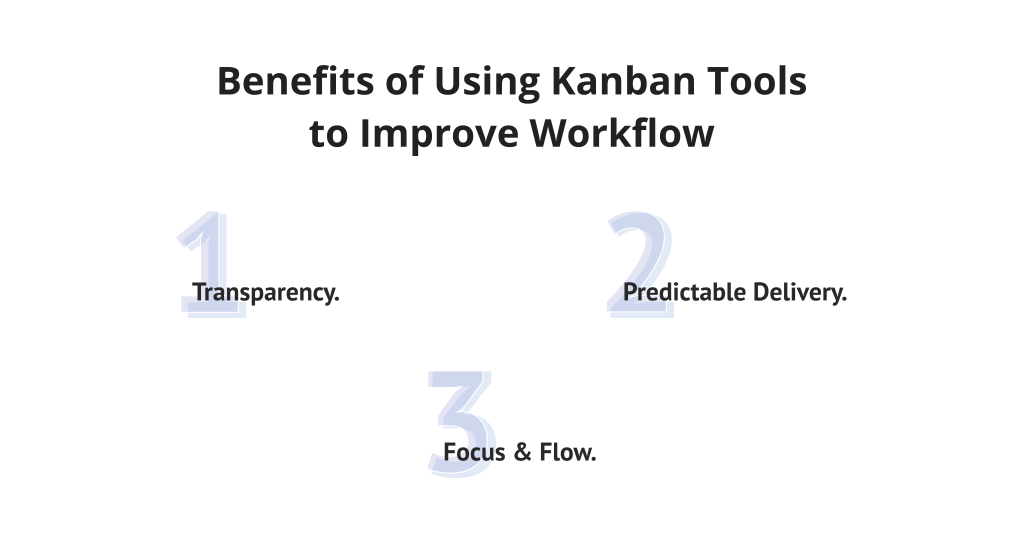
Implementing Kanban software enables the effective execution of the Kanban methodology by providing a number of clear advantages to organizations:
- Transparency: Kanban allows team members to maintain visibility of the status of every task that has been assigned to them, as well as all of the other team members. This is done so that the team members do not need to go through the effort of checking in to find out how many items they have left to complete each week, which allows for the reduction of the amount of time spent checking in on the status of various tasks.
- Predictable Delivery: The implementation of WIP limits within Kanban allows for a predictable workflow, allowing for greater consistency in the duration of project completion and therefore in the timing of the completion of projects, thereby making it easier for organizations to provide realistic commitments regarding projects to their clients.
- Focus & Flow: The Kanban technique allows your employees to concentrate on their job and complete their work as fast and efficiently as possible by lowering the number of times they switch contexts. This maximizes the productivity of each employee and, therefore, the entire team.
Read more: 11 Best AI Agents for Project Management: Tools, Trends & Examples (2026)
Trends in Kanban Tools for 2026: Prioritizing Flow, Resources, and AI
The future direction for Kanban solutions is towards more intelligent and predictive solutions. Traditional visualization and basic Kanban boards are no longer adequate for modern projects. The focus is on continuous improvement tools that will actively drive workflow efficiency.
Focus on Predictive Resource Management
Project managers now require systems to manage the entire organization’s workflow, not just single boards. Increased emphasis is placed on managing multi-project flow across the portfolio. An integrated view highlights potential blockages across multiple projects, making the entire workflow predictable. The strategic focus is on supporting company-wide flow optimization.
2. Focus on Predictive Resource Management
Advanced Kanban software solutions must integrate data from various organizational sources. This allows for predictive resource management, addressing shared resource allocation as an enterprise-wide challenge. Using predictive analytics assists project managers in resolving resource overload before it impacts due dates. Only predictive resource management provides true efficiency on a large scale.
3. The Rise of AI and Automation
Artificial intelligence (AI) and automation give Kanban tools new capabilities. AI uses machine learning to identify patterns and optimize workflows. AI can automatically assign tasks based on resource load or elevate high-risk cards.
The system uses historical data to determine optimal WIP limits for any given process. By continuously optimizing based on outcomes, these Kanban tools can be improved with minimal human interference.
Kanban Tool Costs & Pricing Explained
There are four main pricing tiers for Kanban tools: Free, Standard, Business, and Enterprise. The price of each tier will depend on how mature the software is and the number of features that come with it.
Plan Comparison Table for Key Kanban Tool Tiers
|
Feature |
Free Tier |
Business Tier (Mid-Range) |
Enterprise Plan (Advanced) |
|
Users/Projects |
Limited users/basic Kanban board |
Unlimited users/projects |
Unlimited scale, global governance |
|
Automation |
Basic/Minimal |
Advanced automation features |
Unlimited automation and AI features |
|
Resource Management |
None |
Basic capacity tracking | Advanced Resource Management (often via specialized tools) |
|
Security |
Standard |
Advanced security, SSO |
Full compliance, dedicated support |
Read more: 15 Best Product Roadmap Tools for Stakeholder Alignment in 2026
Conclusion
The initial step towards achieving maximum efficiency by utilizing Kanban tools for workflows is selecting the correct tool. However, when an organization is working with complex project management portfolios, it defocuses from just seeing tasks to optimizing capacity.
It would be prudent to look for a solution with Integrated Resource Management (IRM) and Multi-Project Flow, as more advanced Kanban tools have been developed with this problem in mind.
By taking this approach, your organization can progress from merely tracking the workflow towards successfully managing the flow itself.
Follow Digest.pro for expert insights, deep-dive tool reviews, and the latest trends in workflow efficiency and agile project management.
Kanban Tools Frequently Asked Questions (FAQs)
The most appropriate Kanban tool varies depending on the complexity and requirements of the company’s workflow. Small groups require basic applications such as Trello, whereas more complex organizations dealing with portfolios in large enterprises require sophisticated applications such as Jira, Asana, or resource management applications such as Epicflow and Tempo. Long-term success requires a focus on applications with integrated features such as Microsoft 365 and cycle times.
There are three types of native Kanban tools that are part of the Microsoft suite: Microsoft Planner (which is a simple task and team collaboration tool), Azure DevOps (which is an advanced project management tool that incorporates agile methodologies and does a good job of limiting WIP), and Microsoft Project (which has a Kanban board view built-in to the new version in the cloud).
No, Google doesn’t have dedicated, comprehensive Kanban software;users of Google Workspace tend to use either a spreadsheet program (Google Sheets) or other applications (such as Asana or Trello) that can integrate with Google’s services as their primary Kanban application (board). In addition, many Kanban applications from independent vendors can be integrated with Google Drive and/or Google Calendar with great ease.
There are six core practices of Kanban that govern the methodology of Kanban to help practitioners improve their workflow more quickly and efficiently, and provide them with focus.
1. Visualize the workflow.
2. Limit Work in Progress (WIP Limit).
3. Manage flow.
4. Make policies explicit.
5. Create feedback loops.
6. Continuously improve (by scientific method).
Generally, when there is a large number of cards or work items that are placed within one column across your Kanban board,and there appears to be some level of free space denoted within the other columns, you will have the ability to detect the areas that are considered bottlenecks. Otherwise, there are many Kanban tools that include the use of cumulative flow diagrams to determine the places that SELs are located. This means that when there appears to be an increase within the width identified within one column across the CFD diagram, it shows that the inflow of work added to one column exceeds the outflow of work finished across that column.
The WIP limit establishes the work that should be in the processing stages of the workflow for the entire workflow process. This can be illustrated by the fact that if the WIP for the ‘Testing’ column is 3 pieces of work, the moment the work goes into the ‘Testing’ column, nothing else can be placed in the column until there’s work that’s completed from the ‘Testing’ column.
With the creation of the WIP limit, the team involved will now be required to solve the problems before the possibility of their work entering the workflow process exists.
Kanban is a very helpful tool in relation to distributed work. Such applications give your team a single online space where the entire team can view the live status updates on the progress of the tasks. For example, teams whose members are in different time zones can synchronize their activities with the aid of a single central board and minimize the usage of frequent meeting sessions. Furthermore, the emergence of new technology enables such teams to make use of commenting and file-sharing functionality.
Scrum provides for a method called “sprint,” which represents a series of designated duration defined iterations of work that occur at varying time intervals; Kanban has no formal iterations or time periods. Rather, the completion of tasks occurs through an ongoing, continuous stream of completed tasks within the Kanban board. Additionally, in Scrum, two primary roles exist (Scrum Master and Product Owner), whereas Kanban allows for broader use of current roles provided by any organization. Lastly, many organizations have created “Scrumban,” which represents a hybrid implementation that allows for greater flexibility of application to both Scrum and Kanban.
Yes, Kanban tool sets are designed for use across all departments and business functions. Examples of Kanban tools include Trello and Asana, which both have simple-to-use visual user interfaces that anyone can utilize without difficulty. Non-technical teams benefit from utilizing Kanban boards to manage their content calendars, recruitment pipelines, and contract approvals efficiently and effectively.
Our Methodology: How We Evaluated the Top Kanban Tools
To determine the best services available in 2026, we adhered to a uniform review methodology for all. Every single platform has been reviewed against the same four categories represented in our in-depth reviews in order to confirm consistency and real-world value.
- General capability: We evaluated the central purpose of each tool and indicated which teams type (technical, creative, or general business) benefits the most from its design.
- Feature & Focus: Depth and functional focus have been reviewed to see how well core functionalities, such as board customization and card logic, support everyday tasks.
- Operational performance: Pros and Cons:We have weighed the practical advantages against the real limitations to present a balanced view of the user experience in this chapter.
- Pricing: We evaluated the tiers available to determine the total value proposition for teams of various sizes and budgets.