The challenges of successfully creating products in the complicated world of 2026 require more than vision from the top. To be effective, product development requires integration between the overall business strategy and how it is executed. Finding the best product roadmap tool is the critical step in aligning these two domains for long-term success.
This audit will evaluate the 15 most effective product roadmap tools available to engage and align stakeholders and provide an execution reality check. Without both these tools, the business roadmap will become a stagnant document and will not provide a pathway for growth within the organization.
What are product roadmap tool?
A product roadmap tool is a software application that allows product managers and their team members to see, strategize, and communicate the vision, goals, and status of a product at a high level.
All data about the project is collected in the map. All the specified information is structured so that all interested parties can familiarize themselves with it.
What are the benefits of product roadmap tools?
Through the use of different tools, the product roadmap has provided a conceptual framework for converting thoughts regarding the product into tangible results. In addition to providing a graphical representation of the roadmap, there are numerous other advantages these tools provide organizations with:
- Establishing Strategic Objectives: The product roadmap tool enables product managers to connect every element of the roadmap to the organization’s North Star Goals.
- “Expected Outcome” Approval: Product roadmaps serve as the agreement between the product team and management regarding anticipated product delivery outcomes.
- A Single Vision for the Product: Silos within organizations are one of the primary reasons why products don’t succeed. An organization that utilizes a centralized product roadmap can ensure that sales, marketing, and development have access to the same version of the organization’s product vision.
- Separating Overwhelming Comments: A roadmap can provide a protective shield for an engineering team and keep them focused on producing products as defined by the development roadmap, and not be distracted by non-priority comments.
- Support for Stakeholder Expectation Management: Uncertainty creates friction; therefore, product roadmap management tools provide visibility into “What is now or next?” or “What is happening now/next?”
Overviews Of The Best Product Roadmap Tools
This section delivers granular, platform-by-platform analysis of the 15 leading and most specialized product roadmap software options on the market. We have organized these deep dives to move past basic feature lists, providing a clear strategic rationale for each tool’s placement and detailing its true pros and cons against our rigorous execution reality criteria.
Use this guide to determine precisely which platform—from resource engines like Epicflow to strategic hubs like Productboard—aligns with your specific product development lifecycle and protects your portfolio integrity.
Selection Methodology
To select the tools, we conducted a comprehensive analysis across multiple markets of 40+ platform providers down to a final set of 15 based on how close they come to offering a solution for bridging the gap between strategy and execution.
We evaluated which platforms provided accurate data as part of the engineering workflow, had a mature, systematic way of prioritizing work, and most importantly, had the capability to manage shared resources.
The Best Product Roadmap Tools Comparison Matrix
|
Tool |
Primary Focus |
Resource Forecasting |
Portfolio Roll-up |
Prioritization Engine |
Execution Sync (Jira) |
|
Portfolio & Resource Optimization | Yes – Predictive Analysis |
Robust |
Objective-Driven |
Deep (Bi-directional) | |
Productboard |
Strategic Discovery & Feedback |
No (Relies on integration) |
Strong |
VoC-Driven, Custom Scoring |
Stable (Bi-directional) |
|
Jira |
Delivery & Task Management |
Limited (Requires add-ons) |
Requires Advanced Roadmaps |
Low Native Scoring |
Native (Seamless) |
|
ProdPad |
Outcome- |
No |
Functional |
Lean Now/Next/Later Framework |
Stable (Bi-directional) |
|
monday |
Visual |
Basic Capacity Tracking |
Strong (Dashboard-Driven) |
Low Native Scoring |
Stable (Bi-directional) |
|
Wrike |
Enterprise |
Integrated Allocation |
Robust |
Customizable Scoring |
Stable (Bi-directional) |
|
Miro |
Ideation & Visual Strategy |
No |
Basic |
Workshop/Voting |
Functional (App Integration) |
|
ClickUp |
All-in-One Work OS |
Basic Capacity Tracking |
Functional |
Customizable Scoring |
Stable (Bi-directional) |
|
Zoho |
Agile Execution & Capacity |
Simple Capacity Tracking |
Basic |
Simple Scoring |
Stable |
|
airfocus |
Prioritization Specialist |
No |
Strong |
Definitive (Modular Scoring) |
Stable (Bi-directional) |
|
Airtable |
Data Flexibility & Customization |
No |
High Flexibility |
Custom Metric Modeling |
API-Driven (Custom) |
|
LaunchNotes |
External Communication |
No |
No (Communication Focus) |
No |
Functional (Automated Status) |
|
FigJam |
Visual Discovery |
No |
No |
Workshop/Voting |
Basic (Manual Handoff) |
|
Nifty |
Unified Goal Tracking |
Basic Capacity Tracking |
Functional |
Simple Scoring |
Stable |
If you want to get a full picture of the superpowers driving regional innovation and drive your strategic decisions to success, subscribe to Digest.pro.
1. Epicflow
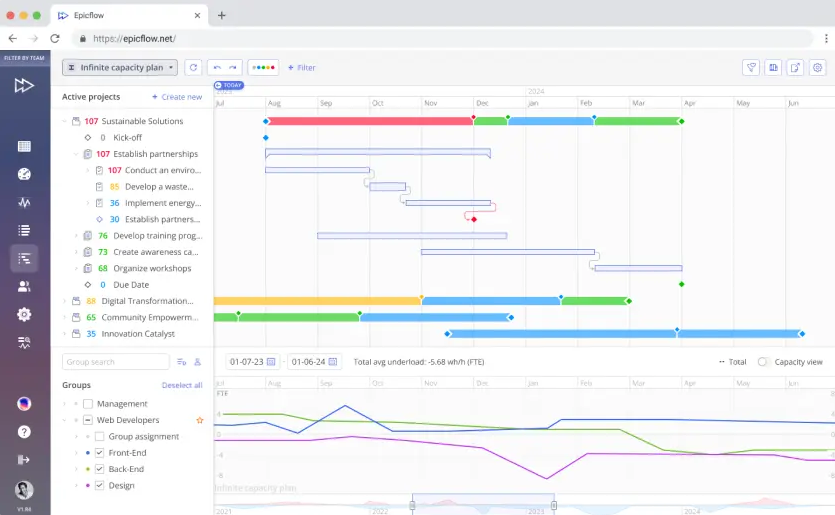
The uniqueness of Epicflow is its position as one of the best multi-project management solutions. So, it was specifically designed with the complexity of common resource pools in mind for larger portfolios. Epicflow changes the orientation from simply monitoring projects to portfolio-level “execution realism” with a reality check function that calculates the overall delivery dates of the whole roadmap based on the effects of all initiatives. This tool is the ultimate solution for those overwhelmed with resources and uncertain delivery commitments.
Core Capabilities: Key Features for Multi-Project Strategic Planning
Epicflow is designed and built around excellence in resource management. The system uses predictive analytics to help you identify potential resource bottlenecks before they prevent you from hitting deadlines.
- Identification of Predictive Bottlenecks: Epicflow’s predictive bottleneck functionality uses artificial intelligence algorithms to identify workload among all active projects in order to identify where resources are likely to run short.
- What-If Scenario Modelling: Portfolio managers can evaluate the effects of changing priority, start date, or allocating resources in a modelled environment, determining the immediate effects of any changes on all products’ schedules.
- Capacity Load Optimization: It changes capacity-planning methodology so that all team members have an equitable workload and gain protection from burnout for their key resource; this allows product development velocity to stabilize.
Ecosystem Connectivity: Integrations and API Access
Epicflow serves as the strategic layer above your delivery processes by providing real-time data integration with predominant project management systems.
- Deep Jira Integration: The strength of the Epicflow platform is its two-way sync with Jira Software. Additionally, it gives portfolio managers the ability to alter how projects are sequenced and how resources are loaded from within Epicflow while allowing developers to operate smoothly in Jira.
- Broad Integration Compatibility: Epicflow collects data from various delivery systems, such as Microsoft Project and Primavera, and centralizes it into a single source of truth for portfolio decision-making.
Pros and Cons
Pros:
- Execution Certainty: Data-based assessments remove guesswork. They provide objectively defined confidence in meeting roadmap commitments.
- Optimized Portfolio: Organizations with multiple product lines benefit from specialized resource allocation. These tools manage complex data across a central resource pool.
- Protects People: Direct resource forecasting predicts overload. It helps mitigate burnout and retain specialized talent.
Cons:
- High Commitment: Success requires company-wide adoption of portfolio management principles.
Gain exclusive access to the latest research on Eastern Europe’s thriving startup ecosystem—subscribe to Digest.pro.
2. Productboard
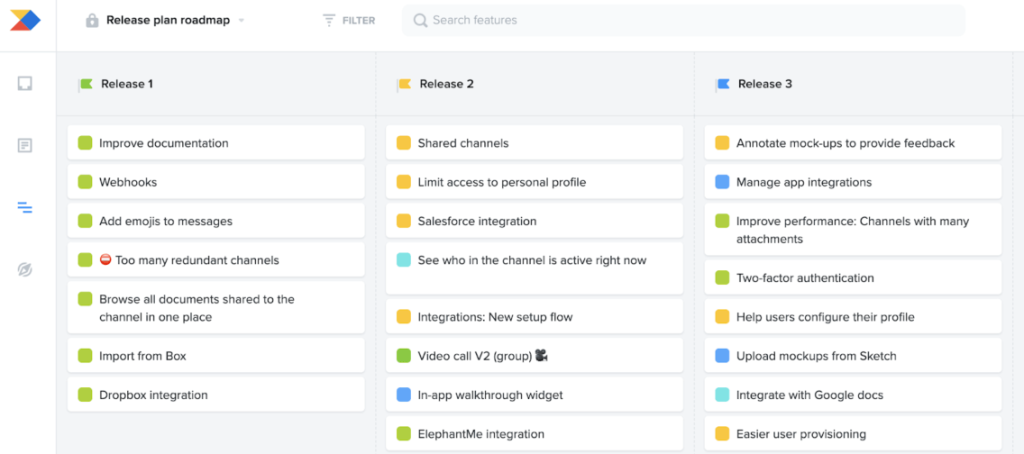
Productboard provides organizations with a formal way to govern their product strategy.
The value of this software is its framework for bringing together vast amounts of customer feedback into one place. With a complete picture of the data, product managers can justify business-critical decisions to their executive stakeholders with an objective rationale.
Core Capabilities: Key Features for Product Development
Productboard helps companies turn multiple sources of unstructured feedback into a concise and prioritized list of actionable items that can be used by product developers throughout the entire development process.
- Centralization of Customer Feedback: Productboard allows you to gather customer feedback automatically from many different locations, centralizing it all in one place for product managers to leverage the customer’s story and weigh their interest in a product’s safety features.
- Feature Prioritization on a Scorecard Based on Goals: The scorecard (prioritization matrix) incorporates custom scoring methodologies to demonstrate how well all features align with your product goals.
- Roadmap Creation & Presentation: With simply the underlying data, you can easily create multiple, customized roadmaps and present a CEO-level roadmap overview as well as a detailed roadmap timeline to the development teams.
Ecosystem Connectivity: Integrations and API Access
The system has APIs that support product development from ideation to development.
- Deep Integration Between Delivery Solutions and All Development Tools: Productboard supports integration/two-way sync with Jira, GitHub, and other tools. You can use it to maintain complete visibility on feature status updates, relevant customer-related information, and click-throughs to insights throughout all of your engineering workflows.
Pros and Cons
Pros:
- Feedback-to-Feature workflow.
- Visionary strategy.
Cons:
- Cost vs. Value
- Limited execution depth
Read more: Best Knowledge Management Software in 2026: Features, Top Tools & Trends
3. Jira
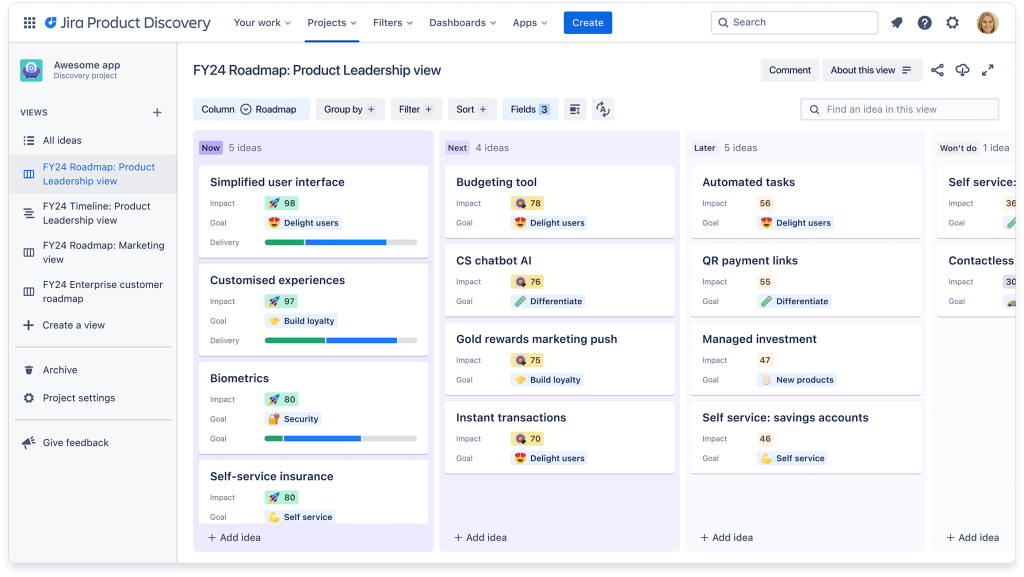
Jira directly links the product roadmap to the active development workflow (including epics, stories, and sprints). This integration is crucial for maintaining execution continuity.
For organizations heavily invested in the Atlassian stack, leveraging native Jira integration represents the most efficient path. This approach allows the organization to align the product vision directly with the engineering capacity.
Core Capabilities: Key Features for Tools Software Engineering
The primary functions of Jira for product management are closely tied to delivery and task management.
- Integrated Delivery and Backlog: The Jira roadmap is built directly on the development team’s backlog.
- Detailed mapping of technical dependencies allows technical dependencies across many teams and projects to be visualized clearly.
Ecosystem Connectivity: Jira Integration and the Atlassian Stack
It is easy to integrate Jira with any other Atlassian product, such as Confluence (for sharing knowledge) or any other Atlassian product, thereby linking both documentation and strategic context with issue execution.
API Access: The Jira Marketplace does contain many third-party applications (for example, Epicflow for resource management).
Pros and Cons
Pros:
- Delivery realism.
- Native integration.
Cons:
- Strategic vacuum.
- Stakeholder communication.
- Complexity and overhead.
4. ProdPad
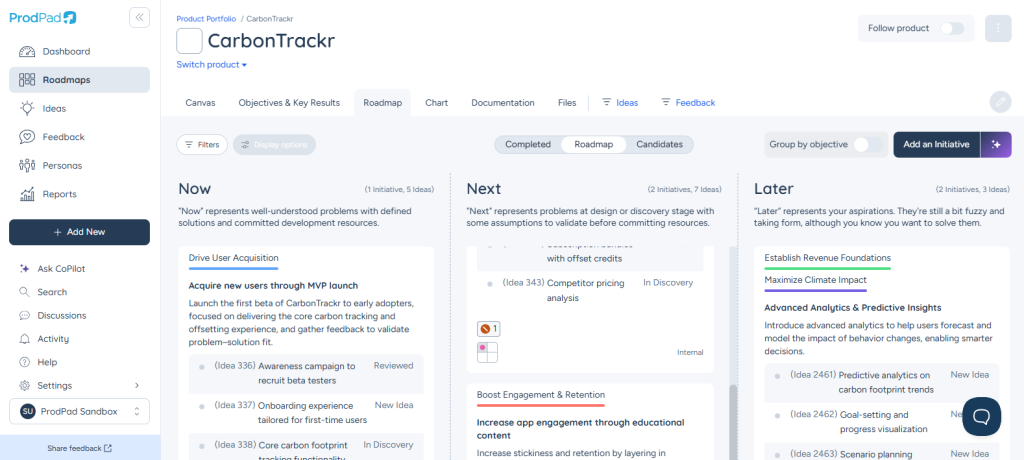
ProdPad has been built for product managers who subscribe to lean product principles and thus avoid the rigidness that comes with data-based planning.
It gives the framework to create the Now/Next/Later roadmaps, which makes sure that products are focused on solving customer issues and providing desired results rather than committing to dates or features.
Core Capabilities: Key Features for Strategic Planning
ProdPad provides a way of managing the complexity of product development by enabling continuous iteration and idea management.
- Focus on Outcomes: ProdPad supports the Now/Next/Later plan format, an easy way for teams to build stakeholder alignment by helping manage uncertainty and manage expectations.
- Idea Management and Validation: ProdPad has tools available to assist users in recording and improving their product concepts. One tool is the Idea Canvas, which allows you to categorize your concepts, and the other tool is the Value vs. Effort Grid, which enables users to evaluate concepts before they move forward in development.
- OKRs/Goal Linking: Teams can ensure that their initiatives on the roadmap align directly with established objectives and key results.
Ecosystem Connectivity: Integrations and API Access
ProdPad provides a bridge between customer feedback and the development backlog.
- Development Backlog Management: Integrates with Jira and other tools to move validated ideas to execution backlogs; unvalidated ideas remain separate in order to prevent clutter in software engineering tools.
- Feedback Loop: Allows users of ProdPad access to numerous customer feedback tools so that they can request feedback from users and validate ideas recorded in ProdPad using these tools.
Pros and Cons
Pros:
- Outcome-based.
Cons:
- Requires culture change.
- Visual customization limitations.
- Portfolio complexity.
5. monday dev
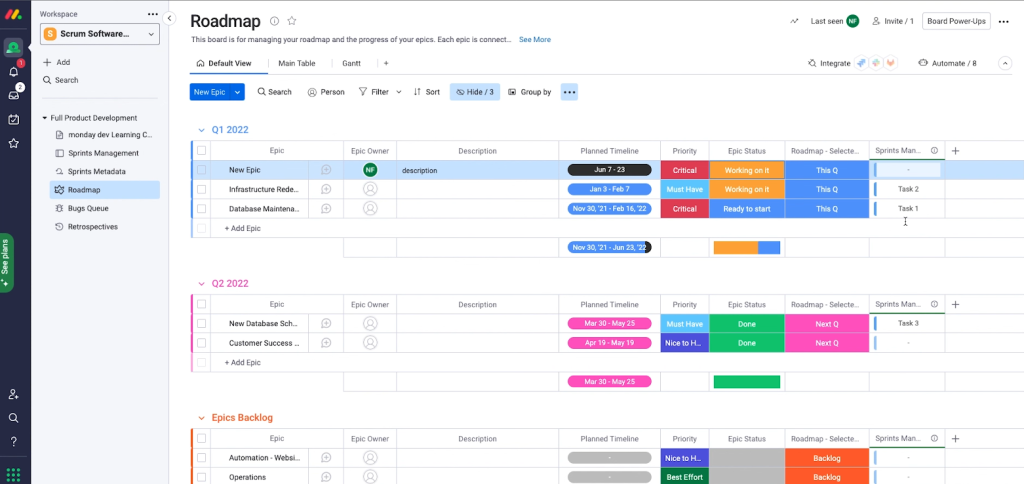
monday dev is a popular choice for product-oriented organizations because it is primarily a graphical platform providing a bridge between strategic planning and task execution.
Core Capabilities: Key Features for Stakeholder Alignment
The strengths of monday dev are due to its modularity and exceptional visualization.
- Custom boards and views provide numerous options for a user’s choice of visual Kanban views, Gantt views, timeline views, or calendar views.
- Workflow automation allows users to automatically perform manual processes, like creating/writing tasks, tracking task status, and sending notifications when a task or milestone has been achieved.
Ecosystem Connectivity: Integrations and API Access
monday dev is designed to be integrated into your existing technology stack, so it can serve as a single point of the workflow for all of your teams and projects.
- Integration: Provides native two-way sync with a large variety of commonly used tools, such as Jira for developing handoff, Salesforce to provide sales context, and all the main communication tools.
- Open Framework: monday dev utilizes a low-code/no-code design that gives developers and non-developers alike the ability to develop custom applications, as well as integration recipes (i.e., application development examples).
Pros and Cons
Pros:
- Visualization flexibility.
Cons:
- Governance risks.
- Discovery gaps.
6. Wrike
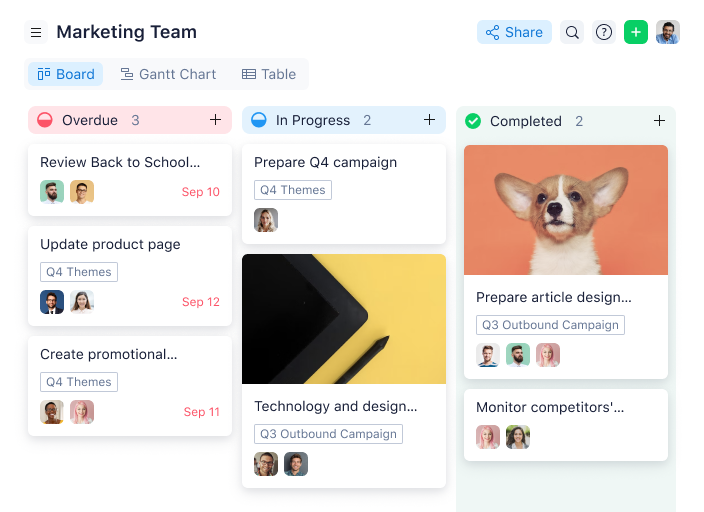
Wrike is an enterprise-level project management software that provides a roadmap creation capability for managing enterprise processes.
The primary organization using Wrike is PMOs for large-sized PM teams that work in highly regulated industries where cross-functional reporting and auditability are very important.
Core Capabilities: Key Features
The Wrike platform is described as a two-pronged application that can manage project planning and tracking in a single environment.
- Custom roadmaps can be viewed in Gantt chart or Kanban format, as well as the ability to visually represent the critical path and multi-project dependency management.
- Enterprise reporting and analytics provide extensive and highly customizable dashboards for high-level management to view time allocation, project status, and overall company health.
- Audited workflows are viable to create, define, and enforce specific auditable workflows required by the modern, contemporaneous business environment.
Ecosystem Connectivity: Integrations and API Access
Wrike is designed to be able to work with other enterprise systems and uses the most recent technologies to facilitate cross-enterprise integration and the ability to easily access enterprise information within a single integrated system.
- Integration Solutions: Two-way integration for vital systems prevents data silos within the organization.
- Resource Management Focus: Resource allocation tools are integrated to identify resource bottlenecks before they occur and to confirm product development feasibility.
Pros and Cons
Pros:
- Enterprise governance.
Cons:
- Steep learning curve.
- Cost inflexibility.
Join the inner circle of tech leaders reading Digest.pro.
7. Miro
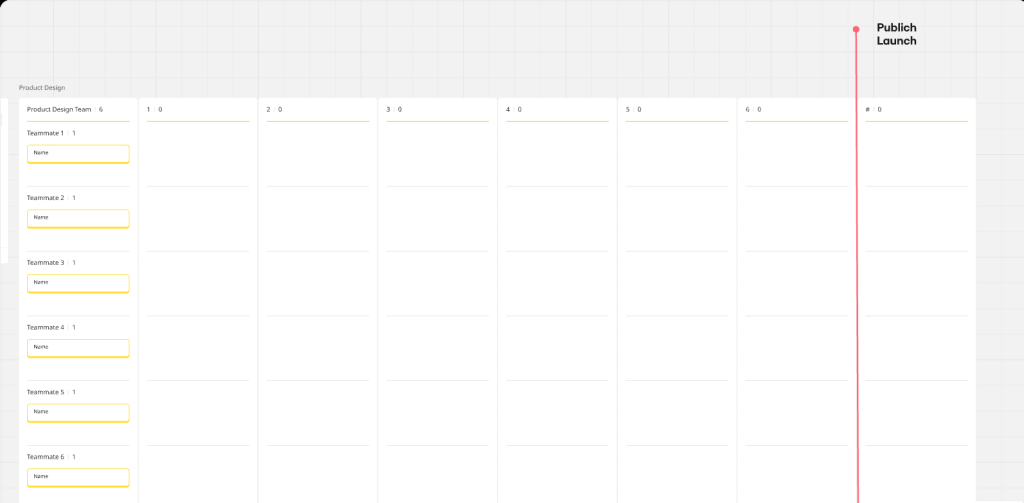
Miro provides a canvas for product team collaboration regarding strategy for product discovery, ideation, and workshop-based strategic planning.
It has become the tool of choice when visual collaboration and rapid development are more important than a complex database structure.
Core Capabilities: Key Features
What makes the platform so powerful is the very visual interface and the sheer number of templates available.
- Visual Strategy Canvas: It provides users access to an infinitely large canvas area with many Product Roadmap Template options (e.g., Now/Next/Later, Feature Matrix).
- Rapid Ideation & Design: The design element in the platform is agile and flexible in nature and thus allows for the incorporation of user journey maps, design files, and flowcharts directly into the roadmap by the product manager.
Ecosystem Connectivity: Integrations and API Access
Miro serves as a fundamental layer for creative discovery and workshop documentation.
- Handoff Process: The platform easily connects to delivery tools through the use of apps, allowing for the direct transfer of validated firm product initiatives to engineering backlogs via Miro board submissions.
- Communication Hubs: Miro integrates with remote/virtual collaboration tools, thus providing connectivity for integrated remote workshops.
Pros and Cons
Pros:
- Visual flexibility.
Cons:
- Data governance.
- Reporting limitations.
8. Trello

Trello is preferred by many teams that wish to build simple, accessible products.
In most cases, Trello is often used by new and small teams who may select Trello as their initial point of entry into more comprehensive product roadmap software. Trello can effectively facilitate low-effort, rapid planning and stakeholder alignment for teams, using Kanban-style visual boards.
Core Capabilities: Key Features
- Kanban-Visual Roadmapping: This creates an environment for the user to visually depict simple Now/Next/Later or stage-based product backlogs.
- User Interface: The application shall be intuitive to the users and require little or no training for use.
- Power-Ups/Apps: The software allows for the integration of other functionalities via Power-Ups, such as viewing in calendars and basic voting.
Ecosystem Connectivity: Integrations and API Access
- Power-Ups (also known as “apps within Trello”): Trello has an interface through which third-party applications may connect and add capabilities to your Trello account through integrated Power-Ups. For example, you can create a custom field and manage a calendar using a power-up.
- No-Code Integration Automation: If you choose not to write code, there are tools available to automate workflows without the need for code. Examples include using Zapier, Integromat, or Butler to automatically set up your workflows based on simple rules.
Pros and Cons
Pros:
- Accessibility & Cost.
Cons:
- Data governance.
- Scalability.
9. ClickUp
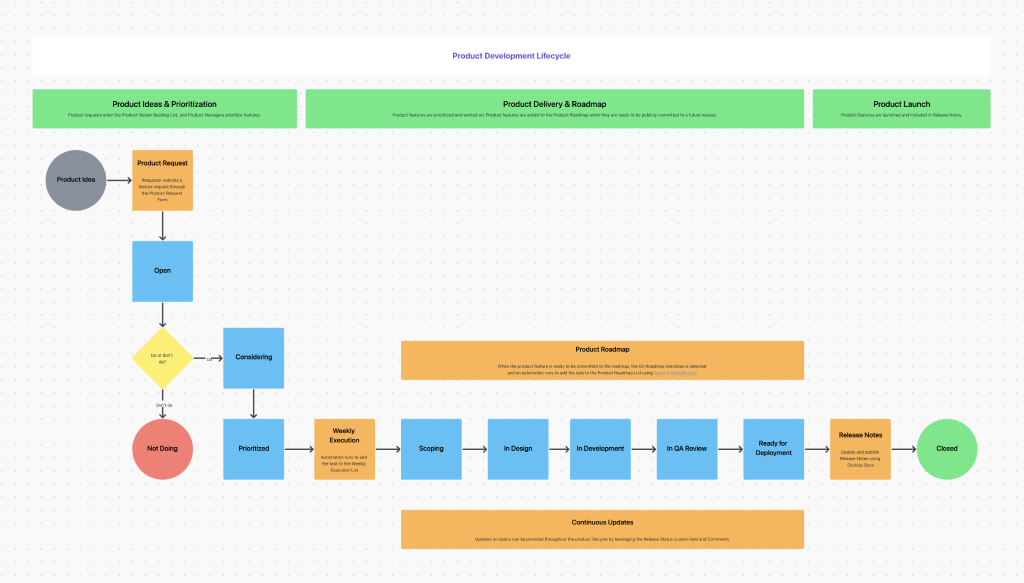
ClickUp defines itself as the “answer” to tool sprawl by collapsing an organization’s many functions—including project management, docs, and roadmaps—into one centralized platform.
Because of ClickUp’s versatility, it is a solution for teams requiring their product roadmap software to meet the many different stakeholder alignment needs of an organization.
Core Capabilities: Key Features
ClickUp is especially strong in modularity and adaptable views; however, expanding and adapting structure as necessary is critical.
- Modular Roadmap Views: ClickUp’s views of “Timeline,” “Board,” and “Table” are examples of effective Roadmap Views.
- Goal Tracking: ClickUp has the ability to connect product initiatives on the roadmap with metrics that quantify success against a higher degree of business strategic planning objectives.
- Customization Power: The ClickUp platform provides the opportunity to create unique data structures based on the complexity of product development workflows via a robust low-code platform.
Ecosystem Connectivity: Integrations and API Access
ClickUp intends to serve as the single point of entry for all business functions by providing comprehensive integrations.
ClickUp incorporates broad native integration with the most widely used tools for managing work delivery, including Jira (to track the flow from strategic planning to execution), GitHub, Slack, and many other tools.
Pros and Cons
Pros:
- Complexity.
Cons
- Pricing.
- Discovery gaps.
10. Zoho Sprints
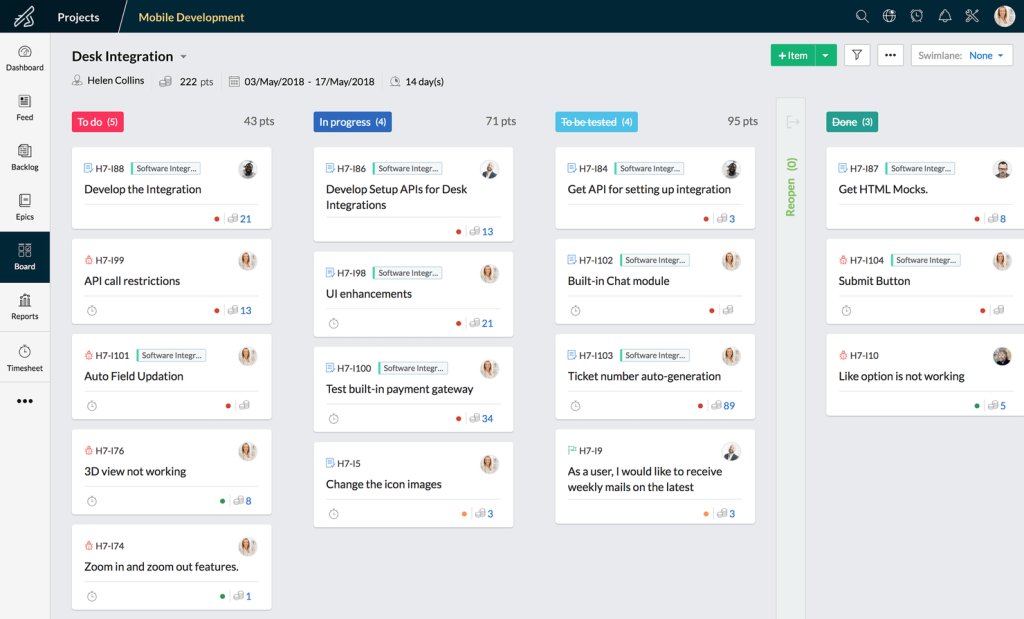
Product teams using Scrum/Agile methodologies or working within the Zoho ecosystem will find Zoho Sprints to be a good tool for their workspace.
Selected only as a highly focused and high-value tool, this software allows teams to execute their daily duties in a consistent fashion while remaining aligned to the larger product development timeline.
Zoho Sprints provides clear metrics for team velocity and overall progress against roadmap initiatives.
Core Capabilities: Key Features
The tool’s main advantage is its strong commitment to Agile project management methodologies and optimizing the efficiency of executing projects.
- Scrum/Kanban Boards: Offers dedicated filtered views and reports for the current and backlog product piles, including charts for burn down and velocity.
- Tracking Time and Capacity: Includes a number of built-in components to help with time logging and track team capacity.
- Simple Roadmapping: Provides clean, dedicated views for creating and maintaining a product roadmap over the lifetime of the product to support internal stakeholder alignment.
Ecosystem Connectivity: Integrations and API Access
With Zoho Sprints, companies have taken advantage of the entire potential of the Zoho ecosystem, allowing businesses to thoroughly combine all parts of their business operations into one.
- Zoho Ecosystem: A major advantage of Zoho Sprints is that it provides seamless and built-in connections with multiple other Zoho solutions (i.e., Zoho Creator, Zoho Projects, etc.).
- Standard Integrations: Zoho Sprints does not just connect to a large number of high-profile software development and collaboration tools (e.g.,), but also connects to the vast majority of development and software engineering workflows, providing integrated workflows for those teams.
Pros and Cons
Pros:
- Agile focus & Value.
Cons:
- Roadmap depth.
- Discovery gaps.
- External stakeholder communication.
Read more: Enterprise AI Adoption Barriers in 2026: Why Most Enterprises Get Stuck with Digital Transformation
11. Airtable
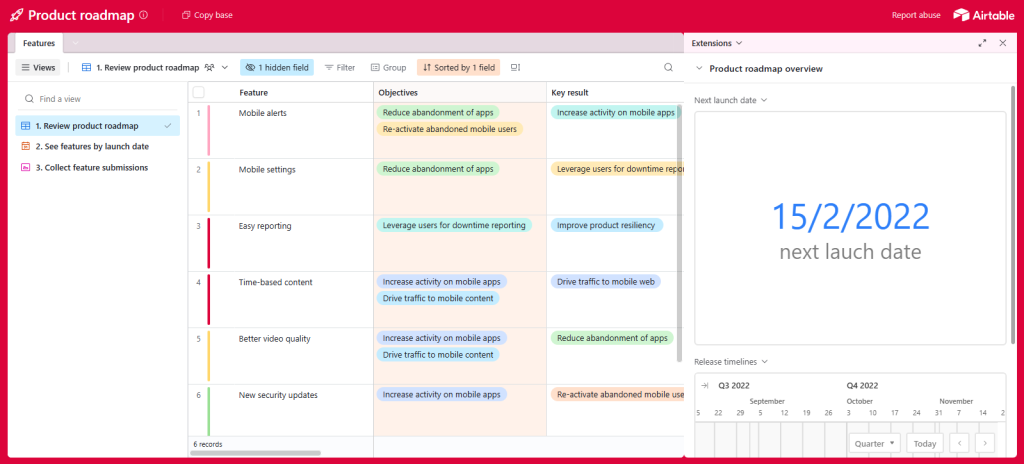
Airtable provides a flexible “database-meets-spreadsheet” solution. Teams select it when they need maximum customization, rejecting the rigidity of traditional PM systems. It is ideal for creating dynamic, linked tables, serving as a central source of truth.
Strategic Focus & Differentiators
Airtable excels at strategic planning by offering unmatched data flexibility. This allows PMs to precisely model any prioritization framework (RICE, ICE) and hierarchy.
Its powerful API and native automations enable custom synchronization, making it an excellent visualization layer for data pulled from external delivery systems.
Key features
- Relational Database Engine: Links data within numerous tables for a single source of product development’s truth.
- Custom Views: Provides grid, Kanban, calendar, and gallery options, so users can customize how they present and align with stakeholders.
- Automation Engine: Automates repetitive tasks and status updates, eliminating manual intervention to improve productivity through streamlined workflows.
Pros and Cons
Pros:
- Data flexibility.
Cons:
- Governance risk.
- Performance load & Scaling.
12. airfocus
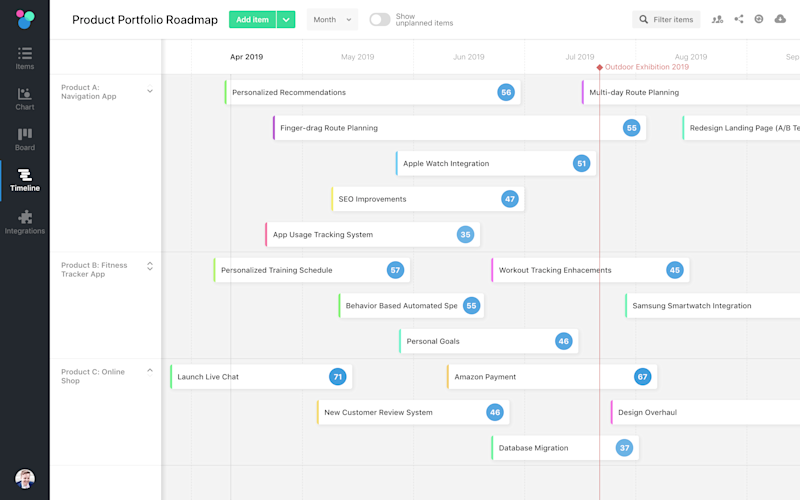
Airfocus is a highly specialized platform chosen to professionalize and standardize the prioritization process. Airfocus serves as a roadmap and has been designed with flexible structures and AI-powered guidance to support objective strategic planning.
Strategic Focus & Differentiators
With Airfocus, businesses have a powerful prioritization tool with flexibility.
Airtable also offers automated executive rollups that are superior at aligning stakeholders with multiple products and maintaining robust bi-directional syncs with various execution tool software used in software engineering.
Key features
- Priority Boards: A way to score initiatives based on objective criteria such as RICE, ICE, or other user-defined criteria. This would assist in creating better strategic plans using quantitative measures.
- Priority Maps: Provide a 2D visual representation of initiatives that can be quickly identified based on their value level and required effort.
- Bi-Directional Sync: Maintains data consistency between your strategic roadmap and your execution platforms.
Pros and Cons
Pros:
- Prioritization engine.
- Executive roll-ups.
Cons:
- Steep learning curve.
- Task management gaps.
- Pricing.
13. LaunchNotes
LaunchNotes is primarily a means to communicate with your external customer audience rather than an actual project planning tool. Thus, the primary use case for building a product roadmap and then publicly sharing the final version as a descriptive tool to engage your customers will be PMs who have a focus on transparency with outside customers and communication with them as major cornerstones of their corporate strategy.
Strategic Focus & Differentiators
- LaunchNotes excels as a means of facilitating communication and aligning expectations between the company and its customers with respect to product releases.
- Product managers use the LaunchNotes platform to create and distribute live, current-state, external-facing versions of product roadmaps and product release notes to customers.
- Product managers can segment their target audience with LaunchNotes’ Audience Segmentation feature and automate the creation of release notes based on execution status using LaunchNotes’ connection to systems of record like Jira.
Key features
- Segmented Release Notes: Specifically developed to provide targeted product updates to certain customer segments or to individual internal teams, depending on what interests those teams.
- Public Roadmap: Provides external visibility into the product roadmap and maintains the opinion of customers by creating a feeling of transparency for customers.
- Feedback Loop: Gathers customer feedback in the form of comments and reactions directly tied to roadmap releases to provide direction for future product development.
Pros and Cons
Pros:
- External communications.
- Customer engagement.
Cons:
- Not a planning tool.
- Internal reporting.
- Cost duplication.
14. FigJam
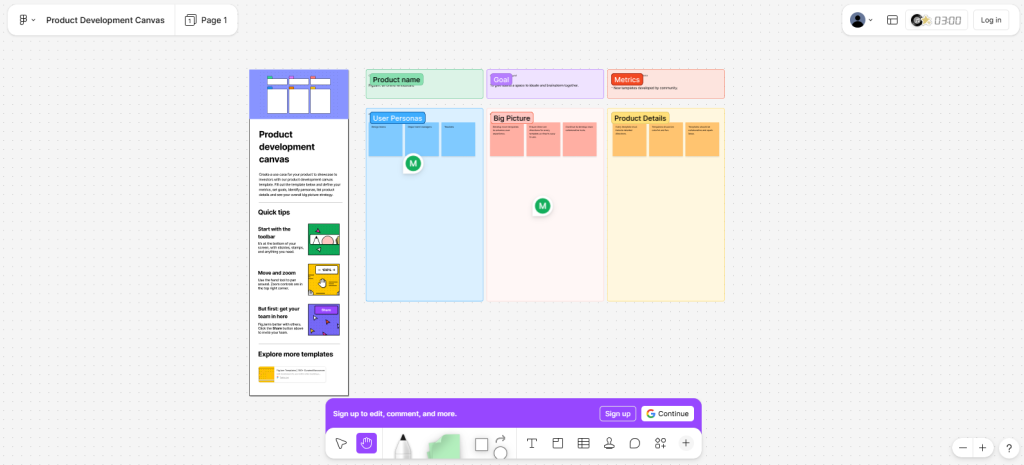
The digital whiteboard FigJam, created by the same team that developed Figma, is a digital whiteboard for team collaboration to help create visual products and also run idea-generating workshops very quickly.
Strategic Focus & Differentiators
- One main role for FigJam is the connection between product managers and the design phase of the product creation process. This enables product managers to attach prototypes and live design files directly to the initial product development roadmap using FigJam’s tools.
- FigJam has built-in templates and tools that enable any cross-functional team to conduct visual brainstorming sessions more efficiently using the voting functionality.
Key features
- Collaborative Whiteboarding: Real-time ideation with sticky notes, connectors, and freehand drawing for stakeholder alignment.
- Voting & Timers: Facilitates rapid consensus building and time-boxed workshops.
- Native Figma Link: Enables users to connect live prototype design to strategic thinking and provide a pathway for PMs to work directly with designers.
Pros and Cons
Pros:
- Design workflow.
Cons:
- Data silo.
- Limited PM functionality.
15. Nifty
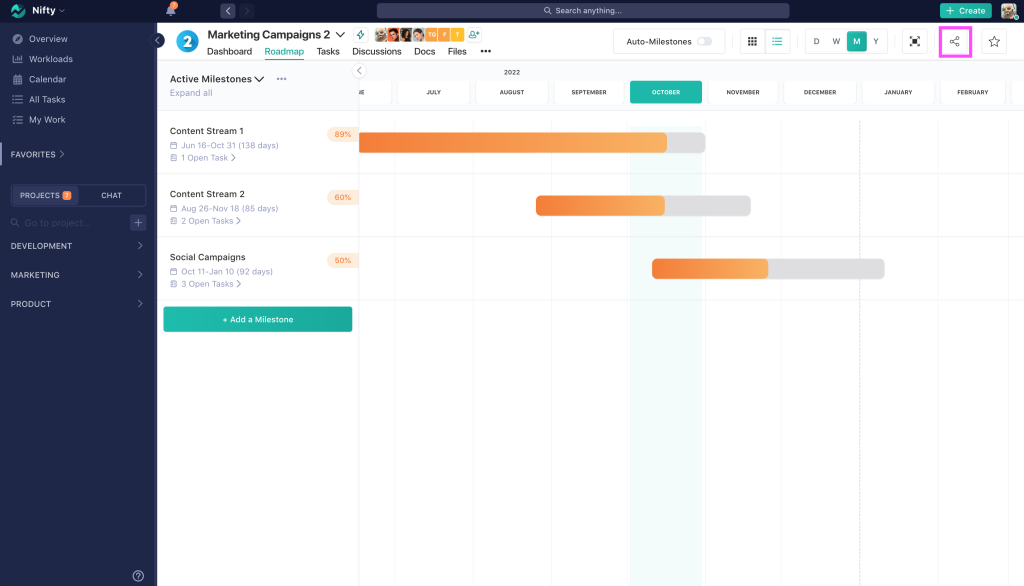
Nifty offers a single, easy-to-use platform that allows teams to integrate project management and goal-setting features with visual roadmaps. This solution fits the needs of many small- to mid-sized businesses seeking to consolidate their technology and connect the product road map with their team deliverables.
Strategic Focus & Differentiators
- Milestone-Driven Roadmapping: The Nifty platform focuses on creating project milestones that have high-level goals organized into detailed low-level project activities and allowing for automated tracking of the status of the project milestones.
- All-in-One Communication Tool: Nifty offers a team communication chat tool and a project discussion tool integrated into the same app. Both tools allow all your team members to be able to communicate in real-time through a central location that displays the full spectrum of the project’s current status.
- Flat Fee Pricing Model for Scale: Unlike other applications that charge on a per-user basis, Nifty has a pricing model that is based on a flat fee, irrespective of how many users will be using the tool.
- AI That Does the Work for You: By using Nifty, your team will have access to an advanced and custom-built AI named Orbit, which can help improve your team’s productivity and efficiency by automating repetitive work activities, creating summaries of long conversations, and sending project updates to other project team members.
Key Features
- Milestone Tracking: Links strategic planning goals from the highest level down to detailed levels. Once linked, it gives you automatic updates regarding progress made on relevant projects.
- Unified Communication: Combines a team’s chat and discussions about projects with documentation in one location to eliminate the need for many tools.
- Portfolio Dashboards: Allows an executive-level overview of the health and status of all product lines at once.
Pros and Cons
Pros:
- Unified workspace.
Cons:
- Roadmap simplicity.
- Scaling limitations.
Read more: How to Build AI Agents Step-by-Step Guide
How to Choose Your Product Roadmap Software
Choosing your software must align with your company’s complexity/weaknesses at the core.
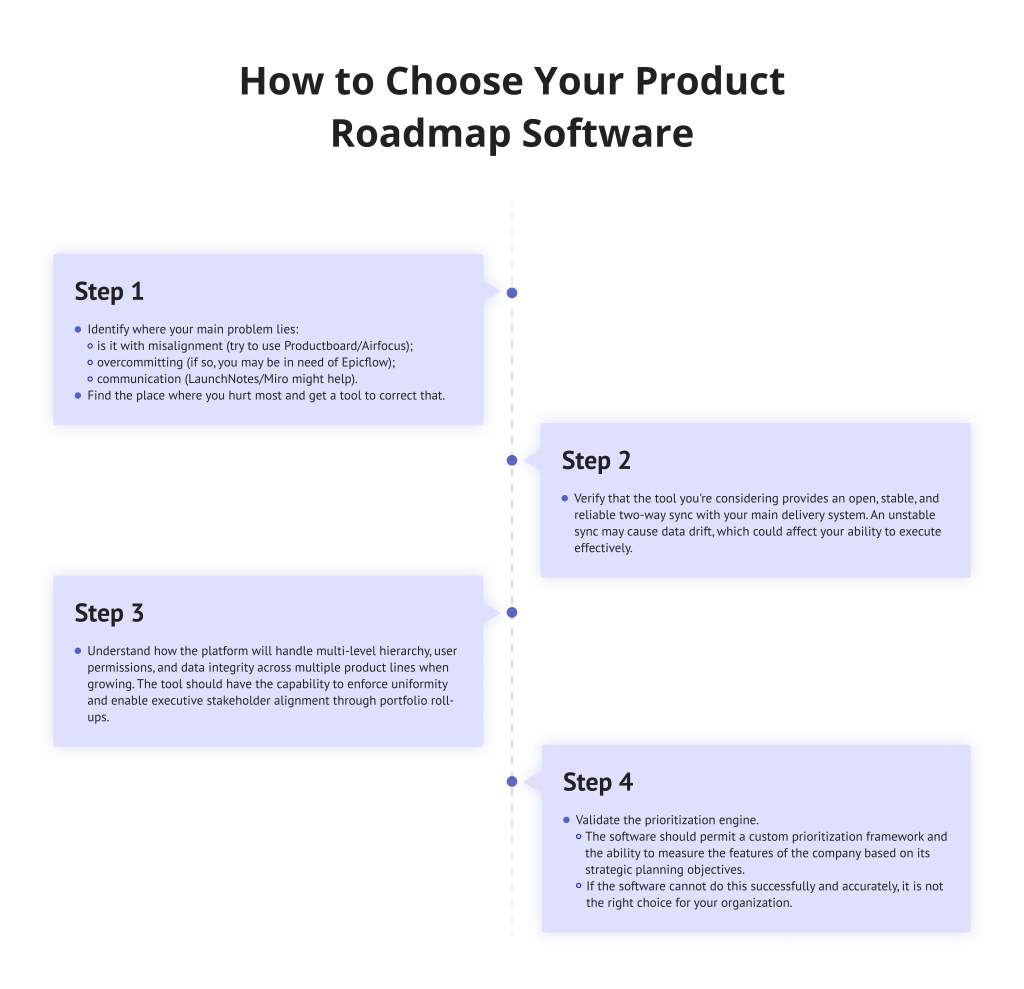
Step 1
Identify where your main problem lies: is it with misalignment (try to use Productboard/Airfocus), overcommitting (if so, you may be in need of Epicflow), or communication (LaunchNotes/Miro might help)? Find the place where you hurt most and get a tool to correct that.
Step 2
Verify that the tool you’re considering provides an open, stable, and reliable two-way sync with your main delivery system. An unstable sync may cause data drift, which could affect your ability to execute effectively.
Step 3
Understand how the platform will handle multi-level hierarchy, user permissions, and data integrity across multiple product lines when growing. The tool should have the capability to enforce uniformity and enable executive stakeholder alignment through portfolio roll-ups.
Step 4
Validate the prioritization engine. The software should permit a custom prioritization framework and the ability to measure the features of the company based on its strategic planning objectives. If the software cannot do this successfully and accurately, it is not the right choice for your organization.
Trends in Product Roadmap Software For 2026
By 2026, trends in product roadmap solution software will have advanced from the visualization of products to taking a strategic planning-based data approach that shows how each product aligns with an overall business or agency strategy and portfolio of products.
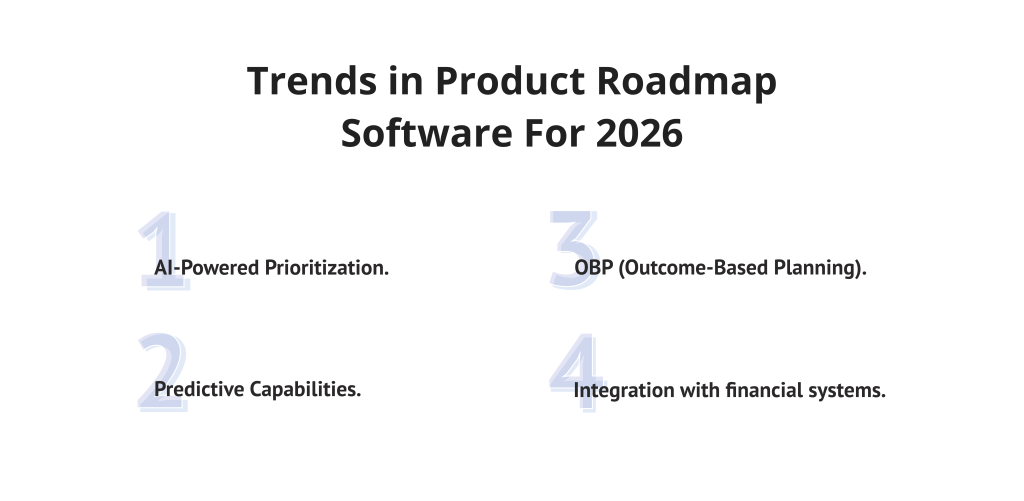
The key trends include:
1. AI-Powered Prioritization.
More product roadmap development tools will use artificial intelligence (AI) to help product managers analyze customer feedback, thus allowing them to make objective decisions based on the analysis of synthesized themes and scoring metrics like RICE.
2. Predictive Capabilities.
Product roadmap development tools will provide product managers with more robust resource forecasting capabilities, enabling them to not only manage their organization’s strategic plan but also assess the likelihood of encountering resource bottlenecks and build C-level executives’ confidence in their ability to execute approved projects.
3. OBP (Outcome-Based Planning).
Product roadmap development tools will place greater emphasis on connecting business outcomes with specific features, thereby allowing product managers to create an alignment between all stakeholders and to demonstrate the value of initiatives beyond the successful completion of tasks.
4. Integration with financial systems.
Product roadmap development will change from simply being viewed as a tool for product managers to help them execute their organizations’ strategic plans to becoming a means for product managers to integrate with their organizations’ financial systems, thereby allowing product managers to correlate their initiatives with forecasted revenues and budgets and give them the justification required to request financial resources.
Conclusions
The selection of the right product roadmap software marks the beginning of a continuous journey. Now that you have audited the market, the next step is implementation. Your choice must be aligned with your organization’s core strategic planning needs.
If your enterprise struggles with delivery overcommitment, reliance on scattered data, or protecting team capacity, the solution lies in advanced resource forecasting. Epicflow’s platform provides you with an execution reality check, ensuring you complete your product development in a trusted manner, as well as having stakeholder alignment across your complete portfolio.
Unlock the latest startup market reports—subscribe to Digest.pro.
Read more: Enterprise AI Adoption Barriers in 2026: Why Most Enterprises Get Stuck with Digital Transformation
Product Roadmap Software FAQs: Expert Answers
1. Which tool is used for product roadmaps?
Product roadmap software serves as the primary strategic hub for aligning vision with delivery across various organizational stages.
The tools that are dedicated to helping companies develop a clear strategic governance of a product portfolio are Productboard, ProdPad, and airfocus. Since most teams do not work in an office, you will need to use an integrated project management tool like Jira or ClickUp, as they will help you to focus your teams on their execution reality check.
2. Does Excel have a roadmap template?
Yes, while basic templates exist, they are static and lack the automated connectivity found in specialized platforms, causing plans to quickly fall out of sync with reality. Furthermore, the absence of built-in resource logic prevents a genuine execution reality check, making it impossible to determine if your team can actually deliver on projected deadlines.
3. Can Jira be used for product roadmapping?
Yes, you can use Jira for product roadmaps if you utilize an add-on such as Advanced Roadmaps or Jira Product Discovery.
The major benefit of Jira is continuity of execution because the roadmap is connected directly to your backlog and team velocity.
However, the standard Jira does not have dedicated customer feedback aggregation, thorough prioritization scoring, and more high-level executive stakeholder alignment views, such as projections of resources, which are the advantages of using specialized tools that integrate with Jira.
4. What is the best roadmapping tool?
When it comes to choosing the best product roadmap tool for your needs, there’s no single “best” option, as it will depend on your specific needs.
The best product roadmap tool for you will be the one that helps you to solve your primary pain points.
For example, if your primary need is prioritizing customer feedback and developing a feedback loop to understand your customers’ needs, then Productboard may be the ideal product roadmap tool for you.
If your primary need is having too much to do with too many resources or having too much risk in delivering tasks or projects successfully, then having a project and portfolio management (PPM) tool with resource forecasting and predictive bottleneck detection capabilities (such as Epicflow) would be a better fit for you.
The product roadmap tool that is best for you will also be the one that reinforces your unique way of looking at strategic planning and allows you to reliably execute with respect to that view.
5. How to make a product roadmap?
- Begin your product roadmap development process by defining your organization’s primary objectives.
- Then create and score your initiatives based on how well they align with these objectives. From these scores, create a roadmap backlog that is organized by themes and timeframes (with Now, Next, and Later).
- Then utilize a product roadmap tool that provides effective visualization for creating and customizing roadmaps; this will allow you to create a roadmap for each stakeholder group.
- Be sure to also create a stable connection between your product roadmap and software engineering tools to ensure continuous data flow in the distribution/remote team.
6. How often should a product roadmap be updated?
The product roadmap should be a living document. While the company’s overall vision may not change, it is important to review the execution of that vision tactically at least once per month, or after each major sprint cycle, at the latest. Regular updates will ensure that the product roadmap will be reflective of the current execution reality check and also that it will include any recent market feedback, ensuring that the roadmap does not become an obsolete document.
7. How do you manage cross-portfolio dependencies?
With the advanced project and portfolio management (PPM) tools, like Epicflow, you can visualize the dependencies among all your different product lines easily. Creation of these links among projects will enable you to predict how delays to one product will flow through the entire product portfolio; therefore, project managers will have the opportunity to proactively manage risk and make necessary resource allocations accordingly.
8. What role do data privacy and security play in tool selection?
In 2026, security will be a non-negotiable criterion when selecting a tool for your company. To make the best possible decision for your company, you should look for tools that offer compliance with SOC2 Type II, compliance with GDPR, and granular permissions control capabilities. This is critical for ensuring the protection of sensitive strategic planning data and customer feedback, especially when sharing roadmaps with external stakeholders.
Level up your strategic knowledge with deep dives into the European innovation landscape. Join Digest.pro today.