Every specialist wants to spend less time on tedious routine tasks and automate as much work as possible. For a long time, n8n was the most popular open-source integration platform that helped users to build reliable automation systems. But the world has changed, hasn’t it? Some features have become outdated, while limitations that were not so significant at the beginning are becoming more and more challenging today.
In this article, we’ll explore the main problems users can face while using the n8n system and review the most useful n8n alternatives.

What Is n8n?
Let’s, first of all, discuss what n8n is and what limitations make users search for its alternatives.

n8n is an open-source platform that allows various types of users (from people with a strong technical background to no-code specialists) to automate workflows and data processing across an organization or team.
Moreover, many companies are already using this automation tool to optimize the efficiency of their business processes. But the platform has several limitations that, in a long-term perspective, may lead to scalability issues and problems with adoption for a wider range of users within the team. So, what limitations does n8n have?
n8n Limitations
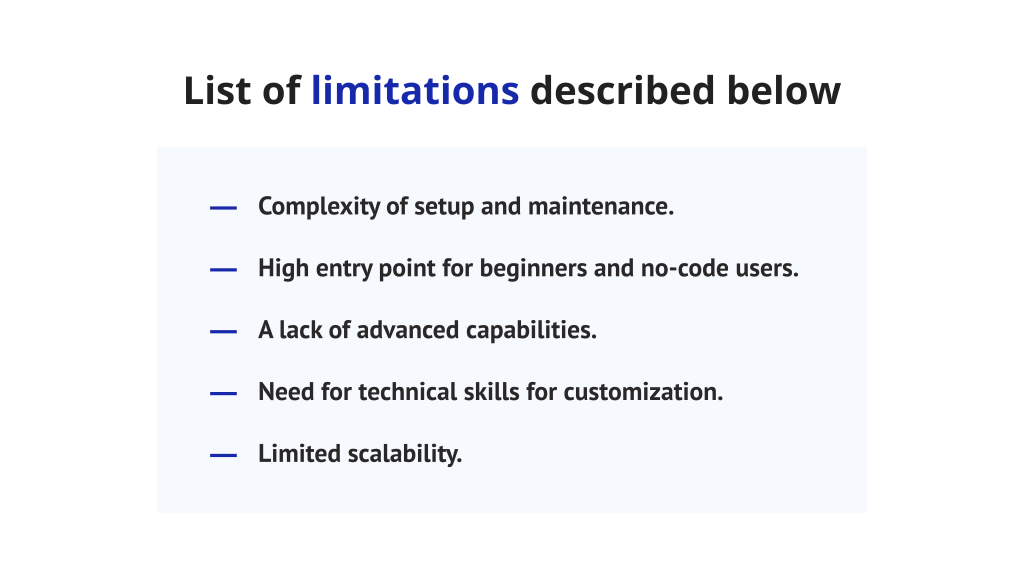
1. Complexity of setup and maintenance.
n8n positions itself as a flexible automation platform, but the initial setup process requires technical expertise to configure servers and manage errors while maintaining. Even in the cloud version, setting up integrations for various APIs can be confusing, while many modern n8n alternatives don’t rely on the user’s technical background, making the onboarding process much easier.
2. High entry point for beginners and no-code users.
For beginners it may be hard to get used to n8n, especially for no-code users. Although the system provides a visual workflow builder, some user interface elements aren’t fully intuitive and need time to learn. Moreover, it doesn’t provide proper step-by-step guides that would help specialists quickly understand how to create complex workflows. However, a lot of alternatives to n8n provide a fully intuitive interface and detailed onboarding documentation.
3. A lack of advanced capabilities.
Although the platform is created for workflow automation, AI here is only an addition and its advanced capabilities are still limited. Moreover, the platform has limited monitoring, logging, and debugging capabilities for large business processes and lacks advanced tools for testing and workflow audits, making it less suitable for complex enterprises. Thus, this may be the reason to search for alternatives to n8n.
4. Need for technical skills for customization.
The biggest strength of n8n is its ability to create custom nodes and workflows, which might also become a significant challenge in some cases. Writing and maintaining all customization require strong programming knowledge, while low-code capabilities for complex operations are absent. This makes it impossible for no-code users to extend the platform’s capabilities and makes specialists to start searching for more user-friendly n8n alternatives.
5. Limited scalability.
For large companies and big businesses, n8n can fall behind the other workflow automation tools, as it doesn’t have the enterprise-grade customer support and difficulties with optimizing large workflows. As a result, organizations often search for n8n alternatives to cover all their needs as well as enthusiasts who lack automatic scaling in self-hosted deployments.
What to Look for in an n8n Alternative?
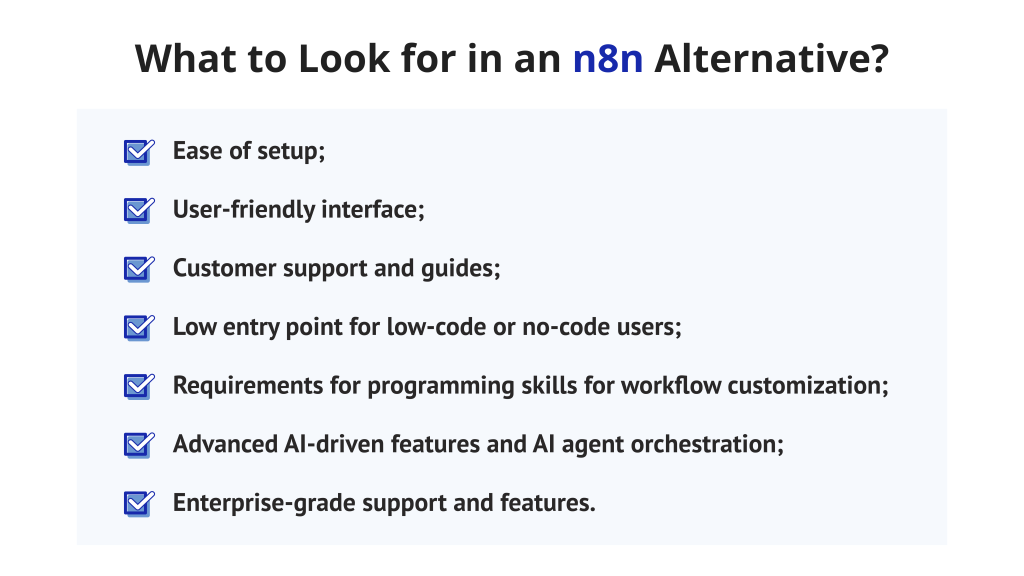
Now, we can briefly conclude what you should look for in the alternative to n8n, based on the limitations discussed above:
- Ease of setup;
- User-friendly interface;
- Customer support and guides;
- Low entry point for low-code or no-code users;
- Requirements for programming skills for workflow customization;
- Advanced AI-driven features and AI agent orchestration;
- Enterprise-grade support and features;
Read More: Enterprise AI Adoption Barriers in 2025: Why Most Enterprises Get Stuck with Digital Transformation
How Did We Evaluate the n8n Alternatives?
We’ve compared more than 20 n8n alternatives, using the evaluation criteria, based on main n8n pain points:
- Ease of use: we focused on how quickly users can get used to n8n alternatives and if their interfaces are user-friendly.
- Target audience: we aimed to create a list of tools suitable for users with different skills to help as many people as possible choose the proper solution.
- Pricing: we compared the cost for each tool and checked if there are any n8n free alternatives or plans.
- Scalability: we analyzed how scalable each platform is and if it can handle complex data processing and high-volume workflows
- Integrations: we compared how well each alternative to n8n can connect to other tools and APIs.
- Features: we reviewed features the tool provides for both no-code and technical users.
Top 10 n8n Alternatives in 2025
1. EpicStaff
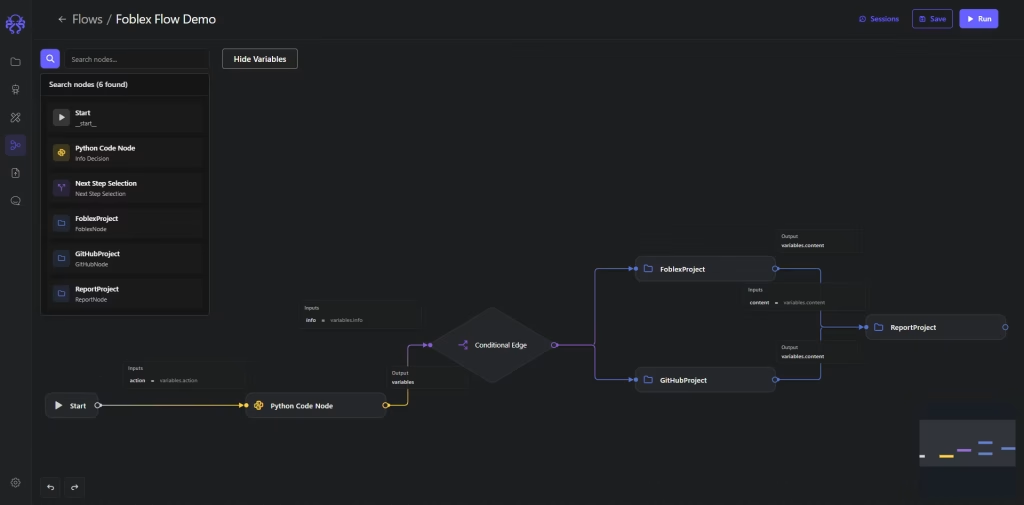
EpicStaff is an open-source workflow automation platform that allows users to create autonomous AI agents to automate various business processes. It is one of the best alternatives to n8n, where AI agents become your virtual “staff”, and each of them has its own role and responsibilities.
It is designed to help businesses in workflow automation and to be a helping hand for no-code users as well as for tech teams. On the one hand, it provides an intuitive drag-and-drop interface, enabling business teams such as project managers, marketers, HR managers, or sales to build needed workflows in the visual canvas, making it one of the best n8n alternatives for non-technical users. On the other hand, it allows technical specialists to extend functionality and make powerful customizations by adding their own Python nodes.
Best for:
It is easy enough to quickly get used to and can be used by solopreneurs, startups, or even large enterprises to develop their own AI solutions.
EpicStaff key features are the following:
- Visual AI workflow builder: the platform has an node-based interface that allows no-tech users to design and customize their own workflows.
- Multi-agent orchestration: users can create multiple AI agents with different roles and ask them to solve some predefined problems.
- Custom Python tools: programmers can extend functions of AI agents for different specific purposes through adding custom Python code.
- Knowledge injection: users can incorporate external knowledge sources from files of different types (PDF, DOCX, etc.) to make the system learn and improve the accuracy of answers.
- Integrations: the platform supports various large language models (LLM) like OpenAI, Anthropic, Gemini, and others, while integration with third-party services is available through custom Python tools.
- Voice processing: you can chat with a Voice AI agent and ask it to find information or make some analysis to get answers faster.
Pricing:
EpicStaff platform is a completely free alternative to n8n.
Pros:
- Easy to use.
- Open-source application.
- Suits for both no-code users and technical specialists.
- Quick onboarding and easy setup.
- Hybrid programming & no-code approach to workflow creation.
- Powerful multi-agent orchestration.
- Growing range of integration capabilities.
Cons:
- New player in the market.
- Smaller third-party capabilities compared to other tools.
If you’re searching for the perfect and scalable n8n alternatives, EpicStaff might be a perfect solution for you. Its main goal is to allow as many users as possible to create their own AI agent-based automation systems and customize them.
If you’re ready to get started, download Epicstaff now for free.
2. Zapier
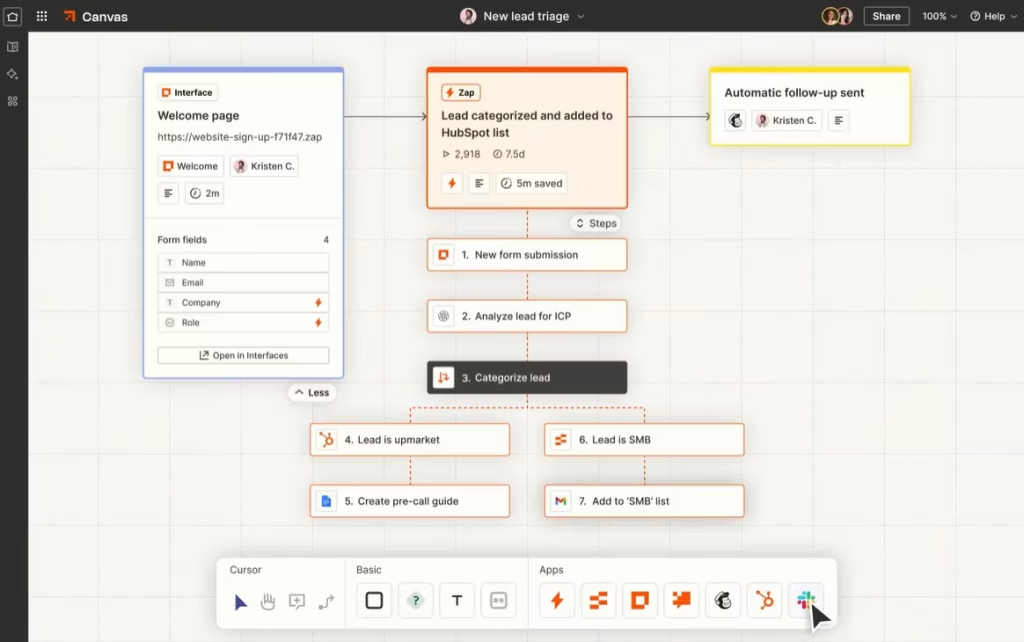
Zapier is another famous workflow automation platform from the list of n8n alternatives that is widely known for its simplicity and vast integration ecosystem. Zapier’s biggest strength is its accessibility because even users without technical skills can automate tasks between various applications.
Best for:
No-code users and small and medium-sized organizations that want to simply automate everyday business tasks.
Key features:
- Pre-built templates: you can choose one of the ready-to-use templates for various use cases.
- Multi-step workflows: allows even no-code users to build sequences of actions that run automatically.
- Huge integration library: 7,000+ supported apps.
- AI-powered suggestions: the platform can suggest automations based on your tools.
Pricing:
- Free plan: 100 tasks per month.
- Professional: starts from $29 per month.
- Team: starts from $99 per month.
- Enterprise: custom pricing for the entire organization.
Pros:
- No coding experience needed to get used to the tool.
- Huge variety of integrations.
- Strong documentation and community resources.
Cons:
- Pricing increases with the number of needed functions and may not be affordable.
- No self-hosting, only cloud-dependent.
- Limited data processing capabilities.
3. Tray.ai
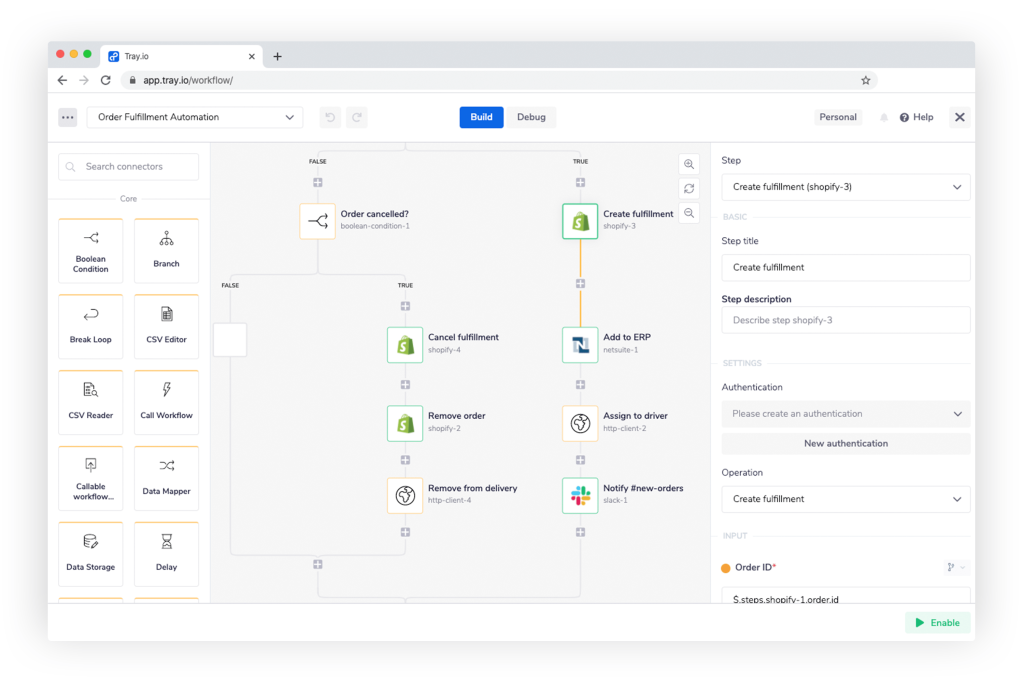
Tray.ai positions itself as a low-code integration and automation platform, supporting both no-code workflows and advanced logic. It is a good choice from other n8n alternatives for enterprises that handle complex data processing and multiple APIs.
Best for:
Enterprises and technical teams that want to automate high-volume workflows across multiple departments.
Key features:
- Integration templates: pre-built connectors for Marketo, Snowflake, and so on.
- Visual builder: allows users to create complex workflows with a visual canvas.
- Data scalability: processes large data volumes, making it suitable for large companies.
- Custom code: enables users to add custom code for more functionality.
Pricing:
Has Team, Pro, and Enterprise plans, all with custom pricing depending on needed functions.
Pros:
- Scales well for cross-department use.
- Highly flexible and developer-friendly.
- Supports low-code users.
Cons:
- Higher learning curve.
- Has no free plan and can be less affordable.
- Overkill for small businesses or simple workflows.
4. Microsoft Power Automate
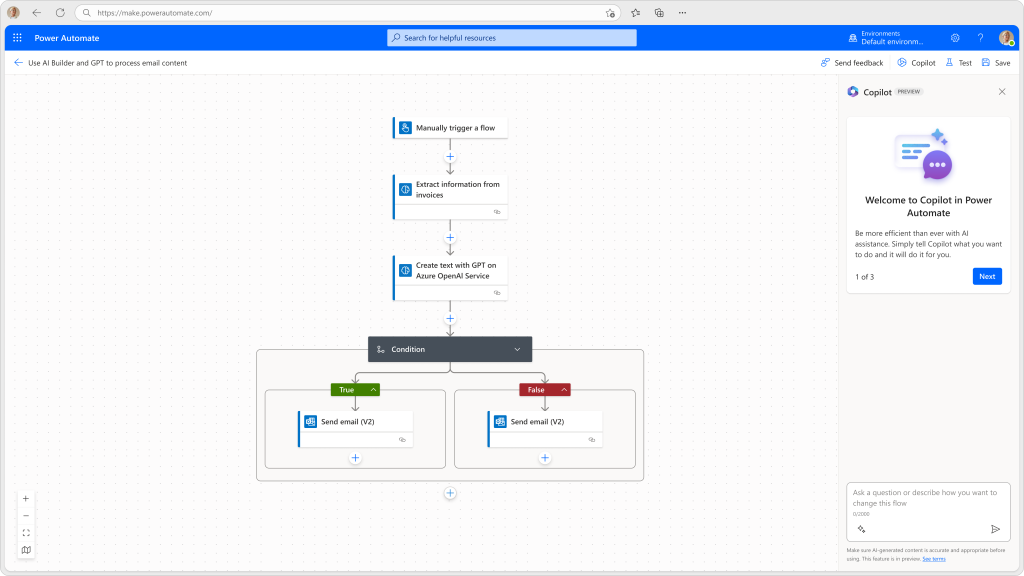
Microsoft Power Automate is designed to be a part of the Microsoft ecosystem. It is one more tool from the list of alternatives to n8n that allows businesses to automate repetitive tasks like sending alerts in Teams and connecting both cloud and desktop applications.
Best for:
The tool is mostly suitable for companies that are already using the Microsoft 365 ecosystem and want to automate workflows across its internal apps.
Key features:
- Deep Microsoft integration: seamlessly connects with Office 365, Outlook, Teams, etc.
- Pre-built templates: has a lot of automation templates for various business departments.
- AI builder: built-in AI analytical capabilities.
Pricing:
Has a free trial, available for 30 days, as well as Premium and Process paid plans.
Pros:
- Seamless Microsoft integration.
- Has advanced AI features.
- Supports various integrations with both Microsoft and third-party tools.
Cons:
- Less flexible outside the Microsoft ecosystem.
- Has a steep learning curve.
- The user interface can feel overwhelming.
5. Make (formerly Integromat)
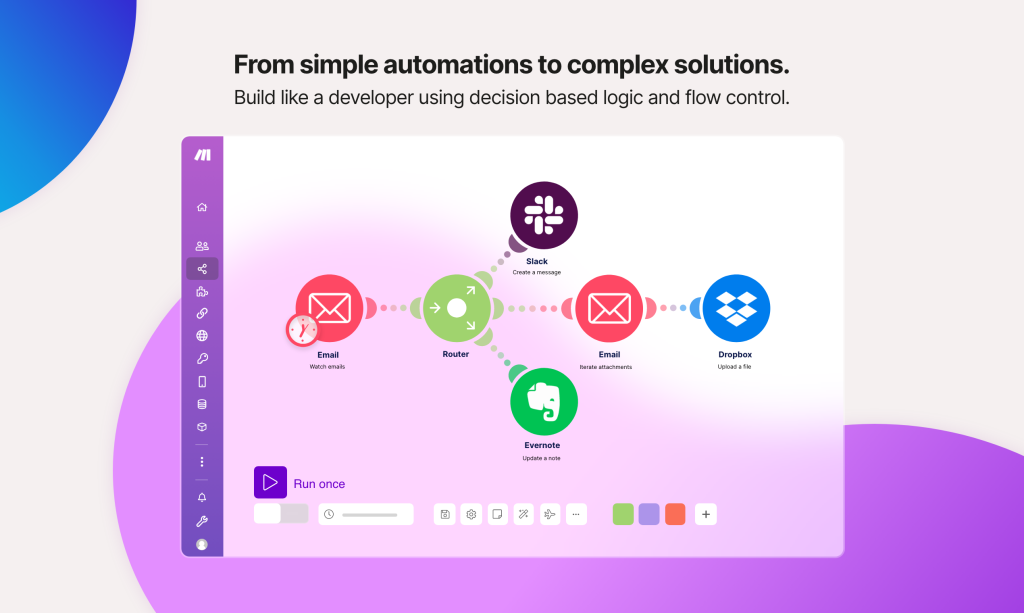
Make (formerly known as Integromat) is one of the most widely known n8n workflow automation alternatives. It is a no-code development platform that displays your workflow as an interactive diagram where every module is a node of a flowchart.
Best for:
Teams that handle complex data processing and require advanced AI and automation features for their workflows.
Key features:
- App library: has a massive library of pre-built apps.
- Visual scenario builder: to test different automations in real-time.
- Visual workflow builder: the system has an easy-to-use intuitive interface, allowing users to quickly get used to it.
- Advanced data manipulation: use different filters and functions to handle complex data processing.
Pricing:
- Free plan: 1,000 credits per month and 15-minute minimum interval between runs.
- Core: starts from $9 per month.
- Pro: $16 per month.
- Teams: $29 per month.
- Enterprise: custom pricing and advanced enterprise features.
Pros:
- The visual builder is intuitive and understandable.
- Affordable pricing for different users and companies.
- Highly customizable.
Cons:
- The interface can be overwhelming and slow.
- It can be hard to predict the perfect pricing plan.
6. Workato
Workato may be a great choice among n8n alternatives for enterprises. It is an iPaaS agentic enterprise-grade platform that allows users from different departments to collaborate on creating AI agents for marketing, business, software development, management, and so on.
Best for:
This solution is good for large enterprises and teams that are struggling to find proper workflow automation tools for multiple departments.
Key features:
- Enterprise iPaaS integrations: has a wide range of integrations external tools.
- Access control: provides role-based permissions and version control.
- Real-time monitoring: allows users to get up-to-date data and reports.
- AI automation: allows users to use machine learning to make predictions.
Pricing:
The pricing depends on the number of functions you need for your business and their complexity.
Pros:
- Enterprise-level features and compliance.
- Strong cross-department collaboration.
- AI-driven automation.
Cons:
- Requires technical onboarding.
- Too complex interface for small teams.
- High pricing may not be affordable.
7. Pipedream
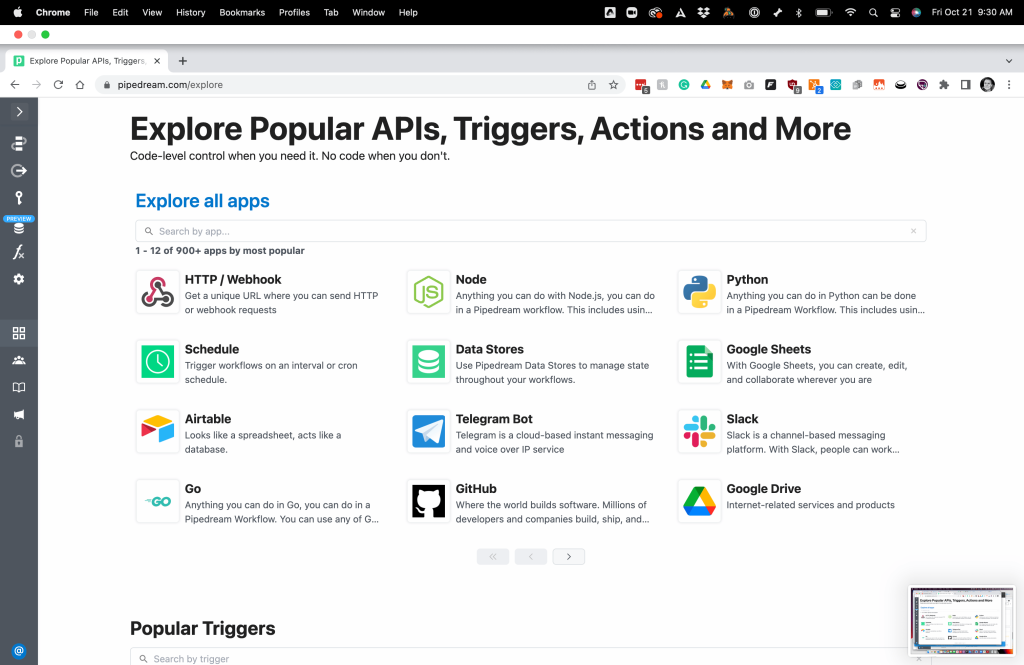
Pipedream is a hybrid no-code and code automation platform that differs from other n8n alternatives by giving access to a real coding environment where programmers can directly customize the logic.
Best for:
Developers and technical teams who want full control over APIs and custom logic.
Key features:
- Integrations: over 1,000 apps to integrate with.
- AI agent builder: users can create their own AI agents.
- Custom code: users can write custom code in different languages.
- Built-in coding environment: allows users to write code directly in the workflow without any external IDE.
Pricing:
- Free: up to 100 credits per month.
- Basic: $29 per month.
- Advanced: $49 per month.
- Connect: $99 per month.
Pros:
- The best from n8n alternatives for developers who want to add custom code without an external IDE.
- High integration flexibility.
- Offers a generous free tier.
Cons:
- Requires programming skills.
- The interface is less intuitive and more developer-oriented.
8. ActivePieces
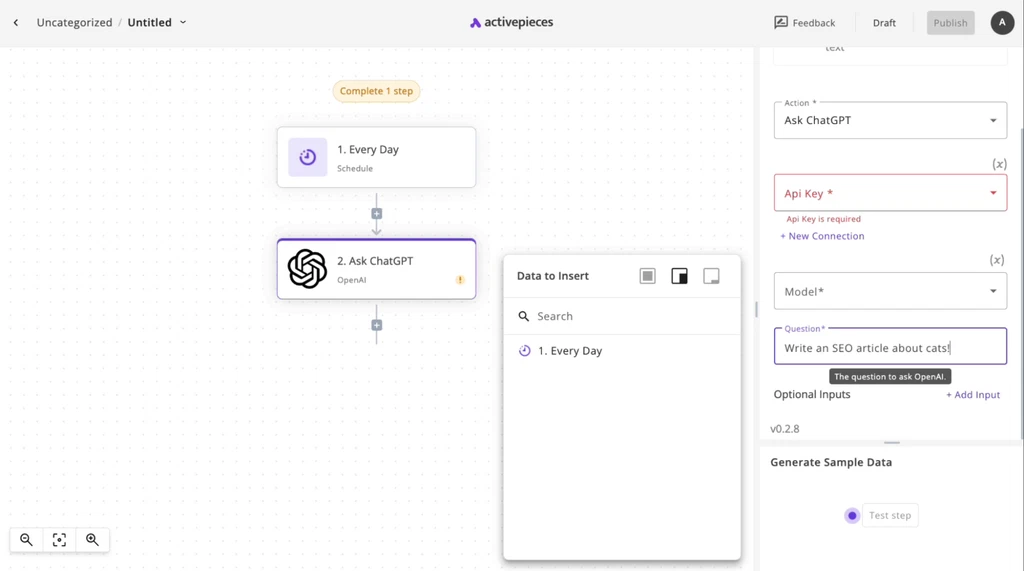
ActivePieces is one of the best n8n open-source alternatives for both small teams and large enterprises. It combines an easy-to-use interface with the ability to host everything on your own server, making it a perfect solution for AI-driven automation among no-code and technical users simultaneously.
Best for:
It can be a great choice for startups, developers, and no-code teams that want to try n8n open-source alternatives to automate their own workflows.
Key features:
- Step-based flow: the workflow stays readable even when it gets too long.
- Integrations: has a huge library of pre-built integrations.
- Visual no-code builder: simple and intuitive interface allows no-code users to build their own workflows.
- AI agents: supports integration with various LLM models.
Pricing:
- Free: perfect to get started with automation for individuals or no-code users.
- Plus: $25 per month.
- Business: $150 per month
- Enterprise: custom pricing.
Pros:
- Completely free to self-host.
- Visual builder makes it one of the most promising n8n alternatives for non-technical users.
- Ability to add custom extensions.
Cons:
- Smaller app ecosystem.
- Enterprise cost can be less affordable.
- Still developing.
9. Pabbly Connect
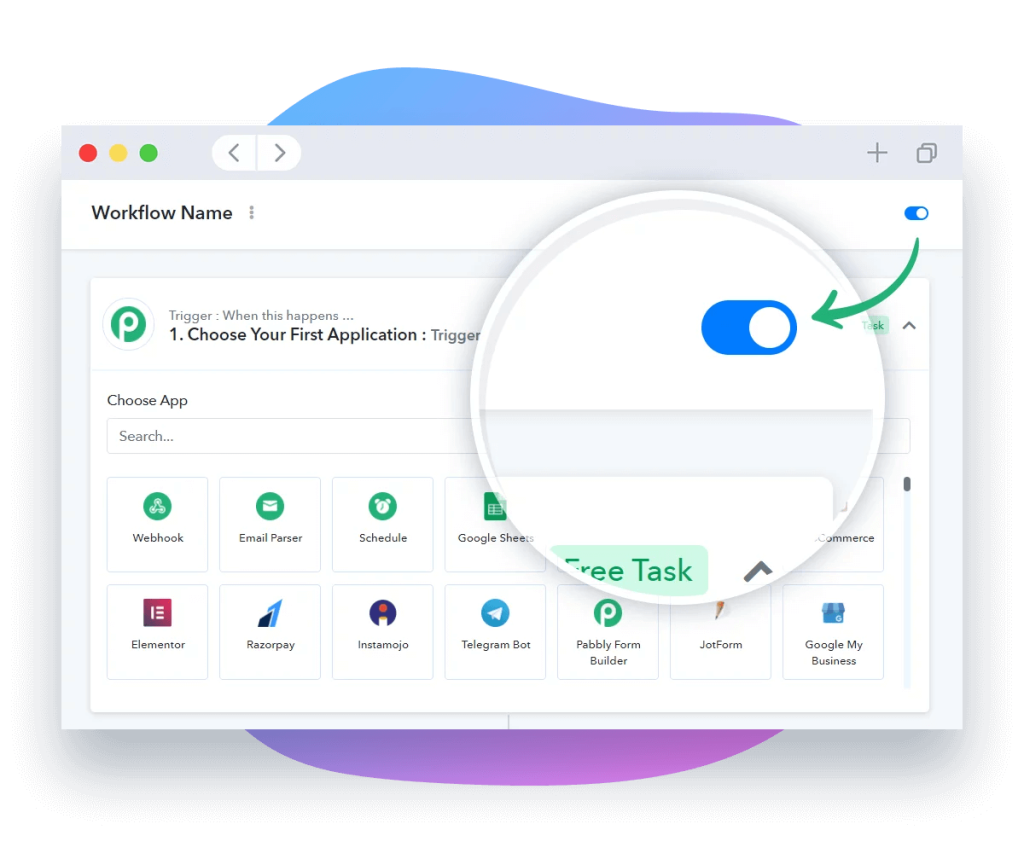
Pabbly Connect is one of the most affordable n8n alternatives in 2025 that allows users to integrate marketing, CRM, and other tools quickly and without limitations in charge per task.
Best for:
Small and medium-sized businesses that need affordable workflow automation tools without complex setup.
Key features:
- Integrations: supports 1,000+ apps.
- Unlimited workflows: create as many workflows as you want.
- Email parser: you can automate data collection from emails.
- Webhook support: gives the ability to connect with custom apps that don’t have native integrations.
Pricing:
- Free: 100 tasks/credits every month.
- Pro: $59 per month.
- Unlimited: $79 per month.
Pros:
- Has a lifetime access plan.
- Unlimited workflows.
- Wide integration library.
- Quick setup with minimal learning curve.
Cons:
- Less intuitive interface.
- Lacks advanced logic for handling complex data processing.
- No self-hosting.
10. Flowise

Flowise is one more from the list of n8n open-source alternatives. It provides an intuitive visual workflow builder that allows users to quickly build AI agents from ready-to-use blocks and manage them efficiently.
Best for:
Technical teams as well as no-code individuals that want to quickly build AI agents without coding.
Key features:
- Integrations: supports 100+ LLMs, embeddings, and other tools.
- Virtual assistant: has built-in chat assistants.
- AI agents: has a multi-agent orchestration system for advanced automation.
- Visual editor: supports connecting LLMs, tools, and data sources in a flowchart.
Pricing:
- Free: 100 predictions per month.
- Starter: $35 for individuals and small teams.
- Pro: $65 for medium-sized businesses.
Pros:
- Has a wide range of integrations.
- Strong open-source community.
- Suitable for enterprise-level.
- Supports self-hosting.
Cons:
- Local or cloud setup only.
- Can be overwhelming for no-code users.
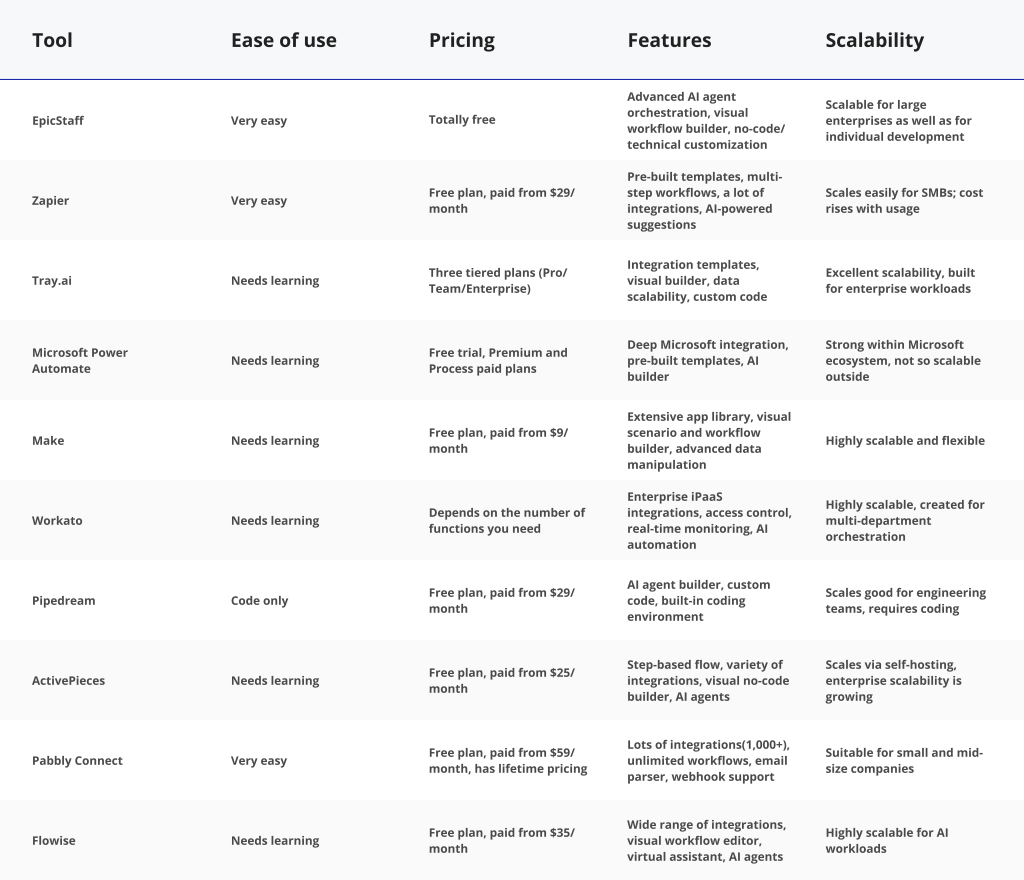
Comparison Table of n8n Alternatives
Conclusion: Why Should You Choose EpicStaff?
As businesses develop, their workflows become more and more complex, requiring systems that can automate day-to-day work as well as handle complex data processing. That is why demand for smart automation tools like n8n is extremely high. However, as the need for automation grows, specialists realize that specifically the n8n platform isn’t usable or scalable enough for some particular processes, so they start to search for more suitable or free n8n alternatives.
Among other n8n alternatives in 2025, EpicStaff offers:
- Solution for the dual audience: EpicStaff is designed to serve technical specialists and no-code users simultaneously, making it a perfect solution for cross-department collaboration in large enterprises.
- AI-focused approach: The platform emphasizes the necessity of the AI agent orchestration principle and AI-powered automation. EpicStaff’s agents can act like virtual staff, autonomously decide how to execute tasks, and adapt to the changing conditions.
- Ease of use & power of customization: It combines an intuitive visual interface with full developer extension via custom code and REST endpoints to empower business processes across the company.
- Open-source flexibility: Because it’s open-source software, you’ll have more control over deployment and customization.
Download EpicStaff for free today and automate your workflows for maximum efficiency and productivity.
FAQ
Q: What are alternatives to n8n?
A: We can define the following list of the best n8n alternatives, each of them serves different purposes:
- EpicStaff: the best all-around n8n alternative that combines drag-and-drop interface for no-code users and extensibility for developers.
- Zapier: for non-technical teams for workflow automation.
- Make: teams managing data-heavy workflows.
- Tray.ai: a scalable solution for enterprises.
- Workato: for large enterprises that need visibility and cross-department collaboration.
- Microsoft Power Automate: ideal for teams that are already using Microsoft Office.
- Pipedream: best for developers and AI engineers.
- ActivePieces: open-source, customizable solution for AI startups.
- Pabbly Connect: focuses on affordability, making it ideal for solopreneurs and small startups.
- Flowise: can be a good choice among n8n alternatives for developers that work with LLMs and AI pipelines.
Q: Is n8n a Chinese company?
A: No, n8n isn’t a Chinese company. It is actually a Germany-based company founded by Jan Oberhauser in 2019 and headquartered in Berlin.
Q: What is the best n8n alternative for no-code users?
A: EpicStaff is the best of the n8n alternatives for non-technical users, as it has an intuitive drag-and-drop interface and visual workflow builder that allows no-code users to design their own processes without any programming knowledge.
Q: What is the best open-source alternative to n8n?
A: EpicStaff may be the best open-source n8n alternative. It provides easy setup and a user-friendly interface, allowing users to create their own AI agents in seconds. It also supports knowledge injection from external files to enhance learning for more accurate outputs, and there are available integrations with many LLMs and APIs.
Q: What is n8n?
A: n8n is an open-source automation tool that lets users automate complex processes through a visual interface, using nodes and triggers. It also can integrate with a huge variety of applications through the API connections.
Q: Why is n8n called n8n?
A: It is a numeronym that stands for “nodemation”, which is, in turn, the shortened version of “node” and “automation.”
Q: Why should I look for n8n alternatives?
A: Because some teams and users might face challenges while using the n8n tool. Some people find n8n features too technical, the interface may be overwhelming, and overall onboarding can be too complex for beginners. The n8n alternatives like EpicStaff offer simpler UI, faster deployment, and a wider range of AI features.
Q: Is n8n easy to use?
A: It is easier to use for developers and specialists with a technical background. For no-code users it has a learning curve, and it’s the main reason why some teams are looking for n8n alternatives and moving to more intuitive solutions.