
Nowadays, managing corporate knowledge is seldom easy. Over the years, companies have collected hundreds of documents and databases that store extremely valuable information about internal rules and workflows. Additionally, with time and the growing amount of that documentation, knowledge bases usually become outdated and cluttered.
Knowledge management software helps companies address this complexity: it helps managers and executives to organize corporate knowledge in a way that it would be easily accessible for employees across all business departments, increasing outcomes and maximizing value.
In this article, we’ll explore what knowledge management software is, how it works, and why it is a must for companies that strive to deliver consistent and efficient knowledge management.
What Is Knowledge Management Software?
Before we dive deeper into a listing itself, let’s first of all clarify what knowledge management actually is and why we need it. Knowledge management can be easily described by the quote of the director of research operations at Ardent Partners:
“In short, knowledge management is retrieving the right information, for the right people, at the right time.” – John Yuva.
According to the article, knowledge management (KM) is a combination of technical and organizational initiatives to manage knowledge. It, in turn, helps companies enhance their effectiveness through constant knowledge reusing.
Thus, we can conclude that knowledge management software is a tool designed to assist companies in sharing and storing information from both internal and external sources. Workers don’t have to bother their colleagues in order to quickly obtain and utilise necessary information. As a result, workflows become more smooth and effective.
Read More: Best Change Management Tools in 2026: Features, Use Cases & How to Choose the Right Software
Types of Knowledge Management Software
Now that we’ve covered this question, let’s find out what types of knowledge management software exist. It is important to discuss this point before we move to key features and benefits of knowledge management tools, as you need to understand exactly what type of software for knowledge management you need.
|
Type of KM software |
Main purpose |
|
Knowledge base software |
The main goal is to help organizations create and store their own knowledge materials in the most comfortable possible way. |
|
Learning management software |
Aims to deliver structured training materials, such as courses, certifications, lectures, etc. |
|
Content management software |
The main purpose is to help organizations publish and manage digital content. |
|
Document management software |
Aims to help companies organize and maintain various corporate files. Often is a part of knowledge base software. |
1. Knowledge base software.
This type of software is the main topic of this article. Knowledge base software aims to help organizations create their own knowledge materials and organize them in a way that will be the most comfortable for the company. Thanks to such platforms, employees can easily search and access needed corporate information, guides, manuals, and FAQs.
2. Learning management software.
It might not be that obvious, but this type of knowledge management software tool differs significantly from the previous one. Moreover, it contributes to delivering structured education and training rather than open knowledge sharing, being a storage for courses, lectures, webinars, and certifications.
3. Content management software.
The primary purpose of content management software (CMS) is to help organizations publish and manage digital content, commonly for social media or websites. It serves content distribution rather than internal knowledge sharing that we are interested in. But it also stores various types of content and can be considered some kind of knowledge management software.
4. Document management software.
This type of software focuses on organizing and maintaining access to different documents. It mostly emphasizes file management but also can be a part of knowledge management software.
Read More: 10 n8n Alternatives: Best Workflow Automation Tools
Key Benefits of Knowledge Management Software
Let’s now take a closer look at why the knowledge management software matters and how it benefits businesses.
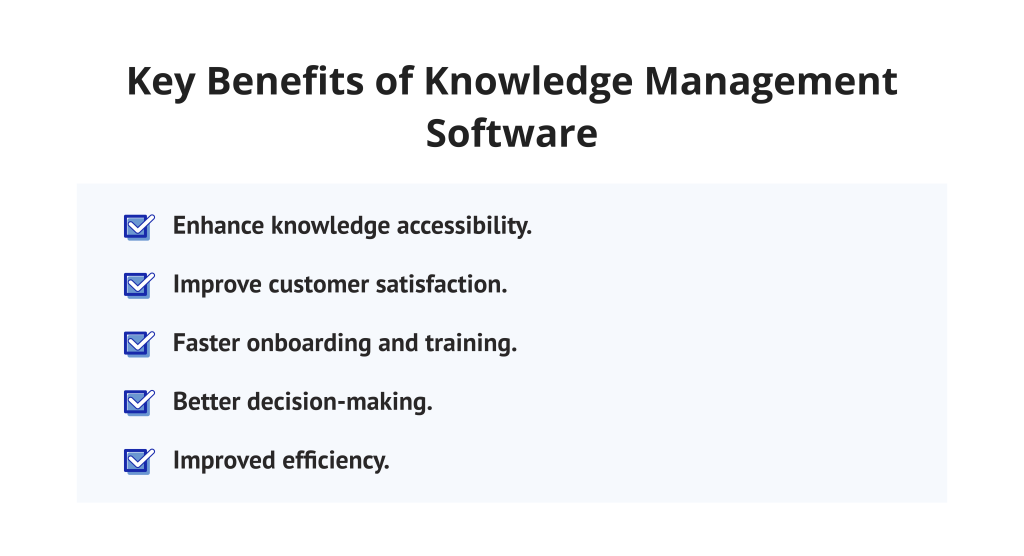
1. Enhance knowledge accessibility.
Instead of searching through multiple chats, knowledge base software creates a single source of truth within the company, so that your employees can find all necessary information when it’s needed.
2. Improve customer satisfaction.
When support teams have quick access to all needed materials, they can provide more accurate and faster responses. It, in turn, pays off in higher customer satisfaction.
3. Faster onboarding and training.
New employees can quickly learn processes and corporate rules with the help of the right top knowledge management tools. It reduces reliance on one-on-one training so the experienced team members can spend their time more efficiently.
4. Better decision-making.
When teams have access to historical data and proven best practices stored in knowledge management software, they can make more informed choices.
5. Improved efficiency.
When your employees use knowledge management tools it reduces the amount of time spent on searching for needed information. How? Because all docs are stored in one place and organized in a most comfortable possible way. In turn, it significantly boosts productivity and cuts down on time waste.
Read More: Enterprise AI Adoption Barriers: Why Most Enterprises Get Stuck with Digital Transformation
Knowledge Management Software Features to Look For
Now, when we know more about key benefits of knowledge management tools, let’s dwell upon the knowledge management software features you should consider when choosing your perfect solution.
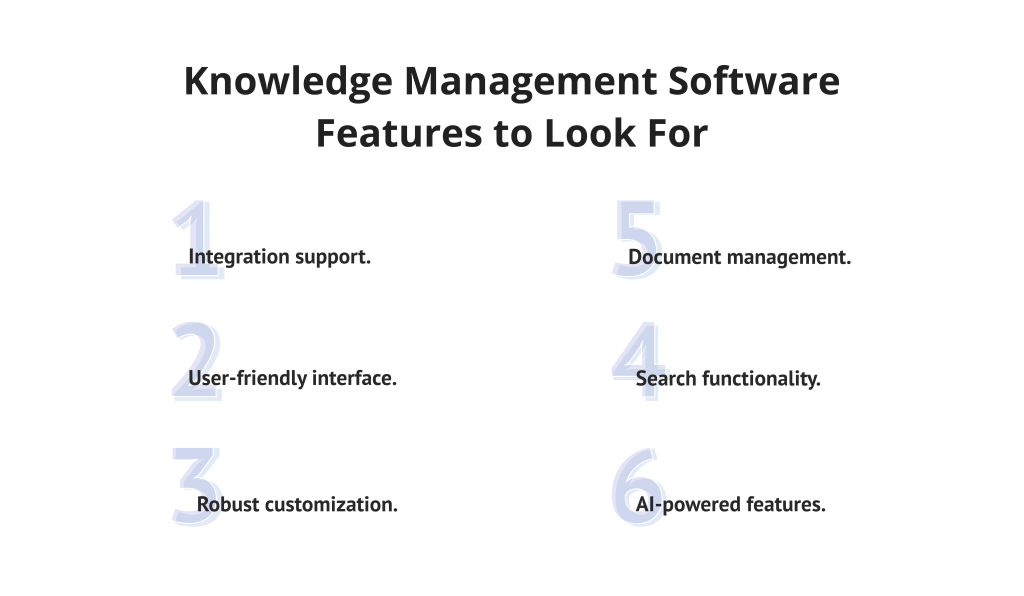
1. Integration support.
Evaluate which tools you currently use for other processes and choose knowledge management system software that will seamlessly integrate with these applications to increase efficiency and not ruin existing workflows.
2. User-friendly interface.
Think about the simplicity of navigation and working with the software for knowledge management. The tool should make processes more intuitive and less time-consuming, so the user interface must be as easy as pie.
3. Robust customization.
It goes without saying that you should be able to modify the knowledge management tool to suit the requirements of your business. Moreover, it should have features that let you design your own roles, themes, and branding to fit the uniqueness of your industry or niche.
4. Search functionality.
Obviously, you can’t imagine effective software for knowledge management without searching capabilities. Thus, the proper tool should allow its users to quickly find needed information through typing related keywords and apply filters to streamline results.
5. Document management.
This functionality helps companies to store all information in one centralized platform, creating a single source of truth for all team members. Additionally, knowledge management system software should also provide features to create new docs and make reusable templates to save time in the future.
6. AI-powered features.
Lots of modern knowledge management software tools provide advanced AI functions that help users create documents or their summaries. Also, it’s extremely helpful in reporting and analytics to get automated AI suggestions and improve workflows if needed.
Read More: How to Build AI Agents Step-by-Step Guide
Top 15 Knowledge Management Software Compared
Finally, we’ve approached the most important part of our article – the list of the best knowledge management software tools.
1. Confluence
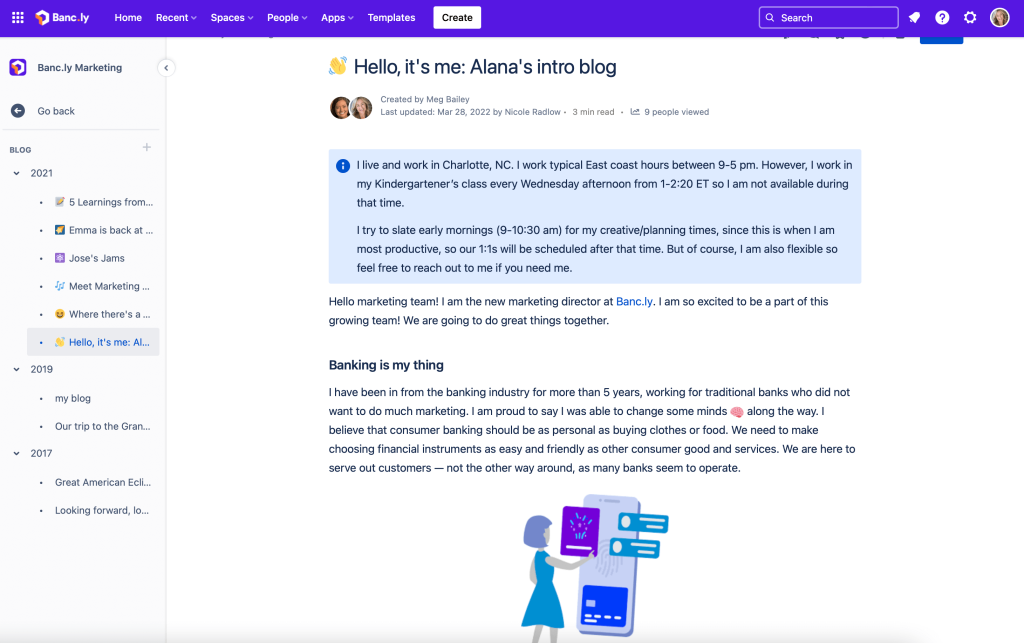
To begin with, Confluence heads our top knowledge management tools list. It’s one of the leading solutions within the market, popular for creating a centralized workspace where teams can organize and share their knowledge. With its structured knowledge bases and deep integration with other tools for project management from the Atlassian ecosystem, it’s exceptionally adaptable for agile project teams.
Best for:
Organizations that are using Jira or other Atlassian products for agile project management.
Key features:
- Dynamic, customizable documents.
- AI-powered Atlassian Intelligence.
- Automated page summaries.
- Real-time notifications.
- Flexible version control.
- Powerful search with labels and hierarchical organization.
- Permission and access control.
Integrations
Seamlessly integrates with tools from the Atlassian ecosystem. In addition, it supports integrations with Adobe, Canva, Azure, Miro, HubSpot, Slack, Oracle, and others.
Pros:
- Pages are easy to read and edit.
- AI helps to make the searching process faster.
- Deep integration with Jira.
- Highly customizable, can be used for various use cases.
Cons:
- The interface can feel complex for new users.
- Search performance may be slower in very large knowledge bases.
Pricing:
Has a free plan and a free trial. Paid plans start from $5.42 per user/month.
2. Document360
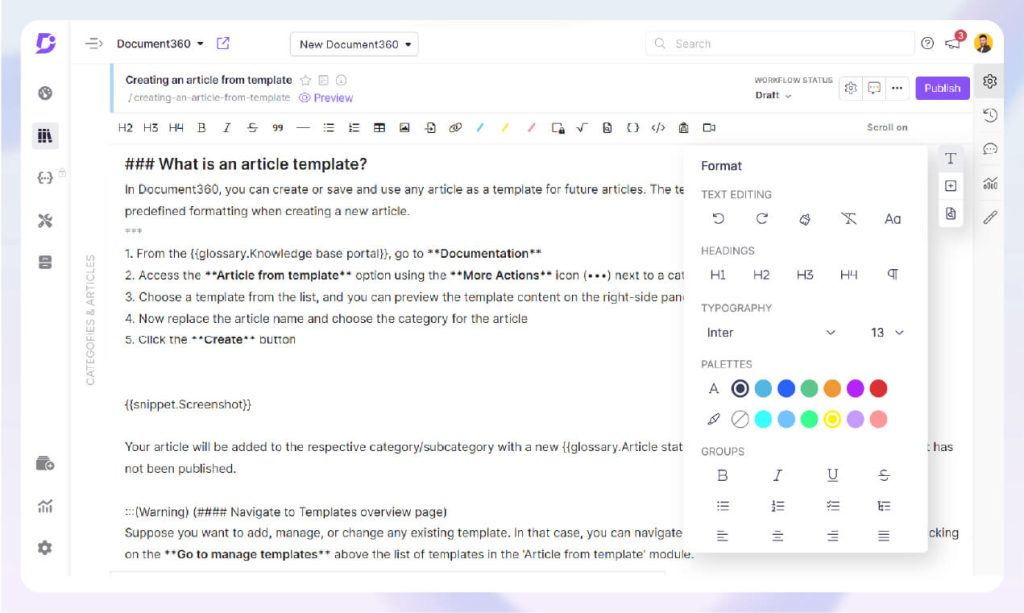
This knowledge management tool combines the creation of both private and public knowledge bases. Moreover, Document360 stands out among the competitors for its robust AI features, helping companies, especially enterprises, centralize their documentation in one unified workspace. This vendor provides scalability and security needed for enterprise knowledge sharing; thus, you can be sure your organization’s documentation remains accessible and secure as it grows.
Best for:
Companies needing a dedicated knowledge base platform to create self-service documentation.
Key features:
- AI-powered search.
- Intelligent categorization.
- Automated reviews.
- Organized approval paths.
- AI writing agent.
- Advanced customization.
- Pre-built templates.
- Version control.
- Advanced analytics dashboards.
Integrations
Has a huge variety of integrations with many tools for project management like Zapier, Slack, Microsoft Teams, Zendesk, Freshdesk, Drift, Intercom, and so on.
Pros:
- Reduces time for information searching.
- Boosts productivity within the organization.
- Streamlined organization and structure.
- Has a fast full-text search.
- Role-based access and SSO.
- Built-in analytics and maintenance tools.
- Hosted platform with managed upgrades.
Cons:
- If you use the platform in another language than English, you also have to pay for an English license.
- Some elements aren’t that easy to edit.
- Some users admit that this knowledge management tool isn’t as user-friendly as it could be.
Pricing:
Offers a free trial but doesn’t have a free plan. Has three paid plans: Professional, Business, and Enterprise. You should request exact pricing.
3. Slite
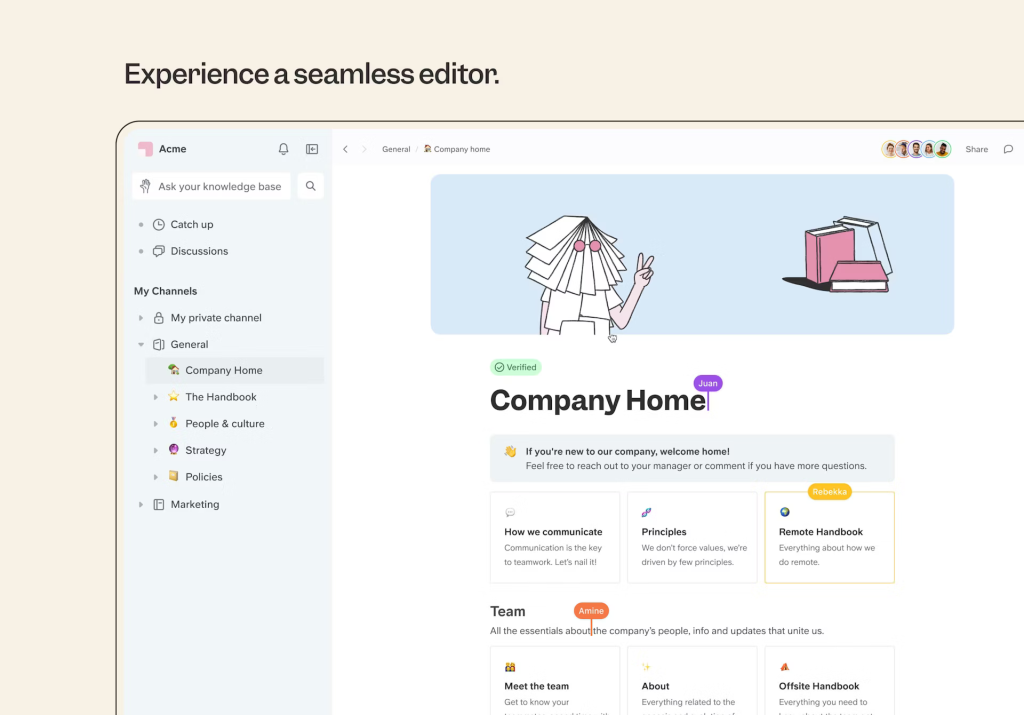
This vendor positions itself as the fastest way to access a trusted company’s information. Slite is the best knowledge management software for growing companies, as you can quickly get answers to the questions you are interested in. It centralizes all needed information in one place, creating a single source of truth for the entire organization. However, very large enterprises with heavy knowledge bases should not consider Slite as a plausible choice. Futhermore, this software for knowledge management delivers great results for small to mid-sized businesses but might underperform in environments that require advanced enterprise knowledge management software.
Best for:
Might be a perfect solution for small to medium teams requiring a simple but simultaneously powerful knowledge management tool.
Key features:
- AI-powered editor.
- Flexible collections.
- Document summarizing.
- Pre-built templates for various use cases.
- AI-driven insights.
- Version control.
- Information about updates in the docs.
- Permissions and access control.
- Seamlessly integrates with your current tools.
Integrations
Slite supports a huge diversity of integrations for various needs. For instance, Canva, Asana, ClickUp, Draw.io, Figma, Google, GitHub, etc.
Pros:
- Has an intuitive, user-friendly interface.
- Boosts productivity through doc centralization.
- Ability to collaborate in real time.
- Pretty affordable pricing.
Cons:
- May be too lightweight for large enterprises.
- Does not offer advanced customizations.
- Can be hard to get used to for new users.
Pricing:
This tool offers a free trial as well as a free plan. Also, it has paid plans starting from $8 per feature/month.
4. Guru

Guru is one of the best enterprise knowledge management software tools. It centralizes information flow within the organization, allowing you to get the most relevant documentation and stay on track with ongoing updates. Moreover, its distinguishing feature is a strong AI-driven search where you can ask any question related to your docs and get quick, accurate answers, helping to improve productivity and decision-making.
Best for:
Best suited for small or fast-growing companies that need a robust single source of truth and quick knowledge delivery.
Key features:
- Collaboration tools.
- Access control and permissions.
- Document management.
- Text editing.
- AI features.
- Full text search.
- Real-time reporting and analytics.
- Customizable reports and templates.
Integrations
Supports a wide range of integrations with other tools like Jira, Notion, Okta, Shopify, Slack, Chrome Enterprise, and others.
Pros:
- Provides a centralized knowledge base.
- Has intuitive design, making it suitable for both tech-savvy and no-code users.
- Provides AI-powered suggestions.
- Increases productivity thanks to quick access to documentation.
- Seamlessly integrates with many useful project management tools.
Cons:
- May have a steep learning curve.
- Initial setup can be complex.
- Customization options are limited.
Pricing:
Offers a free trial. Paid plans start from $25 per seat/month.
5. Bloomfire
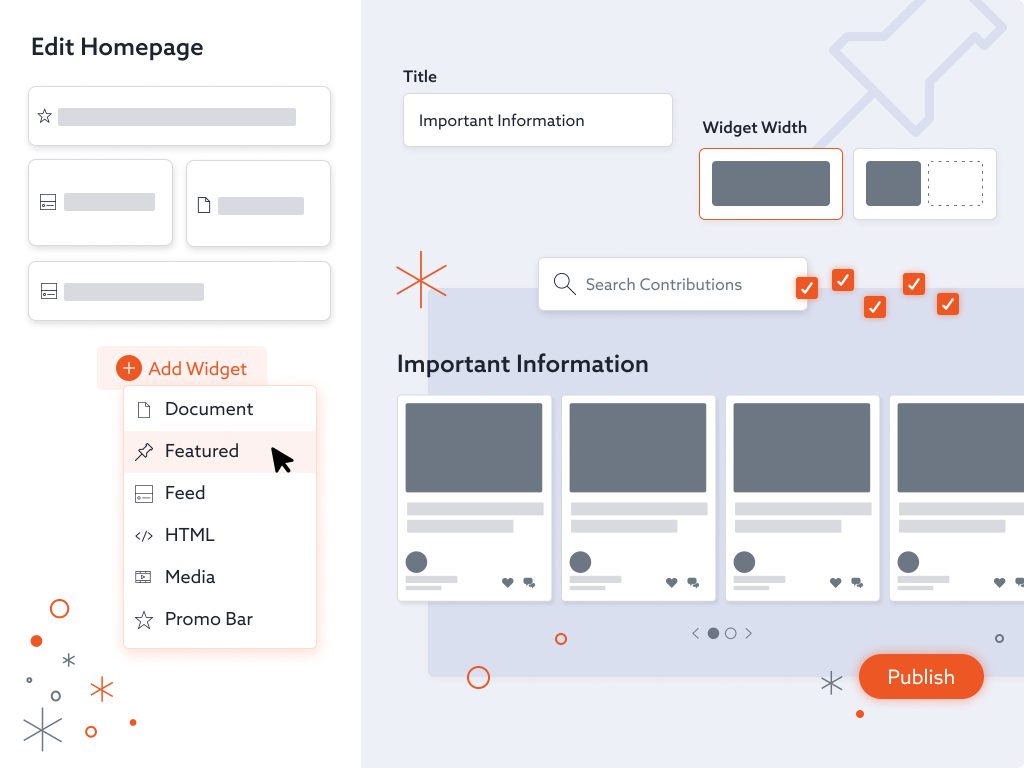
Bloomfire distinguishes itself as a knowledge management tool for companies of all sizes. It is a leading AI-powered enterprise-grade solution that offers robust knowledge management features alongside strong analytics and AI assistance to make information easily accessible for all employees. Thus, this platform is widely used by large companies in customer support, HR, sales, and learning functions.
Best for:
May be a perfect solution for large enterprises seeking a centralized knowledge base and AI-assisted suggestions and analytics.
Key features:
- AI-powered search.
- Adding photos and videos to your posts.
- Wiki and user onboarding.
- Access and permissions control.
- Document management.
- Collaboration tools.
- Reporting and analytics.
- Version control.
Integrations
This knowledge management platform supports integrations with Microsoft Teams, Slack, Zendesk, Google Workspace, Okta, Salesforce, and more.
Pros:
- Helps to reduce risks and organize documentation.
- Makes it easier to access the information thanks to an intuitive interface.
- Strong search powered by AI.
- Encourages knowledge sharing with its social features.
- Gives the ability to add your own media.
- Has robust security and permissions.
- Scales great for enterprises and large organizations.
Cons:
- Sometimes finding needed information might be difficult.
- Adding links can turn into a formatting challenge.
- Some advanced features may require additional training.
Pricing:
This knowledge base software does not offer a free trial or free version. In turn, pricing for paid plans isn’t public; you should make a request to get it.
6. Stonly
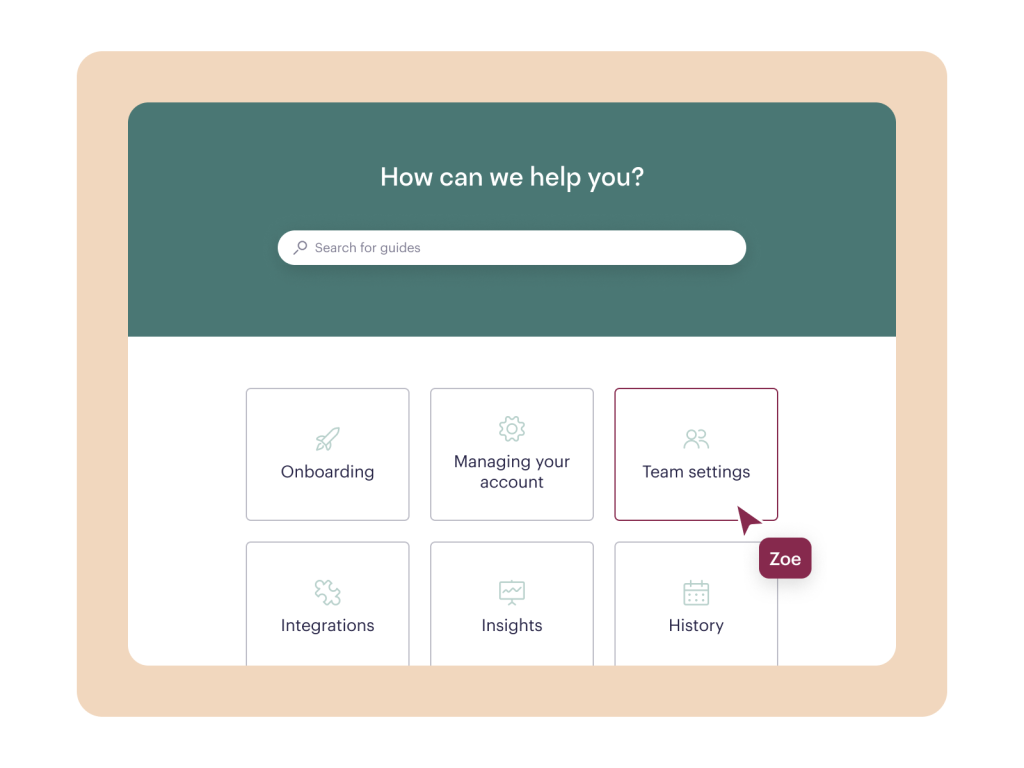
Stonly complements the list of knowledge management software by featuring its set of tools for organizations needing interactive step-by-step guides for either internal or external users. Therefore, it significantly differs from static knowledge bases, as it focuses on helping users find answers quickly and intuitively.
Best for:
This knowledge base software is the best choice for organizations that want to reduce support requests through self-service.
Key features:
- Interactive guides.
- Conditional logic.
- Embedded widgets.
- Reporting and statistics.
- Custom branding and design control.
- Multi-language support for global audiences.
Integrations
Seamlessly integrates with ServiceNow, Freshdesk, Salesforce, Zendesk, and other platforms.
Pros:
- Easy to use and navigate.
- It’s easy to create guides.
- Excellent customer support.
- Offers many options to build a custom workflow.
- Constant updates and new features.
Cons:
- Capabilities may be limited.
- The platform has a steep learning curve.
- Some users admit email communication issues.
Pricing:
Has a free trial and a free version. To get exact pricing of paid plans, you should contact the vendor directly.
7. ClickUp

ClickUp is a versatile project management tool that also functions as knowledge base software for teams. It combines task management and collaboration features with documentation and wikis, allowing organizations to centralize work and knowledge in one platform. ClickUp’s main strength is its adaptability – teams can streamline knowledge bases and connect them to the projects, creating a single source of truth especially valuable for agile project management.
Best for:
Perfect choice for small to enterprise teams that need a combined work and knowledge platform.
Key features:
- Combination of project and knowledge management in one solution.
- Pre-built templates.
- Role-based permissions.
- Search and linking.
- Customizable fields.
- AI-assisted writing.
- Documents and wikis.
Integrations
Seamlessly integrates with Slack, Zapier, HubSpot, Figma, Zoom, Discord, Miro, Twilio, and more.
Pros:
- Has an affordable pricing, which makes it suitable for a wide range of companies.
- The free version includes many useful features, making it one of the best free knowledge management software.
- Combines knowledge management and project management in one platform.
- Has a flexible structure that adapts to many use cases.
- AI features help accelerate documentation.
- Strong collaboration and task linking.
Cons:
- May have a steep learning curve.
- To get some advanced features, you may need to upgrade to advanced plans.
Pricing:
Has a free version. Paid plans start from $7 per user/month billed annually.
8. Tettra
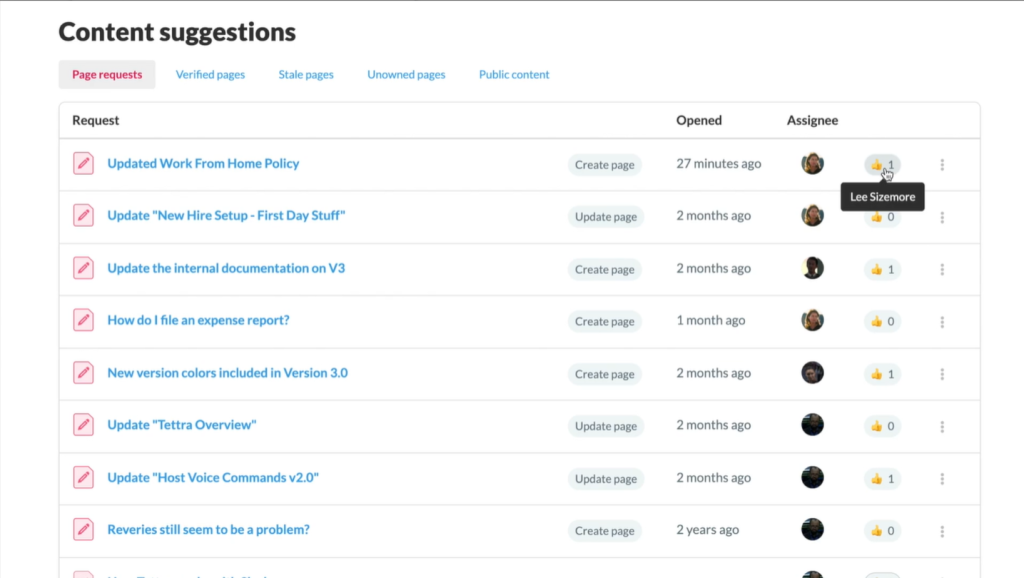
This solution is a purpose-built AI-powered knowledge management system that helps organizations capture and organize internal information into a streamlined knowledge base. Moreover, its main focus is simplicity and clarity, which makes it a popular choice for teams that want a structured knowledge-sharing platform without the complexity of large enterprise systems.
Best for:
Small to mid-sized teams building their internal knowledge bases.
Key features:
- Structured knowledge base.
- A plenty of pre-built templates.
- Fast search with suggested pages.
- Page versioning and history.
- Approval paths.
- Linking and the ability to mention users.
- Robust AI features.
- Permissions and access control.
Integrations
This knowledge management software supports integrations with Google Workspace, Slack, Zapier, and GitHub.
Pros:
- Seamless integration with Slack and Microsoft Teams.
- Simplicity and user-friendly interface.
- The tool is easy to adopt and use.
- Pre-made templates boost productivity.
- Affordable pricing.
Cons:
- Lacks advanced search capabilities.
- Not as feature-rich as much enterprise knowledge management software.
- Not suited for external help centers.
Pricing:
Offers a free trial but without a free version. Paid plans start from $8 per user/month – 10 users minimum.
9. Nuclino
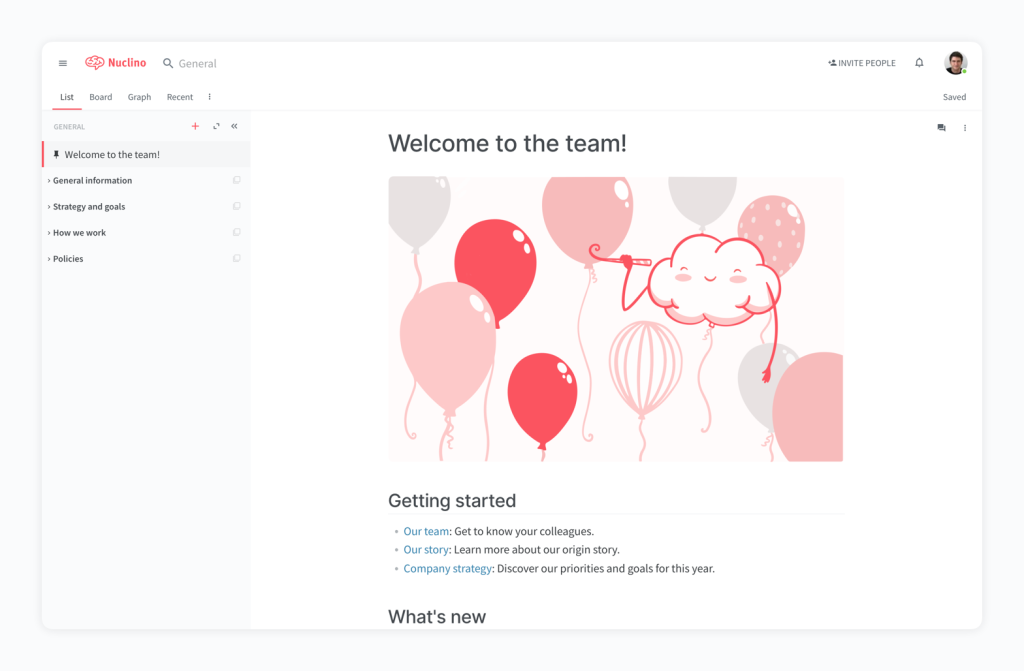
The next platform in our list positions itself as a team’s collective brain. Nuclino is a knowledge management software and team collaboration platform that helps to declutter corporate documentation and store it into one structured knowledge base. Additionally, it also combines knowledge and project management tools, making it a solid choice for teams that want to reduce data silos and increase efficiency.
Best for:
Cross-functional teams that build internal knowledge bases and documentation and need a single source of truth.
Key features:
- Unified knowledge base.
- Collaborative editing.
- Pre-built templates.
- Synchronization with team tools and workflows.
- AI-powered suggestions.
- Fast full-text search.
Integrations
Integrates with Microsoft Teams, Grammarly, Slack, Figma, Draw.io, Canva, Miro, Google Workspace, Microsoft 365, and even Spotify.
Pros:
- The platform has an intuitive interface with a low learning curve.
- Great for internal knowledge sharing.
- Reduces document silos.
- It is easy to adopt across teams.
- Has affordable pricing.
Cons:
- Has fewer features than some enterprise-grade KM tools.
- Limited advanced AI features.
- Less suited for external customer help centers.
Pricing:
This knowledge management software offers a free version and a 14-day free trial. Paid plans start from $6 per user/month.
10. Slab
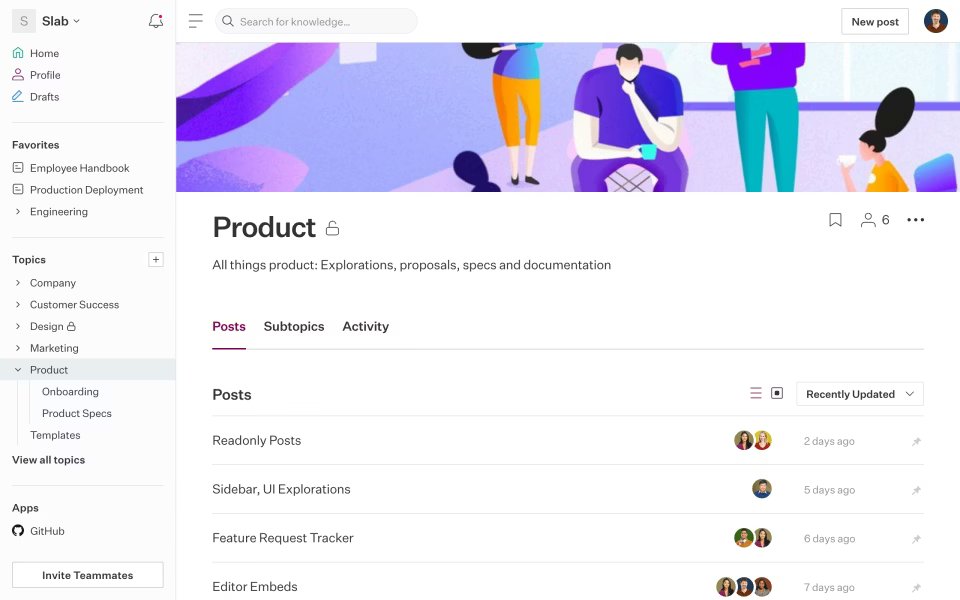
With a simple editor and powerful search, Slab helps organizations build structured knowledge bases that improve team alignment and reduce time spent searching for information. Futhermore, the availability of a free version makes this solution one of the best free knowledge management software, especially favored by engineering and product teams looking for a lightweight but capable KM tool.
Best for:
Support, engineering, and product teams that prioritize simplicity and speed of adoption. Also, this tool for knowledge management will be a good choice for teams that need quick access to corporate knowledge.
Key features:
- Content organization by hierarchical topics.
- Actionable insights and statistics.
- Feedback and commenting.
- Intuitive and fast content creation.
- Real-time collaborative dashboards.
- Adding media and widgets to the posts.
- Integrations with many useful tools.
- Permissions and access control.
Integrations
Slab supports a huge diversity of integrations for various needs. For instance, Google Workspace, GitHub, Slack, Canva, Asana, ClickUp, Confluence, Figma, Guru, Jira, and more.
Pros:
- Intuitive interface helps to get used to the tool quicker.
- Easy knowledge sharing.
- Quick access to needed information.
- Minimal learning curve.
- Strong collaboration with comets and mentions.
- Powerful search capabilities.
Cons:
- Has fewer features compared to enterprise knowledge base software.
- Limited advanced analytics.
- Less suited for external documentation.
- Customization options can be limited.
Pricing:
Has a free version. Paid plans start from $6.67 per user/month billed annually.
11. Notion
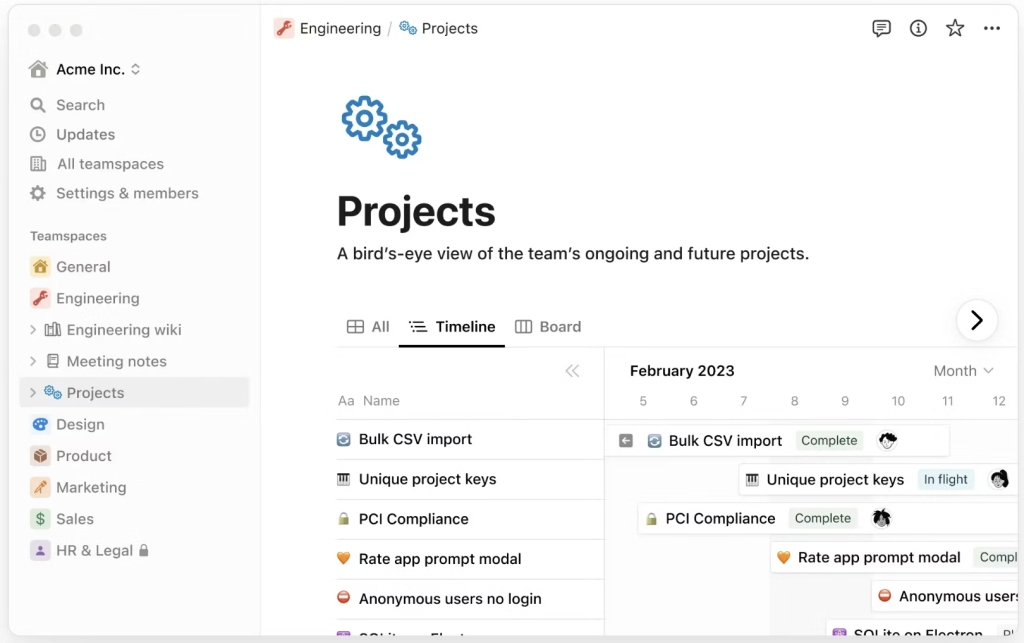
Notion is widely known to be a comprehensive collaboration workspace, but it also has knowledge management tools. It blends notes, documents, databases, and project management in a single platform, providing a flexible solution for teams of all sizes. Moreover, you can create various pages and connect them in a way that would be the most convenient for your workflows without any coding experience needed. Additionally, this knowledge management platform is extremely popular not only in IT but also in education and marketing, making it a perfect choice for diverse departments.
Best for:
Cross-functional teams and small to mid-sized companies seeking an integrated workspace and all-purpose knowledge hub.
Key features:
- Customizable pages and blocks.
- Database views.
- Real-time synchronization across all devices.
- Robust AI features.
- A plenty of customizable templates.
- Real-time collaboration tools.
- Access control and permissions.
- Knowledge base management.
Integrations
Supports integrations with various databases and project management tools such as PostgreSQL, n8n, HubSpot, Google Workspace, Asana, ClickUp, Figma, GitLab, Guru, Gumloop, Miro, Granola, etc.
Pros:
- Enables real-time knowledge sharing.
- Highly flexible and customizable.
- Combines project and knowledge management.
- Collaborative editing saves time and increases productivity.
- Has a free version, making it suitable for small companies or individuals that need free knowledge management software.
- Various templates.
- Intuitive interface makes it easy to quickly get used to the tool.
Cons:
- Limited filtering and segmentation.
- Search and structure can become difficult in very large knowledge bases.
- Not directly a knowledge management tool.
Pricing:
Has a free version and a free trial. Paid plans start from $10 per member/month.
12. Zendesk
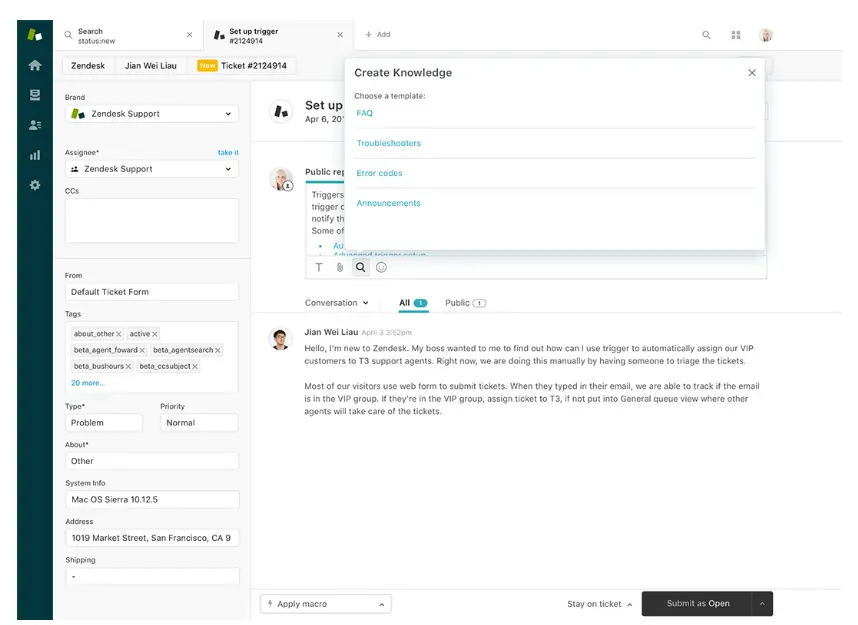
The next tool from our list is a widely used customer service platform that also includes robust knowledge management software features through its built-in knowledge base and self-service help center. Zendesk is primarily designed for support and customer care teams, but with the help of knowledge management capabilities, it makes it possible for teams to create, organize, and deliver searchable documentation. In turn, it reduces support volume and improves customer satisfaction.
Best for:
Organizations building external self-service help centers and FAQs.
Key features:
- A single platform for multiple knowledge sources.
- AI-powered tools.
- Search optimization.
- Content sections and categories.
- Automated suggestions.
- Public knowledge base.
- Private articles for support agents.
Integrations
This knowledge management tool seamlessly connects with plenty of applications and tools. For example, WhatsApp, Trello, Zoho, Harvest, Shopify, Azure, Axosoft, ClickUp, monday.com, etc.
Pros:
- Easy access to information.
- Seamless integration between support and knowledge base.
- Reduces support tickets.
- Strong search.
- AI-powered suggestions.
- Works well in both internal and external support contexts.
Cons:
- Deeper customization may have a learning curve.
- Has a high price for advanced features.
- Less flexible for internal documentation.
- Sometimes it may be a bit slow.
Pricing:
Offers a 14-day free trial. Paid plans start from $19 per agent/month, billed annually.
13. Knowmax
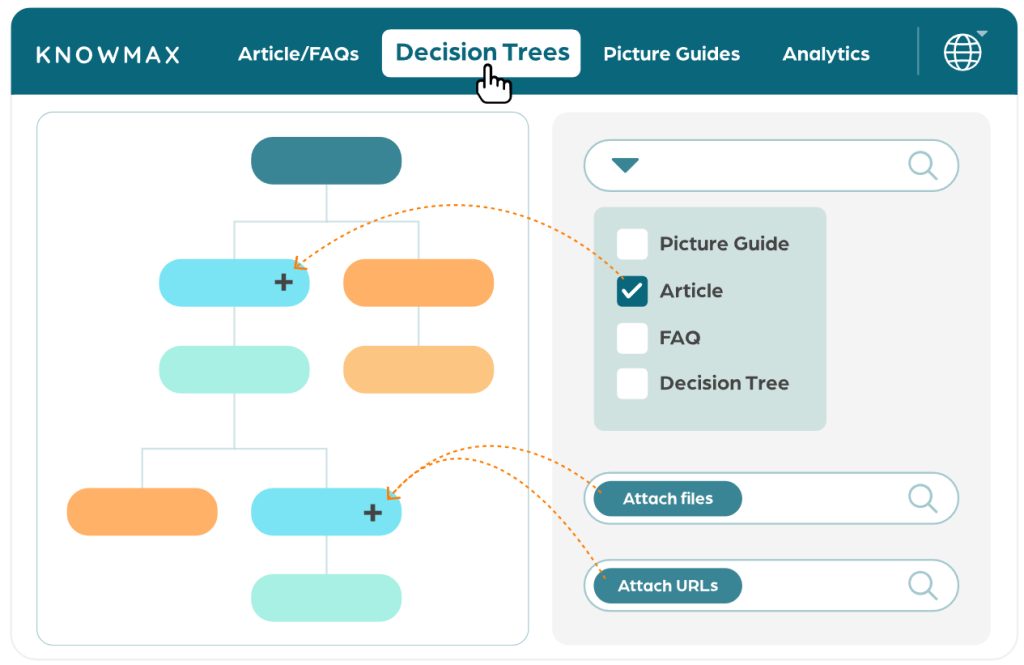
There is no wonder why we’ve included this tool in the list of best knowledge management software. Knowmax is an AI-powered knowledge management system that improves customer satisfaction, delivering actionable knowledge to service teams. What makes it so popular? The answer is quite simple – it emphasizes intelligent search and visual interactive workflows to improve customer experience.
Best for:
Enterprises looking for both internal and external knowledge adoption.
Key features:
- AI-driven search.
- Interactive decision trees.
- Gamification.
- Multimedia support.
- Role-based access control.
- Powerful analytics and insights.
Integrations
This knowledge management tool integrates with Freshchat, Freshdesk, Zendesk, Salesforce, Genesys, and others.
Pros:
- Organized knowledge hub.
- Improved customer experience.
- Provides valuable analytics about performance and knowledge usage.
- Strong AI-driven search.
- Helps to reduce errors.
- Supports internal knowledge as well as external.
Cons:
- Has a learning curve.
- Initial setup may be complex.
- Implementation takes time.
Pricing:
The pricing isn’t viewed on the vendor’s website. You need to schedule a demo to get it.
14. Helpjuice
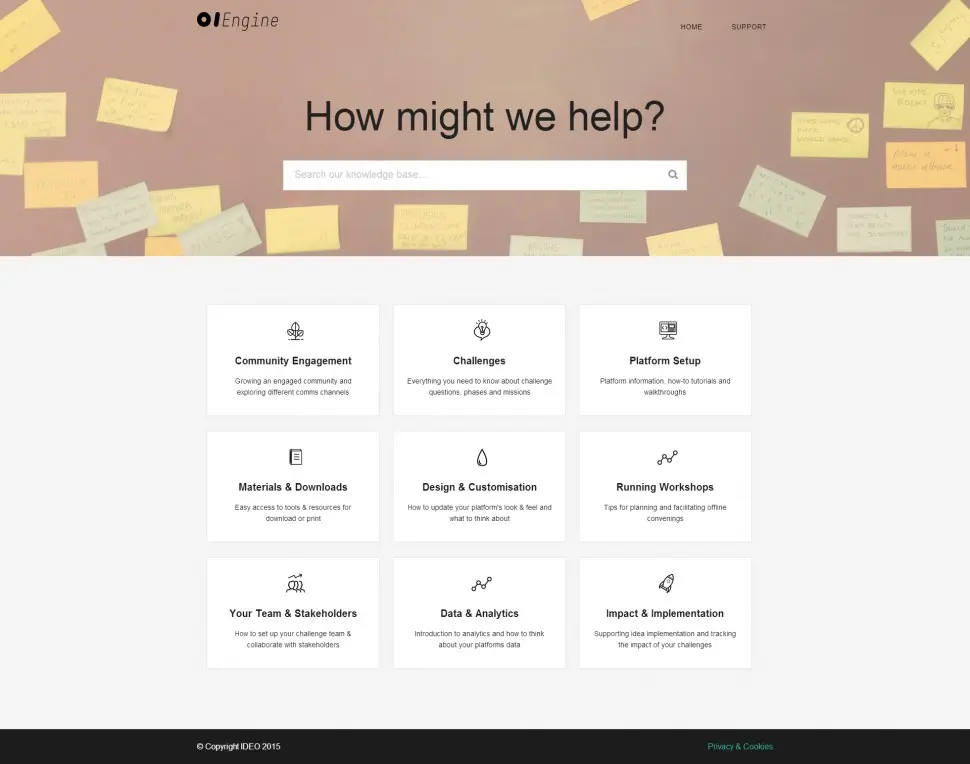
Helpjuice is the penultimate knowledge base software in our list. Among other knowledge management tools it is a cloud-based solution that positions itself as suitable for companies of all sizes in any industry, helping businesses create, organize, and manage internal documentation as well as external in a centralized platform.
Best for:
Min-sized to large enterprises with complex documentation needs.
Key features:
- AI-powered search.
- Multilingual support.
- AI assistance.
- Custom branding.
- Many seamless integrations.
- Access control and permissions.
- Advanced analytics.
Integrations
This knowledge base software supports integrations with Freshdesk, Slack, Zendesk, WordPress, Shopify, Zapier, Salesforce, and more.
Pros:
- Speeds up onboarding.
- Makes access to internal knowledge easier.
- Reduces time spent on training with its intuitive interface.
- Boosts team productivity.
- Reduces support tickets.
- Highly customizable.
Cons:
- More expensive than some simpler knowledge management software tools.
- Customization can be overwhelming for non-technical users.
- Some advanced features require manual configuration.
Pricing:
Doesn’t offer a free version or trial. Paid plans start from $249 per month.
15. iSpring LMS
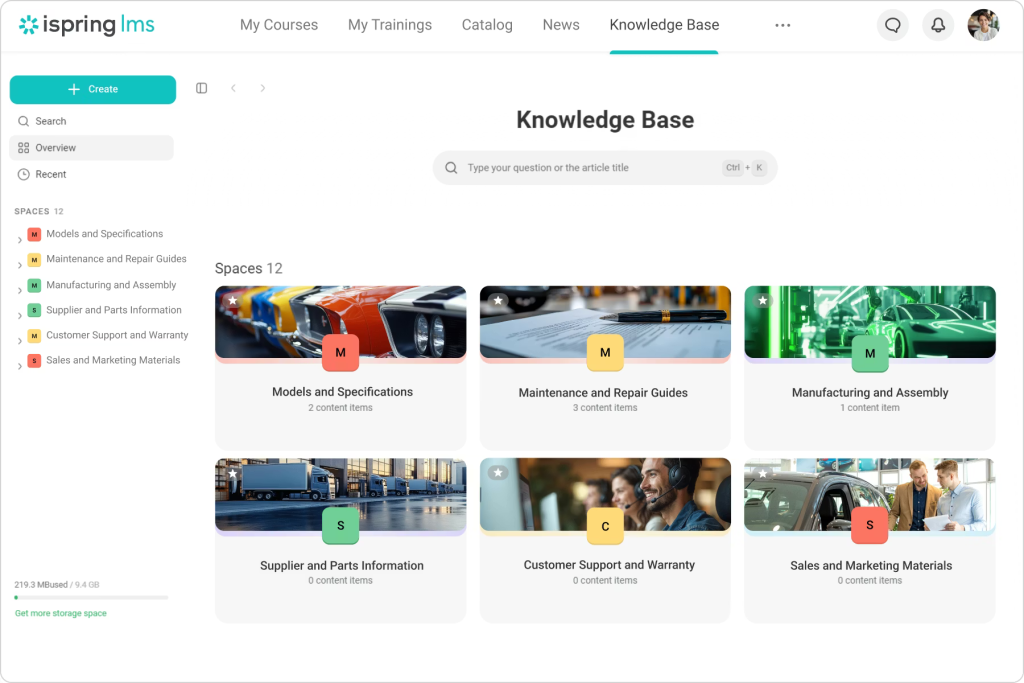
We included iSpring LMS to diversify this list with a learning management system. It is designed to facilitate employee learning and knowledge management within the company rather than serving as a traditional knowledge management platform. In turn, it fosters a culture of continuous learning by providing tools for managing e-learning content, assessments, and certifications. Thus, it helps to support organizational knowledge growth through structured learning paths and training resources, especially for onboarding and upskilling.
Best for:
Companies that need a tool for employee education, training, and onboarding programs.
Key features:
- Course building.
- Storage of different knowledge base materials.
- Authoring tools.
- Real-time user progress tracking.
- Gamification.
- Assessment and practice for users.
- Pre-made templates.
- Version control.
Integrations
iSpring LMS supports a huge diversity of integrations for various needs. For instance, Zoom, Google Meet, BambooHR, Outlook, Shopify, Udemy, etc.
Pros:
- Supports SSO (single sign-on) for enhanced security.
- Strong focus on employee training.
- Built-in video conferencing.
- Interface is easy to use for both trainees and trainers.
- More emphasis on training and learning.
Cons:
- It isn’t a knowledge management software itself.
- Less emphasis on knowledge storage and search.
- Limited collaboration features compared to KM tools.
Pricing:
Offers a free trial. Paid plans start from $4.46 per user/month with a minimum of 300 users ($16,050.00 annual price).
Notice that each of the knowledge management tools listed above delivers the greatest results in different use cases, so think twice before selecting the exact one. Read further to know some useful tips on how to choose the best knowledge management software for your business.
Knowledge Management Software Comparison Table
|
Knowledge management software |
Best for |
Pricing |
Benefits |
|
Confluence |
Organizations that are using Jira or other Atlassian products. |
Has a free plan and a free trial. Paid plans start from $5.42 per user/month. |
Pages are easy to read and edit. AI helps to make the searching process faster. Deep integration with Jira. Highly customizable. |
|
Document360 |
Companies needing a dedicated knowledge base platform to create self-service documentation. |
Offers a free trial but doesn’t have a free plan. You should request exact pricing. |
Reduces time for information searching. Has a fast full-text search. Role-based access and SSO. Built-in analytics and maintenance tools. |
|
Slite |
Small to medium teams, requiring a simple but simultaneously powerful knowledge management tool. |
Offers a free trial and free plan. Paid plans start from $8 per feature/month. |
Has an intuitive, user-friendly interface. Boosts productivity. Ability to collaborate in real time. Pretty affordable pricing. |
|
Guru |
Small or fast-growing companies that need a robust single source of truth and quick knowledge delivery. |
Offers a free trial. Paid plans start from $25 per seat/month. |
Has intuitive design. Provides AI-powered suggestions. Increases productivity. Seamlessly integrates with many useful project management tools. |
|
Bloomfire |
Large enterprises seeking a centralized knowledge base and AI-assisted suggestions and analytics. |
This software does not offer a free trial or free version. Pricing isn’t public; you should make a request to get it. |
Helps to reduce risks and organize documentation. Strong AI-powered search. Has robust security and permissions. Scales great for enterprises and large organizations. |
|
Stonly |
Organizations that want to reduce support requests through self-service. |
Has a free trial and a free version. To get exact pricing you should contact the vendor directly. |
Easy to use and navigate. Excellent customer support. Offers many options to build a custom workflow. Constant updates and new features. |
|
ClickUp |
Small to enterprise teams that need a combined work and knowledge platform. |
Has a free version. Paid plans start from $7 per user/month billed annually. |
Has affordable pricing. The free version includes many useful features. Combines knowledge and project management in one platform. AI features help accelerate documentation. |
|
Tettra |
Small to mid-sized teams building their internal knowledge bases. |
Offers a free trial but without a free version. Paid plans start from $8 per user/month – 10 users minimum. |
Seamless integration with Slack and Microsoft Teams. Simplicity and user-friendly interface. The tool is easy to adopt and use. Affordable pricing. |
|
Nuclino |
Cross-functional teams that build internal knowledge bases and documentation and need a single source of truth. |
Offers a free version and a 14-day free trial. Paid plans start from $6 per user/month. |
The platform has an intuitive interface with a low learning curve. Great for internal knowledge sharing. Reduces document silos. Has affordable pricing. |
|
Slab |
Support, engineering, and product teams that prioritize simplicity and speed of adoption. |
Has a free version. Paid plans start from $6.67 per user/month billed annually. |
Intuitive interface helps to get used to the tool quicker. Easy knowledge sharing. Quick access to needed information. Minimal learning curve. |
|
Notion |
Cross-functional teams and small to mid-sized companies seeking an integrated workspace and all-purpose knowledge hub. |
Has a free version and a free trial. Paid plans start from $10 per member/month. |
Enables real-time knowledge sharing. Highly flexible and customizable. Combines project and knowledge management. Has a free version. |
|
Zendesk |
Organizations building external self-service help centers and FAQs. |
Offers a 14-day free trial. Paid plans start from $19 per agent/month, billed annually. |
Easy access to information. Reduces support tickets. Strong search. AI-powered suggestions. |
|
Knowmax |
Enterprises looking for both internal and external knowledge adoption. |
The pricing isn’t viewed on the vendor’s website. |
Organized knowledge hub. Improved customer experience. Strong AI-driven search. Supports internal knowledge as well as external. |
|
Helpjuice |
Min-sized to large enterprises with complex documentation needs. |
Doesn’t offer a free version or trial. Paid plans start from $249 per month. |
Speeds up onboarding. Makes access to internal knowledge easier. Boosts team productivity. Reduces support tickets. Highly customizable. |
|
iSpring LMS |
Companies that need a tool for employee education, training, and onboarding programs. |
Offers a free trial. Paid plans start from $4.46 per user/month with a minimum of 300 users ($16,050.00 annual price). |
Supports SSO (single sign-on) for enhanced security. Built-in video conferencing. Interface is easy to use for both trainees and trainers. More emphasis on training and learning. |
Knowledge Management & Project Management: How They Work Together
Knowledge managemen and project management are closely connected because every project generates different types of valuable information: reports, statistics, and best practices. When knowledge management software is combined with a project management tool, organizations can turn these insights into practical steps on how to improve overall productivity and performance.
Let’s take a look at how it works in practice.
On every step of the project lifecycle, knowledge management software helps teams to streamline core processes.
- Project planning: At this step a knowledge management tool allows teams to document requirements, stakeholders’ expectations, deadlines, and other related information to ensure strategic alignment and reduce misunderstandings.
- Execution: Knowledge management software tools make access to analytics and dashboards easier and help teams work faster.
- Monitoring: All changes and fixes are logged in the system, ensuring that everyone is on the same page. Especially valuable for investors and stakeholders to control stability and make strategic decisions.
Well, now you understand the necessity of knowledge management tools and may be interested in methods on how to choose the proper tool for your organization. So, we’ve prepared for you some tips that will help you find that one perfect tool in the diversity of software for knowledge management.
How to Choose the Best Knowledge Management Software
Choosing the right software was never an easy task to do. Some tools are ideal for small companies that need easy-to-use and simple knowledge base software, while others are built as enterprise knowledge management platforms with advanced integration and AI-powered features. So, how do you choose a knowledge management tool that will match with your needs? Consider the following points:
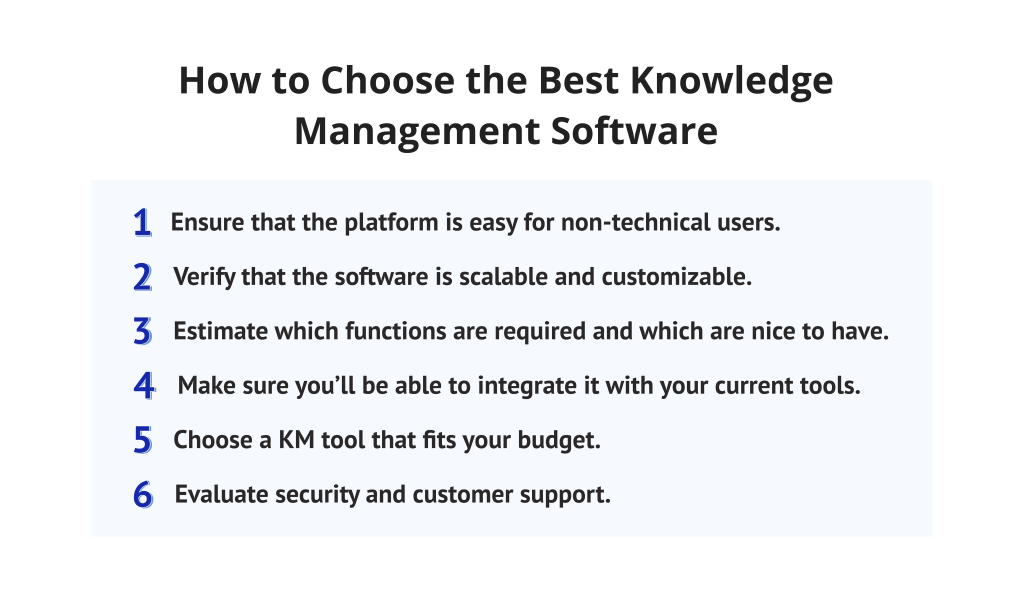
1. Ensure that the platform is easy for non-technical users.
The knowledge base software must be intuitive enough that any team member can use it without long technical training or a technical background. Moreover, if employees are struggling to use the tool and find it overwhelming, in the short-term perspective, it leads to budget overruns and burnouts. Thus, prioritize usability to get desired outcomes.
2. Verify that the software is scalable and customizable.
It might be obvious, but I still should note that your knowledge base will grow as your organization grows. Consequently, the knowledge management system software should scale without becoming slow or cluttered.
3. Estimate which functions are required and which are nice to have.
Start by identifying core requirements and separating optional additional features. In turn, this prioritization helps organizations to avoid overpaying for features they don’t actually need while ensuring the platform covers their most critical pain points.
4. Make sure you’ll be able to integrate it with your current tools.
Knowledge management works best when it fits seamlessly into existing workflows. Integration, in turn, reduces context switching and helps employees stay focused on the most important activities. Moreover, strong integrations allow teams to access and update knowledge directly from the tools they are already using, making it a part of their everyday work routine rather than a separate task.
5. Choose a KM tool that fits your budget.
Here you need to carefully consider the total cost of ownership, so look beyond the basic price and evaluate all additional costs for advanced features, implementation fees, per-user pricing, and future scalability costs. In turn, it will help you understand whether the knowledge base software fits your budget or not.
6. Evaluate security and customer support.
Knowledge often includes sensitive internal information, so security must be a top priority, especially for larger organizations or ones that operate in highly regulated industries. Whereas strong security protects your knowledge bases, and support ensures long-term success and smoother adoption.
Read More:
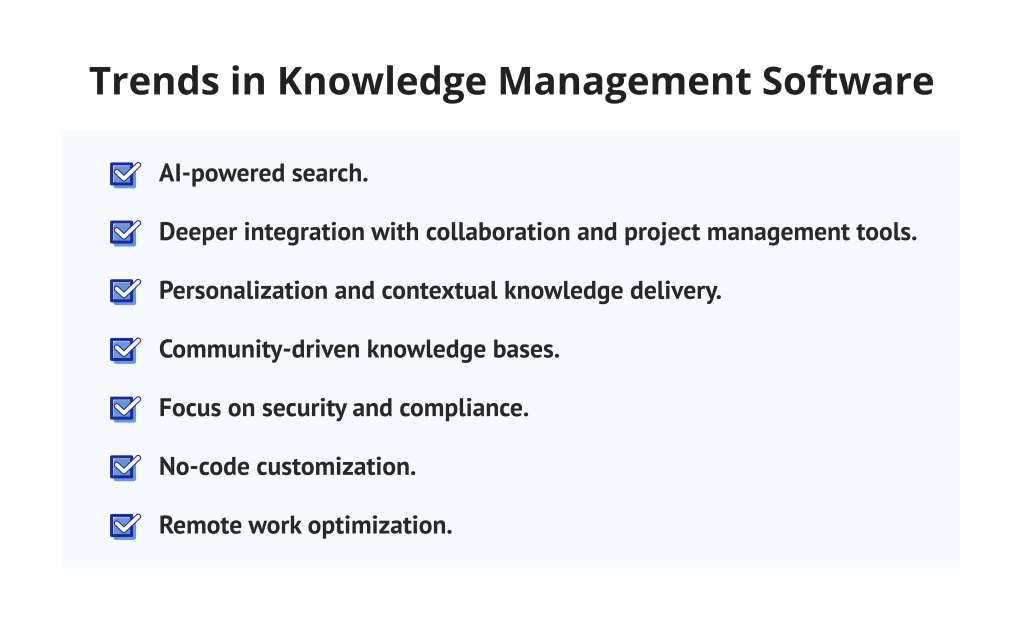
Trends in Knowledge Management Software in 2026
The landscape of knowledge management software is evolving rapidly as organizations demand more efficient ways to organize knowledge-sharing processes. Thus, trends today reflect technological advancement and changing workplace needs.
1. AI-powered search.
One of the biggest trends driving knowledge management in 2025-2026 is the rise of AI-powered features in knowledge management software. In turn, AI-driven natural language search gradually replaces traditional keyword search, allowing users to get more accurate answers faster. Besides, AI capabilities also power:
- Automatic classification and organization of documents.
- Suggesting related articles or manuals.
- Giving smart summaries.
These advanced features make large knowledge bases more useful and support faster information retrieval across teams.
2. Deeper integration with collaboration and project management tools.
Almost every modern knowledge management software tightly integrates with popular project management tools like Jira, Asana, or Slack. This trend addresses the challenge of chaotic workflows, making them smoother and clearer, especially in agile project management environments. Thus, businesses have structured documents organized within one tool where all team members can access manuals and guides without disturbing other workers.
3. Personalization and contextual knowledge delivery.
One of the biggest trends for almost any software system is personalization. As statistics say:
- 71% of consumers expect to receive personalized interactions from companies.
- 76% of consumers are frustrated when they don’t get personalized experiences.
In turn, AI enables personalized knowledge experiences through recommending content based on the role, past usage, and project context.
4. Community-driven knowledge bases.
This trend fosters a culture of collaboration where team members not only consume knowledge but also help improve it. How? By shifting from static documentation toward collaborative knowledge bases. Moreover, modern knowledge management software increasingly supports collaboration features that encourage participation and continuous improvement, such as:
- With the help of peer feedback and ratings.
- Through internal commenting.
- Gamification mechanisms designed to motivate employees to share expertise.
5. Focus on security and compliance.
Cybersecurity and compliance are two of the biggest concerns for modern companies, as the threat of cyberattacks is constantly growing. According to statistics:
- Cyberattacks have increased by 18% globally in the first quarter of 2025 compared to the first quarter of 2024.
- Ransomware incidents have dropped 7% YoY but are more targeted and costly.
- The average data breach cost has climbed to $4.92 million, up from $4.45 million last year.
Therefore, as knowledge becomes a strategic asset, security features are rising in importance, especially for mid-size and enterprise companies. Modern knowledge management tools provide:
- Role-based permissions.
- Single sign-on (SSO).
- Multi-factor authentication.
- Support of compliance certifications.
6. No-code customization.
Many organizations now demand flexibility in how they deploy knowledge management tools. Thus, low-code or no-code customization lets teams tailor templates, workflows, and knowledge bases to fit their specific needs with no technical experience required. This tendency decreases dependency on technical specialists, allowing no-code teams to work independently.
7. Remote work optimization.
The COVID-19 pandemic became a major turning point for many organizations worldwide, accelerating the shift toward remote and hybrid work. What began as a crisis response has evolved into a long-term strategic shift, forcing companies to optimize remote work. Since then, knowledge management tools increasingly focus on supporting distributed teams through:
- Cloud-first access.
- Centralized digital knowledge bases.
- Real-time collaboration tools.
- Offline knowledge retrieval and synchronization.
Remote-friendly features in knowledge management software help teams maintain work efficiency without centralized offices.
Read More: Cloud Computing Trends: The Technological Foundation of Future-Ready and Resilient Businesses
Final Words about Knowledge Management Software
Many organizations, especially large enterprises with a huge amount of shared documentation, are struggling to streamline and organize their documentation, and the usage of knowledge management software is a good way to make this process easier. The main purpose of this type of software is to create a centralized knowledge hub where all team members can easily access needed corporate information. Moreover, software for knowledge management helps to increase employee productivity, make decisions faster with more accuracy, and enhance knowledge accessibility.
However, you may ask, “What is the best knowledge management software?” Simply put, there is no one right answer. This choice depends on many factors, such as usability, scalability, conformity to your organization’s unique requirements, integrations with your current tools, and whether the knowledge management software tools fit your budget.
Hope that this guide was helpful and now you have detailed instructions on how to choose the most suitable knowledge management software for your business.
To stay up to date with expert insights and the latest trends in modern software systems, subscribe to our blog and never miss a valuable update.
FAQs about Knowledge Management Software
What is knowledge management software?
Knowledge management (KM) software is a digital platform designed to help teams create, store, share, update, and organize their corporate information in one place. It enables organizations to capture internal knowledge and make it easy to search for needed info for all employees.
What is the best knowledge management software?
The leading knowledge management software list includes Confluence, Document360, Slite, Guru, Bloomfire, HubSpot, ClickUp, Tettra, Nuclino, Slab, Notion, Zendesk, Knowmax, Helpjuice, iSpring LMS.
What is the difference between a knowledge management system (KMS) and learning management software (LMS)?
The main difference is that the goals of these tools are different. Knowledge management system (KMS) focuses primarily on collecting, storing, and sharing internal knowledge across an organization. However, the learning management system (LMS) is designed for training and education, managing courses and certifications.
What are examples of a knowledge management system (KMS)?
Examples of knowledge management software include internal knowledge bases like Notion or Confluence, enterprise knowledge management software like Guru or Document360, and AI-powered knowledge management tools like Bloomfire.
What is the role of knowledge management software in project management?
Knowledge management software helps to centralize project documentation, FAQs, guidelines in one single source of truth so you can onboard new team members faster and avoid duplicated work.
What features to look for in knowledge management software?
While choosing the knowledge management software, consider the following features:
- Integration support.
- User-friendly interface.
- Robust customization.
- Search functionality.
- Document management.
- AI-powered features.
What are the upcoming trends in knowledge management software?
The trends for knowledge management tools address the main challenges of modern businesses. We can highlight the following ones:
- AI-powered search.
- Integration with collaboration and project management tools.
- Personalization and contextual knowledge delivery.
- Community-driven knowledge bases.
- Focus on security and compliance.
- No-code customization.
- Remote work optimization.
How does knowledge management software benefit businesses?
The knowledge management software is indispensable for businesses that need to store and organize information to improve their workflows. It helps to enhance knowledge accessibility, improve customer satisfaction, make onboarding and training faster, improve efficiency and decision-making.
How to choose the best knowledge management software?
The best knowledge management software choice depends on your specific needs and goals. To choose the perfect KM tool, consider required features, ease of use, pricing, search capabilities, and don’t forget about integrations with your current project management tools.