

Every specialist wants to spend less time on tedious routine tasks and automate as much work as possible. For a long time, n8n was the most popular open-source integration platform that helped users to build reliable automation systems. But the world has changed, hasn’t it? Some features have become outdated, while limitations that were not so significant at the beginning are becoming more and more challenging today.
In this article, we’ll explore the main problems users can face while using the n8n system and review the most useful n8n alternatives.

What Is n8n?
Let’s, first of all, discuss what n8n is and what limitations make users search for its alternatives.
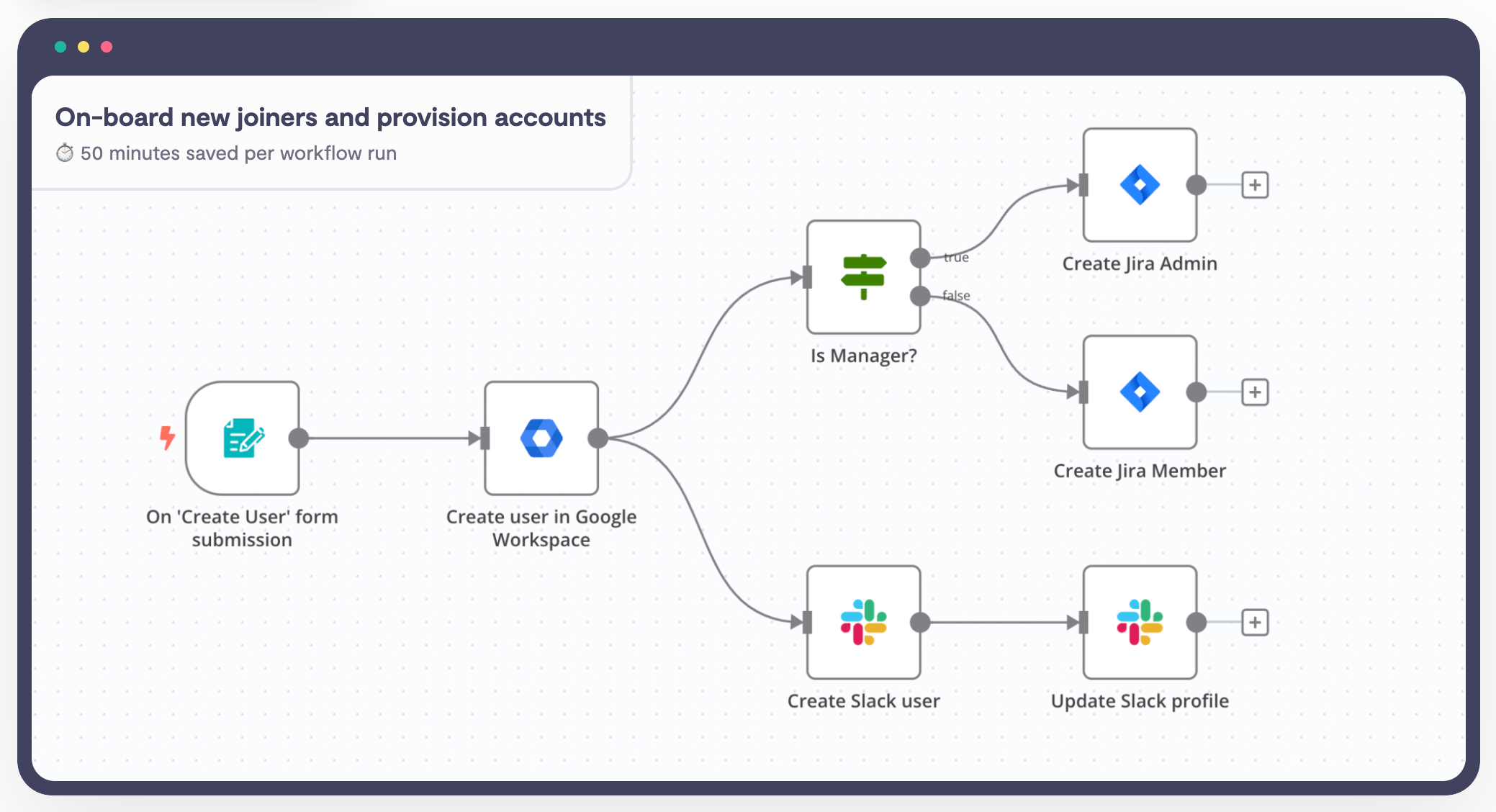
n8n is an open-source platform that allows various types of users (from people with a strong technical background to no-code specialists) to automate workflows and data processing across an organization or team.
Moreover, many companies are already using this automation tool to optimize the efficiency of their business processes. But the platform has several limitations that, in a long-term perspective, may lead to scalability issues and problems with adoption for a wider range of users within the team. So, what limitations does n8n have?
Read more: 10 Best Zapier Alternatives: Expert Review & UX Analysis
Quick Overview: Comparison Table
|
Tool |
Best For |
Key Features |
Pricing |
Ease of Use |
|
EpicStaff |
Hybrid no-code/Python AI-agent teams |
|
Free |
Beginner-friendly visual flows, technical option for code |
|
Zapier |
Non-technical teams, broadest app coverage |
|
|
Easiest — built for non-developers |
|
Tray.ai |
Enterprise AI-agent governance |
|
|
Moderate–steep — built for IT/dev teams |
|
Microsoft Power Automate |
Microsoft 365 orgs, RPA |
|
|
Easy for M365 users, steeper for RPA/premium connectors |
|
Make |
Visual branching automation, cost-conscious teams |
|
|
Moderate — more powerful but steeper than Zapier |
|
Workato |
Fortune 500 cross-department orchestration |
|
|
Steep — enterprise deployment, sales-led |
|
Pipedream |
Developers wanting code-level control |
|
|
Developer-oriented — code fluency helps |
|
ActivePieces |
Privacy-conscious teams wanting open-source |
|
|
Easy — visual builder close to Zapier’s UX |
|
Pabbly Connect |
Budget-conscious small businesses |
|
|
Moderate — functional but less polished UI |
|
Flowise |
Developers building RAG/LLM agent apps |
|
|
Developer-oriented — LLM/AI concepts required |
| Gumloop | Technical automation, LLM prompt chaining, and web scraping | Node canvas, native scraping, in-line Python/JS, BYOK, MCP sync | Pro from $37/mo + usage fees; Enterprise tier with custom pricing | Moderate (requires logical/workflow fluency) |
| Relevance AI | Autonomous multi-agent teams and B2B workflow orchestration | Agent choreography, RAG/vector tools, human-in-the-loop gates, custom tools | Enterprise tier with custom pricing; | Moderate to Advanced (enterprise feature set) |
| Lindy AI | No-code office assistants, inbox triage, and voice agents | Natural-language builder, email/calendar sync, voice telephony, pre-built templates | Plus from $29.99/user/mo Pro from $99.99/user/mo Max from $199.99/user/mo | High (conversational, no-code setup) |
Why Does Your Team Need an n8n Alternative?
n8n has created a viable solution for a problem. It enables teams with technology backgrounds to create automated processes without having to depend on a vendor’s technology and allows for hosting oneself as well. However, having no cost and being flexible does not automatically imply that this will work for all teams.
The market data backs this up. By 2026, 30% of enterprises are expected to automate more than half of their network activities, up from under 10% in mid-2023 (Gartner, 2024) [4]. That pace of adoption means more teams are hitting the ceiling of general-purpose, single-vendor workflow tools at the same time.
Three groups feel this most acutely. Non-technical teams need n8n alternatives for non-technical users, since n8n’s expressions and JSON debugging assume comfort with code. Enterprises need governance, SSO, and audit trails that n8n gates behind its costliest tier. Teams building AI agents need native memory, tool calling, and orchestration — not a workflow node bolted onto a chatbot.
None of this makes n8n a bad tool. It means the right workflow automation tools depend entirely on what your team already knows and where you’re headed next.
n8n Limitations
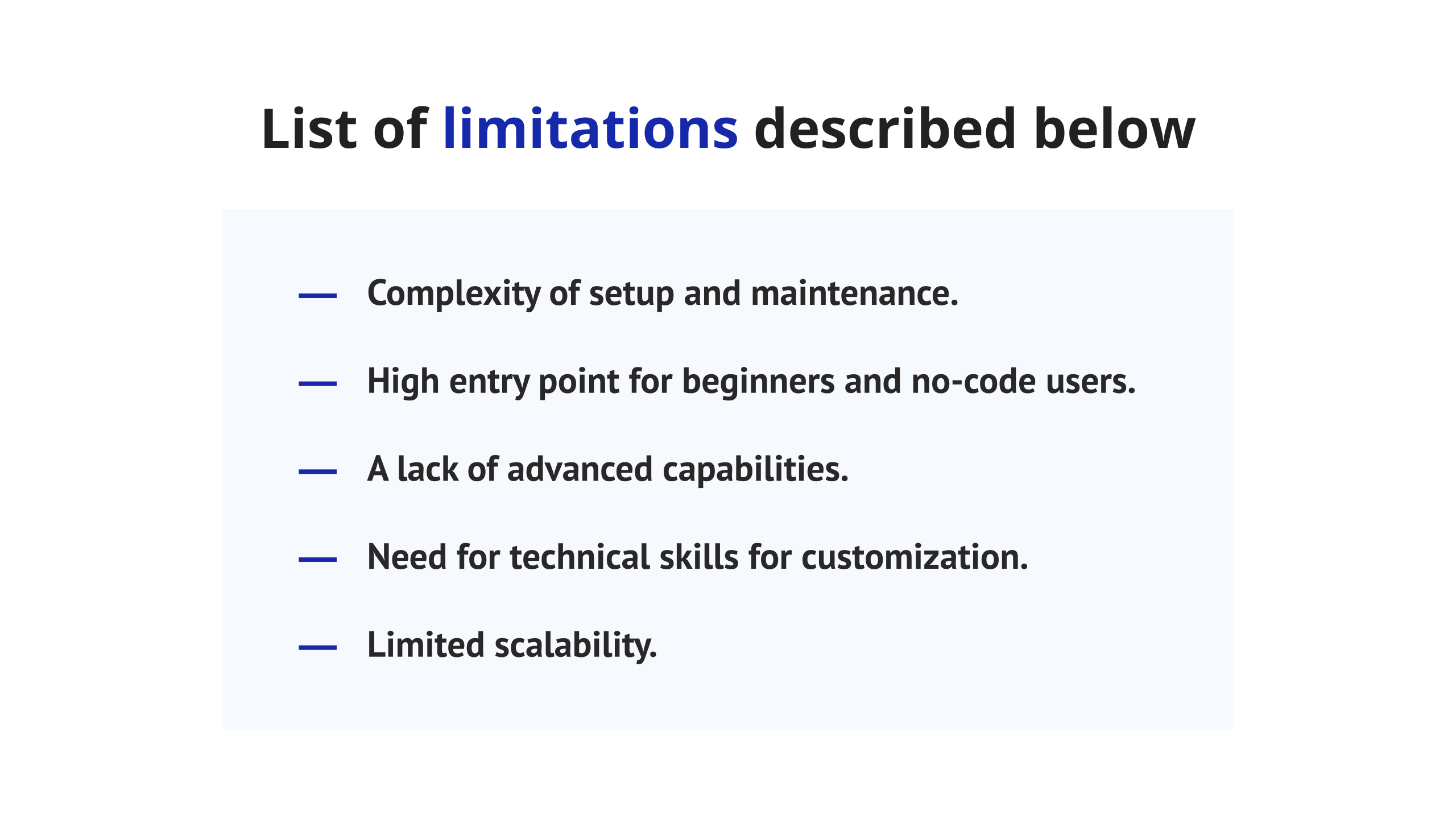
n8n positions itself as a flexible automation platform, but the initial setup process requires technical expertise to configure servers and manage errors while maintaining. Even in the cloud version, setting up integrations for various APIs can be confusing, while many modern n8n alternatives don’t rely on the user’s technical background, making the onboarding process much easier.
For beginners it may be hard to get used to n8n, especially for no-code users. Although the system provides a visual workflow builder, some user interface elements aren’t fully intuitive and need time to learn. Moreover, it doesn’t provide proper step-by-step guides that would help specialists quickly understand how to create complex workflows. However, a lot of alternatives to n8n provide a fully intuitive interface and detailed onboarding documentation.
Although the platform is created for workflow automation, AI here is only an addition and its advanced capabilities are still limited. Moreover, the platform has limited monitoring, logging, and debugging capabilities for large business processes and lacks advanced tools for testing and workflow audits, making it less suitable for complex enterprises. Thus, this may be the reason to search for alternatives to n8n.
The biggest strength of n8n is its ability to create custom nodes and workflows, which might also become a significant challenge in some cases. Writing and maintaining all customization require strong programming knowledge, while low-code capabilities for complex operations are absent. This makes it impossible for no-code users to extend the platform’s capabilities and makes specialists to start searching for more user-friendly n8n alternatives.
For large companies and big businesses, n8n can fall behind the other workflow automation tools, as it doesn’t have the enterprise-grade customer support and difficulties with optimizing large workflows. As a result, organizations often search for n8n alternatives to cover all their needs as well as enthusiasts who lack automatic scaling in self-hosted deployments.
What to Look for in an n8n Alternative?
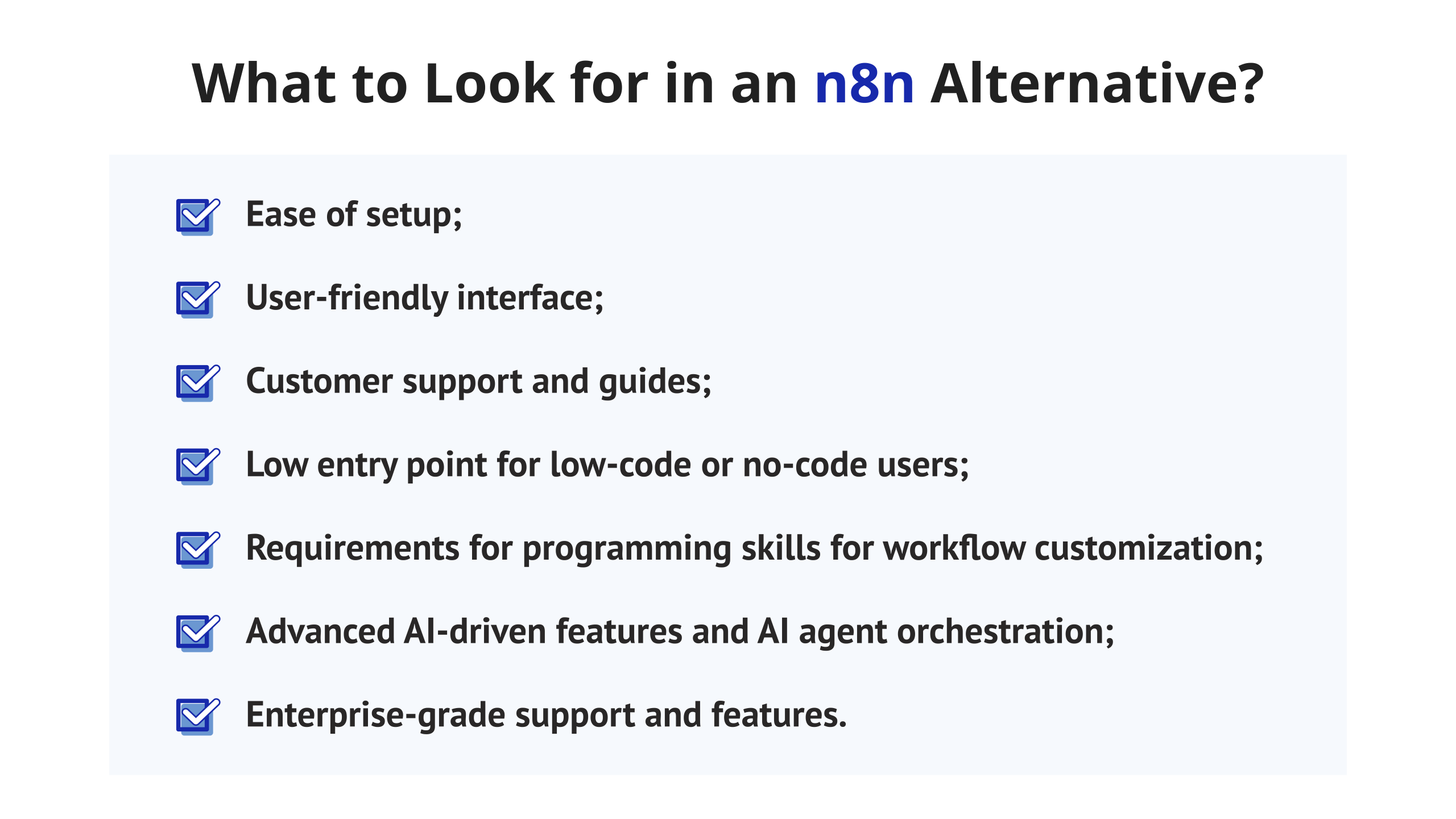
Now, we can briefly conclude what you should look for in the alternative to n8n, based on the limitations discussed above:
- Ease of setup;
- User-friendly interface;
- Customer support and guides;
- Low entry point for low-code or no-code users;
- Requirements for programming skills for workflow customization;
- Advanced AI-driven features and AI agent orchestration;
- Enterprise-grade support and features;
Read more: 13 Best Scrum Tools in 2026: In-Depth Comparison & Expert Review
How Did We Evaluate the n8n Alternatives?
We’ve compared more than 20 n8n alternatives, using the evaluation criteria, based on main n8n pain points:
- Ease of use: we focused on how quickly users can get used to n8n alternatives and if their interfaces are user-friendly.
- Target audience: we aimed to create a list of tools suitable for users with different skills to help as many people as possible choose the proper solution.
- Pricing: we compared the cost for each tool and checked if there are any n8n free alternatives or plans.
- Scalability: we analyzed how scalable each platform is and if it can handle complex data processing and high-volume workflows
- Integrations: we compared how well each alternative to n8n can connect to other tools and APIs.
- Features: we reviewed features the tool provides for both no-code and technical users.
Top 10 n8n Alternatives in 2026
1. EpicStaff
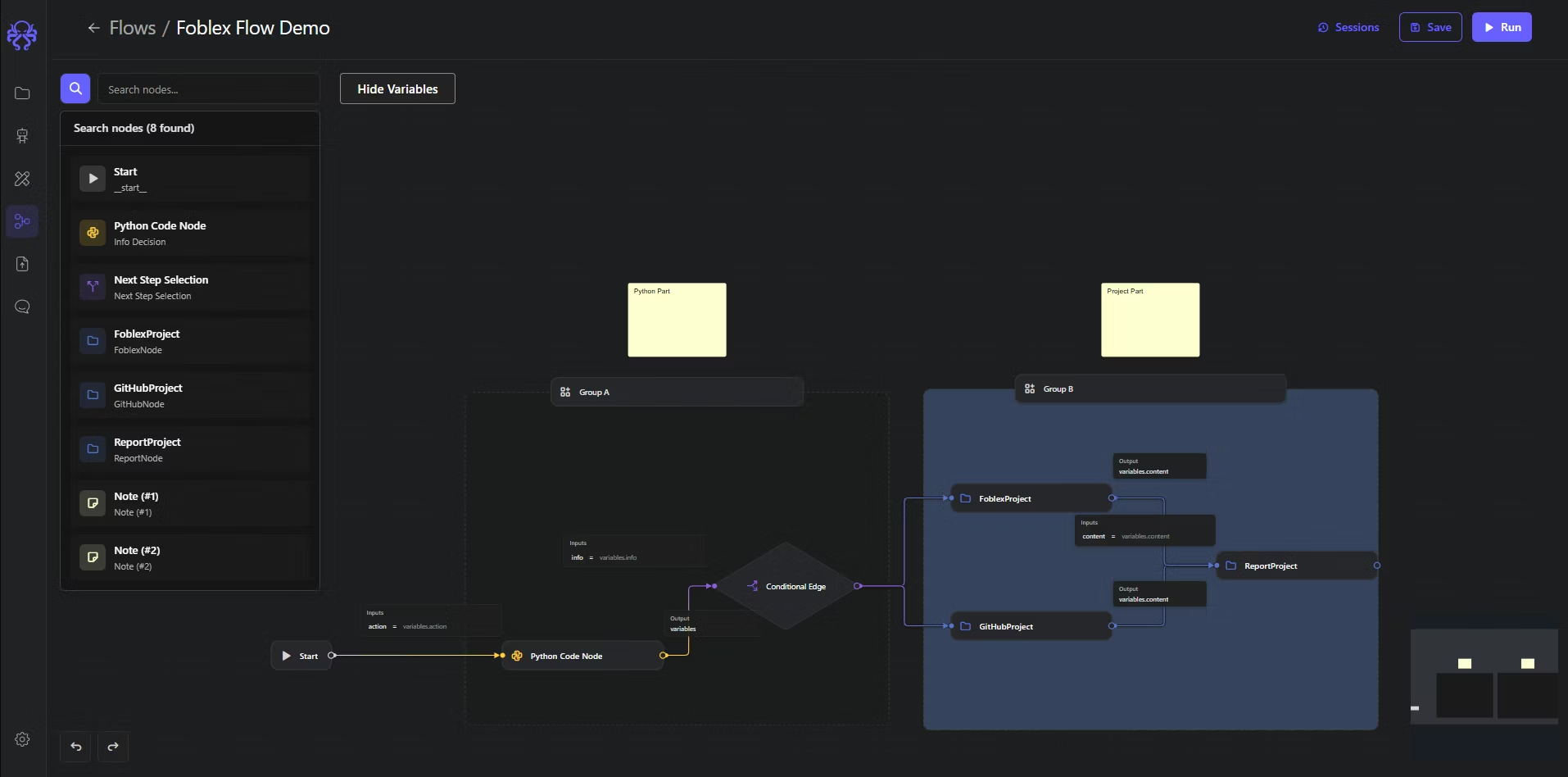
EpicStaff is an open-source workflow automation platform that allows users to create autonomous AI agents to automate various business processes. It is one of the best alternatives to n8n, where AI agents become your virtual “staff”, and each of them has its own role and responsibilities.
It is designed to help businesses in workflow automation and to be a helping hand for no-code users as well as for tech teams. On the one hand, it provides an intuitive drag-and-drop interface, enabling business teams such as project managers, marketers, HR managers, or sales to build needed workflows in the visual canvas, making it one of the best n8n alternatives for non-technical users. On the other hand, it allows technical specialists to extend functionality and make powerful customizations by adding their own Python nodes.
Best for
It is easy enough to quickly get used to and can be used by solopreneurs, startups, or even large enterprises to develop their own AI solutions.
EpicStaff key features are the following:
- Visual AI workflow builder: the platform has an node-based interface that allows no-tech users to design and customize their own workflows.
- Multi-agent orchestration: users can create multiple AI agents with different roles and ask them to solve some predefined problems.
- Custom Python tools: programmers can extend functions of AI agents for different specific purposes through adding custom Python code.
- Knowledge injection: users can incorporate external knowledge sources from files of different types (PDF, DOCX, etc.) to make the system learn and improve the accuracy of answers.
- Integrations: the platform supports various large language models (LLM) like OpenAI, Anthropic, Gemini, and others, while integration with third-party services is available through custom Python tools.
- Voice processing: you can chat with a Voice AI agent and ask it to find information or make some analysis to get answers faster.
Pricing
EpicStaff platform is a completely free alternative to n8n.
Pros and Cons
Pros:
- Easy to use.
- Open-source application.
- Suits for both no-code users and technical specialists.
- Quick onboarding and easy setup.
- Hybrid programming & no-code approach to workflow creation.
- Powerful multi-agent orchestration.
- Growing range of integration capabilities.
Cons:
- New player in the market.
- Smaller third-party capabilities compared to other tools.
2. Zapier

Zapier is another famous workflow automation platform from the list of n8n alternatives that is widely known for its simplicity and vast integration ecosystem. Zapier’s biggest strength is its accessibility because even users without technical skills can automate tasks between various applications.
Best for
No-code users and small and medium-sized organizations that want to simply automate everyday business tasks.
Key features
- Pre-built templates: you can choose one of the ready-to-use templates for various use cases.
- Multi-step workflows: allows even no-code users to build sequences of actions that run automatically.
- Huge integration library: 7,000+ supported apps.
- AI-powered suggestions: the platform can suggest automations based on your tools.
Pricing
- Free plan: 100 tasks per month.
- Professional: starts from $19 per month (750 tasks).
- Team: starts from $69 per month.
- Enterprise: custom pricing for the entire organization.
Pros and Cons
Pros:
- No coding experience needed to get used to the tool.
- Huge variety of integrations.
- Strong documentation and community resources.
Cons:
- Pricing increases with the number of needed functions and may not be affordable.
- No self-hosting, only cloud-dependent.
- Limited data processing capabilities.
Read more: monday.com vs Asana vs Trello Compared: Features, Pricing & the Right Fit for 2026
3. Tray.ai
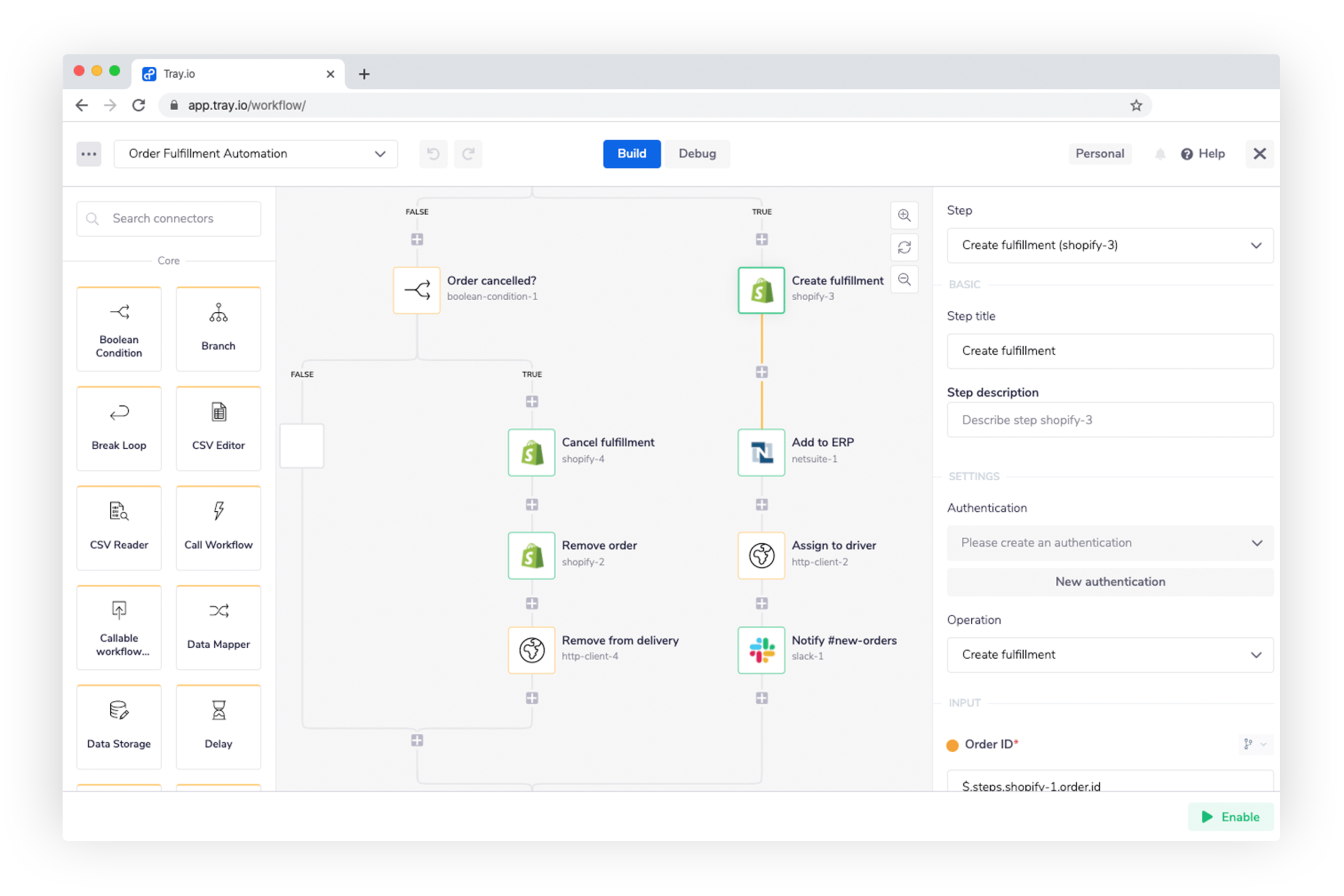
Tray.ai positions itself as a low-code integration and automation platform, supporting both no-code workflows and advanced logic. It is a good choice from other n8n alternatives for enterprises that handle complex data processing and multiple APIs.
Best for
Enterprises and technical teams that want to automate high-volume workflows across multiple departments.
Key features
- Integration templates: pre-built connectors for Marketo, Snowflake, and so on.
- Visual builder: allows users to create complex workflows with a visual canvas.
- Data scalability: processes large data volumes, making it suitable for large companies.
- Custom code: enables users to add custom code for more functionality.
Pricing:
Has Team, Pro, and Enterprise plans, all with custom pricing depending on needed functions.
Pros and Cons
Pros:
- Scales well for cross-department use.
- Highly flexible and developer-friendly.
- Supports low-code users.
Cons:
- Higher learning curve.
- Has no free plan and can be less affordable.
- Overkill for small businesses or simple workflows.
4. Microsoft Power Automate
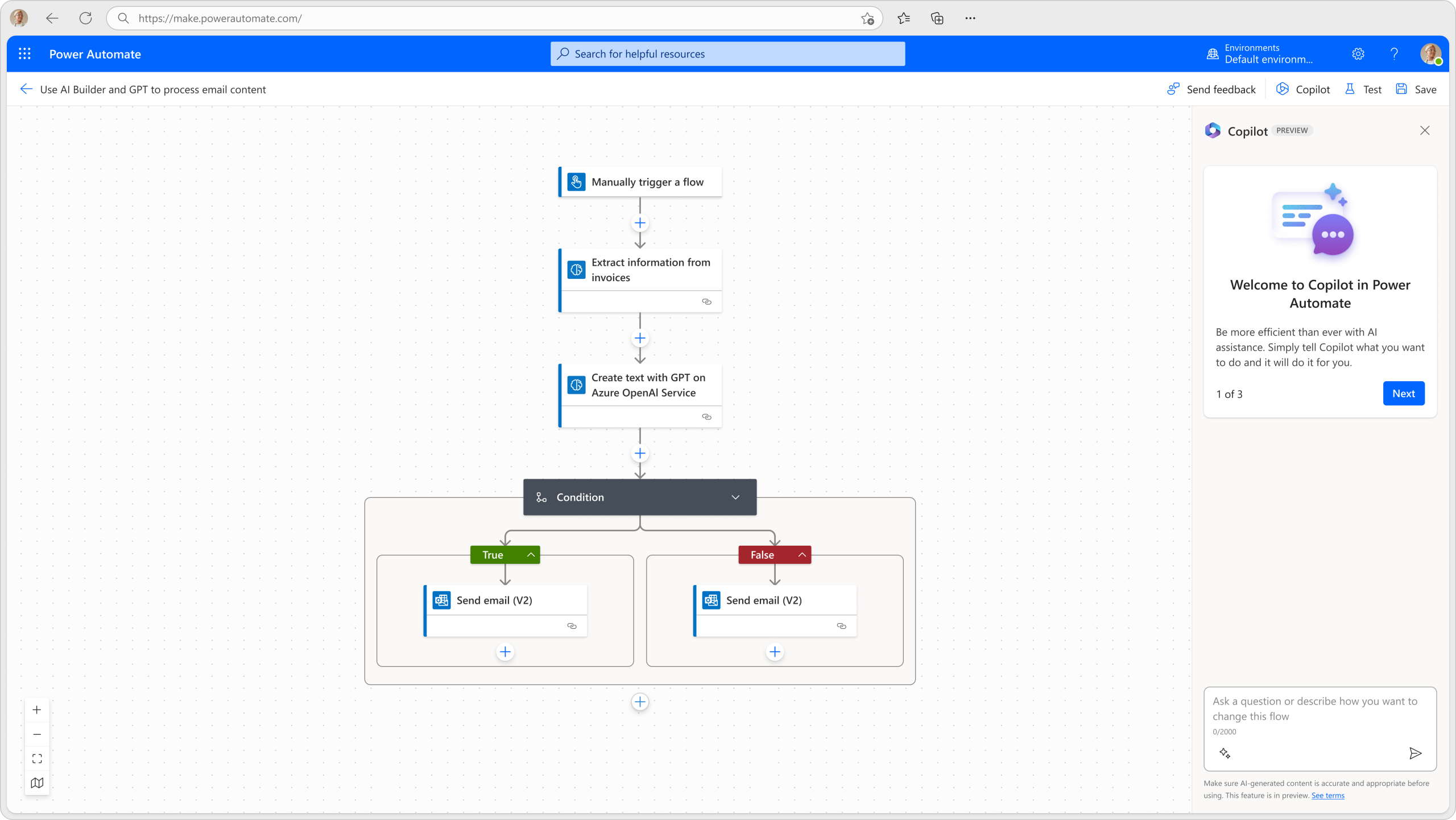
Microsoft Power Automate is designed to be a part of the Microsoft ecosystem. It is one more tool from the list of alternatives to n8n that allows businesses to automate repetitive tasks like sending alerts in Teams and connecting both cloud and desktop applications.
Best for
The tool is mostly suitable for companies that are already using the Microsoft 365 ecosystem and want to automate workflows across its internal apps.
Key features
- Deep Microsoft integration: seamlessly connects with Office 365, Outlook, Teams, etc.
- Pre-built templates: has a lot of automation templates for various business departments.
- AI builder: built-in AI analytical capabilities.
Pricing
- Has a free trial, available for 30 days
- Premium: $15/user/mo;
- Process: $150.00/bot/month;
- Hosted Process: $215.00/bot/month
Pros and Cons
Pros:
- Seamless Microsoft integration.
- Has advanced AI features.
- Supports various integrations with both Microsoft and third-party tools.
Cons:
- Less flexible outside the Microsoft ecosystem.
- Has a steep learning curve.
- The user interface can feel overwhelming.
5. Make (formerly Integromat)
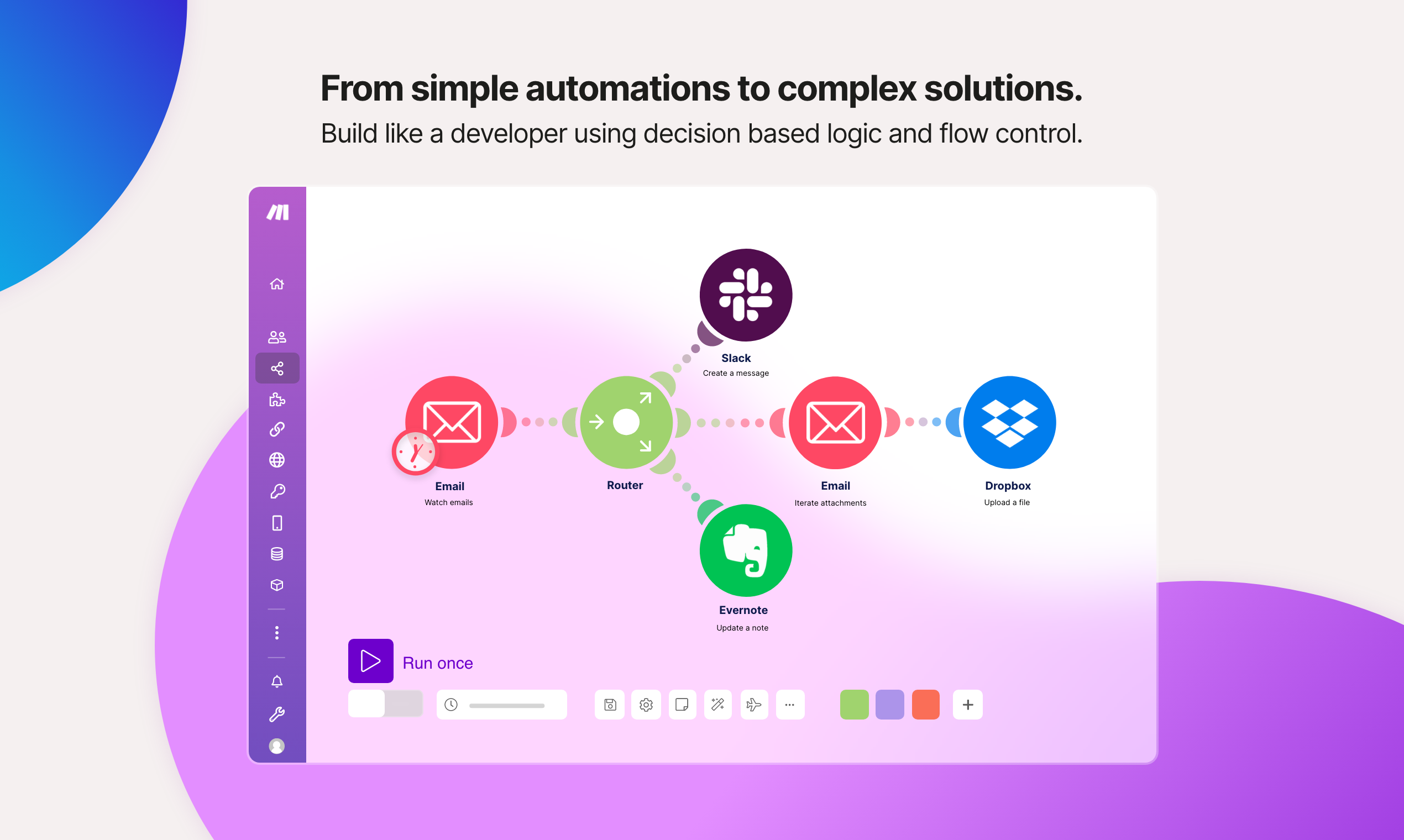
Make (formerly known as Integromat) is one of the most widely known n8n workflow automation alternatives. It is a no-code development platform that displays your workflow as an interactive diagram where every module is a node of a flowchart.
Best for
Teams that handle complex data processing and require advanced AI and automation features for their workflows.
Key features
- App library: has a massive library of pre-built apps.
- Visual scenario builder: to test different automations in real-time.
- Visual workflow builder: the system has an easy-to-use intuitive interface, allowing users to quickly get used to it.
- Advanced data manipulation: use different filters and functions to handle complex data processing.
Pricing
- Free plan: 1,000 credits per month and 15-minute minimum interval between runs.
- Core: starts from $9 per month.
- Pro: $16 per month.
- Teams: $29 per month.
- Enterprise: custom pricing and advanced enterprise features.
Pros and Cons
Pros:
- The visual builder is intuitive and understandable.
- Affordable pricing for different users and companies.
- Highly customizable.
Cons:
- The interface can be overwhelming and slow.
- It can be hard to predict the perfect pricing plan.
6. Workato
Workato may be a great choice among n8n alternatives for enterprises. It is an iPaaS agentic enterprise-grade platform that allows users from different departments to collaborate on creating AI agents for marketing, business, software development, management, and so on.
Best for
This solution is good for large enterprises and teams that are struggling to find proper workflow automation tools for multiple departments.
Key features
- Enterprise iPaaS integrations: has a wide range of integrations external tools.
- Access control: provides role-based permissions and version control.
- Real-time monitoring: allows users to get up-to-date data and reports.
- AI automation: allows users to use machine learning to make predictions.
Pricing
The pricing depends on the number of functions you need for your business and their complexity.
Pros:
- Enterprise-level features and compliance.
- Strong cross-department collaboration.
- AI-driven automation.
Cons:
- Requires technical onboarding.
- Too complex interface for small teams.
- High pricing may not be affordable.
7. Pipedream
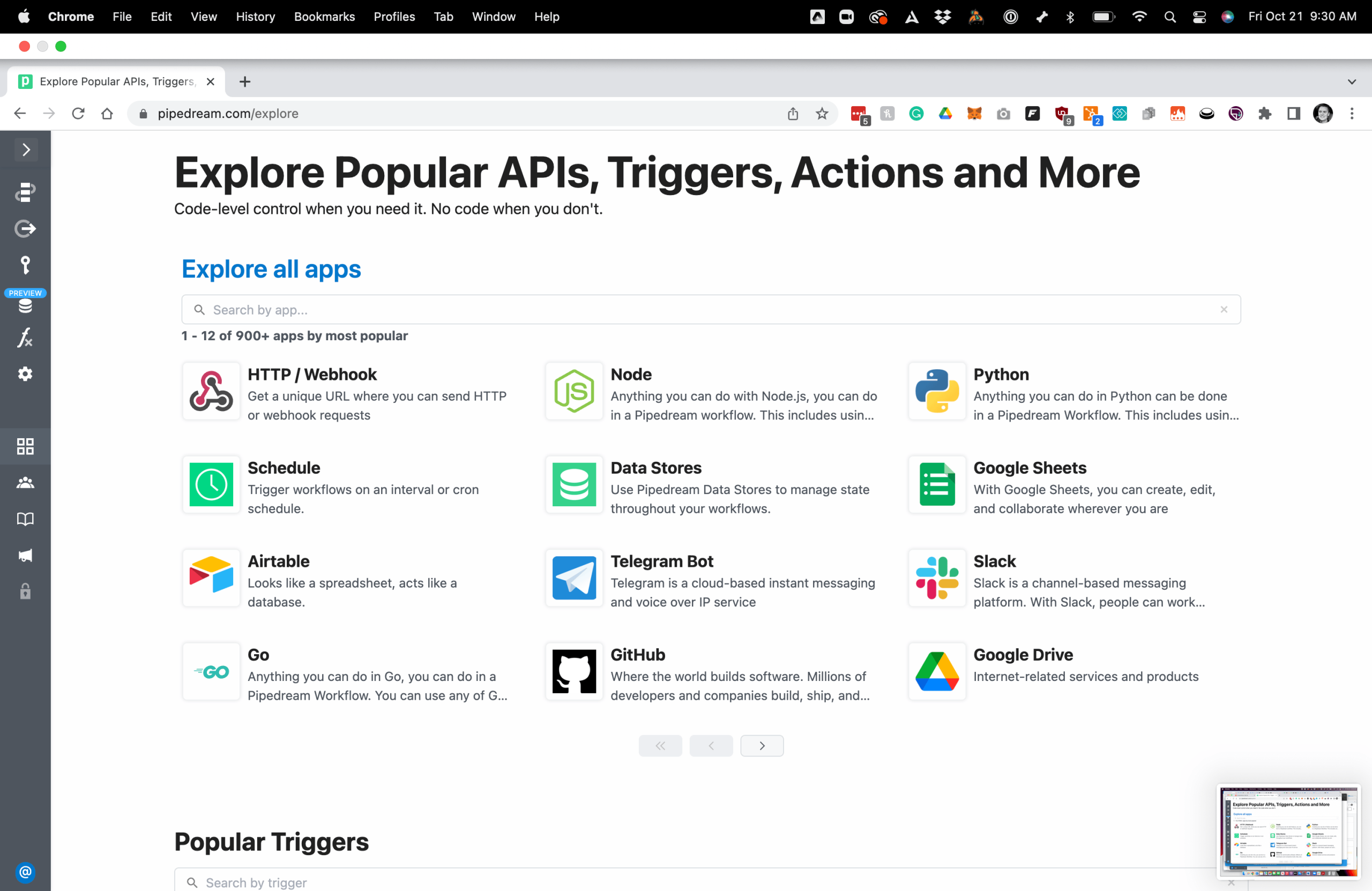
Pipedream is a hybrid no-code and code automation platform that differs from other n8n alternatives by giving access to a real coding environment where programmers can directly customize the logic.
Best for
Developers and technical teams who want full control over APIs and custom logic.
Key features
- Integrations: over 1,000 apps to integrate with.
- AI agent builder: users can create their own AI agents.
- Custom code: users can write custom code in different languages.
- Built-in coding environment: allows users to write code directly in the workflow without any external IDE.
Pricing
- Free: up to 100 credits per month.
- Basic: $29 per month.
- Advanced: $49 per month.
- Connect: $99 per month.
Pros and Cons
Pros:
- The best from n8n alternatives for developers who want to add custom code without an external IDE.
- High integration flexibility.
- Offers a generous free tier.
Cons:
- Requires programming skills.
- The interface is less intuitive and more developer-oriented.
8. ActivePieces
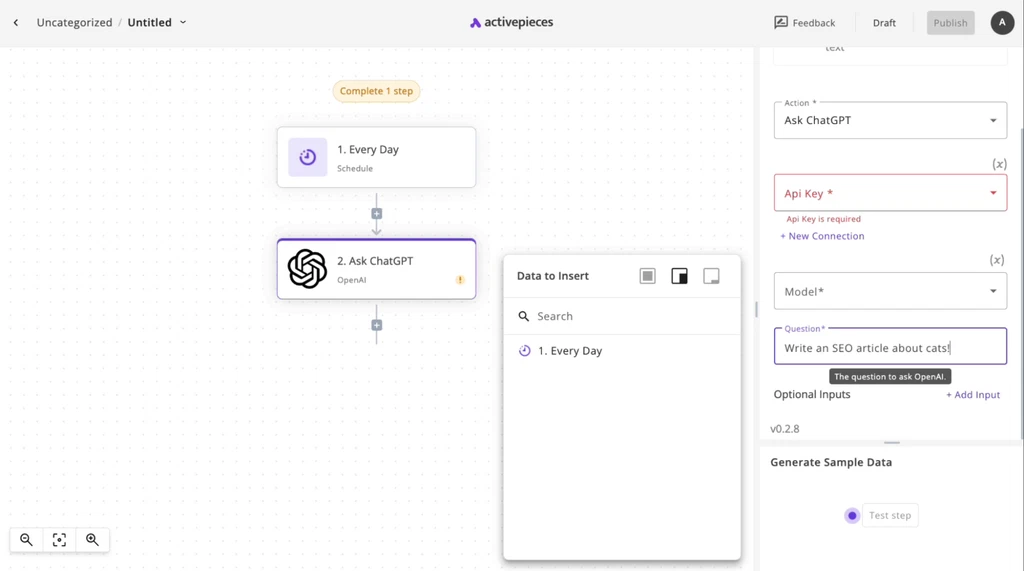
ActivePieces is one of the best n8n open-source alternatives for both small teams and large enterprises. It combines an easy-to-use interface with the ability to host everything on your own server, making it a perfect solution for AI-driven automation among no-code and technical users simultaneously.
Best for
It can be a great choice for startups, developers, and no-code teams that want to try n8n open-source alternatives to automate their own workflows.
Key features
- Step-based flow: the workflow stays readable even when it gets too long.
- Integrations: has a huge library of pre-built integrations.
- Visual no-code builder: simple and intuitive interface allows no-code users to build their own workflows.
- AI agents: supports integration with various LLM models.
Pricing
- Standard: 10 free active flows, then $5 per active flow per month
- Ultimate: custom
Pros and Cons
Pros:
- Completely free to self-host.
- Visual builder makes it one of the most promising n8n alternatives for non-technical users.
- Ability to add custom extensions.
Cons:
- Smaller app ecosystem.
- Enterprise cost can be less affordable.
- Still developing.
9. Pabbly Connect
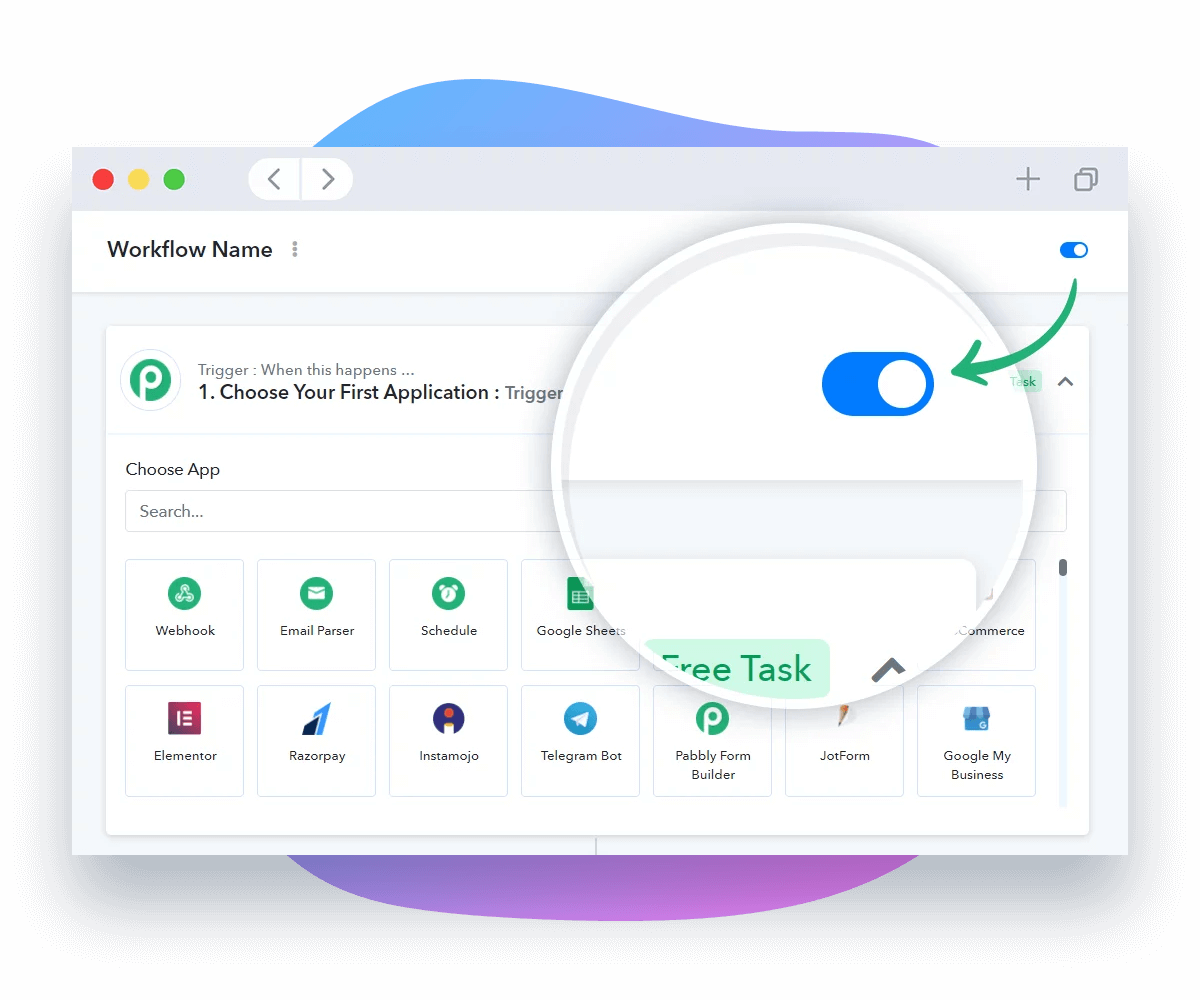
Pabbly Connect is one of the most affordable n8n alternatives in 2026 that allows users to integrate marketing, CRM, and other tools quickly and without limitations in charge per task.
Best for
Small and medium-sized businesses that need affordable workflow automation tools without complex setup.
Key features
- Integrations: supports 1,000+ apps.
- Unlimited workflows: create as many workflows as you want.
- Email parser: you can automate data collection from emails.
- Webhook support: gives the ability to connect with custom apps that don’t have native integrations.
Pricing
- Free: 100 tasks/credits every month.
- Standard: $19 per month.
- Unlimited: $79 per month.
Pros and Cons
Pros:
- Has a lifetime access plan.
- Unlimited workflows.
- Wide integration library.
- Quick setup with minimal learning curve.
Cons:
- Less intuitive interface.
- Lacks advanced logic for handling complex data processing.
- No self-hosting.
10. Flowise
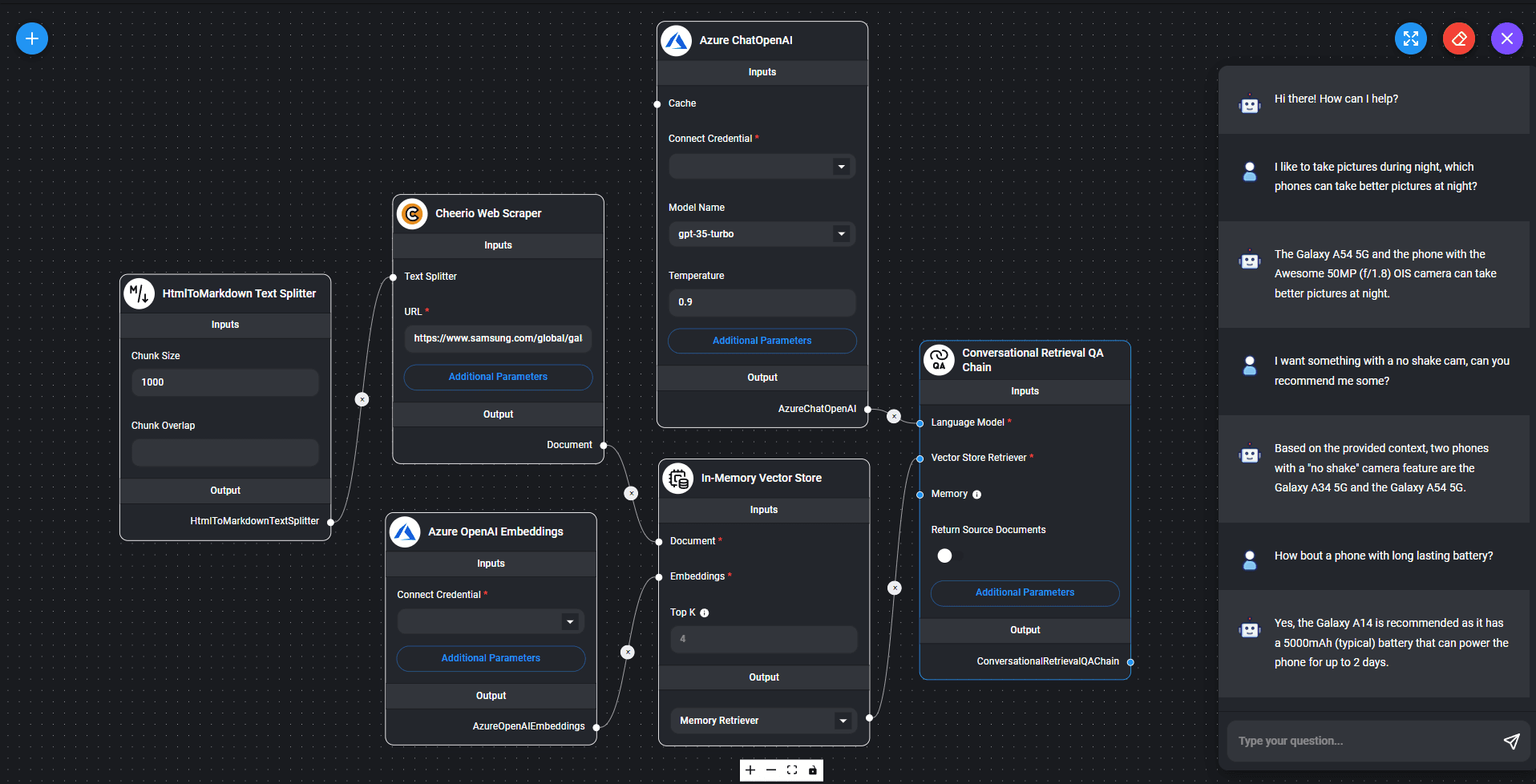
Flowise is one more from the list of n8n open-source alternatives. It provides an intuitive visual workflow builder that allows users to quickly build AI agents from ready-to-use blocks and manage them efficiently.
Best for
Technical teams as well as no-code individuals that want to quickly build AI agents without coding.
Key features
- Integrations: supports 100+ LLMs, embeddings, and other tools.
- Virtual assistant: has built-in chat assistants.
- AI agents: has a multi-agent orchestration system for advanced automation.
- Visual editor: supports connecting LLMs, tools, and data sources in a flowchart.
Pricing
- Free: 100 predictions per month.
- Starter: $35 for individuals and small teams.
- Pro: $65 for medium-sized businesses.
Pros and Cons
Pros:
- Has a wide range of integrations.
- Strong open-source community.
- Suitable for enterprise-level.
- Supports self-hosting.
Cons:
- Local or cloud setup only.
- Can be overwhelming for no-code users.
Although we’ve already covered a few open source alternatives to n8n earlier in this list — EpicStaff, ActivePieces, and Flowise all ship as open-source platforms — our team decided to round up five more n8n open source alternatives for readers who want the fullest possible picture before committing to a self-hosted stack. These five open source alternatives to n8n trade a no-code interface for full code control, giving developers and data teams options that the SaaS-first platforms above simply don’t cover.
Read more: Program Management in 2026: What It Is and Why It Matters
Top 5 Best Open Source n8n Alternatives
If self-hosting and full code control matter more to your team than a polished no-code interface, this shortlist skips the SaaS layer entirely. Every tool below is free to run on your own infrastructure.
Node-RED
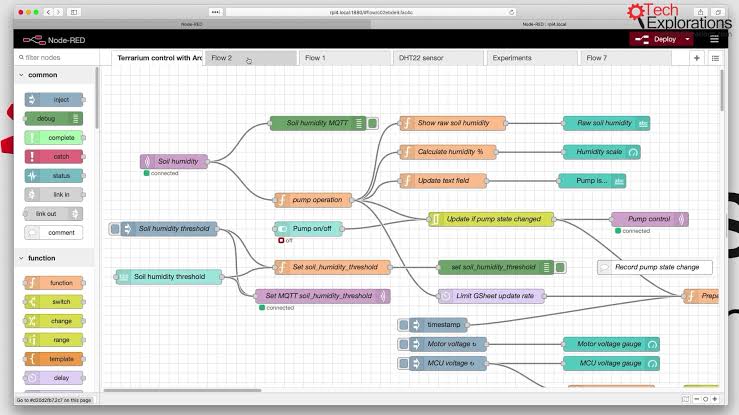
Node-RED is one of the oldest n8n open source alternatives. Originally created by IBM for connecting different Internet of Things devices, it became an Apache-2.0 license project under OpenJS Foundation. Node-RED can be installed anywhere Node.js is supported.
Key features:
- Web-based, graphical interface in which nodes are connected via visual editing on a graph
- Collection of more than 5,000 nodes contributed by the community of users, supporting hardware protocols, APIs, and clouds
- Inline JavaScript “Function” nodes for custom logic without leaving the canvas
- Backed by the OpenJS Foundation under the permissive Apache-2.0 license, and runs on hardware as small as a Raspberry Pi
Windmill
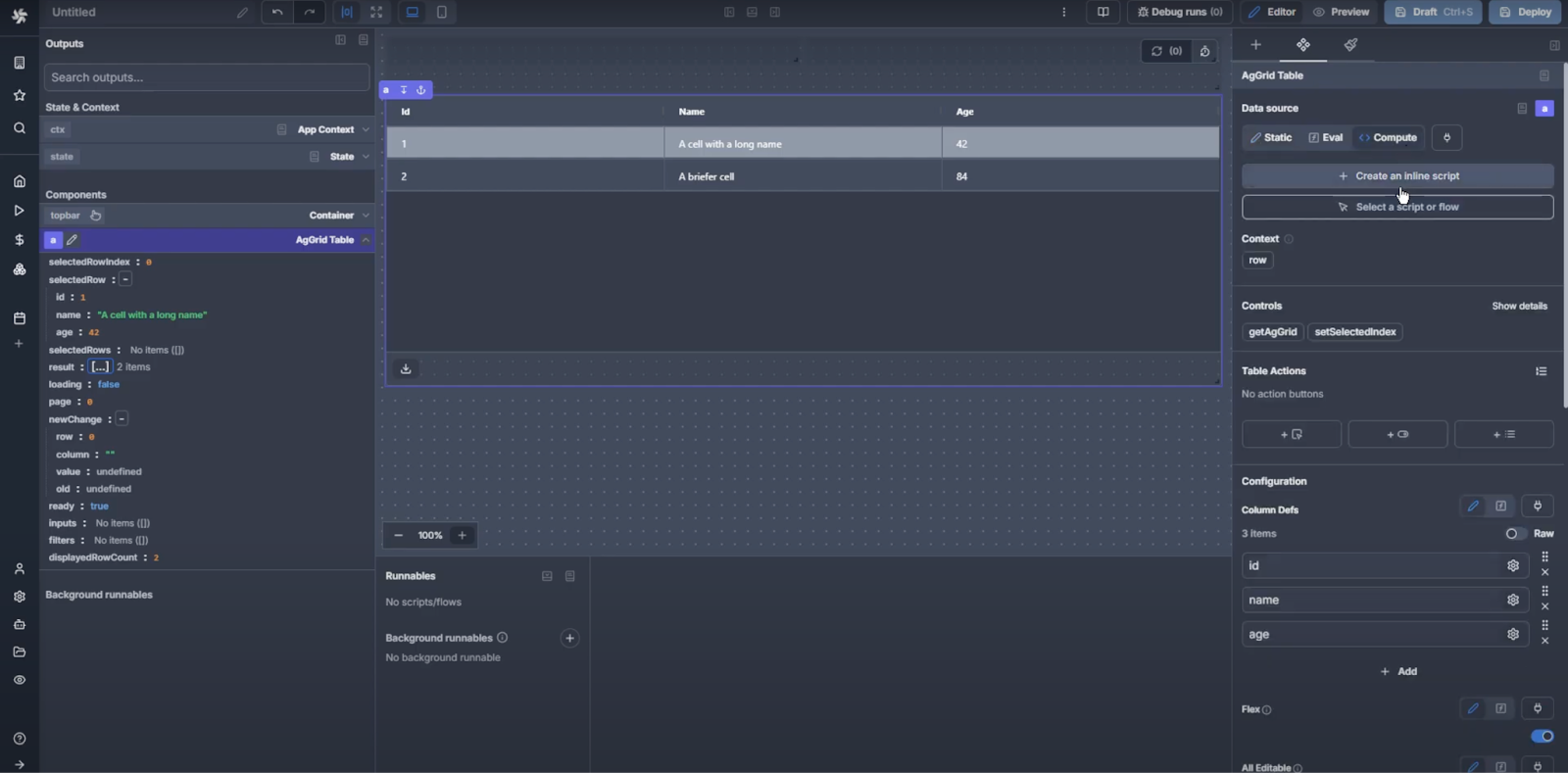
Of the developer-centric n8n open source alternatives, Windmill excels at speed. It is a Rust engine which can take your Python, TypeScript, Go, and Bash scripts to be scheduled jobs, APIs, and applications — for engineering teams who value code and versioning over a visual builder.
Key features:
- Multilanguage scripts (TypeScript, Python, Go, Bash, SQL) and automatic generation of UIs and APIs from any script
- Self-hosted Community Edition released under AGPLv3, runs unlimited amount of executions for free, using Rust engine designed to process high-throughput, compute-intensive jobs
Kestra

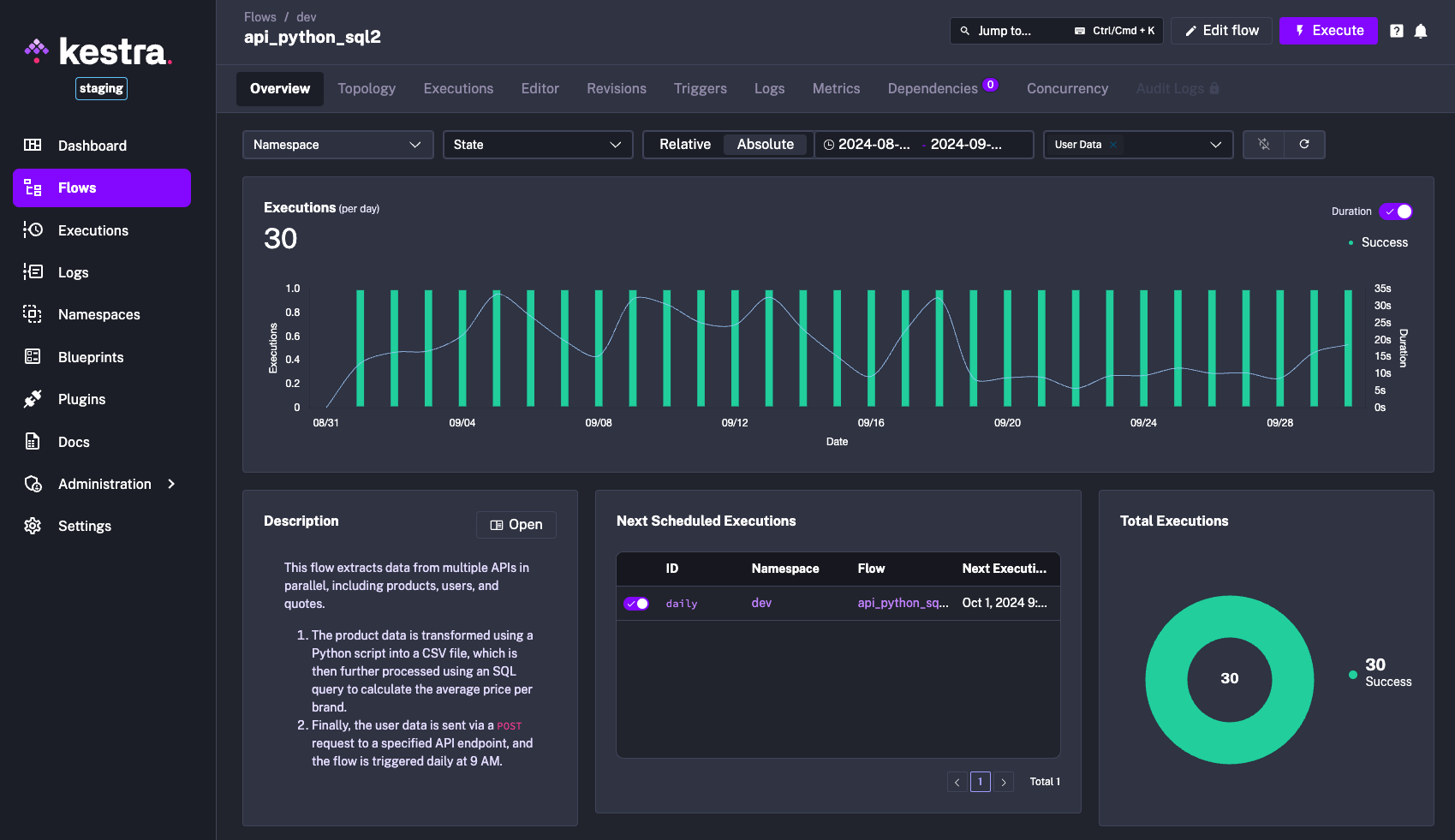

One of the more enterprise-grade open source alternatives to n8n is Kestra, an event-driven platform to orchestrate data, AI, and infrastructure workflows using a declarative YAML instead of being language-specific.
Key features:
- Fully open-source under Apache-2.0 license, free to self-host using Docker or Kubernetes
- Readable, diffable, and Git-friendly declarative YAML interface
- Language-agnostic execution engine — use Python, Node.js, Bash, SQL steps, or any Docker image in one workflow
- Over 1,800 plugins pre-packaged to cover cloud, data, infrastructure, CI/CD, messaging tools — no need for custom glue code
- Full observability with real-time logs, outputs, and metrics for debugging production pipelines
Huginn
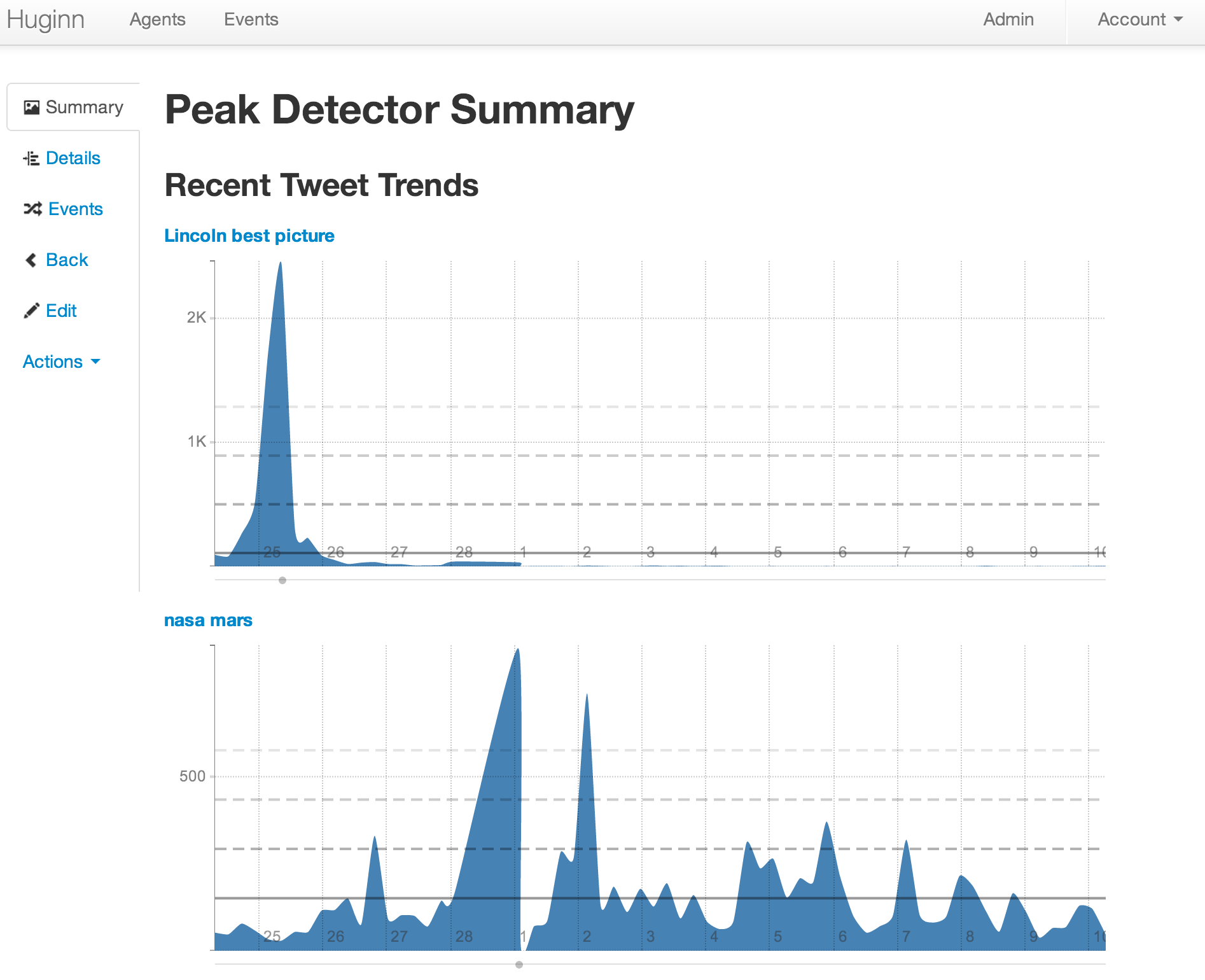
Of all the n8n open source alternatives on this list, Huginn is the most stripped-down and hacker-friendly. It’s a self-hosted Ruby on Rails automation system where independent “Agents” watch for events — an RSS update, a Twitter mention, a price change — and pass them along a directed graph to trigger the next action.
Key features:
- MIT licensed and free, with no official hosted SaaS — every Agent and every byte of data stays on your own infrastructure
- Agent-based architecture lets you chain simple, single-purpose Agents into complex event pipelines
- A deep library of pre-built Agents for RSS, Twitter, Slack, JIRA, MQTT, FTP, and Bash commands, extendable with custom Ruby gems
Apache Airflow

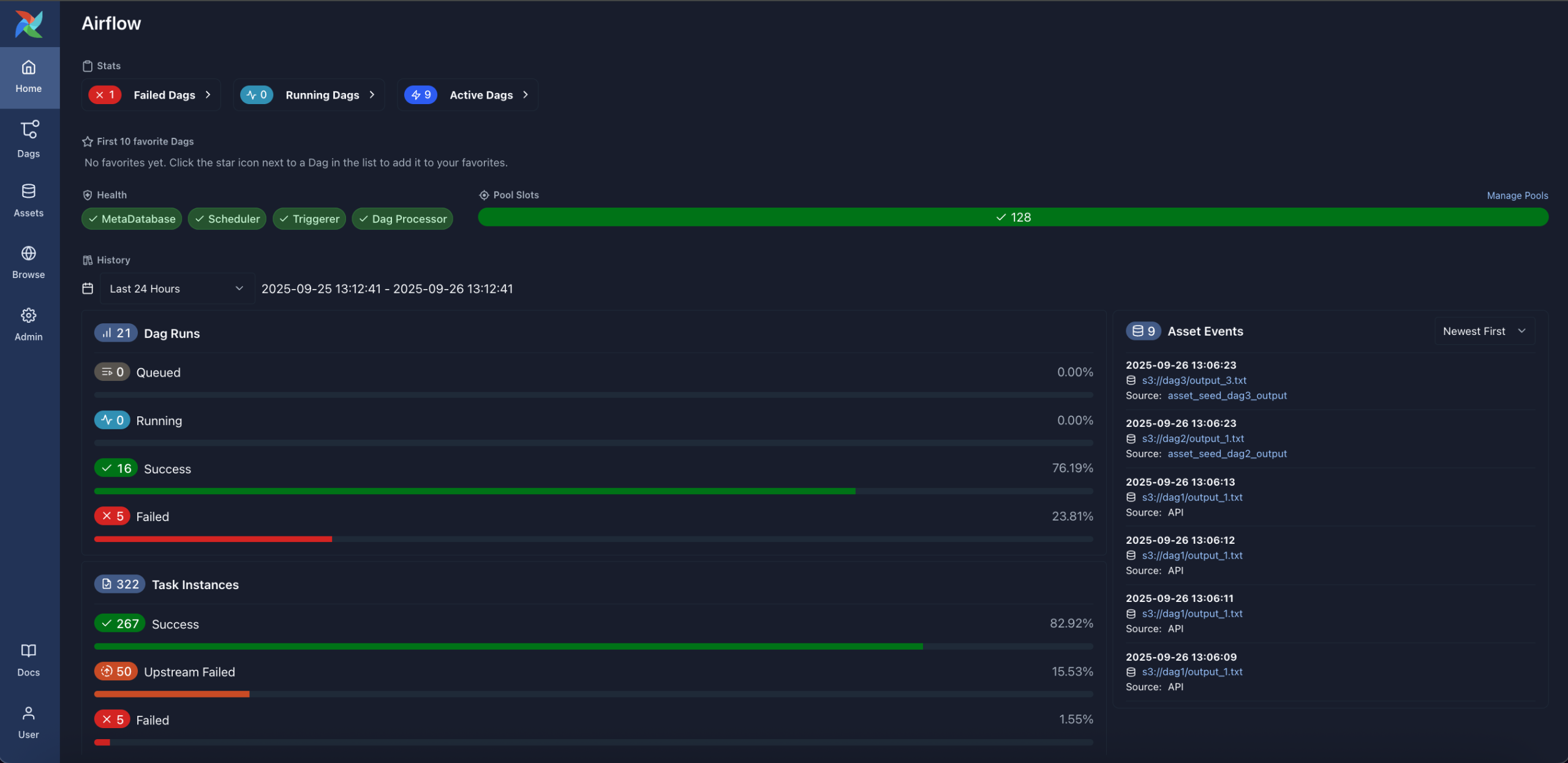
Rounding up the list of open source alternatives to n8n is Apache Airflow, the most mature, enterprise-grade solution in the pack. This tool is known as a de facto standard for orchestrating data engineering workflows and allows creating workflows in terms of Python-based directed acyclic graphs rather than using a visual interface.
Key features:
- A project of The Apache Software Foundation, with over 39,000 GitHub stars, among the most active orchestration communities
- Workflows completely described using Python code, offering full access to the Python universe for implementation and reuse
- Over 1,000 community-contributed operators to integrate with AWS, GCP, Snowflake, PostgreSQL, and many other data platforms
- Built-in scheduling, retry policies, dependency management, and stopping downstream tasks in case of upstream failures
- Available managed hosting from Astronomer, Google Cloud Composer, and Amazon MWAA
- Well-suited for batch ETL/ELT
Best AI-Native n8n Alternatives
Gumloop
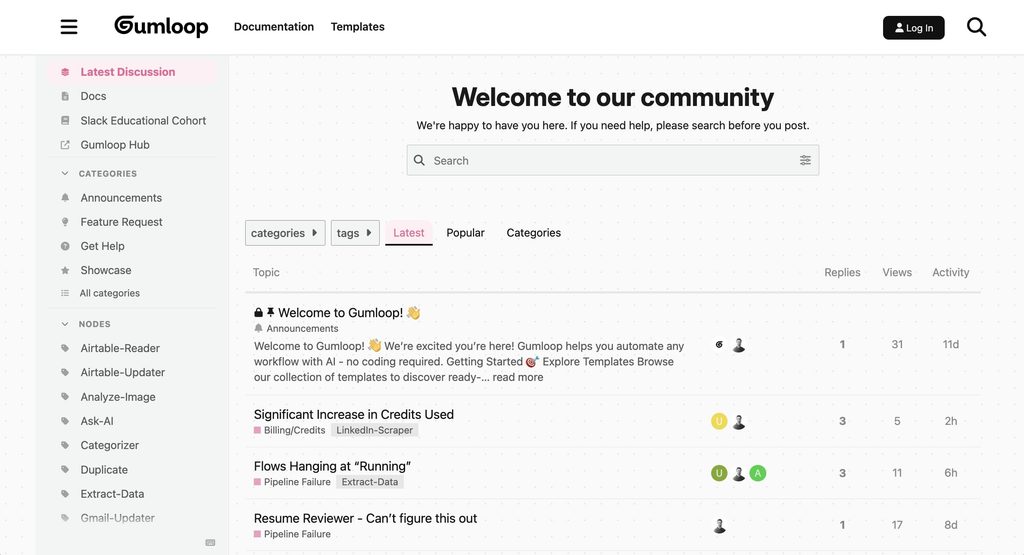
Gumloop is a visual automation canvas based on flows and created for connecting several language models, web scraping, and running personalized Python scripts as fully working automation processes. This is something similar to n8n built on AI principles, which gives users more precise control over prompt chaining, working with several models, and extracting data without the need to manage any infrastructure on their own.
- Best for: Technicians, growth engineers, and data analysis teams, which need to create modular LLM automation processes, web scraping operations, and processes enriching unstructured data.
- Key features:
- Node-based concept developed especially for working with LLM models (OpenAI, Anthropic, Gemini, LLM models that are open).
- Nodes created for web scraping with the help of automation and solving CAPTCHAs.
- Python/JavaScript tasks that can be used for processing data.
- Model context protocol (MCP) integration and GitHub skill synchronization.
- Bring-Your-Own-Key (BYOK) support to run model calls directly against personal provider accounts.
- Pricing: Free trial / limited free allowance (approx. 2,000–5,000 monthly credits). Paid plans start at $37/month. The custom Enterprise tier is available.
- Pros:
- Much faster to build LLM pipelines compared to configuring generic HTTP request nodes in traditional tools.
- Granular control over parameters, chunking, scraping, and Python code snippets.
- Transparent credit usage with BYOK options to keep raw LLM costs low.
- Unlimited workspace seats on paid self-serve plans.
- Cons:
- Steeper learning curve for non-technical users than conversational agent builders.
- Overage credit rates can ramp up total costs quickly on heavy data parsing loads.
- Smaller catalog of native off-the-shelf SaaS connectors compared to legacy platforms.
Relevance AI
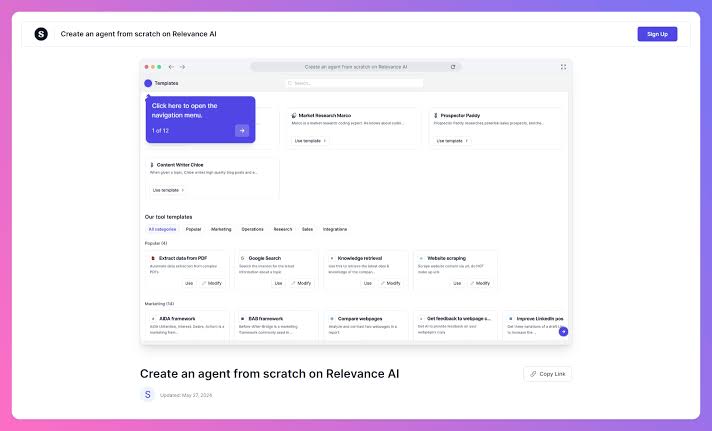
Relevance AI is a sophisticated agent orchestration platform made for business usage that is used for creating specialized autonomous AI workforces. This platform is different in that it has multi-agent interaction instead of simply employing linear triggers. By using this platform, separate AI agents can perform tasks, validate outputs, access common data, and communicate with each other.
- Best for: B2B sales teams, operations managers, and agencies that require independent teams of agents for performing research, lead qualification, and problems with documents.
- Key features:
- Effective orchestration of agents, meaning that multiple specialized bots can work together to achieve common goals.
- A special toolset enabling retrieval of any information with the help of a vector-based database.
- B-Agent templates suitable for outbound sales, research, and customer support.
- Detailed access permissions, etc.
- Webhook integrations and custom API tool creation for external systems.
- Pricing: The Enterprise tier with custom pricing.
- Pros:
- Unique and advanced choreographing abilities of multiple agents with memory that can store information.
- Has safeguards as well as procedures for human review prior to taking action.
- Great document processing with the ability to extract information and perform vector search.
- Highly scalable for repetitive knowledge-worker operations.
- Cons:
- Complex interface with a notable learning curve for beginner builders.
- Jumping from Pro ($29/mo) to Team ($349/mo) is steep for mid-sized organizations.
- Overkill for straightforward if-this-then-that automation scenarios.
Lindy AI
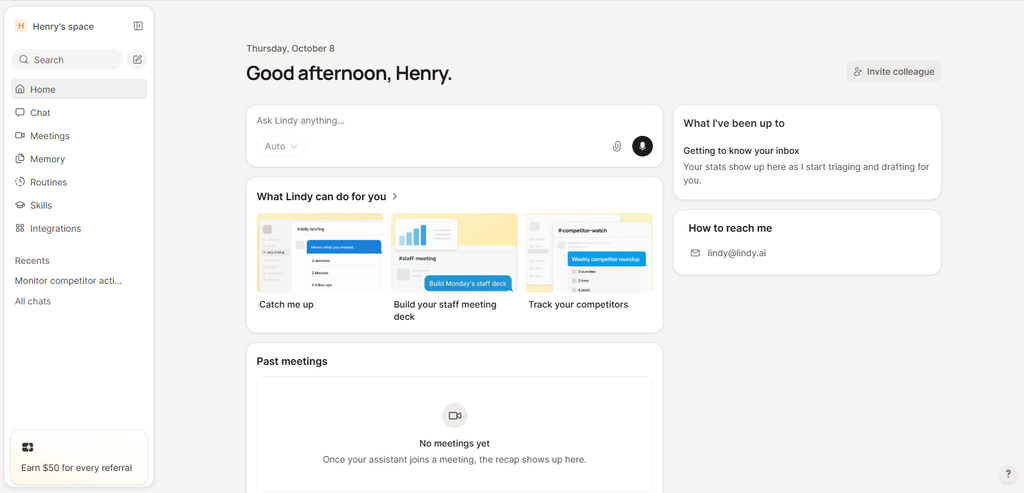
Lindy AI acts as a personal and operational AI agent builder that can be operated easily by anyone, even without knowledge of programming. It takes care of common business activities like calendar triaging, keeping up with inbox, dealing with customer relationship management, and making phone calls without asking users to set up work plans or call for code writing.
- Best for: individual entrepreneurs, small business people, and non-tech-savvy teams that would like to share their workload in administration, executive assistance, and front office duties.
- Key features:
- Simple way of creating an agent by using just prompts and straightforward rules to shape the agent’s behavior.
- Good connection with Google Workspace, Microsoft 365, Slack, and other prominent software.
- Possibility of direct voice calling and communication via an agent.
- Ready-to-use templates of event summaries, messages, and follow-ups.
- Routing of tasks to suitable assistants.
- Pricing: There are three plans: Free, Team (for $29.99, provides 3,000 credits) , and Enterprise with custom pricing.
- Pros:
- Very simple to learn; it is not necessary to know visual wiring of nodes or syntax.
- The fastest implementation for emails, calendars, and usual front-office tasks.
- Excellent built-in voice call and speech-to-text solutions.
- Clear, guided interface optimized for non-engineers.
- Cons:
- Per-user seat pricing can become expensive for expanding teams.
- Lack of low-level data manipulation, custom logic trees, and raw code execution.
- Limited flexibility for high-volume backend data pipelines or complex web scraping.
Where Does No-Code Workflow Automation Hit a Wall?
No-code platforms work beautifully at a small scale. Past a certain point — more nodes, more data, more people touching the same workflow — five failure patterns show up again and again across n8n, Zapier, and Make alike.
The “Spaghetti Canvas” (Visual Complexity at Scale)
Within less than a year, a simple workflow with five nodes becomes an extensive network containing multiple branches, loops & error handlers. In addition, Automation has stated that the overhead of simply supporting an AI reasoning loop requires 15+ nodes, which turns debugging from a straightforward effort into an expedition through a canvas that no one (including the initial author) can clearly remember how they built.
Painful Custom Data Transformations
Reshaping JSON between two APIs with mismatched schemas often needs a code node anyway, undercutting the “no-code” promise. Non-technical builders hit a wall the moment a workflow needs nested array mapping or conditional logic that the visual editor can’t express natively.
The Lack of True Version Control and CI/CD
Most no-code canvases have no real Git history, pull requests, or staging environment. Changes go live the moment you save them. This gap compounds fast: McKinsey research shows CIOs report that 10 to 20 percent of the technology budget dedicated to new products gets diverted to resolving technical debt (Dalal et al., 2020), and ungoverned automation sprawl adds directly to that bill [5].
In a recent McKinsey survey, CIOs reported that 10 to 20 percent of the technology budget dedicated to new products is diverted to resolving issues related to tech debt.
Tech debt: Reclaiming tech equity
Exorbitant Pricing Under High Data Volume (The “Task Tax”)
Per-step, per-task, or per-operation pricing looks cheap at low volume and punishing at scale. A ten-step workflow running thousands of times a month can burn through a plan’s entire task allowance in days, forcing teams onto enterprise tiers just to keep existing automations running.
Fragile Error Handling and Silent Failures
When a node further down the flow fails to generate an output, it does so silently by not returning an actual error message, along with empty output. Both Capterra and G2 reviewers often cite debugging as a primary disadvantage of using node-based platforms due to the time-consuming process of recovering from a broken workflow by analyzing raw JSON data payloads from start to finish.
Understanding these five failure points explains why so many teams start evaluating n8n workflow automation alternatives in the first place. The ten tools below each solve a different piece of this puzzle — from AI-native agent orchestration to enterprise governance. For more deep dives like this one on AI-driven workflow and resource automation, subscribe to Digest.Pro.
Read more: AI Agent Assist: What It Is and Why You Need It in 2026?
Conclusion
As businesses develop, their workflows become more and more complex, requiring systems that can automate day-to-day work as well as handle complex data processing. That is why demand for smart automation tools like n8n is extremely high. However, as the need for automation grows, specialists realize that specifically the n8n platform isn’t usable or scalable enough for some particular processes, so they start to search for more suitable or free n8n alternatives.
FAQ
There is no objectively “better” platform, only better fits for your technical capability and budget. Make is better for users who want a highly visual, drag-and-drop builder with predictable pricing. Zapier is better for absolute beginners who need access to a massive app ecosystem quickly. For pure developers building mission-critical pipelines, Temporal provides better state persistence and automatic error recovery.
Yes, the self-hosted Community Edition of n8n is completely free forever and allows for unlimited workflow executions. However, if you do not want to manage your own server infrastructure, n8n’s managed Cloud version requires a paid monthly subscription.
Make is better for people looking for a visual automation builder that does not require coding and manages complex data routing. n8n is better for people with engineering ability that would like to build complex AI agents using custom JavaScript workflows.
For standard SaaS connections, Make and Zapier remain the top direct competitors. For users looking for open-source alternatives with cleaner interfaces and native AI-agent support, Activepieces is rapidly becoming the top choice. For AI-native automation, platforms like CodeWords now allow you to build workflows entirely through chat.
You should look for an alternative if you lack technical programming skills, as n8n has a steep learning curve and its interface heavily relies on JSON data mapping. Additionally, if you plan to self-host n8n to save money, you must be prepared to handle ongoing server maintenance, security patching, and DevOps infrastructure.
Beyond Zapier and Make, you can look into Activepieces for an easier open-source option, or Temporal if you need code-first, highly durable data pipelines. There are also specialized tools like nRev, which provides out-of-the-box automation specifically for Go-To-Market (GTM) revenue operations teams rather than starting from a blank canvas.
Yes, Activepieces is an excellent MIT-licensed open-source alternative that you can self-host for free to run unlimited tasks. Make and Zapier offer limited free tiers on their cloud platforms, but they severely restrict the number of solid understanding of how to parse and map JSON objects. Furthermore, basic proficiency in JavaScript or Python is highly recommended to effectively use its Code nodes for cmonthly operations.
Although n8n has a graphical user interface, the full functionality requires understanding how to parse and map JSON objects. In addition to that, basic knowledge of JavaScript or Python is highly encouraged to use the Code nodes efficiently.
The n8n platform is popular since it uses an entirely different pricing strategy whereby users pay only when a workflow process has been completed as opposed to paying for each step in the process. This makes n8n much cheaper than its competitors.
n8n is the premier tool for building advanced, multi-step AI agents because it natively supports LangChain, vector stores, and custom Python scripts. It is also ideal for companies processing massive volumes of data that need the predictable cost of execution-based billing rather than task-based billing.
The platform is named as an abbreviation of the word “nodemation.” The developers took the first “n” and the last “n” in the word, and counted the eight letters between them to create “n8n.”
You can host n8n on your own server for free using the n8n Community edition. By deploying n8n via Docker or npm on self-managed infrastructure, you get unlimited workflow executions without subscription costs. However, advanced enterprise capabilities like SAML SSO, user role-based permissions, and dedicated support require a paid enterprise license.
The primary difference is that n8n is a source-available, self-hostable workflow automation platform, whereas Zapier is a closed-source, fully managed SaaS tool. While Zapier charges strictly per executed task and targets non-technical business users, n8n allows on-premise data hosting, supports custom JavaScript and Python code nodes, and charges based on workflow executions rather than individual steps.
n8n is not OSI-approved open source; it uses a fair-code model governed by the Sustainable Use License. The source code is publicly accessible and free for internal business or personal use. However, the license prohibits using n8n to sell competing commercial automation services or commercial hosting to third parties without an enterprise commercial agreement.
n8n handles workflow failures through dedicated Error Trigger nodes, Stop and Error nodes, and per-node retry configurations. When an execution fails, n8n can automatically rerun the failed operation, route error payloads into fallback branches, or trigger dedicated sub-workflows that log debugging details and send automated alert notifications to Slack, PagerDuty, or email.
n8n achieves HIPAA and enterprise compliance primarily when deployed as a self-hosted instance inside a private cloud or Virtual Private Cloud (VPC). While multi-tenant n8n Cloud does not sign Business Associate Agreements (BAAs), self-hosting allows organizations to keep protected health information (PHI) behind their own firewall with AES-256 encryption at rest and strict network access controls.
References
1. Gartner. (2024, September 18). Gartner says 30 percent of enterprises will automate more than half of their network activities by 2026. https://www.gartner.com/en/newsroom/press-releases/2024-09-18-gartner-says-30-percent-of-enterprises-will-automate-more-than-half-of-their-network-activities-by-2026
2. McKinsey & Company. (2020, October 5). Tech debt: Reclaiming tech equity. https://www.mckinsey.com/capabilities/tech-and-ai/our-insights/tech-debt-reclaiming-tech-equity
*All prices are as of July 2026.