

Zapier is no longer the default automation tool it was for years. Teams are reaching task limits, and the pricing structure is scaling aggressively. There is a new breed of workflow automation platforms that pack more punch than Zapier alternatives at a lower price.
The urgency is real. AI agents can already perform tasks that occupy 44% of US work hours — with current, demonstrated technology (McKinsey Global Institute’s November 2025 report, “Agents, Robots, and Us”).
The workflow automation industry has seen a trend: as it has grown in value, reaching $26 billion in 2026, it is expected to continue, reaching $40.77 billion by 2031, with a 9.41% CAGR, as predicted by Mordor Intelligence [1; 2]. Companies that fail to keep up with the latest technology will be left in the dust by those that automate faster and better.
In this article, we will explore the 10 best Zapier alternatives in 2026 — with pricing, integrations, UX analysis, and real user feedback — so you can make a confident, informed decision.
TL;DR: Top Zapier Alternatives Shortlist
- EpicStaff — Best overall for AI agent automation and no-code/dev teams.
- Make — Best for complex, data-heavy workflow automation.
- n8n — Best open-source Zapier alternative for technical teams.
- Pabbly Connect — Best budget-friendly option for SMBs.
- Microsoft Power Automate — Best for Microsoft 365 ecosystems.
- Workato — Best enterprise iPaaS platform.
- Pipedream — Best for developer-first API automation.
- Tray.ai — Best for scalable enterprise workflow automation.
- Activepieces — Best open-source Zapier alternative for startups.
- IFTTT — Best Zapier alternative for personal and IoT automation.
Zapier Alternatives Comparison Table
|
Tool |
Best For |
Pricing (starts) |
Free Plan |
No-Code |
Open Source |
|
AI agents, no-code & dev |
Free |
Yes |
Yes |
Yes |
|
|
Make |
Complex data workflows |
$9/mo |
Yes (1k ops) |
Yes |
No |
|
n8n |
Developers, self-hosted |
€20/mo |
Yes (self-host) |
Partial |
Yes |
|
Pabbly Connect |
SMBs, budget-conscious |
$19/mo |
Yes |
Yes |
No |
|
MS Power Automate |
Microsoft 365 users |
$15/user/mo |
Trial only |
Yes |
No |
|
Workato |
Enterprise iPaaS |
Custom |
No |
Partial |
No |
|
Pipedream |
Developers, API builders |
$29/mo |
Yes |
Partial |
Yes |
|
Tray.ai |
Enterprise automation |
Custom |
No |
Partial |
No |
|
Activepieces |
Startups, open-source |
$5/per flow/per month |
Yes |
Yes |
Yes |
|
IFTTT |
Personal / IoT |
$2.99/mo |
Yes |
Yes |
No |
What to Look for in a Zapier Alternative?
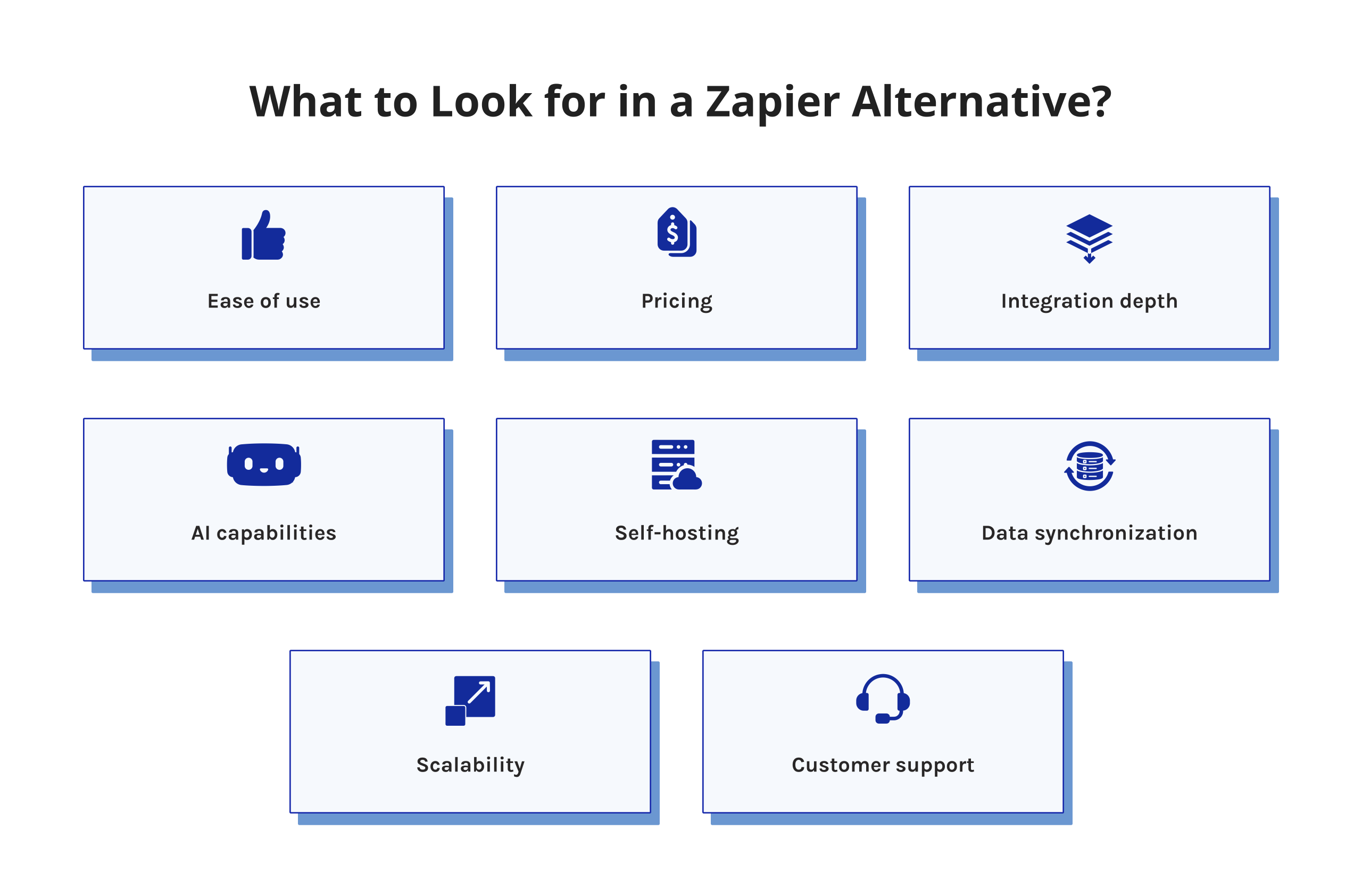
Not every automation platform suits every team. Evaluate these key criteria:
- Ease of use: Can non-technical users build workflows without IT help?
- Pricing: Does cost scale reasonably with task volume?
- Integration depth: Does the Zapier alternative connect natively to your CRM, marketing tools, and SaaS stack?
- AI capabilities: Does it support AI agents and LLM integrations?
- Self-hosting: Is there an open-source or on-premise option?
- Data sync: Does the Zapier alternative support real-time bidirectional data sync across SaaS platforms?
- Scalability: Can it handle high-volume workflows as your business grows?
- Customer support: Is there reliable documentation and an active community?
Read more: 10 n8n Alternatives: Best Workflow Automation Tools in 2025
Detailed Review and UX Analysis: Best Alternatives to Zapier
1. EpicStaff

Starting from artificial intelligence coordination, EpicStaff operates through structured workflows. Its interface allows role-based automation setup via intuitive visuals for general staff, alongside code-level components using Python for programmers.
Through this split focus, the system supports complex operations without demanding coding skills. What results is a capable option beyond Zapier, fitting those who require robust tools yet lack deep technical training.
Best For
EpicStaff is best for solo entrepreneurs, startups, and enterprises that need to automate complex business processes using AI agents without requiring technical knowledge for all team members.
Pricing
EpicStaff is fully free and open-source — no task caps, no hidden fees.
Benefits and Drawbacks
Benefits:
- Totally cost-free and completely open-source to use ($0 everywhere regardless of usage volume).
- User-friendly drag & drop visual form builder for no-code application users.
- Multiple AI agents can be used with roles, task assignments, and logic implemented for each agent.
- It enables the injection of knowledge from PDF, DOCX, TXT, and many other file formats.
- It also offers support for native integrations with the best LLM providers like OpenAI, Anthropic, Gemini, etc.
- Voice-controlled AI agent to allow for hands-free workflows and retrieval of information from data sources.
- Can be self-hosted quickly, easily, and at little cost with no need for complicated servers or setups.
- A hybrid version where business people and Python nodes can use the no-code authoring Canvas for developers.
- Ideal for anyone from a solopreneur to an enterprise-level organization.
Drawbacks:
- Community and ecosystem are smaller than established tools like Zapier or Make.
- Some advanced enterprise features are still under active development.
Integrations
EpicStaff connects natively with major LLM providers. Third-party integrations are available via custom Python tools and APIs.
User Feedback
Early adopters highlight fast setup and multi-agent power as standout strengths. Users migrating from Zapier specifically cite better AI capabilities and zero cost.
If you want to learn more about EpicStaff features and see how it works, book a call with their experts.
2. Make
Make (formerly Integromat) has a visual scenario builder with each step of the workflow being an interactive node. It is particularly useful for complex data workflows with advanced filtering, transformations, and real-time monitoring, which is great for teams that handle complex sales and marketing workflows.
Best For
Your content goes here. Edit or remove this text inline or in the module Content settings. You can also style every aspect of this content in the module Design settings and even apply custom CSS to this text in the module Advanced settings.
Pricing
- Free: 1,000 operations/month.
- Core: from $9/month.
- Pro: from $16/month.
- Teams: from $29/month.
- Enterprise: custom.
Benefits and Drawbacks
Benefits:
- Visual and intuitive scenario builder.
- Powerful data manipulation, filtering, and conditional logic.
- Affordable entry-level pricing with a free plan.
- Real-time execution of scenarios with built-in error handling.
Drawbacks:
- The interface can feel slow and cluttered at scale.
- Pricing is hard to predict as the operation volume increases.
- No self-hosting — cloud-only deployment.
- Some advanced features are locked behind the Teams or Enterprise plan.
- Occasional reliability issues with high-frequency scenarios.
Integrations
Make supports 1,500+ app integrations, including Salesforce, HubSpot, Slack, and Google Workspace.
User Feedback
G2 and Capterra reviewers highly rate its visual builder. The main complaints center on UI slowness and unpredictable costs at scale.
In this article, we shed light on the best Zapier alternatives, but on our LinkedIn, we conduct helicopter-view research and provide you with the freshest data. Subscribe to Digest.Pro, if you want to keep an eye on market changes.
3. n8n

What makes n8n stand out? It ranks among the top open-source Zapier alternatives. Hosting it yourself gives more power over where things run.
The interface builds flows with nodes connected visually. Custom scripts fit right in using plain JavaScript. Teams that care about keeping data close often lean this way. Control over every step matters when workflows get complex.
Best For
Self-hosted automation, fully customizable, built for developers. An open-source setup suits DevOps teams that want control. Flexibility meets independence here. Engineers shape it their way. Full access allows big changes. Built to adapt without limits.
Pricing
- Starter: from €20/month.
- Pro: from €50/month.
- Business: €667/month.
- Enterprise: custom pricing.
Benefits and Drawbacks
Benefits:
- Highly customizable with custom JavaScript nodes.
- Strong developer community.
- No per-task pricing on self-hosted plans.
- 400+ native integrations.
- Supports complex branching, loops, and advanced workflow logic.
Drawbacks:
- Complex server setup and ongoing maintenance overhead.
- Native AI agent capabilities are limited vs. purpose-built tools.
Integrations
n8n connects to virtually any API via HTTP nodes.
User Feedback
Developers consistently praise its flexibility. Non-technical users, however, find the setup overwhelming — it is a great tool for the right audience but a poor fit for business-led teams.
Read more: 10 Best Risk Management Tools: Features, Reviews & Comparison.
4. Pabbly Connect
Pabbly Connect allows unlimited workflows in its paid plans, which is a huge benefit over Zapier’s task-based pricing model. It is a great Zapier alternative for SMBs looking for an affordable automation solution for sales, marketing, and CRM-related tasks.
Best For
SMBs and solopreneurs who need affordable automation for CRM, marketing, email, and lead management.
Pricing
- Free: 100 tasks/month.
- Standard: $19/month.
- Unlimited: $79/month.
- Lifetime access:
- $684 for Standard,
- $2280 for Ultimate, and
- $4560 for Ultimate Plus.
Benefits and Drawbacks
Benefits:
- Unlimited workflows on all paid plans — no per-task charges.
- 1,000+ app integrations covering major SaaS categories.
- Simple, clean interface with a low learning curve.
- Strong value for basic sales marketing workflows.
- Webhook support for apps without native integrations.
- Email parser for automated data extraction from emails.
Drawbacks:
- The interface feels dated compared to Make or ActivePieces.
- Limited advanced logic for complex conditional workflows.
- No self-hosting option.
- Customer support response times are inconsistent.
Integrations
Pabbly connects with 1,000+ apps, including Salesforce, Mailchimp, WooCommerce, and Slack.
User Feedback
Users praise the unlimited task model and lifetime deal. The main criticism is the dated interface and weak multi-step conditional logic.
5. Microsoft Power Automate

Microsoft Power Automate is an online service that allows users to create automated business processes (workflows) and record them. The system allows for hundreds of integrations with other applications and services, such as Microsoft 365, Slack, Dropbox, Google Tasks, etc. Power Automate also enables the automation of file storage synchronization, notification, and data collection through Power Apps.
Best For
Organizations on M365, Dynamics, or Azure are looking for native automation without additional third-party contracts.
Pricing
- Premium: from $15/user/month.
- Process: from $150/user/month.
- Included in some Microsoft 365 business plans.
Benefits and Drawbacks
Benefits:
- Microsoft 365 works well with the entire suite.
- The platform runs both cloud flows and desktop automation.
- AI Builder handles smart document tasks.
- Security, rules, and logs meet enterprise standards.
- Many ready-made templates are available.
Drawbacks:
- Complex interface that can be overwhelming to new users.
- Functionality is limited outside of Microsoft.
- Non-Microsoft connectors are less reliable.
- Debugging failed flows is time-consuming.
- Heavy Microsoft licensing dependency adds a hidden cost.
Integrations
Power Automate integrates with the entire Microsoft ecosystem as well as 400+ other third-party applications.
User Feedback
Microsoft-centric organizations praise it, but others find it frustrating to use if they are outside of Microsoft’s ecosystem. This is according to Gartner Peer Insights reviews, where the biggest complaint is that it has a steep learning curve.
On LinkedIn, our team publishes the most important news twice a week. If you do not want to skip the game-changing updates, subscribe.
6. Workato
Workato is an enterprise-grade iPaaS and one of the most capable alternatives to Zapier for large organizations. It supports complex multi-department automation with strong governance, AI-powered recipe building, and agentic workflow capabilities.
Best For
Large enterprises are required to automate complex business processes involving multiple departments with enterprise-class compliance and security features.
Pricing
Custom pricing only—no public pricing page. A significant investment — firmly positioned as a Zapier alternative for enterprises.
Benefits and Drawbacks
Benefits:
- Enterprise-grade security, compliance, and role-based access controls.
- AI-assisted recipe builder accelerates workflow creation.
- Real-time monitoring, alerting, and error management dashboards.
- Strong cross-department collaboration with team workspaces.
- Real-time bidirectional data sync across SaaS platforms.
Drawbacks:
- Onboarding is complex and typically requires professional services.
- No transparent public pricing — requires sales engagement.
Integrations
Workato offers 1,000+ pre-built connectors.
User Feedback
Enterprise users praise its depth and AI capabilities. The most consistent criticism is cost and complexity. Enterprise users praise its depth and AI capabilities. The most consistent criticism is cost and complexity.
7. Pipedream
The next alternative to Zapier is Pipedream, an automation platform designed for developers that integrates a no-code trigger system with a complete coding environment in your browser. Developers have the ability to create automation workflows using JavaScript, Python, Go, or Bash directly from within the workflow editor, making it suitable for both API automation and custom logic type automation.
Best For
Developers and engineering teams who wish to have the most flexibility in their development process, whether it is through using custom code or existing integrations to get their APIs into production very quickly.
Pricing
- Free: 100 credits/month.
- Basic: $29/month.
- Advanced: $49/month.
- Connect: $99/month.
- Enterprise: custom.
Benefits and Drawbacks
Benefits:
- In-browser coding environment.
- Generous free plan for individual coders.
- 1,000+ pre-built app triggers and actions.
Drawbacks:
- Steep learning curve. There are better Zapier alternatives for non-technical users than Pipedream.
- The interface is coder-centric. Not business-friendly at all.
- Visualization of the workflow is hard on the eyes, unlike Make and Zapier.
- Debugging a complex workflow is time-consuming.
Integrations
Pipedream supports 1,000+ integrations and connects to any API via custom code.
User Feedback
Developers rate it as one of the best code-first automation platforms. Among other Zapier alternatives, it is the best choice for engineering-led teams and a poor fit for business-led ones.
Read more: 9 Best Autonomous AI Agents in 2026: The Ultimate Enterprise Guide.
8. Tray.ai

Tray.ai is an iPaaS (integration platform as a service) designed for enterprise technology departments. It allows you to automate extremely fast-moving and multi-step processes that involve many different data sources and many different systems to connect to them — doing so requires far more capability than normal automation tools.
Best For
For RevOps and MarketingOps teams trying to manage a high number of complex, multi-step workflows across sales, marketing, and data systems through integrations between many different data sources.
Pricing
Custom pricing for all plans (Team, Pro, and Enterprise). No public pricing available.
Benefits and Drawbacks
Benefits:
- Very good at transforming and mapping data.
- Lots of pre-made connectors to popular business applications such as Marketo, Snowflake, and Salesforce.
- Role-based access controls and good governance.
Drawbacks:
- High learning curve — significant onboarding required.
- No free plan and no transparent pricing.
- Customer support quality has been inconsistent, per user reviews.
- Most power requires low-code or technical skills.
Integrations
Tray.ai integrates with 600+ enterprise apps, including CRM, marketing automation, and data warehouses.
User Feedback
Enterprise users highlight its data handling power. The main concern is setup complexity and the need for dedicated integration resources.
9. Activepieces
Activepieces is one of the most promising open-source alternatives to Zapier, a modern and user-friendly platform with flexibility in self-hosting. It also supports AI agents, LLM, and community-built connectors.
Best For
Startups and developers looking for open-source, self-hostable automation with a low learning curve — a genuinely free alternative to Zapier with modern UX.
Pricing
- Standard: Free (then $5 per active flow per month).
- Unlimited: Custom.
- Activepieces Embed: Custom (from $30k per year).
Benefits and Drawbacks
Benefits:
- Beautifully designed interface: great for non-technical users.
- Rapidly growing integration library with new pieces added regularly.
- Native support for AI agents and LLM integrations.
- The step-based flow editor stays readable at any workflow length.
- Supports custom extensions for additional functionality.
Drawbacks:
- The integration library is smaller than Make or Zapier.
- Some enterprise-grade features are still maturing.
- Cloud pricing is less competitive at higher volumes.
Integrations
The automation tool Activepieces is capable of performing more than 200 integrations, among which are Slack, HubSpot, Notion, and Airtable.
User Feedback
Users like the straightforward design and quick carry-on of the product. Quite a number pointed it out as the best open-source Zapier alternative for those teams valuing simplicity but still wanting to stay in control.
10. IFTTT

IFTTT pioneered simple conditional automation. It remains a solid, free Zapier alternative for personal use, IoT device management, and lightweight consumer workflows — but is not a strong contender for professional business automation.
Best For
Individual users and smart home enthusiasts who need simple, affordable automation between consumer apps and IoT devices.
Pricing
- Free: limited applets.
- Pro: from $2.99/month.
- Pro+: from $8.99/month.
Benefits and Drawbacks
Benefits:
- Extremely easy to use — zero technical knowledge required.
- 700+ pre-built applets for instant automation.
- Industry-leading IoT and smart home device support.
- The most affordable paid option on this list.
- Most automations go live within minutes.
Drawbacks:
- Limited to simple single-trigger action logic only.
- No support for conditional branching or data transformation.
- Not suitable for professional business automation at any scale.
- No enterprise features, compliance, or governance options.
- Customer support is minimal for free users.
- Applet reliability can be inconsistent with occasional execution delays.
Integrations
IFTTT connects 700+ services, including Google, Amazon Alexa, and SmartThings.
User Feedback
Users love the simplicity but consistently hit its functional ceiling. For anything beyond personal automation, most move on to more capable Zapier alternatives.
If you want to receive the most current and important information, subscribe to our LinkedIn.
Zapier’s Limitations
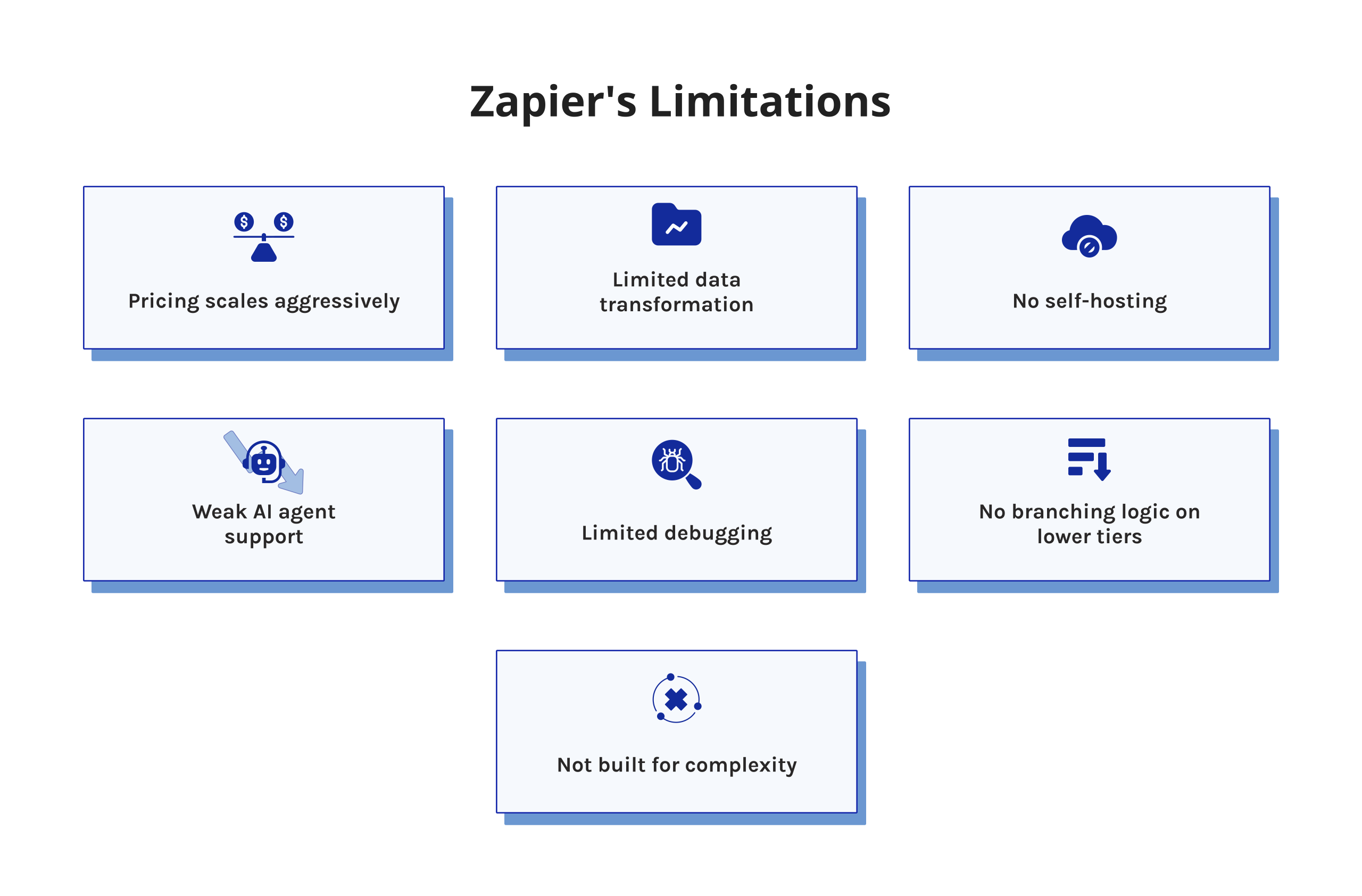
Zapier remains widely used, but these pain points drive teams to search for alternatives:
- Task-based pricing scales aggressively — every action counts toward your monthly limit.
- Limited data transformation — complex filtering or formatting requires workarounds.
- No self-hosting — all data passes through Zapier’s cloud, a blocker for data-sensitive industries.
- Weak AI agent support — AI features remain surface-level compared to purpose-built platforms.
- Limited debugging — diagnosing workflow failures is harder than it should be.
- No branching logic on lower tiers — conditional paths require an upgrade to a paid plan.
- Not built for complexity — best for simple, linear workflows, not for teams that need to automate complex business processes.
Read more: AI Agent Orchestration for Complex Workflows: Everything You Need to Know.
Summary
The automation tool market has matured. Teams no longer need to accept Zapier’s limitations. Here are the best Zapier alternatives by use case:
- Best AI-powered automation: EpicStaff.
- Best for complex data workflows: Make.
- Best open-source/self-hosted: n8n or Activepieces.
- Best budget option: Pabbly Connect.
- Best for Microsoft environments: Microsoft Power Automate.
- Best enterprise iPaaS: Workato or Tray.ai.
- Best for developer teams: Pipedream.
- Best for personal/IoT automation: IFTTT.
EpicStaff stands out among other Zapier alternatives for teams seeking zero-cost AI agent orchestration and a platform that works equally well for technical and non-technical users.
Not enough information? Follow us on LinkedIn and have a reliable source of data to make informed decisions.
Our Methodology: How We Evaluated the Zapier Alternatives
We examined each of the best alternatives to Zapier following a standardized approach founded upon specific criteria:
- Best for: What is the relevant audience for the platform, as well as its intended uses?Non-technical users? Enterprise designers and developers?
- Pricing: What sort of cost structure is there? How does it scale to meet future needs? Does the cost structure differ based on the task a user performs or the operation that occurs?
- Pros and Cons: We looked at the features of each alternative to Zapier as communicated by the customers on review websites Capterra, G2, and Reddit to check if the features people mention are the actual features available on the platforms.
- Integrations: What number of connections does each platform have to various data sources like CRMs, marketing, data warehouses, and communication systems?
- Actual User Feedback: What are users saying based on reviews across multiple sites instead of through vendor advertising?
- AI: We focused on Zapier alternatives in 2026 — actively maintained tools relevant to current use cases, including AI agents and intelligent workflow automation. AI capabilities were weighted more heavily than in prior years, reflecting the market shift toward agentic automation.
FAQ: Top Zapier Alternatives
Yes. Make offers better visual workflow, building, and lower pricing. n8n and Activepieces provide open-source flexibility. EpicStaff delivers stronger AI agent capabilities. The best choice depends on your team’s needs and budget.
Because pricing depends on how many individual actions are carried out — each counted separately — complex sequences involving large numbers cost significantly more than fixed-fee platforms like Make or Pabbly Connect. High activity volume increases total expense under this model compared to set-price options.
Microsoft Power Automate. It integrates deeply with Microsoft 365, Teams, SharePoint, and Dynamics 365. It also supports desktop RPA and AI-powered document processing via AI Builder.
Make it significantly cheaper. Its Core plan starts at $9/month and uses operations rather than tasks. Zapier’s Professional plan starts at $39/month and charges per individual task action.
Absolutely, especially for the non-technical individuals who want to do simple automation with access to a large number of apps. On the other hand, it has lost its edge when it comes to pricing, AI features, and self-hosting. A lot of teams see it as just a way to get started rather than their platform of choice indefinitely.
If you are concerned about budget, Pabbly is truly unbeatable; unlimited workflows and a lifetime deal are hard to find in this space. But for all but the most basic automation, you will feel the gaps: you get less integration, a cruder interface, and documentation that just cannot match Zapier’s. Consider Pabbly the savvy budget option, not the robust one.
IFTTT is incredibly accessible and simple to use for personal automation, such as turning on smart lights when you leave your office — that sort of thing. Zapier, on the other hand, is designed for teams that require genuine, multi-step business workflows complete with logic, filters, and real error handling. But if you’re shopping for a tool to use in a professional setting, IFTTT is not going to hold up to your real needs.
Not in every category. Make outperforms it for data workflows. n8n offers more developer flexibility. EpicStaff leads on AI agents. Zapier’s advantage remains its integration breadth and simplicity for basic use cases.
Zapier has a free plan limited to 100 tasks/month and single-step workflows. For meaningful business automation, a paid plan is necessary. EpicStaff, n8n (self-hosted), and Activepieces (self-hosted) are top Zapier alternatives and offer genuinely free options with far fewer restrictions.
EpicStaff is the most cost-effective, completely free, and open-source among Zapier alternatives. Among paid platforms, Pabbly Connect offers the best value with unlimited workflows. Make is the strongest paid cloud option for teams needing advanced features.
Make offers a more powerful visual interface, better conditional logic, and significantly lower pricing. Trade-off is steeper learning curve. For teams needing advanced automation at a reasonable cost, Make is the top recommendation among Zapier workflow automation alternatives.
Yes. EpicStaff, Make, Activepieces, and Pabbly Connect all offer no-code interfaces. EpicStaff and Activepieces are the strongest Zapier alternatives for non-technical users. Among other alternatives to Zapier, IFTTT is the simplest option, but it is limited to basic personal automation.
References
- “AI Agents Market Size, Share and Global Forecast to 2030 | MarketsandMarkets.” MarketsandMarkets, 2024, www.marketsandmarkets.com/Market-Reports/ai-agents-market-15761548.html.
- Mordor Intelligence. “Workflow Automation Market – Size, Report & Forecast.” Mordor Intelligence, 16 Sept. 2025, www.mordorintelligence.com/industry-reports/workflow-automation-market.
- McKinsey Global Institute. (2025, November). Agents, robots, and us: Skill partnerships in the age of AI. McKinsey & Company. https://www.mckinsey.com/~/media/mckinsey/mckinsey%20global%20institute/our%20research/agents%20robots%20and%20us%20skill%20partnerships%20in%20the%20age%20of%20ai/agents-robots-and-us-skill-partnerships-in-the-age-of-ai.pdf
- Gartner. (2024). Magic Quadrant for Integration Platform as a Service, Worldwide. Gartner Research.
- McKinsey & Company. (2025). The state of AI in 2025. McKinsey Global Institute.
- Forrester Research. (2024). The Forrester Wave™: Robotic Process Automation, Q1 2024. Forrester.
- G2. (2026). Workflow automation software reviews.
- Capterra. (2026). Best automation software reviews.
- Gartner Peer Insights. (2025). Reviews for Integration Platform as a Service. Gartner.
- Giese, Santino. “Automatisierungsservice Zapier.” Das Automatisierte Maklerbüro, 2021, pp. 65–71, https://doi.org/10.1007/978-3-658-33275-4_5. Accessed 15 Mar. 2026.
- Cosar, Botan. “A Comparative Analysis of Zapier and IFTTT through the Lens of Enterprise Integration.” DIVA, 2021, www.diva-portal.org/smash/record.jsf?pid=diva2%3A1584752&dswid=-1101. Accessed 18 Mar. 2026.
- Rahmati, Amir, et al. “IFTTT vs. Zapier: A Comparative Study of Trigger-Action Programming Frameworks.” ArXiv.org, 2017, arxiv.org/abs/1709.02788. Accessed 17 Mar. 2026.
- IDC. (2024). Worldwide Intelligent Process Automation Software forecast, 2024–2028. International Data Corporation.