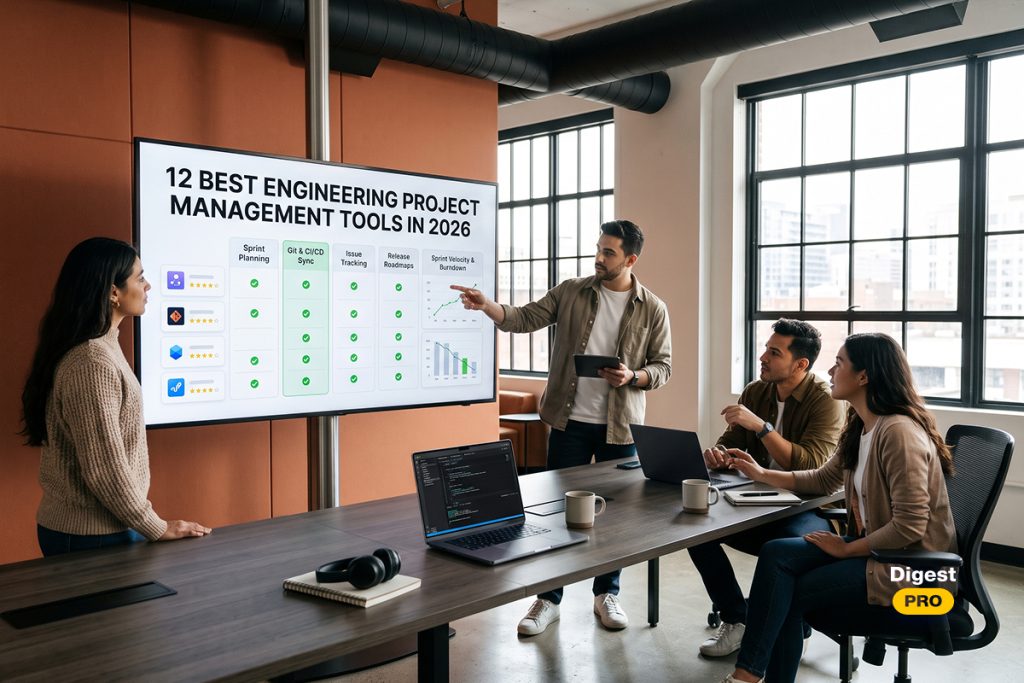
Project management tools can help with complex engineering projects. In 2026, 81% of project professionals felt complexity was increasing, and 31% of complex projects do not reach their full potential (PMI’s Pulse of the Profession). With 90% of software professionals using AI in their roles (Google’s 2025 DORA research), it is essential to have a tool that allows your project management to understand capacity and dependencies.
In this article, we’ll take a look at 12 of the best engineering project management tools available in 2026. We’ll highlight things like current pricing, git and CI/CD integration, agile capabilities, and capacity planning to make sure you find the right tool for your team size and workflow.
Quick Comparison: Top Engineering Project Management Tools
The table below shows the best engineering project management tools based on price, free plan, and integrations. This is a shortlist of the best engineering project management tools in 2026. The prices shown are list prices as of November 2026. Prices are annual unless stated otherwise. Be sure to check with each vendor how many seats you need, as most project management software is priced in tiers.
| Tool | Best for | Free plan | Paid plans from (per user/month) | Key integrations |
| Jira | Enterprise agile | Up to 10 users | $9.70 (Standard, 1-100 users, monthly billing) | GitHub, GitLab, Bitbucket |
| Linear | High-velocity product teams | Yes (2 teams, 250 issues) | $10 (Basic) | GitHub, GitLab |
| Epicflow | Multi-project resource management | 30-day trial | Growth€22.50 (20-50 users)Enterprisefrom€45 (50 users minimum) | Jira, Microsoft Project, Oracle Primavera |
| Shortcut | Speed with agile structure | Up to 10 users | $8.50 (Team) | GitHub, GitLab, Bitbucket |
| ClickUp | All-in-one workspace | Yes (Free Forever) | $12 (Core) | GitHub, GitLab, Bitbucket |
| GitHub Projects | GitHub-centric teams | Yes | $4 (Team) | Native |
| GitLab Issues & Epics | End-to-end DevSecOps | Yes (5 users per top-level group) | $29 (Premium) | Native |
| Azure DevOps Boards | Microsoft ecosystems | First 5 users free | $6 (Basic; 6 users minimum) | Native Repos and Pipelines |
| Asana | Product, engineering and GTM alignment | Yes (2 users) | $10.99 (Starter) | GitHub, Jira |
| monday dev | Visual, customizable R&D | Yes (2 seats) | $9 (Basic, 3-seat minimum) | GitHub, GitLab, Bitbucket |
| Notion | Early-stage docs and light sprints | Yes | $10 (Plus) | GitHub sync (Business, $20) |
| Wrike | Cross-departmental engineering | Yes (unlimited users) | $10 (Team) | Jira and GitHub sync (add-on) |
How We Evaluated These Engineering Project Management Tools
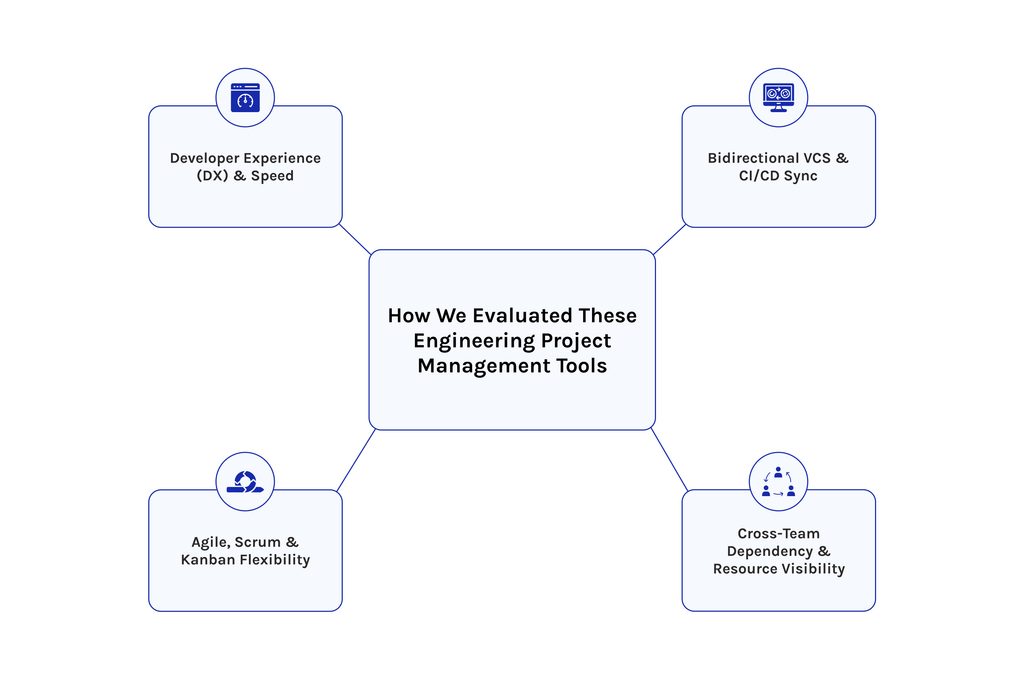
We scored the different tools based on 4 factors. Each factor represents an area of time lost by an engineering organisation. We also noted whether the tool had transparent pricing, was scalable, and had any AI functionality.
Our editorial team reviewed the vendor documentation and pricing page for each of the tools. We then compared the pricing to third-party sources that were captured in November 2026. Where there is public review information available from Capterra and G2, this has been reviewed. No vendors have paid to be included.
Developer Experience (DX) & Speed
If a project management tool is making you slower as a software engineer, you’ll stop using it. The number of steps required to create, triage, and update an issue will be checked. As well as how much metadata the tool requires.
Tools that are closer to your code editor and pull request will score higher. Tools that require lots of configuration to get into your day-to-day tasks will score lower. This increases adoption due to having less friction.
Bidirectional VCS & CI/CD Sync
A good engineering project management tool will link issues, branches, pull requests, and deployments. We look at how this is documented, with status updates occurring on merge. We will check review status and deployment visibility. Tools that have two-way sync will score highest.
This also helps with delivery metrics. DORA measures software delivery with deployment frequency, lead time for changes, change failure rate, and mean time to recover from failed deployment. If your project management tool can see commits and deployments, then the metrics can be provided automatically. Tools that have native Git sync will require minimal setup.
Agile, Scrum & Kanban Flexibility
Many software engineering teams use a combination of approaches. Some are very strict with sprints; some are continuous with Kanban and WIP limits. Software engineering project management tools must support both. We will check for the ability to manage sprints/cycles, backlog tools, and velocity reporting.
We will also check how well they handle non-software projects. Good engineering project management tools will have flexibility without requiring any custom code. Hardware, QA, and release teams rarely work at the same pace as a product squad.
Cross-Team Dependency & Resource Visibility
This separates tools that will track individual teams from portfolio tools. This is key for project management within large engineering teams. We have rated how well the tools show us the bottlenecks across projects. We will look at cross-project dependencies, resource capacity, skills-based allocation, and portfolio reporting. Earned value management is also checked to ensure the tool can compare planned value, earned value, and actual costs.
Large engineering organisations will require this layer. Without this, all projects will appear to be doing well, but the portfolio will be late.
For scoring models and other prioritization methods, see our guide to Top 8 Capacity Planning Tools (2026).
Detailed Reviews of the Best Engineering Project Management Tools
1. Jira — Best Overall for Enterprise Agile & Custom Engineering Workflows
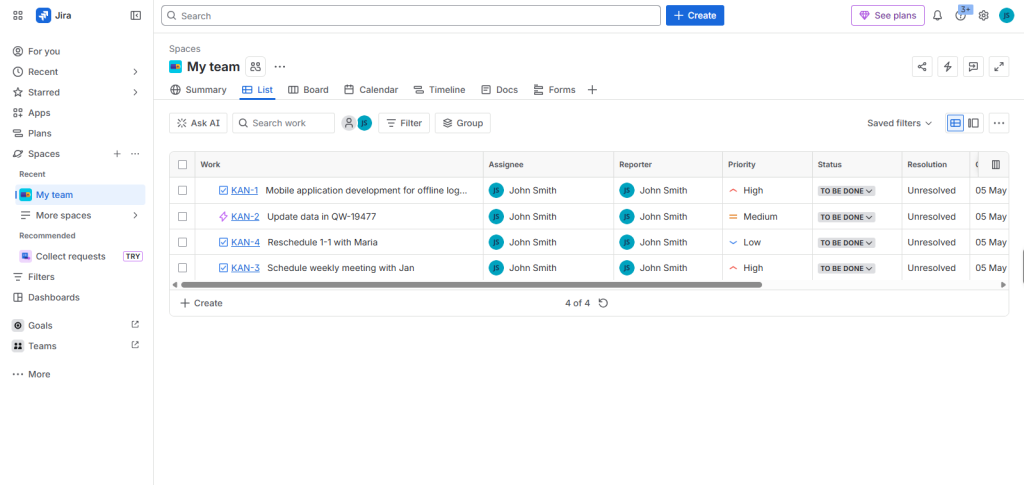
Created by Atlassian, Jira provides issue and project management capabilities. It is still the go-to tool for managing projects across large engineering environments. It provides the most tailored workflows from the available engineering project management tools. Alongside its extensive workflows, Jira has the largest set of apps available.
Key Engineering Capabilities
- Advanced roadmaps — Includes planning features such as timelines using team capacity and velocities; this is included on the Premium plan.
- Development tracking — Jira displays Bitbucket, GitHub, and GitLab commits, branches, and pull requests.
- Scrum and Kanban boards — Includes burn charts, sprint reports, and velocity charts.
- Automation and AI tools — Automation limits are available on paid plans, alongside Rovo AI credits per user.
- Extensive marketplace — Jira includes many apps such as time tracking, test management, and reporting.
Pros & Cons
Pros
- Most tailored workflows, fields, and permissions from the engineering project management tools.
- Dependency management across projects on Premium.
- Lots of Marketplace apps and widely known for hiring.
- Has an overall rating of 4.4 out of 5 based on around 15,500 reviews from Capterra.
Cons
- Some extra costs for Marketplace apps.
- Admin can become very cumbersome and requires lots of work due to custom schemes.
For a deeper comparison, read our Jira vs Planview breakdown for enterprise PPM. If cost is the concern, see 8 Top Jira Alternatives for Complete Portfolio Visibility & Control in 2026.
Pricing & Ideal Team Size
Jira is free for up to 10 users. Their pricing after the October 2026 update sees their Standard plan costing $9.70 per user. The Premium plan costs $19.60 for teams between 1 and 100 users. Their Enterprise plan is bespoke and charged yearly. Prices decrease the more users you have.
Jira is best for teams of between 50 and 5,000+ software engineers. It is great for any organisation wanting governance, audit trails, and tailored workflows. If you have smaller teams looking for speed, then this tool may be too heavy.
2. Linear — Best for High-Velocity Product Engineering Teams
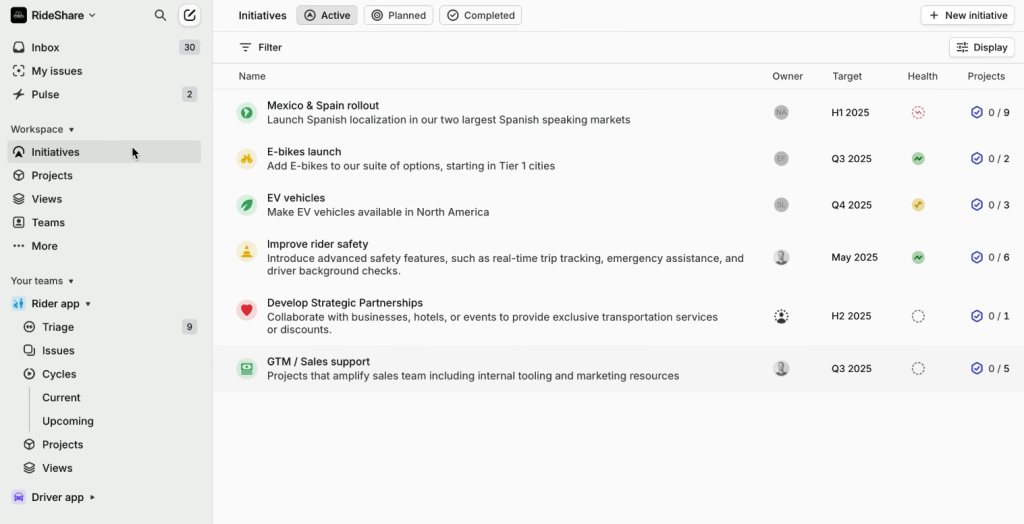
A fast, opinionated issue tracking platform designed for product teams. Focuses heavily on cycles, triage, and git integration. Reduces much of the overhead from project management, meaning this is one of the lightest project management tools for engineering teams. Karri Saarinen, Linear’s CEO, told Runtime the main focus of the tool is based on how “really the front line of all this information,” so everything related to issues, projects, and code review can be done in one place.
Key Engineering Capabilities
- Cycles — are time-boxed and always available, meaning planning can be done with no sprint ceremony.
- Git automation — Integrates with GitHub or GitLab to auto-update issue status based on the status of your pull requests. Branch-specific rules and code review status can be added to the issue.
- Triage — Inbox with SLAs. Issues will enter the queue where duplicates can be merged, owners can be assigned, or deadlines can be set.
- Agent — Agent and Skills are available on all plans. Automations and Code Intelligence are available on Business and Enterprise.
Pros & Cons
Pros
- Fastest daily workflow out of the twelve project management tools.
- Clean git automation with the use of magic words.
- No usage limits on AI features, as shown in the pricing model.
Cons
- Not many portfolio or multi-team planning features.
- Opinionated, meaning less flexibility with workflows.
- Guests and advanced features are only available on higher tiers.
Pricing & Ideal Team Size
The Free plan of this project management tool comes with unlimited members, 2 teams, and 250 issues. Basic costs $10 per user per month, and Business costs $16 per user per month (both are annual). The Enterprise plan is custom and includes SAML and SCIM.
This is best suited for product engineering teams within the 10-200 engineer range. If you want the fastest option with little flexibility, this is the best choice out of the engineering project management tools.
3. Epicflow — Best for Multi-Project Resource Management & Bottleneck Prevention
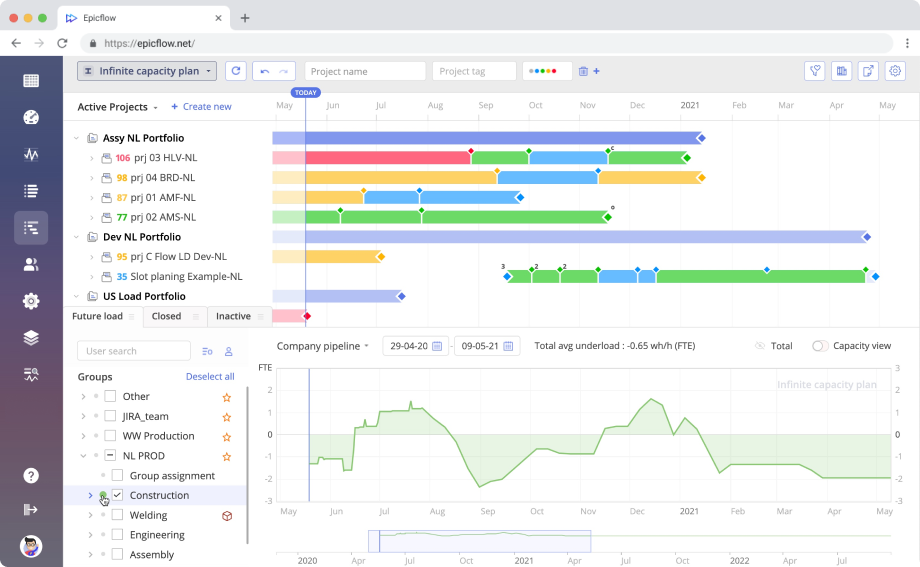
An AI-based project portfolio and resource management tool designed to help organisations manage their limited specialist resources across multiple projects. Adds a planning layer to your delivery tools. The system focuses on preventing problems with managing resources across multiple projects. This makes it ideal for engineering project management tools looking to avoid bottlenecks within shared resources.
Key Engineering Capabilities
- Bottleneck identification — Epicflow can detect bottlenecks by analysing the productivity of a given group of resources.
- Capacity planning — Teams can plan resources using skills and resource roles across the entire project portfolio.
- Deadline prediction — The platform can predict if deadlines will be met.
- Scenario planning with AI — Using AI scenarios (on the Enterprise plan), you can make decisions about your project portfolio.
- Value-based portfolio management — Users can reorder their project portfolio based on resource constraints and business value (Enterprise).
- Integration — Epicflow provides pre-built integration with Jira, Microsoft Project, and Oracle Primavera.
Pros & Cons
Pros
- Excellent resource capacity and bottleneck analytics
- Can be added to Jira, Microsoft Project, and Primavera. Won’t disrupt your teams’ tools.
- Designed for managing multiple projects within a project portfolio.
- Analysis of project performance across the project portfolio (Enterprise).
Cons
- There is an initial setup required.
- There is little public feedback on the product.
For related reading, see The 9 Best Enterprise Project Management Software in 2026.
Pricing & Ideal Team Size
Growth (package can handle 20-50 users and up to 50 projects) costs €22.50 per user per month (annually). And Enterprise(50 users minimum) costs from €45 per user per month (annually). There is a free 30-day trial available.
The software is ideal for organisations with 20+ members of staff and dozens of projects running in parallel. Typical buyers are PMOs, project managers within engineering services, and R&D leads.
4. Shortcut — Best Balance of Speed and Agile Structure

Shortcut (formerly Clubhouse) is a middle ground between Linear and Jira. It includes features like Stories, Epics, and Iterations. This makes it a great project management tool for agile teams who want more structure but don’t want too much overhead. This should definitely be shortlisted for any engineering team managing their projects.
Key Engineering Capabilities
- Stories, Epics & Iterations
- With Kanban boards and bespoke workflows
- WIP Limits & Reporting
- Integration with GitHub, GitLab & Bitbucket, with branch and pull request linking.
- Business Plan with Objectives & OKRs
- Custom Fields Advanced
Pros & Cons
Pros
- Free plan for up to 10 people, which is unusual for engineering project management.
- Built-in Git integration.
- Clear Pricing by seat, no usage charges.
Cons
- Only one workspace is available on the free and team plans.
- Custom Fields and Objectives & OKRs are only available on the Business Plan.
- Smaller community than Jira or GitHub.
Pricing & Ideal Team Size
10 users can be added on the Free plan. 1 team and 1 workflow. The Team plan costs $8.50 per user per month (paid annually). Or $10 per month. The Business plan costs $12 per year or $16 per month. The Enterprise plan is bespoke.
This works well for engineering teams of between 10 and 100 people. Once teams need to plan capacity across projects, this project management tool won’t be big enough.
5. ClickUp — Best All-in-One Workspace for Cross-Functional Tech Teams
ClickUp combines every single important tool into one effective workspace. Providing for engineering, product, and design teams simultaneously in a single plan, ClickUp is truly multi-purpose project management software that sacrifices depth for coverage. In fact, very few engineering project management platforms have this many categories of work.
Key Engineering Capabilities
- Sprints — Automatically create new sprints and carry over incomplete work.
- GitHub & GitLab Integrations — GitHub integrations are available across all plans. GitHub Automations are only available on Business plans.
- 15+ Views — Backlog, Specs, Velocity charts, etc., using Docs & Dashboards.
- Workloads — Available on Business plan.
Pros & Cons
Pros
- Free plan for an unlimited number of users.
- Just a small entry-level price common in most engineers’ project management applications.
- Integrated workspace for both engineering teams and non-engineering teams.
Cons
- Requires more organisation within this project management tool. Can cause multiple spaces.
- AI is an additional cost.
- Not as developer-friendly as Linear or GitHub Projects.
For a three-way comparison, see ClickUp vs Monday vs Wrike.
Pricing & Ideal Team Size
Free Forever costs nothing. Unlimited costs $9 per user per month billed yearly, or $12 per user per month billed monthly. Business costs $17 yearly or $25 monthly. Enterprise is custom.
ClickUp fits cross-functional teams of 10 to 300 people. It works best when engineering shares a workspace with product and operations. As project management software, it rewards teams that set clear conventions.
6. GitHub Projects — Best Native Option for GitHub-Centric Open Source & Dev Teams
GitHub Projects is a native project management tool that sits within GitHub issues & PRs. If your software engineers are working in GitHub, you can give them a powerful project management tool without any extra platform costs.
Key Engineering Capabilities
- Table, board & roadmap views
- Custom fields for Number, date, single-select, text & iterations. Great for sprint planning.
- Automations with workflows & Actions. Statuses can be set based on an issue closing or meeting a filter.
- Sub-issues, issue types, and dependencies. Teams can define what blocks what.
- Insight charts and project updates for stakeholders.
Pros & Cons
Pros
- Zero context switching. Not like most engineering project management tools.
- Issues and Projects are free in the free plan.
- Projects can span across repositories.
- Flexible API & Action automations.
Cons
- No native capacity planning (can only slice by assignee).
- Not suitable for non-engineers, as they need to have a GitHub seat.
Pricing & Ideal Team Size
GitHub Free is free, Team is $4 per user per month, and Enterprise is $21. Copilot Business is an extra $19 per user per month. Project management is available to all plans.
GitHub Projects is great for open-source communities. Best for engineering teams between 5 and 150 people. Larger organisations will use it along with a portfolio layer. One of the cheapest to implement among engineering project management tools.
7. GitLab Issues & Epics — Best End-to-End DevSecOps Lifecycle Management
GitLab is an all-in-one project management suite that includes planning, source control, CI/CD, and security. Issues, epics, and roadmaps help link planning to pipelines, reducing handovers for platform-focused engineering teams.
Key Engineering Capabilities
- Epics and roadmaps — Premium groups work into epics and timelines across projects.
- Value Stream Analytics — Can view metrics from your engineering lifecycle on Free, Premium & Ultimate. Data is aggregated from Premium.
- DORA Metrics — Only available on Ultimate, but Value Streams Dashboard was moved to Premium in v18.2.
- CI/CD Minutes — Free includes 400, Premium 10,000 & Ultimate has 50,000.
- Enterprise Agile Planning — Chargeable add-on (at $15/user/month) for Ultimate users.
Pros & Cons
Pros
- All-in-one solution for planning, coding, pipelines, and security
- Includes native DORA reporting – not commonly seen in engineering project management tools.
- Self-hosted and SaaS versions.
Cons
- Premium is $29/user; there is no cheaper license.
- Large jump to Ultimate.
- Not as in-depth when it comes to planning compared to Jira.
Pricing & Ideal Team Size
You can have up to 5 users for free. Premium is $29/user/month (billed annually). Ultimate is by quote. Includes Duo AI credits.
This project management software would be suitable for engineering teams of between 30 and 1,000 people. As it has security scanning baked in, it is popular within regulated industries. It offers tight integration with pipelines for planning within engineering project management tools.
8. Azure DevOps (Boards) — Best for Microsoft & .NET Enterprise Ecosystems
Azure DevOps is an all-in-one project management suite. Boards is the project management tool that can be used for managing backlogs, sprint planning, and planning across teams. If you have a Microsoft-focused environment, then you will find tight integration with identity, cloud, and tools.
Key Engineering Capabilities
- Delivery Plans — Track deliverables and dependencies across teams using calendar-based planning.
- Sprint planning with days off per team member.
- Analytics — Create Power BI reports within your teams using data from Boards.
- Integration with Repos & Pipelines.
- Microsoft Teams and Slack integrations.
Pros & Cons
Pros
- Free for the first 5 users.
- Cheapest licensed option (after GitHub Team).
- Strong enterprise templates and customisation.
Cons
- Test Plans charge $52/tester/month.
- UI feels outdated compared to GitHub and Linear.
- Not great for non-Microsoft teams.
- Parallel jobs charge $40/job for Microsoft-hosted agents.
Pricing & Ideal Team Size
Free for the first 5 users. Additional Basic users are $6/user/month. Basic with Test Plans is $52/user. Available for Visual Studio subscribers.
This project management software would be a good choice if you have between 5 and 500+ engineers in a Microsoft environment. It is one of the few engineering project management tools that have free seats and depth for enterprise. See 5 Best Microsoft Project Alternatives in 2026 for alternatives.
9. Asana — Best for Bridging Product, Engineering & Go-to-Market Teams

Asana is an application for managing tasks and projects that has engineering integrations and templates. Asana specializes in visibility between different departments. It serves as a coordination mechanism above engineering systems. It provides a common perspective on engineering work and business projects for project managers.
Key Engineering Capabilities
- Portfolios & Workload — Asana offers Portfolios for planning sprints and Workload for managing capacity. Both features are available within the Advanced subscription.
- Integration with GitHub and Jira for visibility of the development process. The integration with GitHub is not available for GitHub Enterprise Server.
- Form templates and rules for transferring orders from departments to engineering.
- AI Studio credits included in all paid versions.
Pros & Cons
Pros
- Great visibility for stakeholders
- Easy introduction of the platform for non-engineering team members
- Free version for very small groups
Cons
- Not an engineering reporting system
- Included features: Portfolio & capacity are available under a paid subscription of $24.99
- Not extensive Git workflows compared to activities in Jira, Linear, or GitHub
See how Asana stacks up in Jira vs Trello vs Asana and monday.com vs Asana vs Trello.
Pricing & Ideal Team Size
The free plan is Free whereas the pricing for the Starter plan starts at $10.99 per user per month for yearly billing or $13.49 monthly. The Advanced package costs $24.99 for the annual plan and $30.49 per month. Enterprise’s pricing is negotiable.
Asana is ideal for teams between 20 and 1,000 employees with a reporting structure where Engineering reports to Product and Sales. Among the project management solutions for engineering, this is the easiest to use for non-engineers.
10. monday dev — Best Visual & Customizable Agile Platform for Scaling R&D
monday dev is the version of monday.com created for engineering and product teams. It helps perform sprints, make roadmaps, and keep bug lists via an extremely visual board. Additionally, it is integrated with other solutions of monday.com in the company. Like any project management application for R&D, it is interesting to product managers and project managers who want to manage work visually.
Key Engineering Capabilities
- Sprints, roadmaps, and bug lists on ready-made boards
- Retrospectives and release checklists
- Integration with Git — GitHub, GitLab, and Bitbucket connect commits and pull requests to the tasks in monday.com.
- Engineering Performance Dashboard — the sprint widget tracks tickets together with the GitHub status.
- AI sprint summary and bug classification
Pros & Cons
Pros
- Very visual and easy to change
- Strong reach between departments through monday.com
- Built-in burndown charts and velocity charts
Cons
- There’s no free subscription; a trial lasts only 14 days.
- Paid packages require a minimum of 3 users.
- Certain features (in particular, the ability to set the conditions for label changes) only apply to Enterprise clients.
- You can check out alternative applications in the review of the 11 best tools for task and project management.
Compare more options in 11 Best monday.com alternatives for task and project management.
Pricing & Ideal Team Size
The cost is $9 for the Basic package, $12 for Standard, and $20 for Pro when billed annually. Monthly subscriptions are more expensive.
monday dev works well for small and large companies engaged in R&D. It performs best in cases when engineering departments are sharing their dashboards with product management, sales, and support departments.
11. Notion — Best for Early-Stage Startups Combining Docs, Wikis & Light Sprints
Notion is an all-in-one tool that has documents, wikis, and databases. Startups use Notion for their specifications, roadmaps, and light sprint tracking. It’s a more flexible tool for managing your projects, making it the best option if you need to manage your engineering projects with lots of documentation.
Key Engineering Capabilities
- Databases & wikis with links, great for specifications, decisions & runbooks
- GitHub syncing — You can sync your pull requests and issues into a database. The synced fields are read-only, and syncing requires you to be on the Business plan.
- Filter views by repo, status, author & label.
- Notion AI is available on Business & Enterprise plans.
Pros & Cons
Pros
- All-in-one tool for docs & planning —Hard to find in engineering project management tools.
- Free version and affordable Plus pricing.
- Flexible databases for light processes.
Cons
- GitHub syncing is only available on the Business plan and is read-only.
- No CI/CD syncing.
- Not much tooling for portfolio & workload planning.
Pricing & Ideal Team Size
The free plan is great for those on a tight budget. The Plus plan is $10 per member per month (billed annually) or $12 per month. The Business plan is $20 per year or $24 per month. The Enterprise plan is custom.
This is best for small startups with between 3 and 30 engineers. Usually, once you reach the growth stage, you will want to invest in specific project management tools like Linear or Jira.
12. Wrike — Best for Complex Hardware-Software & Cross-Departmental Engineering
Wrike is enterprise project management software offering powerful resource management and reporting capabilities. The software provides project managers with insights into workloads and reporting across projects. The software helps bring engineering together with design, operations, and compliance teams. The software is available in the product lifecycle management category on Capterra.
Key Engineering Capabilities
- Gantt charts, workload, and custom reports.
- Resource and capacity management (Business and above).
- Integrates with Jira and GitHub – Wrike offers two-way integration with Jira and GitHub via an add-on (TechRepublic review).
- Over 400 integrations, AI agents, and Wrike Copilot.
- Design and approvals.
Pros & Cons
Pros
- Powerful resource and reporting across projects.
- The free plan can have unlimited users.
- Great for managing your portfolio in hardware and software programs.
Cons
- Business plan costs $25 per user. Users are purchased in blocks.
- Advanced features are available on higher levels (Capterra reviews).
For a head-to-head view, read Wrike vs Jira: Which Should You Choose For Project Management?
Pricing & Ideal Team Size
The project management software can support unlimited users on the free plan. The team plan costs $10 per user per month and can be used by 2 to 15 users. The business plan costs $25 and can be used by 5 to 200 users. Wrike no longer offers its Enterprise plan to new customers and now offers its Pinnacle and Apex plans on a quote basis.
Wrike is great for engineering teams of between 20 and 500 (or more). It can be used to manage hardware, software, and operations projects. It is one of the most resource-aware engineering project management tools available.
Engineering PM Tools by Team Size & Workflow Architecture
The team size will dictate what tools you select in your project management framework. Whether you have 10 engineers in a small startup or a 500-engineer R&D department, you’ll have different issues to overcome. Below, you can see how to select the right tools at each stage. Select one of the Engineering Project Management tools discussed above.
| Team size | Main constraint | Best-fit tools |
| 5–20 engineers | Speed and low overhead | Linear, GitHub Projects, Shortcut, Notion |
| 20–100 engineers | Cross-squad dependencies | Jira, Linear Business, ClickUp, monday dev |
| 100+ engineers | Capacity and portfolio visibility | Jira Premium, Azure DevOps, GitLab, Epicflow, Wrike |
Early-Stage Startups (5–20 Engineers): Speed Over Process
You want to avoid any friction. If your team uses GitHub, then GitHub Projects makes sense. Otherwise, Linear is great if you want to work in cycles and triage. It has some slick Git automation.
Costs will be low. With 10 engineers working on Linear Basic, you’ll pay $100 per month. With 10 engineers on Shortcut Team, it’ll be $85. If you’re using GitHub Team, it’ll cost $40 for 10 engineers. At this stage, you don’t want to use portfolio tools, as they will add extra processes to your project management.
Growth-Stage Scale-Ups (20–100 Engineers): Balancing Autonomy with Cross-Squad Dependencies
At 20 to 100 engineers, squads start to block each other. You need dependency tracking and shared roadmaps. At this size, you also need project management software that shows blockers across squads. Jira Premium handles cross-project dependencies, while Linear Business suits autonomous product squads.
Budget matters here. Fifty engineers on Jira Standard cost about $485 per month at the $9.70 rate. When several squads share the same specialists, add a resource layer. Resource-aware engineering project management tools show who is overloaded before delivery slips. Epicflow, for example, sits above Jira and shows where shared experts become bottlenecks. For more options, see Top 12 PMO Tools Your Company Needs to Scale in 2026.
Multi-Project & Enterprise R&D (100+ Engineers): Capacity Planning & Portfolio Visibility
Enterprise R&D runs dozens of projects on a shared pool of experts. At this scale, project management is a capacity problem. The core risk is resource capacity, not task tracking. Large engineering organizations need portfolio management, skill-based allocation, and project performance reporting.
Earned value management adds a financial lens. It compares planned value, earned value, and actual cost, so executives see schedule and cost variance in one view. Pair a delivery tracker such as Jira Premium, Azure DevOps, or GitLab with a portfolio layer such as Epicflow or Wrike.
Key Trends Shaping Engineering Project Management in 2026
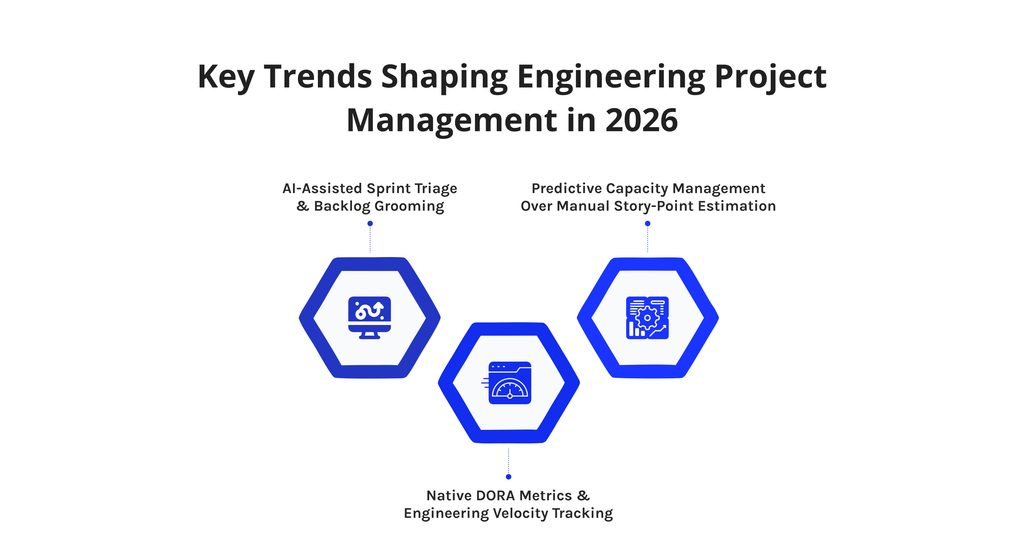
Three shifts are changing how engineering organizations plan and measure software engineering work. Each one affects which engineering project management tools you should buy. Gartner’s 2025 software engineering trends frame the context.
AI-Assisted Sprint Triage & Backlog Grooming
AI now handles intake. Gartner predicts that by 2028, 90% of enterprise software engineers will use AI code assistants, up from less than 14% in early 2024. Gartner VP Analyst Joachim Herschmann said, “AI-enabled tools and technologies are fundamentally changing how software is built and delivered.”
Engineering project management tools follow the same path. Linear Agent can run workflows when issues enter triage. Jira, ClickUp, monday dev, and Wrike all bundle AI features.
Native DORA Metrics & Engineering Velocity Tracking
Software engineering leaders now ask for delivery metrics, not story-point totals. DORA’s research tracks deployment frequency, lead time for changes, change failure rate, and failed deployment recovery time. Recent DORA work also adds rework rate as a fifth signal.
Engineering project management tools differ on access. GitLab ties DORA metrics to Ultimate and moved its Value Streams Dashboard to Premium. monday dev ships an Engineering Performance Dashboard. DORA’s 2025 report finds that AI amplifies existing team strengths and weaknesses. Good measurement shows which one you have.
Predictive Capacity Management Over Manual Story-Point Estimation
Story points describe effort inside a team. Project management needs portfolio-level evidence too. They do not show whether the portfolio can absorb new work. Predictive project management software forecasts delivery from real throughput and real resource capacity.
Jira’s Advanced Roadmaps uses capacity and velocity. Epicflow predicts due date feasibility from workload. Earned value management complements both by tracking cost and schedule performance.
Summary
The best engineering project management tools match your team size and your bottleneck. Jira leads for enterprise agile and custom workflows. Linear leads for speed. Epicflow leads for resource capacity and bottleneck prevention across multi-project portfolios.
GitHub Projects, GitLab, and Azure DevOps keep planning inside the code platform. Asana, monday dev, ClickUp, and Wrike bridge engineering with other departments. Shortcut and Notion suit smaller teams that value simplicity. Each of these engineering project management tools solves a different problem.
Good project management starts with one question: where does work get stuck today? If the answer is inside a team, choose a fast project management tool. If the answer is between projects, choose a portfolio layer. Then run a two-week pilot of two or three engineering project management tools on your real backlog.
Frequently Asked Questions (FAQ)
What is the difference between general project management software and engineering PM tools?
While general project management tools focus on managing tasks and deadlines, engineering project management tools link tasks to branches, pull requests, and CI/CD status. They also provide information on velocity and delivery metrics (DORA). General project management tools like Asana focus on managing tasks across teams.
Is Linear better than Jira for software development teams?
Linear is quicker and simpler, whereas Jira is more customizable and large-scale. Linear can be used by product teams with 10-200 engineers. Jira can be used by more complex organizations requiring custom processes, traceability, and planning across projects. Both are great choices for engineering project management, so consider which fits best for your governance requirements.
How do you manage engineering capacity across multiple concurrent projects?
Look at capacity at an overall portfolio level, grouped by skills/roles. From here, identify bottlenecks by comparing group outputs to capacity. Prioritise projects based on value. Engineering project management tools such as Epicflow, Jira Advanced Roadmaps, and Wrike allow these views.
Which engineering project management tool has the best free plan?
GitHub Projects and Linear are the most valuable free options. With GitHub’s free plan, you get Issues and Projects. No other engineering project management tools listed give this combination at such a low price. With Linear’s free option, you can have unlimited members, 2 teams, and 250 issues. Jira and Shortcut allow up to 10 users, and Azure DevOps allows 5 free users.
Can engineering project management tools integrate with PLM, CAD, and ERP systems?
Most can, depending on whether they integrate directly via API/webhook or through integrations. The depth of integration will vary depending on the provider. Financial management features, such as Earned Value Management, are typically provided by ERP tools or Portfolio tools. For example, Epicflow states integration with Microsoft Project and Oracle Primavera. If looking at integration middleware, see 10 Best Zapier Alternatives.
How much does engineering project management software typically cost?
Most engineering project management tools range in price from $4 to $29 per user, per month. Enterprise versions are available. GitHub Team costs $4. Linear Basic costs $10. Jira Premium costs $19.60. GitLab Premium costs $29. Custom pricing is available with Epicflow and Wrike Pinnacle. Seat-based pricing is common within these tools. Be sure to budget for multiple seat prices.
What are 5 project management tools?
Jira, Asana, ClickUp, monday.com, and Wrike project management tools are popular choices. Jira is the best engineering tool. Asana and monday.com are good for multi-disciplinary teams. ClickUp and Wrike provide broader work management capabilities. All 5 tools are included within this guide.
What is the big 4 in engineering?
Within engineering, the 4 main disciplines are civil, mechanical, electrical, and chemical. Depending on the discipline, specific project management tools for engineering may be required. Within mechanical and electrical engineering, PLM and CAD integration is often required. Software engineering requires integration with Git and CI/CD.
What are the top 3 project management tools?
Jira, Linear, and Epicflow are the top 3 tools within this guide. Jira is best for enterprise Agile, Linear for speed, and Epicflow for multiple project resource management. Based on team size and bottlenecks, one of these tools may suit you better. However, it is always best to trial the tools using a realistic backlog.
What are 10 effective project management tools?
Jira, Linear, Epicflow, Shortcut, ClickUp, GitHub Projects, GitLab, Azure DevOps, Asana, monday dev, Notion, and Wrike are all effective project management tools. Each is suited to different team sizes and workflows. To narrow down to 2 or 3 tools, refer to the comparison table above.
References
Atlassian. (n.d.). Jira pricing. https://www.atlassian.com/software/jira/pricing
Atlassian. (n.d.). Plan your work in Advanced Roadmaps. https://confluence.atlassian.com/jirasoftware/plan-your-work-in-advanced-roadmaps-1688898832.html
Capterra. (n.d.). Epicflow software reviews and pricing. https://www.capterra.com/p/173829/Epicflow/
ClickUp. (n.d.). ClickUp for software development. https://help.clickup.com/hc/en-us/articles/9683169274391-ClickUp-for-software-development
DORA. (n.d.). DORA’s software delivery performance metrics. https://dora.dev/guides/dora-metrics/
Gartner. (2025, July 1). Gartner identifies the top strategic trends in software engineering for 2025 and beyond. https://www.gartner.com/en/newsroom/press-releases/2025-07-01-gartner-identifies-the-top-strategic-trends-in-software-engineering-for-2025-and-beyond
GitHub. (n.d.). Best practices for Projects. https://docs.github.com/en/issues/planning-and-tracking-with-projects/learning-about-projects/best-practices-for-projects
GitHub. (n.d.). Pricing. https://github.com/pricing
GitLab. (n.d.). DevOps Research and Assessment (DORA) metrics. https://docs.gitlab.com/user/analytics/dora_metrics
GitLab. (n.d.). Pricing. https://about.gitlab.com/pricing/
Google Cloud. (2025, September 23). Announcing the 2025 DORA report: State of AI-assisted software development. https://cloud.google.com/blog/products/ai-machine-learning/announcing-the-2025-dora-report
Google. (2025, September 23). How are developers using AI? Inside our 2025 DORA report. https://blog.google/innovation-and-ai/technology/developers-tools/dora-report-2025/
Linear. (2026, March 24). Introducing Linear Agent. https://linear.app/changelog/2026-03-24-introducing-linear-agent
Microsoft. (n.d.). What is Azure Boards? https://learn.microsoft.com/vsts/work/overview
Microsoft. (n.d.). Azure DevOps pricing. https://azure.microsoft.com/en-us/pricing/details/devops/
monday.com. (n.d.). Get started with monday dev. https://support.monday.com/hc/en-us/articles/4413846808466-Get-started-with-monday-dev
Notion. (n.d.). Connect GitHub to Notion. https://www.notion.com/help/github
Project Management Institute. (2026). Pulse of the Profession 2026: Driving success in complex projects. https://www.pmi.org/learning/thought-leadership/driving-success-in-complex-projects
Project Management Institute. (2026, May). Why complex projects fail: Best practices are not enough, systems thinking gives your team the edge. https://www.pmi.org/about/press-media/2026/pulse-why-complex-projects-fail-best-practices-are-not-enough-system-thinking
Runtime. (n.d.). Linear CEO Karri Saarinen: “Our customer base is quite powerful.” https://www.runtime.news/linear-ceo-karri-saarinen-our-customer-base-is-quite-powerful/
Shortcut. (n.d.). Pricing. https://shortcut.com/pricing
TechRepublic. (2024, March 7). Wrike review: Features, pricing, pros and cons. https://www.techrepublic.com/article/wrike-review/