
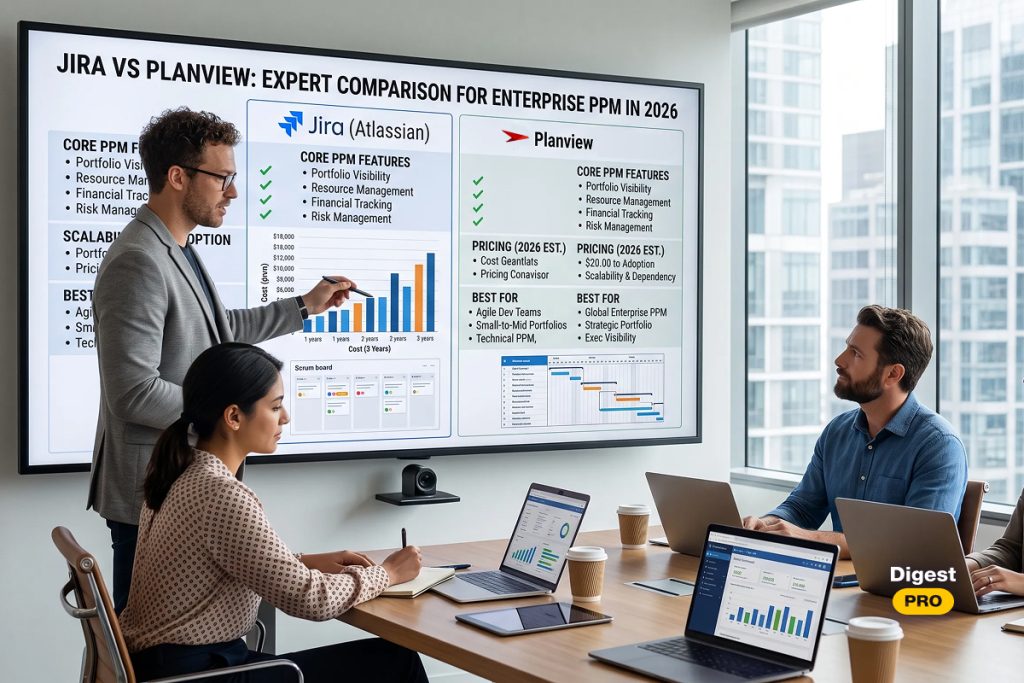
One of the most frequently asked questions that PMO leaders consider while planning a 2026 upgrade is Planview vs Jira. The choice they make will depend on the kind of work being carried out. While Planview has the upper hand in enterprise strategic portfolio management, Jira tops the charts in software development. According to PMI’s 2026 Pulse of the Profession report, 81% of project professionals say projects have grown more complex, and teams that manage that complexity well are nearly five times more likely to succeed, hitting an 88% success rate versus just 14% for teams that manage it poorly (PMI, 2026).
“Projects that navigate complexity effectively are five times more likely to succeed — delivering an 88% success rate compared with just 14% for teams that are only slightly effective or ineffective at managing complexity.” — Pulse of the Profession by PMI, 12 May 2026.
This guide breaks down Jira vs Planview on features, pricing, and fit, so your PMO can decide faster and with less second-guessing. After finishing this article, you will know exactly which platform matches your portfolio’s scale, your team’s workflow, and your budget — and where the two tools work best side by side.
TL;DR: Planview vs Jira
- Who this is for: PMO leaders, project portfolio managers, and C-level executives comparing Jira vs Planview for a 2026 PPM solution rollout.
- How we tested: Our editorial team ran live demos of both platforms against a shared PMO workflow — intake, prioritization, resourcing, financial management, and executive reporting — then cross-checked every price and rating against vendor pages, real user reviews, G2, and Capterra.
- Quick pick by scenario: Running one engineering team? Choose Jira. Governing an enterprise-wide project portfolio across business units? Choose Planview. Need both layers? Most large enterprises run them together, connected through Planview Hub.
Comparing platforms takes time, and PMO budgets rarely allow for a wrong guess. Follow Digest.Pro on LinkedIn for more expert, data-backed comparisons like this one before you sign a contract.
Quick Overview of Planview

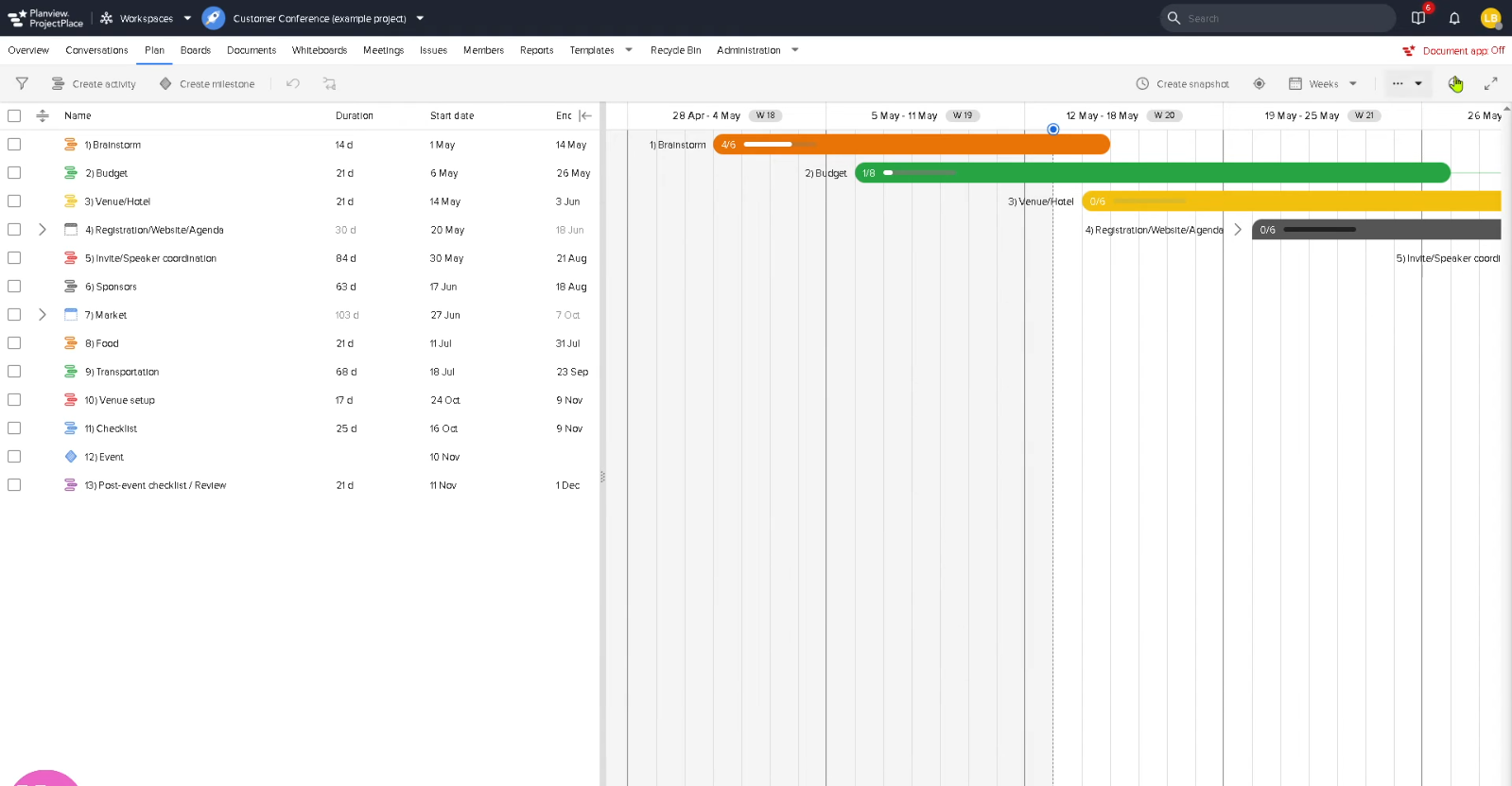
Planview is enterprise platform for turning strategic planning into funded, resourced delivery across programs and investments. It targets EPMO and PMO leaders running complex, multi-business-unit portfolios rather than single project teams.
Best for: Large enterprises and EPMOs that need to govern capacity, budgets, and investment prioritization across multiple business units at once.
Key features:
- Demand and investment intake, scored against strategic objectives
- Scenario planning and what-if modeling for staffing, timing, and funding
- Native waterfall planning alongside governance of connected agile work, including Jira
- Financial management covering budgeting, forecasting, cost actuals, and agile costing
- Built-in AI (Planview Anvi) for natural-language queries and portfolio insights
Pitfalls:
- No public price list; every deal requires a sales conversation, which slows procurement
- A steeper setup and configuration curve than lighter work-management tools, based on G2 reviewer feedback
- Overkill for single-team software delivery, where Jira alone usually covers the job
Pricing: quote-based pricing.
Quick Overview of Jira

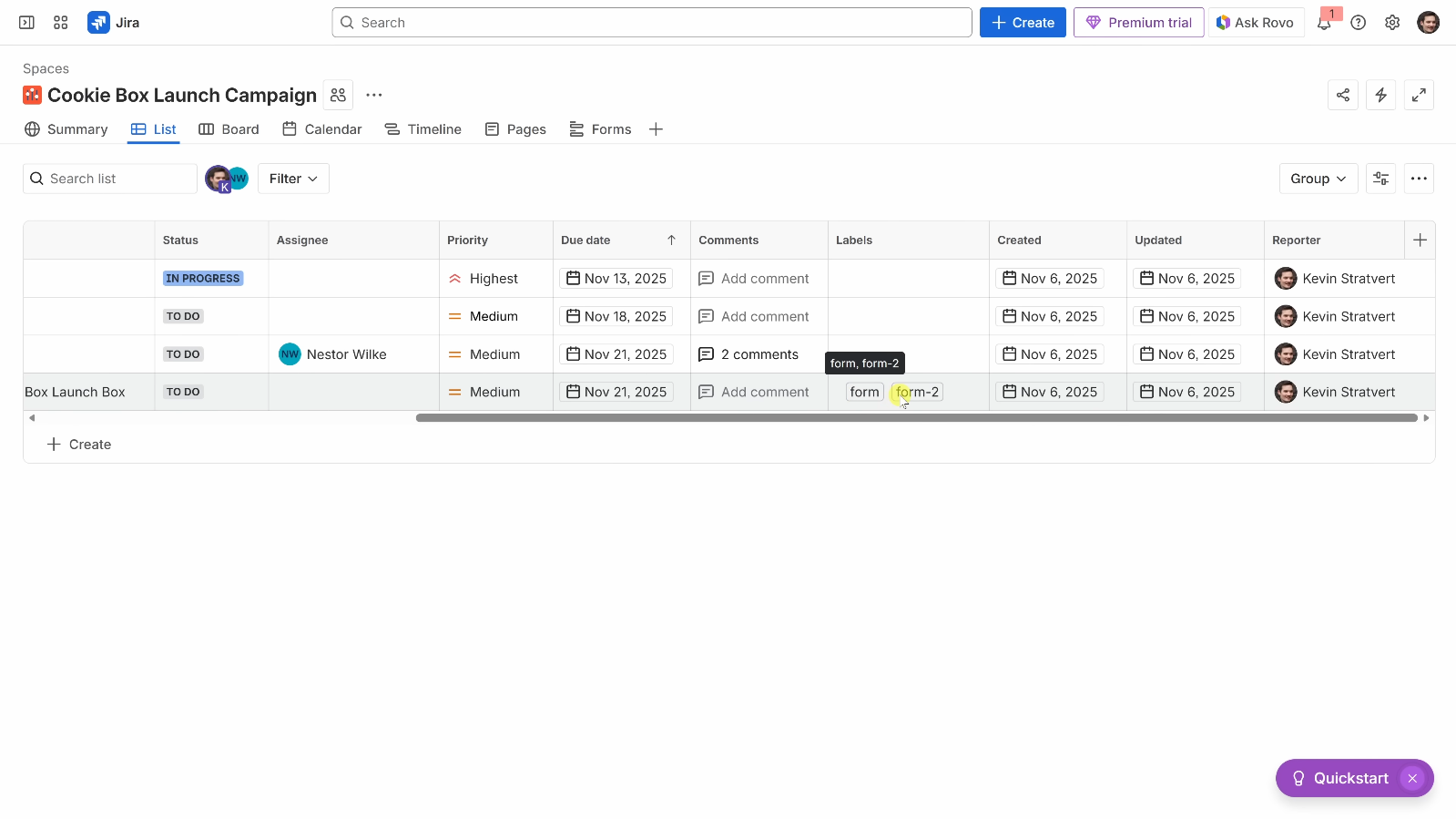
Jira Software is a project management tool developed by Atlassian to track issues in software development, with its operation based on sprinting, backlogs, and Scrum or Kanban boards. It is the usual go-to solution for teams requiring a strong integration with their development environment.
Best for: software engineers, DevOps and teams planning their activities in sprints.
Key features:
- Scrum and Kanban boards for backlog management and sprinting
- Story points, burndown charts and speed reports
- Advanced searching via Jira Query Language
- Integration with GitHub, Bitbucket and GitLab
- Automation rules, with run limits that vary by plan
- A marketplace with over a thousand add-ons for reporting and PMO extensions
Pitfalls:
- A steep learning curve; non-technical stakeholders often find the interface hard to navigate
- Thin native financial management and capacity planning; most PMOs bolt on Advanced Roadmaps or a separate PPM solution
- Real total cost of ownership often runs two to three times the list price once add-ons and admin overhead are included (Tech.co, 2026)
- Per-user tier pricing, so a team can pay for unused seats once headcount crosses a tier boundary
Pricing: Jira Software has a free plan for up to 10 users, a Standard plan starting at $7.91 per user, a Premium plan starting at $14.54 per user, and a custom-quoted Enterprise program (Atlassian, n.d.; Tech.co, 2016). Additionally, teams that are displeased with the pricing, such as when add-ons are factored in, will begin looking for Jira alternatives prior to renewing.
Planview vs Jira: Comparison Table
The table below breaks down this Jira vs Planview comparison across the criteria that matter most to a PMO.
|
Criteria |
Planview |
Jira |
|
Primary use case |
Strategic portfolio management |
Agile software delivery |
|
Best for |
EPMO leaders, multi-business-unit enterprises |
Software development teams |
|
Starting price |
Custom quote (no public tier) |
Free for 10 users; $7.91/user/mo Standard |
|
Budget & finance controls |
Native: budgeting, forecasting, agile costing |
Limited; needs add-ons |
|
Capacity planning |
Portfolio-level, built in |
Team-level, via Advanced Roadmaps |
|
G2 rating |
3.6 / 5 (41 reviews) |
4.3 / 5 (7,500+ reviews) |
|
Gartner recognition |
2026 Magic Quadrant Leader, SPM |
Not rated in the SPM Magic Quadrant |
|
Connects to Jira |
Bidirectional sync via Planview Hub |
Native |
Which PPM Solution Is Perfect for Your Business?
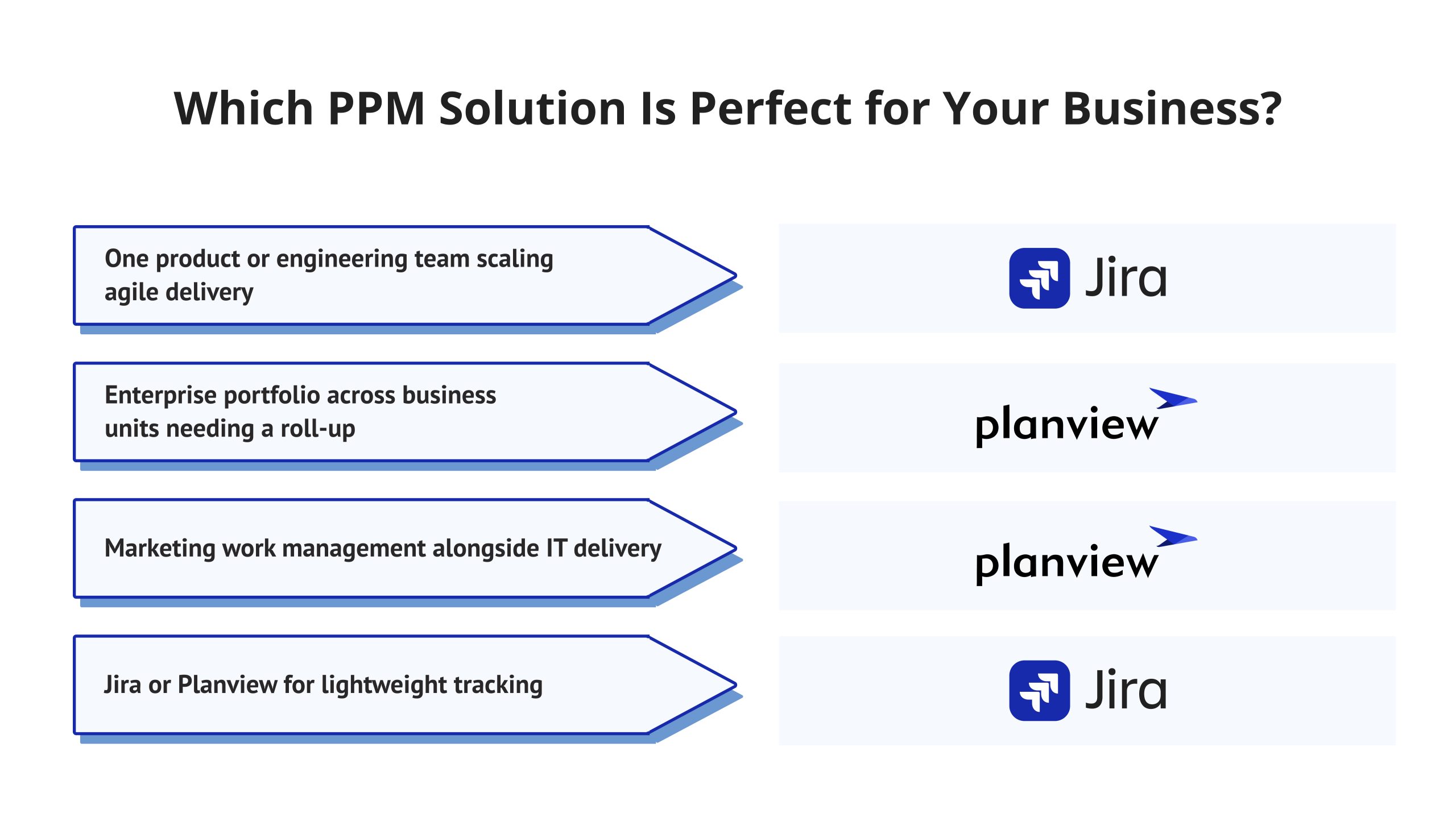
The right pick depends on which layer of work you are managing, not on which tool has more features overall. Use the scenarios below to narrow it down.
- One product or engineering team scaling agile delivery: Jira wins. It is purpose-built for sprints, backlogs, and the developer toolchain.
- Enterprise portfolio across business units needing a roll-up: Planview wins. Its capacity planning and investment governance modules exist specifically for this problem.
- Marketing work management alongside IT delivery: Neither option fits perfectly alone, given that both Jira and Planview are focused on technology and portfolio delivery, not campaign execution. Planview’s portfolio functionality is typically paired with a separate marketing execution platform for marketing teams.
- Jira or Smartsheet for lightweight tracking: Is usually easier for non-technical departments to adopt compared to Jira, it is not able to provide financial governance at the level at which Planview does.
Why Can You Trust Our Review?
Our editorial team at Digest.Pro tested both platforms against a shared enterprise PMO workflow: intake, prioritization, resourcing, financial tracking, and executive reporting. We used live product demos and trial environments rather than vendor marketing pages alone, then scored each tool against four criteria:
- Operational efficiency: How much manual work the platform removes from a PMO’s week
- AI capabilities: How far built-in assistants go beyond simple reminders
- Resource optimization: How precisely the platform models capacity against demand
- Scalability: How the tool holds up once a portfolio crosses hundreds of concurrent projects
Every price, rating, and statistic in this Planview vs Jira comparison was checked against vendor pricing pages, G2, and Capterra before publication. We re-verify pricing on a quarterly basis, since both vendors change plans often.
Final Words
Planview and Jira solve different layers of the same problem. Planview governs the strategic portfolio: budgets, capacity, and investment decisions across an enterprise. Jira governs execution: sprints, backlogs, and code. Match the tool to the layer you manage — not the other way around.
Organizations have adopted various PMOs that use various platforms in tandem, unified through the use of Planview Hub; hence, leadership has gained a comprehensive overview of the portfolio position while engineering continues to work via its conventional workflow, Jira. Whatever decision is made about the Planview and Jira platforms, ensure that you set up a live demo of the one you have shortlisted, since stills often do not provide a complete picture of the challenges linked to implementation.
Want more expert PPM and enterprise software comparisons like this one? Follow Digest.Pro on LinkedIn for the next one.
FAQs
Asana, monday.com, and ClickUp are the most common Jira alternatives and Jira’s biggest competitors in general work management, while Linear and Shortcut compete directly for agile software teams. Planview competes with Jira only indirectly, since the two tools usually serve different layers of the same organization.
Planview is not a feature inside Jira. It is a separate strategic portfolio platform that connects to Jira through Planview Hub, syncing epics and stories bidirectionally so portfolio-level plans stay aligned with day-to-day execution.
Jira surpasses Microsoft Planner for teams that employ a structured approach to agile software delivery, as Jira introduces a cycle, backlog, and the exclusive feature of JQL. Planner, on the other hand, would provide a better experience when it comes to basic task management within Microsoft 365, however it lacks equivalent resource management and portfolio governance features.
Broadcom Clarity, ServiceNow Strategic Portfolio Management, Planisware, and Adobe Workfront are some of Planview’s biggest competitors in the enterprise portfolio delivery space, while Smartsheet and monday.com are also vying for the lighter-weight portfolio and task-tracking use cases.
Through Planview Hub, Jira and Planview Portfolios or AgilePlace, they can be connected through a twin synchronous method. Thereafter the epics produced in Jira convert into stories, which then get synchronized back to the corresponding project in Planview, as well as the differences in advancements, priority, and assignments between the two platforms.
There are instances when firms go for Planview over Jira because they need management of budgets at the enterprise level and the capability to plan scenarios and resource capacity at the multiple levels of the organization. Moreover, Planview is more preferable for organizations that have to support investment decisions with high-level reports that cannot be provided out of the box by Jira.
Planview sells its software to leaders of EPMO, portfolio project managers, and C-level managers who are responsible for making decisions at the enterprise level and managing investments. At the same time, Jira is focused on engineering teams and product managers.
The major difference lies in the fact that Planview focuses on strategic portfolio management that includes the budget and resource allocation as well as prioritization of investment decisions, while Jira is aimed at operational management of sprints and tasks. Additionally, Planview does not offer clear pricing, while Jira has transparent pricing from free to paid per user.
A smaller team chooses Jira over Planview because of the extensive benefits Jira has to offer. Some of the advantages include being completely free for up to 10 users, being user-friendly, and being well-suited for agile software development teams. On the other hand, the features that Planview has regarding its portfolio management add costs and difficulties that small teams do not require at this stage. Moreover, the alternatives to Jira that are cheaper do not solve these problems either.
Yes. Planview integrates with Jira through Planview Hub, a bidirectional, model-based connector that keeps epics, stories, and status updates synchronized between the two platforms in near real time.