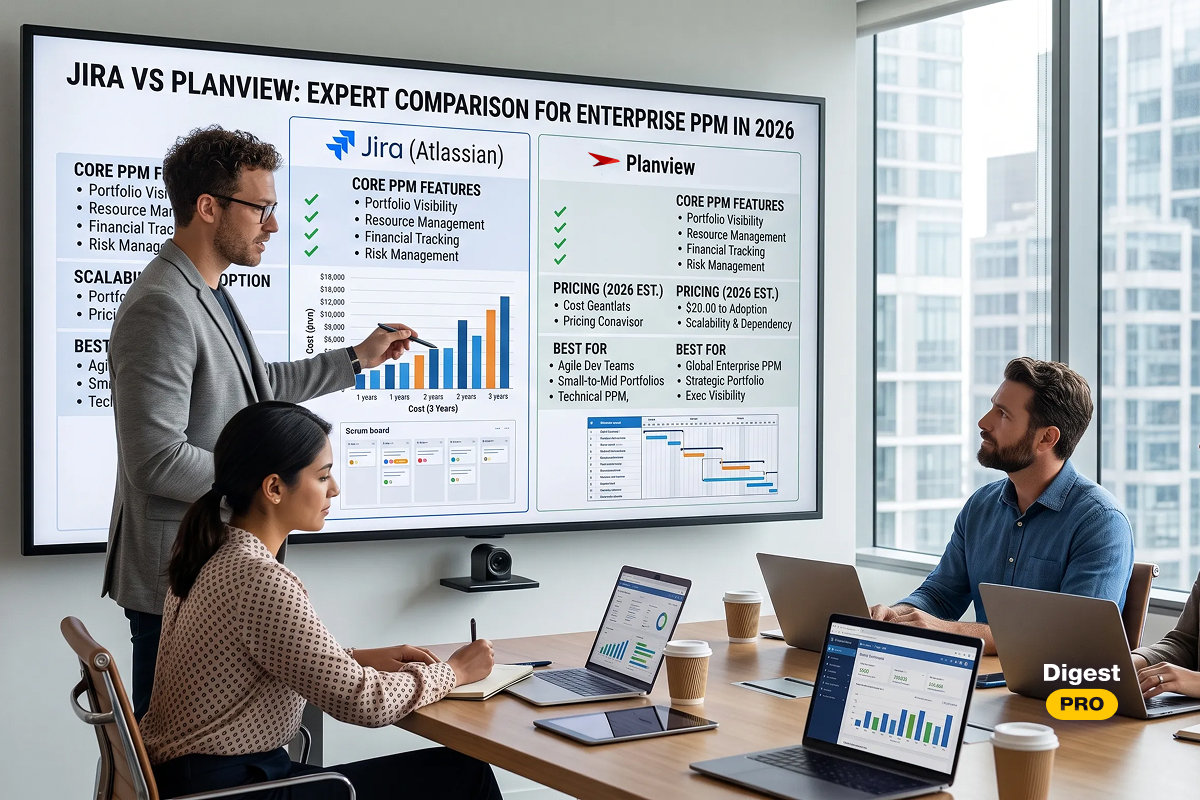

Selecting the wrong software for project management can have a greater cost than just money; it can also result in lost momentum.
According to Mordor Intelligence, the worldwide project management software market is worth $11.27 billion in 2026 and expected to reach $23.09 billion by 2031, with the number of people seeking effective project management solutions growing rapidly. The number of choices available with new technologies makes it increasingly harder for companies to compare competing products and determine which is right for their business [1].
Monday.com, Asana, and Trello all claim to provide the best project management solution on the market today. However, these companies each target different types of businesses, utilize multiple business models, and offer various pricing.
This guide provides a straightforward, data-driven analysis of the features, limitations, and total costs of using each of these service providers’ offerings, thereby facilitating your efforts to choose the appropriate platform for your organization. You will also find a thorough head-to-head comparison between platforms designed to make your selection easy.
monday.com vs Asana vs Trello: Key Takeaways
When comparing Monday with Asana and Trello, there is more than just the visual appearance of the systems. Each has its own philosophy regarding how work should be organized, tracked, and executed.
- monday.com considers work an adaptable structure of data. Each task, project, or client information can be placed in a flexible and customizable manner on any of its boards containing custom columns and rules.
- Asana organizes work in a hierarchical way — by defining goals, portfolios, projects, tasks, and subtasks to create a visible and accountable chain of responsibility.
- Trello is designed around a common concept of Kanban boards. Cards move left to right through stages, and everything else is secondary.
Understanding that core architecture difference will determine which tool genuinely fits your team — before you sign a contract.
TL;DR: Quick Comparison Table
|
Feature |
monday.com |
Asana |
Trello |
|
Best for |
Cross-functional teams, CRM-adjacent workflows |
Structured collaboration, OKRs, product teams |
Simple Kanban, small teams |
|
Free plan |
2 seats, 3 boards |
Up to 10 users, unlimited tasks |
Unlimited cards, 10 boards/workspace |
|
Starting price |
$9/seat/month (min. 3 seats) |
$10.99/user/month |
$5/user/month |
|
AI features |
Monday AI |
Asana Intelligence |
Atlassian Intelligence (limited) |
|
Gantt / Timeline |
✅ Built-in |
✅ Built-in |
💰 Premium only |
|
Goal / OKR tracking |
❌ |
✅ Native |
❌ |
|
Time tracking |
💰 Integration |
💰 Integration |
💰 Integration |
|
HIPAA compliance |
✅ Enterprise |
✅ Enterprise |
❌ |
|
AI maturity |
High |
High |
Developing |
Data as of June 2026. All pricing is billed annually. Verify current rates on each vendor’s official website.
Read more: AI in Project Management: Benefits, Use Cases & Trends [2026]
Our Methodology
To produce this Monday vs. Trello vs Asana comparison, the Digest.Pro editorial team applied a structured evaluation framework used across all project management software reviews on our platform. We assessed each tool across seven core dimensions:
- Core feature completeness — task management depth, view types, dependency support, reporting
- Depth of AI and automation functionality — built-in AI, no-code automation workflows, trigger functions
- Transparency of pricing model and overall value — capabilities included in the free version, paid plans’ pricing, and hidden costs
- Quality of integration capability — quantity and quality of integrations with other tools, API functionality
- Security and compliance — SOC 2, GDPR, HIPAA, SSO, RBAC capabilities
- Ease of use/onboarding — learning curve, usability
- 2026 platform updates — recent feature launches and published roadmap direction
We drew on multiple reliable data sources: each vendor’s official pricing pages, product documentation, and release notes. We supplemented this with verified user feedback from G2, Capterra, and TrustRadius, plus analyst coverage from Gartner and Forrester. Our editorial team also tested all three platforms using trial and live accounts, and hands-on editorial notes appear throughout this article.
Detailed Overview of Project Management Software
Monday.com — The Highly Customizable Work OS
Monday.com (NASDAQ: MNDY) launched as “dapulse” in 2012 and rebranded in 2017 [2]. Today, it serves over 250,000 customers across more than 200 industries globally [3]. The platform positions itself as a Work Operating System — a single hub for managing any type of work, from software sprints to marketing campaigns to client pipelines.
Which core capabilities does monday.com have?
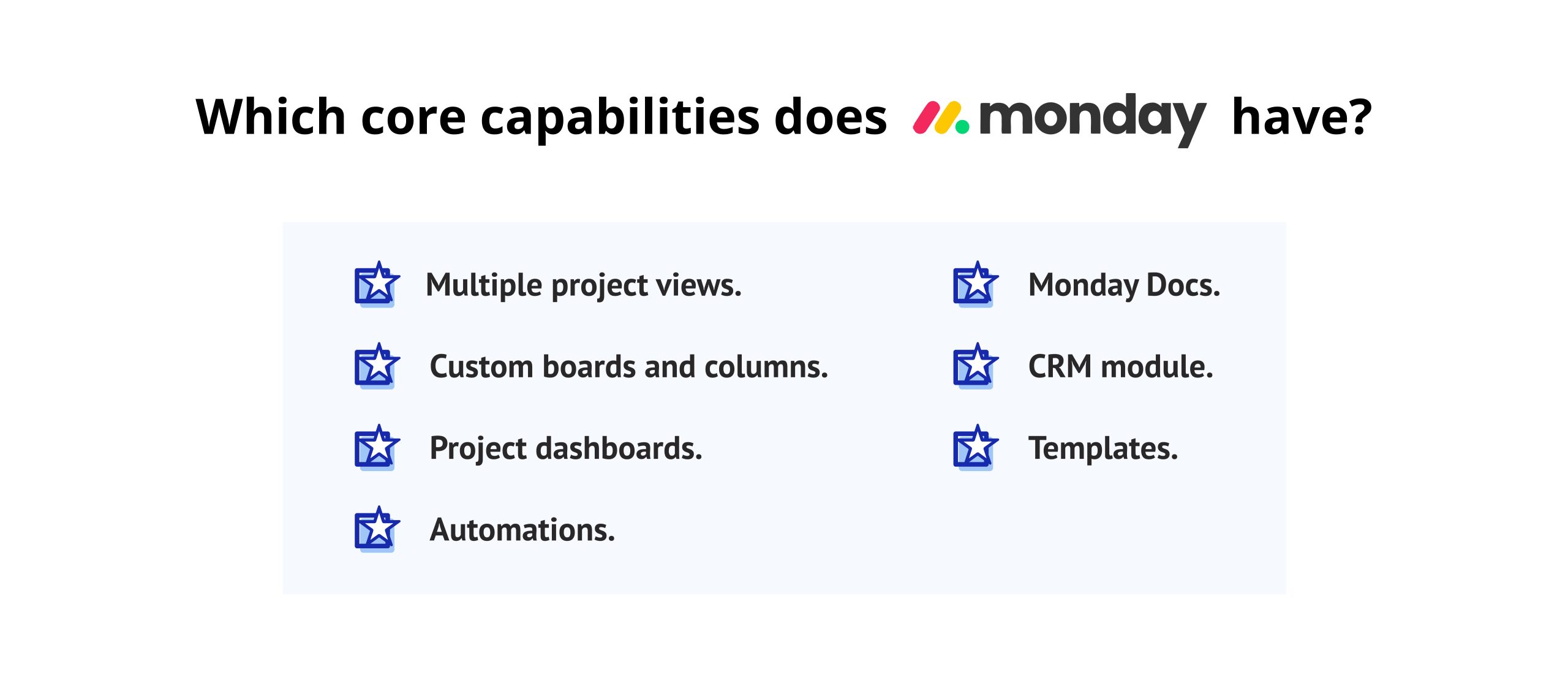
The project management capabilities of Monday.com provide functionality for:
- Many various ways to view your project through the following: Kanban, Timeline (Gantt), Calendar, Workload, Map, Chart, and Form
- Custom-build your board structure and sub-structure from 30+ column types — status, numbers, dates, people, dependencies, files, etc.
- Create dashboards that aggregate data from multiple boards into one real-time visual dashboard using 50+ widgets.
- Automations with a no-code automation builder utilizing 200+ trigger/action combinations — including cross-board workflows.
- Monday docs — an integrated, native document editing solution for Wikis, meeting minutes, SOP’s, etc., all within the same board
- CRM capabilities for managing sales pipeline — Monday CRM (it is a separate product but fully integrated).
- 200+ template boards available spanning the sales, HR, Development, and Marketing spectrum
- The defining characteristic of monday.com is that it has a column-based architecture. Teams can effectively create their own data model from the ground up, unlike Asana, with its fixed task hierarchy, and Trello, with its card-list structure.
What are the key differences between monday.com and other tools?
In any Monday vs. Trello vs. Asana comparison, monday.com stands out for raw customization depth. A single “board” can represent a sales pipeline, a sprint backlog, a hiring tracker, or a client onboarding workflow — depending entirely on how the team configures it.
This level of flexibility means that it is possible to completely replace multiple applications on different platforms with just one platform (monday.com). However, this type of complexity introduces an added challenge to teams who may not have the technical capabilities or confidence to use monday.com effectively.
Editorial note: When our team built a custom sprint management workflow from scratch, configuration took roughly 45 minutes. Using a pre-built Agile template reduced that to under 10 minutes — a strong case for starting with templates before customizing deeply.
What are the pros and cons of using monday.com?
Pros:
- Exceptional UI flexibility — any workflow can be mirrored in a board
- Rich project dashboards aggregating data across multiple boards in one view
- 200+ no-code automation triggers, including cross-board logic and conditional branching
- Native CRM and marketing modules available as adjacent products
- Scales effectively from small teams to enterprise-level deployments
- GraphQL API for advanced developer integrations using proprietary data sources
Cons:
- Mandatory 3-seat minimum on all paid plans — expensive for solo users or two-person teams
- Free plan limited to 2 seats and 3 boards
- No native time tracking — requires third-party integrations with Harvest, Toggl, or similar tools
- Steepest learning curve of the three platforms for administrators
- Can feel over-engineered for teams with simple, linear task lists
How do monday.com’s AI and automation capabilities work?
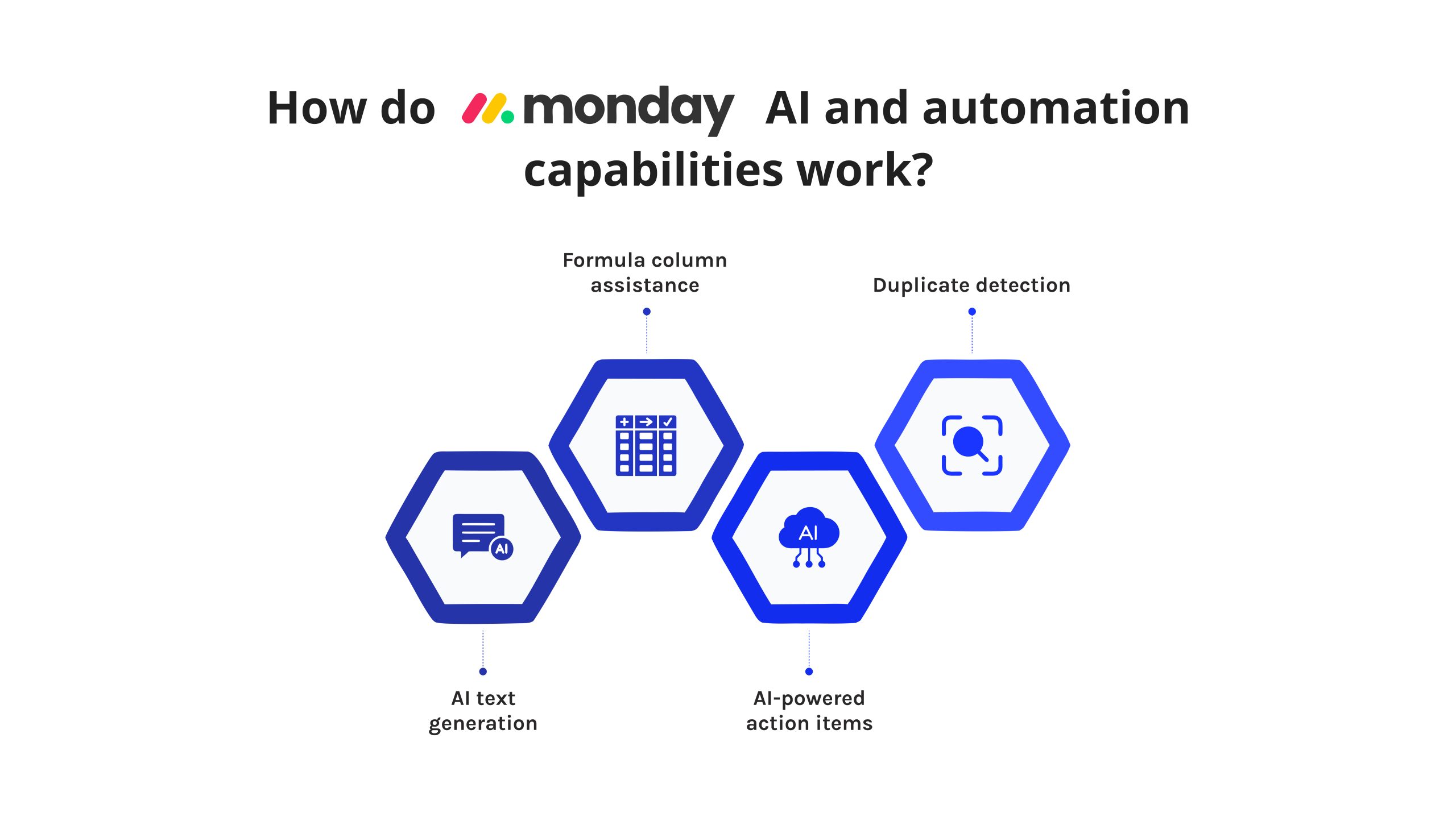
Monday AI launched in 2023 and has expanded with each product cycle. Current capabilities include:
- AI text generation: Auto-write task descriptions, summarize project updates, and extract action items from documents
- Formula column assistance: Generate calculated columns using natural language prompts
- AI-powered action items: Detect tasks mentioned in meeting notes and create them on boards automatically
- Duplicate detection: Flag redundant items across boards without manual review
The automation builder supports 200+ no-code triggers and actions — including multi-step cross-board workflows, approval chains, recurring tasks, and conditional branching. Zapier and Make integrations extend automation further for teams with complex external tool chains.
Editorial note: In testing, Monday AI’s project dashboard summary feature was accurate when boards had clean, structured status columns. On boards with irregular data entry, output quality dropped noticeably — indicating that AI performance is directly tied to board discipline and data hygiene.
What is the pricing structure and free tier for monday.com?
|
Plan |
Price (billed annually) |
Seats |
|
Free |
$0 |
Up to 2 seats |
|
Basic |
$9/seat/month |
Minimum 3 seats |
|
Standard |
$12/seat/month |
Minimum 3 seats |
|
Pro |
$19/seat/month |
Minimum 3 seats |
|
Enterprise |
Custom pricing |
Custom |
The mandatory 3-seat minimum means a 2-person team pays for 3 seats. A team of 4 may trigger a 5-seat block depending on the pricing tier. Always calculate your real total cost at your actual seat count — not the per-seat headline rate.
What is the user experience and interface like on monday.com?
Monday.com’s interface is colorful, visually expressive, and highly configurable. New users navigate the board-group-item hierarchy, which requires some initial orientation. The onboarding flow and template library reduce setup time significantly.
The desktop experience is comprehensive and feature-rich. Mobile apps for iOS and Android exist but offer a reduced feature subset. For project managers who work primarily from mobile devices, this gap is worth evaluating before committing to the platform.
User Ratings (up to June 2026):
- G2: 4.7/5 (18,170 reviews)
- Capterra: 4.6/5 (6,051 user reviews)
- Gartner Peer Insights: 4.5/5 (1,319 Ratings)
- TrustRadius: 8.3 out of 10 (5,000 Reviews and Ratings)
Which integrations does monday.com support?
Monday.com connects to 200+ apps natively:
- Communication: Slack, Microsoft Teams, Zoom, Gmail
- Development: GitHub, GitLab, Jira, Bitbucket
- CRM: Salesforce, HubSpot, Pipedrive
- Storage: Google Drive, Dropbox, OneDrive, Box
- Automation: Zapier, Make (Integromat)
- API: GraphQL-based API for custom integrations using internal data sources
What security and compliance standards does monday.com meet?
Monday.com holds:
- SOC 2 Type II certification
- ISO 27001 and ISO 27018
- GDPR compliance
- HIPAA compliance (Enterprise plan only)
- SAML 2.0 SSO (Pro and Enterprise plans)
- Role-based access control (RBAC) and audit logs
- IP restrictions and two-factor authentication (2FA)
What are the latest 2026 updates for monday.com?
Recently, in early 2026, monday.com launched multi-step AI workflows. This means that you can now chain AI actions from different boards together without using manual triggers. Also, the platform launched a new type of portfolio-level project dashboard (for Enterprise accounts) that provides C-level executives with consolidated project visibility. Additionally, Monday’s competition (ClickUp, Smartsheet, etc.) has increased the speed of their roadmap as they move to match the features of Monday’s new portfolio dashboard, creating even greater competitive pressure on Monday’s product development.
Tracking the evolution of B2B project management software is complex work. Subscribe to Digest.Pro for weekly expert comparisons, platform reviews, and benchmark reports — trusted by over 30,000 project managers, ops leaders, and executives who need unbiased intelligence before making decisions.
Read more: 11 Best AI Agents for Project Management: Tools, Trends & Examples (2026)
Asana — The Structured Architect for Team Collaboration
Asana was co-founded in 2008 by Dustin Moskovitz and Justin Rosenstein, both early engineers at Facebook [5]. The platform is publicly traded on the NYSE (ASAN) and serves over 139,000 paying customers globally as of fiscal year 2024 [6]. Gartner has recognized Asana as a Leader in the Magic Quadrant for Adaptive Project Management and Reporting — a reflection of its strong, structured feature set and growing enterprise adoption [7].
Which core capabilities does Asana have?
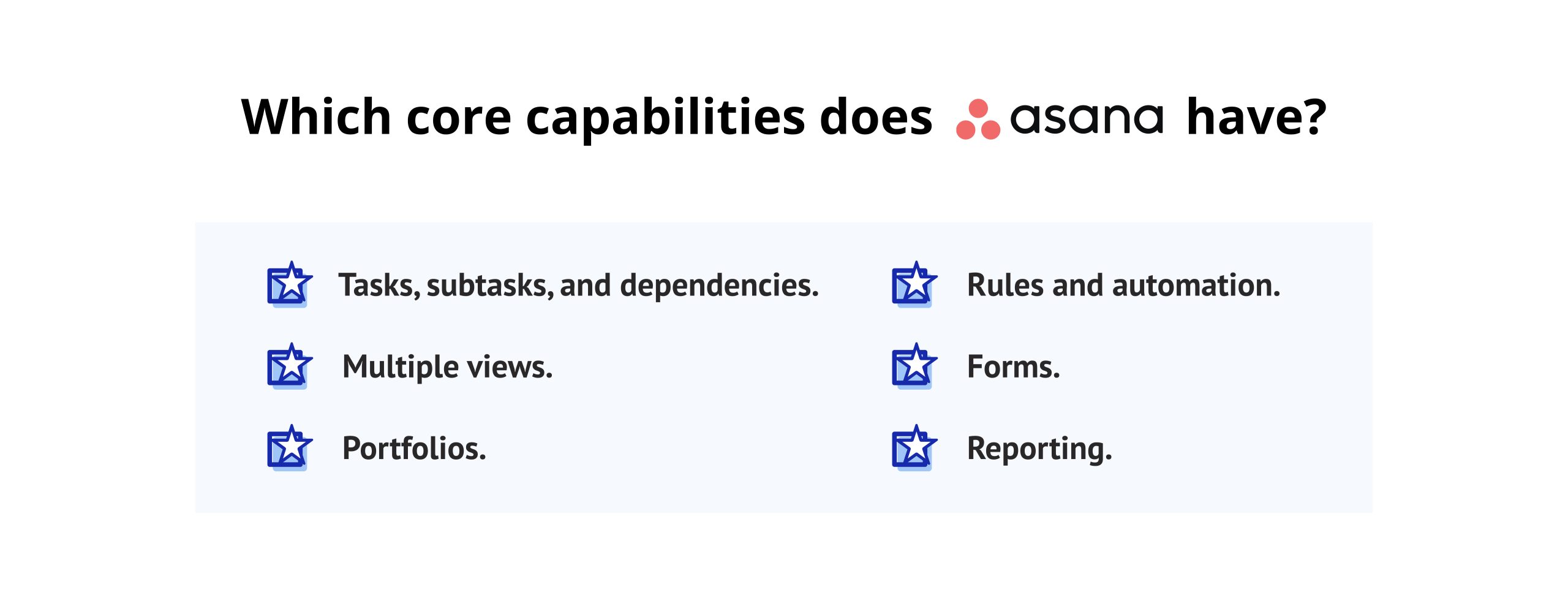
Asana’s project management capabilities focus on using a structured hierarchy to represent tasks:
- Tasks, subtasks, and dependencies: multiple levels, unlimited extension and use of explicit predecessor/successor relationships;
- Multiple views: list, board (kanban), timeline (Gantt), calendar, and workload views
- Goals and OKRs: native goal creation with real-time progress tracking linked to projects and portfolios.
- Portfolios: Monitor status across multiple projects from a single executive overview (Advanced plan+)
- Rules and automation: Trigger-based automation using clear “when → then” logic, available from Starter plan
- Forms: Customizable intake forms for capturing work requests and standardizing submissions
- Reporting: Charts, dashboards, and cross-project status reports with exportable data
Asana is the only tool in this comparison with native OKR and goal management built into the core product — not as a bolt-on feature.
What are the key differences between Asana and other tools?
When comparing Asana vs Monday vs Trello, Asana’s defining advantage is goal-to-task alignment. Project managers can link every task to a team goal, which links upward to a company OKR — creating a visible accountability chain from strategic objective to daily execution. Neither monday.com nor Trello offers this capability natively.
Asana is the best in managing project dependencies, offering an ideal way to view projects in progress alongside each other through its timeline view feature, compared to Monday.com; for teams looking at alternative solutions, it appears that there are no other programs that offer this type of combined product experience.
What are the pros and cons of using Asana?
Pros:
- The only tool in this comparison is the native OKR and company goal tracking
- Robust dependency management with clear predecessor/successor visualization
- Strong Timeline (Gantt) view, purpose-built for milestone planning
- Generous free Personal plan — supports up to 10 users with unlimited tasks and projects
- Highly regarded by teams using Asana for creative teams, product management, and operations
Cons:
- Portfolio and Workload views are locked behind the $24.99/user Advanced plan
- No native time tracking — requires third-party integrations
- Asana Intelligence is strong but still maturing relative to Monday AI
- An organization-wide upgrade model means that unlocking a feature for 3 people requires upgrading all users
- Reporting dashboards are less flexible than Monday.com’s custom widget system
How do Asana’s AI and automation capabilities work?
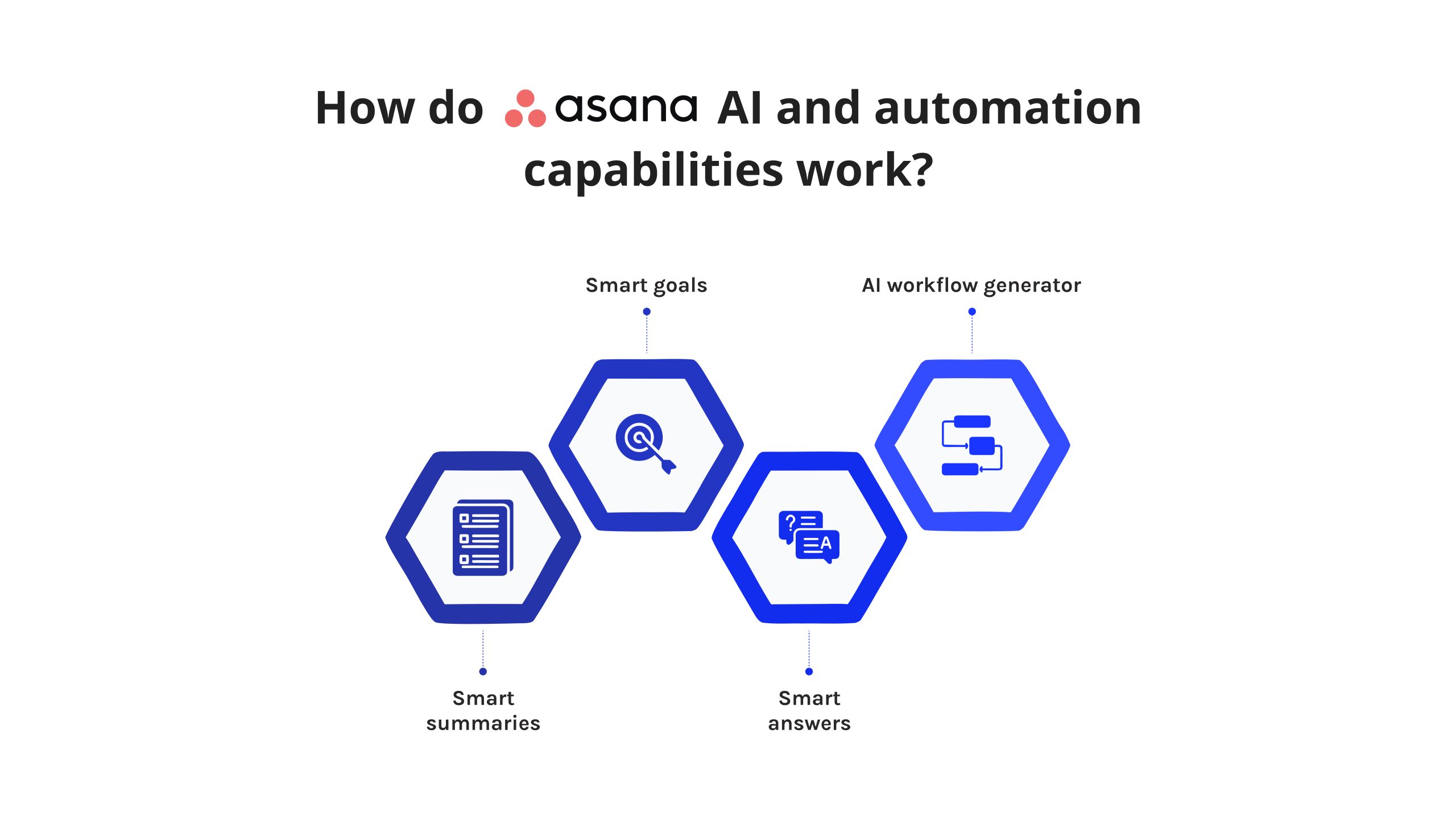
Asana Intelligence was introduced in 2023 and has expanded with each product cycle. Current AI features include:
- Smart summaries: Auto-generate project status updates based on live task data
- Smart goals: AI-assisted goal adjustment recommendations based on progress trends
- Smart answers: Natural language queries about project status (“Which tasks are overdue this sprint?”)
- AI workflow generator: Suggest automation rules based on recurring patterns in each workspace
Asana’s automation system (Rules) uses a straightforward trigger → action model. For example: “When a task moves to Review, assign it to the QA lead and set a due date 2 days from now.” Rules are available from the Starter plan onward and cover most standard project management workflow needs.
Editorial note: Asana’s Rules configuration was the most approachable of the three platforms in our testing. The intent-based setup — where you describe what should happen in plain language — is notably more beginner-friendly than monday.com’s automation builder. Fewer configuration errors, faster setup.
What is the pricing structure and free tier for Asana?
|
Plan |
Price (billed annually) |
Users |
|
Personal |
$0 |
Up to 10 users |
|
Starter |
$10.99/user/month |
Unlimited |
|
Advanced |
$24.99/user/month |
Unlimited |
|
Enterprise |
Custom |
Custom |
|
Enterprise+ |
Custom |
Custom |
Asana’s Personal (free) plan is the most generous free tier in this comparison for team use. Supporting up to 10 users with unlimited tasks and projects, it’s among the best free project management tools available before a paid upgrade becomes necessary.
What is the user experience and interface like on Asana?
Asana’s interface is consistently praised for its clarity and logical structure. The left-hand sidebar, task detail panel, and project view switcher are intuitively organized. Most teams report being productive within their first week without formal training.
One limitation worth noting: the interface is less visually flexible than Monday.com. Users who prefer high UI customization may find Asana’s structure rigid. The board view is functional but not as fluid as Trello’s native Kanban experience.
User Ratings (up to June 2026):
- G2: 4.4/5 (13,791 reviews)
- Capterra: 4.5/5 (13,585 user reviews)
- Gartner Peer Insights: 4.5/5 (2,422 Ratings)
- TrustRadius: 8.5 out of 10 (2,995 Reviews and Ratings)
Which integrations does Asana support?
Asana supports 300+ native integrations — the broadest of the three tools:
- Communication: Slack, Microsoft Teams, Gmail, Outlook, Zoom
- Development: GitHub, GitLab, Jira, Figma
- Storage: Google Drive, Dropbox, Box, OneDrive
- CRM: Salesforce, HubSpot
- Time tracking: Harvest, Clockify, Toggl, Everhour
- API: RESTful API with Webhook support for custom integrations
What security and compliance standards does Asana meet?
Asana holds:
- SOC 2 Type II certification
- ISO 27001
- GDPR compliance
- HIPAA compliance (Enterprise plan)
- SAML 2.0 and Google SSO
- Data export and deletion controls per GDPR requirements
- Two-factor authentication (2FA) and IP allowlisting
What are the latest 2026 updates for Asana?
Asana updates through 2026 show continued growth in AI project management; Asana has rolled out additional capabilities such as proactive detection of project timeline risks (before these risks actually occur) based on previous task completion patterns found in each respective team/workspace. In addition to this, Asana rolled out AI-generated weekly status reports, which greatly reduce the amount of time required by project managers/PMOs to create and distribute status reports. Overall, these enhancements position Asana to compete favorably with other AI tools targeting enterprise customers for project management.
Evaluating project management software for your team? Digest.Pro publishes in-depth platform reviews, pricing breakdowns, and side-by-side comparisons every week — written for project managers and ops leaders who need clarity before they commit. Subscribe and never miss a review.
Read more: 9 Best Autonomous AI Agents in 2026: The Ultimate Enterprise Guide
Trello — The King of Simple Kanban Visuals
Founded in 2011 through Fog Creek Software, Trello entered Atlassian’s portfolio in early 2017 following a transaction near $425 million. Across the world now, more than fifty million individuals rely on its structure — outpacing peer platforms substantially in total reach. Without demanding complex setup steps, access begins smoothly; navigation feels familiar quickly due to a layout centered around cards. Often selected initially when groups begin exploring organized ways to handle responsibilities together.
Which core capabilities does Trello have?
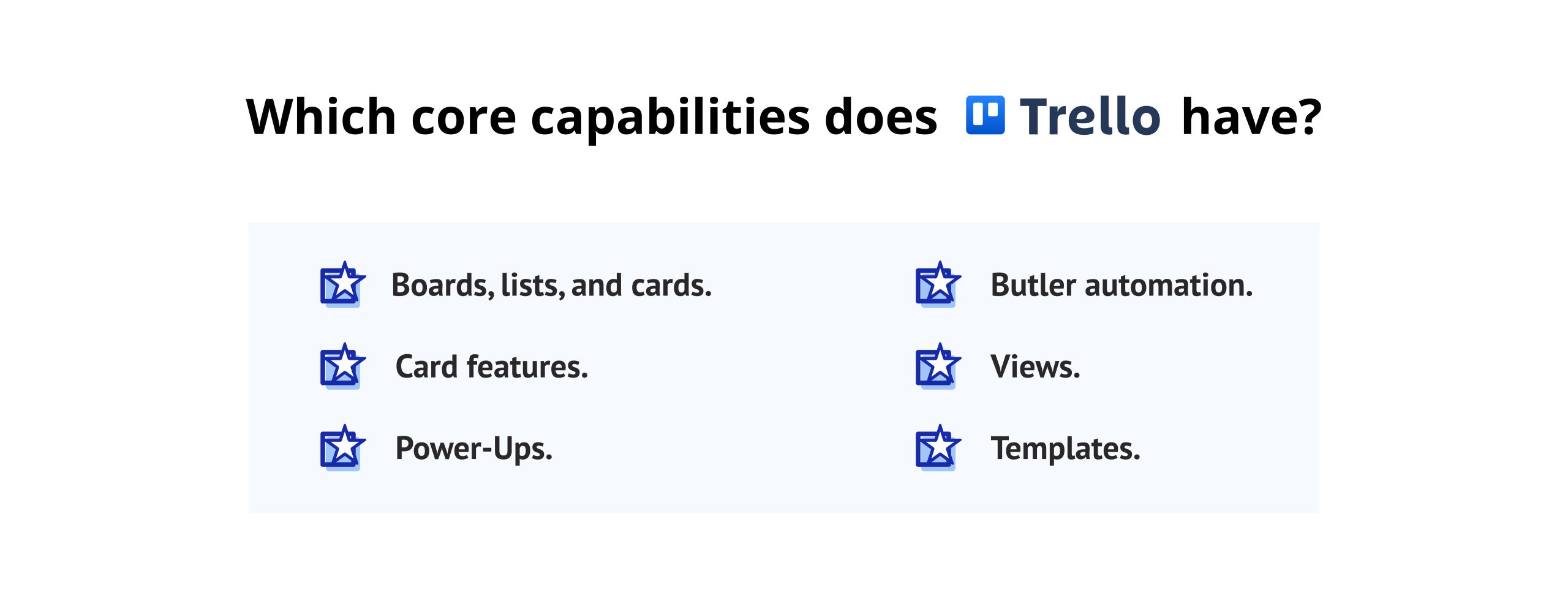
Trello’s feature set centers on its signature Kanban board structure:
- Boards, lists, and cards: A three-tier hierarchy representing projects, workflow stages, and individual tasks
- Card features: Checklists, due dates, labels, file attachments, member assignments, cover images, and card comments
- Power-Ups: Modular add-ons extending functionality — Calendar, Timeline, Voting, and more
- Butler automation: No-code rule builder for card and board-level automations
- Views: Board (default), Timeline, Calendar, Table, Map, and Dashboard (Premium plan+)
- Templates: Pre-built boards for common project management, personal organization, and team workflow use cases
Trello’s simplicity is a deliberate design choice. A new user can have a working project board running in under 10 minutes. That speed is its clearest competitive advantage.
What are the key differences between Trello and other tools?
In the Monday vs. Trello vs. Asana comparison, Trello is the most accessible tool for non-technical users — and the least scalable for complex project management software program use cases. It lacks native dependency management, portfolio-level visibility, and goal tracking — all table stakes for project managers overseeing multiple interdependent projects.
Unlike monday.com and Asana, which expand natively, Trello’s feature growth depends heavily on Power-Ups. Teams accumulate multiple add-ons to achieve capabilities that Asana or monday.com include by default — creating a fragmented experience that adds cost and reduces UI cohesion. Teams searching for Trello alternatives typically cite this fragmentation as the primary reason for switching.
What are the pros and cons of using Trello?
Pros:
- Fastest onboarding of the three tools — minimal training required
- Highly visual, fluid Kanban experience with intuitive drag-and-drop
- Generous free plan (unlimited cards, 10 boards per workspace)
- Affordable entry point at $5/user/month on Standard
- Strong native integration with the Atlassian ecosystem (Jira, Confluence, Bitbucket)
Cons:n
- No native Gantt/Timeline view on the free plan
- No native dependency management — a meaningful gap for project managers
- Limited reporting and analytics compared to Asana and monday.com
- Scales poorly for complex, multi-project environments with shared resources
- Feature expansion heavily dependent on paid Power-Ups
- HIPAA compliance not available on any Trello plan
How do Trello’s AI and automation capabilities work?
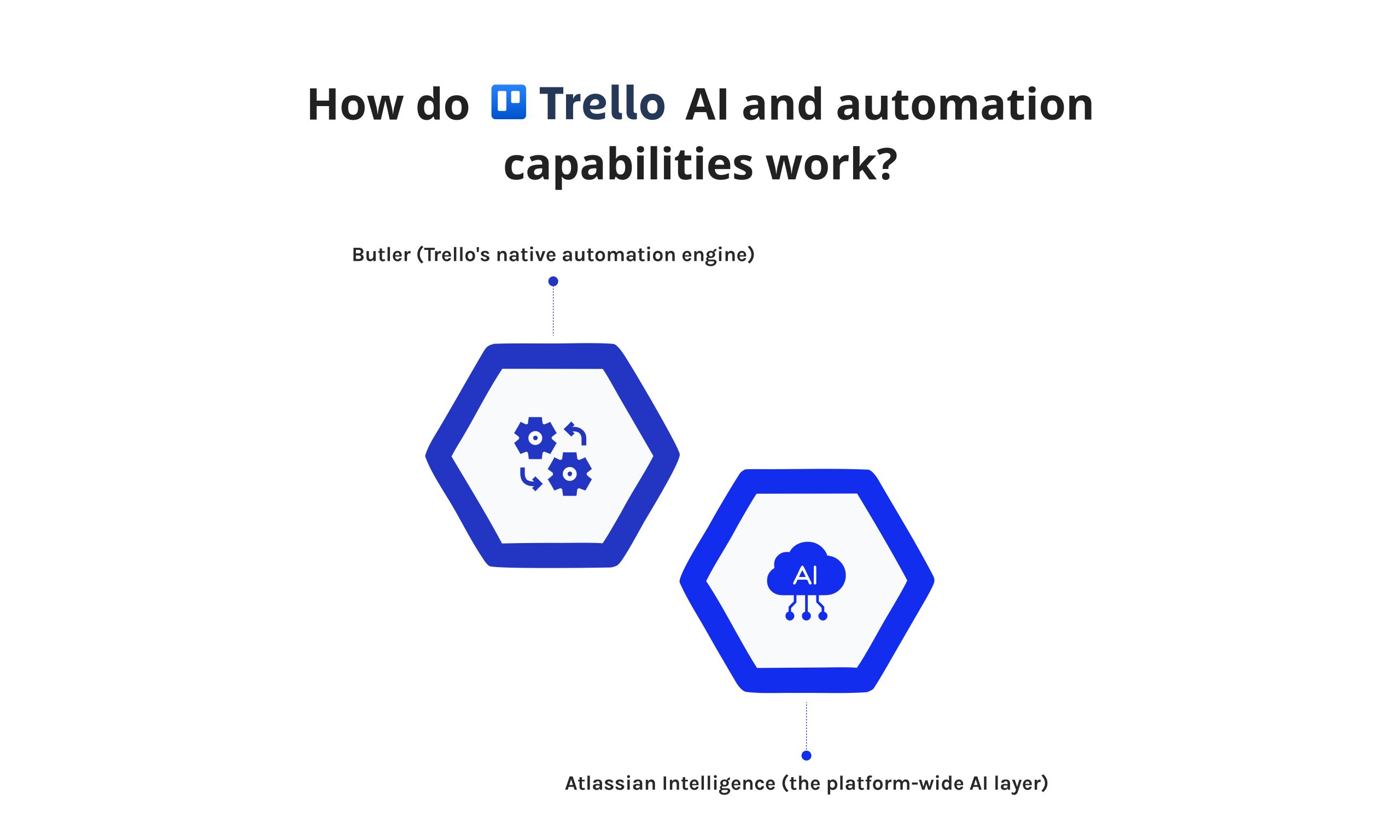
Trello operates two automation layers:
Butler (Trello’s native automation engine) handles the following:
- Card-level button automations triggered manually
- Board-level rule automations on condition-action pairs
- Scheduled recurring commands
- Due-date-based triggers
Atlassian has begun (slowly and will continue to expand and improve on) the rollout of Atlassian Intelligence as a company-wide AI layer across their entire product line (in 2024). As of 2026, there are several useful features available that include AI-generated board description cards, AI-recommended smart organization of boards, and search across all Atlassian products via an AI engine.
Compared to Monday AI and Asana Intelligence, Atlassian’s AI integration within Trello remains the least developed of the three. Butler is solid for simple card movement automations — but it lacks multi-step conditional logic available in monday.com’s builder.
Editorial note: During our testing, Butler worked reliably for simple card movement rules and due-date notifications. Attempting to replicate a multi-stage approval workflow (native in monday.com) required stacking four separate Butler rules — achievable, but significantly more effort and harder to maintain.
What is the pricing structure and free tier for Trello?
|
Plan |
Price (billed annually) |
Key Features |
|
Free |
$0 |
10 boards/workspace, unlimited cards |
|
Standard |
$5/user/month |
Unlimited boards, advanced checklists, custom fields |
|
Premium |
$10/user/month |
All views, Atlassian Intelligence, admin controls |
|
Enterprise |
From $17.50/user/month |
SSO, Atlassian Guard, advanced security |
Trello offers the lowest unit price of the three tools. Its free plan is the most permissive for card volume — unlimited cards across up to 10 boards per workspace. For individuals and very small teams running straightforward projects, Trello’s free tier is a compelling choice among free project management tools before any team growth requires a paid upgrade.
What is the user experience and interface like on Trello?
Founded in 2011 through Fog Creek Software, Trello entered Atlassian’s portfolio during early 2017 following a transaction near $425 million. Without demanding complex setup steps, access begins smoothly; navigation feels familiar quickly due to a layout centered around cards. Often selected initially when groups begin exploring organized ways to handle responsibilities together.
User Ratings (up to June 2026):
- G2: 4.4/5 (14,040 reviews)
- Capterra: 4.5/5 (23,545 user reviews)
- Gartner Peer Insights: 4.5/5 (366 Ratings)
- TrustRadius: 8.4 out of 10 (3,014 Reviews and Ratings)
Which integrations does Trello support?
Over two hundred Power-Ups and other native integrations are supported by Trello:
-
Communications — Slack, Teams (Microsoft), Zoom
-
Developing — GitHub, GitLab, Jira (native linking back to other products in the Atlassian family)
-
Storage — Google Drive, Dropbox, Box, OneDrive.
-
Automation — Zapier, Make
-
Design — Figma, InVision
Trello’s most effective realization of integrated workflow through integration is actually with Atlassian. Teams that are utilizing Jira for their development and Confluence for their documentation will have the added benefit of the native cross-product links offered by Trello.
What security and compliance standards does Trello meet?
Trello, as an Atlassian product, holds the following:
- SOC 2 Type II
- ISO 27001
- GDPR compliance
- SSO via SAML 2.0 (Enterprise plan only)
- Admin controls and audit logs (Premium and Enterprise)
- Atlassian Guard integration for advanced identity management (Enterprise)
Notable gap: HIPAA compliance is not available on any Trello plan. Teams in healthcare or adjacent regulated industries should treat this as a hard disqualifier.
What are the latest 2026 updates for Trello?
In 2026, Atlassian enhanced Trello’s AI with features such as AI-based card prioritization recommendations and improved recommendations for how to use Butler rules using data on how workspaces are currently being used. Also, there were performance improvements made to the Timeline view inside Trello for the Premium plan that will assist boards with large numbers of cards, displaying more efficiently than ever before.
Read more: Best AI Project Management Tools in 2026: Benefits, Key Features, and How to Choose
monday.com vs Asana vs Trello: Head-to-Head Comparison
The Monday vs Asana vs Trello decision comes down to a few core trade-offs that this section maps in direct, side-by-side terms.
Pricing Comparison
Trello has the lowest entry price at $5/user/month on its Standard plan. Asana’s Starter sits at $10.99/user/month. Monday.com appears competitive at $9/seat/month for Basic — but the mandatory 3-seat minimum raises the real entry cost to at least $27/month regardless of team size.
For a team of 10 people on mid-tier plans (billed annually):
- Monday.com Pro: ~$190/month
- Asana Advanced: ~$249.90/month
- Trello Premium: ~$100/month
Trello wins on unit cost. Asana and monday.com deliver more value per seat through broader native features — reducing the need for additional tools and integrations that add their own costs.
Features Head-to-Head
|
Feature |
monday.com |
Asana |
Trello |
|
Task management |
Advanced |
Advanced |
Basic |
|
Subtasks |
✅ |
✅ |
✅ |
|
Dependencies |
✅ |
✅ |
❌ native |
|
Gantt / Timeline |
✅ |
✅ |
💰 Premium |
|
Goal / OKR tracking |
❌ |
✅ |
❌ |
|
Workload management |
✅ |
✅ Advanced |
❌ |
|
Custom fields |
✅ Extensive |
✅ |
✅ Limited |
|
Portfolio view |
✅ |
✅ Advanced |
❌ |
|
Project dashboards |
✅ Advanced |
✅ |
✅ Basic |
|
Time tracking |
💰 |
💰 |
💰 |
|
Reporting |
✅ Advanced |
✅ |
✅ Basic |
Read more: 10 Best Zapier Alternatives: Expert Review & UX Analysis
Automation Capabilities
All three platforms offer no-code automation — but depth varies significantly.
Monday.com leads with 200+ automation triggers, cross-board workflow logic, and multi-step conditional branching. Asana’s Rules system is reliable and the easiest to configure correctly among the three. Trello’s Butler handles card-level automation well but lacks the multi-step complexity available in monday.com for sophisticated workflow automation.
For teams evaluating AI project management tools specifically, monday AI and Asana Intelligence are the more mature options in 2026. Both actively invest in expanding multi-step AI workflow capabilities. Trello’s Atlassian Intelligence is improving but remains a step behind in the workflow automation context.
Integrations Compared
Among the three, Asana stands out due to its library of over 300 built-in connections. In comparison, monday.com offers slightly fewer, with more than 200 available. While Trello provides access to over 200 Power-Ups, these third-party tools often result in less cohesion across workflows. Native integrations on competing platforms tend to operate with greater unity by design.
Each links to Slack, Google Workspace, Microsoft Teams, and Zapier. When it comes to crafting connections using private data systems, Monday.com offers a GraphQL API considered highly capable by software builders. Asana provides access through a RESTful interface clearly outlined in documentation, frequently used within developer groups. Despite differences, both support external tool coordination effectively across modern workplaces.
Security & Compliance Compared
Monday.com and Asana are broadly equivalent for enterprise security: both hold SOC 2 Type II, ISO 27001, GDPR compliance, and HIPAA availability on Enterprise plans. Trello lacks HIPAA compliance and advanced SSO on lower tiers — a meaningful limitation for regulated industries or security-conscious enterprise buyers.
For C-level and security-focused procurement teams, monday.com and Asana are the more defensible choices at an enterprise scale.
Ease of Use & Learning Curve
Right away, Trello offers clear advantages in ease of use — new users reach productivity fast. After some time spent learning, Asana supports teams better through stronger organization and lasting features. Only after extended setup does monday.com reveal its full function, especially for those adjusting detailed workflows.
Should no project manager be assigned, platforms like Trello or Asana become simpler starting options. Although setup demands exist, these tools reduce administrative overhead through intuitive design. One might find navigation smoother, especially when responsibilities shift frequently across members. Where complexity rises slowly, such systems support gradual adaptation without steep learning curves. Even so, clarity in task ownership still requires consistent input from team leads.
Want more tool-by-tool breakdowns like this one? Digest.Pro covers the full project management software landscape — with honest assessments, verified pricing, and zero sponsored rankings. Subscribe and get the next comparison straight to your inbox.
Similarities
All three platforms share a common foundation:
- Cloud-based SaaS delivery with no software installation required
- Free tier availability for individuals or small teams
- Kanban board view support
- Integration with Slack, Google Workspace, and Microsoft Teams
- Mobile apps for iOS and Android
- No-code automation features
- Task assignments, due dates, comments, and file attachments are core features
Key Differences
|
Dimension |
monday.com |
Asana |
Trello |
|
Core architecture |
Flexible grid (Work OS) |
Hierarchical task structure |
Kanban-native |
|
Primary strength |
Customization and workflow flexibility |
Goal-to-task strategic alignment |
Simplicity and speed |
|
Primary weakness |
Cost and complexity for small teams |
Feature gating on the Advanced plan |
Limited scalability |
|
AI maturity |
High |
High |
Developing |
|
Best fit team size |
10–500+ |
5–500+ |
1–25 |
|
Scalability ceiling |
High |
High |
Moderate |
Who Should Choose Which Tool
Choose monday.com if:
- You manage cross-functional workflows spanning sales, marketing, HR, and operations from one platform
- You need advanced project dashboards aggregating data across multiple boards for executive reporting
- You want CRM-adjacent functionality without adopting and maintaining a separate system
- You have a budget for 3+ seats and need a scalable, deeply customizable project management software program
Choose Asana if:
- You need to connect daily task execution directly to the company’s OKRs and strategic goals
- Your team is 5–50 people with structured, repeatable project workflows
- You want a generous free plan that scales into a paid tier without a steep jump — Asana’s Personal plan is the best free option for teams under 10
- You’re building workflows for Asana for creative teams, product management, or operations departments that need repeatable request intake processes
Choose Trello if:
- You’re a small team (under 15–20 people) with predominantly visual, Kanban-based workflows
- You’re already embedded in the Atlassian ecosystem and use Jira or Confluence regularly
- You need the fastest possible onboarding with minimal training investment
- Your use case is straightforward task tracking — no complex dependencies, no multi-project resource visibility required
Stay ahead of the B2B software landscape. Subscribe to Digest.Pro for weekly expert tool comparisons, buyer’s guides, and benchmark reports — delivered directly to your feed. Join the community that helps project managers and ops leaders make smarter software decisions.
Summary
The Monday vs Trello vs Asana tool comparison shows no winner due to their designs being tailored towards different levels of team expansion and different methods for doing so. The decision comes down to three aspects: the level of complexity of your workflows, the ability of your team to accommodate a configuration level, and how far you are looking to expand.
Monday.com is suitable for teams with multiple departments managing complex workflows requiring some customization and visibility across multiple boards — as long as they have enough budget ($150) to set up and have at least 3 people on each board.
Asana is very much for goal-oriented teams and needs a way for goals set at the corporate level to show up below at a level where the individual will perform one or more tasks to reach a goal. Asana has a large amount of free energy for starting to grow into its paid plans.
Trello is ideal for small, visually oriented teams looking to use a simple Kanban board type of approach to task tracking due to little need for setup. Teams will outgrow Trello and will typically move to Asana or monday.com once they grow to needing more than simple statistical success tracking.
If this comparison helped you narrow down your choices, Digest.Pro has more where this came from. From AI-powered PM tools to enterprise portfolio platforms, our editorial team tests and reviews the tools that matter most to project managers in 2026. Subscribe to stay informed.
Read more: ClickUp vs Monday vs Wrike: Which Tool Fits You in 2026?
FAQs
Monday.com outperforms Trello in workflow complexity, automation depth, and scalability. It includes Gantt charts, workload views, CRM-style boards, and multi-step automations natively — all features Trello requires paid Power-Ups to replicate. For teams beyond 15 people or those managing non-linear workflows with dependencies, monday.com delivers significantly more built-in project management features without requiring stacked third-party add-ons.
Among tools for project oversight in medium- to large organizations, Asana stands as the most aligned counterpart to monday.com. Functionality such as workflow automation, extensive integrations, and detailed task handling draws parallel appeal across both platforms. Where users emphasize adaptability without elevated pricing, options like ClickUp or Smartsheet emerge as viable substitutes. Similarities in audience focus make these systems frequent points of comparison.
Monday.com and Asana serve different primary use cases. Monday.com is stronger for flexible, customizable workflows and CRM-adjacent needs. Asana outperforms monday.com for structured team collaboration and native OKR tracking. The better choice depends on whether your priority is workflow flexibility (monday.com) or strategic goal alignment with clear task accountability (Asana).
Getting started tends to feel simpler with Trello — many people set up functional boards within a quarter of an hour without any instruction. Although it takes longer at first, Asana provides stronger organization along with greater potential over time after teams become familiar. When handling basic tasks or leading compact groups brand new to such tools, ease-of-use gives Trello the edge right away.
Both concerns are valid and reflect real usage patterns. Trello’s 10-board free limit and absence of native dependencies make it genuinely limiting for teams with 20+ people or multiple parallel projects. Monday.com can overwhelm small teams with configuration complexity and its minimum-seat pricing structure. For growing teams in transition, Asana typically represents the best middle ground — more structured than Trello and less complex to administer than monday.com.
Both Asana and monday.com offer Timeline (Gantt) views with dependency management built in. Asana’s Timeline is widely regarded as more intuitive for traditional project planning, with cleaner predecessor/successor dependency visualization. Monday.com’s Timeline is more flexible but requires more configuration to set up correctly. For teams needing strict dependency chains and milestone-based tracking as a primary workflow, Asana delivers the more purpose-built experience.
Monday.com can function as a lightweight CRM for small- to mid-sized sales teams — it offers Monday CRM (a dedicated integrated product) with pipeline management, contact tracking, and deal stage automation. For straightforward sales workflows, it can reduce tool sprawl effectively. However, it does not replace enterprise CRM platforms like Salesforce or HubSpot for complex, high-volume sales processes. Asana and Trello are not designed for CRM use cases and should be evaluated only as project and task tracking tools.
Asana’s Personal (free) plan supports up to 10 users with unlimited tasks and projects — the most generous free offering in this comparison. Trello’s free plan allows unlimited cards across up to 10 boards per workspace, ideal for individuals and very small teams. Monday.com’s free plan is capped at 2 seats and 3 boards, making it suitable primarily for solo evaluation rather than active team use. Among free project management tools for growing teams, Asana and Trello deliver substantially more real-world value before requiring a paid upgrade.
Monday.com’s highest hidden cost is its seat block model — adding one user can push the entire account into a higher block tier, raising the total bill disproportionately. Asana’s organization-wide upgrade model means unlocking a feature needed by three people may require upgrading all users. Trello’s trap is cumulative Power-Up costs — replicating the built-in features of Asana Starter or monday.com Basic can require multiple paid add-ons, with total cost approaching or exceeding those alternatives. Always calculate the full cost at your real projected seat count before committing to any plan.
Yes, for most professional use cases. Features like Timeline view, advanced dashboards, and analytics require Trello Premium or specific Power-Ups. Teams that start on Trello’s free plan and gradually enable Power-Ups commonly find their effective monthly cost approaching what they would pay on Asana Starter or monday.com Basic — with a more fragmented experience. Evaluate full-feature cost against your specific workflow requirements, not just the base plan rate.
Both Asana and monday.com offer native Trello import tools. Asana’s import preserves cards, lists, member assignments, due dates, and attachments with high fidelity. Monday.com’s importer handles boards and cards comparably. Complex Power-Up data and custom third-party integration configurations typically do not migrate cleanly and require manual reconstruction. For large migrations, a phased approach — importing one project at a time and validating completeness before proceeding — is significantly more reliable than a full cut-over migration.
References
- Mordor Intelligence. 2026. Project Management Software Systems Market Size Report, 2031. January 5, 2026. https://www.mordorintelligence.com/industry-reports/project-management-software-systems-market.
- Wikipedia. 2019. “monday.com.” Wikipedia. May 23, 2019. https://en.wikipedia.org/wiki/Monday.com.
- monday.com. 2026. “Customer Stories.” monday.com. April 1, 2026. https://monday.com/w/customer-stories.
- Asana. 2026. “About Asana.” Asana Company Page. https://asana.com/company.
- WallStreetZen. 2026. “NYSE: ASAN Asana Inc Statistics & Facts.” May 13, 2026. https://www.wallstreetzen.com/stocks/us/nyse/asan/statistics.
- Asana. 2024. “2024 Gartner® Magic Quadrant™ for Adaptive Project Management and Reporting.” September 11, 2024. https://asana.com/resources/gartner-magic-quadrant-adaptive-project-management.
- Market Report Analytics. 2025. “Strategic Insights into Project Management Software Industry Market Trends.” January 4, 2025. https://www.marketreportanalytics.com/reports/project-management-software-industry-90488.
- MetaStat Insight. 2026. “Project Management Software Market Size, Share, Trends, 2033.” February 11, 2026. https://metastatinsight.com/report/project-management-software-market.
- G2. 2026. “Trello Reviews.” G2. June 14, 2026. https://www.g2.com/products/trello/reviews.
- G2. 2026. “Asana Reviews.” G2. June 14, 2026. https://www.g2.com/products/asana/reviews.
- G2. 2026. “Asana Reviews.” G2. June 14, 2026. https://www.g2.com/products/asana/reviews.
- G2. 2026. “Monday.com Reviews.” G2. June 14, 2026. https://www.g2.com/sellers/monday-com-d88207e4-9e92-412d-903b-61cd13ca592b?source=search
- “Asana Reviews.” Capterra, www.capterra.com/p/184581/Asana-PM/ . Accessed 16 June 2026.
- “Asana Reviews.” TrustRadius, www.trustradius.com/products/asana/reviews . Accessed 16 June 2026.
- “Asana Reviews and Ratings.” Gartner Peer Insights, www.gartner.com/reviews/product/asana . Accessed 16 June 2026.
- “monday.com Reviews.” Capterra, www.capterra.com/p/147657/monday-com/ . Accessed 16 June 2026.
- “monday.com Reviews.” TrustRadius, www.trustradius.com/products/monday/reviews . Accessed 16 June 2026.
- “monday.com Reviews and Ratings.” Gartner Peer Insights, www.gartner.com/reviews/product/monday . Accessed 16 June 2026.
- “Trello Reviews.” Capterra, www.capterra.com/p/211559/Trello/ . Accessed 16 June 2026.
- “Trello Reviews.” TrustRadius, www.trustradius.com/products/trello/reviews . Accessed 16 June 2026.
- “Trello Reviews and Ratings.” Gartner Peer Insights, www.gartner.com/reviews/product/trello . Accessed 16 June 2026.
- Sabile, Maria Reschelle, and Klint Allen Marinas. “Transforming Organizational Performance Management: A Lean Six Sigma Approach using Monday. com for E-Business and E-Management.” 2025 16th International Conference on E-Education, E-Business, E-Management and E-Learning (IC4e). IEEE, 2025.
- Manko, Barbara A. “The adaptability of monday. com’s app-based software: Discover the company building a flexible business model that adapts to individual company needs.” Journal of Information Technology Teaching Cases 12.2 (2022): 156-162.
- Johnson, Heather A. “Trello.” Journal of the Medical Library Association: JMLA 105.2 (2017): 209.
- Kaur, Amanpreet. “App Review: Trello.” Journal of Hospital Librarianship 18.1 (2018): 95-101.