

In the year 2026, there are plenty of alternatives to monday.com for project management across teams that will gather enough popularity. Even though monday.com is known for its wide range of colorful boards that are said to be simple enough for anyone to learn to use in no time. Over the years, it has become clear that it is not enough just to have bright boards to call the platform a good one for project teams. Teams want platforms that match their actual workflow, budget, and complexity — not just a fresh coat of paint on the same limitations.
Whether you run a five-person creative studio or a PMO juggling forty concurrent initiatives, the right project management software can be the difference between hitting deadlines and firefighting them. Our guide will help you compare the 11 best monday.com alternatives on the market today. You’ll see what each platform does well and how to match it to your team’s real needs, from pricing and ease of use to AI capabilities and resource management depth.
Key takeaways: monday.com alternatives
- monday.com’s per-seat, block-based pricing and 3-seat minimum make it costly for small teams; several monday.com alternatives, including Trello, Freedcamp, and ClickUp, start free or under $10 per user per month.
- Dev-focused teams get deeper sprint tracking from Jira, while agencies managing client work get native billing and time tracking from Teamwork.com.
- Teams running several interdependent projects with shared resources need dedicated capacity planning, a category where Epicflow’s AI-driven multi-project resource management stands apart from board-first tools.
- Baserow is the strongest open source alternative to monday.com for teams that need self-hosting and full data control.
- No single tool wins every category. The right monday.com alternative depends on team size, technical workflow, and whether resource optimization or simple task tracking matters more to your project teams.
Why should you look for monday.com alternatives in 2026?
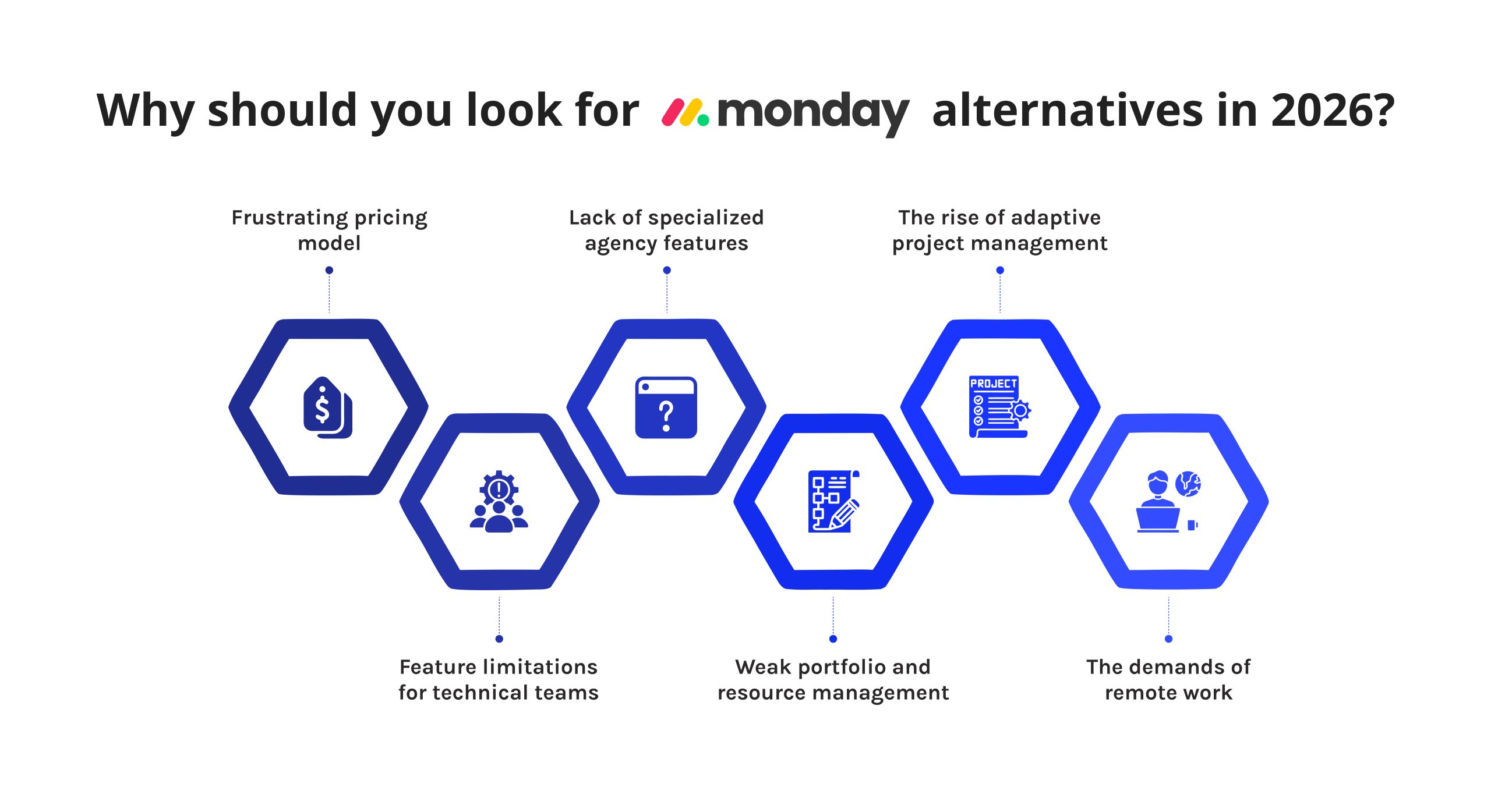
monday.com remains a well-liked project management platform — it holds a 4.7-star rating on G2 from more than 16,000 reviews [1]. But the same pricing structure that made it popular is also the top reason project teams start shopping for monday.com alternatives.
- Paid plans require a minimum of three seats, and seats are sold in fixed blocks rather than per person. That means a seven-person team often pays for ten seats.
- monday.com is a general-purpose work management tool, and general-purpose tools tend to plateau once complexity grows.
- There’s also a broader shift happening in how organizations plan work.
- Additionally, hybrid and distributed project teams have made reliable collaboration tooling less optional than it used to be.
Put simply: monday.com alternatives exist because teams have outgrown a one-size-fits-all board tool, and 2026 offers more mature, purpose-built options than ever before.
At a Glance: Quick Comparison Table of alternatives to monday.com
|
# |
Tool |
Best For |
Starting Paid Price |
Free Plan / Trial |
|
1 |
Asana |
Marketing & creative project teams |
$10.99/user/mo |
Free plan (2 users) |
|
2 |
Baserow |
Open source, self-hosted teams |
$10/user/mo |
Free plan |
|
3 |
Epicflow |
AI-driven multi-project resource management |
€22.5/user/mo |
30-day trial |
|
4 |
ClickUp |
All-in-one work management tool |
$7/user/mo |
Free plan |
|
5 |
Freedcamp |
Budget-conscious small teams |
$1.49/user/mo |
Free plan |
|
6 |
Jira |
Software development teams |
$7.91/user/mo |
Free plan (10 users) |
|
7 |
nTask |
Lightweight task & risk management |
$3/user/mo |
Free plan |
|
8 |
Smartsheet |
Enterprise PMOs, spreadsheet-style tracking |
$9/user/mo |
Free 30-day trial |
|
9 |
Teamwork.com |
Client services & agencies |
$9.99/user/mo |
Free 30-day trial |
|
10 |
Trello |
Simple kanban boards |
$5/user/mo |
Free plan (up to 10 users) |
|
11 |
Wrike |
Enterprise-grade, complex projects |
$10/user/mo |
Free plan |
All prices reflect annual billing per user, verified against each vendor’s official pricing page in July 2026. Monthly billing runs higher across every tool on this list.
Why can you trust our review? Our methodology
The comparison is based on six criteria, chosen by their importance to C-level executives, project managers, and PMO leaders, who usually look for alternatives to monday.com.
- Operational efficiency. What is the speed of getting the new team from registration to productive work? We considered onboarding and the steepness of the learning curve of all tools.
- Feature depth. Does the product have capabilities such as task management, kanban boards, time tracking, and automation without an upgrade?
- AI capabilities. We distinguished genuine AI-driven planning and forecasting from surface-level chatbots bolted onto an existing product.
- Resource and capacity management. Can the platform balance workload across multiple, interdependent projects, or does it only track single-board tasks?
- Scalability for difficult projects. We checked whether each program is effective for large projects and cross-team dependencies and not just for one single project.
- Open information about prices and rates. We checked for the presence of hidden minimum number of seats, additional charges, and pricing of products being paid by teams.
Our editorial team has undergone each supplier’s free trial or live demonstration before writing something. Every price and feature mentioned here has been verified with supplier’s pricing page.
If this kind of side-by-side comparison is useful for your team, follow Digest.Pro on LinkedIn — and get the next deep dive delivered straight to your feed.
Read more: monday.com vs Asana vs Trello Compared: Features, Pricing & the Right Fit for 2026
11 Best monday.com alternatives: Detailed reviews
Below you will find an in-depth comparison of the 11 top alternatives to monday.com for project teams in 2026 along with their strengths and weaknesses.
1. Asana — Best for Marketing and Creative Team Collaboration

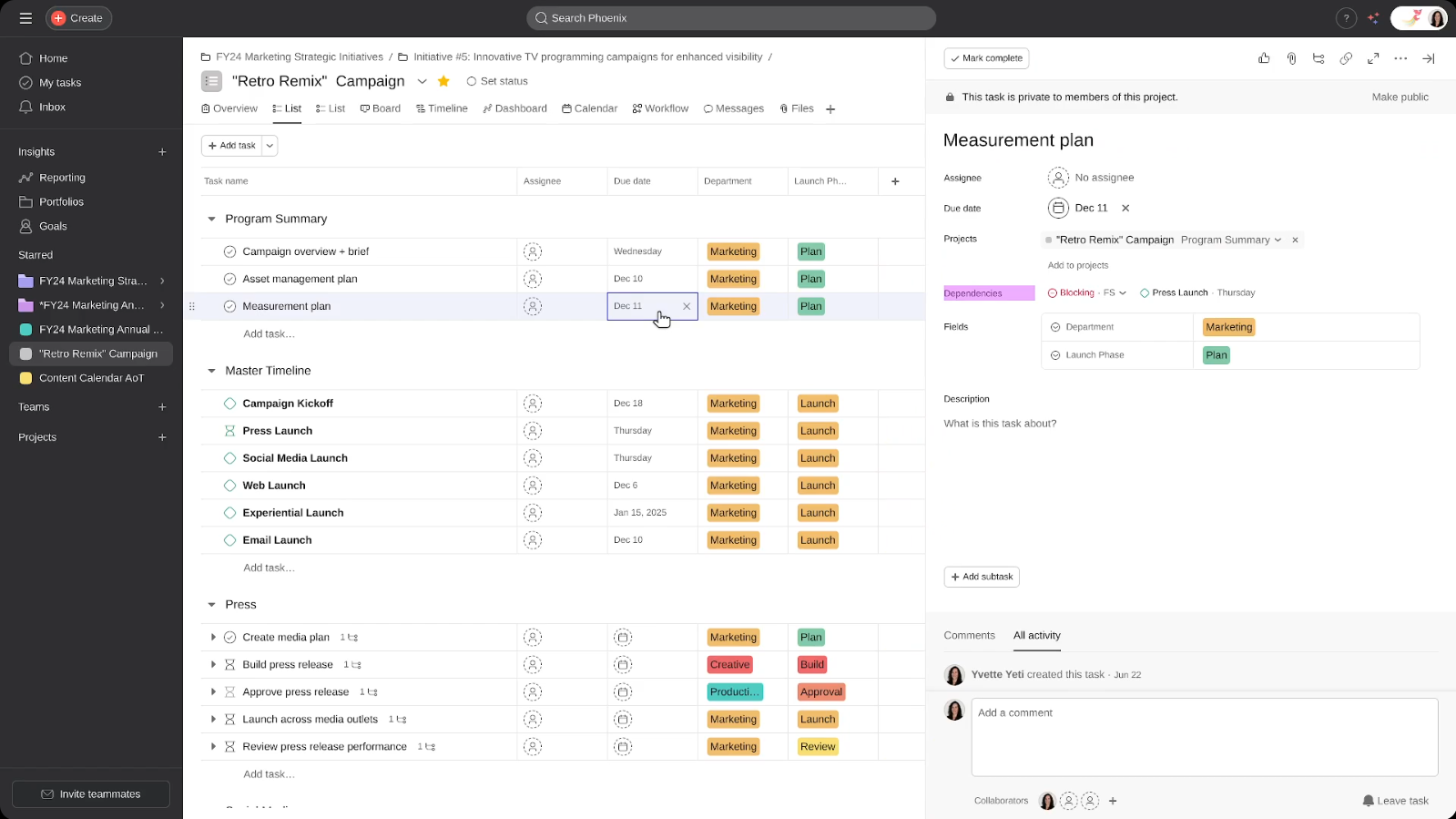
Asana breaks down work into different categories, including lists, boards, and timelines, making it one of the most well-known alternatives to monday.com for marketing and creative project teams that require effective and accurate task management.
What key features does Asana have?
- Multiple project views, including list, kanban boards, timeline/Gantt, and calendar
- Workflow Builder with unlimited automations on paid plans
- Goals and Portfolio Workload tracking that ties daily tasks to strategic objectives
- AI-assisted features, including a beta of “AI Teammates” for agentic collaboration
What pricing does Asana have?
Asana’s free Personal plan allows a maximum of two users and provides the essential capabilities of lists and boards.
The price of the Starter plan is $10.99 per user per month if billed annually and $13.49 for monthly billing. This plan includes tools such as Timeline and Gantt views as well as dashboards and unlimited automations.
The Advanced plan costs $24.99 per month per user through annual billing and provides features such as Goals and portfolio workload, built-in time tracking, and integration with Salesforce, Tableau, and Power BI.
Enterprise and Enterprise+ tiers provide custom pricing and account for SSO integration, SCIM integration, and additional compliance controls.
Why should you consider Asana as a monday.com alternative?
Pros:
- A large collection of pre-built integrations and templates meant for marketing and creative workflows
- Simple and user-friendly interface that most reviewers claim does not require any training
- Good way to track goals, connecting daily tasks with the company goals
- Timeline and workload views built specifically for cross-functional project teams
- A usable free plan for very small teams testing the platform before committing
Cons:
- Advanced plan pricing runs higher than several other monday.com alternatives on this list
- Native time tracking sits behind the pricier Advanced plan
- Reporting and resource management are lighter than dedicated portfolio tools
Asana holds a 4.4-star rating on G2 from more than 13,000 reviews. Reviewers consistently point to the intuitive interface and smooth task assignment as its biggest strengths, with a smaller number flagging the jump in price once a team needs Goals or time tracking.
2. Baserow — Best Open Source Alternative to monday.com

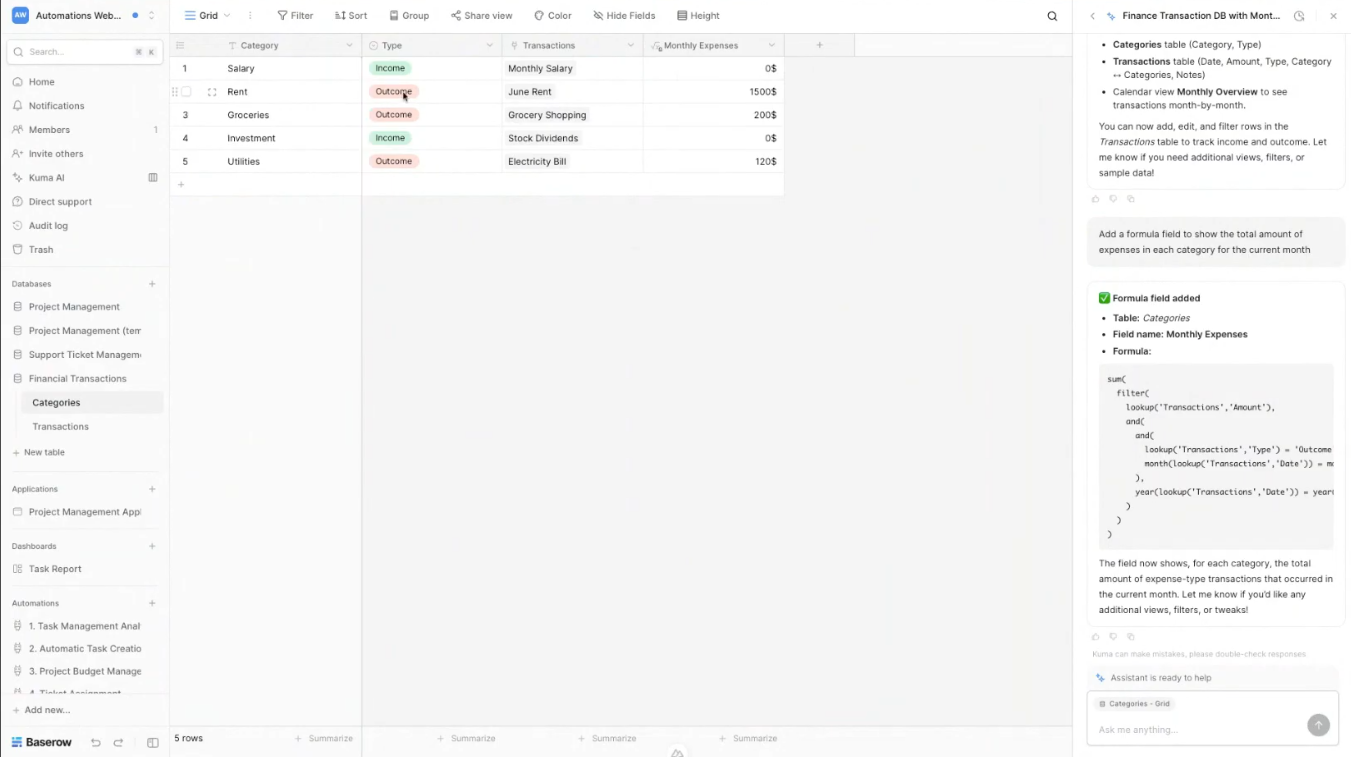
Baserow is an open-source, spreadsheet-database hybrid platform that lets teams build custom databases, forms, and lightweight applications without writing code. It’s a natural fit for anyone specifically searching for open source alternatives to monday.com or monday.com open source alternatives that can be self-hosted for full data control.
What key features does Baserow have?
- Baserow allows both unlimited databases and grid views, along with various other customizable options, including Kanban, calendar, and gallery use.
- It features an AI assistant that uses natural language commands to automatically create tables and workflows.
- The solution offers complete self-hosting for organizations with strict governance requirements.
What pricing does Baserow have?
The free plan of Baserow offers the benefit of unlimited databases, 2 gigabytes of storage space, and 3,000 rows of workspace.
The Premium plan costs $10 per user per month, paid on an annual basis, and allows for the use of 50,000 rows plus longer row-change history.
The Advanced plan has a price of $18 per user on a monthly basis with annual payment and features 250,000 rows and role-based permissions. Pricing for the Enterprise plan is available by request only.
Why should you consider Baserow as a monday.com alternative?
Pros:
- One of the few genuine open source alternatives to monday.com, with full self-hosting for data-sensitive industries
- A generous free plan with unlimited databases
- A native AI Assistant for building workflows without writing code
Cons:
- Lacks the deep task-management features, like dependencies and native Gantt charts, that dedicated project management tools offer
- No native mobile application yet, based on current reviewer feedback
- Automation is comparatively limited without pairing it with a tool like Make or Zapier
- It may take more time for companies that haven’t yet worked with tools combining spreadsheets and databases to get used to using the software.
Baserow is rated at 4.6 on G2. Reviewers mention the availability of an open-source product, easy migration from Airtable to Baserow, and great savings in money, but some criticize that there is no version of the software for smartphones or computers.
Read more: AI Sales Coach: The Future of Scalable Sales Performance
3. Epicflow — Best for AI-Driven Multi-Project Resource Management

Epicflow is an AI-based multi-project and resource management platform built on Critical Chain Project Management. Epicflow organizes work around shared resources across an entire portfolio instead, which makes it a distinct category of monday.com alternatives for organizations managing complex projects with overlapping teams.
What key features does Epicflow have?
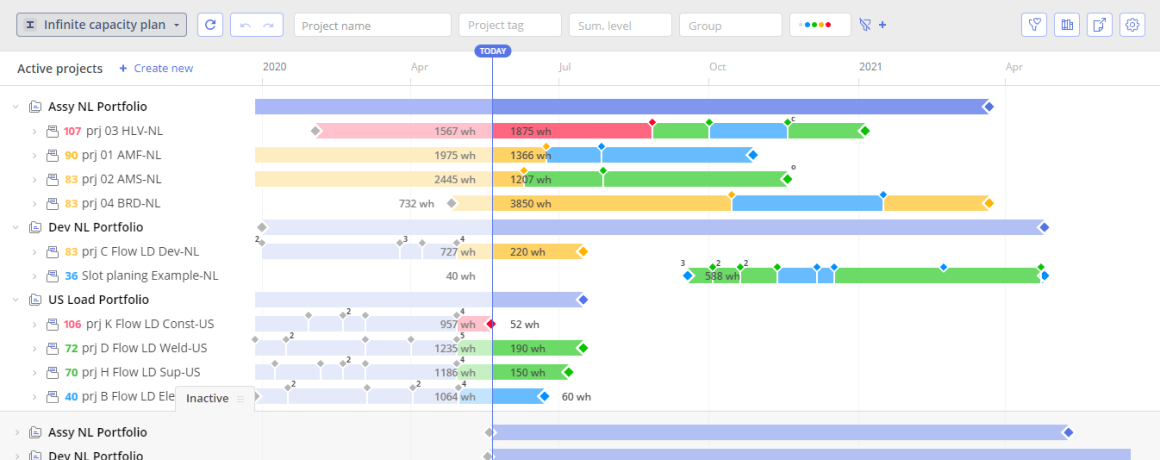
- Real-time bottleneck detection that flags overloaded resource groups before they derail a delivery date
- Epica, an AI virtual assistant, that answers project questions, generates reports on demand, and proactively surfaces risks.
- What-If Analysis for testing resourcing or scheduling scenarios in a safe sandbox before committing to a decision
- Future Load Graph and Historical Load Graph that show how team workload has shifted over time and how it’s projected to shift ahead
- A personal Task List that automatically prioritizes each team member’s work across every active project, not just one board
- Competence Management and a Pipeline view that match people to tasks by skill and track milestone feasibility across the whole portfolio
What pricing does Epicflow have?
The Growth plan costs €22.5 per user per month (billed annually) for teams of 20 to 50 users and covers up to 50 projects.
The Enterprise plan supports 50 or more users with unlimited projects and includes AI-driven scenario planning, competence management, and advanced project buffer and risk management; pricing is quoted individually. Every plan includes a 30-day trial with weekly expert support sessions included during that period.
Why should you consider Epicflow as a monday.com alternative?
Pros:
- Designed for environments with a focus on many projects, with AI that identifies problems and analyzes vendor use data, yielding efficiency gains in the range of 20 to 50 percent
- Established integration with tools like Jira, Microsoft Project, SAP, and Oracle Primavera
- GDPR, ISO 27001, and UK MOD security certifications required in the aerospace, defense, and pharmaceutical industries
- A well-structured onboarding process with an executive workshop and structured Level 1 training.
Cons:
- No permanent free plan; teams under 20 seats need to contact sales outside the standard Growth band
- The depth of portfolio and resource-management features means a genuine learning curve for teams used to simple kanban boards
When our editorial team walked through Epicflow’s demo, the Future Load Graph stood out immediately. It’s one of the few views we tested across all 11 tools that visualizes resource overload before it happens, rather than after a deadline has already slipped. G2 reviewers echo this, highlighting Epicflow’s ability to optimize complex project networks by prioritizing tasks and balancing resources across an entire organization.
Choosing between platforms like this is exactly the kind of decision we break down every week. Follow Digest.Pro on LinkedIn for tool reviews and project leadership insights as soon as they publish.
4. ClickUp — Best All-in-One Work Management Tool for Growing Teams

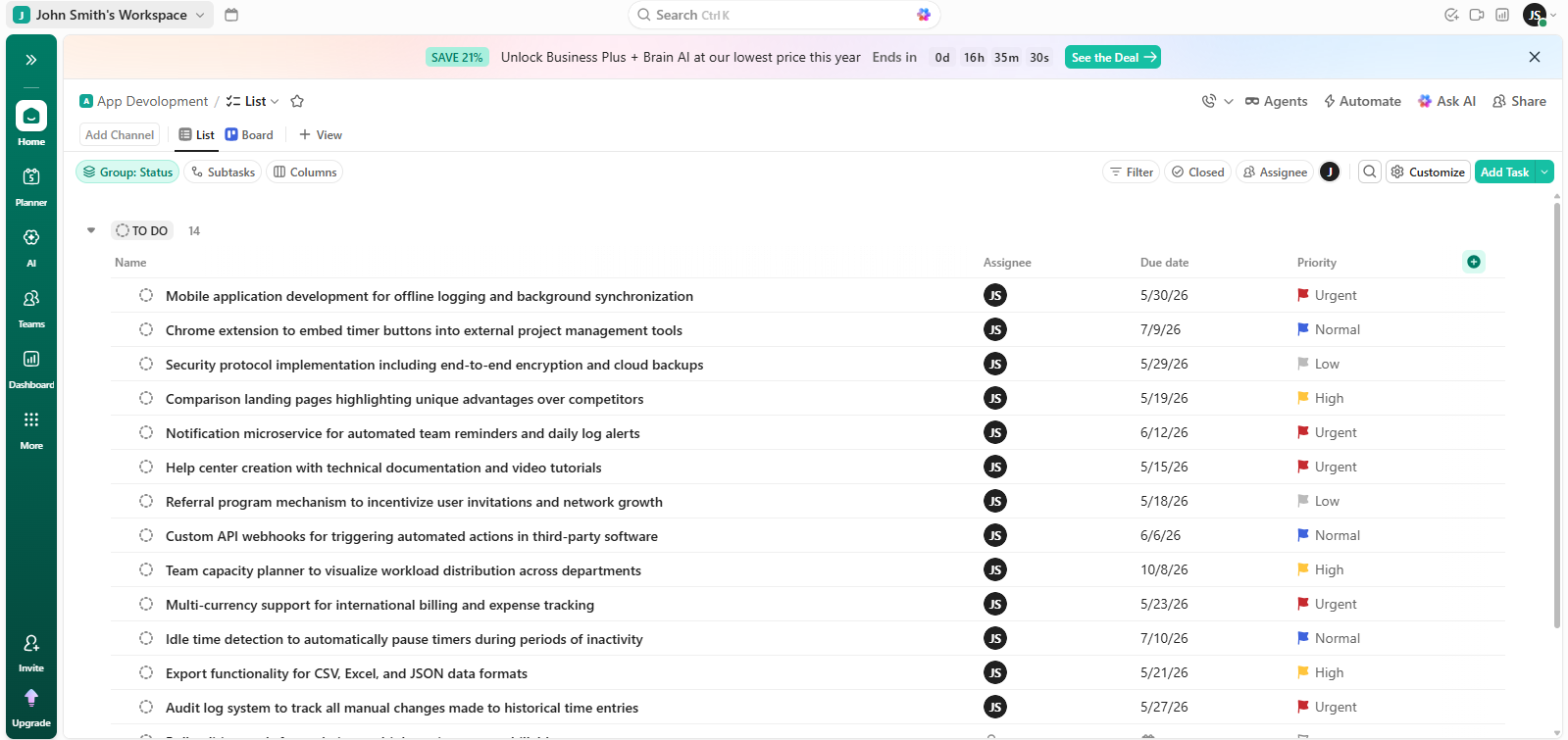
With ClickUp, users can manage tasks, make documents, utilize whiteboards & track their goals using a single platform, thus making it one of the most feature-rich tools among monday.com alternatives in this listing.
What key features does ClickUp have?
- Fully customizable views, including list, board, Gantt, mind map, and calendar
- Native docs and whiteboards alongside task management
- ClickUp Brain, a paid AI add-on for summarizing tasks and drafting subtasks
- Built-in time tracking and time estimates on paid plans
- Deep customization through custom fields, statuses, and automation recipes
What pricing does ClickUp have?
ClickUp’s Free Forever plan supports unlimited members, but caps shared storage at 60MB.
The Unlimited plan costs $7 per user per month, billed annually.
The Business plan costs $12 per user per month, billed annually, and adds workload management and advanced dashboards.
The Enterprise plan is custom-priced. ClickUp Brain, the AI layer, is a separate add-on rather than a feature bundled into any base tier.
Why should you consider ClickUp as a monday.com alternative?
Pros:
- Extremely feature-rich for the price, especially at the Unlimited and Business tiers
- Flexible enough to serve marketing, dev, and ops teams from a single workspace
- A free plan that supports unlimited members, useful among monday.com alternatives for small teams on a tight budget
- Frequent feature releases keep the platform competitive with newer entrants
Cons:
- A steep learning curve; several reviewers report one to two weeks of onboarding before a team is fully productive
- AI features sit behind a separate paid add-on rather than any base tier
- Performance can slow once a workspace holds 100 or more active projects
- The free plan’s 60MB shared-storage cap is restrictive for real client work
- Native resource management is weaker than dedicated portfolio tools like Epicflow or Wrike
ClickUp is rated at about 4.6 stars on G2 with more than 13,000 reviews. The users consistently compliment it for being flexible and having multiple views, and one of the frequent concerns relates to the learning curve and price of the separate add-on.
5. Freedcamp — Best Budget-Friendly monday.com Alternative for Small Teams
Freedcamp makes sure that its free plan is still helpful for its users. This, in fact, makes it an appealing option among monday.com alternatives, especially for smaller teams, nonprofit organizations, and self-employed individuals.
What key features does Freedcamp have?
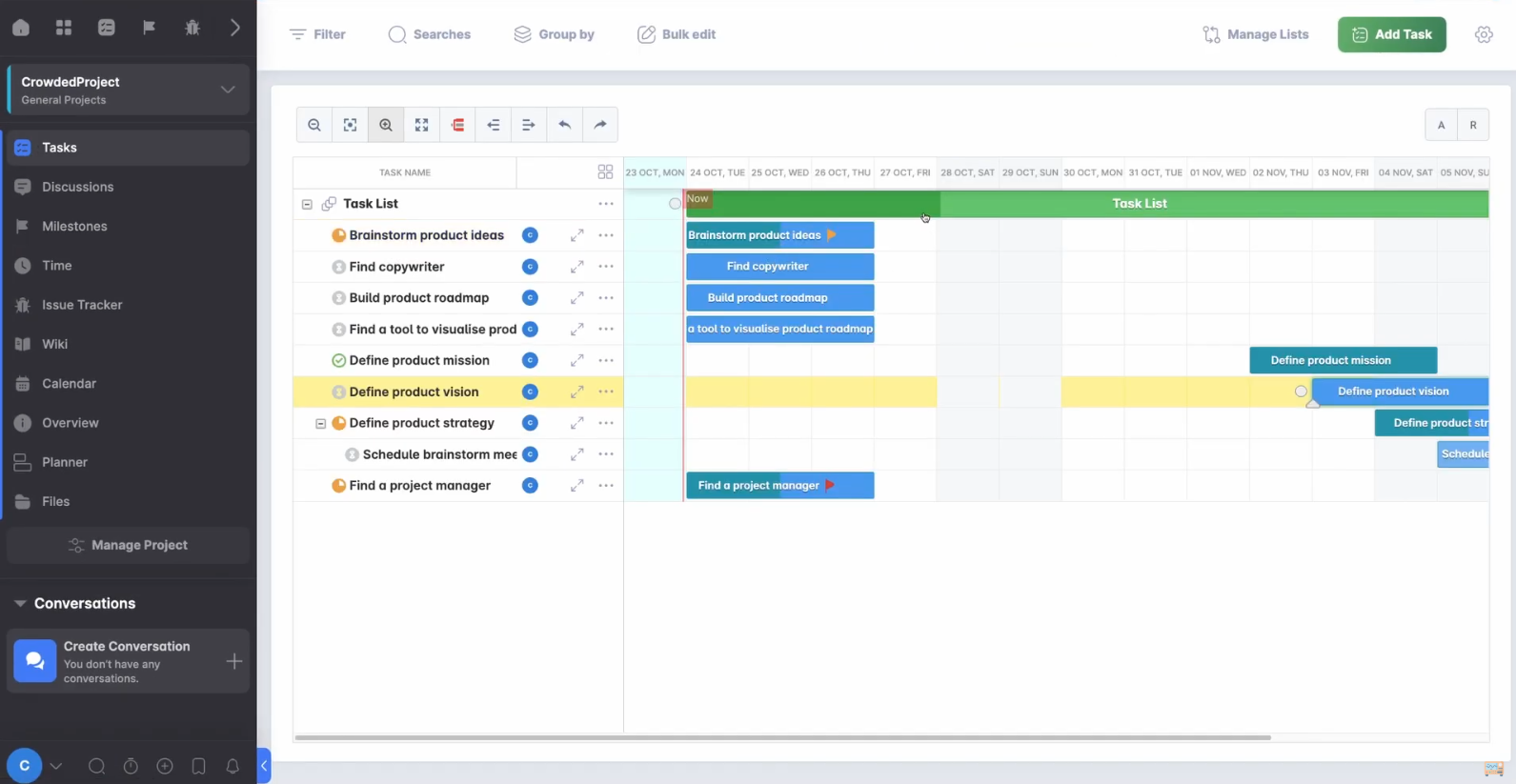
- Unlimited users and projects on every plan, including the free tier
- Kanban boards, Gantt charts, a built-in CRM, and issue tracking on the Business plan
- Read-only “collaborator” roles that don’t count toward billed seats, useful for free client access
What pricing does Freedcamp have?
Freedcamp offers a complimentary package with access to unlimited projects, tasks, and users.
The subscribers of the Pro package will pay around $1.49 per user monthly when billed annually.
The Business plan charges basically $7.49 per user each month, which offers all in the Pro plan with the addition of Gantt charts, CRM tools, and custom fields.
There is also the Enterprise plan for about $16.99 monthly per user that provides white labeling, single sign-on (SSO), and priority support to users.
Why should you consider Freedcamp as a monday.com alternative?
Pros:
- One of the most affordable monday.com alternatives for small teams on this entire list
- Free collaborator roles keep client and guest access costs down
- A generous free plan that Capterra reviewers repeatedly say covers real project structure without forcing an upgrade
Cons:
- Visual representation of tasks is less advanced compared to more expensive alternatives
- The design is old-fashioned in comparison with Asana or ClickUp
- Reporting and resource-level analytics are still scarce on the Business plan
Freedcamp rates 4.5 stars on G2. The small-business and non-profit users frequently compliment the product for its good value and rapid onboarding, and many users mention its free plan as sufficient to perform actual work.
Read more: What Are the 9 Best Smartsheet Alternatives for Project Portfolio Management?
6. Jira — Best monday.com Alternative for Software Development Teams

Jira, Atlassian’s issue and sprint tracking platform, remains the default choice among monday.com alternatives with better dev workflows for teams running agile software development.
What key features does Jira have?
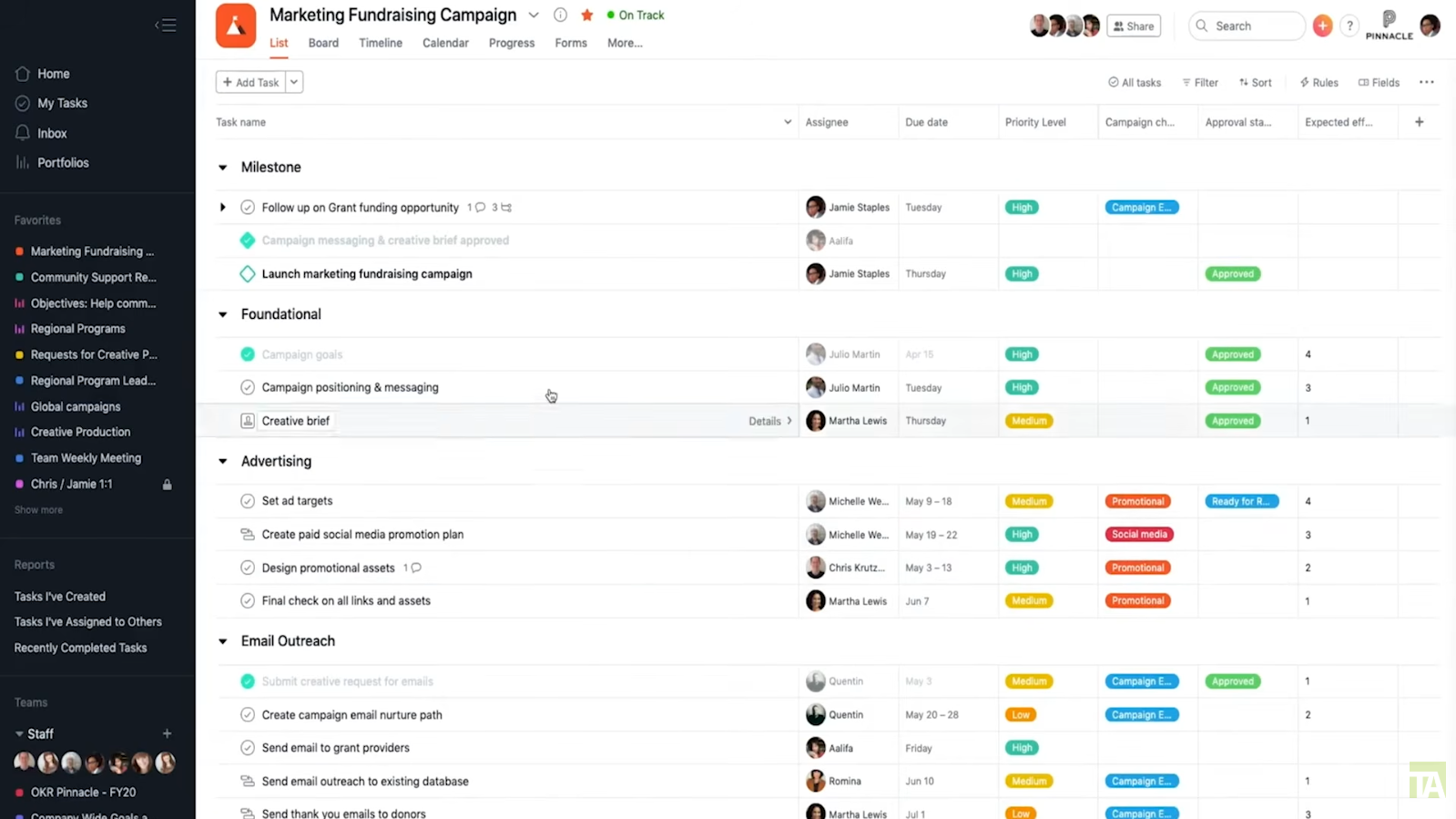
- Native Scrum and kanban boards built specifically around sprints, backlogs, and story points
- Deep integration with the developer toolchain, including GitHub, Bitbucket, and CI/CD pipelines
- Rovo, Atlassian’s AI-powered search and reporting layer, bundled into paid tiers.
- Advanced roadmaps and cross-team dependency tracking on the Premium plan
- Granular permission schemes suited to large engineering organizations
What pricing does Jira have?
The free plan of Jira permits the use of 10 users only.
Standard package costs around $7.91 per user, billed annually.
Premium package is estimated at the price of $14.54 per user per month with unlimited storage and advanced roadmap services.
In case of the Enterprise package, it should be noted that it fits any big organization with offices all over the country and has customized pricing. The Jira Data Center, as a self-hosting option, has closed to new subscriptions as of March 26.
Why should you consider Jira as a monday.com alternative?
Pros:
- The default pick among monday.com alternatives with better dev workflows: sprint planning, backlog grooming, and issue linking are purpose-built for engineering teams
- Scales from a 10-user free team to enterprise software organizations with thousands of users
- An extensive Atlassian Marketplace of add-ons for testing, DevOps, and reporting
- Tight integration with Confluence and other Atlassian tools for combined documentation and delivery
- A free plan that’s genuinely usable for small dev teams, with no time limit
Cons:
- Terminology and setup can feel unfamiliar to non-technical project teams
- A user-tier pricing model means a 12-person team can end up paying for a larger seat band than it uses
- Confluence, often needed for documentation, is billed separately
- Advanced permissions and unlimited storage require the pricier Premium tier
Jira has 4.3 stars on G2 with more than 7,500 reviews. Users consistently note visibility into sprints and ability to track issues as its primary advantages, and the configuration difficulty is mentioned by some users as an onboarding cost.
7. nTask — Best Lightweight Task and Risk Management Tool for Small Teams
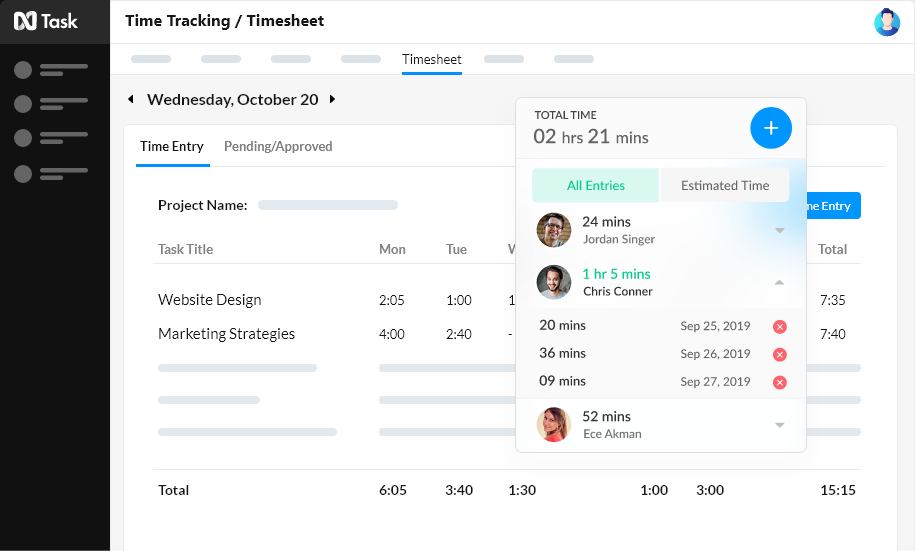
nTask pairs standard task management with built-in risk tracking, a combination that most lightweight tools skip, making it a solid pick among monday.com alternatives for small teams and freelancers.
What key features does nTask have?
- Built-in risk management and issue tracking alongside standard task management
- Gantt charts and kanban boards on every paid plan
- Meeting management with agendas tied directly to tasks and projects
What pricing does nTask have?
nTask’s free Basic plan suits very small teams (5 members maximum).
The Premium plan starts around $3 per user per month, billed annually.
The Business plan runs about $8 per user per month billed annually and adds custom fields and advanced reporting.
The Enterprise plan is custom-priced and includes SSO.
Why should you consider nTask as a monday.com alternative?
Pros:
- A genuinely affordable entry point among monday.com alternatives for small teams and freelancers
- Risk tracking is a differentiator most lightweight task-management tools skip entirely
Cons:
- Fewer third-party integrations than larger platforms like ClickUp or Asana
- Some reviewers note the absence of a dedicated task timer, even though time logging exists elsewhere in the app
nTask averages 4.4 stars on G2. Reviewers repeatedly call out its simplicity and capable free version as standout strengths for small teams evaluating their first dedicated project tracker.
Read more: AI Agent Assist: What It Is and Why You Need It in 2026?
8. Smartsheet — Best Spreadsheet-Style Project Tracker for Enterprise PMOs
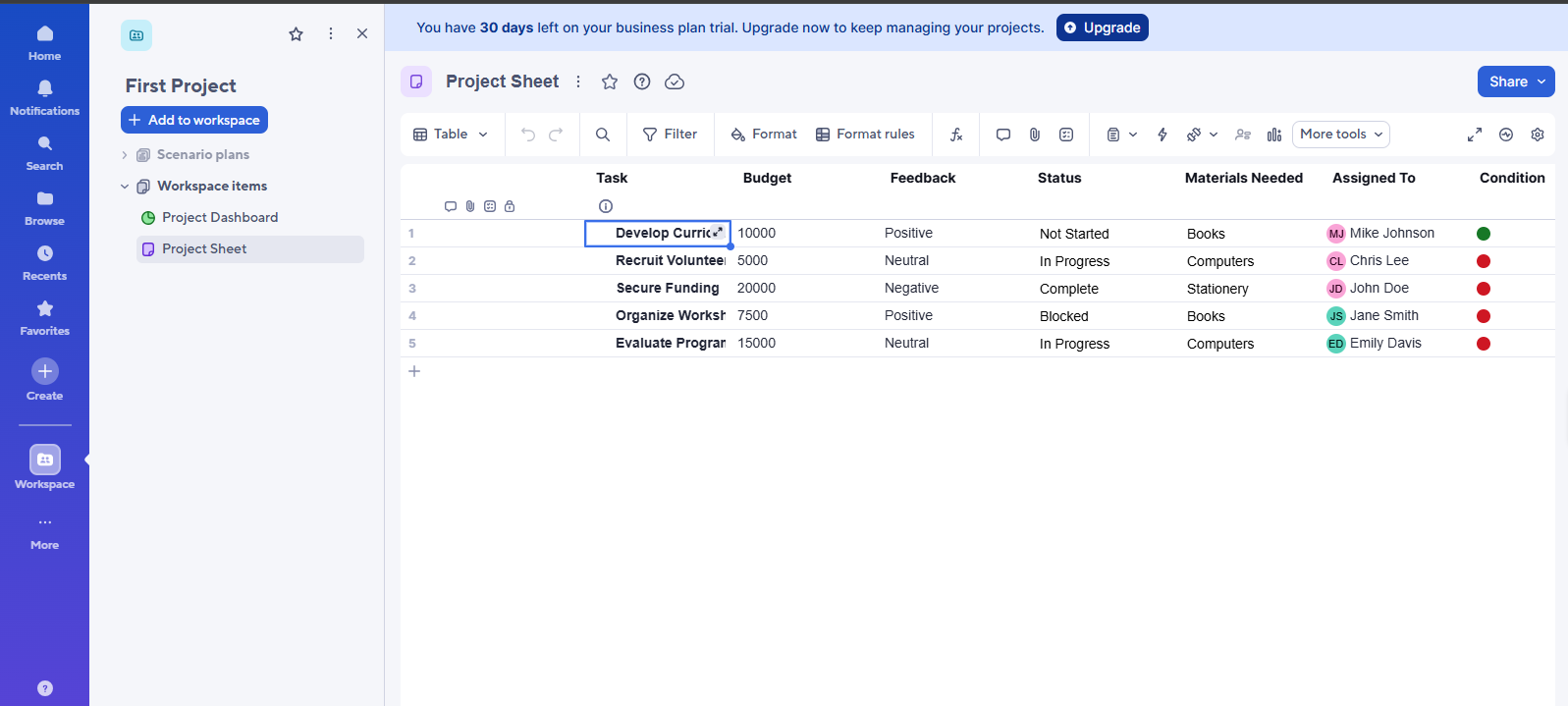
Smartsheet takes the spreadsheet interface and puts it into an environment with a variety of different project tracking formats like Gantt, cards, and calendar views, making it easier to use than monday.com.
What key features does Smartsheet have?
- A spreadsheet-familiar grid interface alongside Gantt, card, and calendar views
- WorkApps, which bundle sheets, reports, and dashboards into no-code portals
- Data Shuttle for automated data import and export from external systems
- Resource management and capacity views on the Enterprise and Advanced Work Management tiers
What pricing does Smartsheet have?
A permanent free plan is not provided by Smartsheet anymore; however, a 30-day free trial plan is provided instead.
The starting price for the Pro tier is $9 per user per month on an annual billing cycle, with the maximum number of licensed users being 10.
Pricing increases further when it comes to the Business tier and above, and these plans include unlimited users, whereas the Enterprise and Advanced Work Management tiers are quoted individually.
Why should you consider Smartsheet as a monday.com alternative?
Pros:
- A familiar spreadsheet-style interface that finance and operations project teams adopt with minimal training
- Strong reporting and dashboard capability for PMOs managing many concurrent workstreams
- 92% of enterprise users rate Smartsheet four or five stars, according to the company’s published G2-sourced data
- WorkApps and Data Shuttle add genuine no-code automation for connecting external systems
Cons:
- No permanent free plan, unlike most other tools on this list
- The Pro plan’s 10-user cap forces an upgrade quickly for growing project teams
- Full resource and capacity planning requires the pricier Enterprise or Advanced Work Management tier
The product Smartsheet earns a 4.4-star rating from over 24,000 reviews at G2, with users appreciating its usability and real-time updates, especially by construction, pharmaceutical, and IT teams.
Comparisons like this one are exactly what we cover every week on Digest.Pro’s LinkedIn page — follow along for the next tool breakdown.
9. Teamwork.com — Best monday.com Alternative for Client Services
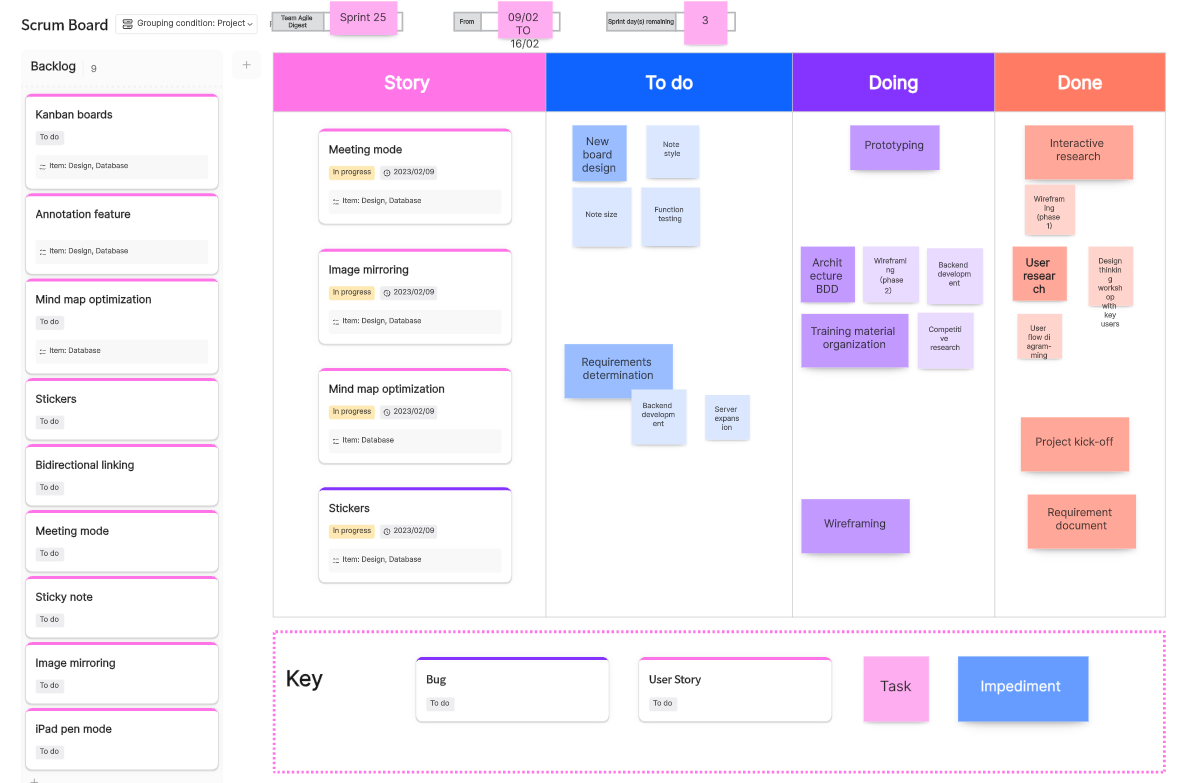
Teamwork.com bakes billing, invoicing, and project budgets directly into task management, which makes it a natural monday.com alternative for client services and agency teams.
What key features does Teamwork.com have?
- Native time tracking, invoicing, and project budgets built for billable client work
- Unlimited client users and guest collaborators on paid plans
- Workload and capacity management for balancing billable hours across client accounts
- Teamwork AI for task generation, summarization, and expense autofill
What pricing does Teamwork.com have?
The Free tier offers you task, list, board, Gantt, table views on projects. Up to 5 users and 5 projects.
The Basics plan costs $9.99 per user per month, billed annually.
The Accelerate plan costs $24.99 per user per month billed annually and adds workload and capacity management.
The Optimize and Enterprise tiers have custom pricing.
Why should you consider Teamwork.com as a monday.com alternative?
Pros:
- Purpose-built for client services: billing, invoicing, and profitability tracking are native rather than bolted on
- A genuinely useful free plan for very small agencies just starting out
- A workload view that helps prevent staff burnout across multiple client accounts, a common gap among monday.com alternatives for marketing and creative teams
- Unlimited client guest access, which keeps external stakeholder costs down
Cons:
- Pricing has risen noticeably over the past two years, according to TrustRadius reviewers
- Both the Grow and Scale plans require a five-user minimum
- Reporting customization is narrower than on some enterprise-focused rivals
- The free plan’s five-user, two-project cap is tight for anything beyond a pilot
Teamwork.com rates 4.4 stars on G2 from more than 1,200 reviews. Independent testers frequently rank its free plan among the strongest in the category, and its time-tracking and billing depth are the most-cited reasons agencies switch to it.
10. Trello — Easiest to Use monday.com Alternative for Simple Kanban Boards

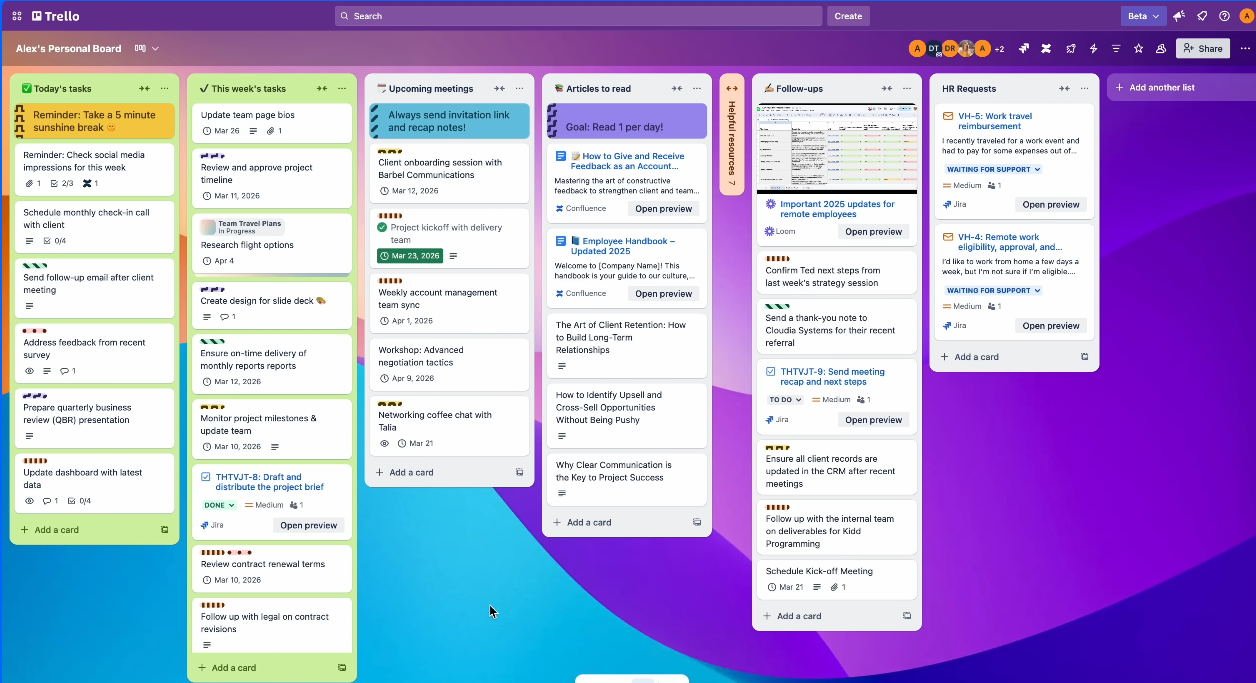
Trello is the epitome of simplicity with cards, lists, and drag-and-drop kanban boards, but without any of the complications that come with heavier software. Consistently ranked as the most easy-to-use monday alternative out there.
What key features does Trello have?
- Classic drag-and-drop kanban boards with cards, lists, and checklists.
- Butler automation, which allows you to set up rules for automation.
- Power-up options, which include calendar, timeline, table, dashboard, and geographical views (only available in paid tariff plans).
What pricing does Trello have?
There is a Free plan with unlimited cards and members up to 10 boards per workspace. The Standard plan is available for $5/user/month billed annually, which provides access to unlimited boards and custom fields. For $10/user/month billed annually (Premium tier), one gets premium features with Calendar, Timeline, Table, Dashboard, and Map views. Enterprise plan is available starting from $17.50/user/month billed annually and has a minimum of 50 seats.
Why should you consider Trello as a monday.com alternative?
Pros:
- The easiest to use monday.com alternative on this list for teams that just want visual kanban boards
- One of the most generous free plans in the category, with unlimited cards and members
- A $5-per-user Standard plan that undercuts nearly every other paid tier reviewed here
Cons:
- Free and Standard plans have no built-in reporting or chart views
- Native features thin out fast compared to Asana or ClickUp once workflows get complex
- The 10-board free-plan cap forces an upgrade for teams running more than a handful of active projects
On G2, Trello earns 4.4 stars on close to 14,000 reviews, where reviewers have been pointing out its ease of setup and onboarding as its biggest features. This is what keeps the tool popular as the first choice for teams transitioning away from monday.com.
Read more: Jira vs Trello vs Asana: Which is the Best for Project Management in 2026?
11. Wrike — Best Enterprise-Grade monday.com Alternative for Complex Projects

Wrike offers everything from Gantt chart view to portfolios and resource management. All of it in one software that works well on complicated projects that include multiple departments.
What key features does Wrike have?
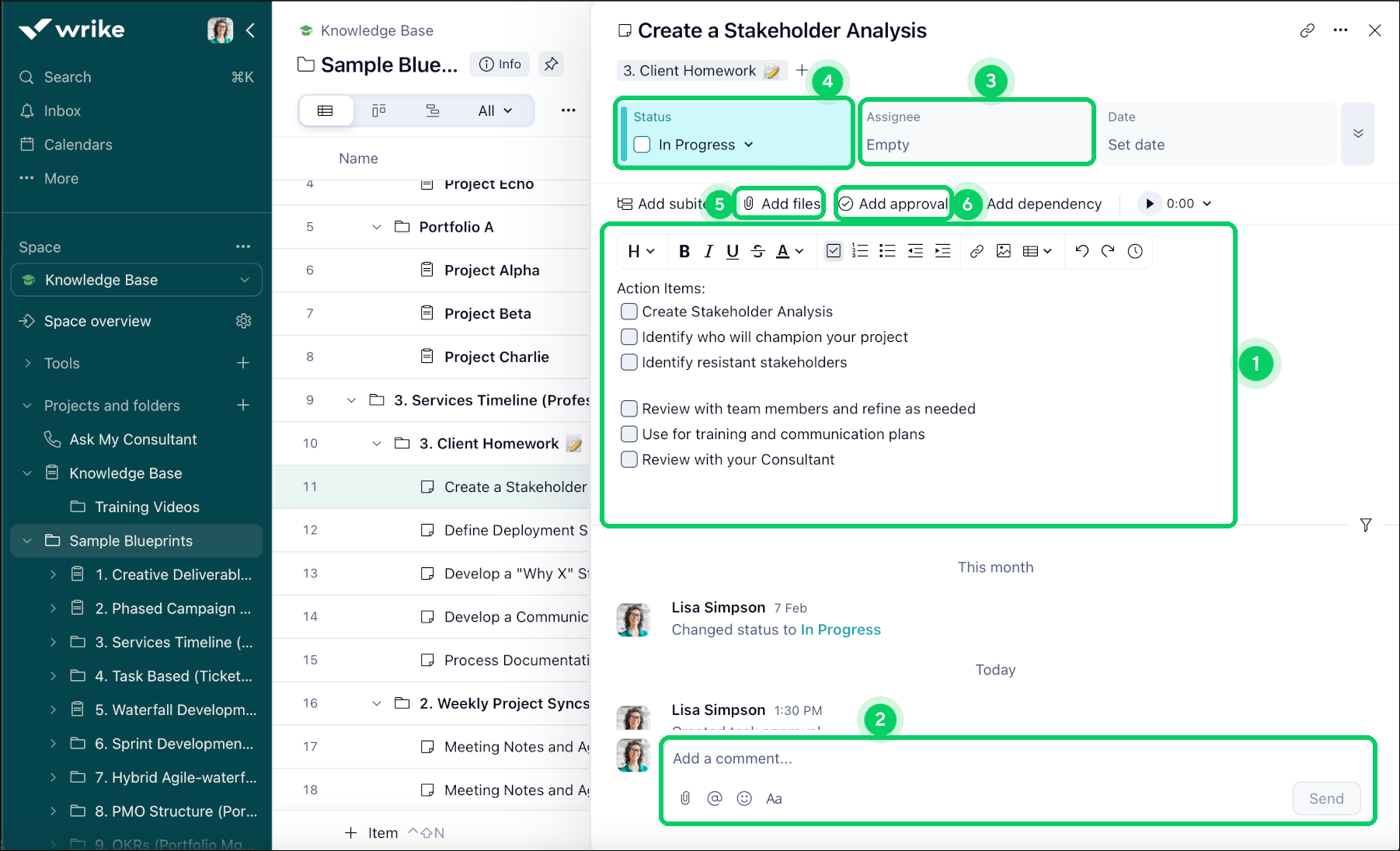
- Gantt charts, portfolio views, and dashboards for managing complicated projects across departments
- Wrike Copilot – AI-driven feature for generating summaries and providing next steps
- Resource management, time tracking, timesheets, workload charts (in Business plan)
- Integration with Salesforce, NetSuite, and Adobe Creative Cloud
- Request forms & approvals workflows
What pricing does Wrike have?
Wrike’s Free version supports 2 GB storage per account, and paid plans start at $10 per month for an annual plan that provides you with the Team plan (2-15 users). The next highest is $25 per month for an annual Business plan, with at least 5 users. Top, enterprise-tier plans for all the companies are now referred to as Pinnacle and Apex.
Why should you consider Wrike as a monday.com alternative?
Pros:
- Built to handle complex projects with cross-departmental dependencies, not just single-team boards
- Resource and workload management that’s stronger than most tools on this list outside of Epicflow
- A broad integration ecosystem for enterprises already running Salesforce or Adobe Creative Cloud
- A genuinely usable free plan for small teams that need basic Gantt charts
- Wrike Copilot adds AI summarization without a separate paid add-on at the Business tier and above
Cons:
- The Business plan’s five-user minimum sets a real cost floor even for smaller teams
- Licenses sell in fixed user bands, so a six-person team ends up paying for 10 seats
- Pinnacle and Apex pricing isn’t published, which means a sales call is required to budget accurately
Wrike rates 4.2 stars on G2 from more than 4,500 reviews. Reviewers highlight its customization strength for managing complex projects, alongside a steeper setup curve than Asana or Trello.
Still weighing your options? Follow Digest.Pro on LinkedIn and get the next project management deep dive delivered straight to your feed.
How to choose the perfect monday.com alternative?
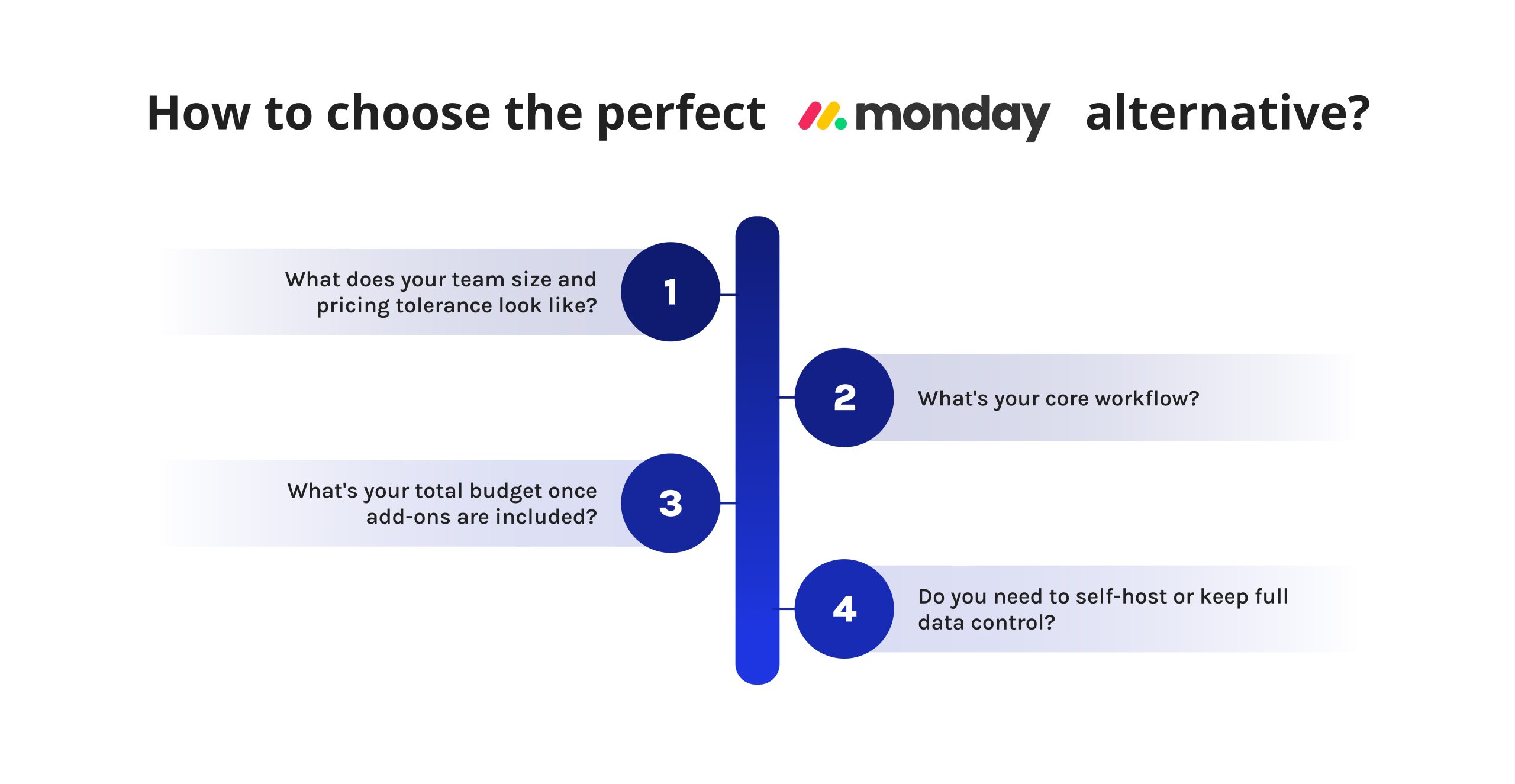
The choice of monday.com alternative doesn’t depend on the number of features one product has over another. Your project management needs and team-working processes come first here. Ask yourself these questions before making a decision.
What about your team size and pricing tolerance? Seat minimums and pricing structure are more important than the base price. Wrike and Teamwork have five-seat minimums for their pricing plans.
- What’s your core workflow? Sprint-based dev teams need Jira’s issue tracking. Client-facing agencies need Teamwork.com’s billing. Marketing and creative teams generally do well with Asana or Teamwork.com. Teams managing a shared resource pool across many projects need Epicflow’s capacity planning rather than another kanban board.
- What’s your total budget once add-ons are included? ClickUp’s AI layer, Asana’s time tracking, and Smartsheet’s resource management all sit behind extra cost. Factor those in before comparing sticker prices.
- Do you need to self-host or keep full data control? If so, look at open source alternatives to monday.com or monday.com open source alternatives directly — Baserow is the strongest, most self-hostable pick on this list.
To make this concrete, here’s a quick answer by scenario:
- Need the easiest-to-use monday.com alternatives? Start with Trello.
- Looking for monday.com alternatives for small teams? Freedcamp and nTask keep costs low.
- Searching for monday.com alternatives for marketing teams? Asana and Teamwork.com fit cross-functional campaign work well.
- Need monday.com alternatives for creative teams specifically? Teamwork.com and Asana both handle client approvals and creative review cycles.
- Want monday.com alternatives with better dev workflows? Jira is built for sprints and issue tracking.
- Considering monday.com alternatives for work management more broadly, across departments? ClickUp and Wrike scale well.
- Need open source alternatives to monday.com specifically? Baserow is the strongest self-hosted option here.
- Want free monday.com alternatives you can start using today? Trello, ClickUp, Freedcamp, Wrike, and Baserow all offer permanent free tiers, and each ranks among the best free alternatives to monday.com in 2026. If you’re building a shortlist of monday.com free alternatives specifically for a pilot project, start with whichever tool matches your core workflow from the list above, then upgrade only once you hit a real limit.
- Managing several concurrent, resource-constrained projects rather than one board? That’s the one scenario a general-purpose tool rarely solves well, and it’s exactly where Epicflow’s AI-driven resource management earns its place on this list. If shared resources, bottlenecks, and portfolio-wide prioritization are your real bottleneck.
Summary
So, which are the best monday.com alternatives? There is no clear winner here, and that is the simple truth. Asana and Teamwork.com excel at serving marketing, creative, and client-focused project teams. Jira is unbeatable for software development teams. ClickUp and Wrike do a great job of handling general-purpose work management spanning several departments. Trello and Freedcamp stay simple and inexpensive for small teams. Baserow is an excellent response to the need for truly open-source alternatives to monday.com. Smartsheet and nTask have their own special roles to play as spreadsheet-like task tracking and risk management solutions. But there are other organizations with a different problem entirely: managing shared resources among many dependent projects, not just tasks on one board. Epicflow solves this problem with its artificial intelligence multi-project resource management solution, which is simply outside the scope of monday.com and its clones to address.
Regardless of whether you are trying to find the best alternatives to monday.com in 2026 for a five-member creative team or a two-hundred-person PMO, the 11 alternatives above offer all possible combinations of price, technical approach, and complexity. Try out two or three best fits for you, and you will discover much more during the trial.
Found this guide helpful? Follow Digest.Pro on LinkedIn for more project management software comparisons and PMO insights, published every week.
Read more: 8 Top Jira Alternatives for Complete Portfolio Visibility & Control in 2026
Frequently asked questions about best monday.com alternatives in 2026
Yes — a true free alternative to monday.com is available in 2026. All of Trello, ClickUp, Freedcamp, Baserow, and Wrike all have a free plan that’s available perpetually rather than as a time-limited trial.
Though reporting, resource management, and automation are usually relegated to paid plans, tasks and workflows are perfectly usable for free in all of these options.
The biggest competitors to monday.com for general work management are arguably Asana and ClickUp in terms of G2 review volume and general market awareness. Wrike and Smartsheet are perhaps stronger competitors for enterprise-grade complex project work, and Jira remains the go-to alternative for software development teams, specifically.
No tool is definitively better; it just depends on workflow and price point.
Asana appeals more to marketing and creative teams who want a clean, organized feel and goal-tracking features, while monday.com is well-suited to more visual-minded and automation-heavy teams that appreciate its customization. In pricing terms, Asana Starter is similarly priced to monday.com Standard, making cost rarely the decision-maker.
You can use tools like Baserow, Wrike, and ClickUp, which offer custom databases and pipeline views to mirror Monday’s contact/deal tracking capabilities (though none mirror exactly, step-for-step). Those who want their own sales funnel and project manager tool often just pair up a lean CRM with a project manager instead.
Jira is best for agile software development teams, given its native support for scrum boards, backlog work management, and its robust set of integrations with other development tools.
Wrike and ClickUp are capable options for teams looking for an agile management structure as part of an overall workflow management tool.
- monday.com: Customization and setup speed.
- ClickUp: Feature density and price/feature value.
- Wrike: Resource management and enterprise project governance.
Consider ease of use vs. depth of resource planning and integration.
Evaluate your top contenders against your team’s workflow, budget, and required integrations. Try the top 2-3 during their free trials. User review sites like G2, Capterra, and TrustRadius offer more realistic assessments than marketing claims, and the table above offers a quick way to start the process.
All the tools featured in this guide either have an ongoing free tier or offer a free trial via their official website ranging between 14 and 30 days. For some higher-tier products like Epicflow, Smartsheet, and Wrike, instead of self-serve registration, you’ll need to request a live demo from their sales representative.
If your priority is to replicate monday.com’s powerful feature set combining flexible boards, automation, and highly customized workflows, look no further than ClickUp, Asana, or Wrike. If the biggest challenge for your organization revolves around shared resource utilization and synchronization across numerous simultaneously executed projects (instead of managing tasks on one specific board), Epicflow’s artificial intelligence-driven resource and capacity planning fills the gap not addressed by monday.com and its closest counterparts.
ClickUp, Asana, and Wrike are some of the best pm software options if we’re talking about a tool similar to monday.com based on its visual board functionality, automation, and customized workflow. If the team’s main struggle, however, is the allocation of resources for numerous simultaneously running projects instead of task allocation for just one board, then Epicflow offers resource and capacity planning based on AI that is unavailable for monday.com and most of its competitors.