

For more than a decade, Smartsheet has enjoyed enormous popularity among its numerous users as the most efficient spreadsheet-style project management tool. However, it was not meant to facilitate the execution of a complete project portfolio of an advancing PMO, and the troubles begin once you need to have resource planning, have to deal with numerous projects at a time, or have a team that outgrows a single Smartsheet grid. That is why the interest in Smartsheet alternatives is growing amongst the representatives of project portfolio management, PMOs, and even executive managers, since they require something more than a smart spreadsheet.
We conducted a trial and comparative analysis of the nine most appropriate Smartsheet substitutes present on the market, considering the real reviews on G2, Capterra, and TrustRadius, the documents from vendors, and our own experience with these tools.
Our article will help you filter the marketing influence, understand the limitations of Smartsheet, and define the appropriate Smartsheet substitution considering the size and complexity of your team and the budget of the project at hand.
Key Takeaways:
- Smartsheet experiences its major drawbacks in terms of its high learning curve, single-grid structure, and the resource management feature that can only be found in the paid add-on and not in the main program.
- The best alternatives to Smartsheet cover a wide range of purposes: AI-based resource management with Epicflow, delivery of enterprise work via Wrike, agency operations implemented through Screendragon and Productive, broad possibilities in the area of flexible databases offered by Airtable, Notion, and Coda, and efficient and easy-to-use tools supporting all-in-one work management, such as monday.com and ClickUp.
- No single Smartsheet alternative wins on every dimension — the right pick depends on whether your priority is multi-project resource planning, ease of use, budget, or how deeply you need portfolio-level tracking and forecasting.
In this article, we will explore what Smartsheet does well, why portfolio managers still look for a better fit, and how nine leading tools stack up on project management, resource planning, and capacity planning.
What Is Smartsheet?
Smartsheet is a cloud-based work management platform built around a spreadsheet-style grid. It layers project management features — Gantt charts, automations, dashboards, and forms — on top of that familiar row-and-column interface, which is why it appeals to teams that already think in Excel.
Smartsheet is an enterprise work management platform that lets organizations manage projects, programs, and processes at any scale, with team collaboration, workflow automation, resource management, and portfolio management capabilities layered on top of that spreadsheet interface.
Quick Comparison Table of the Top Smartsheet Alternatives (2026)
|
Tool |
Best For |
Standout PPM Feature |
Starting Price |
G2 Rating |
|
Epicflow |
Multi-project resource management with AI |
Predictive capacity planning, bottleneck detection, and AI assistants |
€22.5/mo |
4.4/5 |
|
Wrike |
Mid-to-large teams with complex dependencies |
Portfolio dashboards + AI risk prediction |
Free; paid from $10/user/mo |
4.2/5 (4,500+ reviews) |
|
Screen dragon |
Enterprise marketing & agency PPM |
AI-assisted resourcing and capacity planning |
Custom pricing |
4.7/5 |
|
Airtable |
Flexible, database-style project tracking |
Linked records and no-code app building |
Free; paid from $20/user/mo |
4.6/5 (over 3,000 reviews) |
|
monday.com |
Visual, non-technical teams |
Cross-board dashboards, workload views |
Free (2 users); paid from €9/user/mo |
4.7/5 (15,000+ reviews) |
|
ClickUp |
Budget-conscious, feature-hungry teams |
Native Gantt, time tracking, and Workload view on low tiers |
Free; paid from $7/user/mo |
4.6/5 (11,000+ reviews) |
|
Productive |
Agencies and professional services firms |
Resource planning tied to budgets and profitability |
From $10/user/mo |
4.6/5 |
|
Notion |
Docs-first teams that also track light projects |
Relational databases with Timeline view |
Free; paid from $10/user/mo |
4.6/5 (12,000+ reviews) |
|
Superhuman Docs |
Teams building custom internal tools |
Tables, buttons, and automations inside living docs |
Free trial, custom-based pricing |
4.6/5 |
Pricing reflects publicly published rates as of mid-2026 and changes frequently — confirm current numbers directly with each vendor before budgeting.
How We Evaluated and Selected the Best Smartsheet Alternatives
Our Methodology: Our editorial team didn’t just visit the landing pages. Instead, we monitored product trials and product demos for every app we have listed here. We matched what they found with things stated in verified reviews from G2, Capterra, and TrustRadius. And we compared the current prices of every vendor with their price list. Each of the Smartsheet alternatives got rated based on four most important criteria for PMO or C-level buyers:
- Operational efficiency — how much manual setup, formula writing, or administrative overhead the tool requires to deliver results?
- AI and resource capabilities — can the platform predict workload, identify potential bottlenecks, and suggest resource allocation, or is it just capable of monitoring tasks?
- Resource and capacity planning depth — does the tool support real resource planning and capacity planning across a multi-project environment, or only single-project task assignment?
- Scalability for project-based teams — can the tool grow from a single project-based team to an enterprise PMO without a total re-platform?
Editorial note: When our team trialed the free tiers of Wrike, ClickUp, and monday.com side by side, the gap in default resource visibility was the clearest differentiator — only Wrike surfaced any cross-project workload view without a paid upgrade, and even that required the Business tier.
What Business Problems Do Smartsheet Alternatives Solve?
Teams don’t switch tools for fun. They look for alternatives to Smartsheet because a specific business problem keeps recurring. The strongest Smartsheet alternatives solve for:
- Cross-project resource flow. When the same engineers, designers, or consultants sit on five projects at once, a single-sheet view can’t show who’s overbooked. A dedicated resource management layer can.
- Portfolio-level prioritization. C-level leaders need to see which projects deliver the most business value, not just which tasks are overdue this week.
- Accurate tracking and forecasting. Static spreadsheets show status; better tools show trend lines — where a project is heading, not just where it stands today.
- Faster onboarding for project-based teams. A tool that takes three weeks to configure is a tool half your team quietly avoids. This is where a well-chosen alternative to Smartsheet pays off fastest, since project-based teams rarely have three idle weeks to spend on setup.
- Built-in AI assistance. From auto-generated schedules to predictive bottleneck alerts, AI capabilities now separate a modern Smartsheet alternative from a legacy spreadsheet with a project skin.
Solving these problems well is what separates a good smartsheet alternative from a lateral move that just swaps one set of frustrations for another.
Read more: Program Management in 2026: What It Is and Why It Matters
Why Are Portfolio Managers Looking for Smartsheet Alternatives?
Smartsheet earns real loyalty — it holds a 4.4-star rating across more than 22,000 G2 reviews — but portfolio managers consistently run into the same friction points once their programs scale.
A steep learning curve. Users repeatedly report a challenging learning curve tied to non-intuitive features and limited support for complex functions, with more than 1,300 G2 reviews flagging onboarding difficulty specifically. New hires often need formal training just to build a working sheet.
No native multi-tab structure. Despite its spreadsheet look, Smartsheet restricts users to a single grid per sheet with no built-in tabs, forcing teams managing multiple project dimensions into workarounds or separate sheets that lose their connections.
Resource management is an add-on, not a core feature. Native capacity and workload planning sit behind Smartsheet’s paid Resource Management module rather than the base platform — a real cost and complexity tax for any PMO that needs it from day one.
No permanent free plan. As of 2026, Smartsheet’s published plans are Pro, Business, and Enterprise, backed only by a 30-day free trial rather than a free-forever tier — a meaningful gap for smaller teams comparing free Smartsheet alternatives like ClickUp or Airtable.
Reporting and visualization stay basic. Users note that data visualization has seen few improvements over time, with minimal chart options and row limits on large datasets.
Mobile functionality lags behind the desktop app. Task management features available on desktop are frequently missing from the mobile app, which limits how useful Smartsheet is for field teams or on-the-go project managers.
What Features Should You Look for in a Smartsheet Alternative?
Prior to selecting any smartsheet alternative, examine its features as per your own PMO processes, as opposed to its claims, like these:
- Ability to perform accurate resource and capacity planning. You should be able to view not just one project but rather projects across the board.
- Ability to use predictive analytics or AI for getting prescriptive information. The systems capable of eliminating bottlenecks before a due date save much more time compared to the systems reporting facts after the fact.
- Multiple project portfolio view. A single panel showing important information, budget allocations, and potential risks regarding all running projects.
- Capability of changing view formats without having to start from scratch. It would be better if you had the ability to use many formats like Gantt charts, calendars, and grids, but still use the same data.
- Transparent pricing policy. Be aware of minimum number of users and price going higher with a certain number of users.
- Degree of your system’s integration with external systems. Connection to other tools and software is better than a long and meaningless integration.
- Genuine ease of adoption. The best project management software is the one your whole team actually opens every day — not just the PMO.
9 Best Smartsheet Alternatives for Portfolio Leaders
1. Epicflow

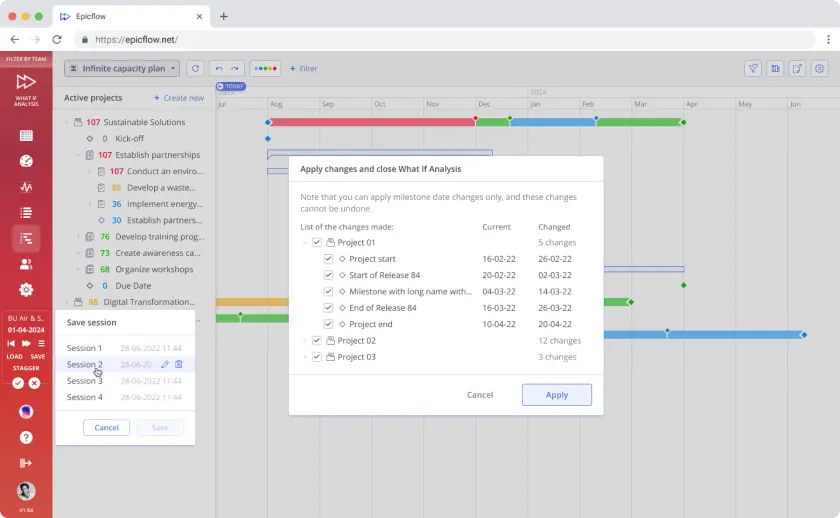
Epicflow is AI-powered software for managing multiple projects and resources, employing machine learning and predictive analytics for project planning. The software features an AI assistant, what-if analysis for method testing, historical and future load graphs to help see workloads, a prioritized task list, competent administration, and a pipeline view in the real-time project portfolio.
Why it’s a great Smartsheet alternative: Epicflow integrates capacity and resource planning directly into the software itself instead of positioning it as an extra add-on, and this is one particular gap that causes project management offices to reject Smartsheet.
Pros:
- Bottleneck identification is integrated into the platform rather than being an additional feature.
- What-If analysis ensures project leaders can test hypotheses before using up resources.
- Competence-oriented distribution of resources empowers project leaders with appropriate human resources
- Suitable for complex situations with multiple projects, such as in engineering, production, and aircraft engineering
- GDPR-compliant with British MOD-standard penetration testing
Cons:
- More capability than a single-project team is likely to need
Pricing: Growth tier for €22.5/mo (annually) and Custom, based on team size and modules — contact the vendor for a quote.
Read more: What is Knowledge Assist and How Does it Work?
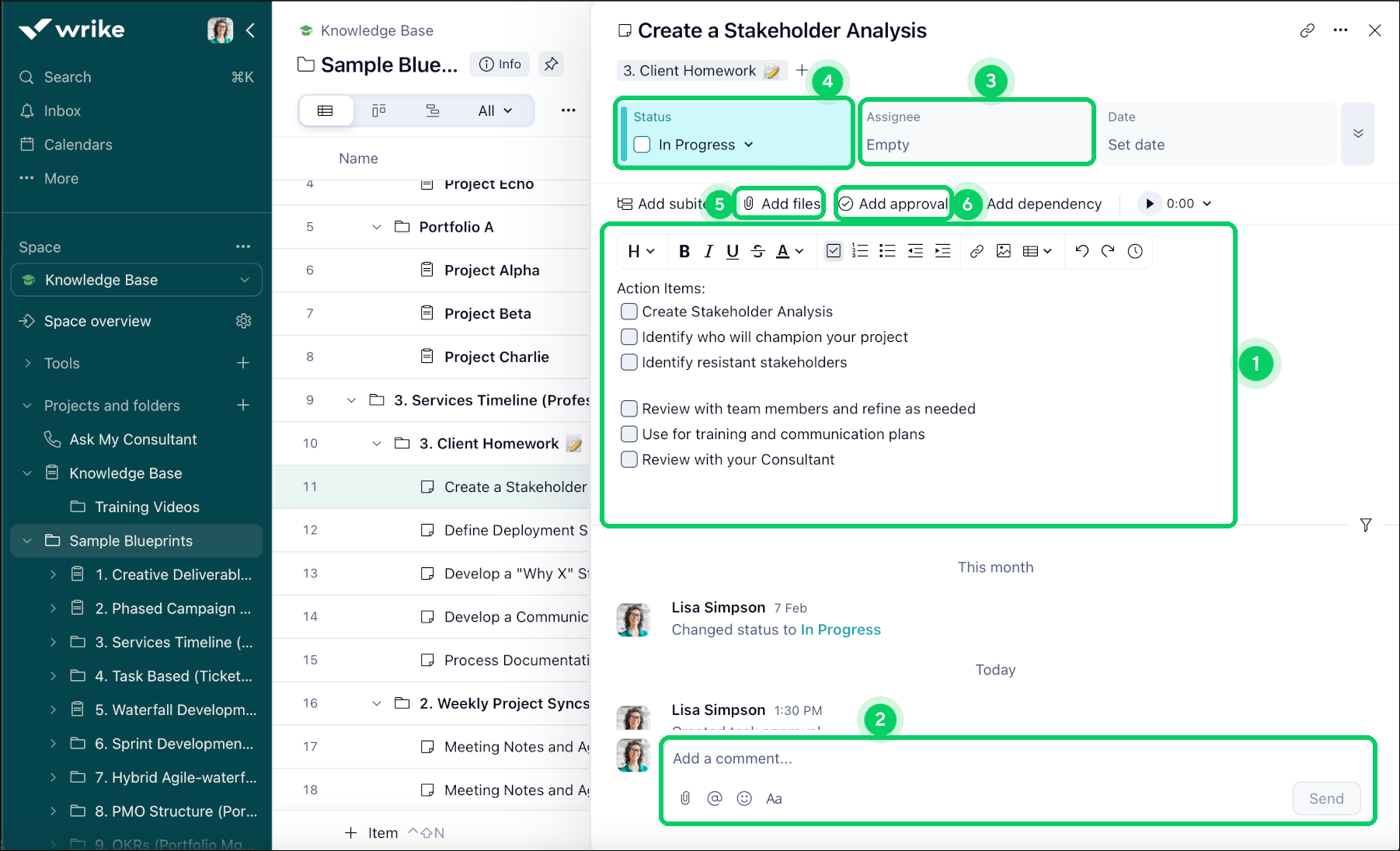
2. Wrike

Wrike is a cloud-based project and work management platform built for mid-to-large organizations running complex, cross-functional projects with dependencies and approval chains. Founded in 2006 and now part of the Citrix portfolio, it holds a 4.2/5 average across more than 4,500 G2 reviews.
Why it’s a great Smartsheet alternative: Wrike’s Business tier includes native portfolio management and AI risk prediction, giving PMOs cross-project visibility that Smartsheet only reaches through a separate paid module.
Pros:
- Portfolio management and AI Risk Prediction are included in the Business tier
- 400+ native integrations
- Strong Gantt depth and creative proofing tools
- Free plan available with unlimited users for basic use
- Nested projects support complex, multi-layer work breakdowns
- Real-time reporting dashboards on paid tiers
Cons:
- Steep learning curve — new users typically need one to two weeks before feeling comfortable
- The pricing jump from Team to Business tier is significant
- Interface density can overwhelm smaller, less process-mature teams
- Features have occasionally been removed or changed with limited advance notice, per G2 reviews
Pricing: free plan is available; paid tiers start around $10/user/month, rising to roughly $25/user/month on Business, Pinnacle and Apex tiers have custom pricing.
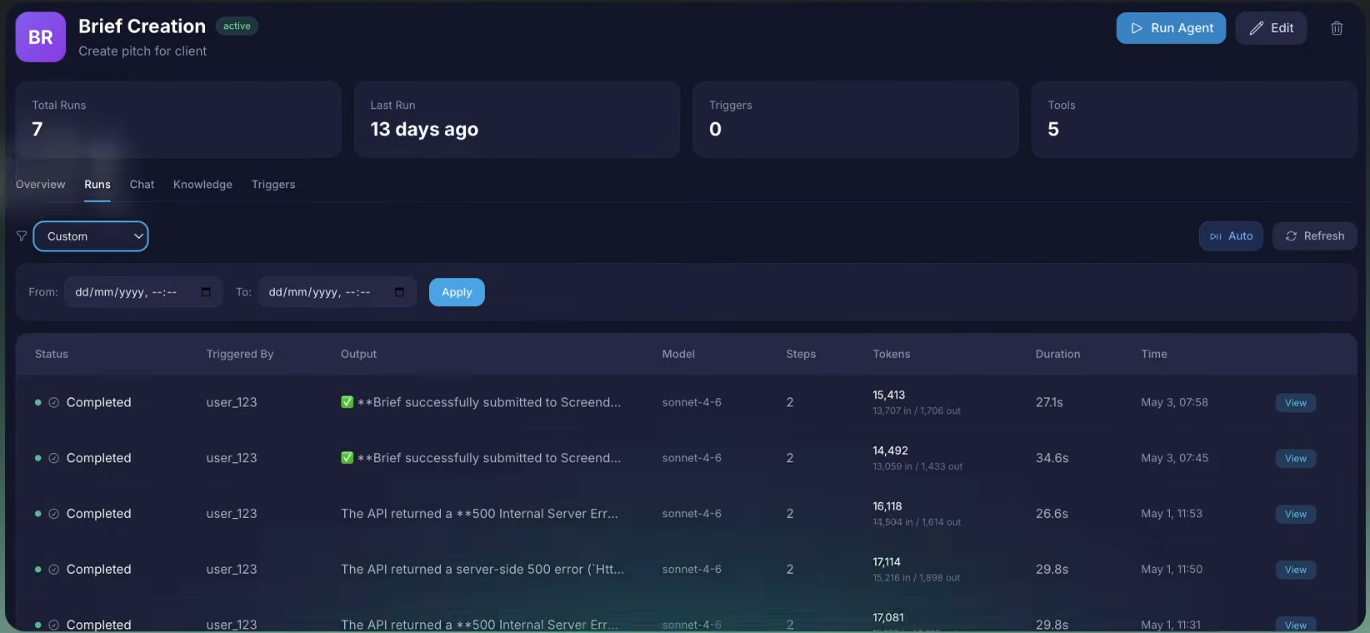
3. Screendragon

Screendragon is an enterprise workflow management platform that is designed for complicated marketing and agency processes through the integration of structured work phases along with AI-aided resources, budgeting, and approval.
Why it’s a great Smartsheet alternative: Screendragon relates resource and capacity planning directly to the budget and task estimations, which works better for agency-style billing than Smartsheet’s simple grid.
os:
- Resourcing tied directly to budgets and estimates for accurate profitability tracking
- Highly configurable workflows adapt to existing agency processes
- AI-assisted talent utilization and real-time resource calendar
Cons:
- Learning curve for smaller teams, per multiple reviewer comments
- No native mobile app — mobile access is web-based only
- Narrower fit — built primarily for marketing and agency operations rather than general PPM
- Fewer third-party integrations than broader work management platforms
Pricing: Not publicly listed; quoted directly by the sales team based on team size and modules.
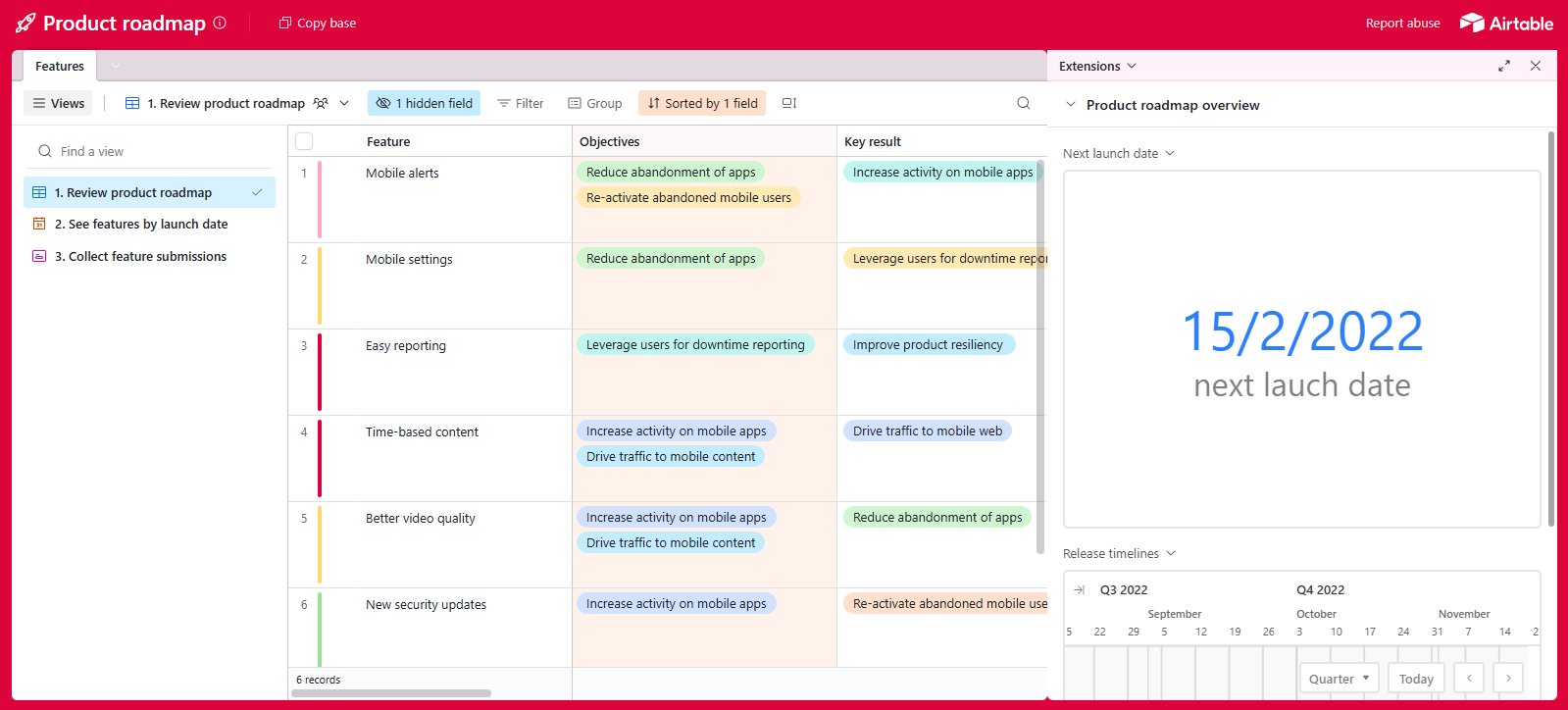
4. Airtable

This is a no-code application and database system that allows users to create various types of tables. It has been utilized by over half a million businesses.
Why it’s a great Smartsheet alternative: With its link-record relational structure, Airtable offers several advantages over Smartsheet’s single grid restriction.
Pros:
- Genuine relational database, unlike Smartsheet’s flat single-sheet structure
- Strong no-code automation and Zapier/API ecosystem
- Multiple views (Grid, Kanban, Calendar, Gantt, Gallery) on the same underlying data
- Free tier available for small teams to test the platform
- Interface Designer turns raw data into shareable, custom dashboards
- AI features (Omni) help build tables and interfaces from a prompt
- Two-way sync keeps data consistent across multiple bases
Cons:
- Steep learning curve for anyone without database or system-design experience
- Pricing escalates quickly once you hit record, automation, or attachment caps
- No native, purpose-built resource management module
- Someone on the team typically has to “own” and maintain the base architecture
- Native collaboration tools are thinner than dedicated project management platforms
- Performance can slow as individual bases grow large
Pricing: free plan is available; paid tiers start around $20/user/month, scaling to roughly $45/user/month on Business, with custom enterprise-scale pricing.
Read more: AI Agent Assist: What It Is and Why You Need It in 2026?
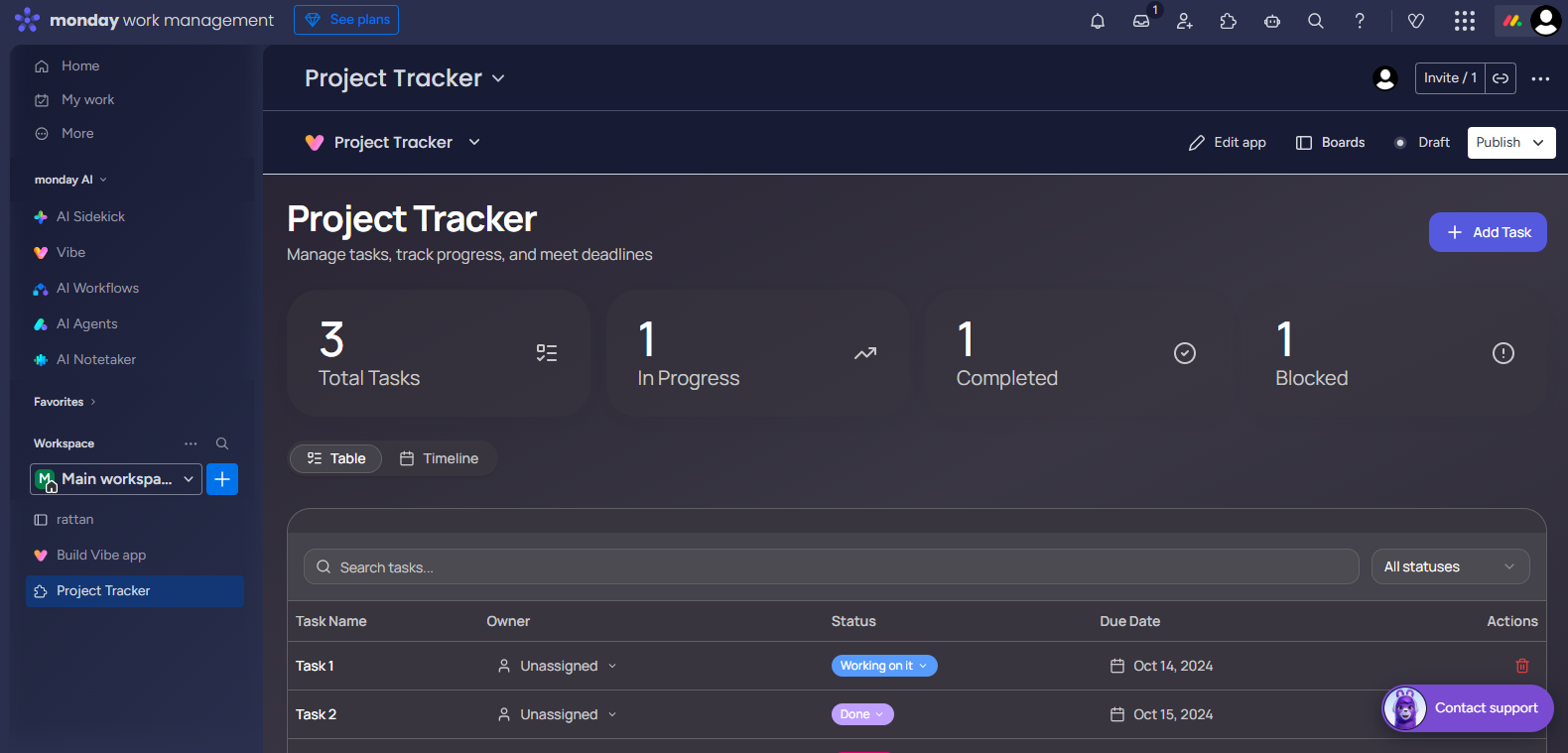
5. monday.com
monday.com is a visually oriented workflow software that allows its users to create various boards. It receives a rating of 4.7 on G2 from over 15,000 reviews.
Why it’s a great Smartsheet alternative: Instead of the spreadsheet logic used by Smartsheet, monday.com offers the drag-and-drop board functionality, which most teams adopt within days instead of weeks.
Pros:
- Consistently rated among the easiest project management tools to onboard new users onto
- 30+ customizable column types support almost any workflow
- Strong mobile app relative to Smartsheet’s
- Wide native integration library
- Cross-board dashboards for reporting across multiple projects
Cons:
- No native portfolio or resource management outside the Enterprise tier
- Minimum three-seat requirement on all paid plans
- Pricing can climb quickly for teams that need higher automation limits
- Some core functionality is locked behind higher tiers, per recurring G2 feedback
- Free plan is capped at two seats, limiting real evaluation
Pricing: Free for up to 2 seats; paid tiers start around €9/seat/month (3-seat minimum), rising to €12/seat/month on Standard, €19/seat/month on Pro, with custom Enterprise pricing.
6. ClickUp

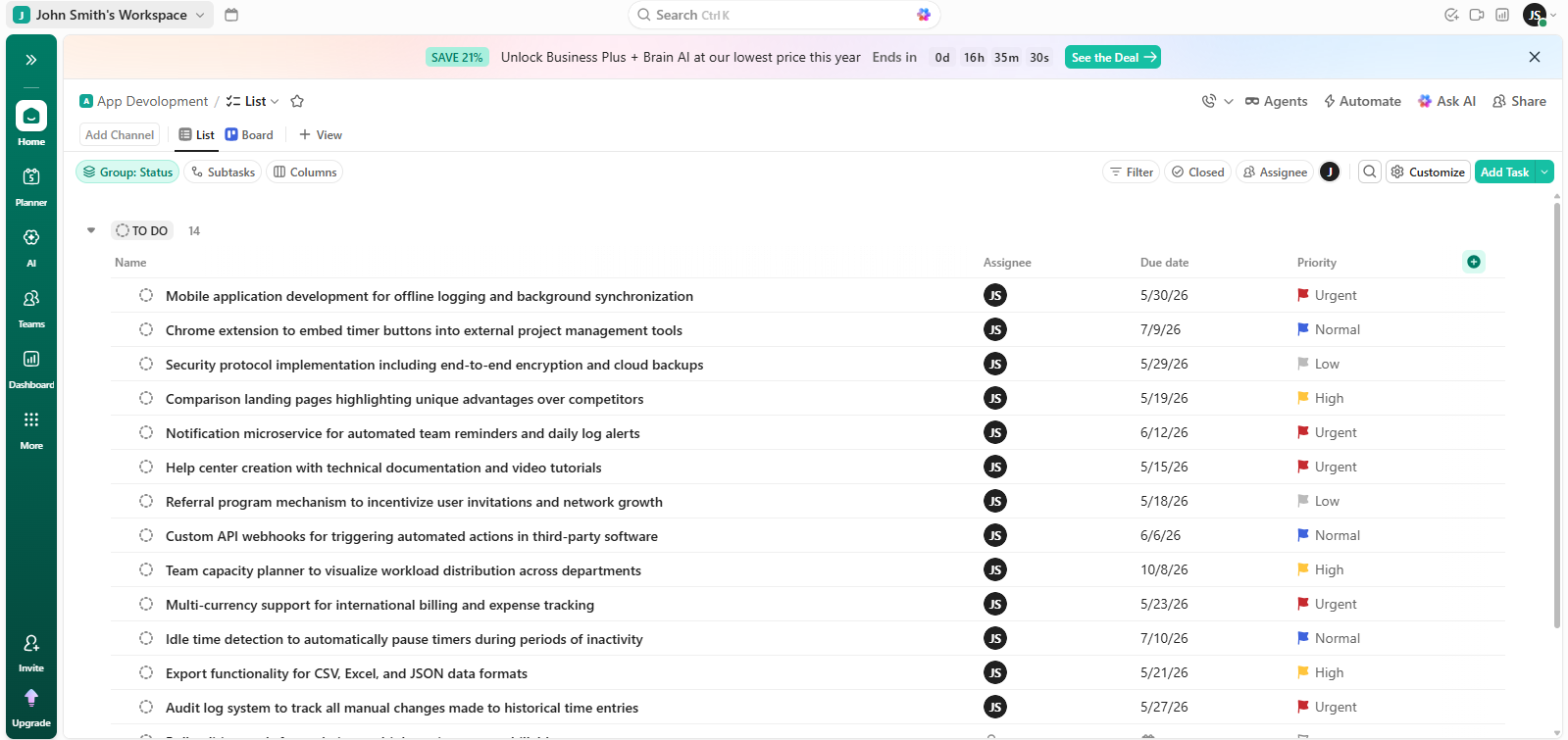
ClickUp combines various features, including task management, document creation, time tracking, etc. It has a rating of 4.6/5 on G2 rating.
Why it’s a great Smartsheet alternative: ClickUp bundles Gantt charts, native time tracking, and a Workload view into its entry-level paid plan — features that Smartsheet either omits or charges extra for.
Pros:
- Aggressive base pricing with more included features than most competitors
- Native time tracking on all paid plans, unlike Smartsheet or monday.com
- Genuinely generous free-forever plan for small teams
- 15+ view types on one dataset, including Gantt, Board, and Workload
- Broad third-party integration library
- Frequent product updates and active development roadmap
Cons:
- Learning curve of two to four weeks for teams to establish workspace conventions, per G2 analysis
- Performance can degrade in workspaces with 5,000+ tasks in a single view
- ClickUp Brain AI is a paid add-on, not included in base pricing
Pricing: free plan is available; paid tiers start around $7/user/month, rising to roughly $12/user/month on Business, with Enterprise priced custom.
7. Productive

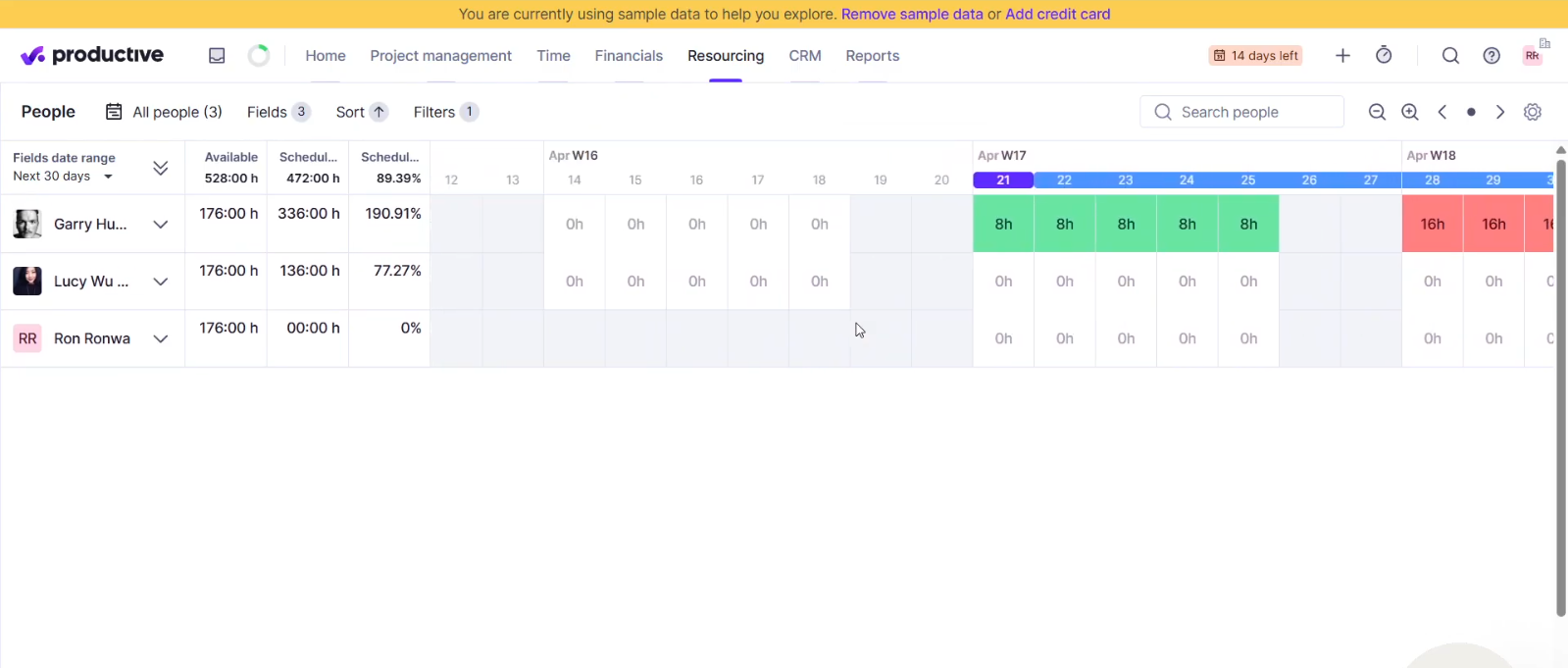
Productive is a service automation platform for professional workers, which means that it helps project managers run their planned projects. The platform offers features like the effective management of financial matters, overall live information about the outcomes of a particular project, and how it is being handled.
Why it’s a great Smartsheet alternative: Productive Links resource scheduling directly to project budgets and profitability reporting — a financial layer Smartsheet doesn’t offer natively at any tier.
Pros:
- Resource planning tied directly to budgets, utilization, and profitability
- Financial forecasting models future budget spend and margins
- Free client portal included
Cons:
- No free plan, and a three-seat minimum rules out solo users and tiny teams
- Steeper learning curve than pure task-management tools, per multiple reviews
- Can feel like more platform than needed for teams that don’t bill by the hour
- Some modules, like Sales CRM and Project Management, don’t always share task data seamlessly
- Pricing is on the higher side relative to general-purpose competitors
- Fewer native integrations than larger horizontal platforms
- Mobile experience is less developed than the desktop app
Pricing: No free plan; Paid tiers start from $10/user/month for Essential, rising to $25/user/month for Professional, and Ultimate plan with custom pricing.
Read more: Jira vs Trello vs Asana: Which is the Best for Project Management in 2026?
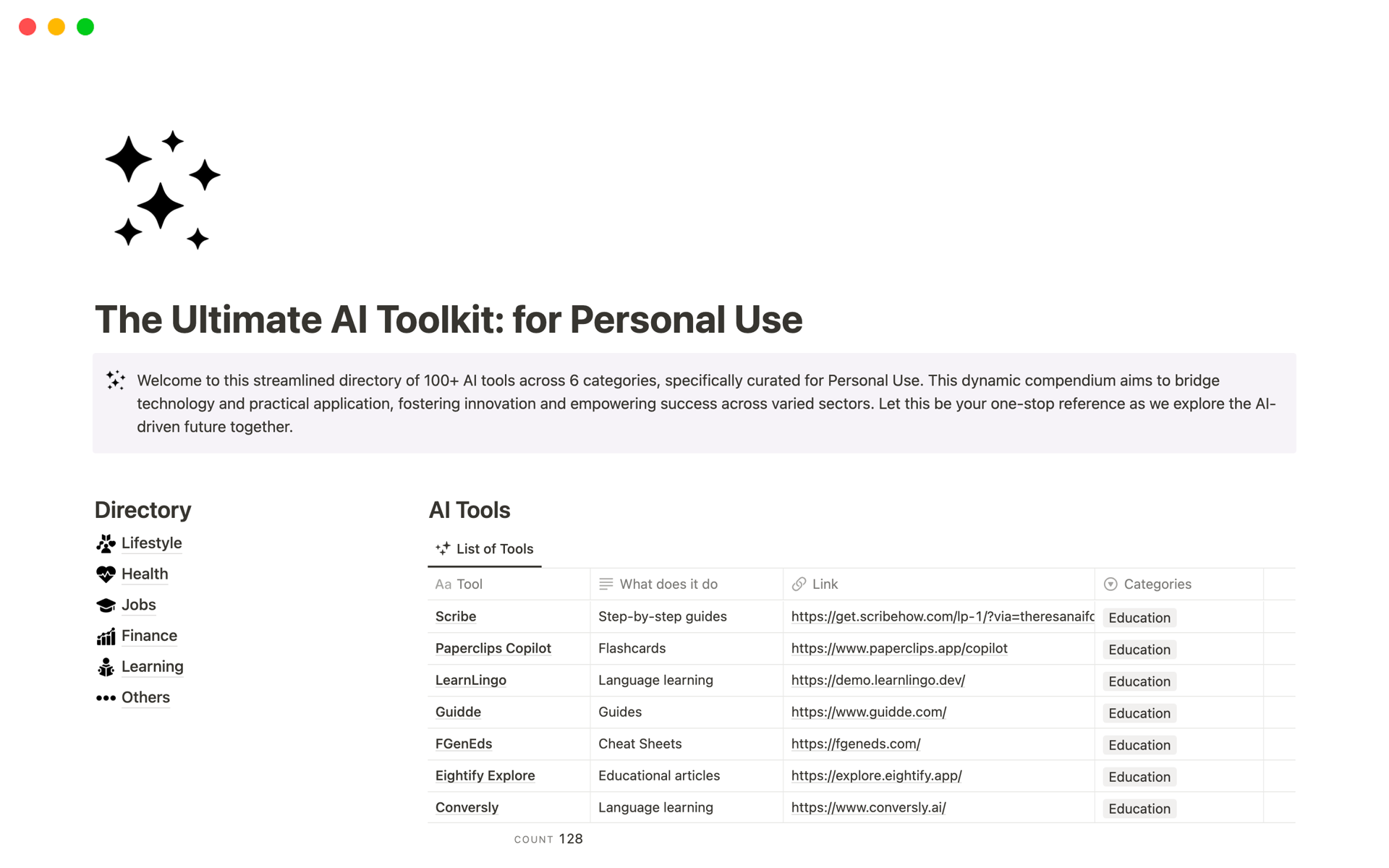
8. Notion
Notion is a flexible working area, which can be seen in the number of stars this platform has gained — 4.6 out of 5 from over 12,000 reviewers at G2.com. The platform combines the unique features of organizations, documentation, and editing.
Why it’s a great Smartsheet alternative: Notion replaces the wikis, specs, and meeting notes that usually live outside Smartsheet entirely, letting project-based teams keep planning context and execution data in one connected workspace.
Pros:
- Best-in-class documentation and wiki experience
- Flexible relational databases support custom projects and trackers
- Generous free plan for individuals and small teams
Cons:
- No native task dependencies in the Timeline view — a real limitation for Gantt-style scheduling
- No native resource management or capacity planning
- Performance can slow noticeably past roughly 500 rows in a database
- Requires two to three weeks of deliberate setup to avoid workspace sprawl
- Weaker native automation than dedicated project management tools
Pricing: free plan is available; paid tiers start from $10/user/month for Plus, rising to $20/user/month on Business, with Enterprise priced custom.
9. Superhuman Docs (formerly Coda)

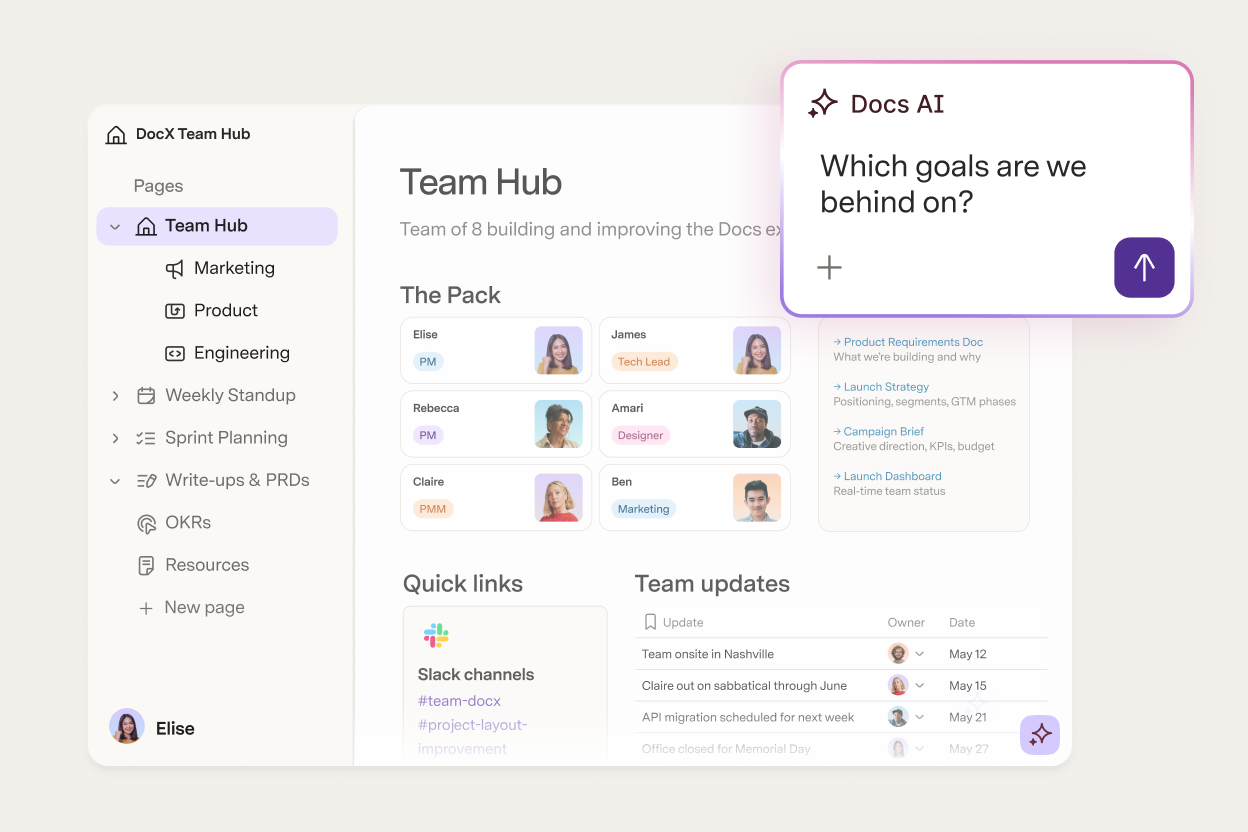
Superhuman Docs (formerly known as Coda) has made the possible blend of documents, spreadsheets, and project management practices, turning the whole thing into one occupational item. Superhuman Docs is rated 4.6/5 at G2.com.
Why it’s a great Smartsheet alternative: Using Superhuman Docs’s Packs framework and automations based on the button, teams are able to create lightweight approval processes and resource tracking tools in a single living document that is more like a bespoke PPM technology than Smartsheet’s static spreadsheet.
Pros:
- Combines docs, relational tables, and automation in one workspace
- 450+ integration Packs with two-way sync to external tools
- Maker-based pricing means unlimited free editors and viewers
- Gantt charts support task dependencies and drag-to-reschedule
- Highly customizable templates for niche or non-standard workflows
Cons:
- Steep learning curve tied to its formula language, typically two to four weeks for non-technical users
- No dedicated desktop app; performance can lag on heavily automated docs
- Best suited to teams willing to build and maintain their own structure, not out-of-the-box PPM
- Limited formatting and visual layout options compared to more polished PM tools
Pricing: Free plan available; custom-based pricing.
How to Choose a Smartsheet Alternative That Aligns Projects With Strategic Goals?
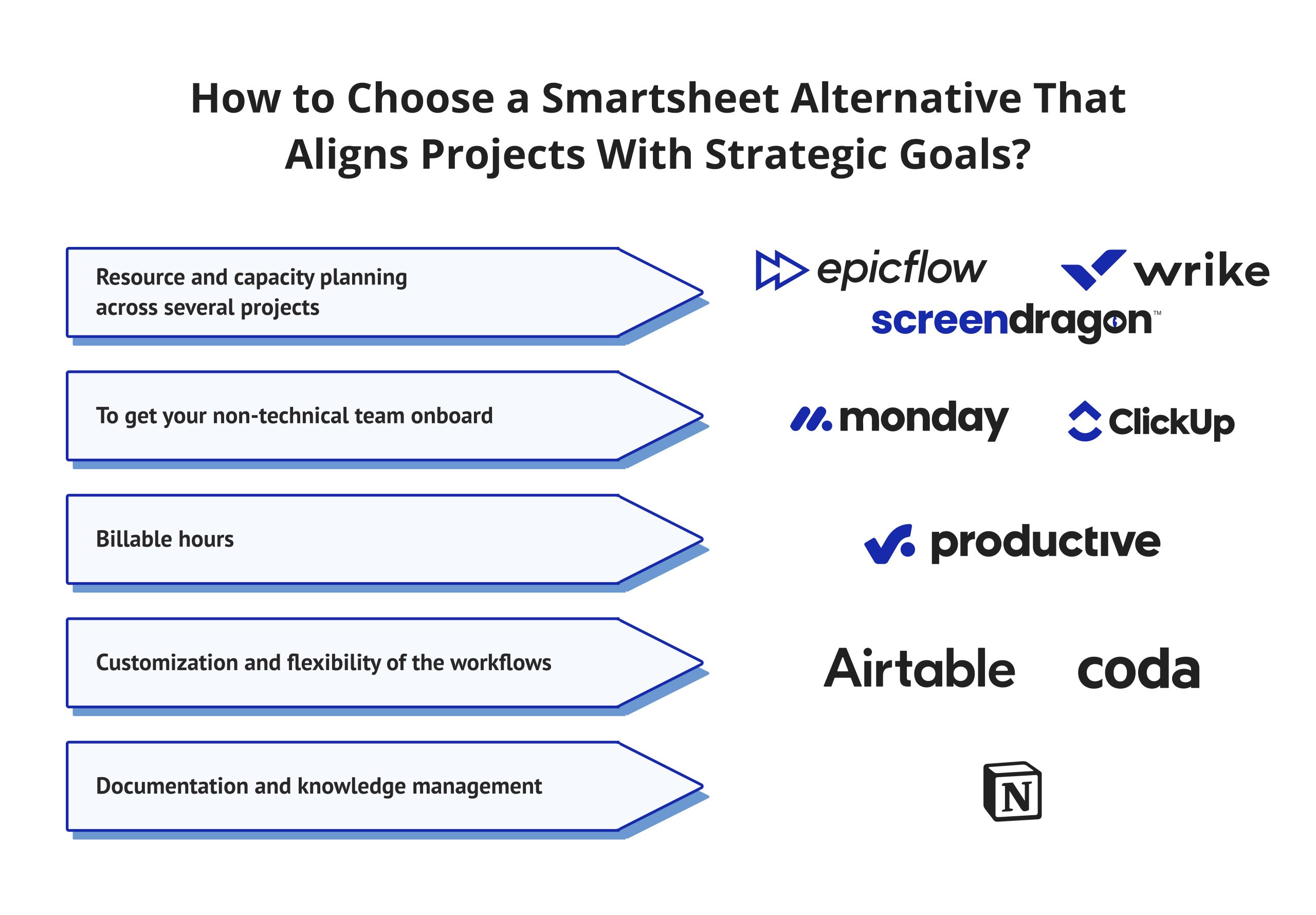
Once you figure out your strategy, align your tools to it:
- If your problem is resource and capacity planning across several projects, consider Epicflow, Wrike, or Screendragon as options.
- If it is essential to get your non-technical team on board, monday.com or ClickUp is ready to implement quickly.
- If your company makes money on billable hours, Productive works perfectly for those needs.
- When it comes to customization and flexibility of the workflows, Airtable and Coda offer you a variety of functions.
- If documentation and knowledge management sit alongside lightweight project tracking, Notion is the strongest fit.
Whichever best Smartsheet alternative you choose, pilot it with one real project before a full rollout, and involve the people who’ll use it daily — not just the PMO — in the decision. Most Smartsheet competitors offer a free trial or free tier long enough to test this properly before you sign an annual contract.
Summary
While Smartsheet is indeed a powerful and reliable tool, there are many areas where potential users may look for alternatives, mainly due to its single-grid composition, costly learning curve, and dependency on various add-ons when it comes to resource management.
The alternatives we are going to discuss in this article offer pretty diversified features; while Epicflow and ScreenDragon are recognized for AI-based resource planning and management tools, Wrike and monday.com seem to have found an ideal proportional balance between convenience and usability. ClickUp and Airtable feature the best value from a price perspective; on the other hand, Productive, Notion, and Coda seem to be designed primarily for handling specialized issues such as profitability, documentation, and custom workflows.
The right Smartsheet alternative isn’t the most popular one — it’s the one that matches how your PMO actually plans, staffs, and delivers projects.
Read more: 8 Top Jira Alternatives for Complete Portfolio Visibility & Control in 2026
FAQs
Epicflow, Wrike, and Screendragon offer resource and capacity planning driven by artificial intelligence for multi-project portfolios, while ClickUp and Monday.com are ideal for anyone who values simplicity and affordability.
NASA is one of the agencies working with Smartsheet and Smartsheet Gov, along with the GSA, Library of Congress, and NIH. It is also mentioned that more than 85% of companies among Fortune 500 utilize its services.
Currently, there is no perpetual free plan for organizations within Smartsheet. However, the company provides new users with a free trial of the business plan for 30 days; after that, they need to order Pro, Business, or Enterprise plans. There are a number of Smartsheet competitors that offer free versions of their services for unlimited time.
There is no clear answer or exact equivalent. Microsoft Planner has since merged Planner, Project for the web, To Do, and Copilot into one lightweight work-management solution. Plus, Microsoft Lists tackles basic tracking jobs. However, neither totally replaces the breadth of its Gantt charts or automation services until one pays extra for the project’s service packages.
Export individual sheets to Excel, CSV, PDF, or Google Sheets directly from Smartsheet’s File menu, or use its API for a bulk migration across many sheets at once. Most Smartsheet alternatives, including Airtable, Wrike, and monday.com, accept Excel or CSV imports to speed up the switch.
Epicflow, Wrike (business tier and above), Screendragon, and Productive can perform efficient resource and scheduling planning, to mention a few. In its turn, Smartsheet requires an extra-paying resource management add-on to provide this service.
Epicflow’s AI Assistant and What-If Analysis automate scenario planning and resource allocation without manual formulas. ClickUp Brain, Wrike’s AI Risk Prediction, and monday.com’s AI features also reduce manual setup, though most are paid add-ons rather than included by default.
ClickUp, Wrike, and monday.com all support native Kanban boards, sprint views, and backlog management suited to agile teams. Airtable and Coda can be configured for agile workflows through custom views, though neither ships with agile templates built in the way ClickUp and Wrike do.
Wrike and monday.com both offer deep native Microsoft 365, Teams, and SharePoint integrations, making them strong fits for organizations standardized on the Microsoft ecosystem. Smartsheet also integrates well with Microsoft 365, so the switching decision usually comes down to resource management and portfolio features rather than integration depth.
Not automatically — most Smartsheet alternatives require formulas and automations to be manually rebuilt in the new platform’s native logic, since formula syntax rarely translates directly between tools. Attachments and file data typically migrate more cleanly via CSV, Excel export, or API-based bulk transfer.
References
Gartner. (2026, June 11). Magic Quadrant for Strategic Portfolio Management (J. Spaeth, F. Pervaiz, D. Stang, S. Muvera, & Z. Kisa, Authors). Gartner, Inc. https://www.gartner.com/reviews/market/strategic-portfolio-management
McKinsey & Company. (n.d.). Matching the right projects with the right resources. McKinsey & Company, Operations Practice. https://www.mckinsey.com/capabilities/operations/our-insights/matching-the-right-projects-with-the-right-resources
Nieto-Rodriguez, A. (2025, August). Your company needs to focus on fewer projects. Here’s how. Harvard Business Review. https://hbr.org/2025/08/your-company-needs-to-focus-on-fewer-projects-heres-how
Masood, S. (2024). Project selection and prioritization in portfolio management [Thesis, Harrisburg University]. Digital Commons at Harrisburg University. https://digitalcommons.harrisburgu.edu/cgi/viewcontent.cgi?article=1020&context=dandt
MarketsandMarkets. (2026). Project portfolio management market report 2026–2031, by application, geography, and technology. https://www.marketsandmarkets.com/Market-Reports/project-portfolio-management-software-market-225932595.html