

Imagine if you had a product launch worth $40 million, and your product was due to launch 6 weeks after your teams realized they all needed a senior engineer. Unfortunately, there was no one primary dashboard to see where there was an overlap. This is a classic case of failure, which is what enterprise project management software is designed to prevent from happening.
Managing an enterprise portfolio of cross-functional teams and thousands of interdependent initiatives cannot be done with a simple to-do list. The gap between strategy and execution at scale is far too dangerous: according to the Project Management Institute’s Pulse of the Profession 2025 report [1], only a limited share of projects deliver the intended business outcomes. When a meaningful share of strategic initiatives fails to create value, enterprise project management software stops being a convenience and becomes a necessary investment to protect ROI.
Key Takeaways:
- Enterprise project management software can be used to coordinate portfolios, resources, and budgets throughout whole organizations instead of just one project or one team.
- The best platforms also provide AI-assisted resource allocation with enterprise-level security, audit trails, and extensive integration into ERP, CRM, and HRIS systems.
- Epicflow, JIRA Align, Asana Enterprise, and many other platforms address an array of different combinations of scale, governance, and resource complexity, so the one that is “best” for you will depend on the size and industry your company is in.
Our research guides will give you a look at nine top software products and enable you to see the capabilities that really matter to you based on how big your organization is, the type of industry you operate in, and what stage of growth you are currently at.
Read more: monday.com vs Asana vs Trello Compared: Features, Pricing & the Right Fit for 2026
Quick Comparison: Top Enterprise Project Management Tools
This enterprise project management software comparison focuses on the dimension that matters most to C-level buyers: what each platform does once you move past single-team use cases.
|
Software |
Best For |
Enterprise Pricing Starts At |
Standout Capability |
|
Epicflow |
Complex multi-project environments |
From ~€22.5/user/month (Growth tier); custom quote for Enterprise tier |
AI-driven What-If Analysis and real-time bottleneck detection |
|
Jira Align |
Agile, tech-oriented enterprises |
Custom quote |
Portfolio-to-team agile alignment |
|
Asana Enterprise |
Cross-functional collaboration |
Custom quote (industry benchmarks average ~$68,940/year) |
AI Studio workflow automation |
|
monday.com Enterprise |
Visual workflow customization |
Custom quote (typically $24–30/seat/month) |
250,000+ monthly automation actions |
|
Smartsheet |
Data-driven, spreadsheet-logic teams |
Custom quote (industry benchmarks average ~$131,000/year) |
WorkApps and Data Shuttle integrations |
|
Wrike (Pinnacle/Apex) |
Versatile work management |
Custom quote: legacy Enterprise tier retired for new buyers in 2026 |
Resource usage reporting and BI integration |
|
ClickUp Enterprise |
All-in-one flexibility |
Custom quote (industry benchmarks average ~$34,332/year) |
SSO, SCIM, DLP, EU data residency |
|
Microsoft Project (Plan 3) |
Microsoft 365 ecosystems |
$30/user/month |
Native Power BI portfolio analytics |
|
Zoho Projects (Enterprise) |
Budget-conscious scalability |
$9/user/month |
Zia AI search and custom role hierarchy |
What Is Enterprise Project Management Software?
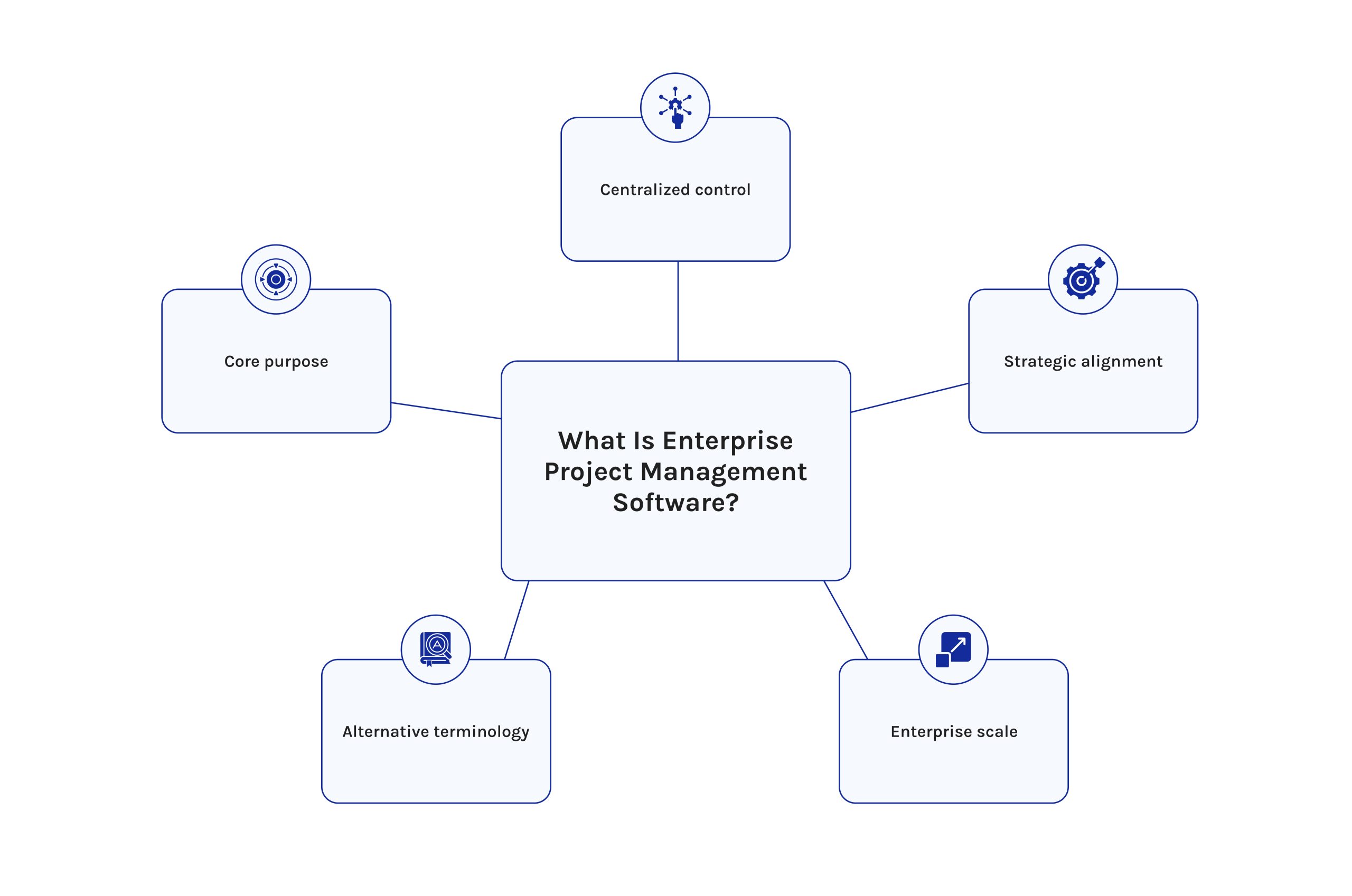
Enterprise project management software provides project planning, execution, and tracking capabilities for multiple projects (programs) throughout a large organization using a single system. The program connects portfolio strategy with a large pool of shared resources, budgets, and reporting capabilities, allowing executives & the project management office to see how all projects contribute to the overall organizational goals. Enterprise project management software provides enterprise-class capabilities such as thousands of tasks and thousands of resource pools across departments, regions, and time zones, as opposed to single-project tools.
This software category has some overlap with what some vendors refer to as “Project Portfolio Management (PPM) software,” “Multi-Project Management Platforms,” or “Enterprise Project Portfolio Management software.” The label changes by vendor; the function stays the same: align strategy with delivery at scale.
Standard PM Tools vs. Enterprise PM Software
Standard project management tools serve one team running a handful of projects, with task lists, Kanban boards, and a basic timeline suited to non-technical users who need a simple project management app for daily work. Single-team project management applications do not provide the broad base of functionality needed to effectively manage large-scale projects across multiple teams, as enterprise project management software does.
The important features (in addition to those already listed) that an enterprise project management tool will provide for the enterprise include:
- Portfolio-wide visibility across all projects that are currently active, regardless of workspace.
- The ability to manage shared resources and be alert to circumstances when a single specialist has been scheduled for five projects simultaneously.
- The security and compliance are enterprise-grade, and SSO, SOC 2, and GDPR controls are present.
- Deep integration with ERP, CRM, and HRIS systems that presently support your business.
- Regulation and audit trails are required for regulated industries such as defense/pharmaceuticals/finance.
Read more: What is Knowledge Assist and How Does it Work?
How We Tested and Selected These EPM Tools (Our Methodology)
Editorial note: For each vendor, our team obtained access to the product through a live [demo and/or trial period, described all of the steps associated with resource allocation and portfolio reporting in detail, and then verified on a vendor’s website all prices and feature claims as of June 2026. For any vendor that made any tier changes during our evaluation period (e.g., Wrike retired its standalone enterprise pricing option in January 2026), we made note of that change in our reports rather than referencing outdated pricing.
We scored every platform against six criteria that matter to a CFO and a PMO director in the same room:
- Operational efficiency — how much manual coordination work the platform removes from project managers and PMOs.
- AI capabilities — whether AI features genuinely predict bottlenecks and recommend actions, or simply summarize text.
- Resource optimization — how well the tool helps you optimize resource allocation across competing projects with a shared, finite team.
- Scalability — whether the platform performs at 50 users the same way it performs at 5,000.
- Security and compliance — SSO, SOC 2, GDPR, and audit-log depth for regulated industries.
- Total cost of ownership — list price plus the hidden costs of seat minimums, AI add-ons, and implementation.
Read more: Product Portfolio Management Tools: Complete Guide to Choosing the Best Solution in 2026
In-Depth Reviews of the Best Enterprise Project Management Software
1. Epicflow – Best for Complex Multi-Project Environments
Epicflow is an AI-based multi-project and resource management software built for organizations running many interdependent projects against one shared pool of people. Rather than treating each project as an island, Epicflow models the entire portfolio as a single system — exactly the problem most generic project management tools were never designed to solve.
Key Enterprise Features
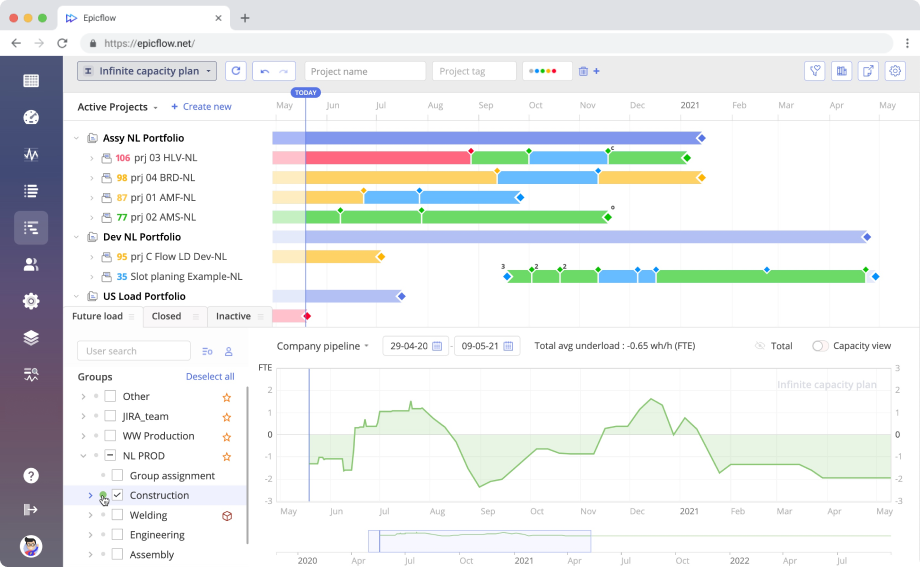
- AI Assistant that proactively flags critical issues and answers plain-language portfolio questions
- What-If Analysis to simulate scheduling or staffing changes before committing to them
- Future Load Graph that forecasts resource overload weeks ahead
- Historical Load Graph comparing estimated versus actual team output over time
- Task List with priorities recalculated in real time across the whole portfolio
- Competence Management that matches people to tasks by skill and availability
- Pipeline view showing milestone feasibility across every active project
- Real-time bottleneck detection running underneath all of the above
Pros:
- Purpose-built for multi-project, shared-resource environments rather than adapted from single-project tools
- AI-driven What-If Analysis supports genuinely data-backed scheduling decisions
- Proven in regulated sectors, including approval for use by the Dutch Ministry of Defence and UK MOD-standard penetration testing
- Competence Management and the Resource Allocation Advisor cut manual staffing guesswork
- GDPR-compliant, with an on-premises DataGuard option for strict data residency needs
Cons:
- Smaller brand footprint than legacy enterprise suites, so some procurement teams need an extra vetting step
- Full benefit depends on integrating historical project and resource data upfront
- Less suited to simple, single-project teams with no resource contention
Pricing & Scalability
- Growth tier: ~€25/user/month (€22.5 billed annually) for 20–50 users and up to 50 projects
- Enterprise tier: custom-quoted, scaling from 50 users to unlimited seats and projects
- This tier offers AI-powered scenario planning, competencies management, and advanced buffer and risk management capabilities, along with bulk integration with Jira, MS Project, SAP, and Oracle Primavera.
- There are published case studies featuring customers scaling from 20 to over 10,000 resources on thousands of parallel projects.
Our Verdict
Editorial note: In our hands-on demo review, the Future Load Graph and What-If Analysis stood out as the most immediately useful screens for a PMO director, translating raw scheduling data into a decision an executive can act on in minutes.
For organizations whose biggest pain point is resource contention across many simultaneous initiatives — engineering, aerospace, manufacturing, or pharmaceutical R&D — Epicflow is the strongest fit on this list.
Read more: ClickUp vs Monday vs Wrike: Which Tool Fits You in 2026?
2. Jira Align – Best for Agile Tech-Oriented Enterprises
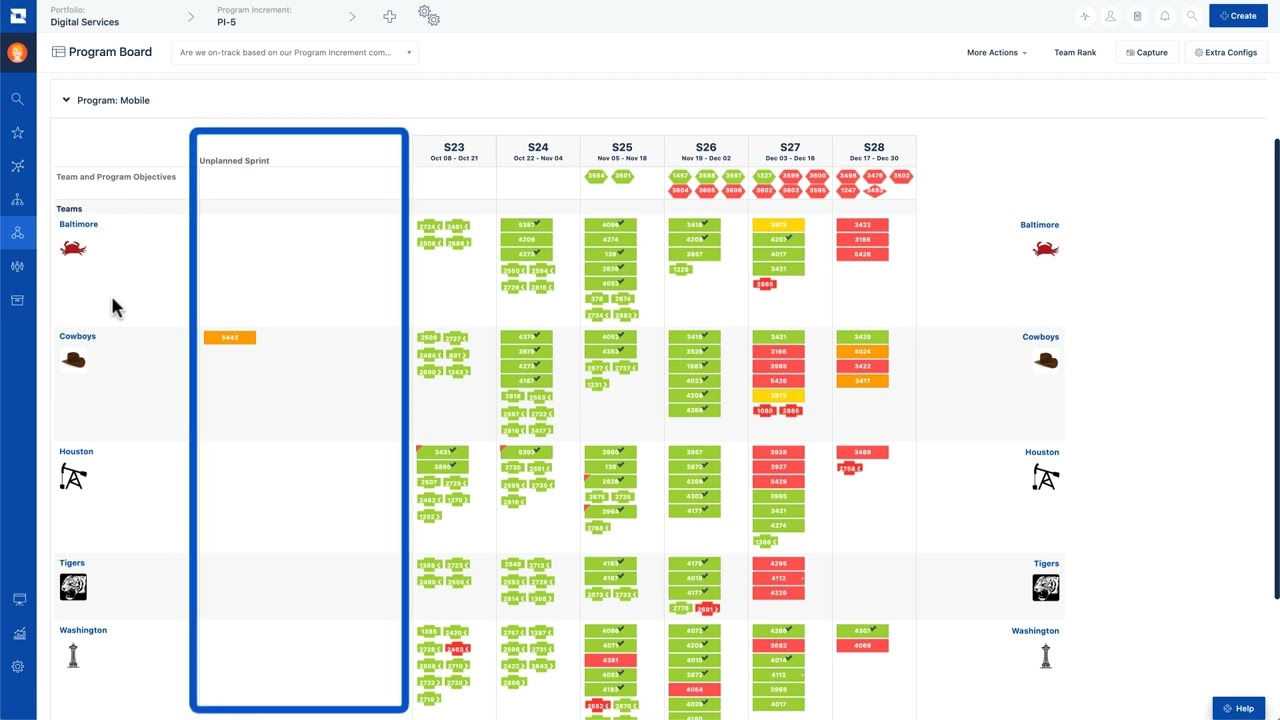
Jira Align is an enterprise agile planning tool developed by Atlassian, introduced in 2024 as part of the Atlassian Strategic Suite. It grants a comprehensive view of tracking Jira team boards at all levels (team, program, portfolio, and enterprise), allowing enterprise leadership to monitor overall agile performance in real time as it relates to business goals/objectives.
Key Enterprise Features
- Mixing and matching agile frameworks such as SAFe and LeSS
- Strategic OKRs connected directly to team-level epics and stories
- Portfolio-level roadmapping with two-way sync back into Jira Software
- Embedded checklists and framework guidance for scaling agile practices consistently
Pros & Cons
Pros:
- Deepest agile-at-scale capability on this list, particularly for SAFe-based enterprises
- Native, bidirectional integration with Jira Software
- Strong portfolio-to-team traceability for OKRs and roadmaps
Cons:
- Significant annual commitment, with published editions ranging from roughly $27,000 to well over a million dollars
- Steep learning curve outside structured agile frameworks
- Less useful for non-agile, waterfall-style portfolios
- Best value depends on a deep existing Atlassian investment
Pricing & Scalability
- Sold in fixed bands rather than per-seat
- Entry pricing around $27,000/year for a 30-seat Standard tier
- Enterprise editions scale into the hundreds of thousands or millions, depending on size
- Scales well for large, Atlassian-native engineering organizations; suits mixed-methodology portfolios poorly
Our Verdict
Jira Align is an ideal product for agile-based technology enterprises having an established process with SAFe or agile, while others will find its value proposition less appealing.
Choosing the right enterprise tool is a strategic decision, not just a procurement task. Digest.Pro covers in-depth software reviews, portfolio strategy guides, and leadership insights for C-level executives and PMO professionals — published weekly. Subscribe to Digest.Pro and stay ahead of the decisions that drive organizational performance.
3. Asana Enterprise – Best for Cross-Functional Collaboration
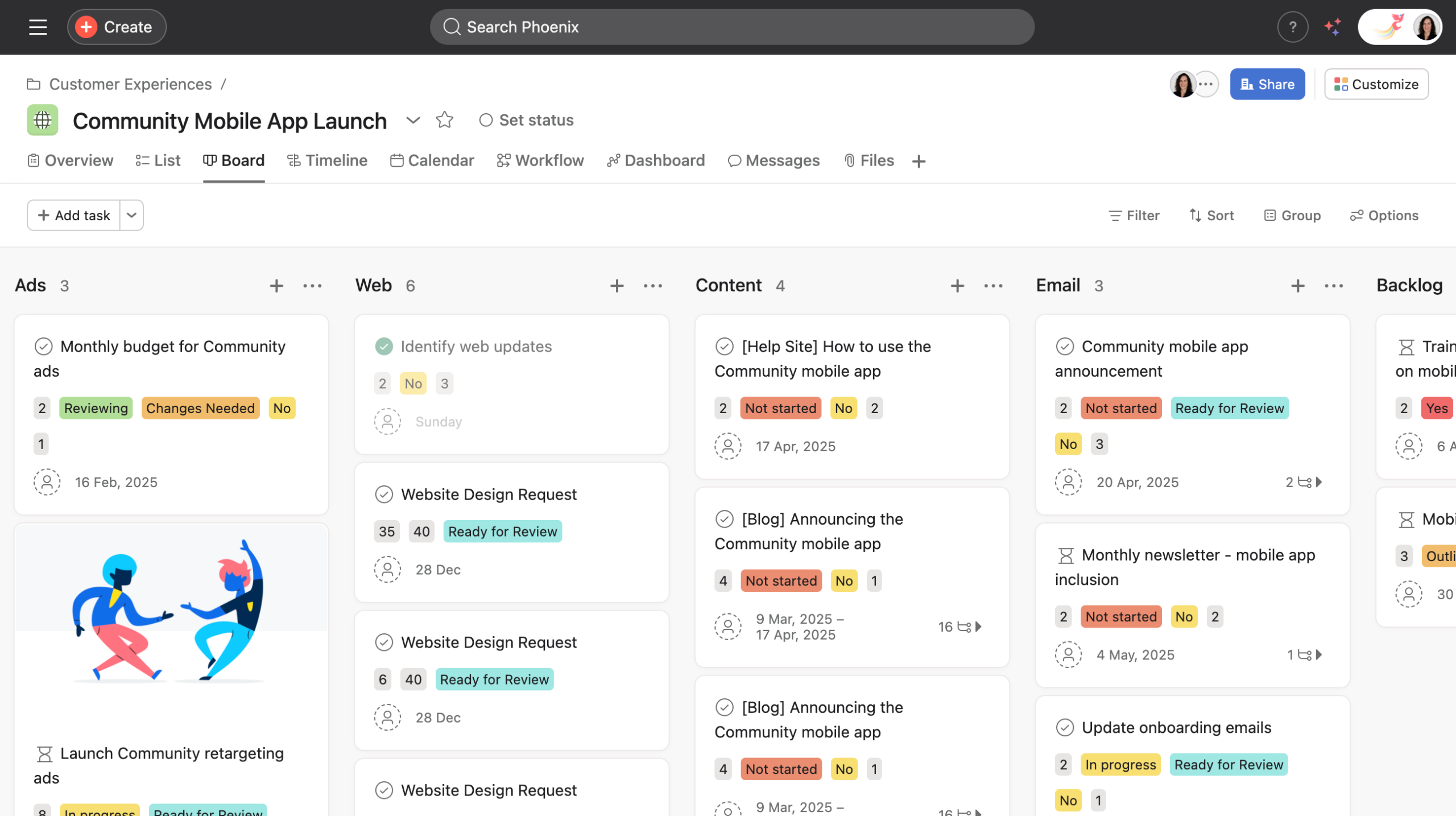
Asana Enterprise extends Asana’s familiar task and workflow interface with the security and administrative controls large, cross-functional organizations need. It remains one of the most widely adopted project management tools, used by over 100,000 organizations.
Key Enterprise Features
- Data residency options, audit logs, and enterprise key management (EKM) at Enterprise and Enterprise+
- Guest domain controls for managing external collaborators
- AI Studio automates routine workflow steps such as status updates
- Unlimited portfolios and Portfolio Workload for program-level visibility
Pros & Cons
Pros:
- Intuitive interface that drives faster adoption than most enterprise competitors
- Strong cross-functional workflow automation through AI Studio
- Granular administrative and compliance controls at Enterprise+
Cons:
- Per-seat pricing scales quickly for large headcounts, with no flat-fee option.
- No published Enterprise pricing; quotes vary by negotiation
- Lighter native resource-capacity tools than purpose-built PPM platforms
Pricing & Scalability
- Starter: $10.99/user/month
- Advanced: $24.99/user/month
- Enterprise / Enterprise+: custom quote
- Industry benchmarking from SpendHound puts average Enterprise contracts around $68,940/year.
Our Verdict
Asana Enterprise fits organizations whose biggest challenge is cross-team collaboration rather than deep multi-project resource leveling. For pure portfolio and capacity management, it is lighter than several others on this list.
4. Monday.com (Enterprise Plan) – Best for Visual Workflow Customization
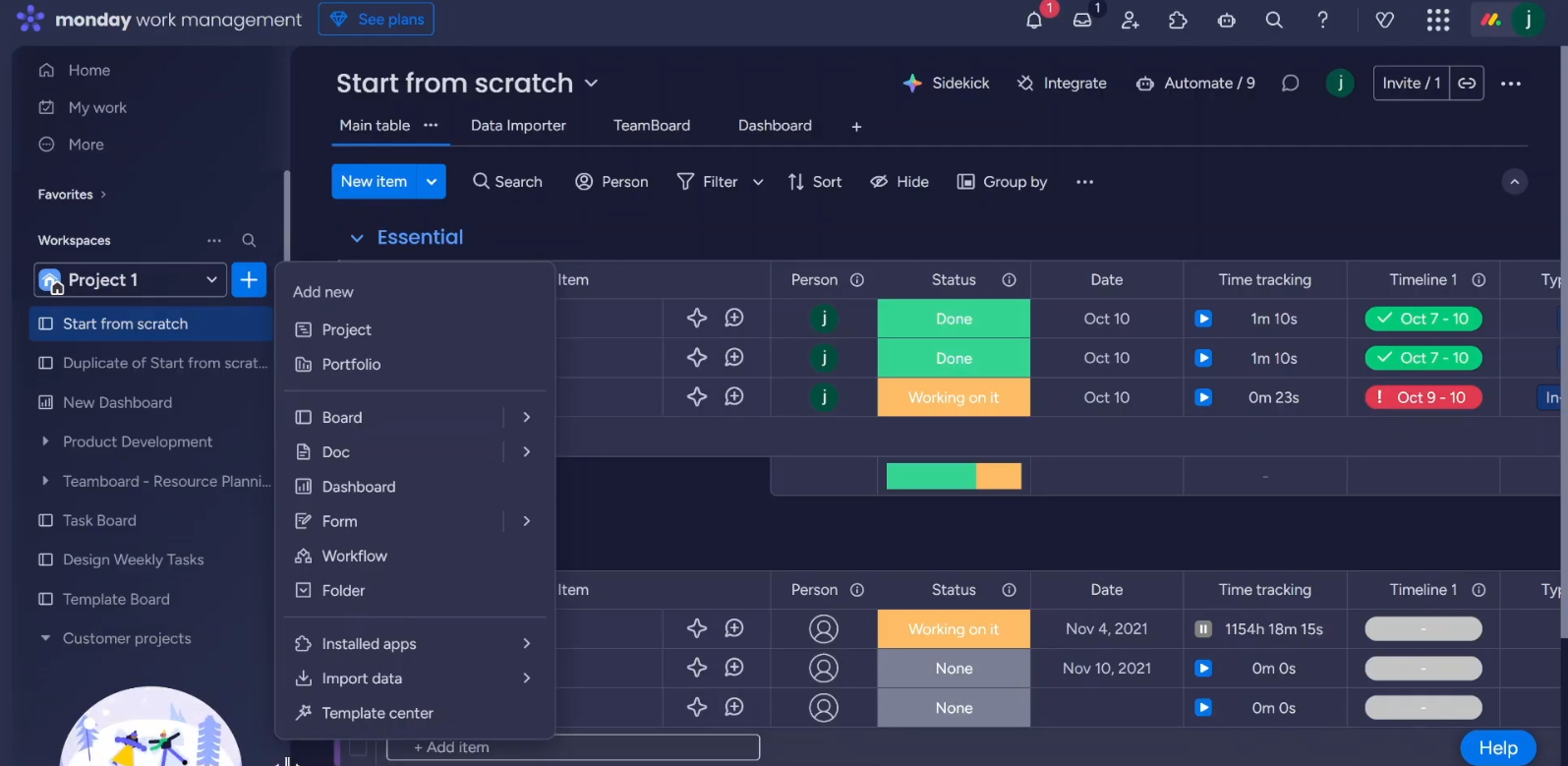
Monday Work Management, the company’s core project platform, built its enterprise tier around visual customization and high-volume automation rather than deep resource-capacity modeling.
Key Enterprise Features
- Enhanced governance and multi-level permissions
- Advanced analytics and EU data residency
- SAML-based SSO at the Enterprise tier
- Automation limits reaching 250,000+ actions per month
- AI features are rolling out across Pro and Enterprise, including update summarization and document analysis
Pros & Cons
Pros:
- Highly visual, color-coded boards that non-technical users adopt quickly
- High automation ceiling suited to high-volume operational workflows
- EU data residency and SAML SSO are available at the Enterprise tier
Cons:
- No native portfolio management or cross-project resource leveling out of the box
- Seat-bucket pricing can inflate per-user cost for odd-sized teams
Pricing & Scalability
- Pro tier: $30/seat list price, for smaller deployments
- Enterprise tier: unpublished, typically $24–30 per seat per month based on SaaS benchmarks
- Final cost depends heavily on contract terms and negotiated volume discounts
Our Verdict
monday.com Enterprise suits organizations whose needs center on visual workflow standardization across departments rather than deep resource-capacity forecasting across competing projects.
5. Smartsheet – Best for Data-Driven Teams & Spreadsheet Logic
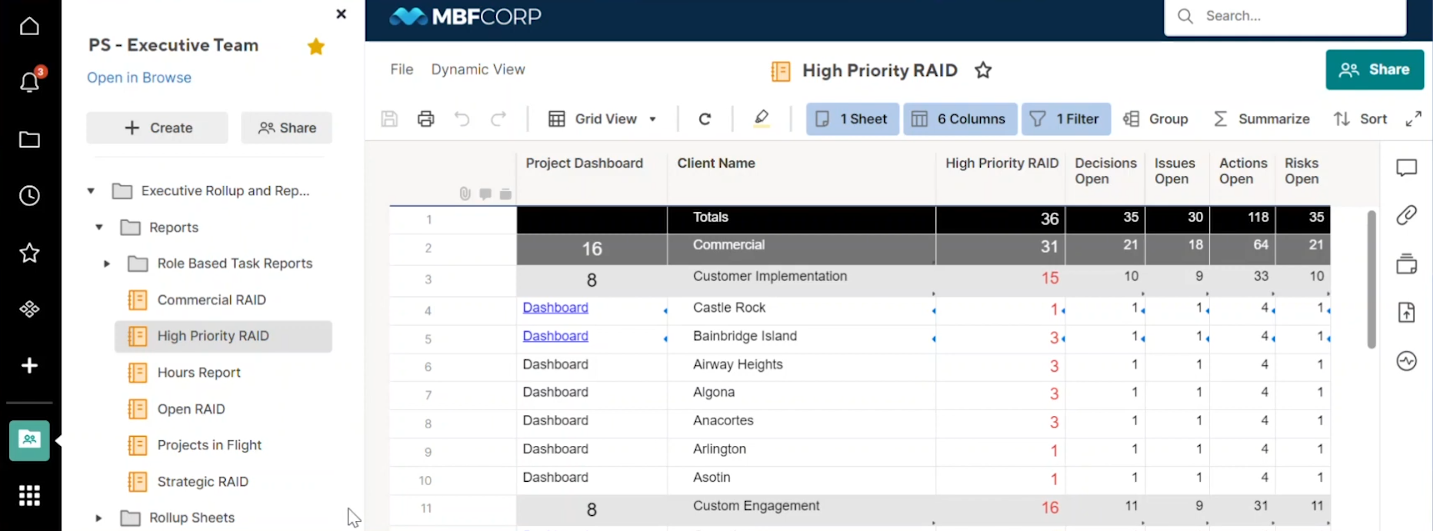
Smartsheet pairs a familiar spreadsheet-style grid with enterprise-grade automation, a natural fit for teams that already think in rows, columns, and formulas.
Key Enterprise Features
- WorkApps for building lightweight internal applications on top of project data
- Data Shuttle for connecting external data sources
- Directory integrations and SAML-based SSO
- Custom email domains and unlimited storage
Pros & Cons
Pros:
- Familiar spreadsheet logic reduces training time for finance and operations teams
- WorkApps and Data Shuttle support genuinely custom internal tooling
- Strong reporting and dashboard depth for data-heavy PMOs
Cons:
- No permanent free tier as of 2025
- Editor-based licensing means every contributor needs a paid seat
- Resource management add-ons cost extra on top of the base Enterprise price
- UI feels dense for non-technical users next to more visual competitors
Pricing & Scalability
- Pro tier: ~$9–12/user/month
- Business tier: ~$19–32/user/month
- Enterprise tier: custom quote
- Industry benchmarking puts average enterprise contract value around $131,000/year, among the higher figures here.
Our Verdict
Smartsheet earns its place where finance, operations, or engineering teams already standardize on spreadsheet-style logic and need that logic to scale into enterprise-grade automation and reporting.
6. Wrike – Best for Versatile Work Management

Wrike restructured its pricing ladder in January 2026, retiring its standalone enterprise plan for new customers and replacing it with Pinnacle and Apex tiers that carry the same enterprise-grade governance forward.
Key Enterprise Features
- Single sign-on, custom user roles, and advanced permissions (formerly Enterprise tier, now in Pinnacle/Apex)
- Audit logs for governance and compliance
- Tableau integration and a business intelligence API
- Apex adds Wrike Integrate, Wrike Sync, and an AI Elite usage quota introduced in April 2026
Pros & Cons
Pros:
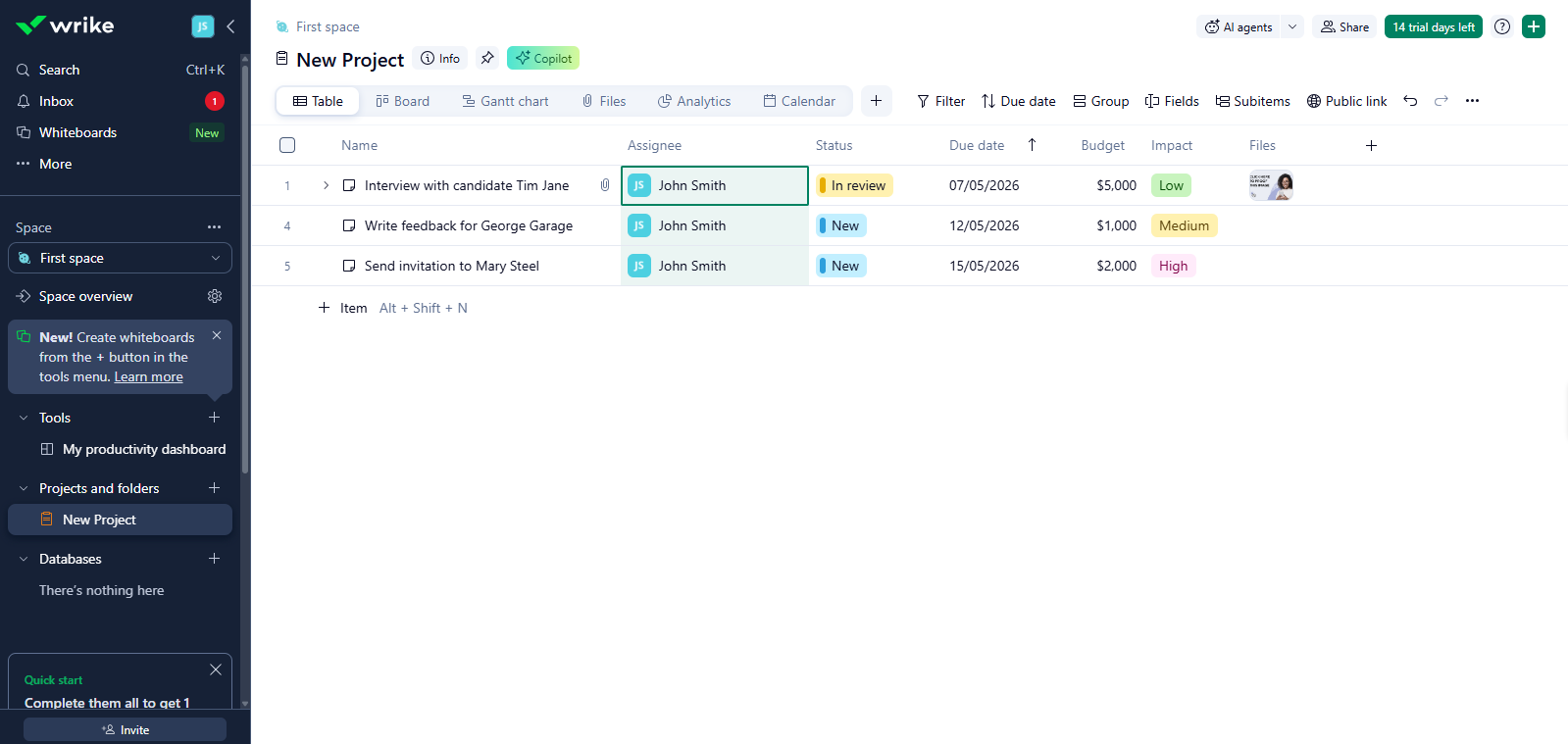
- Resource usage reports and workload charts support genuine capacity planning, not just task tracking
- Native Salesforce, NetSuite, and Adobe Creative Cloud integrations
- BI API and Tableau integration suit data-driven PMOs
Cons:
- Mid-2026 pricing restructure makes published figures a moving target
- A five-seat Business minimum inflates the cost for very small enterprise pilots
- AI Elite features now carry monthly usage quotas
- Apex tier pricing is custom-quoted, not published
Pricing & Scalability
- Team tier: $10/user/month
- Business tier: $25/user/month
- Pinnacle / Apex tiers: custom quote only, generally $50–80/user/month
- Pricing was restructured in January 2026; the legacy Enterprise plan was retired for new customers
Our Verdict
Wrike remains strong for organizations that value structured approval chains and BI-grade reporting, but enterprise buyers should confirm current tier names and pricing directly, given the 2026 restructuring.
7. ClickUp Enterprise – Best for All-in-One Solutions & Flexibility
ClickUp markets itself as an all-in-one work platform, bundling task management, docs, whiteboards, and goal tracking into one configurable interface.
Key Enterprise Features
- SSO and SCIM user provisioning
- Audit logs and IP restrictions
- Data loss prevention (DLP) and European data residency
- Dedicated customer success support layered on top of Business-tier automation and reporting
Pros & Cons
Pros:
- Broadest single-platform feature set reviewed, replacing several point solutions
- HIPAA, GDPR, and SOC 2 support are available at Enterprise
- Highly configurable views (List, Board, Gantt, Calendar) for varied workflows
- Competitive list pricing relative to feature depth at Business and Business Plus
- Public roadmap with community voting adds transparency
Cons:
- AI features (ClickUp Brain) are billed as a separate per-seat add-on
- Enterprise pricing is unpublished, and contact sales only
- Feature breadth can mean a longer onboarding curve for new admins
Pricing & Scalability
- Business Plus tier: $19/user/month annually
- Enterprise tier: custom quote
- Industry benchmarking estimates average Enterprise contracts around $34,332/year, among the more competitive figures here
Our Verdict
ClickUp Enterprise suits organizations consolidating multiple tools — docs, whiteboards, goals, and project tracking — into one contract, provided they budget separately for AI add-ons.
8. Microsoft Project – Best for Microsoft 365 Ecosystems
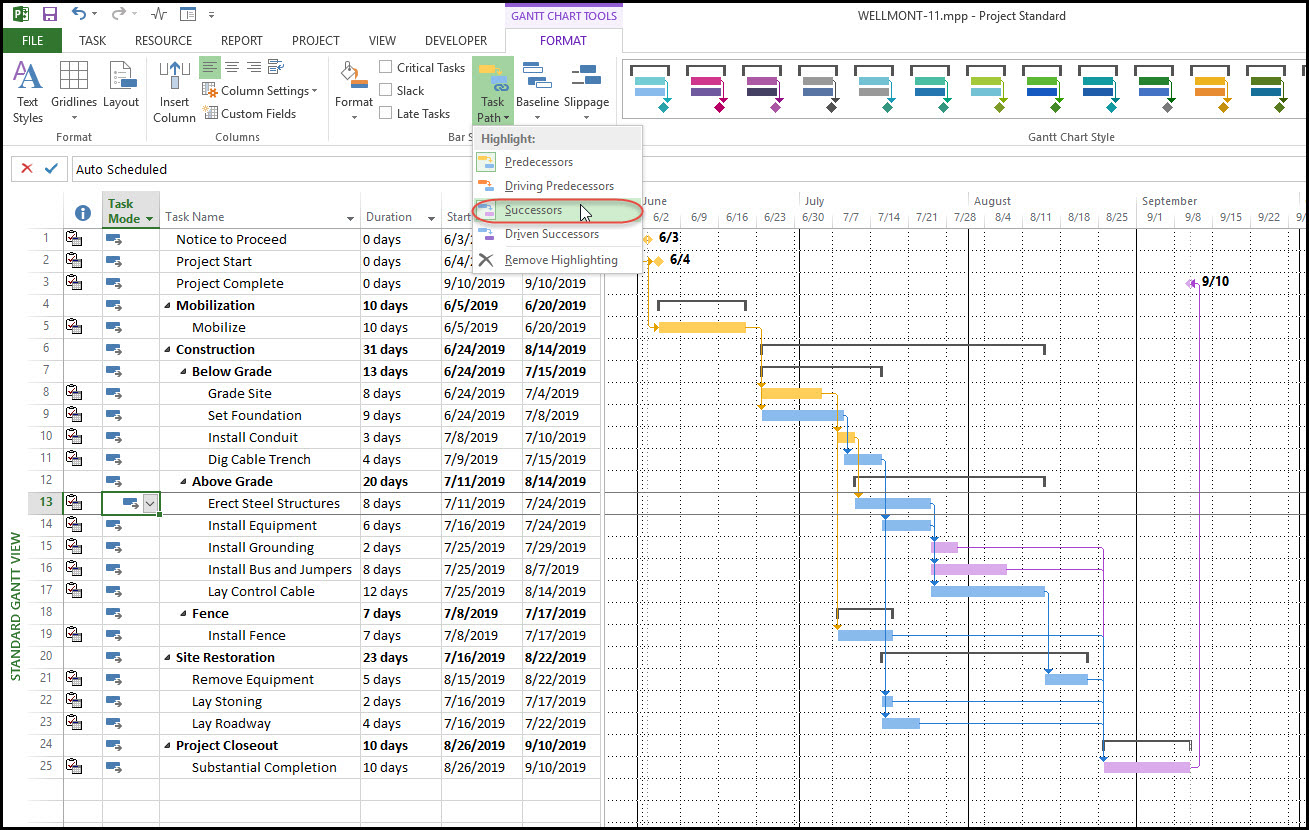
Microsoft Project Plan 3 — rebranded “Planner and Project Plan 5” in Microsoft’s 2026 product unification — is the top tier of Microsoft’s PPM suite, built for PMOs already standardized on Microsoft 365. Microsoft Planner now provides the lightweight task board layer underneath, with Plan 3 layering full enterprise portfolio and resource management on top.
Key Enterprise Features
- Portfolio management and demand management
- Enterprise resource management and advanced portfolio analysis
- Plan 3’s desktop client and resource scheduling are included as a foundation
- Native Power BI integration for enterprise-wide reporting
- AI features such as the Project Manager Agent for automated status updates
Pros & Cons
Pros:
- Deepest native integration with Power BI, Teams, and Microsoft 365
- Strong fit for PMOs already standardized on Microsoft tooling
- Demand management and portfolio analysis support top-down strategic planning
- Perpetual, on-premises license options for organizations that cannot run cloud services
Cons:
- $30/user/month is among the highest per-seat costs compared here
- Full value depends on broader Microsoft 365 and Power Platform investment
- Project Online retires September 30, 2026, forcing migration for legacy users
- Less intuitive interface for non-technical users than visual-first competitors
Pricing & Scalability
- Plan 1: $10/user/month
- Plan 3: $30/user/month
- All tiers are billed annually with no published user-count limit
Our Verdict
Plan 3 is the logical enterprise project management software choice for organizations already deep in the Microsoft 365 and Azure ecosystem, particularly where Power BI reporting is a board-level requirement.
9. Zoho Projects (Enterprise) – Best for Budget-Conscious Scalability

Zoho Projects positions itself as the cost-efficient alternative to premium enterprise suites, backed by the broader 45-app Zoho ecosystem.
Key Enterprise Features
- Custom roles and permissions
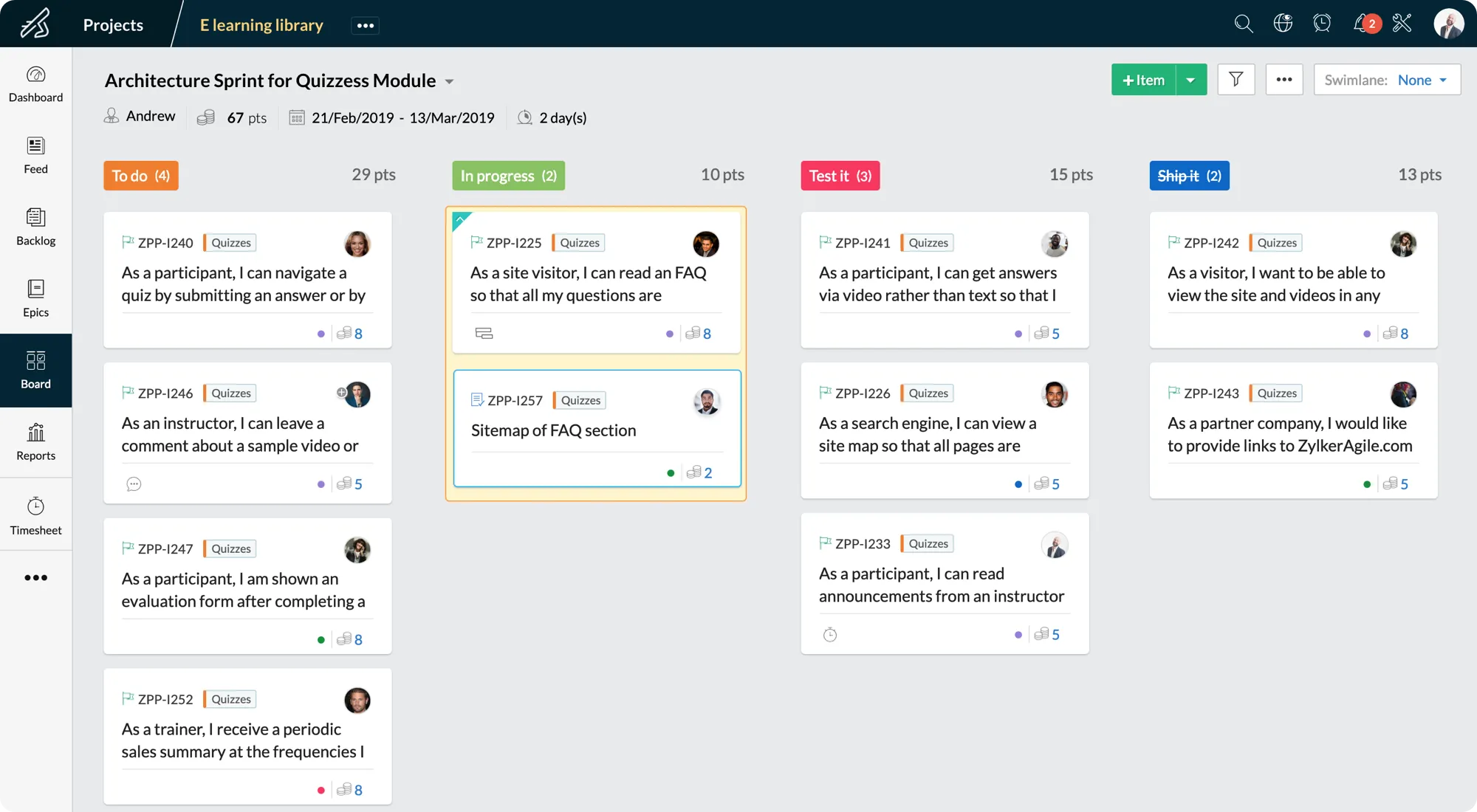
- Global Gantt chart spanning every project
- Portfolio dashboard for cross-project visibility
- User hierarchy and team structures
- Zia AI searches for natural-language queries across project data
Pros & Cons
Pros:
- Lowest enterprise-tier list price reviewed
- Deep native integration across 45+ Zoho business applications
- Portfolio dashboard and global Gantt chart cover core PPM needs at a fraction of competitor cost
Cons:
- Smaller third-party integration ecosystem outside Zoho’s own suite
- Reporting and dashboard customization are more limited than in premium PPM tools
Pricing & Scalability
- Enterprise tier: ~€9/user/month billed annually
- Ultimate tier: €14/user/month, for higher automation and template limits
- Lowest list price of any platform compared in this guide
Our Verdict
For mid-market organizations scaling toward enterprise complexity without an enterprise budget, Zoho Projects Enterprise delivers genuine portfolio-level capability at a fraction of the cost above.
Read more: Program Management in 2026: What It Is and Why It Matters
Enterprise software landscapes shift fast — pricing restructures, new AI tiers, and vendor consolidations happen every quarter. Digest.Pro tracks it all, giving project leaders and executives a reliable, up-to-date reference for high-stakes technology decisions. Follow Digest.Pro to keep your finger on the pulse.
Core Features Every EPM Software Must Have
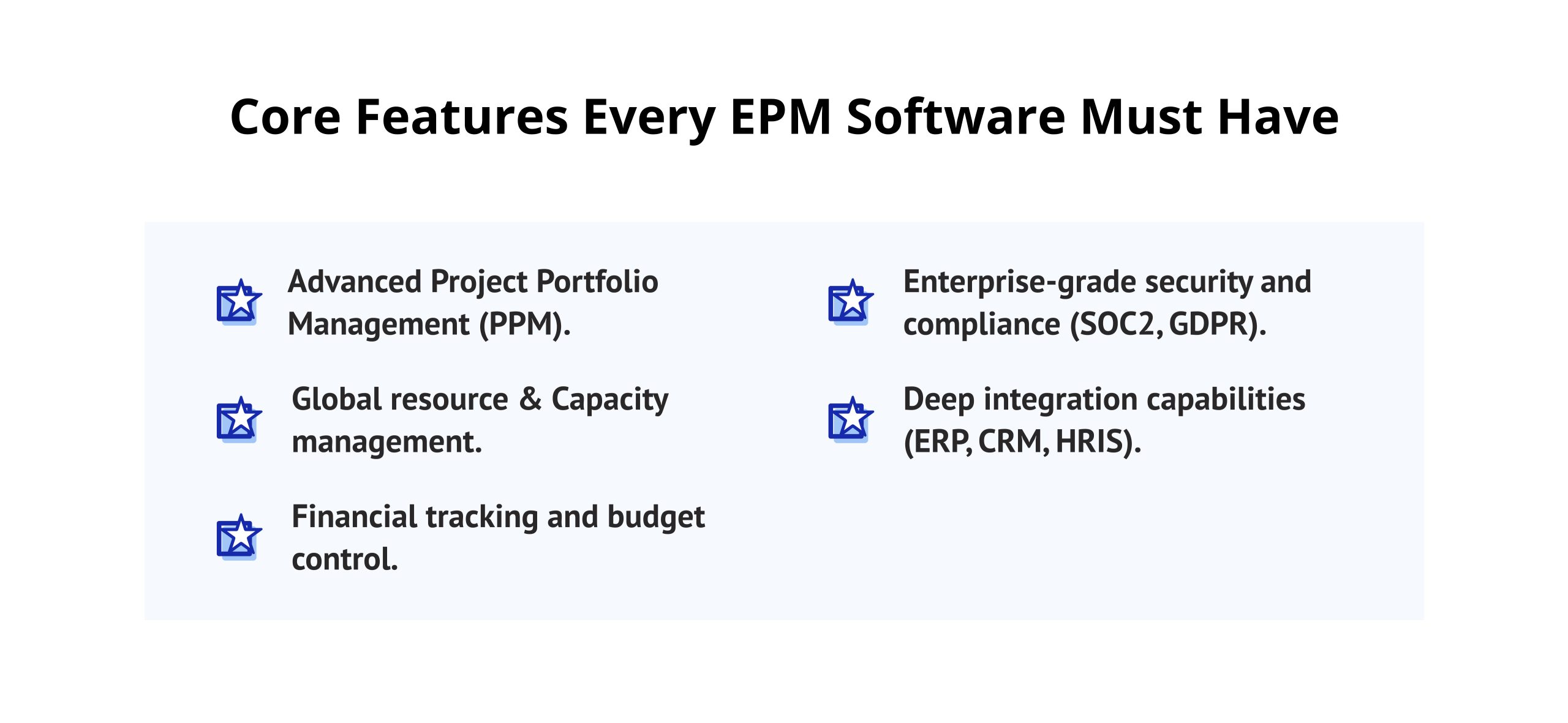
The point where ordinary task management software and enterprise project management software diverge lies in resource contention — when two or more projects compete for the same people, funding, or equipment, an organization must have portfolio-level resource-aware management processes. The following enterprise project management software characteristics distinguish real EPM solutions from repackaged team collaboration products and are just as important to engineering teams managing laboratory equipment as to marketing teams working in the design pool.
Advanced Project Portfolio Management (PPM)
The concept of portfolio management involves the selection and balancing of projects according to their strategic value and available capacity, not the execution of separate, standalone projects. The PPM perspective allows real-time adjustment of priorities depending on project start, completion, or modification.
Global Resource & Capacity Management
Resource allocation is where most portfolios actually fail. A platform must show which resource groups are overloaded, which are underused, and how a change to one project ripples through every other project sharing that pool. Tools that optimize resource allocation automatically consistently outperform spreadsheets maintained by one overworked PMO analyst.
Financial Tracking and Budget Control
Visibility for budgeting must be integrated with scheduling and resource information rather than existing within a finance tool, which is updated once a month. The planned and actual cost of each project must be tracked by the EPM software and rolled up at the portfolio level.
Enterprise-Grade Security and Compliance (SOC2, GDPR)
Every project management application managing data that is sensitive and confidential in nature — such as defense programs, clinical trials, or financial products release — should have SOC 2 certification and a GDPR-compliant data management system.
Deep Integration Capabilities (ERP, CRM, HRIS)
A platform that cannot exchange data with the ERP system tracking actual spend, the CRM tracking client commitments, or the HRIS tracking who is actually available becomes another silo. API access and pre-built connectors to systems like SAP, Salesforce, and Workday are non-negotiable at enterprise scale.
Read more: 12 Best Buyer Intent Data Providers for 2026: User Experience & Expert Analysis
Tangible Benefits of Upgrading to EPM Software
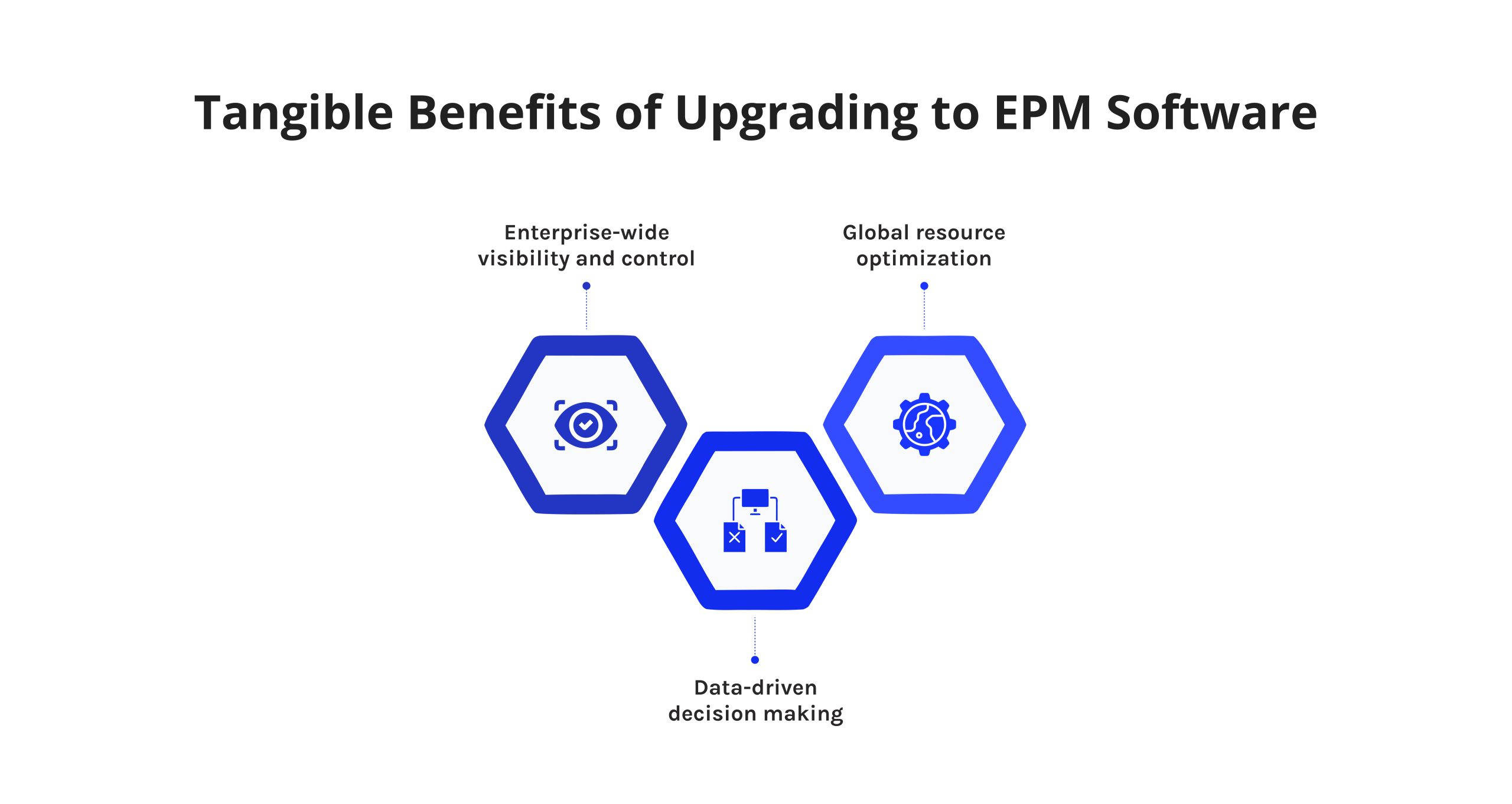
Enterprise-Wide Visibility and Control
By providing enterprise executives with a single, online view of an organization’s project portfolio, EPM software can effectively eliminate the reliance on disparate project spreadsheets and status reports that large firms currently utilize. Consequently, enterprise executives will be able to track project progress more effectively, as well as identify which projects require immediate action.
Data-Driven Decision Making
In “Superagency in the workplace: Empowering people to unlock AI’s full potential,” McKinsey found that 92% of companies plan to increase AI investment over the next three years, yet only a small fraction call their AI deployment mature [2]. Enterprise project management software with genuine AI-driven analytics — not just AI-branded summaries — is one of the few categories where that investment translates directly into better, faster portfolio decisions.
Global Resource Optimization
According to the workplace research conducted by McKinsey in 2025, 92% of organizations intend to increase their overall AI investment over the next three years; however, very few companies consider themselves to have a mature AI deployment. Using genuine AI-based analytics (not simply AI-labeled summary reports) is one example of how enterprise project management software allows for faster and more accurate decision-making when managing project portfolios.
How to Successfully Implement EPM Software in Your Organization
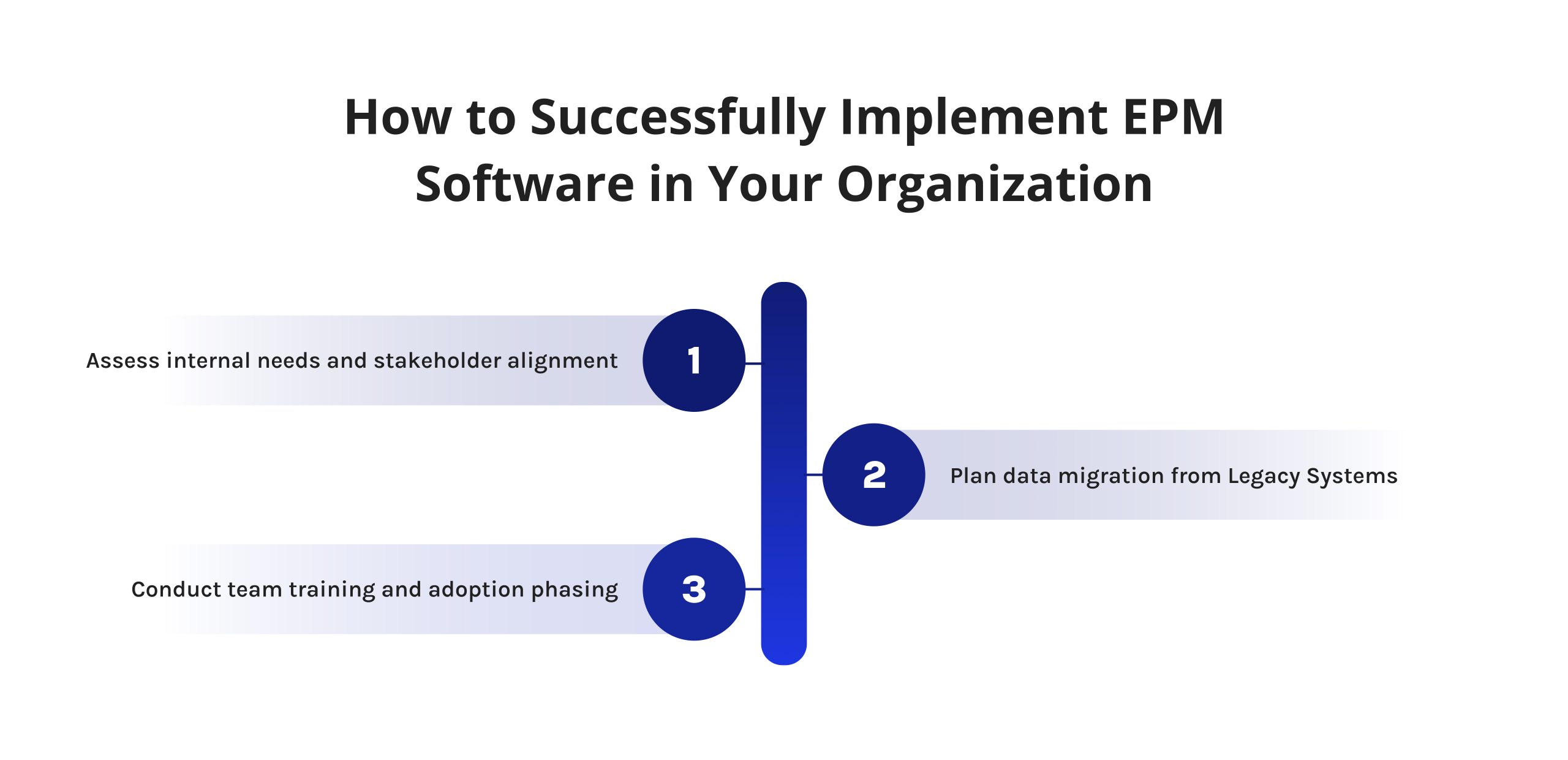
Step 1: Assess Internal Needs and Stakeholder Alignment
Document which specific failures the organization is trying to fix — chronic resource conflicts, budget overruns, missed milestones — and align executive sponsors and PMO leadership on those priorities in writing before evaluating vendors.
Step 2: Plan Data Migration from Legacy Systems
Map every existing system holding project, resource, or financial data and build a realistic migration timeline. Underestimating this step is the top reason organizations blame new software for what were actually old data-quality issues.
Step 3: Conduct Team Training and Adoption Phasing
Roll out to one pilot portfolio first, gather feedback, and phase in additional business units once the pilot group confidently uses core workflows. Onboarding the entire enterprise at once is the most common cause of failed EPM rollouts.
The Future of Enterprise Project Management: 2026 Trends
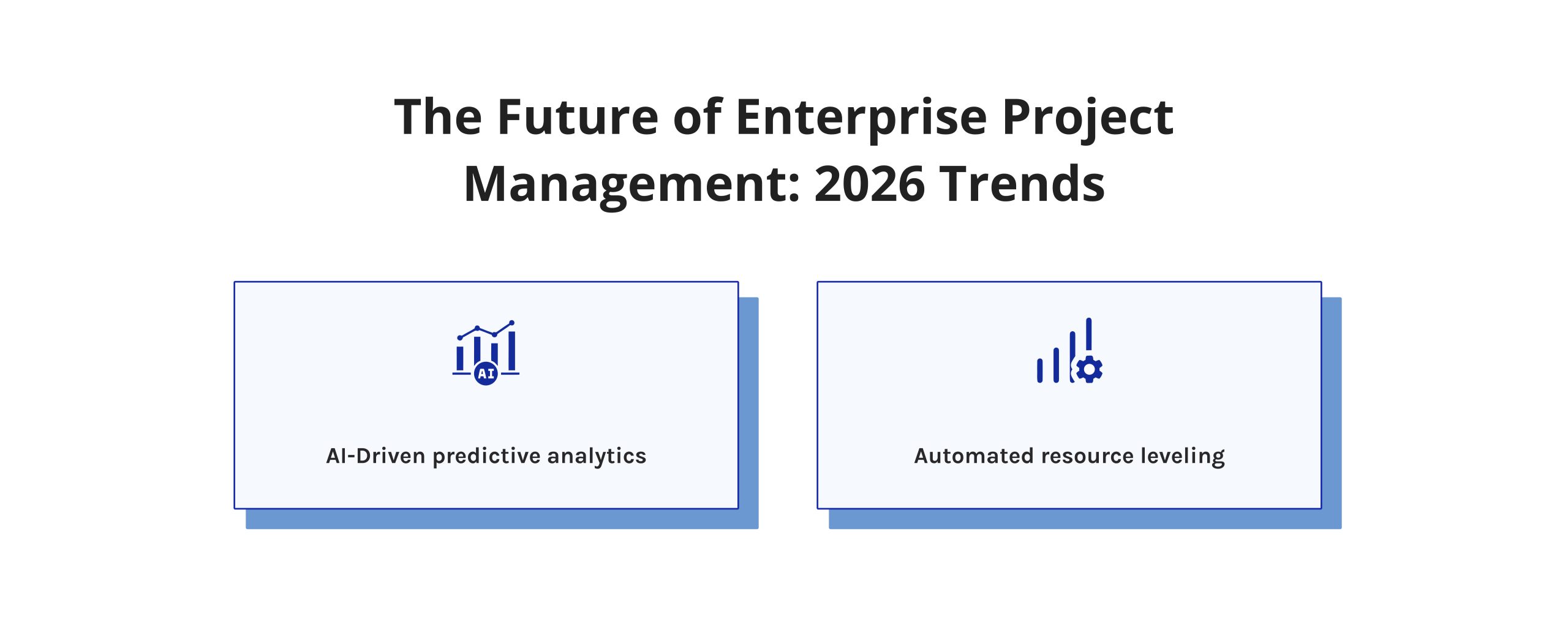
AI-Driven Predictive Analytics
Gartner predicts that 40% of enterprise applications will carry task-specific AI agents by the end of 2026, up from under 5% in 2025 [3]. In enterprise project management software specifically, that shift shows up as predictive bottleneck detection and automated scenario planning, replacing manual status reviews.
Automated Resource Leveling
The next generation of multi-project management platforms increasingly automates resource leveling itself — automatically rebalancing workloads across a resource pool when a deadline shifts, rather than waiting for a human PMO analyst to notice the conflict and intervene manually.
Conclusion: Which EPM Tool is Right for Your Business?
There is no single best enterprise project management software for every organization, because the deciding factor is almost never feature count. It is the specific bottleneck your organization actually has. Engineering and manufacturing teams managing resource contention across dozens of parallel projects get the most value from Epicflow’s AI-driven resource allocation and what-if analysis. Agile-native technology organizations that standardized on Atlassian get the most value from Jira Align. Cost-conscious mid-market teams scaling toward enterprise complexity get the most value from Zoho Projects. Every platform on this list of top enterprise project management software solves a real problem; the right one is the one that solves yours.
Read more: 15 Best Free ERP Software Reviewed in 2026
If you manage projects at enterprise scale, you need a trusted source that cuts through vendor noise. Digest.Pro delivers expert-curated analysis on enterprise project management, software selection, and PMO strategy — written for leaders who make consequential decisions. Subscribe to Digest.Pro and join thousands of C-level and PMO professionals already in the loop.
FAQs
Enterprise project management software is a system that plans, executes, and controls multiple interdependent projects within an entire company through one unified system. It integrates portfolio strategy, resources, and budgets, enabling company executives and PMOs to see the contribution of each project to the overall business objectives, not like single-project systems developed for a single team at a time.
The key advantages of using this kind of software are enterprise-wide visibility, efficient resource allocation amid conflicting projects, and decision-making based on the data rather than guesswork. Companies will also have more control over their finances, as all budget information will roll up automatically throughout the whole portfolio, rather than being kept separately in spreadsheets.
In 2026, advanced systems will utilize artificial intelligence in order to detect bottlenecks, make suggestions for resource allocation, simulate scenarios, and generate reports using natural language. Tools like Epicflow will use artificial intelligence to predict the resource overload in weeks and make suggestions on the staffing changes beforehand.
No, AI will not replace the project management office. AI agents are increasingly embedded in enterprise applications — Gartner projects 40% of enterprise apps will include task-specific AI agents by the end of 2026 — but they handle routine forecasting and reporting tasks, while strategic prioritization, stakeholder negotiation, and judgment calls remain the PMO’s responsibility [4].
Enterprise-level systems have integration capabilities with major ERP systems such as SAP and Oracle. In order to learn about the particular type of integration, it is necessary to make sure whether it is fully implemented by the vendor. Some vendors provide only partial integration and may even charge for this service.
Portfolio management involves choosing, prioritizing, and balancing all of the existing projects on the basis of their strategic value and the company’s capabilities. Portfolio management helps to answer the question of which projects should be funded in order to ensure maximum impact.
AI cannot replace project managers because of the importance of stakeholder relationships, contextual understanding, and negotiations. While AI is good at recognizing patterns in schedule and resource data, the interpretation of this data should be done by a human being.
Yes, some of these tools target certain industries rather than being suitable for all industries equally well. In this sense, it is worth mentioning Epicflow, which has been used in the aerospace, defense, manufacturing, and pharma R&D industries, and Jira Align, which is meant for tech companies using Agile or SAFe methodologies.
An enterprise project management tool can help in solving the issue of global resource allocation by collecting all teams’ capacity, skill set, and availability in one centralized overview. At that, it can be achieved not only because of time zone or office differences but also thanks to artificial intelligence, which will detect over-allocation and propose reassignment before it results in a delivery delay.
A potential risk of moving to a new enterprise project management platform is the possibility of bringing all the issues related to your old system into it. It means transferring wrong or incomplete information into the platform so that it seems to work well.
References
- Project Management Institute. 2025. Pulse of the Profession 2025. Report.
- McKinsey & Company. 2025. Superagency in the Workplace: Empowering People to Unlock AI’s Full Potential. Report, January 28, 2025.
- Gartner. 2025. Gartner Predicts 40% of Enterprise Apps Will Feature Task-Specific AI Agents by 2026, Up from Less Than 5% in 2025. Press release, August 26, 2025.
- Braglia, Marcello, and Marco Frosolini. “An integrated approach to implement project management information systems within the extended enterprise.” International Journal of Project Management 32.1 (2014): 18-29.
- Zhao, Lei, et al. “Design of digital business center of enterprise project management system based on Information Technology.” Journal of Physics: Conference Series. Vol. 1744. No. 2. IOP Publishing, 2021.
- Hindarto, Djarot. “The management of projects is improved through enterprise architecture on project management application systems.” International Journal Software Engineering and Computer Science (IJSECS) 3.2 (2023): 151-161.