
Planview is one of the biggest names in enterprise portfolio management — and one of the most common software names PMOs quietly start Googling around renewal time. Both things are true at once. Planview’s product family covers strategic portfolio management, resourcing, and work management at real scale, and it still shows up on most enterprise project portfolio management shortlists. But talk to PMO directors who’ve lived inside it for a few contract cycles, and you’ll hear a second story: a multi-year implementation, a module lineup rebuilt from six different acquisitions, and per-seat pricing that only gets more opaque as the portfolio grows.
In this article, we’re going to dig into the leading Planview alternatives on the marketplace in 2026. We’ll see the benefits of these alternatives and their shortcomings and examine their prices as well as analyze possible target audiences for them.
Key takeaways:
- No single specific Planview alternative can be called the best one — the right option to choose will depend on the core issue: whether you need to perform resource capacity planning, track daily work activities, or enable some slight cooperation.
- Organizations waste 9.9% of every dollar invested in projects due to unreliable project execution, as shown by PMI’s research on the Pulse of the Profession. The gap can be eliminated with improved portfolio and resource capacity tools (PMI, 2018).
Editorial note: All pricing claims made below have been verified through each vendor’s respective website plus G2, Capterra, Gartner Peer Insights, or TrustRadius. Enterprise software pricing changes rapidly over time; therefore, the data mentioned below should be treated as just a reference point for your own quote, and not a final figure.
Shortlist: top 10 best Planview alternatives
- Scoro — best for agencies and consultancies that want project management, resourcing, and billing in one PSA-style platform.
- Celoxis — best for mid-market PMOs that want financials, Gantt scheduling, and resource management without Planview’s implementation overhead.
- Epicflow — best for resource-constrained organizations running many concurrent projects on a shared pool of specialists.
- Asana — ideal for different teams desiring portfolio-level objectives and workload views on top of adaptable task organization.
- Zoho Projects — most suitable for teams on a tight budget, especially those already using other Zoho applications.
- Trello — best for small teams that want simple, visual Kanban tracking rather than full-scale project portfolio management.
- Monday.com — best for fast adoption and configurable, board-based portfolio views.
- Microsoft Project — best for PMOs already standardized on Microsoft 365.
- Proof Hub — used by teams for a flat rate system instead of per-seat charging.
- Adobe Workfront — matches best for marketing, creative, and enterprise project management.
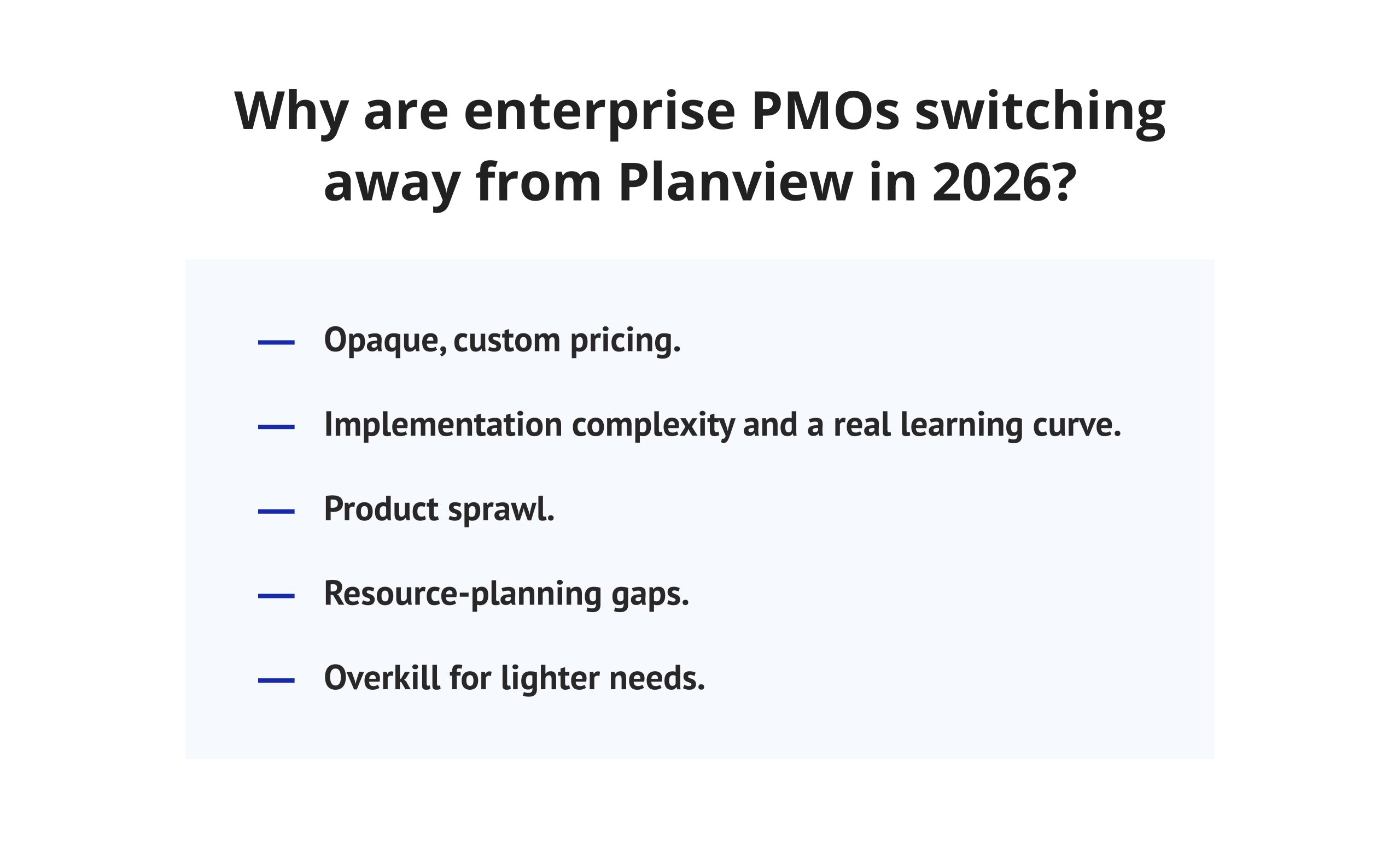
Why are enterprise PMOs switching away from Planview in 2026?
Companies rarely leave an established enterprise project portfolio management vendor over one bad feature. It’s usually cost, complexity, and a portfolio that has outgrown the reasons they bought it in the first place.
Opaque, custom pricing. Planview does not issue any rate cards. The costs calculated per seat depend on the license type, module configuration, and commercially negotiated agreements, which makes it much more difficult to determine your budget and compare vendors than with solutions that provide clear pricing.
Implementation complexity and a real learning curve. According to G2 reviewers of Planview AdaptiveWork, their users perceive the platform as something that hardly functions adequately at the level of an introductory user, and even more reviewers note the problems with technical support after the Clarizen buyout (G2, 2026). This tendency is common for the planview alternatives software that have been created by pulling together various acquisitions from all over.
Product sprawl. Planview itself is owned by private equity firms TA Associates and TPG Capital and has grown mainly through acquisition — Clarizen, Innotas, and, most recently, Sciforma in February 2025 (Planview, 2025). Each acquisition brings its own data model and support team into the fold, which shows up for customers as inconsistent workflows between modules.
Resource-planning gaps. Several PMOs report that Planview gives them status and financial visibility but still leaves the harder question — which of our specialists is the actual bottleneck, and which project should move first because of it — to spreadsheets. McKinsey’s research on corporate resource allocation found a similar pattern more broadly: in one documented example, a company aimed to invest 30% of its budget in its current business but had actually allocated almost 70% to it (McKinsey, 2017). Portfolio planview alternatives that show status without exposing capacity constraints don’t catch that kind of drift.
Overkill for lighter needs. Not every team that has outgrown a spreadsheet needs enterprise SPM. Marketing teams, small PMOs, and mid-sized delivery teams often find Planview’s governance depth is more process than they need.
What features should you look for in a Planview alternative?
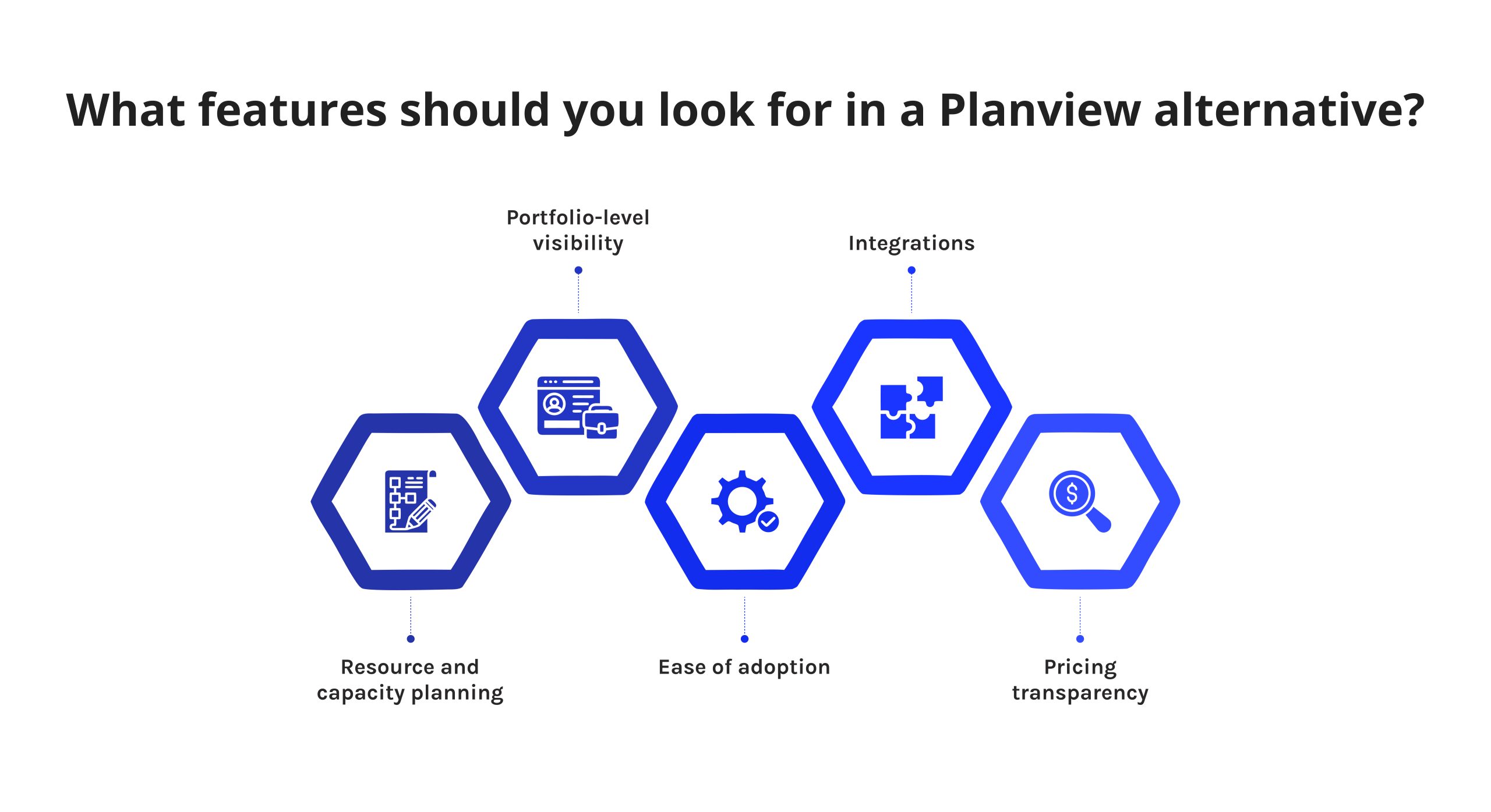
Before comparing named planview alternatives, it helps to fix the criteria. These are the same five dimensions we scored every alternatives to planview software against below.
- Resource and capacity planning. Can the planview alternatives show who’s overbooked before it becomes a missed deadline?
- Portfolio-level visibility. Can leadership see status, priority, and risk across every active project, not just one at a time?
- Ease of adoption. How long does it realistically take a mid-sized team to get from signup to daily use — days, or quarters?
- Integrations. Do alternatives to planview connect cleanly to the tools your delivery teams already use — Jira, Microsoft 365, Slack, CRM systems?
- Pricing transparency. Are alternatives to planview’s pricing public and per-seat, or fully custom and quote-based? Both are legitimate models, but they change how easily you can compare vendors.
Follow Digest.Pro on LinkedIn — we publish PMO and portfolio management breakdowns like this one on a regular basis, so you catch the next comparison as soon as it’s out.
Comparison table: the best Planview alternatives reviewed in 2026
|
Tool |
Best for |
Standout feature |
Starting price |
Rating |
Free plan |
|
Scoro |
Agencies and consultancies |
Quote-to-cash PSA workflow |
~$23.90/user/mo (monthly, 5-user min. on some plans) |
4.5/5 (G2) |
No |
|
Celoxis |
Mid-market all-in-one PPM |
Auto-scheduling with built-in financials |
From $10/user/mo (5-user min.) |
4.6/5 (G2) |
No |
|
Epicflow |
Resource-constrained multi-project portfolios |
AI Portfolio Optimizer, What-If Analysis |
From €22.5/month |
4.4/5 (G2) |
Trial |
|
Asana |
Cross-functional teams needing goals + workload views |
Portfolios and workload management (Advanced tier) |
From $10.99/user/mo |
4.4/5 (G2) |
Yes (up to 2 seats) |
|
Zoho Projects |
Budget-conscious teams, Zoho ecosystem users |
Resource utilization charts, Blueprint automation |
From €4/user/mo |
4.5/5 (G2) |
Yes (up to 5 users) |
|
Trello |
Small teams, simple visual tracking |
Kanban boards + 200 Power-Ups |
$5/user/mo |
4.4/5 (G2) |
Yes |
|
monday.com |
Fast adoption, configurable boards |
Unified portfolio view (Pro tier+) |
From $9/user/mo |
4.7/5 (G2) |
Yes (2 seats) |
|
Microsoft Project |
Microsoft-standardized PMOs |
Native Microsoft 365/Power Platform ties |
From $679.99 (one-time purchase) |
4/5 (G2) |
No |
|
ProofHub |
Flat-rate pricing, unlimited users |
No per-user fees |
$50/mo flat (monthly, unlimited users) |
4.6/5 (G2) |
No |
|
Adobe Workfront |
Marketing and creative operations |
Native Adobe Creative Cloud integration |
Custom |
4.1/5 (G2) |
No |
|
Rocketlane |
Professional-services & client onboarding delivery |
AI-powered ResourceAI capacity allocation |
~$19/user/mo (Essentials, 5-user min.) |
4.7/5 (G2) |
Trials |
|
Notion |
Docs + lightweight project tracking together |
All-in-one workspace (notes, wikis, databases) |
$10/user/mo |
4.6/5 (G2) |
Yes |
|
Businessmap |
Lean/Agile portfolio execution (engineering, pharma) |
Kanban boards + OKRs + Flight Levels strategy execution |
From €9.20/user/mo (15-user min.) |
4/5 (G2) |
No |
|
Wrike |
Complex cross-functional delivery |
Gantt depth + native proofing |
$10/user/mo (portfolio mgmt. from $24.80) |
~4.2/5 (G2) |
Yes |
|
TeamGantt |
Visual, Gantt-first scheduling |
Drag-and-drop collaborative Gantt charts |
$24/month |
4.8/5 (G2) |
No |
|
Portfolio manager (by Tempo) |
Predictive, probability-based scheduling |
Automated re-forecasting + built-in time tracking |
~$3-5/user/mo (depends on number of users) |
4.4/5 (G2) |
No |
|
Basecamp |
Simple team communication, small teams |
Flat-rate option for unlimited users ($299/mo) |
$15/user/mo, or $299/mo flat (unlimited users) |
4.1 (G2) |
Trial |
Rocketlane, Notion, Businessmap, Wrike, TeamGantt, LiquidPlanner, and Basecamp are covered in more depth under “Additional Planview Alternatives Worth Evaluating in 2026” below.
Why you can trust our reviews
We assessed 17 alternatives to Planview software, using five common standards: depth of resource capacity, simplicity of adoption, extent of integration, openness of pricing, and level of visibility.
Our analysis of planview competitors has been based on three types of information: official documentation and pricing pages of vendors, evaluations on third-party rating platforms (G2, Capterra, Gartner Peer Insights, TrustRadius, SelectHub), and demo trials provided by the vendors (if available). Every planview alternative is scored against the same five criteria above, and every review below includes genuine limitations.
Reviewing the Top 10 Planview Alternatives for Strategic Scale
1. Scoro
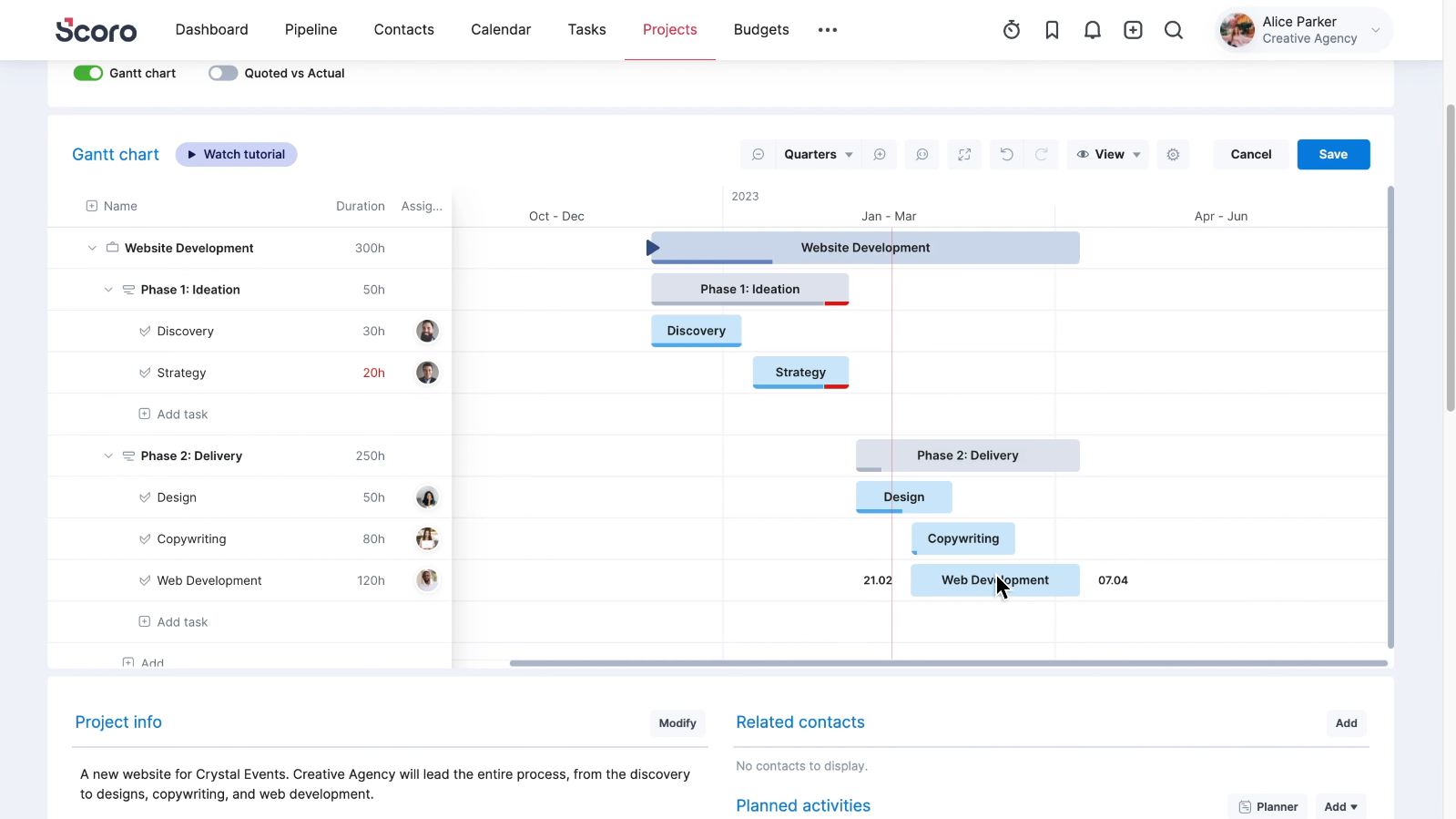
Scoro's interface.
Scoro is a comprehensive PSA planview alternative that integrates project management, resource allocation, proposal, and payment in one tool designed especially for agencies and consulting companies.
Best for: Agencies, consulting firms, and professional services that require a project management, resource allocation, and payment tool rather than three different platforms.
Why it’s a good Planview alternative: Scoro uses one straight-through processing flow from quote to cash rather than Planview’s two layers to perform the same functions, which makes its price much lower than the price of an average Planview client.
Unique features:
- Capacity and resource planning built directly into the same view as quoting and invoicing.
- ELI, an AI assistant that answers natural-language questions about project and business data.
- Predictive analytics for forecasting client demand and pipeline profitability.
Limitations:
- Every plan carries a 5-seat minimum, which prices out very small teams despite the low headline rate.
- Reviewers consistently cite a real learning curve during onboarding.
- The mobile app is noticeably weaker than the desktop product.
- Not built for internal, non-billable engineering or manufacturing portfolios — its DNA is client-services delivery.
“Its nice and powerful, but there’s quite a few things about the platform I just can’t stand, especially when it comes to tying time entries to quotes and/or invoices and how it calculates profit. “— Reddit user’s feedback
Integrations: QuickBooks, Xero, and a range of standard business and calendar tools.
Pricing: Four tiers from $23.90/user/month (Core) to $59.90/user/month (Performance), with Enterprise custom-priced; several plans carry a 5-user minimum.
2. Celoxis
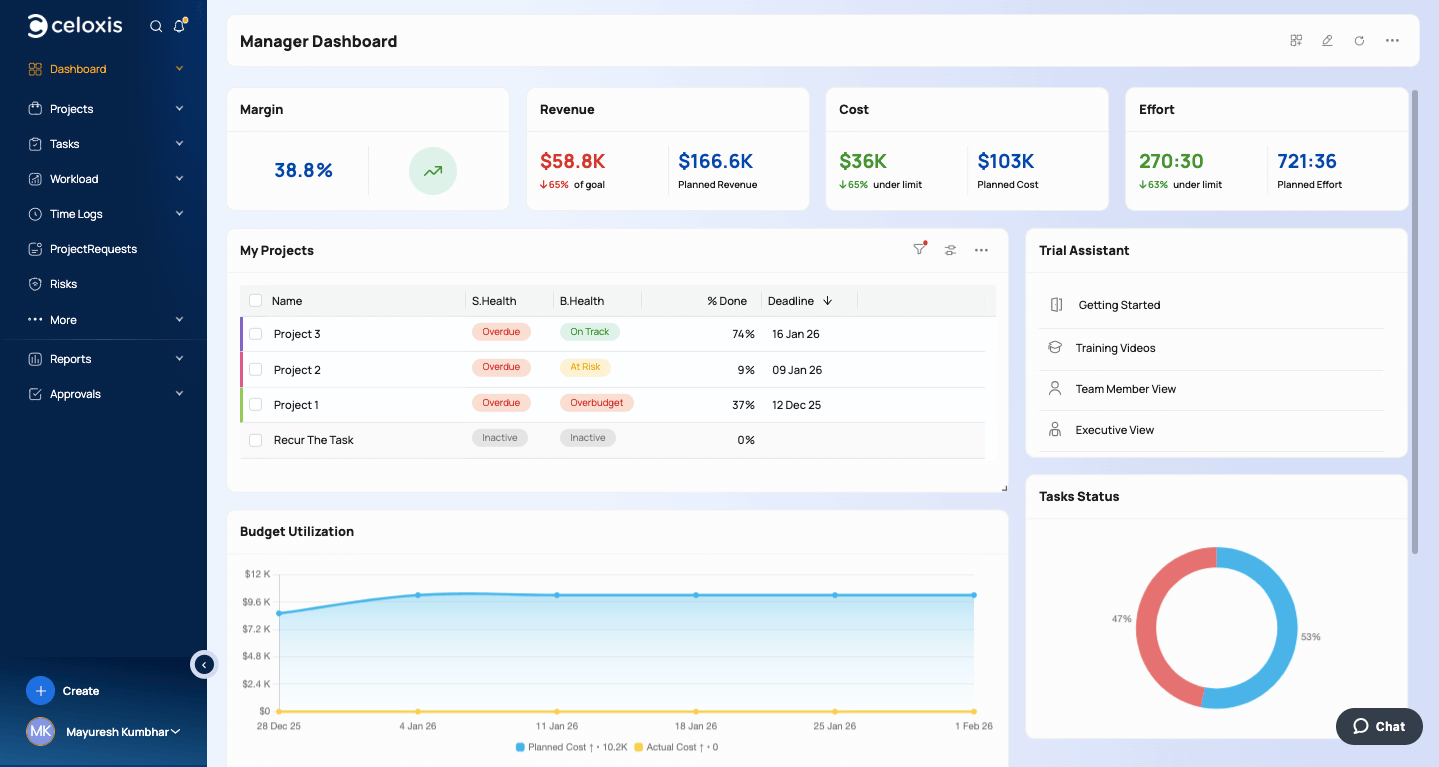
Celoxis' interface
Celoxis is an integrated project portfolio management system that encompasses scheduling, resource management, and financial monitoring in one software package, without any additional modules.
Best for: Middle-market and larger PMOs that want to see portfolio-level finances, resources, and Gantt charts on just one software platform, without the need for heavy implementation that Planview entails.
Why it’s a good Planview alternative: Celoxis bundles scheduling, resource management, and financial tracking natively — the same core promise as Planview Portfolios — at public, per-seat pricing and a mean||ingfully shorter rollout.
Unique features:
- Auto-scheduling that flags overallocation the moment a task is assigned to someone without free capacity.
- AI-driven trend analysis and what-if scenario modeling for forecasting outcomes.
Limitations:
- Requires a minimum of five full-access users.
- Several G2 reviewers describe a cluttered initial interface and a real setup curve.
- Advanced customization is powerful but not always intuitive to configure.
- Doesn’t match Planview’s depth for very large, multi-billion-dollar strategic programs.
- Client/guest access is limited on lower tiers.
“There is a bit of a learning curve at the start (mainly around setting up templates and training the team), but once you get through that it feels smooth and actually saves time on approvals and intake.” — Reddit user’s review
Integrations: Salesforce, QuickBooks, Microsoft Project, Jira, Trello, GitHub, and Google Forms.
Pricing: Roughly $10-$45/user/month depending on plan, with a five-user minimum.
3. Epicflow
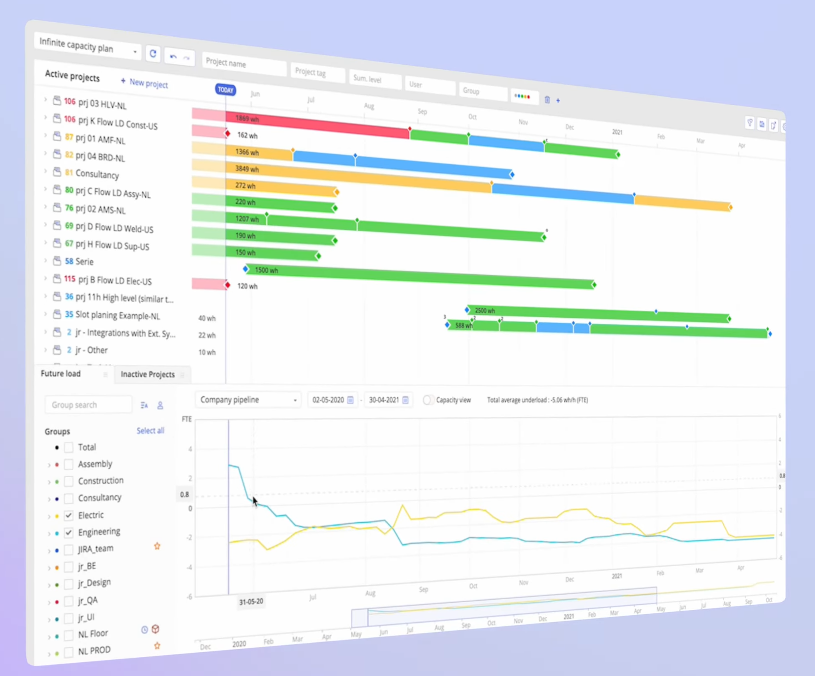
Epicflow's interface.
Epicflow is an AI-based multi-project and resource management platform built for organizations running many concurrent projects on a shared pool of specialists.
Best for: PMOs and resource managers whose main constraint is finite specialist capacity across a large, concurrent project portfolio — common in engineering, aerospace and defense, manufacturing, and pharma.
Why it’s a good Planview alternative: Epicflow is an AI-based multi-project and resource management platform built specifically around exposing bottlenecks and capacity constraints, which several Planview customers describe as a gap they still fill with spreadsheets.
Unique features:
- AI Portfolio Optimizer and Epica AI Assistant, which flag downstream bottlenecks before they happen.
- Future Load Graph and Historical Load Graph for forecasting and reviewing team capacity.
- What-If Analysis for testing staffing or scheduling scenarios before committing.
“The tool helps me easily resolve most project management challenges and simplifies my daily routine.” — G2 User Review
Limitations:
- Compared to Trello or monday.com, it has fewer native integration options — you may need a custom solution if you are not using Jira or Microsoft Project.
- It is not suitable for smaller teams that need simpler task management functionalities.
Integrations: Jira, Microsoft Project, Oracle Primavera, plus custom integration options.
Pricing: Custom, quote-based.
Follow Digest.Pro on LinkedIn — we cover project portfolio management and resource management software like this every week, so you can get the next comparison in your feed instead of waiting on a search result.
4. Asana
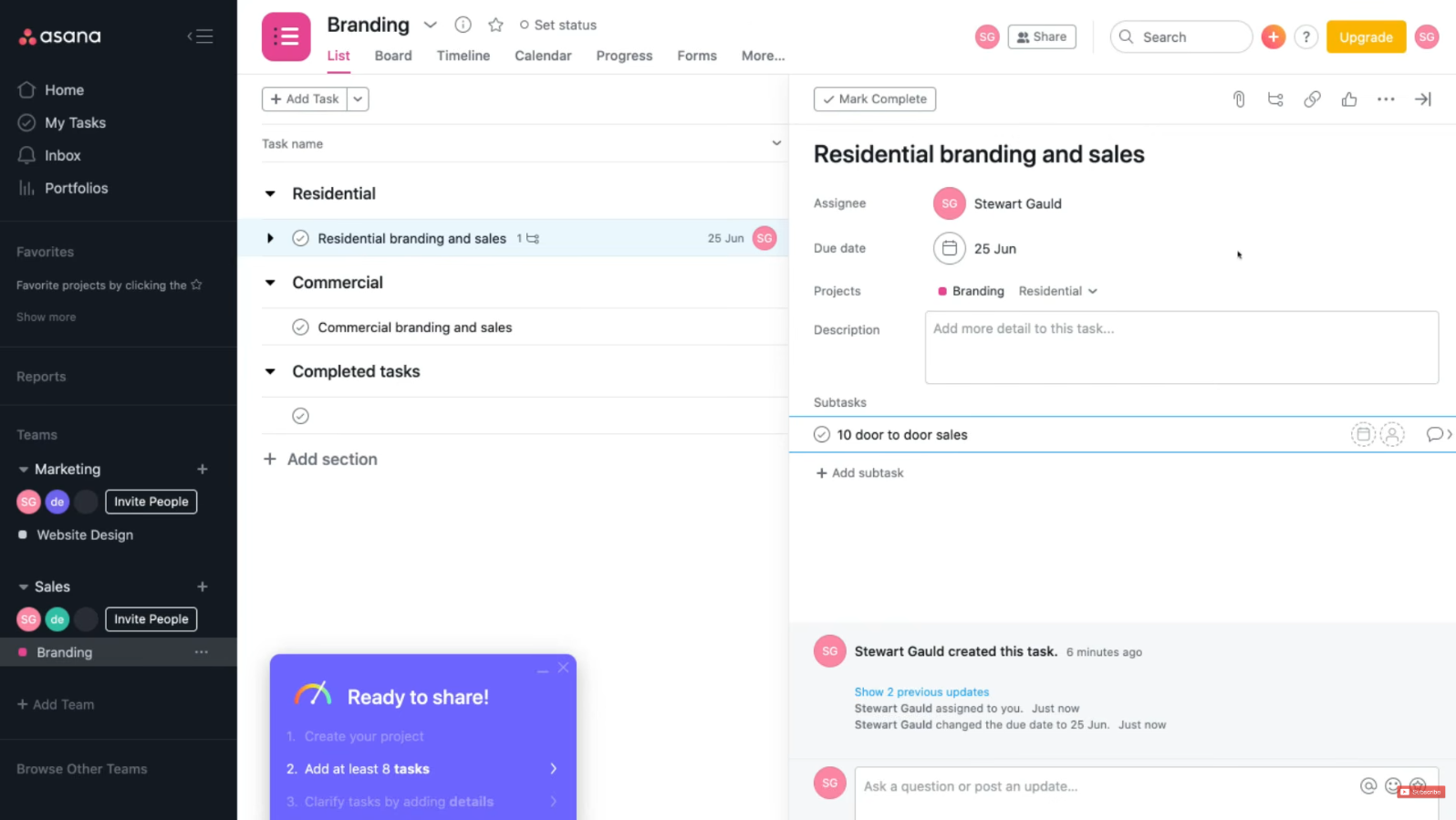
Asana's interface.
Asana is an advanced project management tool that caters to varying customer requirements, from simple task management to portfolio-based project management.
Best for: Multi-functional teams looking for portfolio-level project management with basic project management capabilities.
Why it’s a good Planview alternative: With its additional features, Asana allows mid-sized PMOs to gain portfolio and project visibility like in Planview but with less time and effort.
Unique features:
- Portfolio workload view for balancing capacity across multiple projects at once.
- Native Salesforce, BI, and approval-workflow integrations at the Advanced tier.
- Asana AI for status summaries and workflow automation.
Limitations:
- Portfolio management, goals, and workload views are locked behind the advanced tier ($24.99/user/month) — the entry Starter plan doesn’t include them.
- Tasks can only be assigned to a single owner, which forces workarounds for genuinely collaborative work.
- Real depth in financial governance is thinner than in dedicated PPM planview competitors.
- As noted by several reviewers, the platform’s pricing transparency appears to lack consistency, since the minimum number of seats doesn’t always show up clearly during the checkout process (G2, 2026).
“Very comprehensive and flexible task management solution, if you’re on a high enough paid plan” — G2 User review
Integrations: This platform offers integration with Slack, Microsoft Teams, Salesforce, Google Workspace, Jira, and various others using an app directory for hundreds of integrations.
Pricing: Free (up to 10 seats), Starter at $10.99/user/month, Advanced at $24.99/user/month, Enterprise and Enterprise+ custom.
5. Zoho Projects
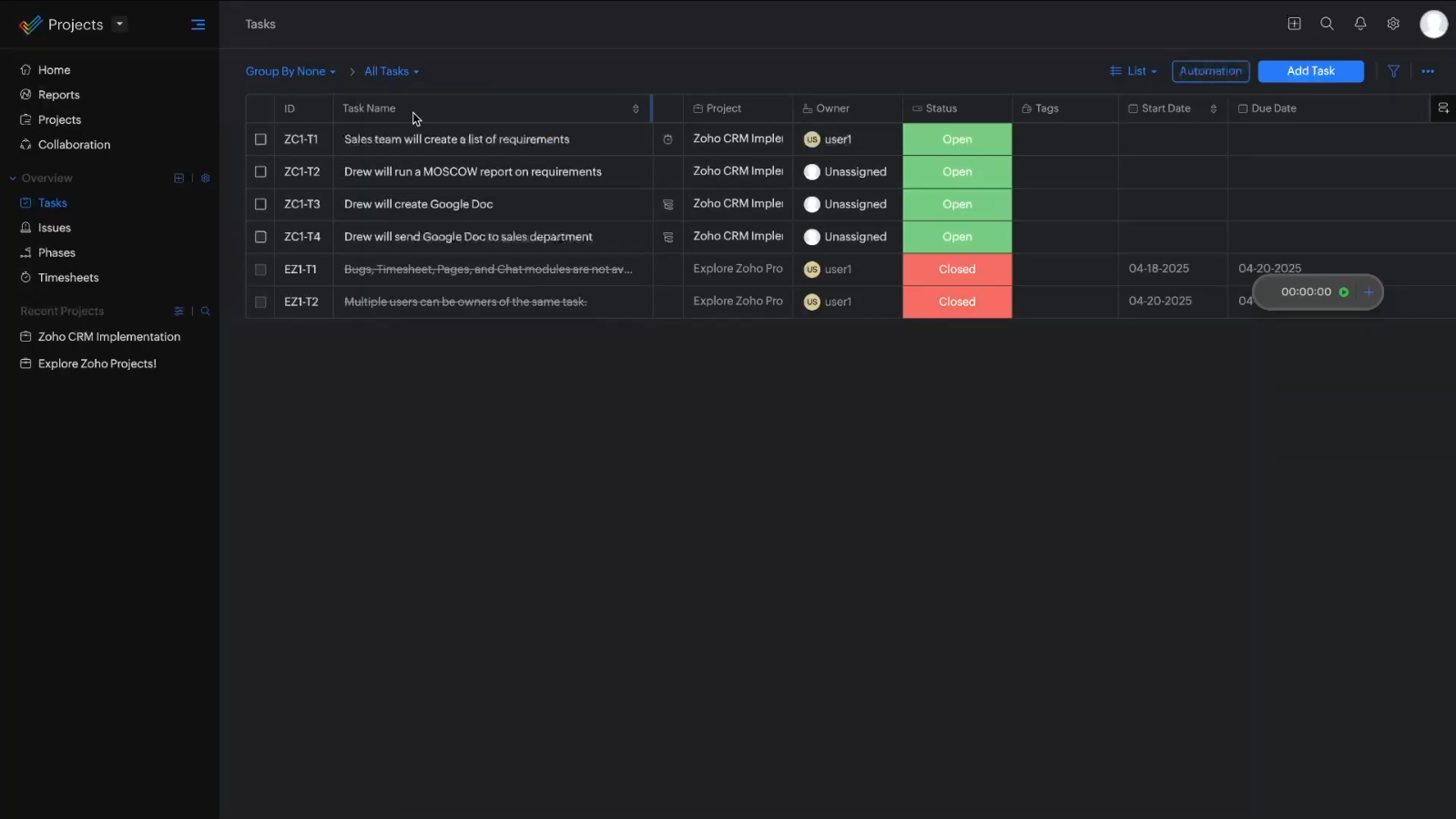
Zoho Project's interface.
Zoho Projects is an advanced project management software that is part of the Zoho range of products. It provides task management features, Gantt charts, resource management features and automates workflows, all for a very low rate per seat.
Best for: PMOs on a budget, particularly those using other products from the Zoho range, such as Zoho Books and Zoho CRM.
Why it’s a good Planview alternative: Zoho Projects can offer resource tracking, Gantt chart displays, and workflow automation all for a small fraction of Planview’s per-seat price.
Unique features:
- Resource utilization charts and workload indicators for balancing assignments.
- Blueprint, a visual workflow-automation builder for standardizing repeatable processes.
- Zia, Zoho’s built-in AI assistant, for insights and content generation.
“Zoho is the best full suite I’ve come across for the money.” — User review on Reddit
Limitations:
- Some collaborative functionalities (forms, enhanced document collaboration) require another Zoho subscription plan.
- Restrictions on clients and guests.
- Availability of pricing plans is varied for people using Zoho services.
- Customers will benefit from the platform mostly if they are already users of other Zoho products; others may not experience the synergy they are looking for.
Integrations: Zoho Books, Zoho Invoice, Google Drive, Dropbox, Microsoft Teams.
Pricing: Free (up to 5 users, 3 projects); Premium at €4/user/month, Enterprise at €9/user/month, Ultimate at €14/user/month.
6. Trello
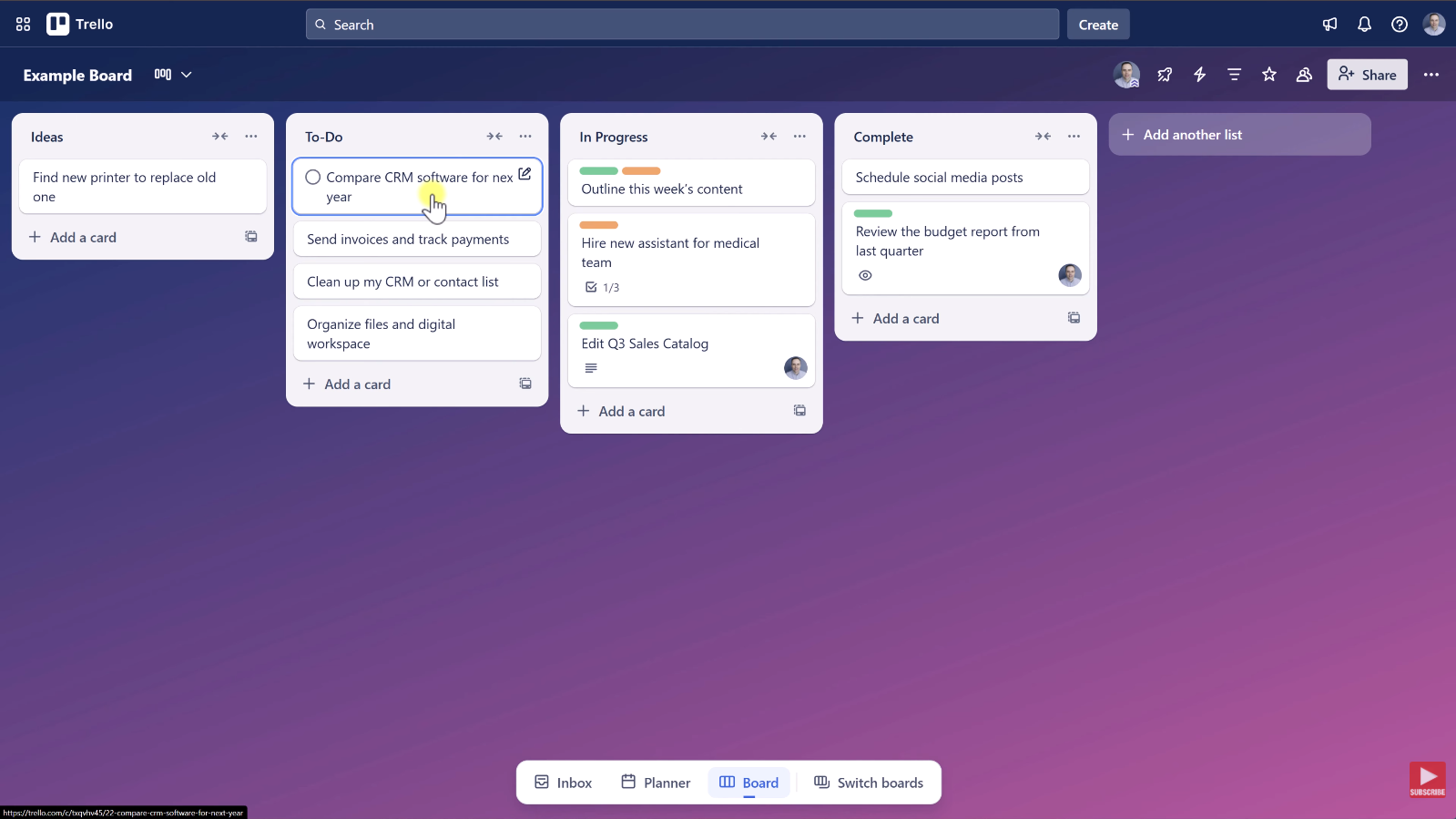
Trello's interface
Trello is a Kanban-based visual task management software owned by Atlassian, which uses boards, lists, cards, etc. rather than going into full portfolio management.
Best for: Small teams and individual PMs that wish to make use of visual Kanban management.
Why it’s a good Planview alternative: Trello gives the task management capability similar to Planview but at a very low cost with minimal learning needed.
Unique features:
- Butler automation for rule-based card movement and reminders.
- More than 200 Power-Ups for adding time tracking, reporting, and Gantt-style views.
Limitations:
- No native resource management or capacity planning.
- Falls short on complex projects with real task dependencies, according to G2 reviewers.
- Boards get unwieldy once a project grows past a modest number of cards.
- Most useful Power-Ups require a paid plan or a separate subscription.
- No portfolio-level rollup across multiple boards without add-ons.
“I only hit the wall when I started juggling multiple client projects and needed to see actual workload across all of them.” — User Review on Reddit
Integrations: Slack, Google Drive, Jira, and 200-plus Power-Ups, since Trello has been part of Atlassian since 2017.
Pricing: Free, Standard at $5/user/month, Premium at $10/user/month, Enterprise at $17.50/user/month (25-user minimum).
7. Monday.com
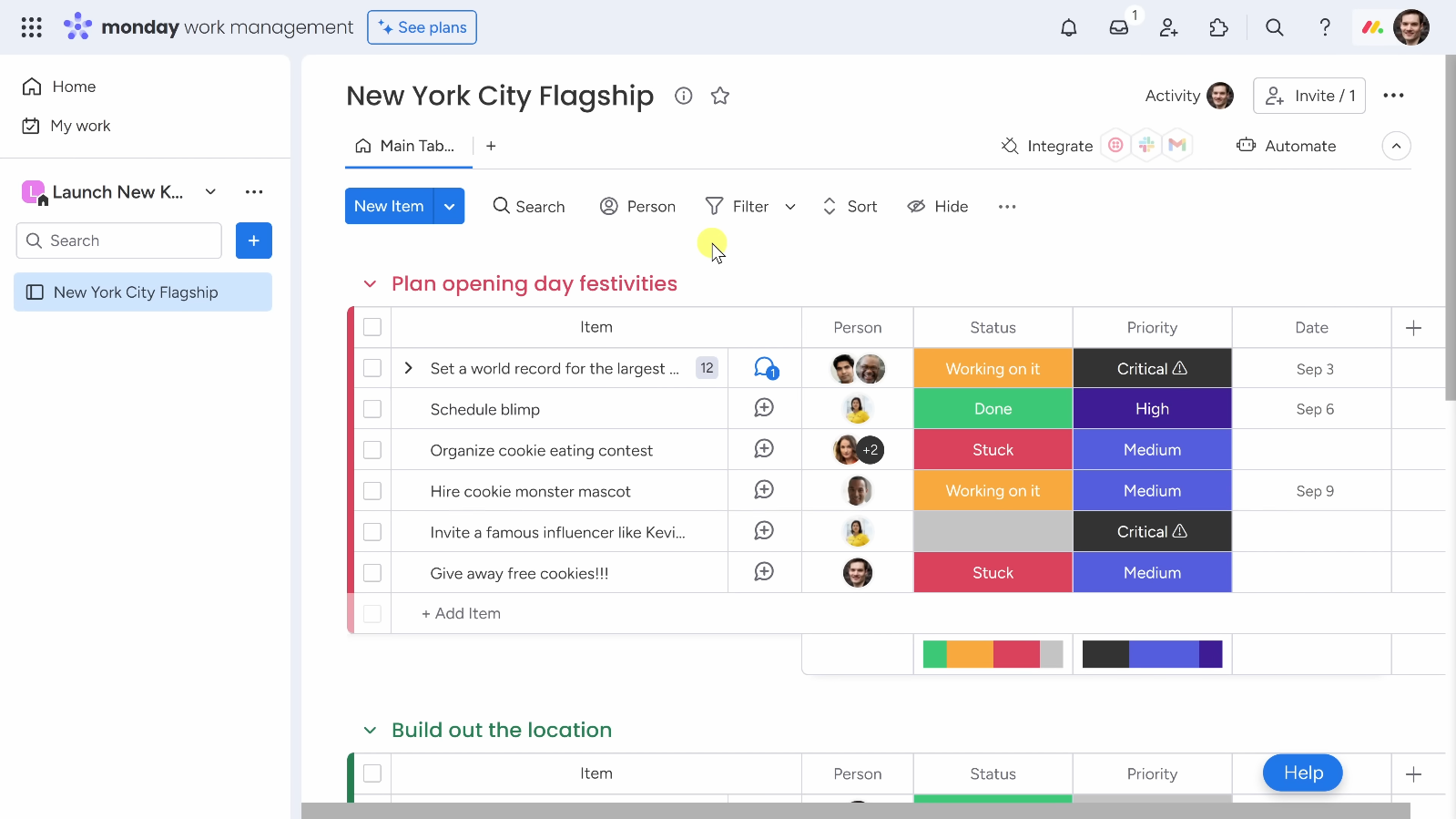
monday.com's interface
monday.com is a highly configurable “work OS” that spans project, portfolio, and team-collaboration use cases on a visual, board-based interface.
Best for: Teams that favor a simple solution to Planview AdaptiveWork and place importance on quick use.
Why it’s a good Planview alternative: monday.com gets teams working very quickly, and the Pro tier of monday.com allows teams to use portfolio rankings and resource management tools without encountering the setup hurdles of Planview.
Unique features:
- Unified portfolio view with real-time project health snapshots.
- Resource-planning tools for centralizing workforce data and balancing capacity.
- AI agents and automation layered directly across boards.
Limitations:
- Portfolio and resource management are unavailable below the Pro tier — Basic and Standard plans can’t manage projects as a unified portfolio.
- All paid plans require a minimum of three seats.
- AI credits are now metered separately from seat pricing as of mid-2026.
- Enterprise-grade financial governance is well behind Planview or dedicated project portfolio management suites — it’s a lighter-weight planview alternative by design.
“I think one of the most difficult things about Monday is there’s two or three different ways to do just about anything. ” — User review on Reddit
Integrations: A broad native and third-party catalog, plus open API access.
Pricing: Basic at $9/user/month, Standard at $12/user/month, Pro at $19/user/month (portfolio and resource management included from Pro), and Enterprise custom; 3-seat minimum on all paid plans (monday.com, 2026).
Follow Digest.Pro on LinkedIn — vendor-by-vendor breakdowns like this one are a regular feature on our page, alongside shorter takes on what’s moving in the project portfolio management space.
8. Microsoft Project
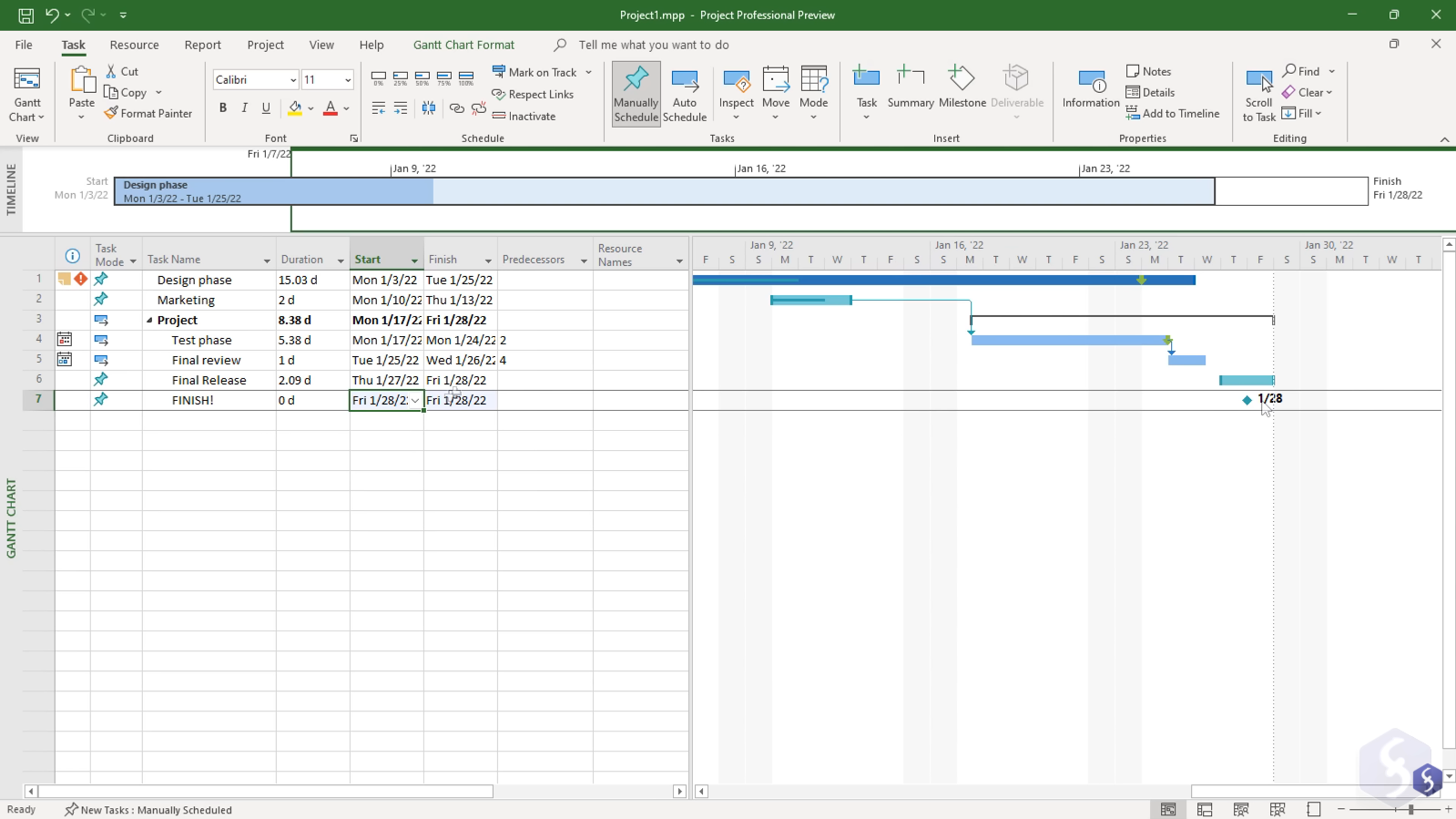
MS Project's interface
Microsoft Project is Microsoft’s advanced project and portfolio management tool, now consolidated under the Planner brand, spanning a lightweight web app and a full desktop scheduling engine.
Best for: PMOs already standardized on Microsoft 365 and the Power Platform that want project and portfolio management without a new vendor relationship.
Why it’s a good Planview alternative: Microsoft Project’s top tier adds portfolio-level demand management comparable to a slice of what Planview Portfolios offers, at transparent, published pricing and no new procurement cycle for Microsoft shops.
Unique features:
- A desktop scheduling engine with critical path, resource leveling, and earned value — among the most capable on the market for complex dependency management.
- Native integration with Teams, SharePoint, Power BI, and Outlook.
“This is the only one which has a decent client desktop, great integration with 365 envirorment and a lot of report futures immediatly ready for excel.” — User review on Reddit
Limitations:
- Portfolio-level demand management only appears at the top ($55/user/month) tier.
- Cross-portfolio resource optimization is thinner than in dedicated project portfolio management or resource management tools.
- Real learning curve for teams new to Gantt-based scheduling.
Integrations: Deep, native ties across Microsoft 365 — Teams, SharePoint, Power BI, Outlook, and the Power Platform.
Pricing: Microsoft Project has two one-time purchasing plans: Project Standard 2024 for $679.99 and Project Professional 2024 $1,129.99.
9. ProofHub
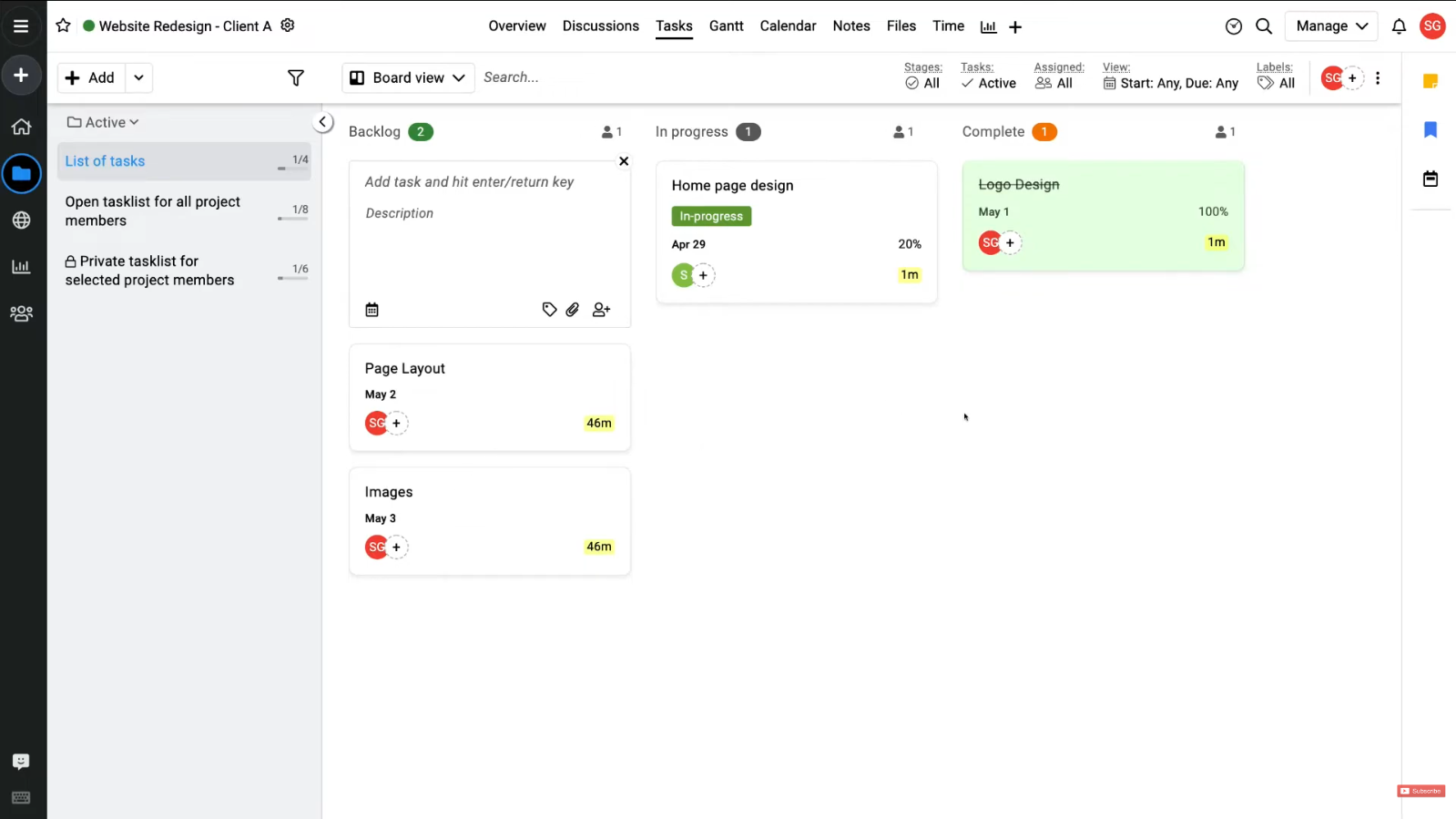
ProofHub's interface
ProofHub is a comprehensive enterprise project management and teamwork collaboration hub with competitive pricing, i.e., monthly flat pricing instead of user-based pricing.
Best for: Teams that are looking for a fixed monthly payment plan instead of uncertain per-user rate plans.
Why it’s a good Planview alternative: ProofHub provides a flat-rate program as opposed to Planview’s complex cost structure, allowing teams that do not use many of Planview’s organizational features to save quite a bit of money.
Unique features:
- Flat-rate pricing for unlimited users and projects, without any seat costs.
- Integrated proofing tool to review and approve files right from the platform.
- Multiple project views (Gantt, Table, Board, calendar) in just one project entry.
“With ProofHub, our entire team was able to get started on day one without much friction.” — G2 User review
Limitations:
- No advanced resource allocation or budgeting features, a gap multiple G2 reviewers specifically call out.
- Integration catalog is noticeably smaller than most competitors on this list.
- No free plan and a limited trial window.
- Customization options are described by reviewers as more limited than expected.
Integrations: FreshBooks, QuickBooks, Google Drive, Dropbox, Slack.
Pricing: Essential at roughly from $50/month flat (40 projects, unlimited users, 15GB storage), Ultimate Control at $99/month for the first three months, then $150/month.
10. Adobe Workfront
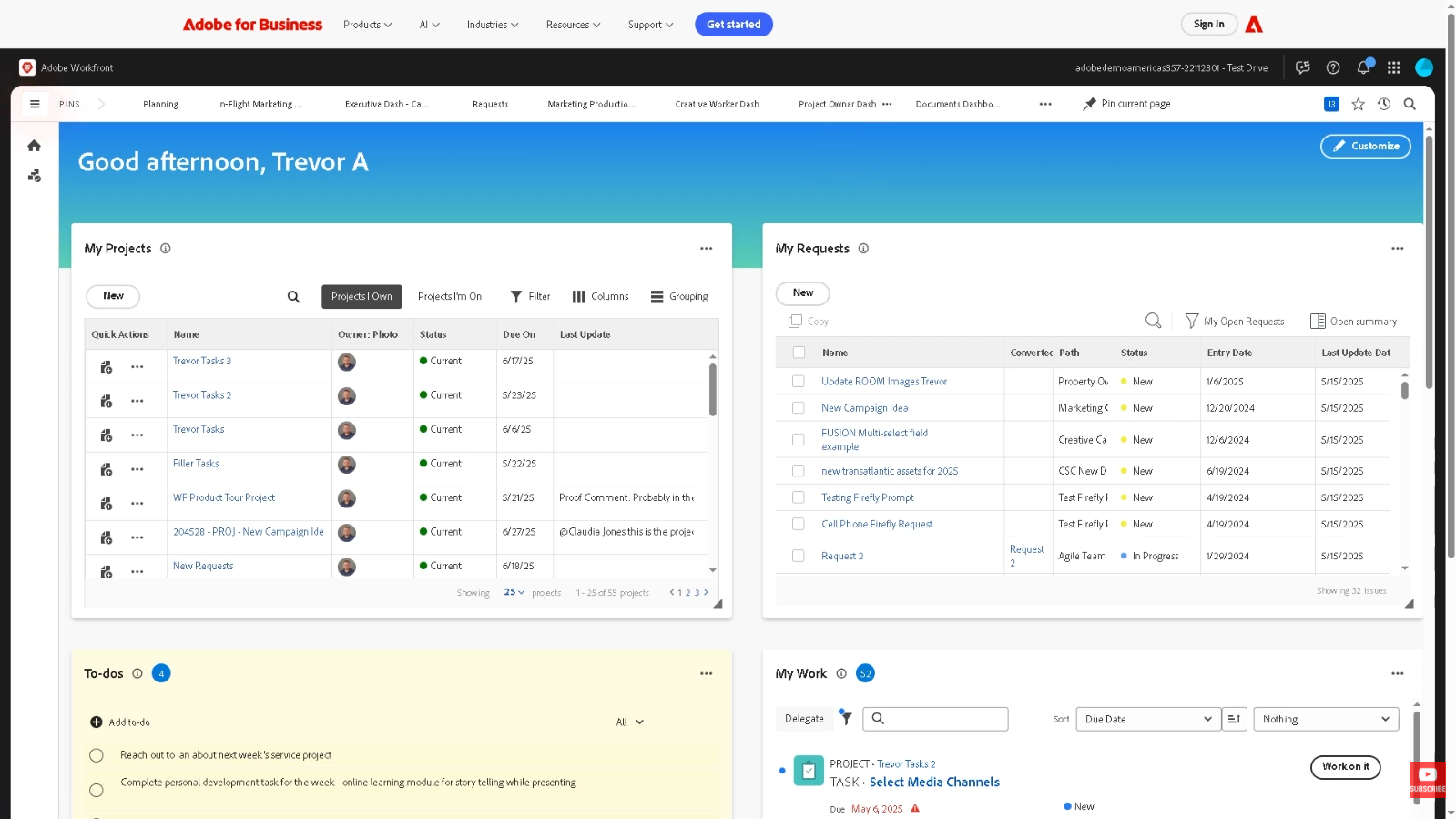
Adobe Workfront's interface
Adobe Workfront is a work management platform whose core principles of central intake, planning, and execution are related to both Adobe Creative Cloud and Experience Cloud.
Best for: Marketing and creative teams already familiar with other Adobe products.
Why it’s a good Planview alternative: Workfront and Planview AdaptiveWork are tackling the same problem of team communication and teamwork processes; however, Workfront provides many more collaboration options for marketers and creatives due to its powerful connection with Adobe Creative Cloud.
Unique features:
- Direct linking with Creative Cloud enables creative individuals to assess and sanction work while they are within Photoshop and Premiere.
- Insight powered by artificial intelligence, able to identify the possible sources of trouble and improve resource distribution.
- Centralized intake with custom request forms and digital proofing/approval workflows.
Limitations:
- The cost of the platform is calculated according to a quotation system, thus complicating budgeting.
- Reviews emphasize the complexity of the program for ordinary users outside PMO.
- The need for extensive customizations prior to obtaining the value in use.
- Not designed primarily for sorting production process problems like competitors’ software including Epicflow or Celoxis.
“Workfront is extremely powerful, but that power comes with a complex user interface that can feel “clunky” or “heavy” compared with more modern, nimble apps.” — G2 User review
Integrations: Creative Cloud, SharePoint, Google Drive, Jira, Microsoft 365, Microsoft Teams, and Figma, more than 20 integrations altogether.
Pricing: Custom.
Additional Planview Alternatives Worth Evaluating in 2026
The 10 best planview competitors above cover the most common Planview switching scenarios, but a few more names are worth a shortlist slot depending on your specific setup.
- Rocketlane — an AI-powered professional-services and customer-onboarding project management tool with built-in resource forecasting (ResourceAI) and financial tracking.
- Notion — an all-in-one workspace for notes, wikis, and databases that has grown flexible enough to handle lightweight project tracking. It’s a strong fit for teams that want project data living alongside documentation, but it isn’t purpose-built project portfolio management software — resourcing and portfolio rollups require manual setup.
- Businessmap (formerly Kanbanize) — a Lean and Agile project and portfolio management platform built around Kanban boards, OKRs, and “Flight Levels” strategy execution, popular in engineering, pharma, and oil-and-gas settings.
- Wrike — an advanced collaborative work- and project management tool with strong Gantt, dependency-mapping, and native proofing capability.
- TeamGantt — a Gantt-chart-first planning planview competitor known for one of the more visually intuitive scheduling interfaces in this category. Reviewers consistently praise its ease of learning, though some note costs climb as teams and projects grow, and advanced integrations are limited.
- Portfolio Manager by Tempo — a predictive, probability-based scheduling planview alternative built for teams that want built-in time tracking and automated reforecasting as work shifts.
- Basecamp — a deliberately minimalist collaboration planview alternative with Kanban boards, file sharing, and calendars, but no native Gantt charts, time tracking, or resource management. It’s a genuine downgrade in project portfolio management capability from Planview and only belongs on this list for very small teams whose real need was simple team communication, not portfolio management.
Follow Digest.Pro on LinkedIn — if you’re still shortlisting, we regularly post shorter takes and PMO community discussion on tools like the ones above.
Why switch from Planview? 4 core benefits of modern PPM alternatives
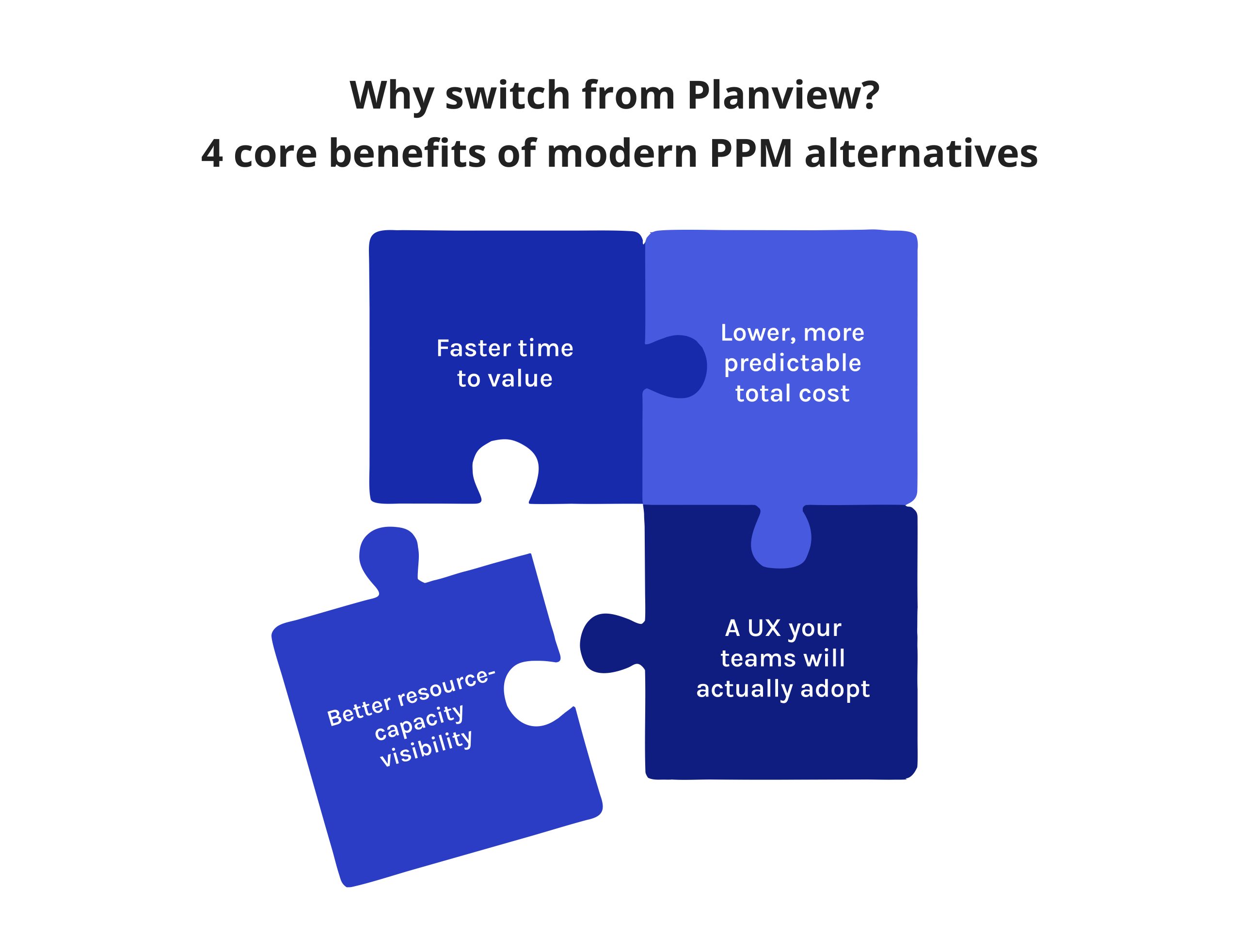
Faster time to value. Planview alternatives with published, self-serve pricing and simpler setup — Trello, monday.com, Zoho Projects, ProofHub — typically get a team to productive daily use in days or weeks, not the multi-month configuration timelines several reviewers describe for Planview.
Lower, more predictable total cost. Published per-seat (or flat-rate, in ProofHub’s case) pricing makes budget forecasting and vendor comparison materially easier than negotiating a fully custom enterprise contract.
Better resource-capacity visibility. For enterprises whose primary limitation is manpower rather than processes, resources-first planview alternatives like Epicflow, Celoxis, and Scoro reveal how quantitative and qualitative resource requirements sometimes cause overload and resource inadequacies.
A UX your teams will actually adopt. Adoption failure — not feature gaps — is the most commonly cited reason enterprise project portfolio management rollouts underdeliver. Lighter-weight, faster-onboarding planview alternatives reduce that risk directly, which matters more than an extra dashboard most users will never open.
How to choose the right Planview alternative for your project portfolio?
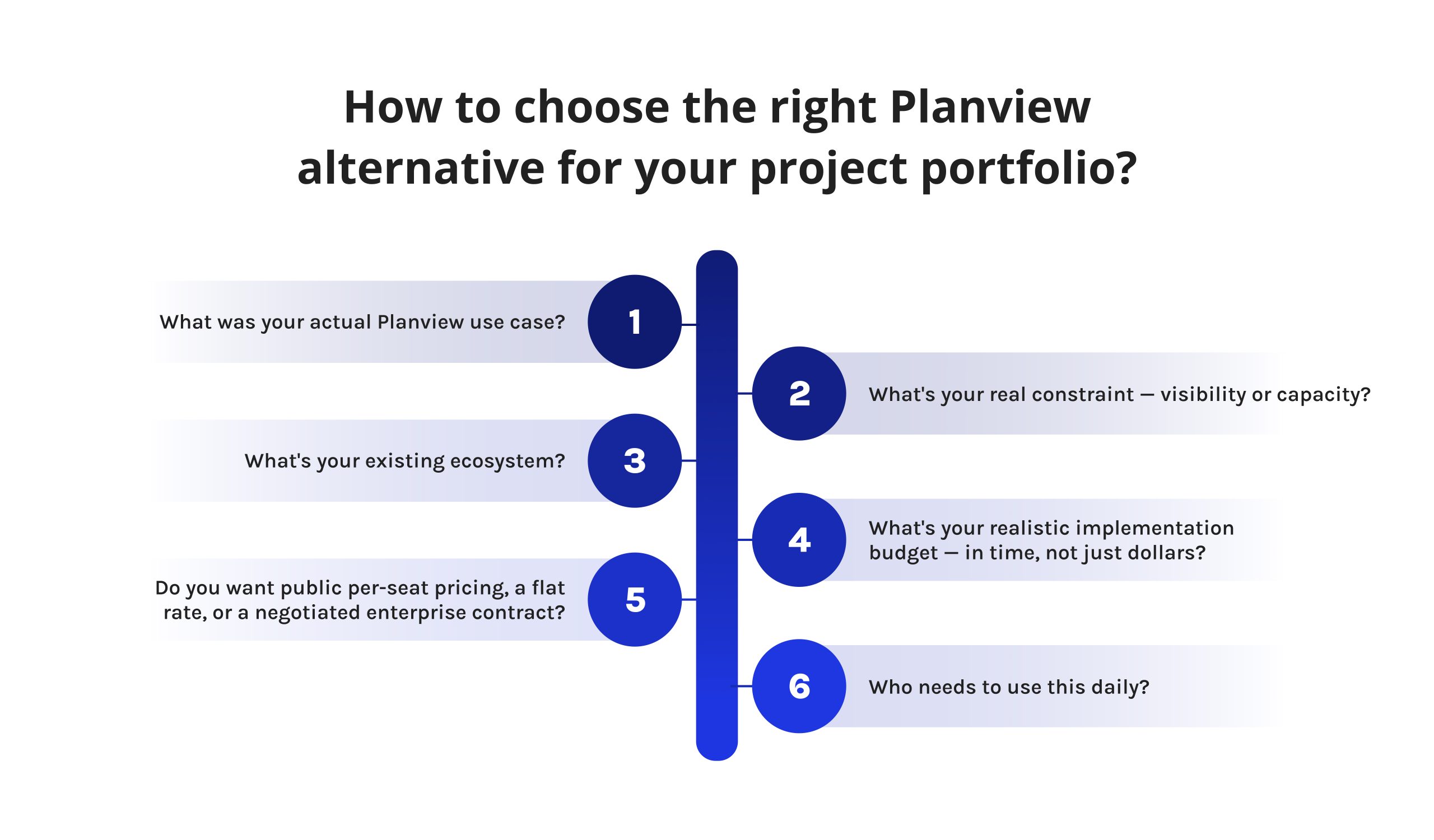
Work through these questions roughly in order:
- What was your actual Planview use case? Governance and financial reporting, day-to-day work tracking, or resourcing across shared specialists are different problems with different best-fit planview alternatives.
- What’s your real constraint — visibility or capacity? If a management team has sufficient visibility but continues to miss deadlines because their personnel is scheduled for multiple projects, then what they require is a resource-centric alternative to planview software of the kind of Epicflow, Celoxis, or Scoro, rather than another status dashboard.
- What’s your existing ecosystem? Heavy Microsoft, Adobe, Zoho, or Jira investment should weigh your shortlist toward the planview alternatives with the deepest native tie to that platform.
- What’s your realistic implementation budget — in time, not just dollars? A one-week rollout and a three-month rollout carry very different risk profiles; be honest about which one your organization can absorb this year.
- Do you want public per-seat pricing, a flat rate, or a negotiated enterprise contract? All three are legitimate, but they change how easily you can run a fair, apples-to-apples comparison across vendors.
- Who needs to use this daily? A five-person PMO has very different requirements to planview alternatives than a five-hundred-person delivery organization where adoption friction compounds fast.
To sum up
There’s no single best Planview alternative — there’s a best alternative for your specific bottleneck.
- If your real problem is limited specialist capacity across too many concurrent projects, resource-first planview alternatives like Epicflow, Celoxis, and Scoro are built to answer that question directly.
- If you’ve simply outgrown what Planview ever needed to be, Trello, monday.com, Zoho Projects, and ProofHub will get your team productive in days at a fraction of the cost.
- And if your work is creative or marketing-heavy, Adobe Workfront‘s ecosystem ties are hard to match.
Whichever direction you’re leaning, run a live trial or demo before you commit — a features page rarely reveals how a tool actually feels once your real portfolio, your real people, and your real bottlenecks are inside it.
Follow Digest.Pro on LinkedIn — if this comparison helped narrow your shortlist, that’s what we do every week: PPM, resource management, and portfolio tooling, covered in plain terms.
FAQs
Planview alternatives like Celoxis, Asana, Adobe Workfront, and Microsoft Project are the closest functional matches to Planview’s broader work- and portfolio-management capabilities, while Epicflow and Scoro focus more narrowly on the resourcing and capacity-planning side of what Planview covers. The right match depends on which specific Planview product — governance, work management, or resourcing — you’re trying to replace.
Yes. Clarizen was acquired by Planview and rebranded as Planview AdaptiveWork; it’s still sometimes referred to as “Clarizen One” or “Planview AdaptiveWork (formerly Clarizen)” in vendor and review-site listings.
Neither is categorically better — Planisware is one of the closest functional peers to Planview, particularly for R&D-, pharma-, and engineering-heavy portfolios, with comparable financial governance depth and comparable implementation weight. Planisware has also positioned itself as a landing spot for Sciforma customers unsettled by Sciforma’s 2025 acquisition by Planview, which is worth knowing if that’s your context.
Both Planview and Broadcom Clarity are comparable scoping enterprise project portfolio management suites, both deep in finance and having significant implementation overhead.
No. Jira is an agile issue-tracking-and-team-delivery tool, while Planview is an enterprise portfolio and strategic-planning suite usually found above the delivery-and-implementation planview alternatives such as Jira, aggregating data from them as opposed to displacing them. Many customers use Planview with Jira in parallel for agile work at this team level.
Planview represents a devoted PPM/SPM package, while ServiceNow Strategic Portfolio Management demonstrates a module within the wider ServiceNow platform, intended mainly for IT and digital transformation portfolios. ServiceNow SPM usually scores higher when it comes to ease of use, making it beneficial for organizations that already use ServiceNow; however, it is less useful when standing alone outside of its ecosystem, whereas Planview remains suitable for a variety of reporting platforms.
Broadcom Clarity, ServiceNow Strategic Portfolio Management, and Planisware could be considered the closest equivalent SPM competitors to Planview Portfolios in terms of the depth and scale of governance. Celoxis is the product that is the closest to providing its users with this combination of governance and finance offered by the 10 products examined in this article.
Jira Align is often mentioned by companies that need to utilize SAFe or Scrum@Scale, even due to the fact that it provides users with direct access to portfolio and strategy planning while working with team-level Jira systems. Another alternative is IBM Targetprocess (previously designated as Apptio Targetprocess), which is mainly used for Lean Portfolio Management and planning based on value streams.
Planview is owned by TA Associates and TPG Capital (private equity firms). Due to its acquisition strategy, in particular of Sciforma from Symphony Technology Group in February 2025, Planview can boast a pretty broad range of products.
Most enterprise-grade alternatives support structured data import via CSV, API, or vendor-assisted migration services for project, resource, and financial history, though the process varies significantly by target platform and by how customized your current Planview configuration is. Budget for a dedicated migration phase — data mapping, historical-financials reconciliation, and a parallel-run period — rather than assuming a same-day cutover, and confirm each target vendor’s specific migration tooling before committing to a timeline.
References
-
Forrester. (2024). The Forrester Wave™: Strategic portfolio management tools, Q2 2024.
https://www.forrester.com/report/the-forrester-wave-tm-strategic-portfolio-management-tools-q2-2024/RES180733 -
G2. (n.d.). G2: Software reviews.
https://www.g2.com -
G2. (n.d.). Planview AdaptiveWork reviews.
https://www.g2.com/products/planview-adaptivework/reviews -
Gartner. (n.d.). Magic Quadrant for Strategic Portfolio Management.
https://www.gartner.com/en/documents/6807234 -
IBM. (n.d.). Strategic portfolio management.
https://www.ibm.com/think/topics/strategic-portfolio-management -
IDC. (2020). IDC MarketScape: Worldwide agile project and portfolio management 2020 vendor assessment.
https://pages.eml.atlassian.com/rs/594-ATC-127/images/IDC-Agile-PPM-Marketscape-Excerpt.pdf -
McKinsey & Company. (2017, March 16). Matching the right projects with the right resources.
https://www.mckinsey.com/capabilities/operations/our-insights/matching-the-right-projects-with-the-right-resources -
Planview. (n.d.). Planview acquires Sciforma, expanding global leadership in portfolio management solutions [Press release].
https://newsroom.planview.com/planview-acquires-sciforma-expanding-global-leadership-in-portfolio-management-solutions/ -
Project Management Institute. (2018). Pulse of the profession 2018.
https://www.pmi.org/-/media/pmi/documents/public/pdf/about/press-media/press-release/pulse-of-the-profession-2018-media-release.pdf -
Reddit. (n.d.). Reddit.
https://reddit.com