

For many decades, Microsoft Project was the runaway winner in project management software. However, in May 2026, more companies than ever are searching actively for alternatives to Microsoft Project (and rightfully so). Why? Because the modern workplace has changed so much. Teams are not always working in the same location as they did in the past, but rather, they are now distributed around the globe to be able to deliver projects on time and on budget.
We have analyzed all of the leading MS Project alternatives to determine which of these products are best suited to help with your specific PMO needs (i.e., the criteria you need to use when evaluating each of the MS Project alternatives), and we have provided you with a comprehensive list that includes everything you will need to make an informed, confidence-boosting decision based on an ROI basis.
This guide will help to eliminate the confusion created within a saturated product space, evaluate the best alternatives to Microsoft Project, and create an indisputable document outlining your decision-making process to your organization.
Key Takeaways:
- Microsoft Project is a powerful but costly and rigid tool — increasingly misaligned with how modern, distributed, and Agile-driven organizations manage work.
- The best MS Project alternatives offer real-time collaboration, flexible methodology support, and intuitive interfaces that drive adoption across the entire team — not just the PM.
- Eight features separate a capable MS Project replacement from an underpowered one: Gantt with dependency management, portfolio visibility, EVM support, flexible views, time tracking, configurable workflows, accessible reporting, and enterprise-grade security.
- Smartsheet, Wrike, monday.com, Jira, and ClickUp lead the market — MS Project alternatives best suited to a distinct organizational profile and delivery context.
- Selecting the right platform requires a diagnostic of your actual workflows, a 3-year TCO model, a live pilot, and a final decision grounded in strategic fit — not feature count.
What Is Microsoft Project?
Microsoft Project is a project management software application developed by Microsoft. It launched in 1984 and has since become one of the most widely recognized tools in the industry. It supports Gantt chart scheduling, resource management, budget tracking, and reporting across individual projects and portfolios.
For decades, Microsoft Project was seen as the “go-to” tool for managing projects at an enterprise level, with its ability to create complex schedules and offer in-depth integration with other Microsoft products such as Excel and SharePoint.
However, times have changed, and businesses are looking for tools that allow for real-time collaboration, support for Agile methodology delivery, cross-functional visibility across teams, and seamless integration with today’s web-based SaaS systems. That is exactly where MS Project begins to fall short — and where the search for better MS Project alternatives begins.
Read more: Product Portfolio Management Tools: Complete Guide to Choosing the Best Solution in 2026
7 Reasons Why Your Company Needs an MS Project Alternative
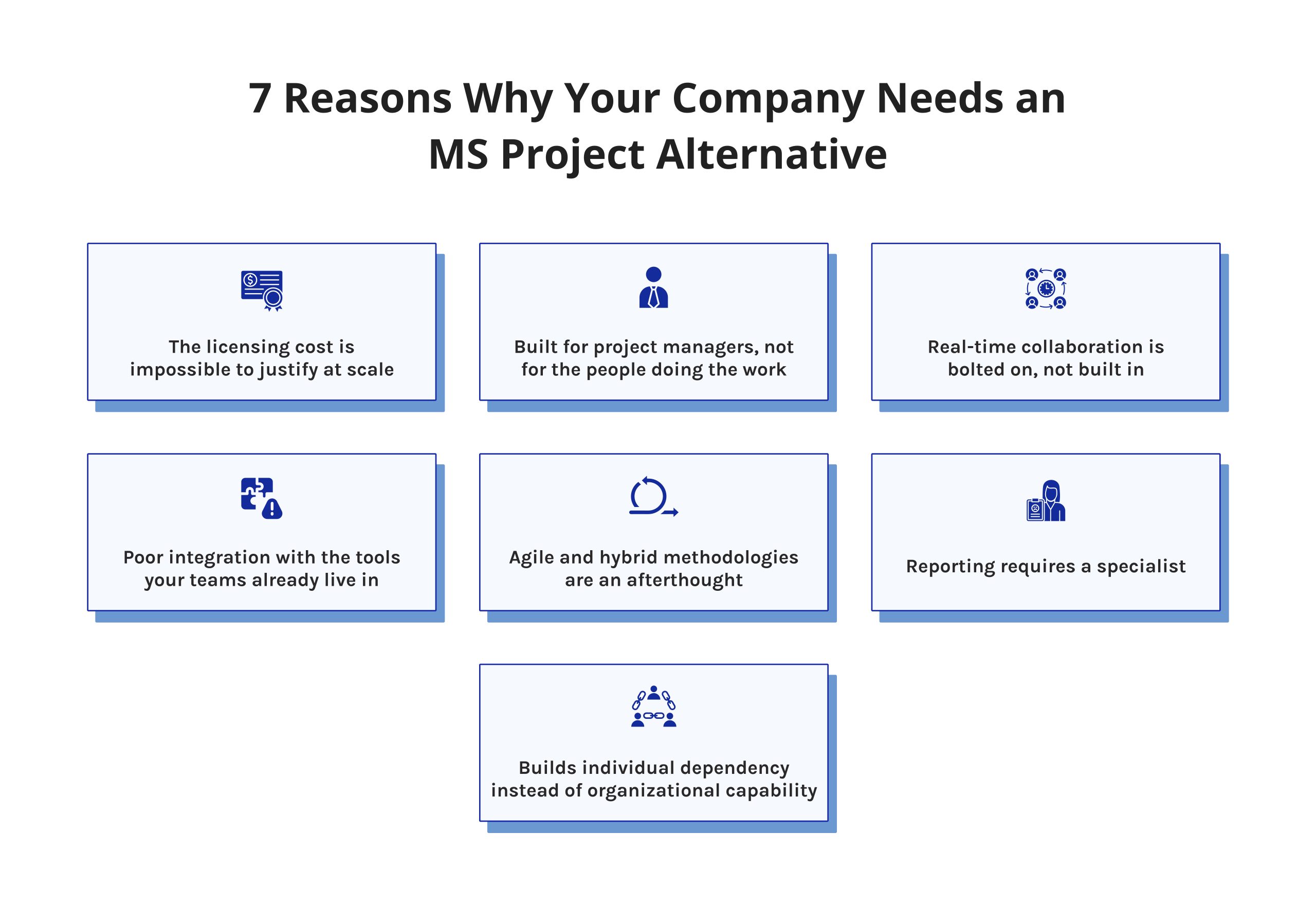
1. The licensing cost is impossible to justify at scale.
Microsoft Project Professional costs around $55 per user per month. Project Online Premium reaches $55 per user per month as well. When you multiply that across every stakeholder who needs even read-only access, the total cost of ownership becomes very difficult to defend. Most MS Project alternatives deliver comparable or superior functionality at a fraction of that price — with pricing models designed for entire teams, not individual planners.
2. Built for project managers, not for the people doing the work.
MS Project creates a two-tier system. Project managers maintain the plan. Everyone else receives status emails and PDF exports. Modern project management demands that contributors, stakeholders, and leadership engage with the same live data. MS Project’s steep learning curve makes that nearly impossible. When your team works around the tool instead of inside it, your plan is already disconnected from reality.
3. Real-time collaboration is bolted on, not built in.
The cloud transition improved MS Project somewhat. But real-time co-editing, comment threads, and notification logic still feel like afterthoughts compared to tools built for distributed teams from day one. When a PM updates a timeline, and three stakeholders are viewing stale data, the result is not a project management problem — it is a tool problem.
4. Poor integration with the tools your teams already live in.
Your developers use Jira. Your designers use Notion. Your executives want Slack alerts. MS Project integrates poorly with most of the modern SaaS stack. It was not designed for an API-first world. The leading MS Project alternatives offer native integrations with hundreds of tools, eliminating data silos without custom development.
5. Agile and hybrid methodologies are an afterthought.
MS Project was built around Waterfall. If your organization has adopted Scrum, Agile, or a hybrid delivery model — and most have — you will spend more time bending the tool to fit your methodology than actually managing projects. Dedicated Microsoft Project competitors support sprints, backlogs, and iterative planning natively.
6. Reporting requires a specialist.
Generating a meaningful portfolio status report in MS Project typically requires either deep product expertise or a Power BI integration. Neither is acceptable when leadership needs visibility fast. A PMO that cannot surface project health in minutes loses credibility quickly. Modern alternatives to MS Project offer self-service dashboards that any stakeholder can read and build.
7. Builds individual dependency instead of organizational capability.
MS Project files (.mpp) are proprietary. When a senior PM leaves, institutional project knowledge often goes with them. Cloud-native platforms store project data in accessible, structured, auditable formats — making knowledge organizational rather than personal. This is a governance risk that many PMOs underestimate until it is too late.
Stay ahead of the curve in project management. Digest.pro publishes expert PMO insights, tool comparisons, and industry analysis. Follow us on LinkedIn to get the content that keeps senior project leaders ahead.
8 Must-Have Features to Look for in a Microsoft Project Alternative
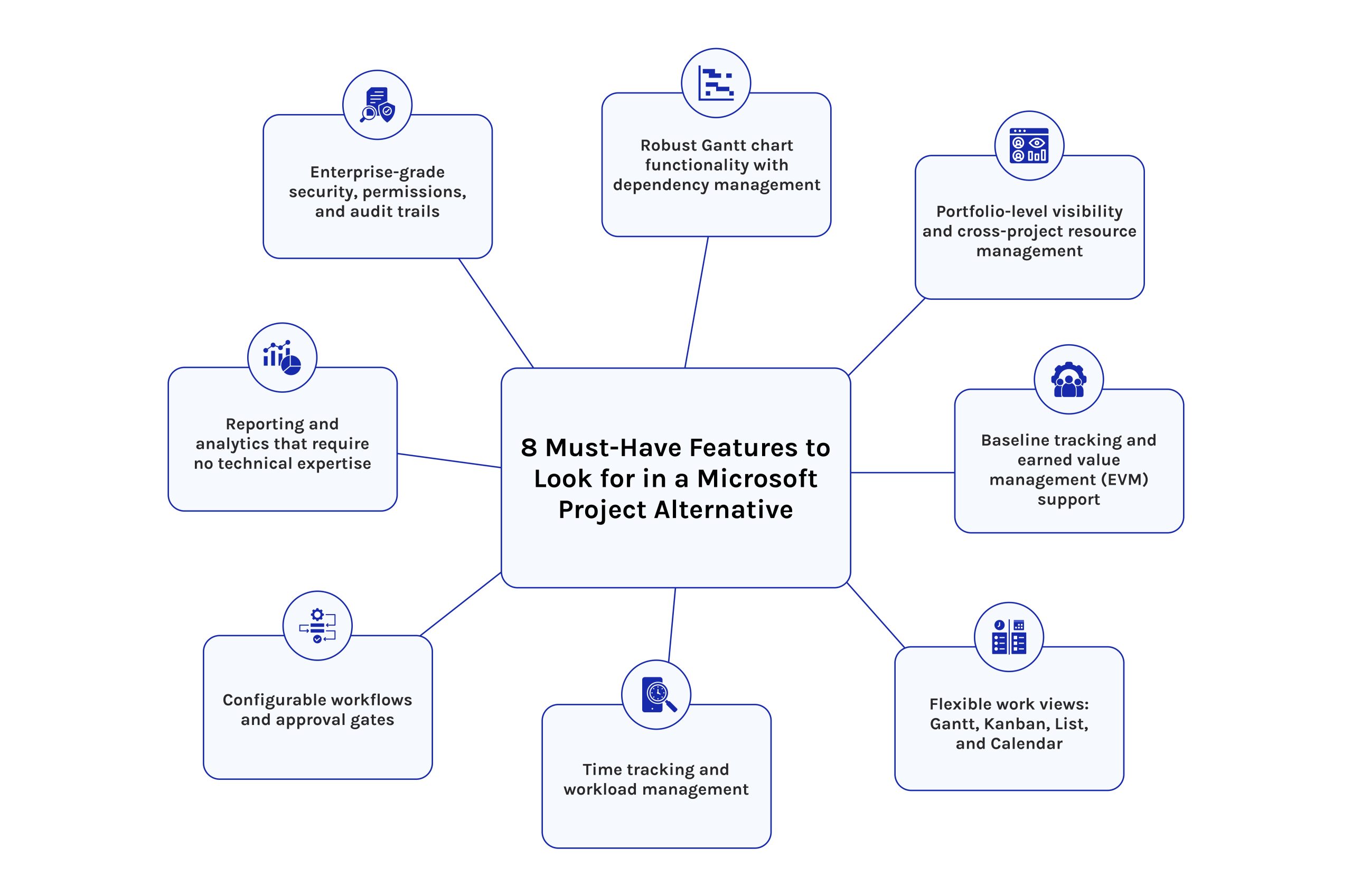
1. Robust Gantt chart functionality with dependency management.
Gantt charts not only allow for easy viewing but also act as the core structure for creating a schedule. A Gantt must also support all four types of dependencies; Finish-to-Start, Start-to-Start, Finish-to-Finish, and Start-to-Finish. A Gantt must also support lag times, lead times and automatically reschedule downstream tasks if a preceding task is delayed; and the Gantt must be sufficient/enough visually to be understood as containing an accurate timeline by a stakeholder who does not serve as a project manager.
2. Portfolio-level visibility and cross-project resource management.
One project at a time suits one manager only. What spans wider demands visibility beyond single efforts — status, milestones, risks, and overall pulse must appear together. From above, oversight shifts focus: tracking who works where reveals strain points ahead of breakdowns. Balance adjusts naturally when insight flows early. Action follows clarity, not crisis.
3. Baseline tracking and earned value management (EVM) support.
A true advantage of MS Project lies in its handling of baselines and earned value management. Following approval, any credible alternative enables setting a reference point, afterward monitoring deviations in time and spending. As work progresses, comparison occurs relative to that initial benchmark. Absent such capability, telling apart actual progress from superficial appearances becomes impossible. Honest measurement separates real performance from mere optimism.
4. Flexible work views: Gantt, Kanban, List, and Calendar.
Different work demands different views. Your alternative should allow any project to be toggled between Gantt, Kanban, list, and calendar views — all against the same underlying data. Tools that silo these views into separate modules create confusion. The best tools treat them as different lenses on a single source of truth.
5. Time tracking and workload management.
Without tracked time, capacity planning is guesswork. The tool must support native time logging or a clean integration with your timekeeping system. Workload heatmaps showing who is under, at, or over capacity across the portfolio are the difference between reactive and proactive project management.
6. Configurable workflows and approval gates.
Every PMO operates differently. Some use PRINCE2 stage gates. Others follow custom phase-gate models. Your tool must support configurable workflows that enforce your process. Look for custom statuses, conditional task logic, and multi-approver gates that prevent a phase from advancing without proper sign-off.
7. Reporting and analytics that require no technical expertise.
Your alternative must provide dashboards that an analyst can create and a CFO can interpret to expose the health of your portfolio management, your resource utilization, and your budget performance with no SQL or external BI tools (e.g., pre-built templates, scheduled delivery, and drill-down filtering will be assumed to be standard features and not exceptional).
8. Enterprise-grade security, permissions, and audit trails.
Only allow clients to see specific projects by setting precise role limits. Where needed, restrict changes at the data field level so team members alter just what is necessary. Every modification gets recorded forever: who made it, when, and what shifted from before. That record proves useful during reviews, checks, or arguments about work boundaries. Vendors unable to explain their SOC 2 position likely lack readiness for large-scale operations.
Feature requirements change as your organization scales. The PMO landscape evolves fast — new tools, new methodologies, new benchmarks. Follow Digest.Pro on LinkedIn to get weekly expert breakdowns delivered straight to your feed, so you always know what’s worth your attention.
Read more: 12 Best Buyer Intent Data Providers for 2026: User Experience & Expert Analysis
At a Glance: MS Project Alternatives Comparison Chart
|
Tool |
Best For |
Gantt |
Agile |
Portfolio Mgmt |
Free Plan |
Starting Price |
|
MS Project |
Enterprise scheduling (Microsoft stack) |
✅ |
Limited |
✅ |
No |
~$10/user/mo |
|
Smartsheet |
Spreadsheet-native teams |
✅ |
Partial |
✅ |
No |
~$9/user/mo |
|
Wrike |
Marketing & creative teams |
✅ |
Yes |
✅ |
Yes |
~$9.80/user/mo |
|
monday.com |
Cross-functional visibility |
✅ |
Yes |
✅ |
No |
~$9/seat/mo |
|
Jira |
Software development teams |
✅ |
Yes |
✅ |
Free up to 10 users |
~$7.75/user/mo |
|
ClickUp |
All-in-one flexibility |
✅ |
Yes |
✅ |
Yes |
~$7/user/mo |
Pricing as of May 2026. Always verify current pricing on vendor websites.
Comparisons like this take weeks to research and validate. We publish ones just like it every week — tool reviews, PMO frameworks, and project management insights that actually move the needle. Join our LinkedIn community and get the next one without searching for it.
Comprehensive Review of Microsoft Project Alternatives
1. Smartsheet: Best for spreadsheet-native teams managing structured, data-heavy projects
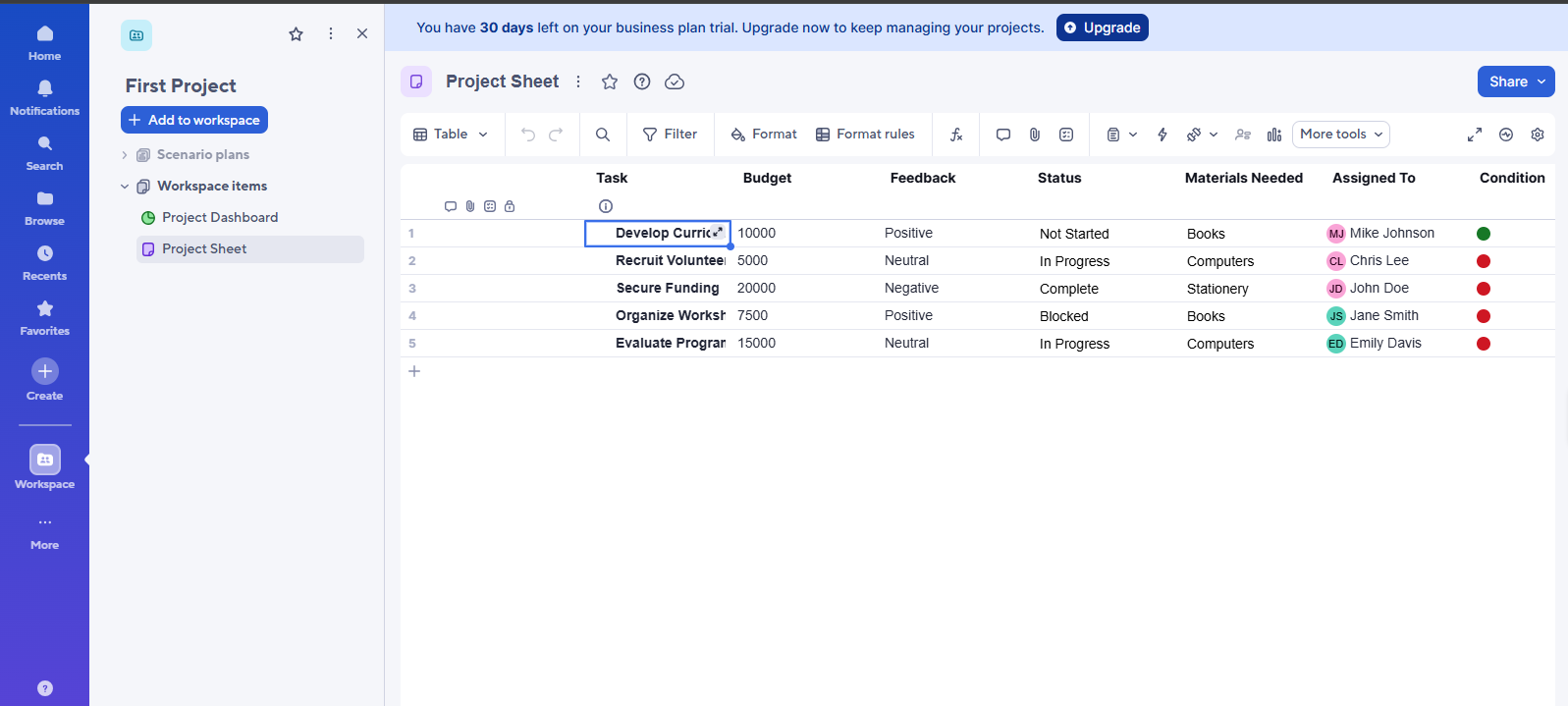
Smartsheet takes the best aspects of familiar spreadsheet logic and integrates it with powerful enterprise project management. It has been one of the most popular MS Project alternatives for those who have decided to move out of Excel or jostling with MS Project.
Key Features
- Grid, Gantt, card and calendar views for the same data
- Triggered workflows with conditional branching
- Portfolio rollups and cross-sheet reporting
- Rich Microsoft 365 and Google Workspace integration
- Dashboards with KPIs in real time
Pros
- Onboarding time slashed by familiar “Excel” like interface
- Strong no-code workflows mean fewer manual status updates
- Powerful portfolio management reporting, with cross-sheet rollups
- Enterprise‑grade security and compliance (SOC 2, HIPAA, GDPR)
- Grows with you – from small teams to enterprise PMOs, all without re-platforming
Cons
- No built-in time tracking — needs a third-party app
- Gantt chart is less dynamically reschedulable than dedicated scheduling tools.
Pricing
- Pro: ~$9/user/month
- Business: ~$19/user/month
- Enterprise: custom pricing
- Advanced Work Management: custom pricing
User Reviews
- G2: 4.4/5 (21,642 reviews) — users praise ease of onboarding and automation capabilities [3]
- Capterra: 4.5/5 (3,493 reviews) — users highlight strong reporting and Excel-like familiarity; criticism centers on limited native resource management [4]
Ideal Use Case
Operations departments and project management offices that are moving away from spreadsheets to manage structured, repeatable types of projects, such as onboarding, compliance, and procurement.
2. Wrike: Best for marketing, creative, and cross-functional enterprise teams
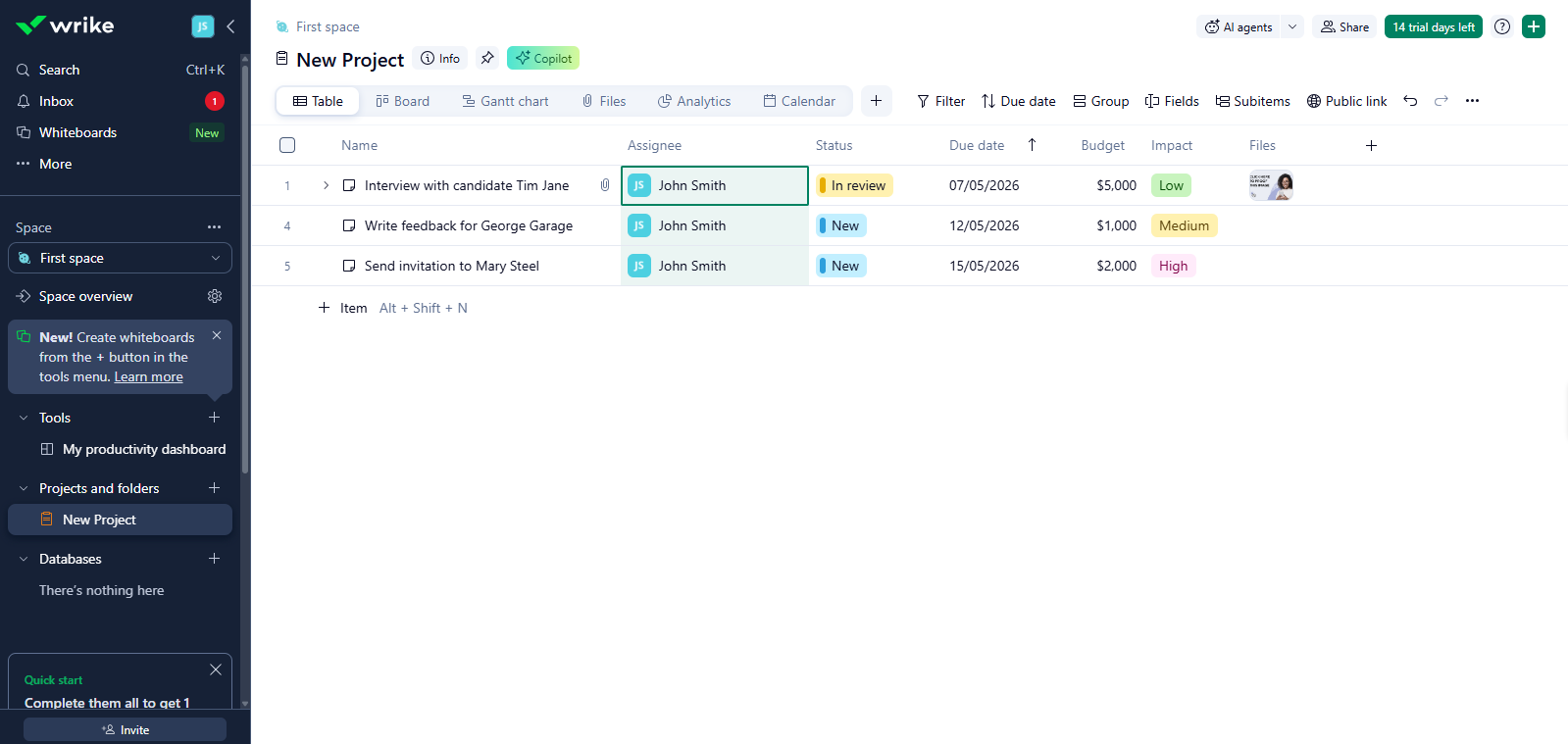
It is an excellent enterprise-level MS Project solution designed to work well in situations where there are many teams working on campaigns, new products, or services.
Key Features
- Interactive Gantt charts with drag-and-drop dependency management
- Custom workflows with approval gates
- Resource management and workload balancing
- Native proofing and review tools for creative assets
- 400+ integrations, including Salesforce, Slack, and Adobe CC
Pros
- Very flexible workflow with multiple approval stages
- Excellent audit trail and permissions for large enterprises
- Excellent proofing and review capabilities for creative and marketing teams
Cons
- Interface can feel overwhelming for first-time users without onboarding support
- Access to complete resource oversight and detailed reports requires a more advanced subscription level
- Mobile app significantly lags behind the desktop experience
- Pricing moves higher when stepping up from Team to Business levels. The increase becomes noticeable at that transition point
Pricing
- Free: limited features
- Team: $10/user/month
- Business: $25/user/month
- Pinnacle: custom pricing
- Apex: custom pricing
User Reviews
- G2: 4.2/5 (4.525 reviews) — enterprise users highlight governance and audit capabilities [3]
- Capterra: 4.4/5 (2,936 reviews) — users value workflow flexibility; smaller teams frequently find it over-engineered for their needs [4]
Ideal Use Case
Marketing agencies, enterprise creative teams, and PMOs manage high-volume, cross-functional project portfolios with multiple approval stages.
Read more: The 7 Best Critical Path Software Tools of 2026
3. monday.com: Best for cross-functional teams needing visual, intuitive portfolio oversight
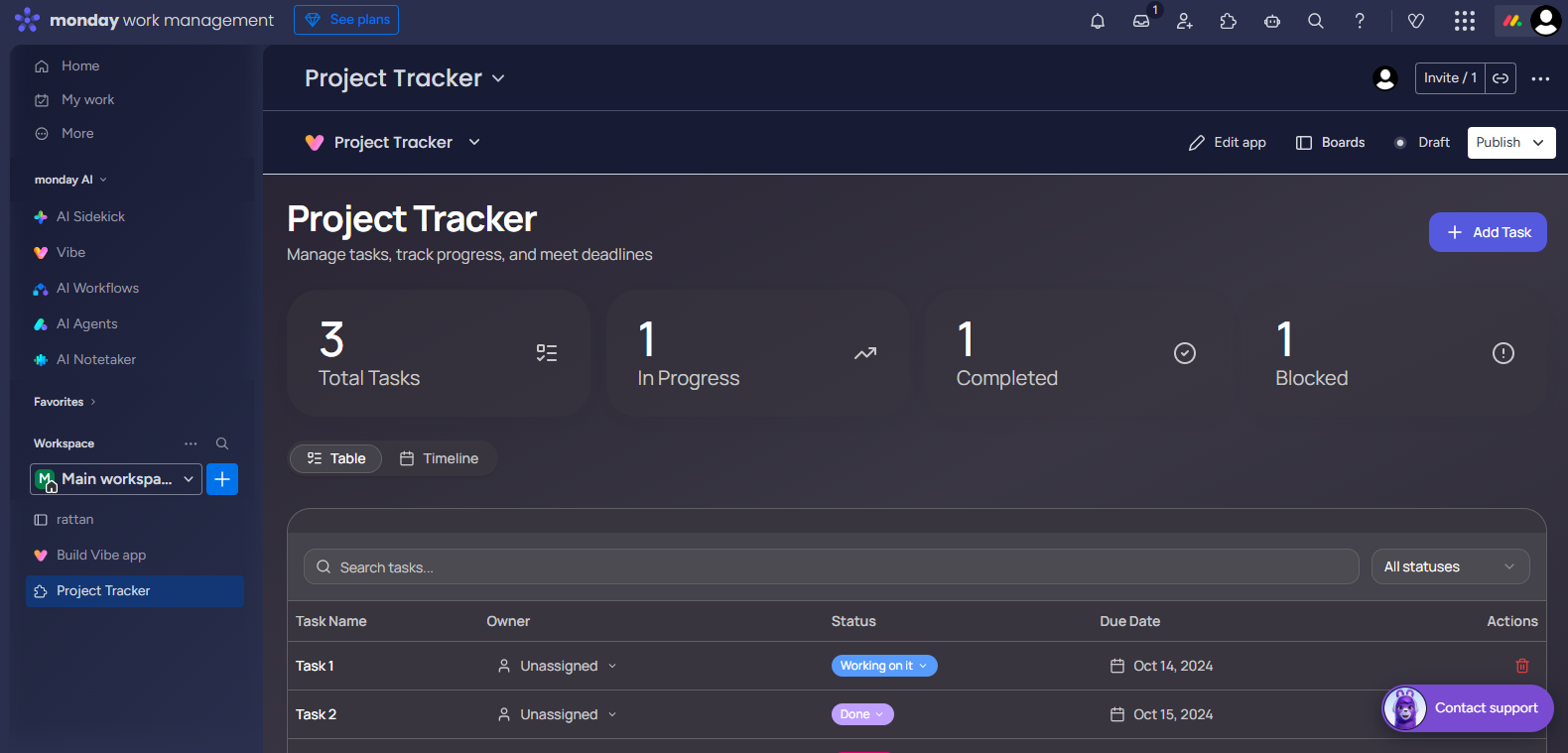
monday.com is possibly the most visually pleasing of all common MS Project alternatives. It offers an easy-to-use interface combined with enterprise-grade functionality, thereby acting as a formidable Microsoft Project alternative.
Key Features
- Highly visual board, timeline, Gantt, and workload views
- No-code automation builder
- Portfolio dashboards with cross-board aggregation
- Native CRM, dev, and marketing modules
- 200+ integrations
Pros
- Excellent portfolio management dashboard metrics with aggregated totals by board
- Flexibility in managing non-project-based activity; e.g., sales pipelines, HR, operations
- Excellent mobile experience with feature parity to desktop
- No-code automation creator makes it possible for non-technical people to use automations
- Achieved the highest user satisfaction ratings of tools examined (4.7 out of 5.0) according to G2
Cons
- Pricing scales steeply with seat count — can get expensive fast at enterprise scale
- Complex dependency management is limited compared to dedicated scheduling tools
Pricing
- Free: €0/seat/month
- Basic: €9/seat/month
- Standard: €12/seat/month
- Pro: €19/seat/month
- Enterprise: custom
User Reviews
- G2: 4.7/5 (17,968 reviews) — among the highest ratings in the category; users consistently praise the interface and onboarding speed
- Capterra: 4.6/5 (5,963 reviews) — highly rated for visual clarity and ease of use; power users occasionally note dependency management limitations
Ideal Use Case
Midsize and enterprise organizations that need quick onboarding and cross-departmental visibility to track projects outside of traditional scope.
4. Jira: Best for software development teams running Agile delivery at scale
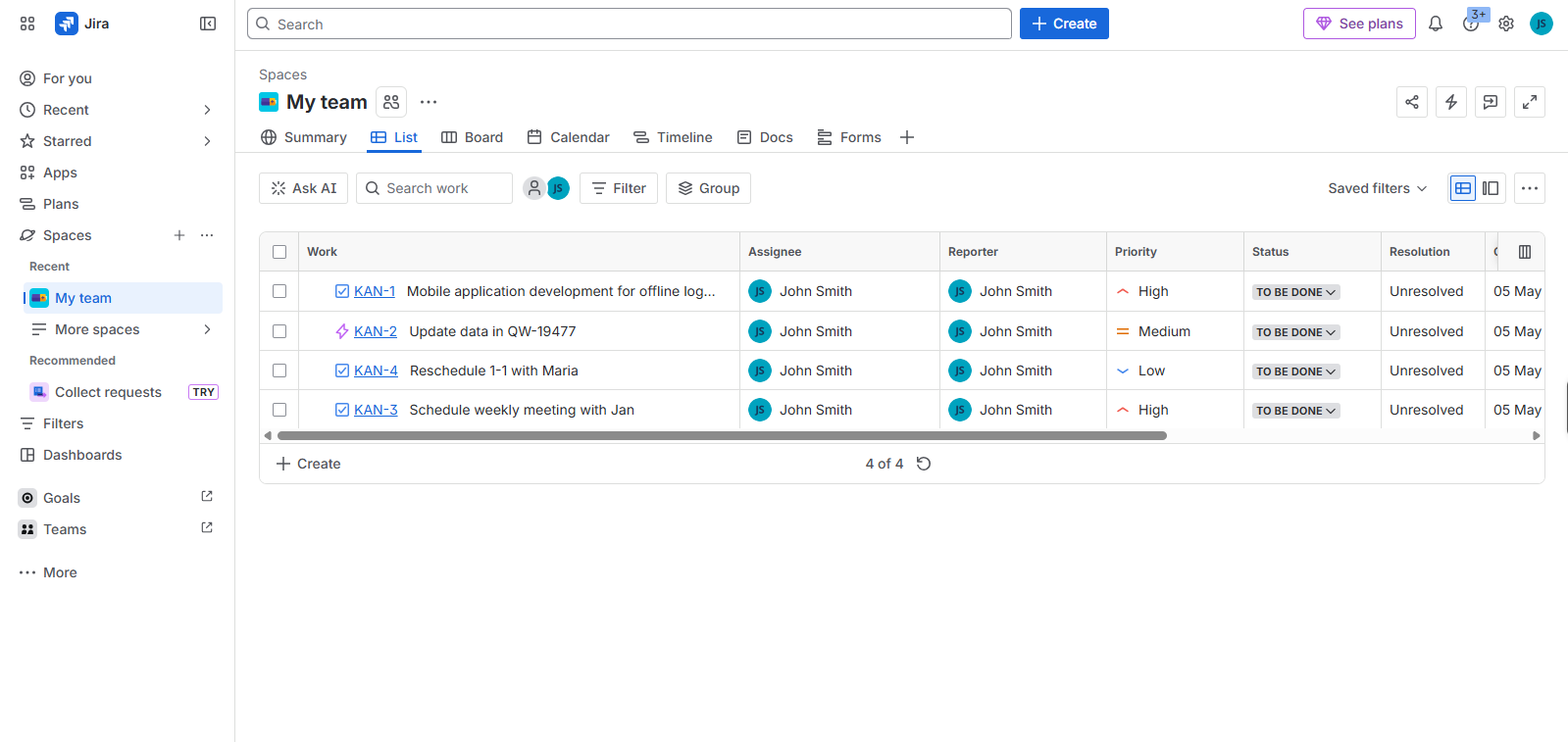
Among tools used in tech firms, Jira from Atlassian stands out, where Microsoft Project once led. Instead of broad project oversight, focus lands on agility — sprints gain structure through detailed planning features. Backlogs evolve smoothly under its framework, shaped by real-time updates. Development cycles link directly to processes, reducing gaps between tasks. Depth emerges not from scale but precision in execution.
Key Features
- Scrum and Kanban boards with backlog management
- Advanced roadmaps for multi-team portfolio management
- Integrated deeply with development workflows through platforms like GitHub.
- Custom fields, issue types, and workflow schemes
Pros
- Top-tier Agile tools come built in. Scrum works here, just like Kanban. When it is time for SAFe, the system keeps pace without add-ons
- Starting small, it grows smoothly into large organizations. From teams of five, expansion follows naturally toward thousands.
- Massive Atlassian Marketplace ecosystem with 3,000+ apps and integrations
- Robust application programming interface accompanied by comprehensive utilities tailored toward personalized process orchestration
Cons
- Complex to configure without a dedicated Jira admin — initial setup is a real cost
- Non-technical stakeholders consistently report a steep and frustrating learning curve
- Meaningful reporting requires Confluence or third-party BI tools — not self-contained
- Weak support for waterfall or traditional project management methodologies
- Performance degrades noticeably in very large instances with thousands of issues
Pricing
- Free: up to 10 users
- Standard: ~$9/user/month
- Premium: ~$19/user/month
- Enterprise: custom
User Reviews
- G2: 4.3/5 (7,704 reviews) — development teams consistently rate it as essential to their workflow
- Capterra: 4.4/5 (15,346 reviews) — praised for Agile depth and integration ecosystem; non-technical stakeholders frequently report a steep learning curve
Ideal Use Case
Software engineering teams, product organizations, and technology PMOs running Agile or hybrid delivery at scale.
5. ClickUp: Best for teams seeking one platform to replace all project, task, and knowledge management tools
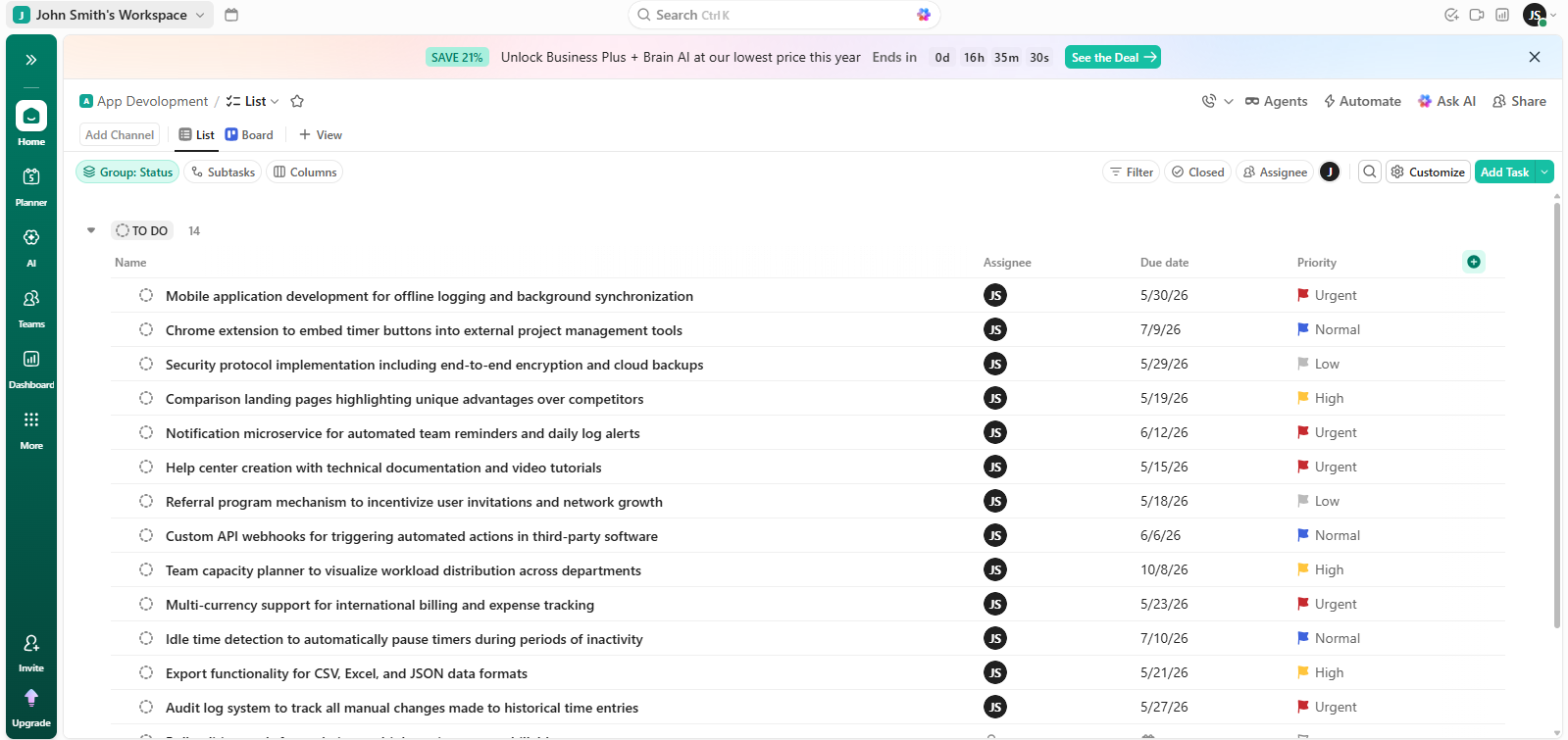
ClickUp is an all-purpose work platform that boasts an extensive set of features when compared to MS Project alternatives. It can even eliminate the need for separate task management applications, document management systems, and time tracking software.
Key Features
- 15+ view types, including Gantt, Kanban, timeline, and workload
- Native Docs and wikis
- Built-in time tracking and reporting
- Goals and OKR tracking
- Granular permission hierarchy with guest access
Pros
- Widest feature breadth of any tool in this comparison — genuinely replaces multiple platforms
- Generous free plan that supports real project work, not just demos
- Outstanding value at every paid tier relative to feature coverage
Cons
- Feature density creates cognitive overload — new users frequently feel lost
- Performance can lag noticeably in large workspaces with thousands of tasks
- Frequent feature releases sometimes introduce bugs and interface inconsistencies
- Requires significant configuration effort to set up governance standards at scale
Pricing
- Free Forever: generous feature set
- Unlimited: ~$7/user/month
- Business: ~$12/user/month
- Enterprise: custom
User Reviews
- G2: 4.7/5 (11,856 reviews) — users praise the value and feature breadth above all else
- Capterra: 4.6/5 (4,577 reviews) — rated highly for customization and free plan generosity; the most common complaint is the learning curve caused by the sheer number of options
Ideal Use Case
Early-stage startups and small businesses are looking to combine all of their work management tools into one comprehensive platform.
Read more: Top 12 PMO Tools Your Company Needs to Scale in 2026
How to Select the Right Microsoft Project Alternative To Increase ROI
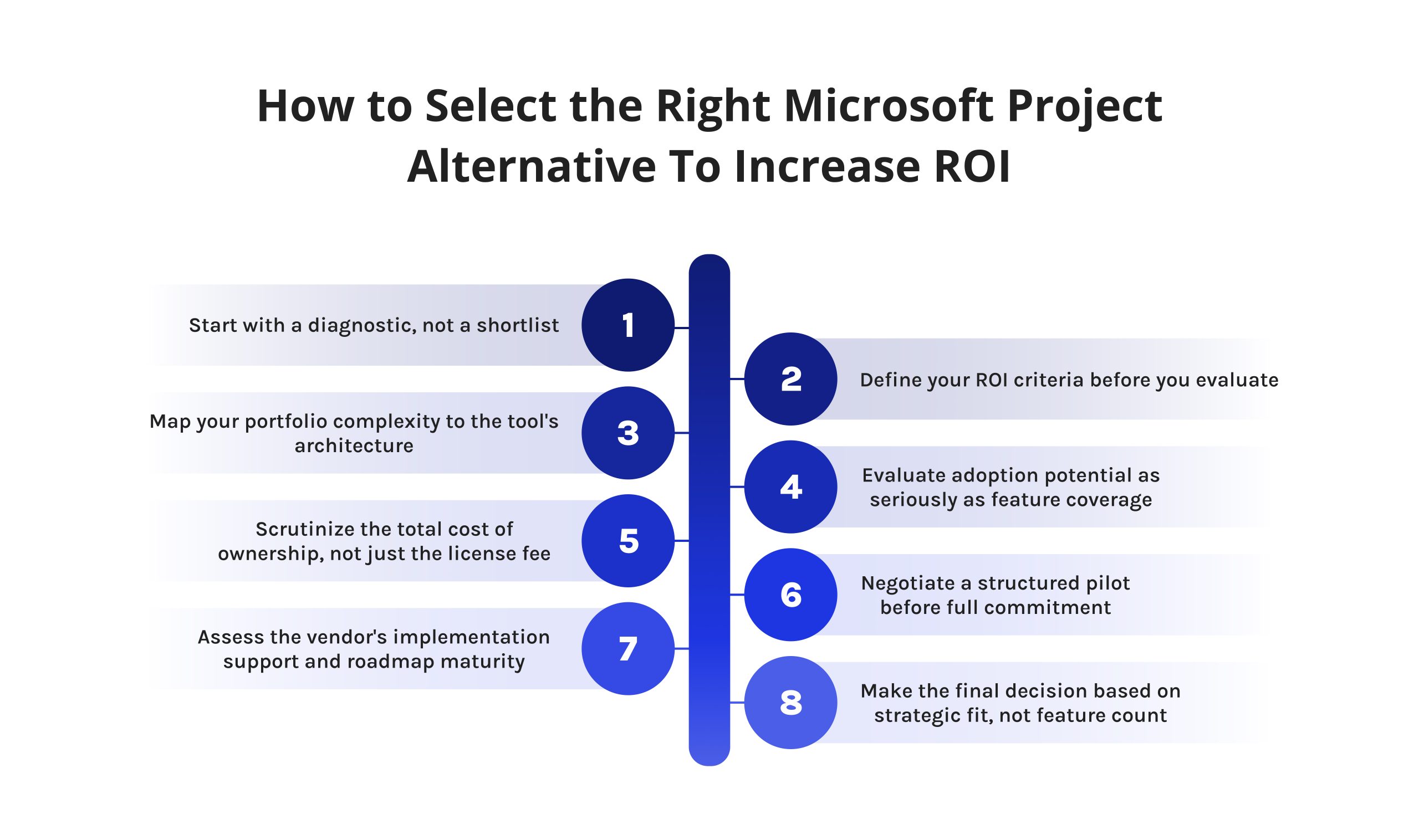
1. Start with a diagnostic, not a shortlist.
Before you open a single vendor website, spend two weeks auditing how your organization actually manages projects today. Not how your process documentation says it should — how it actually happens. Where do decisions get made? Where does information break down? What does your team do when the official tool fails them? The answers reveal the real gaps your alternative to MS Project needs to close.
2. Define your ROI criteria before you evaluate.
ROI from a PM platform is specific and measurable — if you define it upfront. Establish your baseline metrics now: average time-to-status-report, percentage of projects delivered on schedule, hours per week spent on manual updates, resource utilization rates. These become your evaluation benchmarks and, post-implementation, your proof points.
3. Map your portfolio complexity to the tool’s architecture.
This assessment followed a systematic approach, shaped by actual PMO practices. With conditions mirroring operational environments, judgment processes were tested. Framework design emerged from observed project governance patterns. Execution mirrored typical oversight workflows, avoiding artificial setups. Evaluation logic is built on documented decision pathways, not theoretical models.
4. Evaluate adoption potential as seriously as feature coverage.
The tool that meets 70 percent of your functional requirements but is used by 90 percent of your team will be far more valuable than the comprehensive solution that’s only adopted by the PMs. Test the tool with a multidisciplinary team. Don’t just test the product with PMs. Bring in the developers, designers, and business people. Measure how fast they can operate with no prior training.
5. Scrutinize the total cost of ownership, not just the license fee.
The license is only a fraction of the investment that you have to make. Include installation costs, training costs since people leave companies, integration development, and premium costs that are bound to come your way. Develop a 3-year TCO analysis of your top three options.
6. Negotiate a structured pilot before full commitment.
No reputable vendor should refuse a 60-to-90-day pilot on a real project — not a sandbox, but your actual work. A live pilot on a mid-complexity initiative will expose integration friction, reporting limitations, and workflow gaps that no amount of demo time will reveal. Define success criteria upfront and treat the debrief as a formal decision gate.
7. Assess the vendor’s implementation support and roadmap maturity.
You are entering a dependency relationship with a vendor whose decisions will affect your operations for years. Evaluate their implementation methodology. Review their product roadmap for evidence of enterprise PMO investment. Check G2 and Gartner Peer Insights for how they handle support escalations. A vendor that is difficult during sales will be impossible during a critical incident.
8. Make the final decision based on strategic fit, not feature count.
The right MS Project alternative is not the one with the longest feature list. It is the one that best aligns with where your organization is going — not just where it is today. If you are scaling from 50 to 200 people, optimize for enterprise readiness. If cross-functional visibility is your biggest gap, optimize for portfolio management reporting. Feature parity with MS Project is a floor, not a ceiling.
Want expert PMO content delivered to your feed every week? Digest.pro covers everything from tool selection frameworks to portfolio management best practices — written by practitioners for practitioners. Follow us on LinkedIn and stay informed.
Read more: 10 Best Zapier Alternatives: Expert Review & UX Analysis
Top 3 Free MS Project Alternatives
- ClickUp (Free Forever Plan) — ClickUp presents extensive capabilities compared to standard project management tools. With unrestricted task creation available, users organize work across various display formats. Time logging comes built in, avoiding add-ons or extra steps. Storage reaches up to 100 megabytes by default. Teams of limited size operate smoothly even when funds for licenses are absent. This version handles methodical workflows without requiring payment.
- Asana (Basic Plan) — With Asana’s Basic Plan, small groups gain access to essential tools without cost. Up to fifteen members can organize work using task lists, boards, calendars — each feature built for clear tracking. Functionality includes straightforward reporting, offering insight without complexity. For those seeking structure similar to Microsoft Project, this stands as a refined choice. Clarity and responsibility in assignments shape their core design.
- Trello (Free Plan) — Trello suits groups relying on visual task tracking through Kanban methods. With no limit on card creation, yet capping at ten boards per work area, it sets quite boundaries. Functionality extends slightly via elementary add-on connections. Simpler initiatives find better alignment here than complex hierarchies. Structure leans toward minimalism, fitting compact team efforts naturally.
4 Best Open Source Alternatives to MS Project
- ProjectLibre — ProjectLibre mirrors core functions found in Microsoft Project. From start to finish, scheduling tasks aligns closely with familiar workflows. Instead of paid tools, users gain access to Gantt visuals through an offline setup. Resource tracking appears structured, almost identical in layout. Where file compatibility matters, .mpp support ensures smooth transitions. Without cost barriers, adoption spreads across departments, avoiding expense approvals.
- OpenProject — Web-based tools often lack flexibility, yet OpenProject stands apart through its open-source design. Built for Agile methods alongside traditional workflows, it handles tasks like planning sprints or managing timelines without favoring one approach. Features appear where needed: progress maps replace simple charts, worklists organize next steps, clocks log effort minute by minute.
- GanttProject — serves as a minimal-cost solution designed around planning timelines and handling personnel assignments. This software runs directly from your computer without requiring internet access during use. One notable trait involves its ability to generate output in formats such as PDF along with web-ready pages. Interaction with spreadsheet data occurs through compatibility linked to online workbook systems.
- Redmine — serves as an adaptable open-source tool for managing projects online. With capabilities spanning several initiatives at once, it handles task oversight, duration recording, visual timelines via Gantt diagrams — alongside expansion through add-ons. Customization options are extensive; however, configuration and upkeep demand technical involvement.
How We Evaluated MS Project Alternatives: Our Methodology
The review followed an established structure that ensured realistic PMO decision-making environment.
Firstly, each tool was tested according to eight main factors: the depth of Gantt and dependency management features; portfolio management; Agile and hybrid methodologies support; collaboration and integration; accessibility of reporting and analytics; standards of security and compliance; cost; and evidence of user adoption on credible review platforms.
For each tool, we examined user reviews on G2, Gartner Peer Insights, and Capterra. We checked vendor websites, pricing web pages, benchmark reports by third parties, and head-to-head comparison by reliable Microsoft Project competitor analysis performed by industry analysts.
All the tools covered in this review were analyzed using the identical criteria: Key Features, Pros, Cons, Pricing, User Reviews, and Use Case.
We don’t charge vendors for placement and don’t accept sponsored placements.
Summary
Though Microsoft Project supports companies within its software environment, it often falls short elsewhere. Where workflows mix methods, people work remotely, or projects multiply, different tools prove more adaptable. These options typically see wider use across departments. They return greater value while costing less over time.
Flexibility becomes clear when teams adjust quickly without heavy training. Adoption rises naturally when interfaces respond to user behavior. Cost efficiency appears not through pricing alone but through reduced effort. Simpler setups allow faster adjustments. Performance gains come from alignment with real-world needs, not feature counts. Tools built for change handle growth without added complexity. Outcomes improve where systems match actual usage patterns.
Among best alternatives to MS Project examined — Smartsheet, Wrike, monday.com, Jira, ClickUp — a wide range of operational needs find support. Where constraints involve cost or demand control over data, MS Project free alternatives such as ClickUp, Asana, ProjectLibre, OpenProject become relevant.
Whatever you pick should match how complex things are right now. Growth speed matters too. Most of all, consider whether your people will stick with it every day. Value comes from regular use, nothing else.
If this guide helped you think more clearly about your choice of alternatives to MS Project decision, there is plenty more where that came from. Project leaders and PMO professionals follow Digest.Pro on LinkedIn for exactly this kind of no-fluff, practitioner-grade content. Hit follow and stay ahead.
FAQs
One option, instead of Microsoft Project, might handle timelines through visual charts, along with organizing team workloads and monitoring multiple initiatives at once. Often, these systems include smoother ways to share updates among members, require less training to begin using them and cost less over time. Such tools aim to match what MS Project provides but adjust where users tend to struggle.
One option, instead of Microsoft Project, might handle timelines through visual charts, along with organizing team workloads and monitoring multiple initiatives at once. Often, these systems include smoother ways to share updates among members, require less training to begin using them and cost less over time. Such tools aim to match what MS Project provides but adjust where users tend to struggle.
One reason firms look beyond MS Project is the steep price of licenses. Outside project managers, few teammates tend to embrace it fully. Instead of smooth cooperation, updates often lag behind live progress. Rather than fitting neatly into today’s software stack, it resists links with common cloud platforms. When teams work in Agile modes or blend approaches, their structure fails to keep pace.
Among MS Project free alternatives, ClickUp’s Free Forever plan stands out as a practical substitute for MS Project. With diverse display formats included, effort logging built in, and extensive task capacity, it supports varied workflows. Reporting features add clarity without complexity. This version works well as an initial solution prior to exploring subscription levels.
True, MS Project still holds ground where Microsoft tools dominate daily operations — sectors like building infrastructure, national security, and public administration rely on it. Yet its presence fades in tech-driven organizations, shifting focus to web-based systems that support teamwork more fluidly than traditional desktop software allows.
Although Google lacks a built-in tool identical to MS Project, many rely on workarounds. Spreadsheets from Google become dynamic when linked to AppShell, shifting static data into usable interfaces. Alternatives such as monday.com or Asana appear frequently in workflows where structured planning is needed. These external platforms integrate well enough to serve similar roles without matching features exactly. The outcome depends heavily on how teams adapt outside solutions instead of expecting native support.
True. Among free alternatives to MS Project are ClickUp, which offers a permanent free version. Asana provides its foundational plan at zero expense. Trello remains available without charge for standard use. Open-source options appear in the form of ProjectLibre and OpenProject. While functionality may lack some advanced features found in premium versions, each enables functional planning and tracking. Zero license fees make these tools accessible. Limitations exist, yet core capabilities remain intact.
Indeed, top MS Project open source alternatives include ProjectLibre, OpenProject, and GanttProject, alongside Redmine. When it comes to larger organizations needing internal hosting plus complete oversight of information, both OpenProject and Redmine stand out clearly. Though each tool varies slightly in design, their core capabilities align closely with complex planning demands. Data ownership remains fully accessible when using either solution, especially where privacy matters most.
True. Available versions include Project Standard, Project Professional, Project Online, alongside the web-based version of Microsoft Project. Access comes via Microsoft 365 packages or individual subscription options. Still, some teams discover that another tool built specifically for modern workflows aligns more closely with how they operate today.
True. Top alternatives MS Project — such as Smartsheet, Wrike, monday.com, Jira, and ClickUp — enable oversight of multiple projects at once through tools that track interdependencies between initiatives, display team workloads, and offer high-level summaries. Platforms designed specifically for PMOs go a step beyond by applying artificial intelligence to balance workforce availability across extensive sets of concurrent efforts.
Should Microsoft Planner no longer fit a team’s growth, the choice of replacement ties closely to size. While monday.com gains favor among users, ClickUp appears frequently alongside it. When oversight and detailed reports matter more, Smartsheet enters the picture — so does Wrike — for larger project offices. Scale shapes what comes next.
Indeed, basic versions of ClickUp, Asana, and Trello are accessible at no cost, suitable for smaller groups. When limited to ten members or fewer, Jira includes a complimentary plan offering robust tools — especially useful in coding environments. Among current choices without charge, these stand out clearly against Microsoft Project.
References
- Gartner. (2024). Magic Quadrant for Adaptive Project Management and Reporting. Gartner Research. https://www.gartner.com
- Forrester Research. (2025). The Forrester Wave™: Collaborative Work Management Tools, Q2 2025. Forrester. https://www.forrester.com
- PMI (Project Management Institute). (2023). Pulse of the Profession 2023: Power Skills Redefining Project Management. https://www.pmi.org/learning/thought-leadership/pulse
- McKinsey & Company. (2012). Delivering large-scale IT projects on time, on budget, and on value. McKinsey Digital. https://www.mckinsey.com/capabilities/mckinsey-digital
- G2. (2026). Best Project Management Software: User Reviews from May 2026. https://www.g2.com/categories/project-management
- Gartner Peer Insights. (2026). Project Management Software Reviews. https://www.gartner.com/reviews/market/project-management-software
- Capterra. (2026). Best Project Management Software 2026. https://www.capterra.com/project-management-software/
- Atlassian. (2024). State of Teams Report 2024. https://www.atlassian.com/state-of-teams
- Smartsheet. (2026). Top 8 Microsoft Project Alternatives in 2026. https://www.smartsheet.com/choosing-a-microsoft-project-alternative
- Monday.com. (2026). Microsoft Project alternative guide for 2026: top platforms for every need. https://monday.com/blog/project-management/ms-project-alternative/
- Serrador, P., & Pinto, J. K. (2015). Does Agile work? A quantitative analysis of agile project success. International Journal of Project Management, 33(5), 1040–1051. https://doi.org/10.1016/j.ijproman.2015.01.006
- GanttPRO. (2025). Best Microsoft Project Alternatives of 2026 (Free & Paid). https://blog.ganttpro.com/en/microsoft-project-ms-alternatives/
- BusinessMap. (2026). 7 Best MS Project Alternatives in 2026. https://businessmap.io/blog/microsoft-project-alternatives
- Alandes Pradillo, Maria, Pete Jones, and Piotr Jan Seweryn. “Experience finding MS project alternatives at CERN.” EPJ Web of Conferences. Vol. 245. EDP Sciences, 2020.
- Perera, A. A. D. A. J., and K. Imriyas. “An integrated construction project cost information system using MS Access™ and MS Project™.” Construction Management and Economics 22.2 (2004): 203-211.
- Doskočil, Radek. “Barriers of knowledge base creation in the context of Microsoft Project application.” Management-Journal of Contemporary Management Issues 30.1 (2025): 141-157.
- Fisher, John, D. Koning, and A. P. Ludwigsen. Utilizing Atlassian JIRA for large-scale software development management. No. LLNL-CONF-644176. Lawrence Livermore National Laboratory (LLNL), Livermore, CA, 2013.