Every year, companies pour billions into projects that never deliver. According to PMI’s latest research, 45% of projects that ultimately succeeded were once at risk of failure — and only 7% of project professionals are leveraging the full set of practices that actually drive results [1]. That is not a data point — that is a crisis hiding in plain sight.
The real issue is this: most companies have a growing project portfolio, but their governance structure is unable to keep up. Project teams are struggling to manage spreadsheets, email, and various dashboard solutions. Meanwhile, the C-level executives are flying blind on strategy.
The answer lies in a dedicated PMO tool. It’s special-purpose software designed specifically for your project management office. It’s the answer to helping you deliver results consistently.
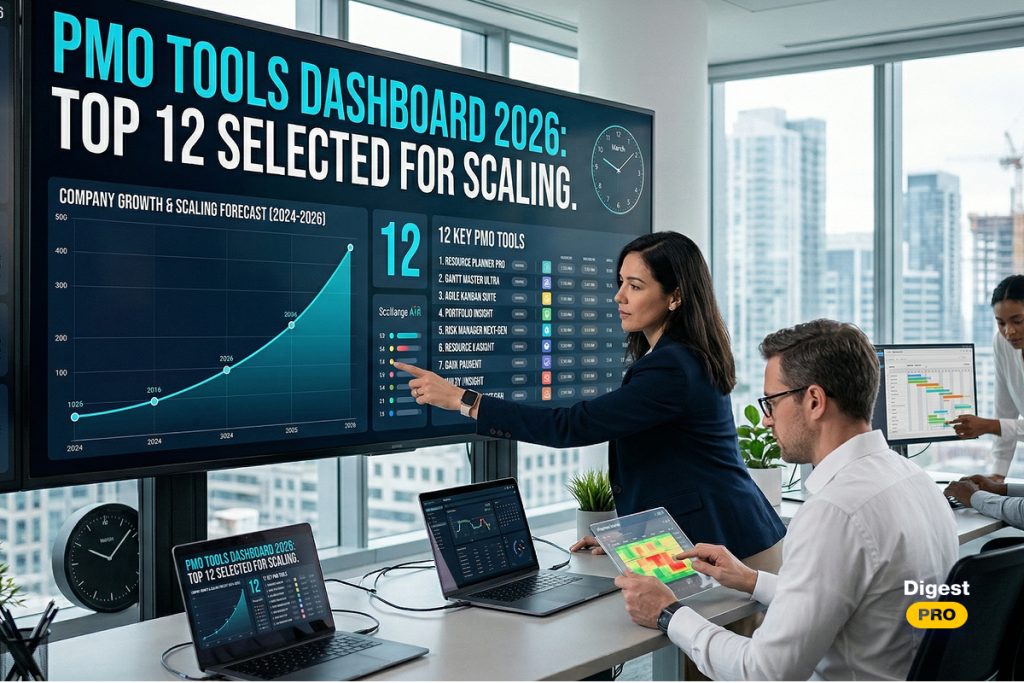
In this guide, we’re going to cut through the noise. We’re going to look at the top 12 PMO tools on the market in 2026, and then we’re going to give you a framework for selecting the best tool for your enterprise.
TL;DR: Quick Review of 12 Best PMO Tools
Short on time? Here is a rapid-fire summary of the top picks:
- Epicflow: Best for multi-project resource management and AI-driven forecasting;
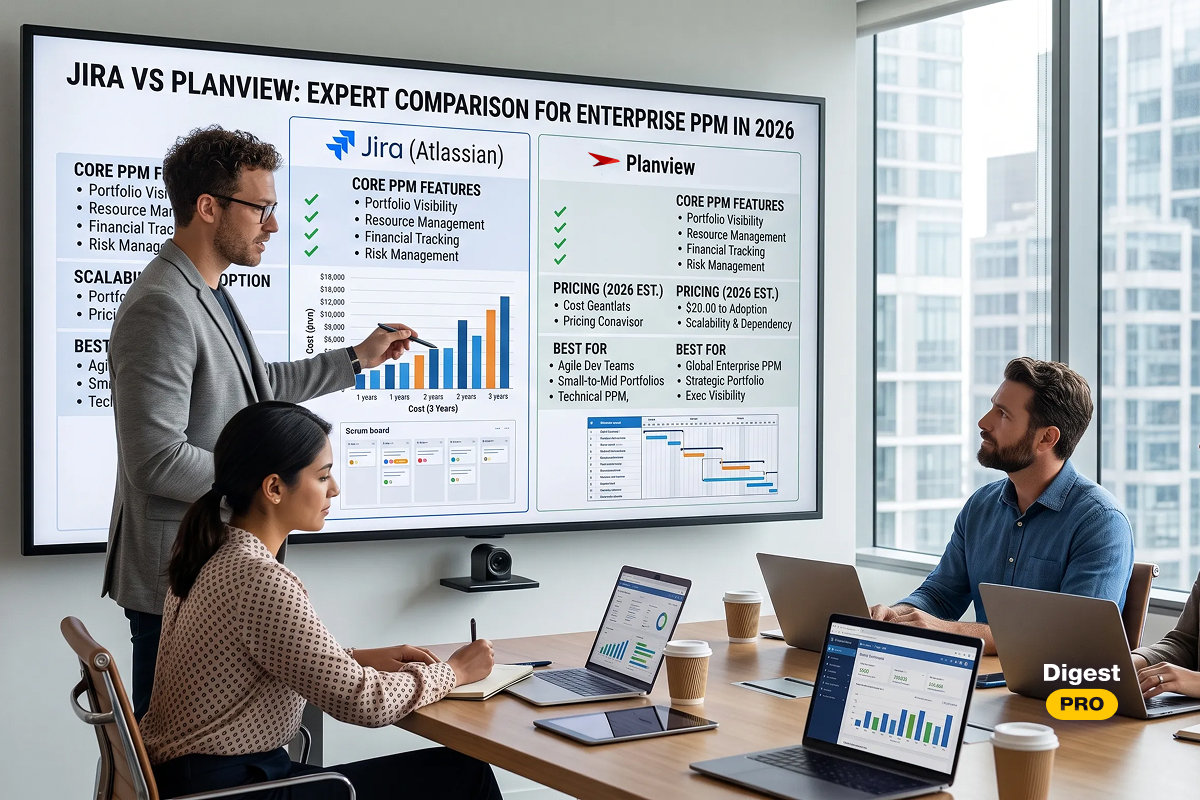
- Jira: Best for Agile and DevOps teams needing deep customization;
- Microsoft Project: Best for enterprises already embedded in the Microsoft ecosystem.
- Smartsheet: Best for teams wanting spreadsheet-style flexibility with automation;
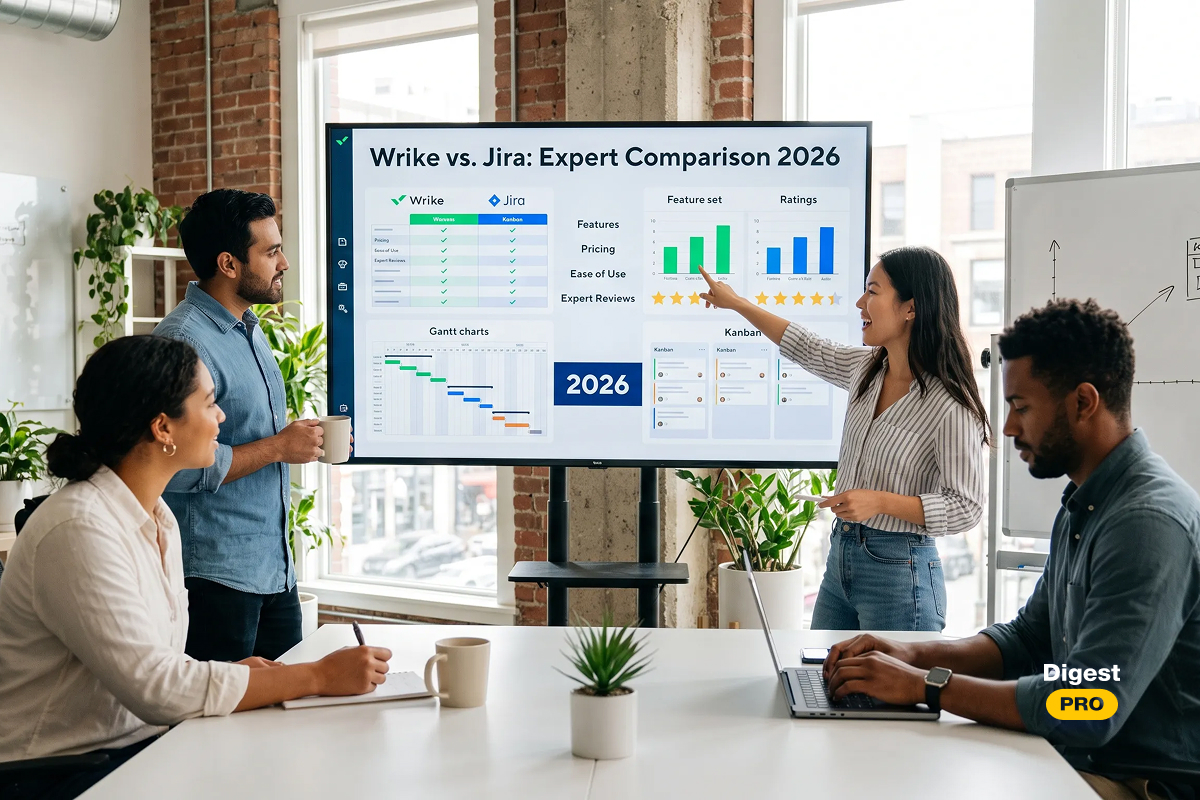
- Wrike: Best for marketing and creative PMOs with cross-functional needs;
- ClickUp: Best for growing teams on a budget seeking an all-in-one platform;
- Oracle Primavera: Best for large-scale capital and infrastructure projects;
- Planview: Best for enterprise-level project portfolio management (PPM);
- Asana: Best for task management and team collaboration at scale.
- Planview AdaptiveWork: Best for professional services and hybrid project delivery;
- Zoho Projects: Best for SMBs already using the Zoho ecosystem;
- Monday.com: Best for visual project tracking and non-technical teams.
Top 12 PMO Tools: Comparison Chart
|
Tool |
Best For |
Starting Price |
G2 Rating |
|
Epicflow |
Multi-project resource management |
€22.5/user/mo |
★ 4.4 |
|
Jira |
Agile teams & DevOps |
$9.05/user/mo |
★ 4.3 |
|
Microsoft Project |
Enterprise MS365 users |
$6/user/mo |
★ 4.0 |
|
Smartsheet |
Flexible no-code workflows |
$9/user/mo |
★ 4.4 |
|
Wrike |
Marketing & creative PMOs |
$10/user/mo |
★ 4.2 |
|
ClickUp |
All-in-one budget-friendly |
$7/user/mo |
★ 4.7 |
|
Oracle Primavera |
Capital & infrastructure projects |
Custom |
★ 4.4 |
|
Planview |
Enterprise PPM |
Custom |
★ 4.1 |
|
Asana |
Task & team collaboration |
$10.99/user/mo |
★ 4.4 |
|
Planview AdaptiveWork |
Professional services PMO |
Custom |
★ 4.1 |
|
Zoho Projects |
SMBs in the Zoho ecosystem |
€4/user/mo |
★ 4.3 |
|
Monday.com |
Visual project tracking |
€9/user/mo |
★ 4.7 |
Pricing as of Q1 2026. Ratings sourced from G2 and Capterra verified reviews.
The tools in this guide are just the start. Follow Digest.Pro on LinkedIn for weekly breakdowns of the best PMO software, startup success stories, and strategies top PMOs use to stay ahead.
What is a PMO (Project Management Office)?
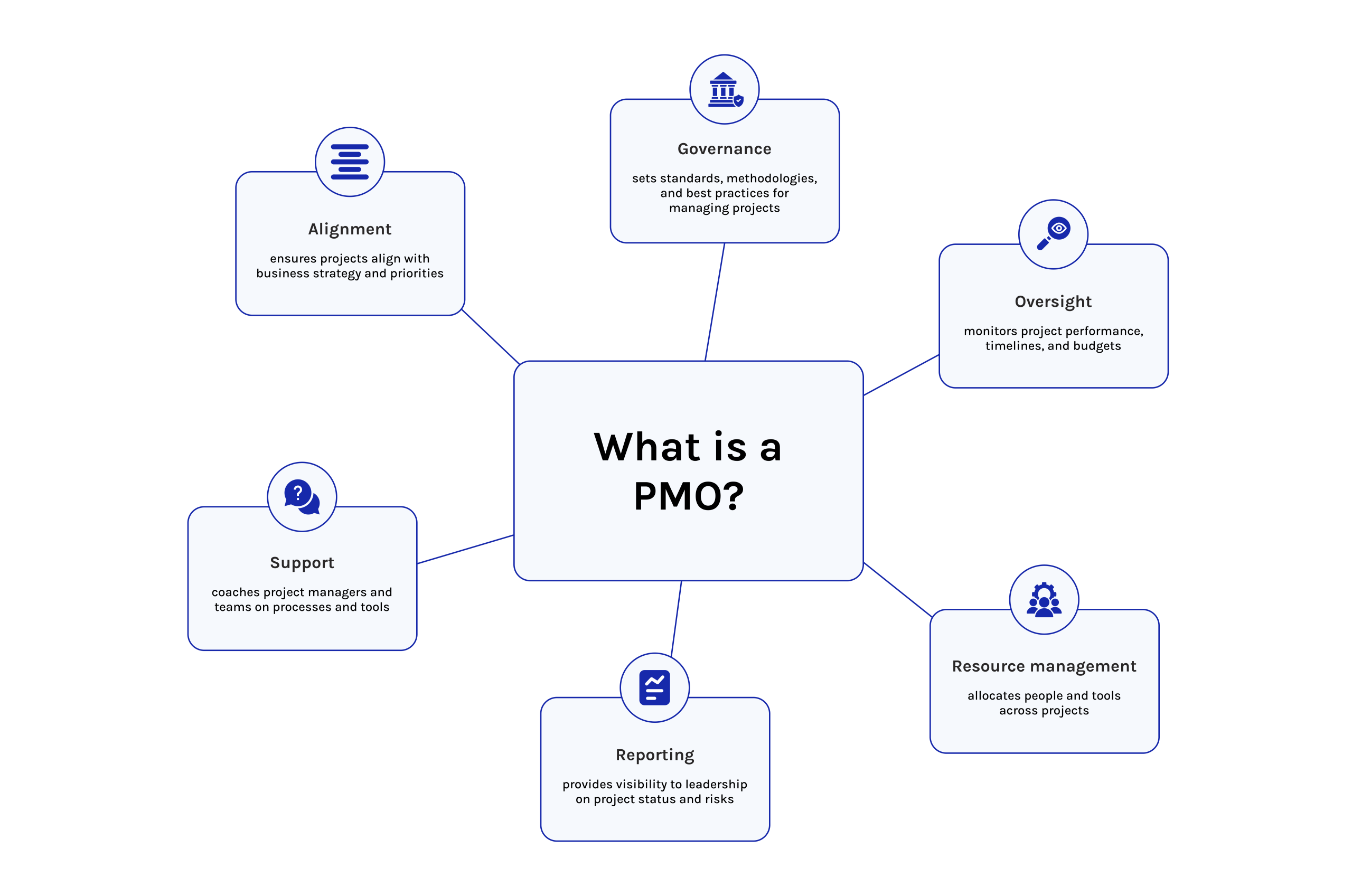
A PMO brings structure by aligning how projects are managed throughout an organization. From coordination to oversight, its role shapes consistency in delivery methods. One finds clarity emerging where procedures once varied widely between teams. Through uniform practices, tracking progress becomes more transparent enterprise-wide. Direction shifts from reactive responses toward planned advancement.
Oversight gains strength when frameworks apply equally across divisions. Strategic goals link directly to execution pathways built on reliable data flow.
A PMO does not just manage projects — it governs them. It establishes methodologies, enforces standards, allocates resources strategically, and ensures every active project aligns with corporate objectives. Research from Gartner shows that organizations with a mature PMO complete 35% more projects on time and within budget than those without one [2].
There are three main PMO models:
- Supportive PMO: Provides guidance, best practices, and templates
- Controlling PMO: Enforces standards and compliance
- Directive PMO: Directly manages and leads all projects
What is a PMO Tool?
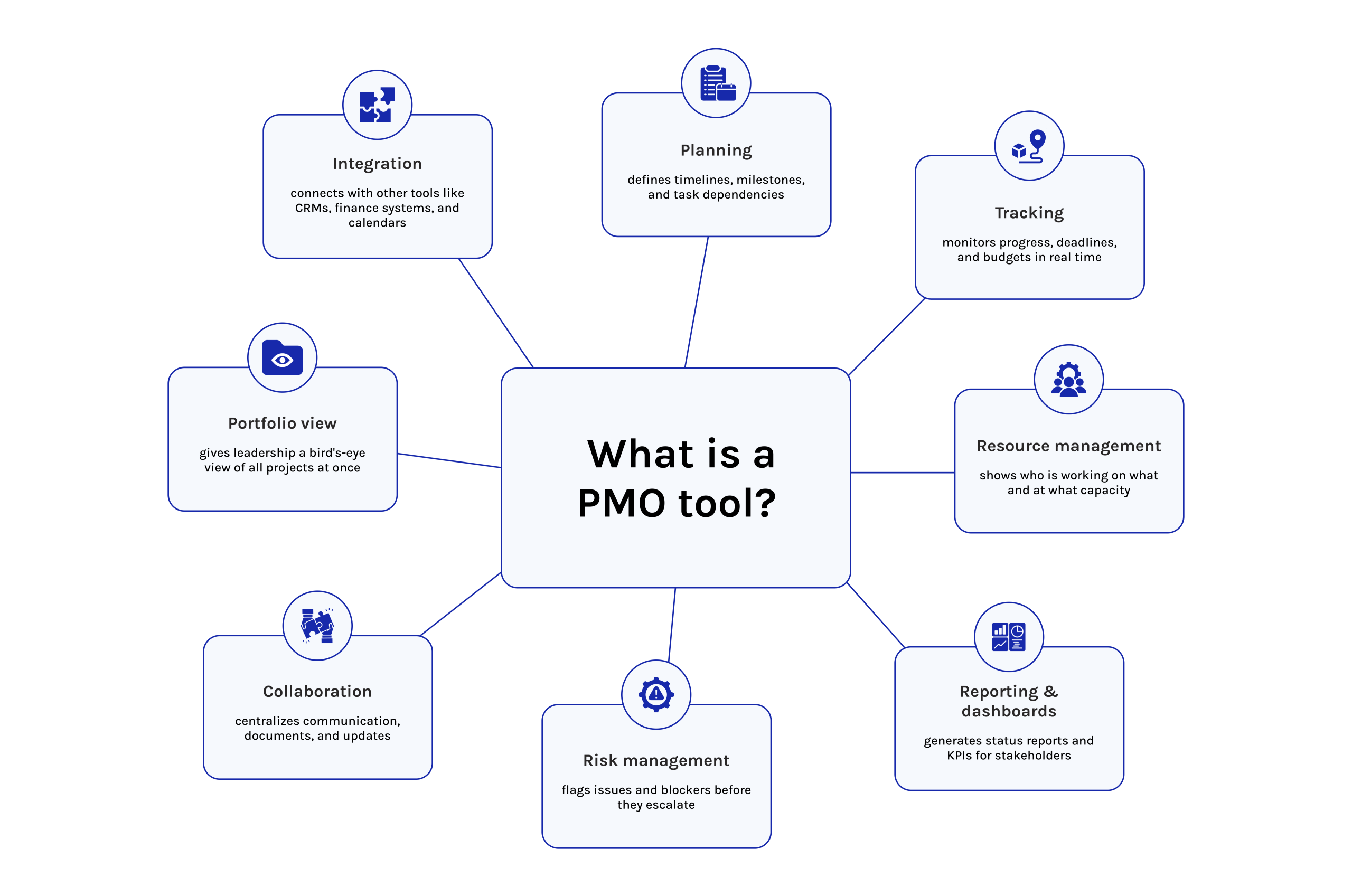
A project management office tool contains purpose-built software specifically designed for the purposes of executing an organization’s information technology (IT) project management office’s (PMO’s) mission in an effective manner at scale and in real-time across the entire IT project portfolio. The tool is not merely a task management tool or an alternative to a spreadsheet.
The PMO platform is an integrated tool that provides a unified solution to all aspects of PMO activities, including integrating project planning and execution, resource management, risk management, financial/budget tracking, reporting, and stakeholder communications. The essential difference between a standard project management tool and a PMO tool is in the scope of what the PMO tool is capable of managing.
Standard PM tools effectively manage individual projects, while PMO tools enable the management of portfolios, governance, and strategic direction of organizations as simultaneous processes.
In 2026, the leading PMO tools will also include artificial intelligence (AI) and other technologies that provide forecasting, predictive analytics, and automatic risk detection as part of the fundamental set of capabilities that are available to PMOs at all levels of the organization.
12 Reasons Why Your Business Should Implement PMO Tools
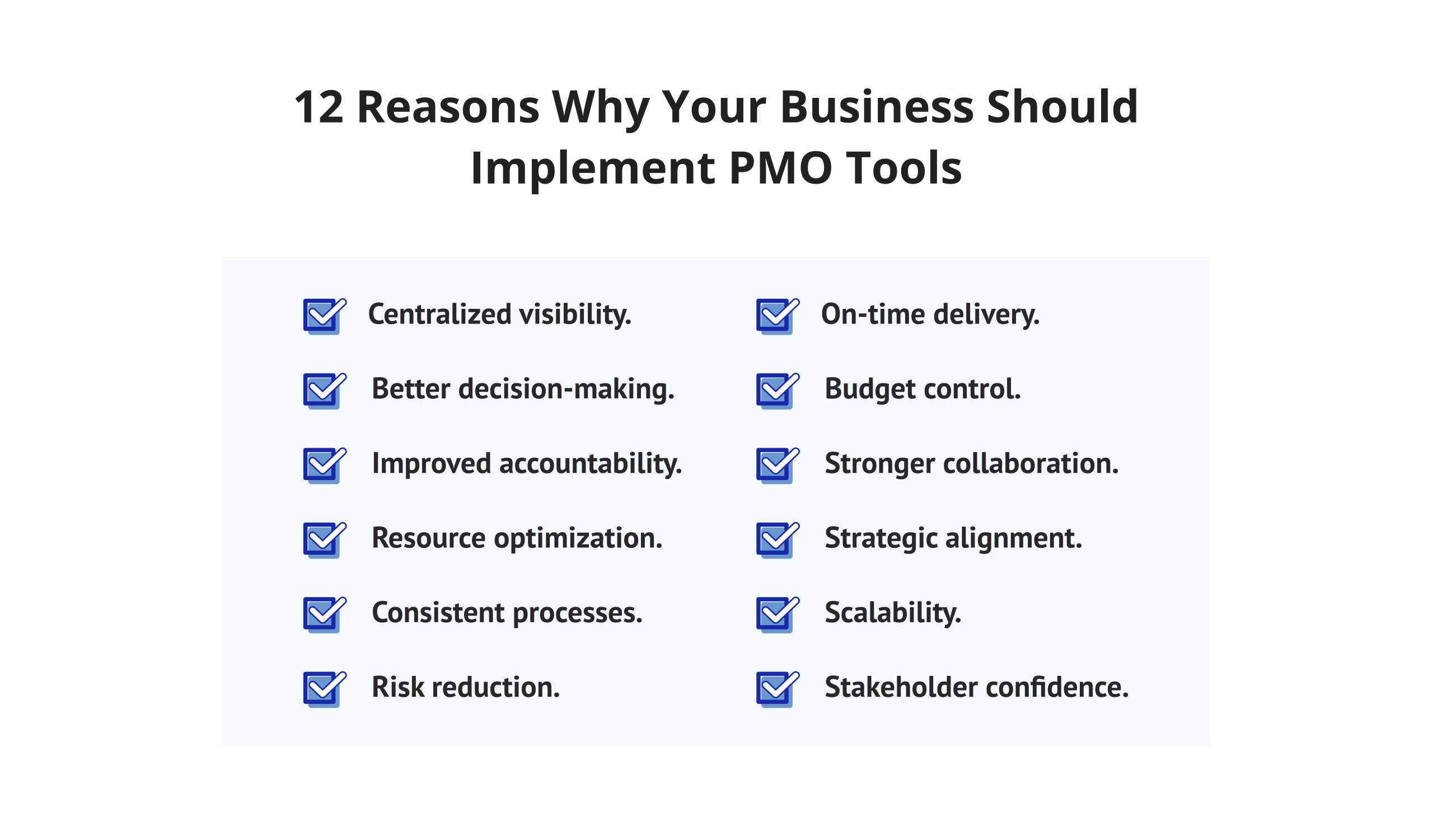
Here are twelve concrete reasons why investing in PMO tools makes business sense — each one backed by real operational impact.
- Centralized visibility. Every active, paused, and planned project lives in one dashboard. Leadership stops chasing status updates and starts making informed calls based on live data.
- Better decision-making. When portfolio health, resource utilization, and budget burn are visible in real time, executives replace gut feel with evidence. Decisions get faster and more accurate.
- Improved accountability. Clarity of ownership, observable tracking points, and notification alerts will eliminate ambiguity regarding deadlines. As a result, each individual will know their responsibilities and timelines; therefore, design will not leave any exceptions unresolved.
- Resource optimization. PMO tools surface over-allocated individuals and idle capacity simultaneously. That means fewer burnout incidents and less bench time — two problems most organizations are paying for without realizing it.
- Consistent processes. Through uniform templates, structured phases, and defined authorizations, alignment takes shape across groups. When methods shift unpredictably, breakdowns often follow—this drift ranks high among reasons projects stall. Consistency in motion prevents such fractures before they start.
- Risk reduction. Beginning with foresight, proactive risk registers allow teams to anticipate challenges before they arise. Early-warning systems signal potential issues through structured monitoring processes. Scenario modeling supports decision paths under varying conditions. Problems addressed ahead of time reduce long-term expenses significantly. When risks are managed only after impact, resolution often demands triple the resources compared to preventive approaches.
- On-time delivery. Thirty-five percent more projects finish promptly within firms that maintain established project management offices. This finding appears in PMI’s Pulse of the Profession report [17]. Timely execution grows stronger when practiced consistently. Completion rates rise where deadlines are regularly met.
- Budget control. Keeping costs on track begins with clear oversight. Through live monitoring of spending, alongside measurement of work completed against planned progress, deviations gain immediate visibility. When actuals drift from forecasts, notifications prompt review before issues grow. Insight into financial performance supports informed decisions at executive levels. Trust from leadership often follows when information flows openly.
- Stronger collaboration. Together, progress improves. When dashboards are shared across departments, information flows more directly. Communication links are embedded into daily workflows instead of standing apart. Task systems align under one structure, reducing separate efforts. Engineering meets marketing through consistent updates. Finance connects with operations via transparent tracking. Silos fade as visibility grows. One system carries many roles forward at once.
- Strategic alignment. When purpose links to outcome, effort gains direction. Because priorities must reflect ambition, frameworks connect daily tasks to long-term aims. Where clarity exists, decisions become simpler. From visibility comes control; through control, better choices emerge naturally.
- Scalability. Moving from 10 to 50 concurrent projects without a PMO tool is how organizations collapse under their own growth. The right platform absorbs new projects, teams, and complexity without governance breaking down.
- Stakeholder confidence. Transparent, automated reporting gives boards, clients, and investors a clear view of progress and risk. That visibility converts into trust, and trust converts into continued investment.
Read more: AI Agent Orchestration for Complex Workflows: Everything You Need to Know
9 Benefits a PMO Tool Should Have For Your Business Success
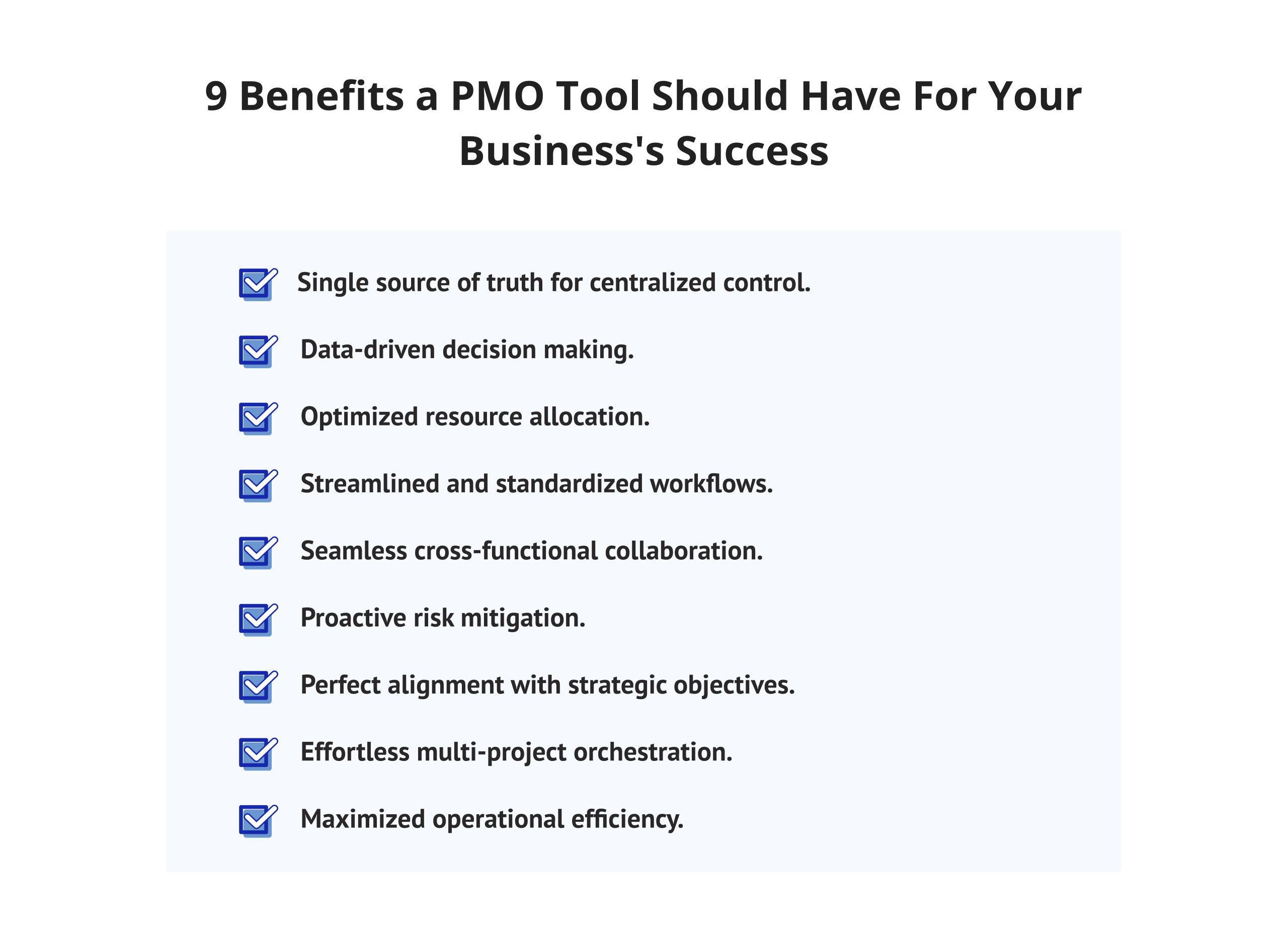
Choosing the right PMO software is about matching capabilities to real PMO needs. Here are nine core benefits the right tool must deliver:
-
Single Source of Truth for Centralized Control
One clear data source matters most for your PMO—never scattered files or message threads. With the right platform, all project details are gathered in a single place, available at once to everyone involved. Because of this, conflicting versions fade away, and confusion drops sharply, along with missing reports.
-
Data-Driven Decision Making
Measurement begins where control starts. Top PMO systems display critical metrics such as schedule progress, spending pace, and team workload levels, along with potential threats—updated continuously. When choices rely on current information, results outperform assumptions made without evidence. What gets seen gets shaped.
-
Optimized Resource Allocation
Resource management is the #1 PMO challenge. PMO tools with advanced resource leveling capabilities allow you to balance workloads, identify capacity gaps, and prevent burnout across your entire team portfolio—not just single projects.
-
Streamlined and Standardized Workflows
From uniformity, advantage emerges within PMOs. When equipped with suitable software, organizations establish repeatable workflows—each process mirrored across teams without deviation. Approval sequences align. Reporting rhythms follow suit, maintained through shared structure rather than isolated effort.
-
Seamless Cross-Functional Collaboration
Together, marketing, finance, engineering, and operations shape how projects move forward today. Shared dashboards link functions, while communication flows through connected platforms. Task oversight becomes consistent when systems operate as one. Coordination across units depends on tools that remove separation between teams.
-
Proactive Risk Mitigation
Predicting problems late raises costs. Still, leading project oversight systems highlight early signs of trouble well ahead through logic-triggered warnings; these also employ artificial intelligence to spot irregular patterns while simulating outcomes, so response work begins sooner than expected. Despite timing challenges elsewhere, such methods place preparation steps firmly in advance.
-
Perfect Alignment with Strategic Objectives
The existence of any initiative must align with an overarching objective. Through portfolio oversight tools within PMO systems, each endeavor connects visibly to enterprise direction, enabling leaders to prioritize with clarity. What matters appears in relation to intent. Alignment becomes visible when outcomes reflect purpose. Decisions gain strength when rooted in visibility. Oversight shifts subtly when context guides focus. Purpose drives placement within the larger picture.
-
Effortless Multi-Project Orchestration
When handling five projects by hand, effort grows quickly. Tools designed for portfolio oversight manage links between tasks and distribute personnel fairly while balancing goals that clash under pressure.
-
Maximized Operational Efficiency
Each week, time once lost to paperwork returns when a properly set-up PMO system removes repeated progress gatherings. Oversight tasks shrink as automatic tracking replaces hand-entered reports. Focus shifts toward completing work instead of recording it. Efficiency grows where effort used to vanish into spreadsheets and follow-ups.
Want weekly PMO insights, startup news, and project management strategies delivered directly to your feed? Follow Digest.Pro on LinkedIn—the professional digest trusted by project leaders, startup founders, and investors worldwide.
10 Core Capabilities to Look for in a Modern PMO Platform
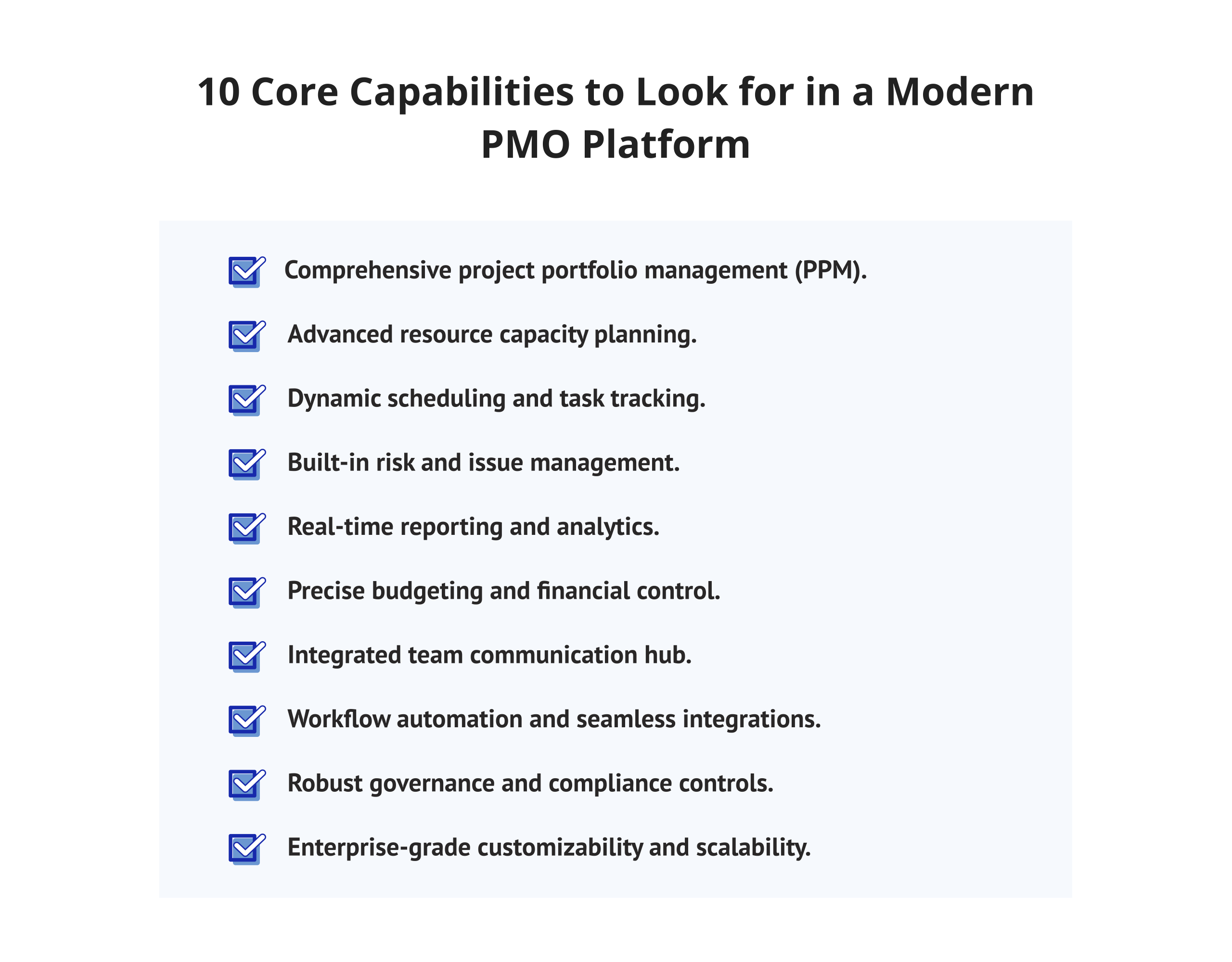
Not all PMO tool software is created equal. Here are the ten capabilities that separate world-class platforms from basic project trackers:
1. Comprehensive Project Portfolio Management (PPM)
Project portfolio management is the backbone of any PMO. Look for tools that display your entire project portfolio in real time—with health scores, milestone tracking, and financial data summaries — on a single screen. Portfolio-level dashboards are non-negotiable for C-level reporting.
2. Advanced Resource Capacity Planning
Future planning defines strong PMO systems. Rather than display tasks only, they forecast team availability ahead of time. With scenario modeling, incoming projects are tested against current loads. Conflicts emerge early, often three or more weeks before impact points.
3. Dynamic Scheduling and Task Management
When delays occur, new software adjusts deadlines without manual input. Because details are broken down clearly, focus shifts naturally to immediate priorities. Clarity about purpose follows each assignment seamlessly.
4. Built-in Risk and Issue Management
Every single project carries its own types of risks. The PMO software you use should have well-defined risk assessment, issue tracking, and escalation processes. Most quality platforms will also include predictive scoring based on past experiences.
5. Real-Time Reporting and Analytics
Do not use programs that force you to export information into Excel for analysis. The ideal PMO solution would include live dashboards and custom reports for executives to automatically generate reports. The predictive analytic capabilities will allow you to create a model of your future risks before they occur.
6. Precise Budgeting and Financial Control
The best project management office software for businesses will include features for tracking budgeted vs. actual costs, both for individual projects and portfolios. It will include support for earned value management, budget forecasting, and real-time notification of budget variances.
7. Integrated Team Communication Hub
The project velocity loss due to shattered communications is overwhelming. The perfect project management office software unifies the tools of communication into one product to support messaging, file transfer, and notification/alerts management (with the ability to connect seamlessly to other communication methods such as Slack, Microsoft Teams, and email).
8. Workflow Automation and Seamless Integrations
Accidental manual status updates are a huge waste of time. Leading PMO tools can facilitate recurring workflows (e.g., approvals, status report creation, and alerts) numerically and mathematically connected to an organization’s existing technology stack (e.g., ERP, CRM, ITSM, and DevOps).
9. Robust Governance and Compliance Controls
Enterprise project management offices have established business rules in which they conduct themselves according to both internal and external regulations. As such, a PMO must have a complete set of governance and compliance tools, such as, but not limited to, role-based access control; full audit trails; established authority; and a project documentation library for different methodologies, such as PRINCE2®, PMBOK®, and SAFe®.
10. Enterprise-Grade Customizability and Scalability
Whereas a PMO may operate in many different ways at the present moment, it will most likely operate completely differently at the end of three years. Therefore, when selecting your PMO tool, make certain it provides you with ample opportunity for growth and customization because you may need a new platform to expand, or you may require additional resources (i.e., more users and projects or increased complexity).
Read more: 9 Best Autonomous AI Agents in 2026: The Ultimate Enterprise Guide
The 12 Best PMO Tools to Consider in 2026
1. EpicFlow
EpicFlow is an AI-powered multi-project resource management platform built specifically for organizations running complex project portfolios. It applies the Theory of Constraints (TOC) principles to eliminate bottlenecks and maximize throughput across all active projects simultaneously [3].
Value Propositions of EpicFlow
- AI-powered resource leveling across unlimited parallel projects eliminates hidden bottlenecks before they surface
- Predictive analytics engine that forecasts completion dates and resource shortfalls weeks in advance
- A virtual AI Project Manager that delivers daily prioritization recommendations directly to each team member
- Real-time portfolio health dashboards with traffic-light status indicators for executive reporting
- Scenario planning for new project intake—modelling the real capacity impact of new initiatives before commencing work
- The core scheduling engine of EpicFlow rests on the Theory of Constraints (TOC) methodology.
- Extremely well-installed with Jira and Microsoft Project, it supports hybrid Agile/Waterfall environments.
- It is a multi-site and distributed team capable of time zone-aware work balancing.
- Governance features can be set up for PMO approvals, escalations, and audit trails.
EpicFlow provides a solution where most PMO systems fail—managing shared resources across numerous concurrent projects without creating invisible bottlenecks. EpicFlow is ideally suited for PMOs that are engineering-intensive, contractors to the defense industry, IT service providers, and R&D organizations.
If you want to learn more about EpicFlow, book a demo with their experts.
Epicflow User Reviews & Ratings
- G2: 4.4/5 | Users say it is very accurate for resource forecasting, and its AI-driven prioritization is a great help [15].
- Capterra: 5/5 | Reviewers mention that after implementing the solution, the occurrence of resource conflicts has been reduced drastically [16].
2. Jira
Jira, developed by Atlassian, is the dominant project management tool for Agile and DevOps teams globally. It offers unmatched flexibility for software development PMOs through its extensive customization and integration ecosystem [4].
Value Propositions of Jira
- Good Scrum and Kanban boards with full sprint planning and backlog management
- Over 3000 Marketplace Integrations with Tools Like GitHub, Confluence, Bitbucket, and Slack [4]
- Alignment emerges through synchronized timelines. Where priorities intersect, clarity grows without centralized control.
- When the PMO aligns with software teams, Jira tends to perform well. Yet for portfolios that include non-technical projects, difficulties may arise if settings are not carefully adjusted [4].
Jira User Reviews & Ratings
- G2: 4.3/5 — Praised for flexibility; some users note a steep learning curve [15].
- Capterra: 4.4/5 — Strong marks for integration depth and Agile support [16].
Read more: Best AI Project Management Tools in 2026: Benefits, Key Features, and How to Choose
3. Microsoft Project

Microsoft Project remains a reference point for traditional project scheduling, even though other tools have been developed. It has been in use for a long time. It has in-built features such as the visualization of timelines through Gantt charts and monitoring of human resource allocation, in addition to general monitoring of different projects. All these features are integrated with Project Online and the Power Platform [5].
Value Propositions of Microsoft Project
- Native integration with Teams, SharePoint, Power BI, Azure DevOps, and the full Microsoft 365 suite [5]
- Robust Gantt chart scheduling with critical path analysis and baseline tracking
- Resource management across multiple projects with built-in capacity planning views
- Power BI connector for building custom executive dashboards on top of live project data [5]
- Familiar interface—dramatically shortens onboarding time in Microsoft-native organizations.
- Project Online and Project for the Web options give flexibility between cloud-light and full-featured deployments.
Microsoft Project is good for waterfall-oriented PMOs in regulated industries. Its Agile support has improved, but still lags behind native Agile tools [5].
Microsoft Project User Reviews & Ratings
- G2: 4.0/5 | Excellent for enterprise project scheduling; some users point to complexity for smaller teams [15].
- Capterra: 4.8/5 | Excellent marks for MS ecosystem integration [16].
Before we dive into the rest of the best PMO software tools — if you want this kind of analysis delivered to you weekly, subscribe to Digest.Pro on LinkedIn.
4. Smartsheet
Smartsheet bridges the gap between spreadsheets and enterprise project management office software. Its grid-based interface makes adoption fast, while its automation, dashboards, and portfolio capabilities satisfy serious PMO needs [6].
Value Propositions of Smartsheet
- No-code automation builder for managing repetitive task management, approval routing, and deadline notifications without requiring developers
- Extensive integration platform for working with Salesforce, Jira, Microsoft 365, Google Workspace, Tableau, and ServiceNow [6].
Smartsheet excels for PMOs handling complex projects with diverse and cross-functional project requirements where non-technical project members need to be actively involved [6].
Smartsheet User Reviews & Ratings
- G2: 4.4/5 — Praised for ease of use and flexibility in terms of dashboards [15].
- Capterra: 4.5/5 — Ranked high for collaboration tools and template library [16].
5. Wrike

Wrike is a versatile PMO platform designed for marketing, creative, and cross-functional teams running parallel project streams. Its 360-degree visibility and proactive risk intelligence make it a strong contender for mid-market PMOs [7].
Value Propositions of Wrike
- AI-powered risk prediction engine with automated project health scoring and early-warning alerts [7]
- Built-in time tracking and budget management without requiring third-party add-ons
- Robust request intake forms that funnel new work directly into structured PMO workflows [7]
- Strong tools for cross-functional team visibility, which can be used by PMOs managing projects across marketing, product, and operations groups
Wrike can be used by PMOs managing marketing campaigns, product launches, and consulting projects. The resource management functions in Wrike are decent but not robust.
Wrike User Reviews & Ratings
- G2: 4.2/5 — Praised for flexibility; however, some users want financial features to be included [15].
- Capterra: 4.3/5 — High marks for cross-functional collaboration [16].
Read more: Best AI Project Management Tools in 2026: Benefits, Key Features, and How to Choose
6. ClickUp

ClickUp has become the go-to project management tool for fast-growing companies that need an all-in-one solution without enterprise price tags. It’s 15+ project views, robust task management, and generous free tier make it uniquely accessible [8].
Value Propositions of ClickUp
- 15+ project views in a single workspace: List, Gantt, Board, Calendar, Timeline, Workload, Mind Map, and more
- Native Docs, Whiteboards, Goals, time tracking, and sprint management—all without switching tools [8]
- AI-powered features for task generation, status updates, meeting summarization, and automated progress reporting
- Portfolio dashboards and OKR-linked goal tracking for PMO-level strategic visibility
- Industry-leading pricing with one of the most generous free tiers on the market [8].
ClickUp is an ideal PMO platform for growth-stage companies building their PMO function from scratch. For large enterprises managing complex multi-million-dollar programs, their governance and financial controls may need supplementing.
ClickUp User Reviews & Ratings
- G2: 4.7/5 — Rated the highest for value and feature set [15].
- Capterra: 4.6/5 — Praised for quick and easy set-up and customization [16].
7. Oracle Primavera
Oracle Primavera P6 is the industry standard for capital project, infrastructure, construction, and engineering program management. It handles extreme project complexity at a scale that generic PMO tools simply cannot match [9].
Value Propositions of Oracle Primavera
- More advanced methods of scheduling projects than old-fashioned CPM are available.
- Oracle Primavera has a whole suite of EVM tools for tracking your project against the schedule and budget, quickly and accurately.
- Multi-project and multi-program resource management across massive capital programs [9].
- Industry-specific templates for energy, construction, defense, and engineering programs out of the box [9].
Primavera is not built for speed or ease of use — it is built for precision at scale. Expect a significant implementation investment and a dedicated administration team.
Oracle Primavera User Reviews & Ratings
- G2: 4.4/5 — Respected for power; users note high implementation complexity [15].
- Capterra: 4.4/5 — Strong for engineering-heavy organizations [16].
8. Planview

Planview is an enterprise PMO platform focused on strategic portfolio management, capacity planning, and organizational agility. It is purpose-built for large enterprises managing hundreds of simultaneous initiatives [10].
Value Propositions of Planview
- Enterprise project portfolio management with dynamic scenario modeling for investment prioritization decisions
- Strategic roadmapping that connects every initiative directly to corporate OKRs and business outcomes
Planview is the tool of choice for Fortune 500 PMOs that need to connect project execution to corporate strategy with precision. Its complexity requires a dedicated PMO team to maximize value.
Planview User Reviews & Ratings
- G2: 4.1/5 — Strong for enterprise PPM; noted learning curve for new users [15].
- Capterra: 4.4/5 — Praised for strategic portfolio visibility [16].
Read more: AI in Project Management: Benefits, Use Cases & Trends [2026]
9. Asana
Asana delivers clean, intuitive task management and project tracking for teams that prioritize collaboration and visibility without heavy administrative overhead. Its Timeline, Portfolio, and Workload views address core PMO needs effectively [11].
Value Propositions of Asana
- Clean and intuitive interface with minimal training needed, with full productivity in days, not weeks
- Portfolio dashboards and goals features enable linking individual project milestone achievements to organizational strategy
- Automation rules with 100+ pre-built templates available, which reduce repetitive work with no coding required
- 200+ integrations with other applications, such as Salesforce, Slack, Microsoft 365, Zoom, and Tableau, are available for connectivity
Asana offers a perfect balance of ease of use and PMO capabilities for mid-market organizations. Enterprise financial controls and advanced resource capacity planning require third-party supplements [11].
Asana User Reviews & Ratings
- G2: 4.4/5 — Asana is consistently rated high for its ease of use and collaboration features [15].
- Capterra: 4.5/5 — Asana is rated high for its onboarding time and task clarity [16].
10. Planview AdaptiveWork
Planview AdaptiveWork (formerly Clarizen) specializes in professional services, IT, and hybrid project delivery. It combines robust project planning and execution tools with strong financial and resource management capabilities [12].
Value Propositions of Planview AdaptiveWork
- Flexible project execution framework that supports Waterfall, Agile, and hybrid delivery models within a single platform
- Strong integration with Salesforce CRM for service delivery organizations managing client-facing project pipelines [12]
AdaptiveWork is a strong choice for professional services firms and IT PMOs managing client-facing delivery alongside internal projects.
Planview AdaptiveWork User Reviews & Ratings
- G2: 4.1/5 — Valued for flexibility; users note the customization takes time to configure [15].
- Capterra: 4.3/5 — Praised for financial management and timesheet integration [16].
11. Zoho Projects

As a price-effective solution, Zoho Projects supports small businesses alongside expanding mid-tier firms through balanced features and system cohesion. Integrated within the wider Zoho environment, it aligns smoothly with customer, financial, and personnel information systems [13].
Value Propositions of Zoho Projects
- Competitive pricing starting at $4/user/month with the best value for money feature set in its segment
- Gantt charts, Kanban boards, milestone tracking, and issue management in one unified interface
- Blueprint workflow automation to standardize project processes without any coding required
- Seamless two-way data sync with Zoho CRM, Zoho Books, Zoho Analytics, Zoho People, and 50+ other Zoho apps
- Time tracking with billable hours logging and project budget tracking for client-centric teams [13]
Zoho Projects is the intelligent choice for businesses already using the Zoho suite. As a standalone product, it provides adequate and effective project management tools at a price point that larger tools can’t beat.
Zoho Projects User Reviews & Ratings
- G2: 4.3/5 — Strong value ratings; users appreciate Zoho ecosystem integration [15].
- Capterra: 4.5/5 — Praised for affordability and ease of implementation [16].
12. Monday.com
Monday.com is a visual work operating system that has evolved into a credible PMO platform for teams that need flexibility, speed, and broad team adoption. Its intuitive design makes it one of the fastest tools to deploy at scale [14].
Value Propositions of Monday.com
- Monday Work Management, Monday CRM, and Monday Dev products share one unified platform and data layer
- AI-powered features for task generation, meeting summaries, risk flagging, and automated progress reporting [14]
- Broad template library covering IT, marketing, product development, HR, and operations use cases out of the box.
Monday.com excels when broad organizational adoption is the priority. Its PMO capabilities have matured significantly, though deep enterprise financial governance still requires configuration or integrations.
Monday.com User Reviews & Ratings
- G2: 4.7/5 — Monday.com is highly rated for ease of use and visual design [15].
- Capterra: 4.6/5 — Monday.com users rave about the adoption speed and flexibility with automation [16].
Managing a complex PMO and want to stay ahead of the curve? Follow Digest.Pro on LinkedIn for curated project management intelligence & startup landscape—tools, trends, and practitioner insights every week.
How to Choose the Ideal PMO Platform for Your Enterprise
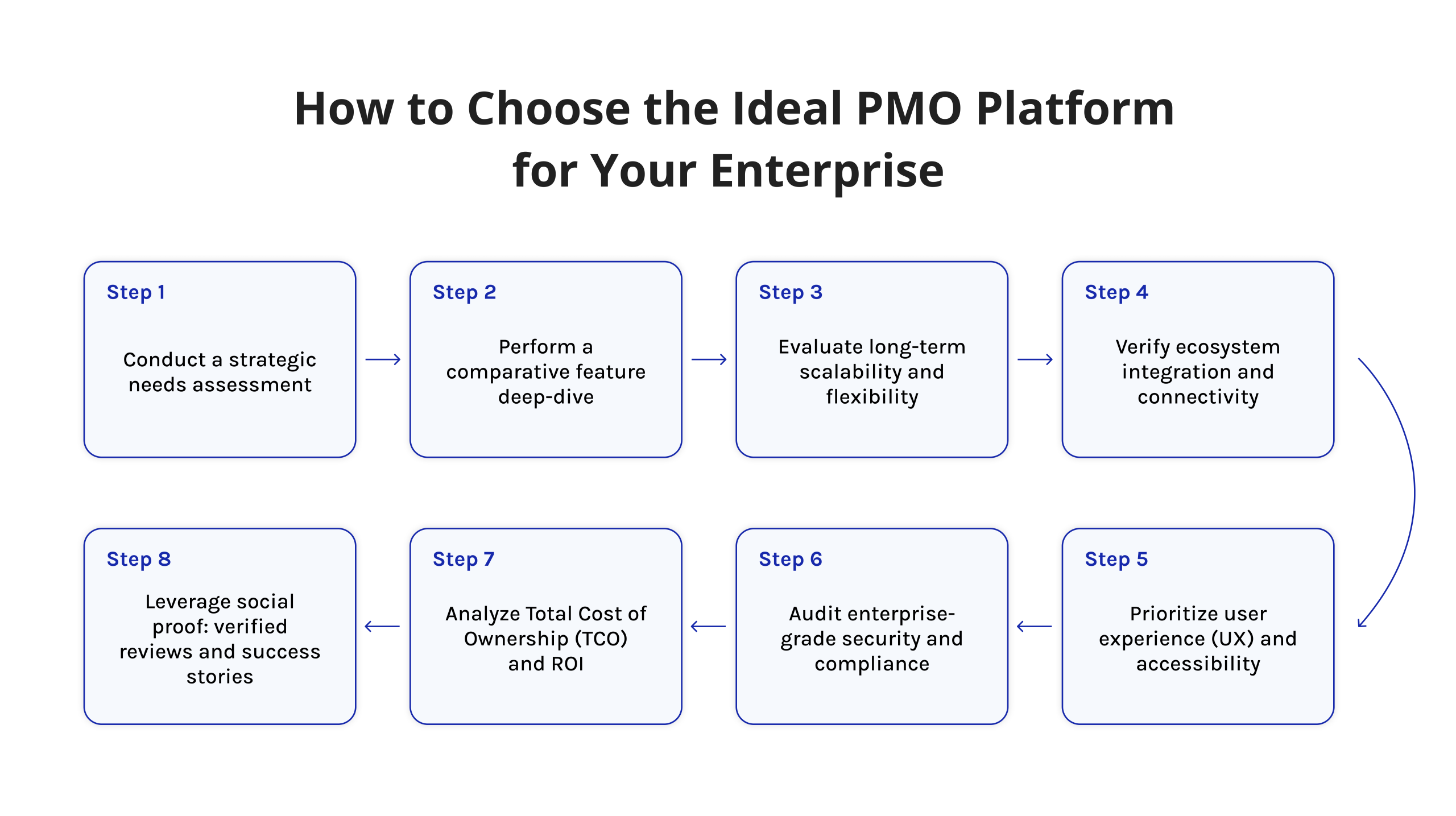
The key to selecting the right PMO platform is not a software purchase decision. Instead, it is a strategic decision. Here is a framework of eight steps to help you make the right decision:
1. Conduct a Strategic Needs Assessment
Your PMO’s mandate is the starting point for selecting a PMO platform. Are you managing ten projects or two hundred? Do you have Agile and/or Waterfall projects? What are your current challenges in running the PMO? What are the challenges in resource allocation, reporting, and governance? What are the required capabilities for your PMO?
2. Perform a Comparative Feature Deep-Dive
Create a requirements matrix and rate each PMO platform against your requirements. What are the capabilities of the PMO tool? How do these capabilities align with your needs? Ensure that you do not rely on a demo of the tool to make a decision.
3. Evaluate Long-Term Scalability and Flexibility
Your PMO will grow. The right PMO tool will scale with your growing needs. You want a tool that will not require a new tool in 18 months due to growing needs. Ask the PMO tool vendors for case studies of customers running three times the size of your current operation.
4. Verify Ecosystem Integration and Connectivity
The ideal PMO tool will collaborate with the tools that you already have in your environment. Make certain that you examine native integrations with your ERP (SAP, Oracle), ITSM (ServiceNow), communication (Slack, Teams), and accounting systems. The absence of good integration will lead to the creation of data silos that diminish the value of the PMO.
5. Prioritize User Experience (UX) and Accessibility
A PMO tool will only add value if it is utilized by the users. Conduct structured pilot programs with actual users, then monitor their user adoption rates. Even the most powerful program will fail if the UX causes the users to revert to email and spreadsheets.
6. Audit Enterprise-Grade Security and Compliance
Security is a must-have for any organization that is subject to regulatory compliance. Before proceeding with any contract, ensure that you have confirmed that the vendor meets the requirements of SOC 2 Type II certification, GDPR compliance, data residency options, RBAC, and audit logs.
7. Analyze Total Cost of Ownership (TCO) and ROI
The license cost is only one of the costs that you should consider. When determining the cost of the tool, factor in the costs of implementation, training, customizations, the cost of building integrations, and future administration costs. ROI — which includes fewer project failures, available resources, and the amount of executive time saved — compounds quickly.
8. Leverage Social Proof: Verified Reviews and Success Stories
Support your vendor’s assertions with third-party evidence. Look for thorough G2, Gartner Peer Insight, or Capterra reviews. Also, examine the case studies from companies within your industry that have similar PMO requirements and scale.
Read more: 13 Best Scrum Tools in 2026: In-Depth Comparison & Expert Review
Choosing between platforms is exactly the kind of decision we break down every week. Follow Digest.Pro on LinkedIn — and get the next deep dive delivered straight to your feed.
Final Words
PMO tools are now a necessity, not a luxury, for any organization looking to grow exponentially. The difference in speed, resource utilization, and flexibility in strategy is now a reality between those who have invested in a mature PMO tool ecosystem and those who have not.
The 12 project management office tools covered in this guide are, in fact, the crème de la crème of what is available in 2026. What you ultimately choose will, of course, depend on your portfolio size, methodology, level of integration, and growth strategy.
EpicFlow is a standout in its capability in artificial intelligence-based multi-project resource management. Jira is a clear winner in Agile and DevOps environments. Planview and Oracle Primavera are PMO platforms at the enterprise end of the scale, while ClickUp and Monday.com are attractive project management office software alternatives for those looking for a tool that offers a high level of integration with other features, ideal for growing PMOs.
Why Should You Trust Our Review: How We Selected the Best PMO Tools
Our review process is based on expertise, analysis, and verified user reviews. Here’s how we went about selecting each tool:
- Feature Set: We tested each PMO tool against 10 essential PMO tool features: portfolio management, resource management, scheduling, risk management, reporting, budgeting, communication, automation, governance, and scalability.
- User Review Analysis: We analyzed hundreds of verified reviews from G2, Capterra, and Gartner Peer Insights reviews, focusing on reviews from enterprise PMO tool users.
- Real-World Use Case Validation: We compared each PMO software tool’s feature set against real-world use cases and success stories from verified sources.
- Pricing Transparency: We researched each project management office software’s pricing structure and compared it against vendor documentation and pricing negotiations required for enterprise users.
- Integration Ecosystem: We compared each PMO software tool’s native integrations against popular enterprise technology stacks.
- AI and future-readiness: We assessed each vendor’s 2025–2026 AI roadmap and current AI feature maturity, given how rapidly this capability is reshaping effective project management.
Our goal is to give you the clearest, most actionable view of the market possible.
Before you go, if this guide delivered value, you’ll want to follow Digest.Pro on LinkedIn. We publish weekly breakdowns on startups’ strategy, tool reviews, and project leadership insights for C-level executives, PMOs, and PMs who want to stay sharp.
Frequently Asked Questions
PMO tools are software platforms that help a Project Management Office govern, track, and optimize all projects across an organization. Unlike basic project management apps, they operate at the portfolio level — managing shared resources, enforcing process standards, tracking budgets, and providing executives with real-time visibility into every active initiative.
The best PMO tool depends on your organization’s size and needs. Epicflow leads for AI-powered multi-project resource management. Jira is the top choice for Agile and DevOps teams. Planview suits large enterprises managing complex portfolios. For mid-market teams, ClickUp and Monday.com deliver the strongest value-to-feature ratio.
EpicFlow, ClickUp, Asana, Jira, and Monday.com are the top five PM tools based on projected market share, user ratings, and the comprehensive nature of their respective PMO functions. Other vendors that are among the best options for enterprise-level PMO functions include Smartsheet, Planview, and Microsoft Project.
There are five commonly recognized PMO types:
- Supportive PMO — provides templates, best practices, and guidance without enforcement
- Controlling PMO — audits compliance with standards and methodology
- Directive PMO — directly manages and leads all projects
- Enterprise PMO (EPMO) — aligns all projects and portfolios to corporate strategy
- Agile PMO — governs iterative, sprint-based delivery across teams
No, Jira is a project management tool — not a PMO platform. It excels at managing individual projects, sprints, and development workflows. However, it lacks native portfolio governance, cross-project resource management, and executive-level financial reporting that a true PMO tool requires. Organizations often use Jira alongside a dedicated PMO platform like Epicflow or Planview.
PMO stands for Project Management Office — a centralized organizational function responsible for standardizing project governance, processes, and reporting across a company. It ensures all projects align with strategic business objectives, follow consistent methodologies, and deliver measurable value.
The five most widely used project management tools in 2026 are:
- ClickUp — all-in-one platform for teams of all sizes
- Jira — industry standard for Agile and DevOps teams
- Asana — intuitive task and project tracking
- Monday.com — visual work management with broad adoption
- Smartsheet — spreadsheet-style flexibility with enterprise automation
The 7 classic management and planning tools — defined by the Japanese Society for Quality Control and adopted in PMBOK — are:
- Affinity diagram
- Interrelationship diagram
- Tree diagram
- Matrix diagram
- Prioritization matrix
- Process decision program chart (PDPC)
- Activity network diagram
These tools support complex decision-making, planning, and risk analysis in project and quality management.
No, PMO is not software — it is an organizational function. PMO stands for Project Management Office, a team or department responsible for governing projects across a business. PMO software (also called PMO tools) is the technology that enables this function — providing portfolio dashboards, resource planning, reporting, and governance controls.
They serve different functions, so neither is “better.” A project manager leads the delivery of a single project — managing scope, schedule, and team execution. A PMO operates at the organizational level — governing multiple projects, setting standards, managing shared resources, and ensuring strategic alignment. In mature organizations, both work together: the PMO sets the framework, project managers execute within it.
A project manager typically uses tools across four categories:
- Scheduling & planning: Microsoft Project, ClickUp, Smartsheet
- Task & team management: Asana, Jira, Monday.com
- Communication: Slack, Microsoft Teams, Zoom
- Reporting & documentation: Confluence, Notion, Power BI
In organizations with a PMO, project managers also work within a broader PMO platform that adds resource management, governance, and portfolio visibility.
References
- Pmi.org. (2026). Step Up: Redefining the Path to Project Success with M.O.R.E. [online] Available at: https://www.pmi.org/learning/thought-leadership/path-to-project-success.
- Gartner. (2024). Magic Quadrant for Project Portfolio Management. Gartner Research.
- EpicFlow. “Epicflow – the Multi-Project Resource Scheduling Tool.” EpicFlow, 2015, www.epicflow.com/.
- Atlassian. “Jira.” Atlassian, 2024, www.atlassian.com/software/jira.
- Microsoft. “Microsoft 365 – Subscription for Office Apps | Microsoft 365.” Www.microsoft.com, www.microsoft.com/en/microsoft-365.
- Smartsheet. “Smartsheet: Less Talk, More Action.” Smartsheet, 2019, www.smartsheet.com/.
- Wrike. “Wrike.” Wrike, 2019, www.wrike.com/.
- ClickUp. “ClickUpTM | One App to Replace Them All.” Clickup.com, 2025, clickup.com/.
- Oracle. “Oracle | Integrated Cloud Applications and Platform Services.” Oracle.com, 2023, www.oracle.com/.
- Planview. “Planview Portfolio Management and Work Management Software.” Planview, www.planview.com.
- Asana. “Asana.” Asana, 2019, asana.com.
- Planview. “Planview Portfolio Management and Work Management Software.” Planview, www.planview.com.
- Zoho. “Online Project Management Software & Tools | Zoho Projects.” Zoho, 2019, www.zoho.com/projects/.
- Monday.com. “Monday – Team Management Software | Monday.com.” Monday.com, 2023, monday.com/.
- G2. “Business Software and Services Reviews | G2.” G2, 2023, www.g2.com/.
- Capterra. “I Just Used Capterra to Find Software!” Capterra.com, 2016, www.capterra.com/.
- PMI. “PMI Pulse of the Profession: Keeping an Eye on Current Trends in Project Management.” Institute of Project Management, Institute Project Management, 19 Dec. 2022, instituteprojectmanagement.com/blog/pulse-of-the-profession-report/.
- Darling, E. J., & Whitty, S. J. (2016). The Project Management Office: it’s just not what it used to be. International Journal of Managing Projects in Business, 9(2), 282-308.
- García-Alonso, J., Melo, J. G., Miranda, J., Berrocal, J., Hernández, F., & Murillo, J. M. The PMO Tool.
- Varajão, J., Lopes, L., & Tenera, A. (2025). Framework of standards, guides and methodologies for project, program, portfolio, and PMO management. Computer Standards & Interfaces, 92, 103888.
- Singh, R., Keil, M., & Kasi, V. (2009). Identifying and overcoming the challenges of implementing a project management office. European journal of information systems, 18(5), 409-427.
- Aubry, M., & Hobbs, B. (2010, April). The Project Management Office (PMO): a quest for understanding. Project Management Institute.