
One missed deadline rarely stays isolated. It delays the next task and then the next — until the entire project unravels. And the numbers support this conclusion: according to PMI, organizations that rigorously measure project performance achieve an 83% business goal success rate and limit project failure to just 8%. Those that don’t? Failure rates climb to 11% — and budgets, schedules, and stakeholder trust follow [1]. The gap between these two groups often comes down to one decision: choosing the right critical path software.
In this article, we will explore what critical path software is, how it works, why legacy tools struggle, and which solution fits your team best.
TL;DR: 8 Best Critical Path Software Tools Reviewed
Here is a quick summary of the best tools reviewed in this article:
- Microsoft Project — Best for enterprise teams already in the Microsoft ecosystem
- EpicFlow — Best for multi-project resource management with AI-powered capabilities
- Monday.com — Best for visual project tracking
- ClickUp — Best for flexible teams on a budget
- Wrike — Best for enterprise-grade dependency management
- Smartsheet — Best for spreadsheet-familiar teams
- Quickbase — Best for low-code custom workflows
- nTask — Best lightweight option for smaller teams
At a Quick Glance: Comparison of the Best Critical Path Software in 2026*
| Tool | Best For | Critical Path | Resource Allocation | Starting Price | Capterra | G2 |
| Microsoft Project | Microsoft ecosystem teams✅ | Advanced✅ | Yes | Ask your MS partner | 4.8/5 | 4.0/5 |
| EpicFlow | Multi-project AI management | Advanced | AI-powered | €22.5/mo | 5/5 | 4.4/5 |
| Monday.com | Visual workflows | Yes | Yes | $9/user/mo | 4.6/5 | 4.7/5 |
| ClickUp | All-in-one flexibility | Yes | Yes | Free / $7/user | 4.6/5 | 4.6/5 |
| Wrike | Enterprise teams | Advanced | Yes | $10/user/mo | 4.4/5 | 4.2/5 |
| Smartsheet | Spreadsheet workflows | Yes | Yes | $9/user/mo | 4.5/5 | 4.4/5 |
| Quickbase | Custom low-code apps | Limited | Yes | $35/user/mo | 4.4/5 | 4.5/5 |
| nTask | Small teams | Basic | Limited | $3/user/mo | 4.2/5 | 4.4/5 |
*Information was updated on August 26, 2026
If you want to stay tuned and receive the latest updates about strategic management tools, the startup landscape, and AI game-changers, subscribe to Digest.Pro on LinkedIn.
What Is Critical Path Software and How Does It Work?
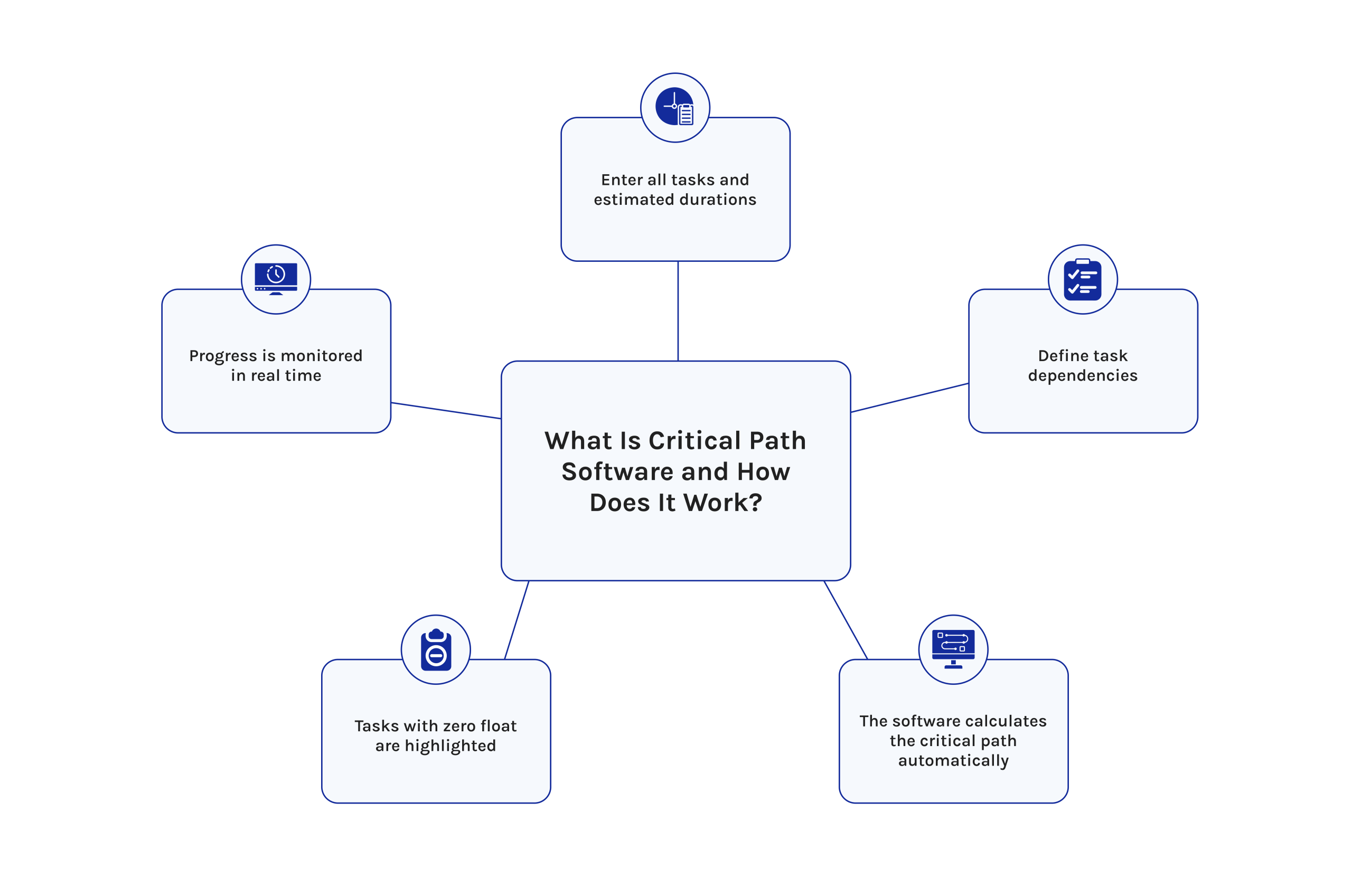
Critical path software is a type of project management application that finds the longest series of sequential activities in any project. The duration of this series will determine the minimum time taken to complete the project. The delay in any activity on the critical path will result in delaying the whole project.
The critical path method was formulated at the end of the 1950s jointly by DuPont and Remington Rand. Currently, there are advanced applications for critical path analysis.
Here is how it works in practice:
- You enter all project tasks and their estimated durations.
- You define task dependencies (which tasks must finish before others start).
- The software calculates the critical path automatically.
- It highlights tasks with zero float — those with no scheduling flexibility.
- You monitor the critical path as the project progresses.
This process removes guesswork from scheduling. Instead of relying on intuition, project managers work with data-driven timelines backed by CPM logic.
Read more: AI Agent Assist: What It Is and Why You Need It in 2026?
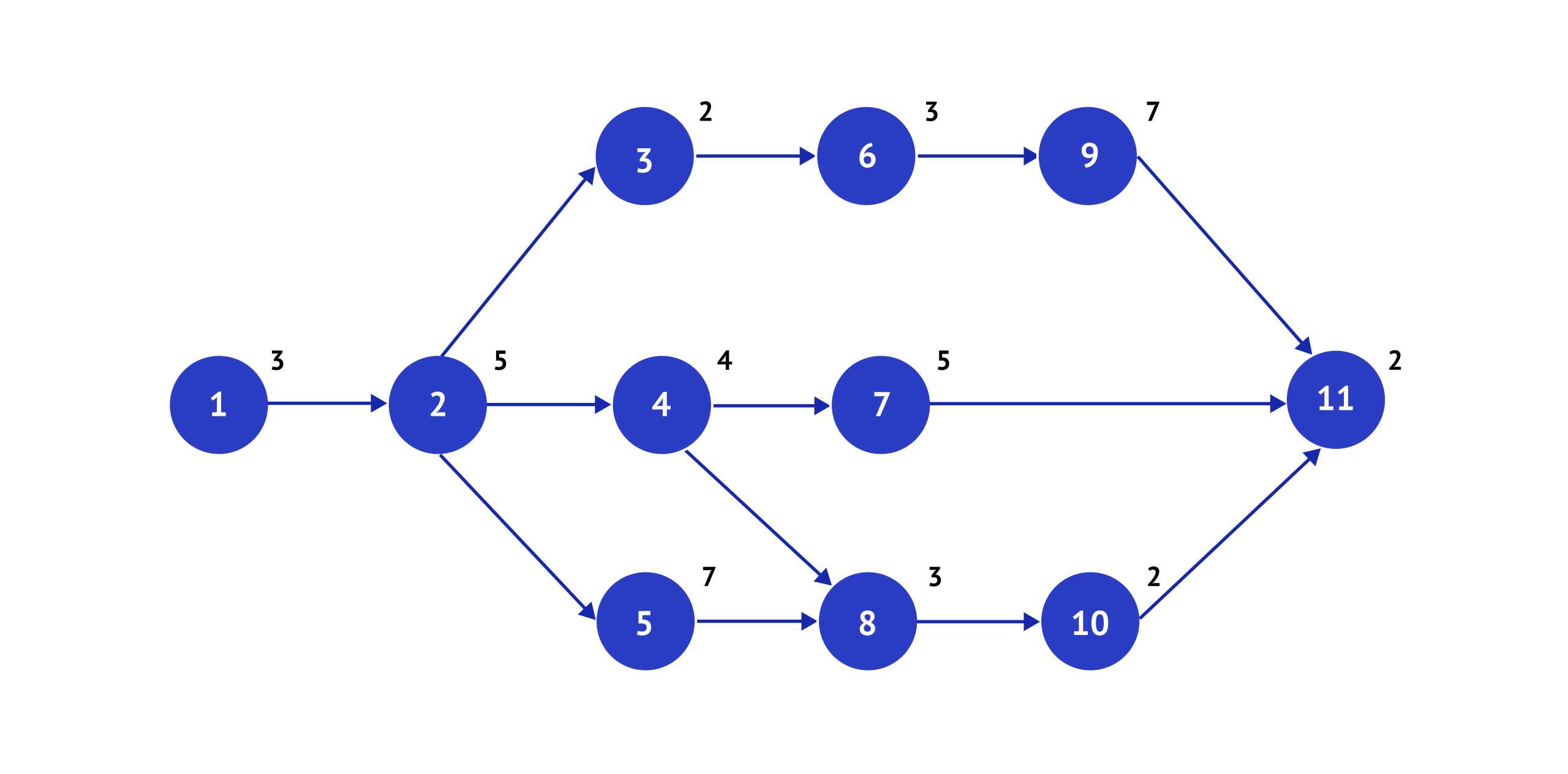
Network diagram
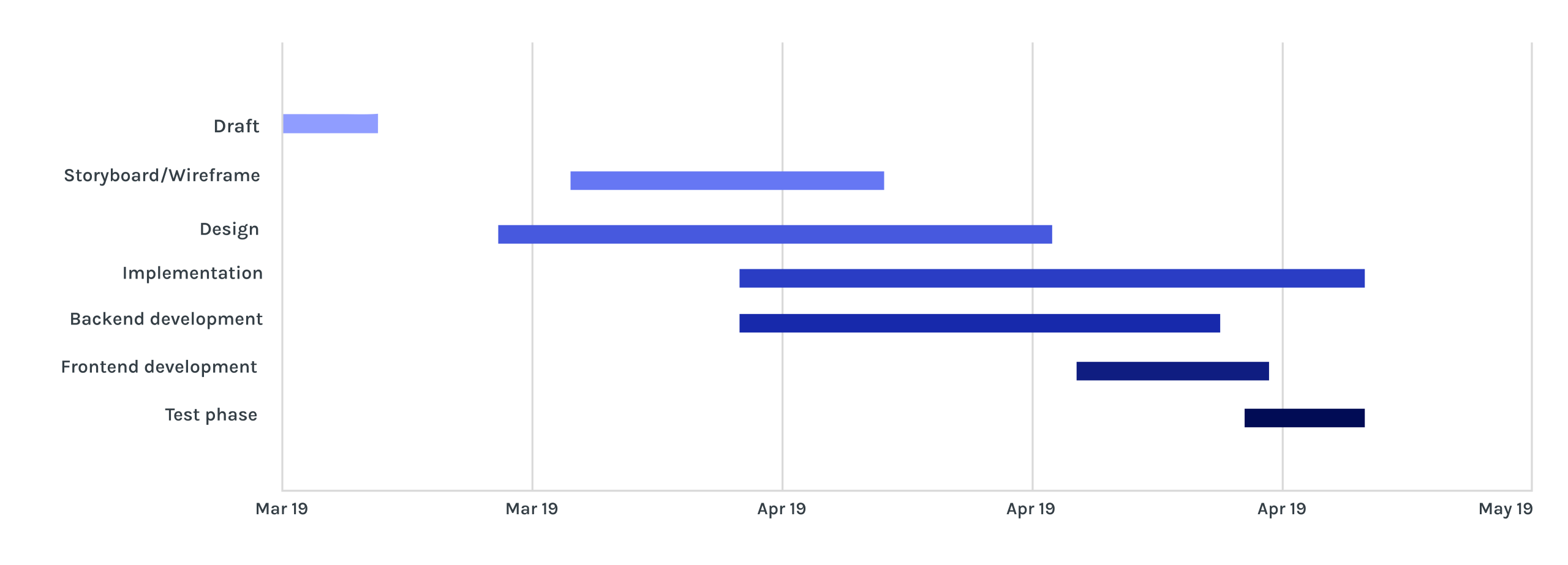
Gantt chart
How Critical Path Analysis Improves Project Scheduling
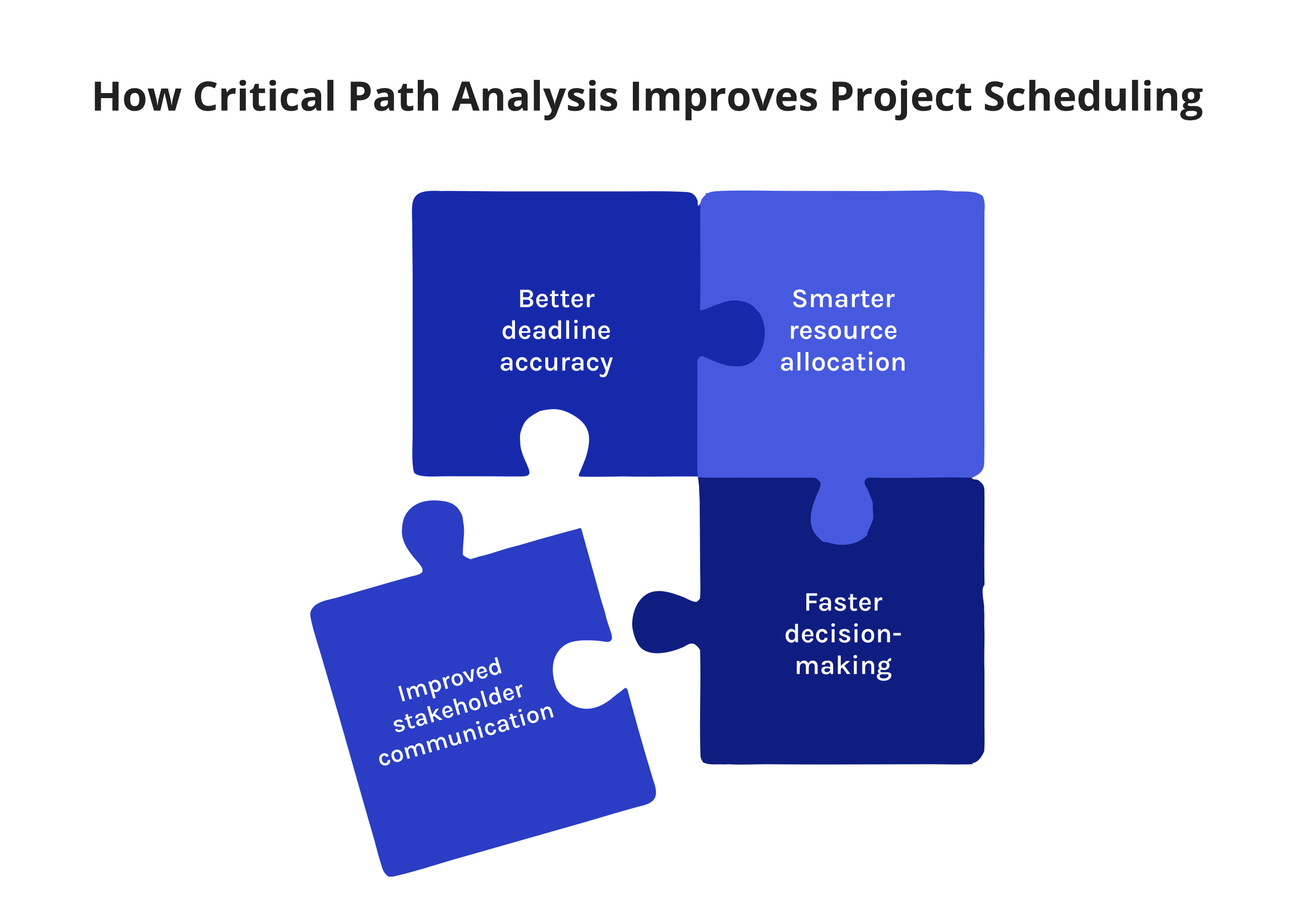
CPM is not simply generating a Gantt chart; it transforms how planning is done in an organization.
- Deadline accuracy improves: Managers understand which tasks are critical and can apply their focus to these projects. Non-critical tasks can comfortably flex without affecting the project outcome.
- A word on resource constraints. A common misconception is that the critical path is fixed. In practice, resource constraints shift it constantly. If your only developer is assigned to two critical tasks simultaneously, one of them will slip — regardless of what the schedule shows. Most basic CPM tools calculate the critical path based on task duration alone, without accounting for whether the assigned resource is actually available. This is a real and frequently underreported limitation. Tools like Epicflow and Wrike go further by factoring live resource capacity into schedule calculations — but even they depend on accurate, up-to-date resource data to work correctly. Garbage in, garbage out applies here as much as anywhere in project management.
- Decision-making becomes faster: Should something go wrong, CPM software allows project managers to immediately see how a delay in one task affects the entire project schedule. The project manager can perform scenario analyses to quickly respond.
- Improved stakeholder communication: There is no longer a need for executives or clients to read complicated, lengthy project reports. By looking at the CPA software, they can see the story of the project at a glance.
Why Traditional CPM Software Fails Modern Project Teams
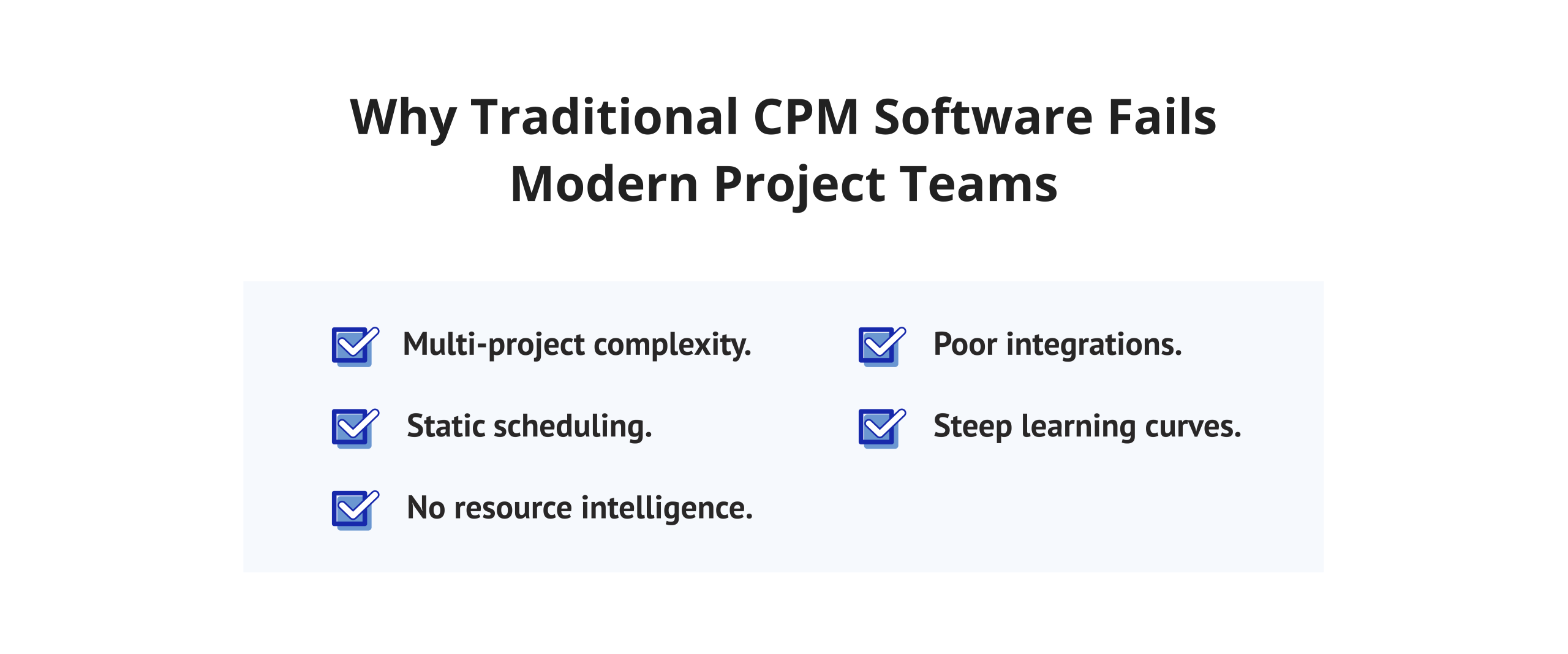
Legacy critical path method software was built for a different era. It was designed for single projects, desktop environments, and teams that had time for manual data entry. Today’s reality is unique.
- Multi-project complexity. Most organizations run dozens of projects simultaneously. Traditional CPM tools track one project in isolation, leaving resource conflicts invisible.
- Static scheduling. Classic software critical paths require manual updates. In fast-moving environments, schedules become outdated within hours. Teams lose trust in the data and stop using the tool.
- No resource intelligence. Traditional critical path scheduling software shows task timelines but cannot model how resource availability affects the critical path. This limitation creates a dangerous blind spot.
- Poor integrations. Legacy tools rarely integrate with modern platforms such as Jira, Slack, or ERP systems. Data lives in silos, and project managers spend hours reconciling information.
- Steep learning curves. Tools like Primavera P6 remain powerful but require weeks of training. Smaller teams cannot afford that overhead.
- The market has responded. A new generation of critical path management software combines CPM logic with AI, real-time data, and intuitive design. That is what this review covers.
Want weekly insights on project management, scheduling tools, and productivity strategies? Follow Digest.Pro on LinkedIn — and never miss what matters in the world of project delivery.
6 Reasons Why You Should Use Critical Path Software
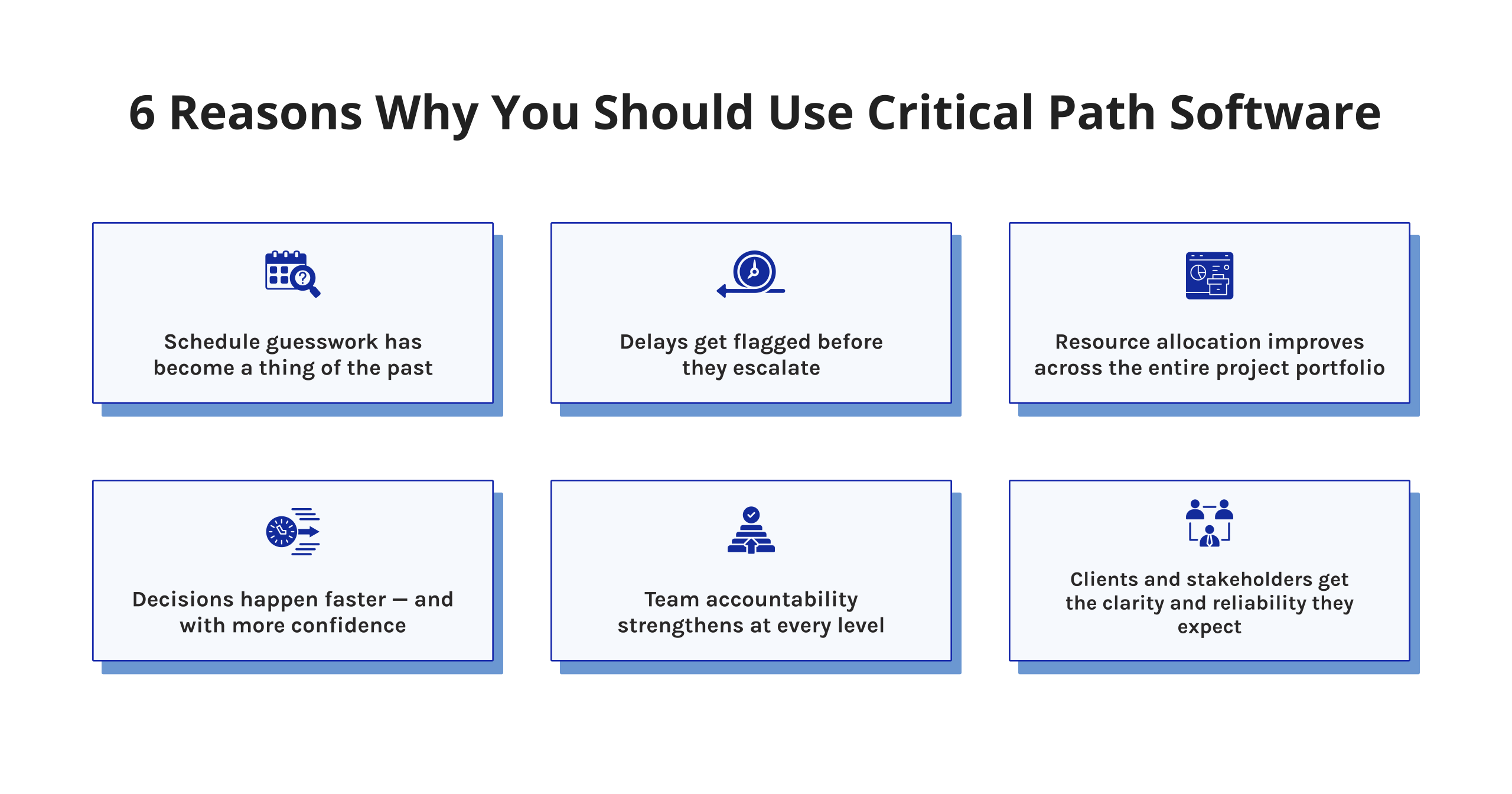
Here are six concrete reasons why critical path software belongs in your project management toolkit.
- You eliminate schedule guesswork. The critical path project management software automatically calculates float, dependencies, and the critical path. No more spreadsheet approximations.
- You catch delays before they happen. Real-time monitoring flags critical tasks at risk before they become missed deadlines.
- You optimize resource allocation. Once you know the critical path, you can allocate your resources to what really matters.
- You make faster decisions. The ability to analyze what-if scenarios can give you results within seconds instead of hours.
- You improve team accountability. All your team members will have visibility on all critical tasks and why their contribution is important.
- You satisfy clients and stakeholders. Reliable data-driven reporting will convince everyone involved in the process of how everything is going.
Using the right tools is the key to successful project management. If your team manages more than one project at a time, CPM software is not optional — it is essential.
Read more: ClickUp vs Monday vs Wrike: Which Tool Fits You in 2026?
In-Depth Review: 8 Top Critical Path Software Tools for 2026
1. Microsoft Project: Industry-Standard CPM for Enterprise Teams
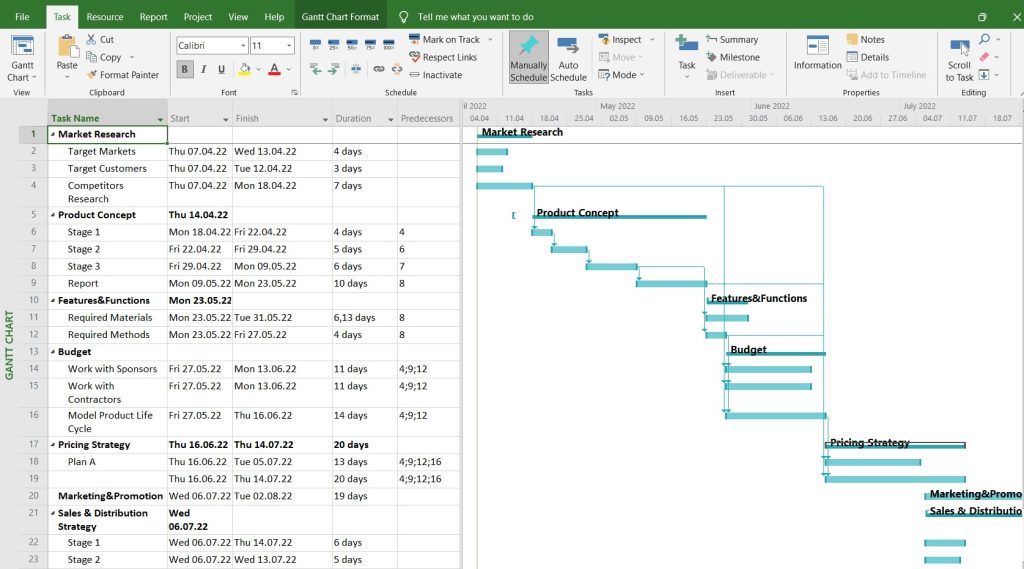
Microsoft Project is one of the most mature CPM software products around. MS Project has been used by large companies in the fields of construction, IT, engineering, and consulting for many years. It provides a range of features such as Gantt chart planning, critical path visualization, resource leveling, and tight integration with Microsoft 365.
Best for: Large enterprises and project management offices already operating within the Microsoft environment — particularly teams using Teams, SharePoint, or Power BI.
Core features:
- Automatic critical path calculation and highlighting
- Advanced dependency types (FS, FF, SS, SF) with lag and lead time
- Resource allocation, leveling, and capacity planning
- Integration with Microsoft Teams, SharePoint, and Power BI
- Baseline tracking and variance analysis
- Portfolio-level reporting and dashboards
Pros:
- Deep, mature critical path method tools with decades of refinement
- Native integration with the full Microsoft 365 stack
- Strong reporting and baseline comparison capabilities
- Familiar interface for teams already using Microsoft tools
Cons:
- Steep learning curve for new users
- Limited real-time collaboration compared to modern cloud-native tools
- No meaningful AI or automation layer
- Critical path view requires manual configuration — it is not enabled by default, which catches new users off guard
- Expensive at scale — particularly for large teams
Pricing: Project Plan 3 at $30/user/month, and one-time purchase Project Standard 2024 at $719.99
User Reviews:
- G2: 4.0/5 — praised for scheduling depth; criticized for complexity and outdated UX
2. EpicFlow: Smarter Alternative to Traditional Critical Path Software
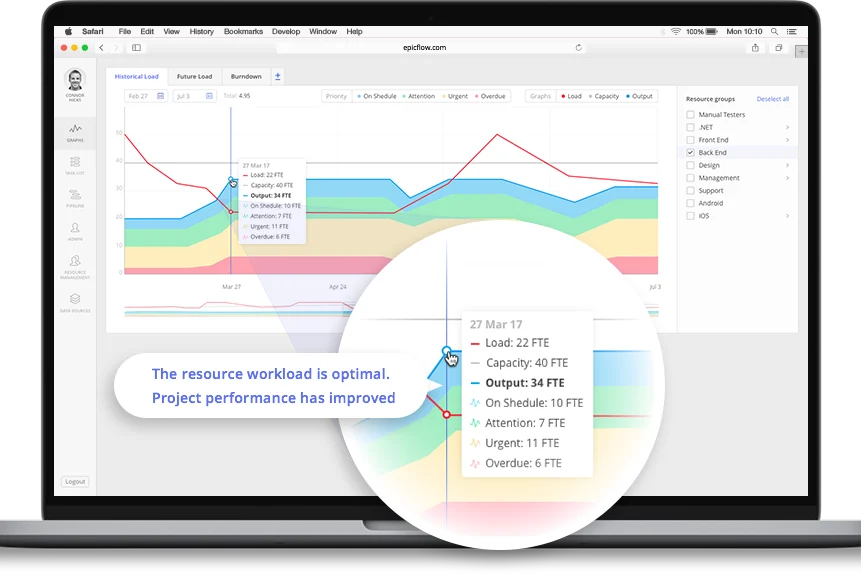
EpicFlow is an AI-based multi-project and resource management software designed for organizations that run complex, resource-shared project portfolios. It goes far beyond traditional critical path software by combining CPM scheduling with predictive AI analytics, making it the most intelligent tool in this review [3].
Best for: large and medium-sized businesses handling several projects at once that share resources — especially in aerospace, pharmaceuticals, manufacturing, and information technology.
Core features:
- Real-time Bottleneck Detection: identifies critical resource conflicts before they impact the schedule [3]
- Epica AI Assistant: a virtual project manager that answers questions, flags risks, and guides decisions
- What-If Analysis: run multiple scheduling scenarios to compare outcomes before committing
- Future Load Graph: visualize upcoming resource demand across all projects
- Historical Load Graph: analyze past workload patterns to improve future planning
- Pipeline Management: oversee all incoming and active projects in one view [3]
- Competence Management: match tasks to team members by skills, experience, and availability
- Task List: granular task tracking integrated with multi-project scheduling
- Jira Integration: seamless sync with development workflows [3]
- Predictive Analytics: AI-driven forecasting for project timelines and resource demand
Pros:
- Exceptional multi-project visibility
- AI-powered resource allocation reduces manual scheduling work
- What-If Analysis enables proactive, confident decision-making
- Scales well for enterprise portfolio complexity
Cons:
- Best results require organizational buy-in and onboarding
- AI features require clean, consistently updated resource data to produce reliable forecasts — teams with poor data hygiene will see degraded output quality
Pricing: Standard plan for €22.50/month and Custom tier [3].
User Reviews:
- G2: 4.4/5 — Epicflow recognized as High Performer in Project Management Software [10]
- Capterra: 5/5 — Users have mentioned Epicflow’s real-time bottleneck detection and AI resource allocation as key features of this application [11]
EpicFlow redefines what a critical path in software project management can look like. It does not just show you the critical path — it helps you protect it.
3. Monday.com: Visual Project Tracking With Critical Path Support
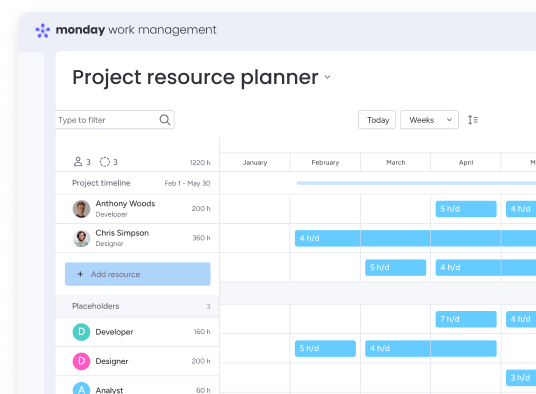
Monday.com is a widely adopted work operating system with strong visual project tracking capabilities. Its critical path feature is available on higher-tier plans and integrates naturally into Gantt views [4].
Best for: Marketing, product, and operations teams that want visual project management with light CPM functionality.
Core features:
- Gantt chart with critical path highlighting
- Dependency mapping and task linking
- Resource allocation dashboards
- 200+ integrations, including Slack, Jira, and Salesforce
- Automations and custom workflow builders
- Timeline view with milestone tracking
- Workload view for capacity management
Pros:
- User-friendly and attractive user interface
- Fast training process without too much training needed
- Very good collaboration functionality
- Wide integration library covers most business tools
Cons:
- The critical path is only available on Pro and Enterprise plans
- Can become expensive at scale
- The critical path feature does not recalculate dynamically when task dates are updated manually — it requires a Gantt refresh, which can catch teams off guard in fast-moving projects
Pricing: Offers a free version. Paid versions begin at €12/user/month (Standard), €19/user/month (Pro), and Custom pricing for Enterprise [4].
User Reviews:
- G2: 4.7/5 — complimented for its intuitive interface and visual capabilities [10]
- Capterra: 4.6/5 — likes automation functions; some say that more sophisticated functions demand higher-priced plans [11]
4. ClickUp: Flexible CPM for Teams of All Sizes
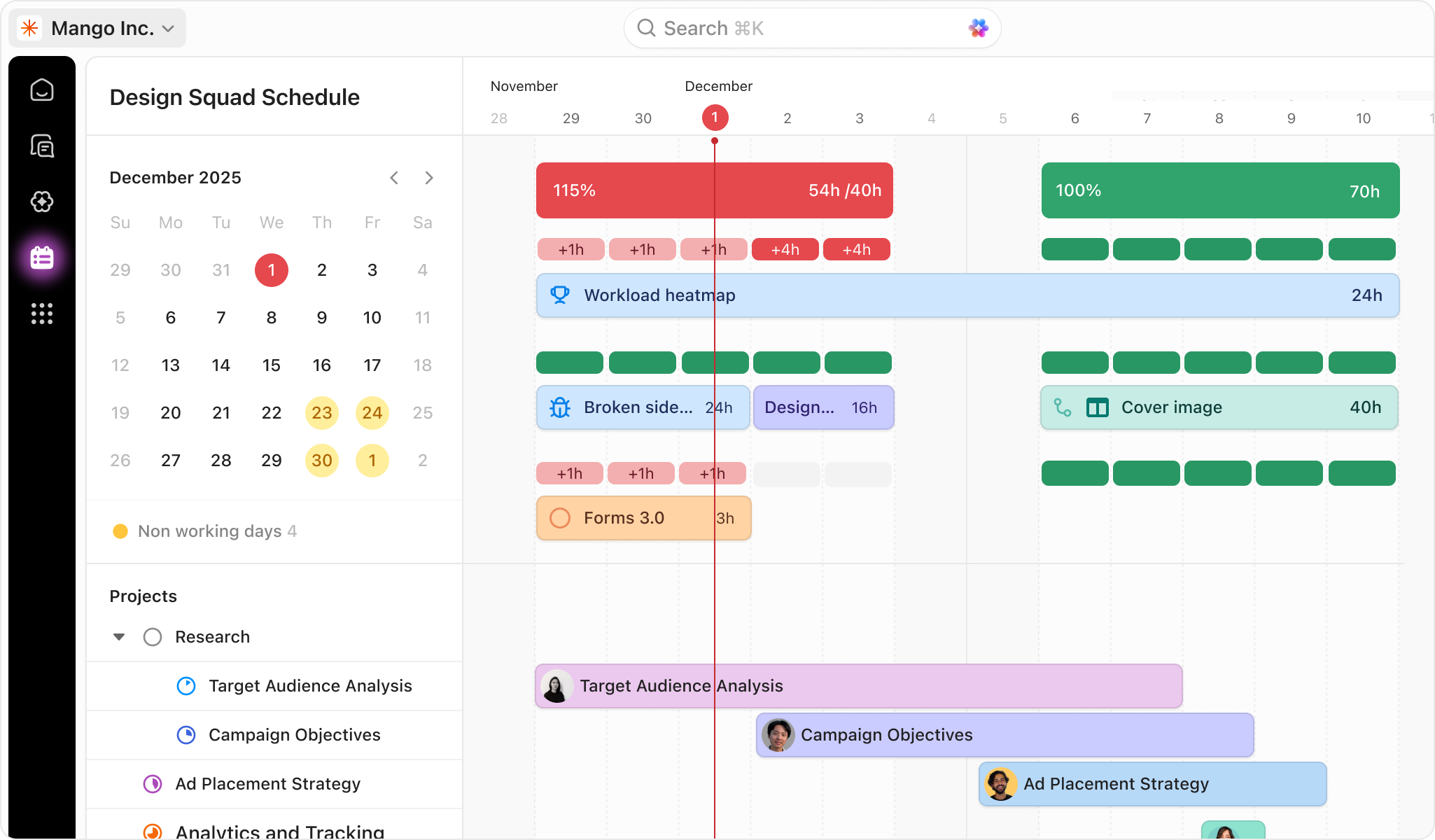
ClickUp is one of the most feature-rich project management platforms available. Its CPM software tools include Gantt charts, dependency management, and workload views — all accessible even on its free plan [5].
Best for: Teams of any size that want a budget-friendly all-purpose project management platform.
Core features:
- Critical path visualization in Gantt view
- Task dependencies with lag and lead time
- Resource allocation and workload balancing
- Time tracking and reporting
- Docs, whiteboards, and goals in one platform
- Custom statuses, fields, and workflow automations
Pros:
- Generous free tier
- Highly customizable views and workflows
Cons:
- Performance can slow down on very large workspaces
- CPM features are less sophisticated than enterprise tools
- The mobile app lacks the depth of the desktop version
- Frequent UI changes disrupt established team workflows
- Resource overallocation is not flagged automatically — users must build their own formulas or use add-ons to catch conflicts
Pricing: Unlimited plan starts at $7/user/month. Business plan at $12/user/month. Enterprise pricing is custom [5].
User Reviews:
- G2: 4.6/5 — Highly-rated due to customizability and being an all-in-one solution [10]
- Capterra: 4.6/5 — Customers love its good bang for buck; typical criticisms include high learning curve at first [11].
Read more: What is Knowledge Assist and How Does it Work?
5. Wrike: Enterprise-Grade Critical Path and Dependency Management
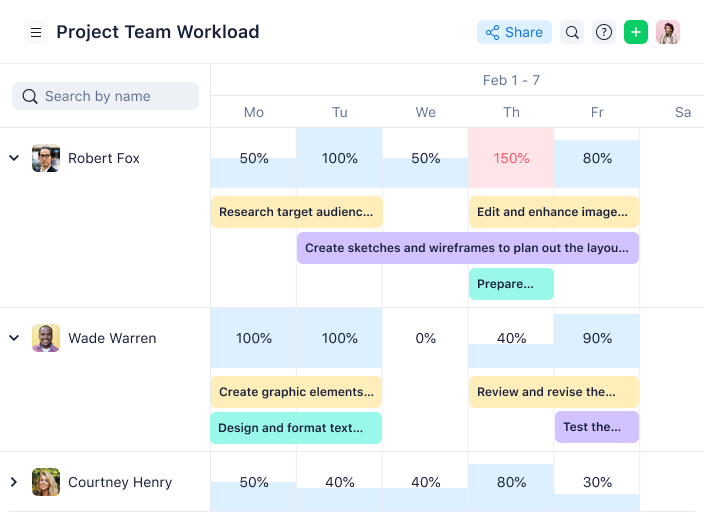
Wrike is built for enterprise project management. Its critical path analysis software capabilities are robust, with advanced dependency types, real-time updates, and deep reporting [6].
Best for: Large enterprises and professional services firms managing complex, multi-stakeholder projects.
Core features:
- Critical path method tools with automatic schedule updates
- Four dependency types (FS, FF, SS, SF)
- 400+ integrations
- Proofing and approval workflows
- Time tracking and budget management
Pros:
- Highly scalable for large, distributed teams
- Strong audit trail and compliance features
- Excellent reporting capabilities for executive stakeholders
- Robust permission and governance controls
Cons:
- Steeper learning curve than lighter tools
- Higher cost at the enterprise tier
- UI can feel complex for smaller or simpler projects
Pricing: Gantt charts are available from Team plan starts at $10/user/month. Business at $25/user/month. Apex and Pinnacle tiers are available at custom pricing [6].
User Reviews:
- G2: 4.2/5 — valued for the depth of reporting and customization of workflows [10]
- Capterra: 4.4/5 — users point to strong cross-team visibility; others argue that the interface has a steep learning curve [11]
This guide is designed to bring you knowledge about the best critical path software, but in today’s market conditions, every stakeholder has to keep an eye on a much wider area. If you want to be aware of the most ground-breaking releases, changes, and updates in the C-level world, subscribe to Digest.Pro on LinkedIn.
6. Smartsheet: Spreadsheet-Style Scheduling With Built-In CPM
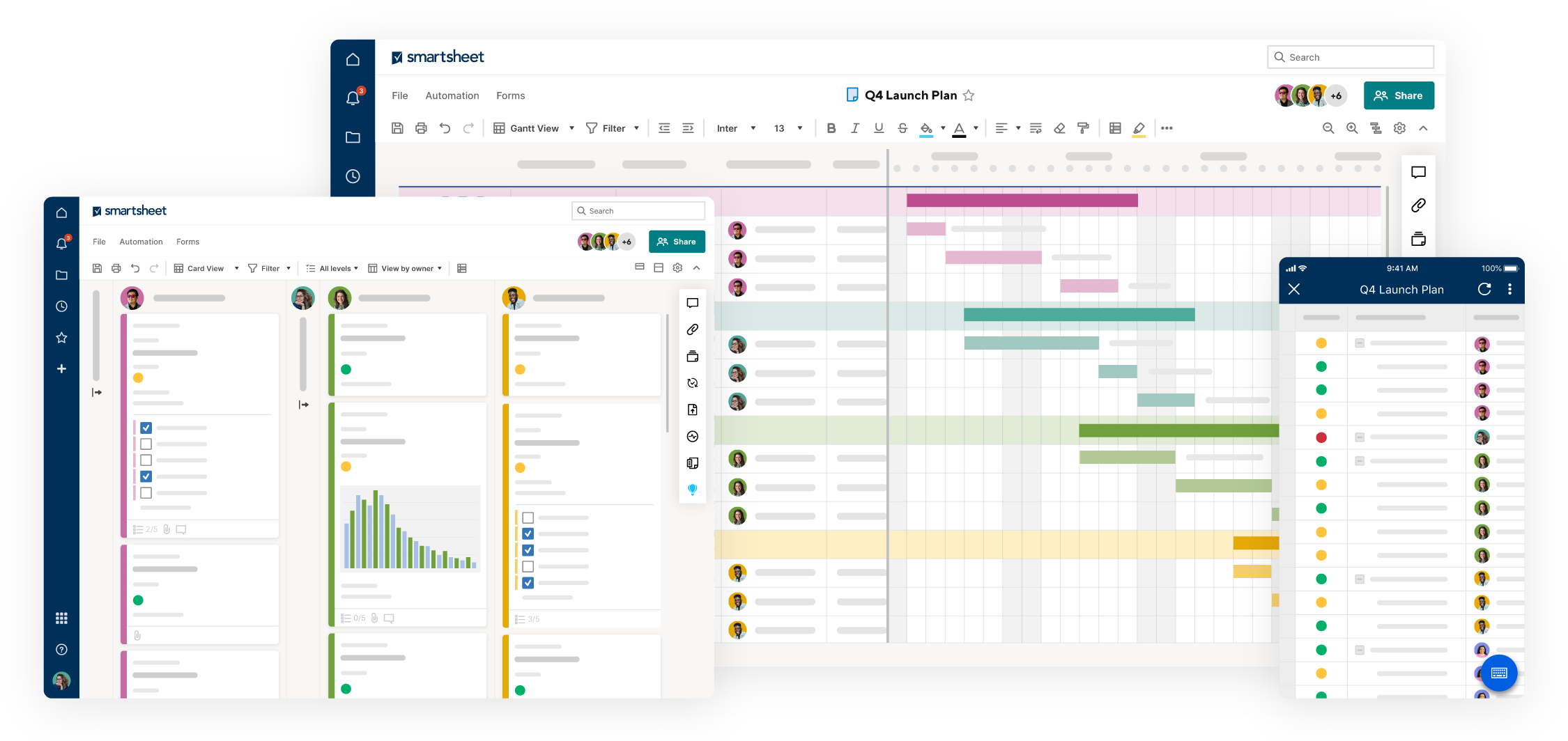
Smartsheet is an excellent solution that combines the strengths of the two tools discussed above — spreadsheets and project management software.
Best for: Users migrating from spreadsheet scheduling systems that require CPM functionality.
Core features:
- Critical path highlighting in Gantt charts
- Predecessor and dependency management
- Resource allocation and capacity tracking
- Automated workflows and alerts
- Dashboards for real-time project status
- Forms and data collection are integrated with project sheets
Pros:
- Very easy to adopt for Excel users
- Scalable from small teams to enterprise
Cons:
- Limited native resource management depth
- Critical path features require manual Gantt view setup
- Less flexible for non-linear or agile project structures
- Reporting customization can be time-consuming
Pricing: Pro plan starts at $9/user/month. Business plan at $19/user/month. Enterprise pricing is available on request [7].
User Reviews:
- G2: 4.4/5 — majority of enterprise users gave it 4 or 5-star ratings; users love its spreadsheet-like nature and excellent reporting capabilities [10]
- Capterra: 4.5/5 — users appreciate its easy adoption capabilities; some cite its limitations in managing resources natively [11]
7. Quickbase: Low-Code Project Workflows for Complex Operations
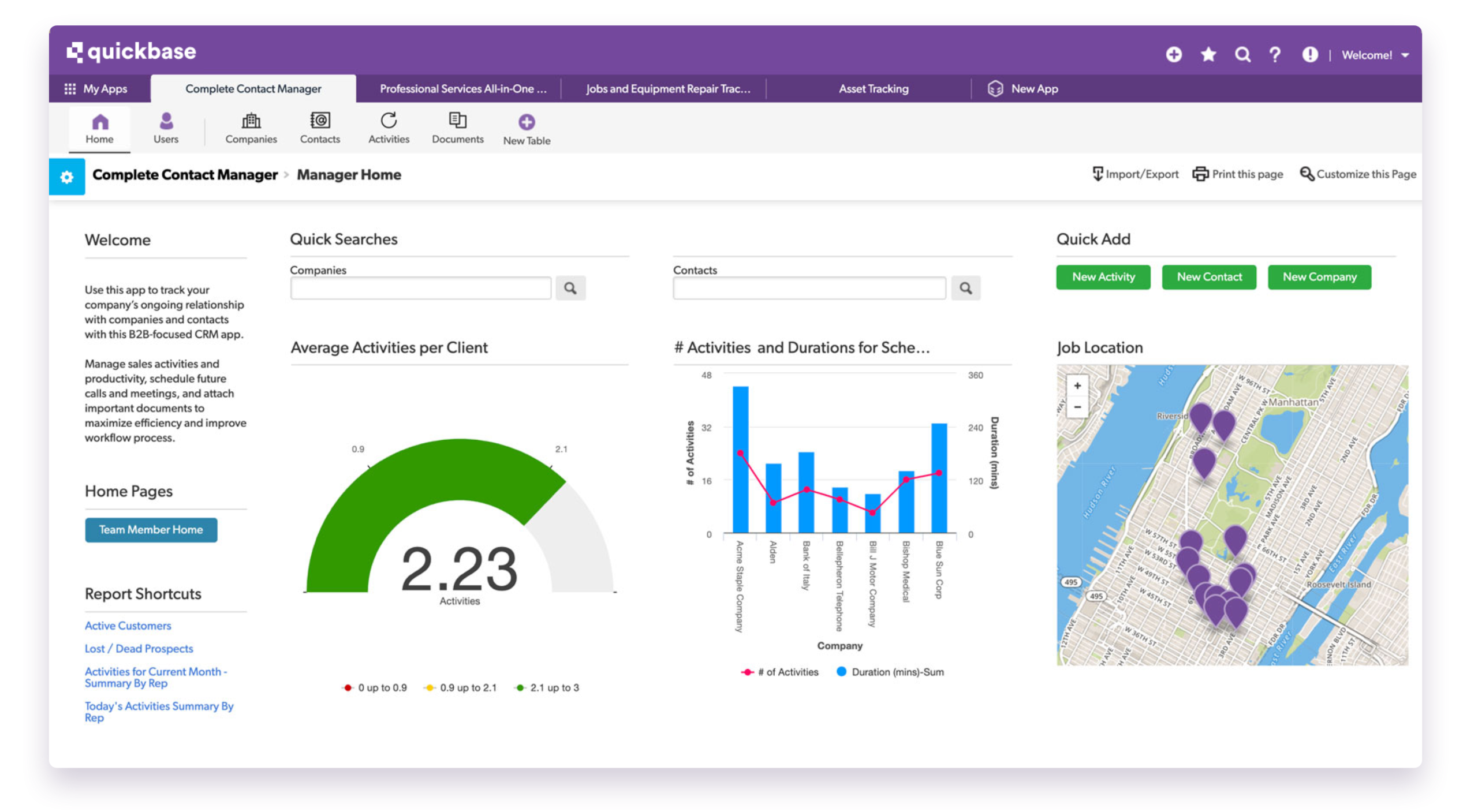
Quickbase is a low-code platform that enables organizations to build custom project management apps. Its critical path capabilities are less native and more configurable through custom workflows [8].
Best for: Project executives and operations personnel requiring custom project workflows and data integrations not available from packaged software products.
Core features:
- Custom app builder with drag-and-drop interface
- Project pipeline and task tracking
Pros:
- Highly customizable to unique business processes
- Strong integration ecosystem for complex data environments
- Well-suited for regulated industries with compliance needs
Cons:
- Critical path features are not native — require custom configuration
- Higher per-user cost compared to most alternatives
- Requires technical resources to build and maintain apps
- Not ideal for teams wanting a ready-to-use scheduling tool
Pricing: Gantt charts are avaiable minimum at Business plan at $55/user/month. Minimum user requirements apply [8].
User Reviews:
- G2: 4.5/5 — appreciated for their ability to create flexible and complex custom applications [10]
- Capterra: 4.4/5 — praised for the abilities to integrate with other systems; noted that setup may be too complex [11]
Read more: Program Management in 2026: What It Is and Why It Matters
8. nTask: Lightweight Critical Path Tool for Smaller Teams
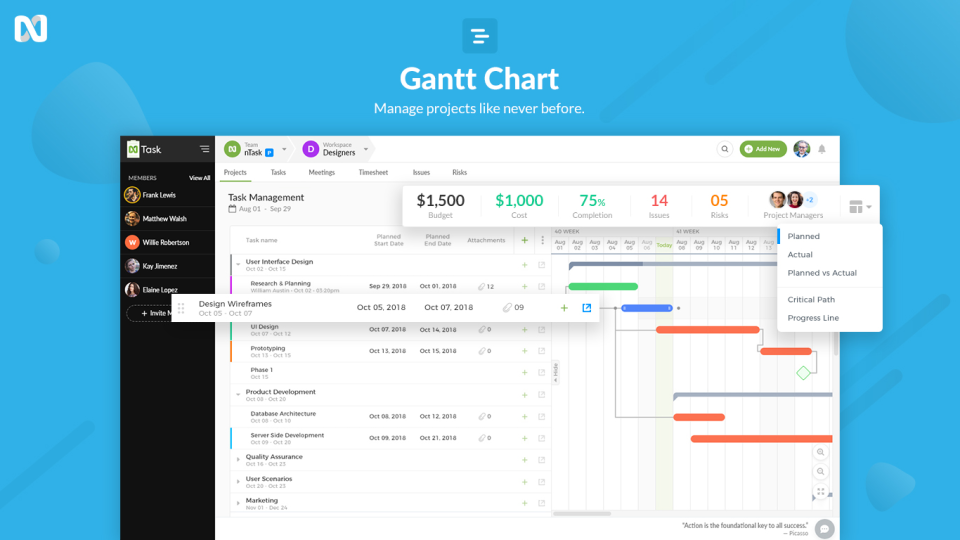
nTask is a simple, affordable project management tool with solid CPM basics. It is designed for small teams that need essential scheduling features without enterprise complexity [9].
Best for: Freelancers, startups, and small teams looking for affordable critical path software with low setup friction.
Core features:
- Gantt chart with critical path display
- Task dependencies and milestone tracking
- Basic resource allocation
- Meeting and risk management modules
- Time tracking and timesheets
Pros:
- Pricing is reasonable — perfect for tight budgets
- Very user-friendly interface with little to no configuration required
- All basic functions covered in one product
Cons:
- Limited scalability for growing teams or multi-project portfolios
- Fewer integrations than larger platforms
- Resource management is too basic for complex workloads
Pricing: Premium plan starts at $3/user/month. Business plan at $8/user/month. Enterprise pricing is custom [9].
User Reviews:
- G2: 4.4/5 — small number of reviews; users note clean UX and solid basics for simple projects [10]
- Capterra: 4.2/5 — rated well for affordability; users highlight task management and meeting modules as highlights [11]
Read more: monday.com vs Asana vs Trello Compared: Features, Pricing & the Right Fit for 2026
10 Other Critical Path Software Tools Worth Considering
The eight tools reviewed above cover the strongest options on the market. But the CPM software landscape is wide. Below is a quick-reference comparison of ten additional tools — each with a specific use case, key strengths, and notable limitations — to help you make a more complete, informed decision.
| Tool | Best For | Critical Path | Gantt Chart | Resource Mgmt | Key Integration | Free Plan | Starting Price | G2 |
|---|---|---|---|---|---|---|---|---|
| GanttPRO | Gantt-focused teams | ✅ Yes | ✅ Advanced | ✅ Yes | Slack, Jira, Teams | ❌ No | $7/user/mo | ⭐ 5/5 |
| Lark | All-in-one collaboration | ✅ Basic | ✅ Yes | ⚠️ Limited | Zoom, Google Drive | ✅ Yes | $6/user/mo | ⭐ 4.5/5 |
| Lucen | PowerPoint timelines | ⚠️ Visual only | ✅ Yes | ❌ No | MS PowerPoint | ✅ Yes | $9/user/mo | ⭐ 4.4/5 |
| Lucidchart | Visual diagramming | ⚠️ Manual | ✅ Yes | ❌ No | Jira, Confluence, MS365 | ✅ Limited | $9/user/mo | ⭐ 4.5/5 |
| Planera | Construction scheduling | ✅ Advanced | ✅ Yes | ✅ Yes | Procore, P6, MS Project | ❌ No | $149/user/mo | N/A |
| Birdview | Professional services | ✅ Yes | ✅ Yes | ✅ Yes | Jira, Salesforce, QuickBooks | ❌ No | $9/user/mo | ⭐ 4.2/5 |
| Creately | Visual planning + diagrams | ⚠️ Limited | ✅ Yes | ⚠️ Limited | Slack, MS Teams, Google | ✅ Yes | $8/user/mo | ⭐ 4.4/5 |
| ProjectManager | Mid-size teams | ✅ Yes | ✅ Yes | ✅ Yes | MS Project, Jira, Salesforce | ❌ No | $15/user/mo | ⭐ 4.4/5 |
| Zoho Projects | Zoho ecosystem users | ✅ Yes | ✅ Yes | ✅ Yes | Zoho suite, Slack, GitHub | ✅ Yes | $5/user/mo | ⭐ 4.3/5 |
| Tempo Portfolio Manager | Jira-native portfolios | ✅ Yes | ✅ Yes | ✅ Yes | Jira (native) | ❌ No | Custom | ⭐ 4.4/5 |
How to Choose the Right Critical Path Software: A Step-by-Step Guide
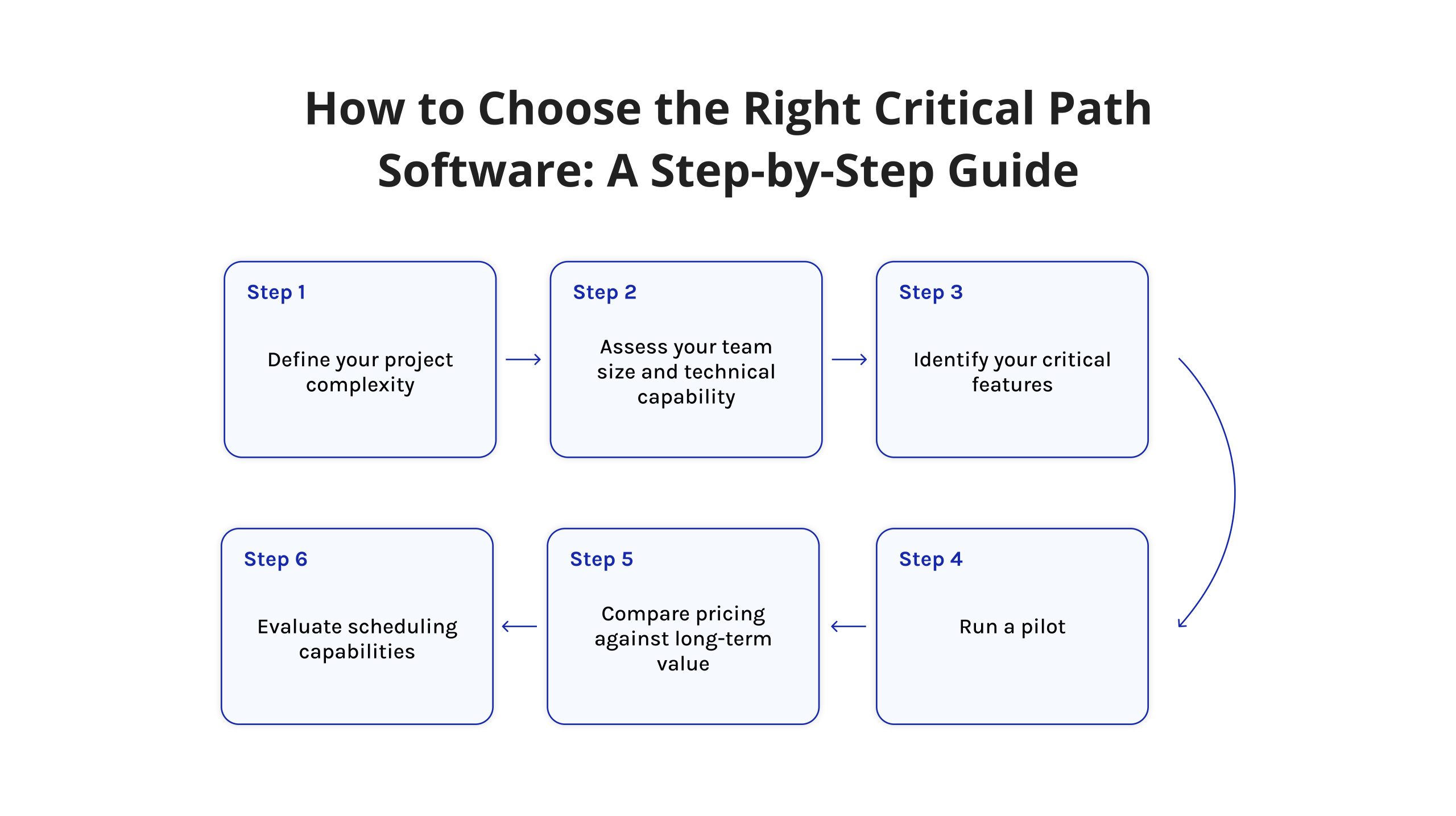
Poor selection of tools drains resources and budgets and slows progress. One clear path avoids those outcomes — step-by-step evaluation leads forward. Unexpected benefits emerge when clarity guides choice.
Step 1: Define your project complexity. Whether handling just one initiative or overseeing two dozen, tool choice shifts. When juggling many efforts, systems including EpicFlow or Wrike become essential. Complexity changes what fits.
Step 2: Assess your team size and technical capability. One reason larger companies choose platforms such as EpicFlow lies in their structural demands. The available amount of training time shapes which option fits best. A decision emerges only after weighing daily usage against learning curves.
Step 3: Identify your critical features. Is artificial intelligence required for assigning tasks? Detection of delays as they happen — must that be supported? Compatibility with Jira — if absent, is it unacceptable? Define essential features prior to reviewing available systems.
Step 4: Evaluate scheduling capabilities. True critical path functionality remains rare among tools. Automatic calculation of the critical path—separate from simple Gantt chart visualizations — should be confirmed. One must verify whether the system computes dependencies or merely displays timelines. Only when paths update dynamically can it qualify as proper CPM support. Assumptions about built-in logic need testing before acceptance.
Step 5: Compare pricing against long-term value. A single low-cost tool may grow costly when used widely. For smaller groups, high-end solutions might serve little purpose. Consider all expenses, including setup time and staff learning curves. Total ownership costs often hide beyond initial pricing.
Step 6: Run a pilot. Not every platform includes trial access, yet many do. Working through an actual task reveals more than any overview could. A suitable system operates smoothly while exposing gaps left by present methods.
Read more: Top 5 MS Project Alternatives Compared
Conclusion
Critical path software helps in task tracking and ensures your project schedule remains protected, your resources are aligned, and your leadership has the necessary visibility to make quick and decisive decisions.
If you belong to an organization that works on highly intricate projects that involve multiple initiatives running concurrently, then EpicFlow becomes the best choice for you because it combines both CPM calculations and artificial intelligence. However, if you work in a visual-based environment, Monday.com and ClickUp become highly valuable solutions. If you deal with projects that require extensive dependency management, then consider Wrike. If you are moving away from Excel, then Smartsheet is the solution for you.
Therefore, the ideal critical path method in software project management would be one that can be adopted by your team easily.
Stay ahead of the curve. Follow Digest Pro on LinkedIn for expert-curated content on project management, resource planning, and the tools shaping how modern teams work.
Our Methodology: How We Selected the Best Critical Path Software
We evaluated each tool based on the following criteria:
- Critical path functionality: Is the sequence of tasks that determines project duration computed by CPM methods without manual input? Visualization follows as a result.
- Resource allocation capabilities: how well it supports shifting demands across initiatives. When task priorities change, can it reallocate staff or materials without disruption? The ability to maintain equilibrium during changes matters. Shifting focus across efforts tests its flexibility. Balance under pressure reveals true capacity.
- Ease of use: At what pace does someone unfamiliar begin operating efficiently?
- Scalability: Project scope is expanding — does support remain consistent under added layers of demand?
- Integration ecosystem: With which platforms does the system share data — Jira, for example, or internal communication tools, alongside enterprise resource planning software? Connection capability forms a quiet backbone when workflows stretch across departments. Whether updates move into task trackers depends on compatibility choices made early.
- AI and automation: Can insights emerge through data use on the platform while cutting down hands-on effort?
- Pricing and value: Features offered define whether the expense makes sense. What is paid must match what is gained. Justification rests on the function received. Cost stands tall only if support follows. Worth is measured by the utility given. Payment is expected to reflect the benefit seen.
- Research transparency: hands-on testing. Every tool featured in this article was tested hands-on by our team over a 5-day evaluation period. We assessed each platform using real project scenarios — including dependency mapping, critical path calculation, resource allocation, and schedule updates. Ratings and conclusions reflect direct product experience, supplemented by user reviews on G2 and Capterra and publicly available product documentation. Pricing figures reflect data available at the time of testing and may have changed — verify current plans directly with each vendor.
- Feedback from platforms such as G2, Capterra, and Gartner Peer Insights was examined alongside initial evaluations. Real usage insights helped confirm earlier findings through actual customer reports.
FAQs About Critical Path Software
Critical path software is a type of project management software that can automatically generate the longest chain of linked tasks in order to get the project completed. It assists project managers in determining which specific tasks directly affect the final deadline and where there is room for some flexibility in terms of scheduling.
Project management software tools such as Microsoft Project, Smartsheet, and Primavera P6 are commonly used for creating critical paths. There are also many work management software programs such as Asana, Monday.com, and Wrike that provide you with the ability to make critical paths using their premium Gantt chart views.
PERT stands for Program Evaluation Review Technique and uses optimistic, pessimistic, and most likely estimates of time in order to calculate project duration. CPM, or Critical Path Method, uses fixed time estimates in order to determine the longest sequence of tasks in the project. For instance, the construction of a regular house uses CPM since construction times are predictable, while software R&D uses PERT.
In order to properly apply Critical Path Method (CPM) scheduling, business practitioners utilize powerful software solutions, such as Oracle Primavera P6 and Microsoft Project. However, small teams and simple projects can benefit from cloud-based tools such as Smartsheet, TeamGantt, and Zoho Projects that provide simple yet effective CPM functionalities.
The main drawback of CPM is connected to the idea of perfect predictability of task duration and availability of resources, which is often not true in reality. In addition, the sole reliance on the critical path might prevent managers from paying attention to non-critical tasks that may become bottlenecks if there is a delay that exceeds slack time.
One of the commonly used free alternatives to Microsoft Project is ProjectLibre, which is an open-source tool for efficient critical path management. Besides that, modern collaboration tools, such as ClickUp, offer free or entry-level versions of their software with basic Gantt functionality.
While critical tasks have no “float” or “slack” at all, which means that even the slightest delay in completing this task will shift the deadline for the entire project, non-critical tasks include some flexibility and can be delayed until a certain point in time without changing the overall deadline for the entire project.
If you need specific tutorials on using the software, then you should visit the learning center or the documentation library of that particular software. However, to get a methodological guide for CPM, you may consider visiting the Project Management Institute (PMI), YouTube, and LinkedIn Learning.
Critical path software collaborates with the project task list, task duration, and dependent sequence to create a diagram network. The tool calculates the longest chronological task path and presents the set of activities that need to be carried out to complete the task in the shortest period of time.
Yes, a project with two or more parallel sequences of activities can be defined as a project with several critical paths. It is much more difficult to calculate the deadlines because it is enough to delay one task, and the entire project will get delayed.
Critical path software automates the identification of the longest task sequence in a project, calculates float for every task, and flags which tasks have zero scheduling flexibility. This gives project managers a real-time, data-driven schedule — not a static plan — that updates automatically as tasks are completed or delayed.
Yes — and this is where dedicated CPM tools outperform basic project trackers. Platforms like Epicflow, Wrike, and Microsoft Project allow the use of multi-stage dependencies, resource sharing between projects, and baseline comparisons across stages. The important aspect is the choice of software intended for portfolio complexity rather than merely for project scheduling.
Teams running deadline-driven, dependency-heavy projects see the highest return. This includes construction and engineering firms, IT and software development teams, product and marketing organizations managing campaign launches, and PMOs overseeing multi-project portfolios. Any team where one delayed task can cascade across the entire schedule stands to benefit significantly.
The best critical path software tools for project managers include Epicflow for AI-driven multi-project resource management, Microsoft Project for enterprise scheduling, Wrike for complex dependency management, Monday.com for visual tracking, ClickUp for flexible teams, and GanttPRO for intuitive Gantt-based CPM. Selection depends on team size, project complexity, and budget.
Calculating the critical path requires mapping all project tasks, estimating durations, defining dependencies, and identifying the longest task sequence from start to finish. This sequence — where every task has zero float — determines the earliest possible completion date. Critical path software automates this across hundreds of tasks in seconds.
The critical path method (CPM) uses fixed, deterministic task durations to identify the longest project path and set the schedule. PERT (Program Evaluation and Review Technique) uses three time estimates per task — optimistic, pessimistic, and most likely — to model schedule uncertainty. CPM suits well-defined projects; PERT suits R&D and novel work where durations are hard to predict.
Critical path software identifies the longest dependency chain in a project and flags which tasks have zero scheduling flexibility. Gantt chart software visualizes the project timeline as a bar chart but does not calculate float or automatically identify schedule-critical tasks. Many modern tools combine both, but critical path logic is the more analytically powerful layer.
Critical path software identifies project delays by continuously monitoring tasks with zero float — any slip in these tasks immediately extends the project end date. Real-time alerts, dependency visualizations, and what-if scenario analysis allow project managers to intervene before delays cascade. This shifts delay management from reactive firefighting to proactive schedule control.
References
- Project Management Institute. (2025). Pulse of the Profession® 2025 Boosting business acumen Empowering project professionals as strategic partners. In https://www.pmi.org/-/media/pmi/documents/public/pdf/learning/thought-leadership/pulse/pulse_of_the_profession_2025-1.pdf.
- Project Management Institute (PMI). The future of project work. PMI Thought Leadership: Pulse of the Profession. Retrieved from https://www.
- pmi.org/learning/thought-leadership/pulse/future-of-project-work.
- EpicFlow. “Epicflow – the Multi-Project Resource Scheduling Tool.” EpicFlow, 2015, www.epicflow.com/.
- Monday.com. “Monday – Team Management Software | Monday.com.” Monday.com, 2023, monday.com/.
- ClickUp. “ClickUpTM | One App to Replace Them All.” Clickup.com, 2025, clickup.com/.
- Wrike. “Wrike.” Wrike, 2019, www.wrike.com/.
- Smartsheet. “Smartsheet: Less Talk, More Action.” Smartsheet, 2019, www.smartsheet.com/.
- Quick Base (2019). Quick Base: The World’s Most Loved Low-code Platform. [online] Quick Base. Available at: https://www.quickbase.com/.
- nTask (n.d.). nTask – Free Online Task & Project Management Software for Teams. [online] nTask. Available at: https://www.ntaskmanager.com/.
- G2. “Business Software and Services Reviews | G2.” G2, 2023, www.g2.com/.
- Capterra. “I Just Used Capterra to Find Software!” Capterra.com, 2016, www.capterra.com/.
- Gartner. (2024). Magic Quadrant for Adaptive Project Management and Reporting. Gartner Research.
- McKinsey & Company. (2021). Delivering Large-Scale IT Projects on Time, on Budget, and on Value. McKinsey Global Institute.
- Kelley, J. E., & Walker, M. R. (1959). Critical-Path Planning and Scheduling. Proceedings of the Eastern Joint Computer Conference.
- Kerzner, H. (2022). Project Management: A Systems Approach to Planning, Scheduling, and Controlling (13th ed.). Wiley.
- Carruthers, J. A., and Albert Battersby. “Advances in critical path methods.” Journal of the Operational Research Society 17.4 (1966): 359-380.
- Vanhoucke, M. (2012). Project Management with Dynamic Scheduling. Springer.
- Rad, P. F., & Levin, G. (2006). Project Portfolio Management Tools and Techniques. IIL Publishing.
- Wysocki, R. K. (2019). Effective Project Management: Traditional, Agile, Extreme (8th ed.). Wiley.
- Papke-Shields, K. E., & Boyer-Wright, K. M. (2017). Strategic planning characteristics applied to project management. International Journal of Project Management, 35(2), 169–179. Google Scholar.
- Santiago, Jesse, and Desirae Magallon. “Critical path method.” CEE320, Winter 2013 (2009).
- Liberatore, M. J., & Pollack-Johnson, B. (2003). Factors influencing the usage and selection of project management software. IEEE Transactions on Engineering Management, 50(2), 164–174. Google Scholar.
- Hofmann, Peg A. “Critical path method: an important tool for coordinating clinical care.” The Joint Commission journal on quality improvement 19.7 (1993): 235-246.