

Production delays drain revenue. Misaligned capacity, unplanned downtime, and poor resource allocation destroy profit margins. Every week, a factory runs blindly, costing money it will never recover.
The right manufacturing capacity planning tools can change that — permanently.
Fortunately, the market for manufacturing capacity planning software has advanced significantly, and platforms are now available that provide AI-based forecasting, real-time visibility, scenario modeling, and tight integration with enterprise resource planning systems. The problem is no longer finding a tool; it is selecting the appropriate tool for your business environment.
Within this article, we’ll discuss the core capacity planning features of each platform, what differentiates each tool, and a framework for selecting the appropriate tool for your business environment.
TL;DR: 13 Best Manufacturing Capacity Planning Tools Shortlist
Here are the top manufacturing capacity planning tools we cover in this guide:
- Epicflow — Best for multi-project resource and portfolio management.
- Float — Best for visual resource scheduling.
- Kantata — Best for professional services within manufacturing.
- Saviom — Best for enterprise resource forecasting.
- Celoxis — Best for mid-market project teams.
- Monday.com — Best for flexible, customizable work management.
- Planview — Best for enterprise portfolio management.
- Ganttic — Best for visual capacity and resource planning.
- Smartsheet — Best for spreadsheet-familiar manufacturing teams.
- Wrike — Best for cross-functional collaboration.
- Productive — Best for service-oriented manufacturing firms.
- Zoho Projects — Best for budget-conscious manufacturers.
- Tempo Capacity Planner — Best for Jira-native environments.
Top 13 Capacity Planning Software for Manufacturing Comparison Chart
|
Tool |
Best For |
Key Strength |
Starting Price |
|
Multi-project resource management |
AI-driven forecasting & what-if analysis |
From €22.5 monthly. |
|
|
Float |
Visual scheduling |
Simple drag-and-drop UI |
From $6/user/month |
|
Kantata |
Professional services |
Billable resource tracking |
Contact for pricing |
|
Saviom |
Enterprise forecasting |
Granular demand modeling |
Contact for pricing |
|
Celoxis |
Mid-market PM |
Balanced feature set |
From $10/user/month |
|
Monday.com |
Flexible teams |
Highly customizable boards |
From €9/user/month |
|
Planview |
Enterprise portfolios |
Strategic portfolio planning |
Contact for pricing |
|
Ganttic |
Visual capacity planning |
Resource utilization charts |
From $25/month (resource-based pricing) |
|
Smartsheet |
Spreadsheet-familiar teams |
Grid-based interface |
From $9/user/month |
|
Wrike |
Cross-team collaboration |
Workload views |
From $10/user/month |
|
Productive |
Agency and service teams |
Budget + capacity combined |
From $10/user/month |
|
Zoho Projects |
Budget-conscious teams |
Affordable all-in-one |
From €4/user/month |
|
Tempo |
Jira-based teams |
Native Jira integration |
From $10/user/month (for a team of 10 people) |
Read more: 15 Best Free ERP Software Reviewed in 2026
What is a manufacturing capacity planning tool?
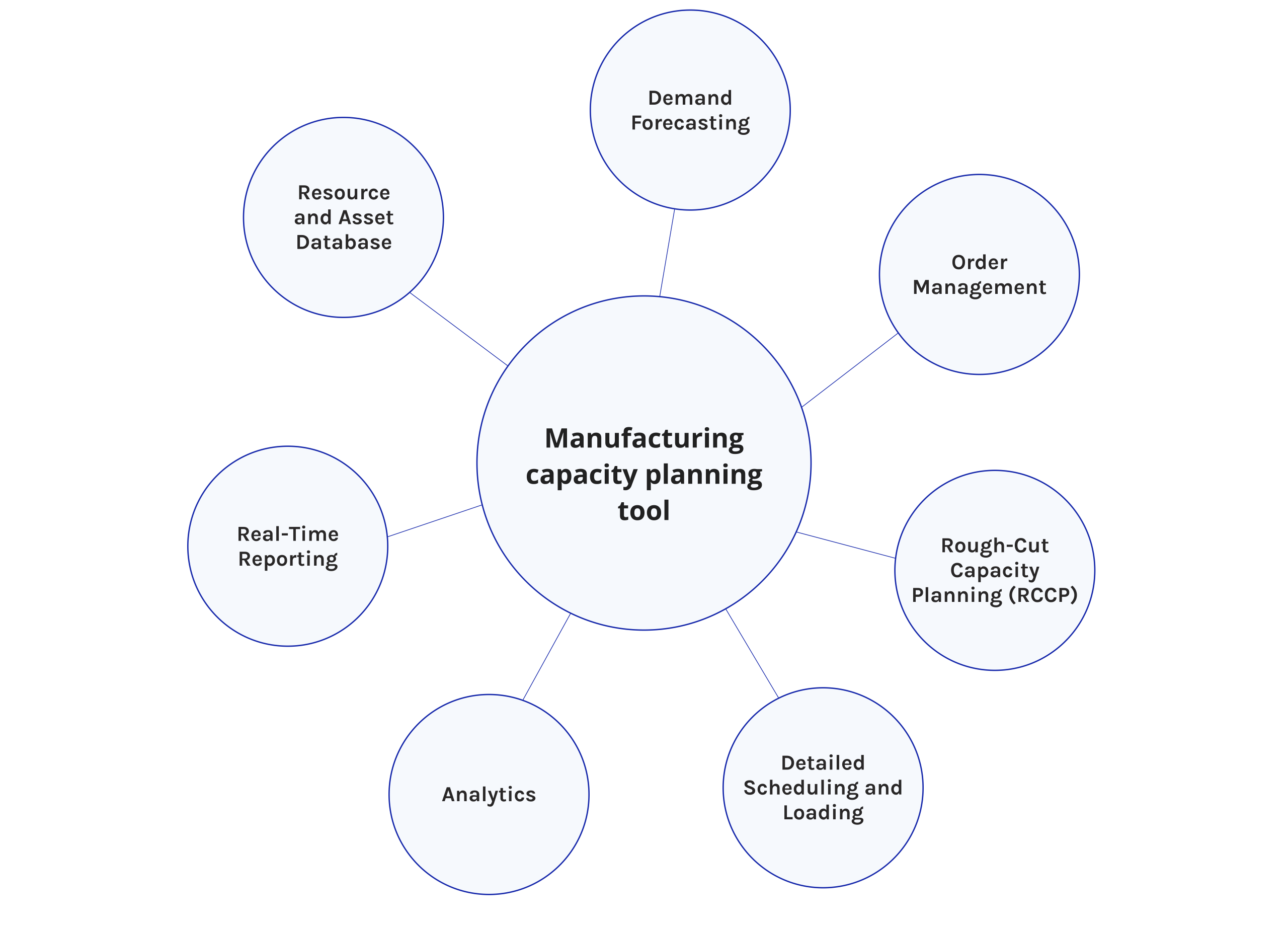
A manufacturing capacity planning tool is a piece of software that helps production teams figure out how many of the resources they have, how many they will need, and how to use them best.
These resources include machines, workers, materials, and space on the floor. The goal is to match the amount of capacity that is available with the amount of production that is actually needed, in a reliable and ongoing way.
In today’s world, everything changes with lightning speed, so to not skip any valuable data and unique insights, follow Digest.Pro on LinkedIn. Our experts collect revolutionary insights from startups, innovation, and artificial intelligence every day to provide you with the best data to make informed decisions.
Read more: 10 Best Manufacturing ERP Software for 2026: An Ultimate Guide to Operational Excellence
Why Should You Adopt Manufacturing Capacity Planning Software?
The complexity of the environment in which we produce has never been greater. Supply chains, customer demand, labor availability, and energy costs are just a few factors that challenge us.
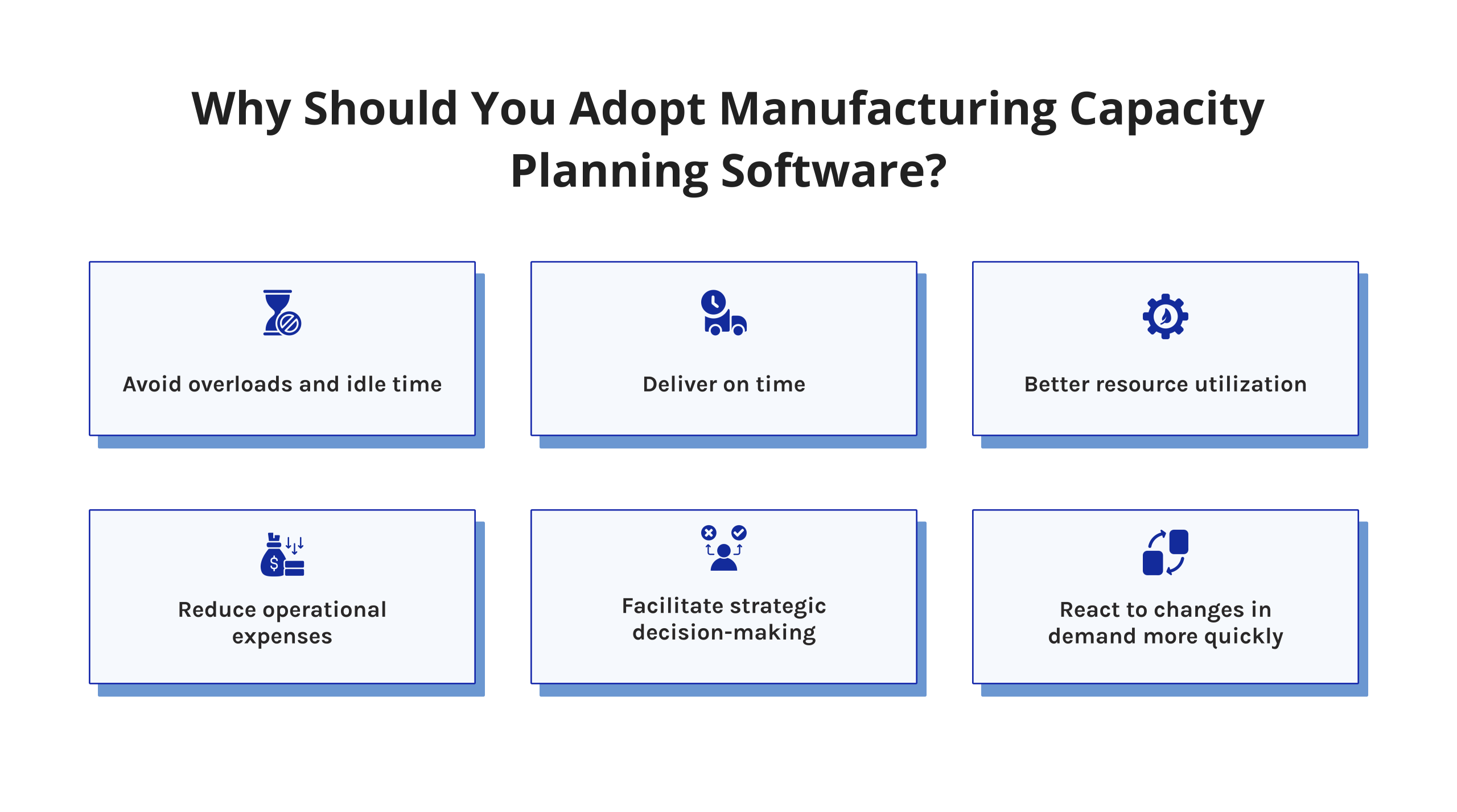
The complexity of the task makes it difficult to manually address these challenges. Manual processes simply cannot keep up with the complexity we face today. Below are the major reasons why we should consider the use of manufacturing capacity planning software today:
- Avoid overloads and idle time. Current information helps us avoid bottlenecks before they occur.
- Deliver on time. Accurate forecasting allows us to promise delivery dates we can meet.
- Better resource utilization. Match the right resources to the right task at the right time.
- Reduce operational expenses. Eliminate overtime, underutilization, and last-minute procurements through better planning cycles.
- Facilitate strategic decision-making. Capacity information is critical for investment decisions, hiring strategies, and facility expansions.
- React to changes in demand more quickly. Scenario modeling enables quicker responses to changes in customer demands.
According to Gartner Digital Markets, 54% of manufacturers planned to increase software spending by 10% or more in 2024, with analytics and operations management tools ranked as the top priority [1].
McKinsey research confirms the return: manufacturers applying advanced analytics achieve EBITDA margin improvements of 4–10%, with predictive maintenance alone reducing machine downtime by 30–50% [2]. In documented cases, data-driven production optimization boosted EBIT by more than 50% [2].
In addition, a manufacturing capacity planning solution links operational and strategic objectives. It serves as the connector between the shop floor and boardroom, creating a common language around capacity between functions.
Key Features of Manufacturing Capacity Planning Tools
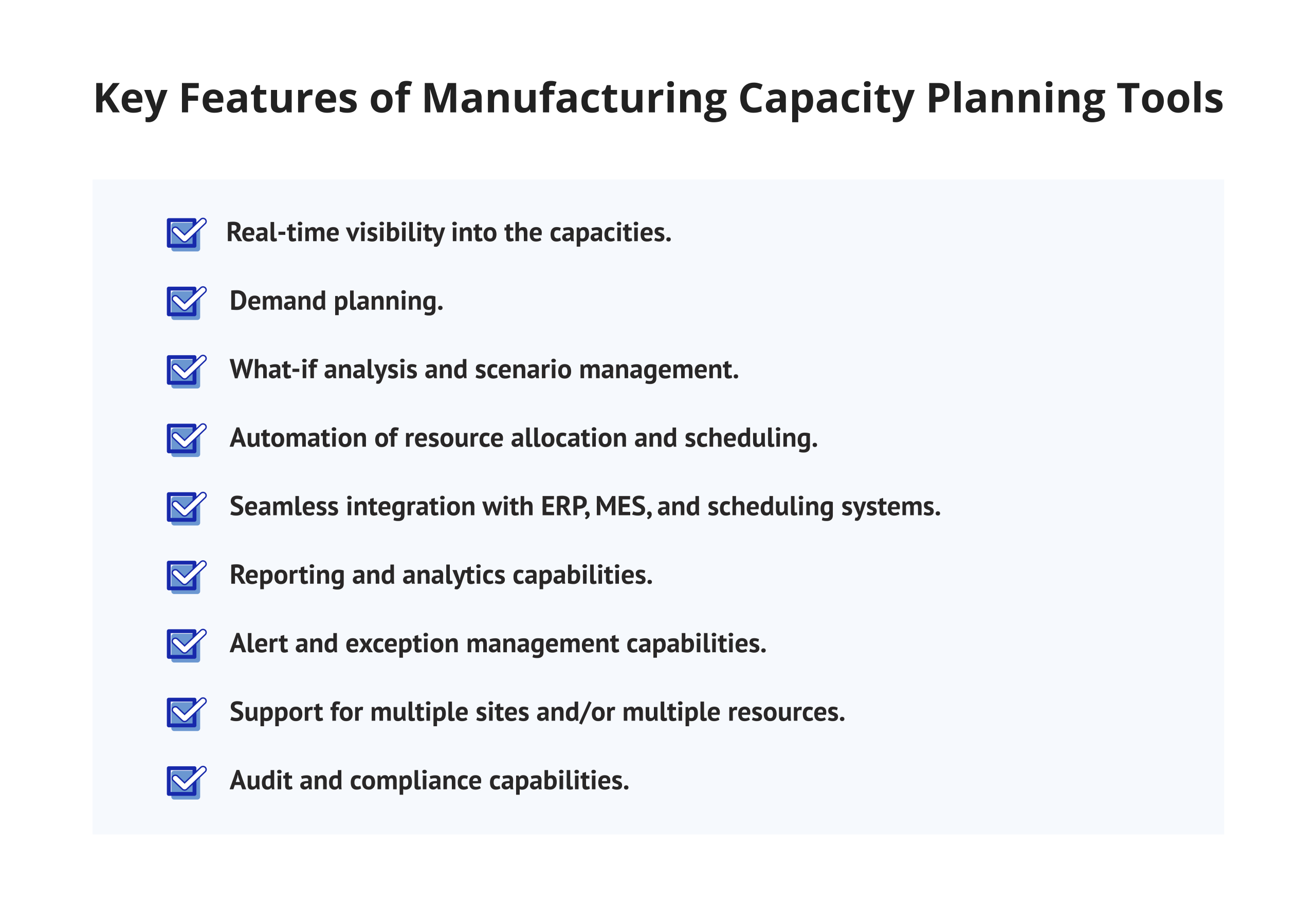
Before we explore the platforms in detail, here is what we would want from a good capacity planning tool in the manufacturing industry:
- Real-time visibility into the capacities of machines, production lines, and shifts.
- Demand planning using historical and market-based inputs.
- What-if analysis and scenario management.
- Automation of resource allocation and scheduling.
- Seamless integration with ERP, MES, and scheduling systems.
- Reporting and analytics capabilities.
- Alert and exception management capabilities.
- Support for multiple sites and/or multiple resources.
- Audit and compliance capabilities.
Now, let’s look at each of these platforms in detail.
Read more: 15 Best ERP Software for Small Businesses Reviewed in 2026
Detailed Review: 13 Best Manufacturing Capacity Planning Tools
1. Epicflow

Epicflow is the AI-powered multi-project resource management platform. It delivers advanced manufacturing capacity planning capabilities designed for organizations running complex, concurrent project portfolios. Operations leaders rely on Epicflow to balance workloads, forecast capacity needs, and protect delivery timelines across their entire project portfolio.
Epicflow’s Capacity Planning Capabilities
Providing visibility into capacity data
Epicflow gives managers a real-time, consolidated view of all capacity data across every project and resource. You see available hours, allocated work, and utilization rates in one unified interface. This visibility eliminates guesswork. Bottlenecks become visible prior to occurring, so there is no detrimental effect.
Workload management
Epicflow’s workload management feature proactively prevents resource overloads. The platform automatically flags when any resource approaches or exceeds capacity. Managers rebalance assignments in a few clicks. Production flow stays stable without constant manual oversight.
Forecasting future capacity
Epicflow uses historical performance data and AI algorithms to forecast future capacity requirements. This manufacturing forecasting software capability helps operations teams prepare for demand peaks, hiring decisions, and equipment investments — well in advance, not in reaction.
What-if analysis
Epicflow enables powerful what-if scenario modeling. Managers simulate the impact of adding a new project, losing a key team member, or changing a critical deadline. The platform instantly recalculates how each scenario affects the entire portfolio. Decision-makers get evidence before they commit.
Portfolio optimization
Based on its strategic significance and availability of resources, Epicflow will prioritize its workloads throughout its entire portfolio. This allows critical projects to always receive the appropriate amount of resources when needed. Therefore, portfolio management will become data-driven rather than being dictated by the individual who speaks the loudest.
Capacity management for project portfolio management
Epicflow was purpose-built for project portfolio management environments. It connects individual project capacity needs to portfolio-level resource planning. This is especially valuable for manufacturers running dozens of concurrent engineering or production projects simultaneously.
Resource performance analysis
Epicflow allows for the tracking of performance at the individual and group levels. This enables management decisions regarding people, identifying high performers and skill gaps, and making informed decisions regarding resource management, which becomes a business advantage rather than a burden.
Other Features
- AI-based task priority suggestions.
- Integration with Jira, MS Project, and Azure DevOps.
- Customized dashboards and automated reporting.
- Role-based access control.
- Drag-and-drop scheduling interface.
- Virtual AI project manager assistant.
Epicflow stands out as one of the best manufacturing capacity planning software options for organizations managing multiple complex projects simultaneously. Its AI-driven approach goes far beyond spreadsheet replacement — it actively guides decision-making at every level.
To learn more about Epicflow’s unique features and see how it will help increase your business’s revenue, book a demo with Epicflow’s experts.
2. Float

Float is a clean, visual resource scheduling tool. It targets creative agencies and professional service teams but also fits manufacturing environments with project-based production models and smaller team sizes.
Float’s Capacity Planning Capabilities
- Color-coded capacity timeline.
- Drag-and-drop reallocation across resources.
- Capacity threshold alerts and overload notifications.
Other Features
- Leave and public holiday management.
- Budget tracking per project.
- Integration with Slack, Asana, Jira, and Google Calendar.
- Mobile app for on-the-go scheduling.
- Project and phase-level capacity planning.
Float is best suited for smaller manufacturing teams or project-based production environments. It lacks the deep ERP integration and multi-site capacity modeling that larger manufacturers require.
Read more: 9 Best Autonomous AI Agents in 2026: The Ultimate Enterprise Guide
3. Kantata

Kantata (formerly Mavenlink and Kimble) is a professional services automation platform with strong resource management features. It serves mid-to-large service-oriented businesses and suits manufacturers with significant project-driven or engineering-to-order work.
Kantata’s Capacity Planning Capabilities
- Resource utilization charts with week-by-week availability tracking.
- Cross-suite integration with Zoho CRM and Zoho Books.
- Basic capacity utilization reporting for team reviews.
Other Features
- Gantt charts and milestone tracking.
- Issue tracker and quality management.
- Time tracking and automated timesheets.
- Over 50 native integrations.
- GDPR and SOC 2 compliance certification.
Zoho Projects is one of the most affordable production capacity planning tools for small manufacturing businesses. Larger, more complex operations will find their depth insufficient for enterprise-level planning needs.
4. Saviom

Saviom is a resource management and capacity planning tool for enterprises. It is suitable for large enterprises with complex, multi-departmental resource requirements and a large portfolio of projects.
Saviom’s Capacity Planning Capabilities
- Granular demand forecasting across hundreds of resources.
- Capacity vs. demand heatmaps.
- Competency-based resource matching.
- Multi-division and multi-geography capacity planning.
Other Features
- Scenario planning and simulation modeling.
- Leave and availability management.
- Custom approval workflows.
- SAP and Oracle ERP integration.
- Role-based access and audit logging.
5. Celoxis

A solution built for clarity, Celoxis supports project oversight alongside detailed capacity planning — ideal for mid-sized manufacturing groups. Through one centralized space, task progress links with team availability and performance summaries. What emerges is coordination without fragmentation, where scheduling flows into analysis naturally.
Celoxis’s Capacity Planning Capabilities
- Charts on resource utilization by time periods (daily, weekly, or monthly).
- Custom calendars for capacity for shifts or part-time personnel.
- Automated overload notifications warn the manager if deadlines will be at risk due to overloads.
- Cross-project resource balancing in a single view.
- Task-level capacity allocation and commitment tracking.
- Historical utilization reporting for forecast improvement.
Other Features
- Gantt charts with full dependency tracking.
- Risk management and issue tracking module.
- Budget and cost management.
- Jira, Slack, and Google Drive integration.
- Custom reports and executive dashboards.
Celoxis is a practical production capacity planning software option for manufacturers who need solid core features without the complexity and cost of enterprise platforms.
6. Monday.com

Monday.com is a flexible work management platform. While not purpose-built for manufacturing, its customizable interface makes it a viable manufacturing capacity planning tool for teams with lighter or more flexible planning needs.
Monday’s Capacity Planning Capabilities
- Custom workload widget with per-person capacity limits.
- Timeline view for production schedule planning.
- No-code automation rules for capacity threshold management.
- Multi-board resource tracking across concurrent projects.
- Integrated capacity and KPI reporting dashboards.
Other Features
- Over 200 native integrations.
- No-code automation builder.
- Custom dashboards and KPI tracking.
- Mobile app for iOS and Android.
- Enterprise-grade security and compliance controls.
Monday.com suits small to mid-sized manufacturing teams with dynamic workflows. Larger operations will likely find their capacity planning capabilities too limited for complex, multi-site production environments.
7. Planview

Planview is an enterprise-class portfolio and work management platform. It is consistently ranked among the top capacity planning tools for manufacturing companies operating at a significant scale and complexity.
Planview’s Capacity Planning Capabilities
- Strategic portfolio-level capacity planning.
- Multi-site and multi-geography capacity modeling.
- Executive-level scenario modeling and trade-off analysis.
- Capacity-to-strategy alignment reporting.
Other Features
- OKR and strategy alignment management.
- Cross-portfolio dependency management.
- SAP and Azure DevOps integration.
- Executive reporting and analytics.
- Lean and agile delivery framework support.
Planview is purpose-built for enterprise portfolio management. It is one of the best manufacturing capacity planning software solutions for large-scale manufacturing groups and Fortune 500 operations.
8. Ganttic

Ganttic is a visual resource planning and machine capacity software tool. It helps teams plan work across human resources, equipment, and production facilities using an intuitive Gantt-style interface.
Ganttic’s Capacity Planning Capabilities
- Visual resource and machine capacity timeline.
- Custom resource data fields for manufacturing-specific planning.
Other Features
- Export to Excel and Google Sheets.
- Google Calendar integration.
- Zapier connectivity for workflow automation.
- Task filtering, grouping, and color coding.
Ganttic’s flat-fee pricing model makes it especially attractive for larger manufacturing teams. Its simplicity is a clear strength for visual planners but a limitation for teams that need deep analytics or ERP connectivity.
Want practical business insights every week? Subscribe to our LinkedIn — weekly reports we publish provide our readers with the insights that help you make considered decisions.
9. Smartsheet
Smartsheet is a work management platform built on a familiar spreadsheet-style interface. It attracts manufacturing teams comfortable with grid-based planning who also want automation, collaboration, and integration capabilities.
Smartsheet’s Capacity Planning Capabilities
- Resource management add-on with live utilization views.
- Individual capacity limit configuration per resource.
- Automated overload notifications and threshold alerts.
- Customizable capacity dashboards without developer support.
- Cross-sheet data aggregation into a unified capacity view.
- Capacity baseline tracking and variance analysis over time.
Other Features
- Pre-built manufacturing planning templates.
- MS Office and Salesforce integration.
- Workflow automation builder.
- Digital asset management capabilities.
- Enterprise governance and data residency controls.
Smartsheet works well for manufacturers transitioning from Excel-based planning. However, its capacity planning capabilities are less mature than purpose-built resource management platforms — particularly for complex, multi-project environments.
10. Wrike

Wrike is a collaborative project management platform with expanding capacity planning functionality. It targets cross-functional teams that need both strong project execution and resource visibility in a single system.
Wrike’s Capacity Planning Capabilities
- Workload view with drag-and-drop task rebalancing.
- Time tracking integration for accurate capacity data.
- Department and role-level capacity breakdowns.
- Custom capacity dashboards by production unit or project type.
Other Features
- Jira, Salesforce, and SAP integration.
- AI-powered task prioritization suggestions.
- Dynamic request forms for intake management.
- Proofing and approval workflows.
- Enterprise security and compliance controls.
Wrike suits cross-functional manufacturing teams well. Its capacity planning features are growing, but remain less robust than dedicated resource management platforms for high-complexity environments.
Read more: 10 Best Risk Management Tools: Features, Reviews & Comparison
11. Productive

Productive is an all-in-one agency and project management platform. It suits service-oriented manufacturing businesses, engineering consultancies, and professional services teams operating within manufacturing organizations.
Productive’s Capacity Planning Capabilities
- Capacity planning is linked directly to financial forecasting.
- Real-time utilization reporting with underuse detection.
- Automated scheduling suggestions based on live availability.
- Forward capacity forecasting by project type and pipeline.
- Budget-integrated workload management per resource.
Other Features
- Profitability tracking per project and client.
- Budget management and financial forecasting.
- Jira, Slack, and QuickBooks integration.
- Custom reports and executive dashboards.
- Time tracking with multi-level approval workflows.
Productive is a good fit for engineering-to-order manufacturers and professional service teams embedded within manufacturing organizations.
12. Zoho Projects

Zoho Projects is a budget-friendly project management tool with foundational capacity planning features. It suits small manufacturers and growing businesses managing multiple projects on a limited technology budget.
Zoho Projects’ Capacity Planning Capabilities
- Pipeline-based demand forecasting.
- Role-based capacity views by skill and department.
- Billable vs. non-billable hour tracking.
- Resource utilization forecasting.
- Real-time availability and skill matching.
Other Features
- Financial management and project margin tracking.
- Business intelligence and analytics dashboards.
- Salesforce and QuickBooks integration.
- Automated resource matching by role and skill.
- Client portal access for external stakeholders.
Zoho Projects is one of the most affordable production capacity planning tools for small manufacturing businesses. Larger, more complex operations will find their depth insufficient for enterprise-level planning needs.
13. Tempo Capacity Planner

Tempo Capacity Planner is a Jira-native capacity planning tool developed by Tempo Software. It serves software-driven manufacturing teams and organizations already embedded in the Atlassian ecosystem.
Tempo Capacity Planner is a Jira-native capacity planning tool developed by Tempo Software. It serves software-driven manufacturing teams and organizations already embedded in the Atlassian ecosystem.
Tempo’s Capacity Planning Capabilities
- Native Jira workload synchronization without manual data entry.
- Team-level and individual capacity planning side by side.
- Sprint and release cycle capacity forecasting.
- Planned vs. actual capacity variance reporting.
Other Features
- Native Jira and Confluence integration.
- Time tracking with multi-step approval workflows
- Portfolio-level capacity views.
- Customizable reporting dashboards.
- Slack and Google Calendar integration.
Tempo is one of the best choices for Jira-heavy manufacturing and technology teams. It is less suited to traditional factory floor environments without software project workflows.
How to Choose a Manufacturing Capacity Planning Tool?
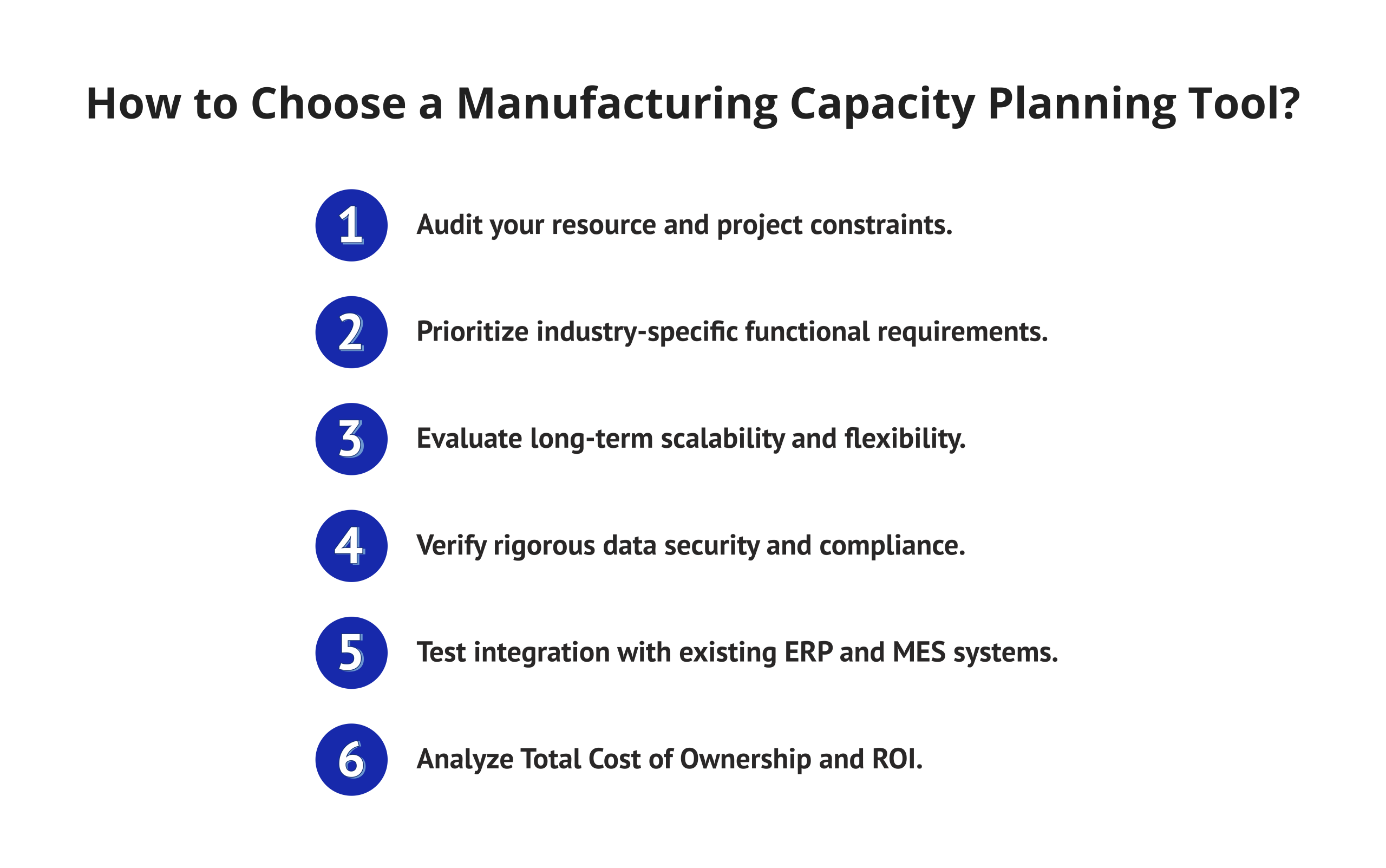
When choosing the right manufacturing capacity planning tool, there is more to consider than just the features and functionality. It requires a systematic approach to the evaluation process, keeping your operational realities in mind.
1. Audit your resource and project constraints
Start from your current position. How many resources do you have under your management? How many parallel projects do you run at the same time? What are your biggest headaches when planning — resources overstretched, deadlines not met, visibility of forecasting too low, or not enough forecasting? Capture these constraints in detail before evaluating any software.
2. Prioritize industry-specific functional requirements
Shift patterns matter most when choosing software for production environments. Where machines operate defines how planning works across facilities. Tools built without factory workflows often demand changes before use.
Integration with enterprise systems becomes easier if features arrive ready-made. Extra coding introduces more delays than it solves problems. Some solutions handle multiple locations by design rather than adjustment. Ready-to-use functions reduce testing compared to modified versions.
Costs rise sharply once standard modules are altered. Flexibility matters less when core operations lack support. Pre-built capacity models prevent gaps during rollout phases.
3. Evaluate long-term scalability and flexibility
Your business will grow and change. Select a capacity planning platform for your manufacturing business that will grow along with your business. Consider the vendor’s product roadmap, enterprise customer successes, and the platform’s history serving similar-sized businesses as yours.
4. Verify rigorous data security and compliance
Information from production processes often requires confidentiality. Before selecting a system, confirm it aligns with required regulatory frameworks—such as ISO 27001, SOC 2 Type II, GDPR, or those specific to your field.
Obtain official proof of protection measures from suppliers without delay. Include internal cybersecurity personnel during review stages to ensure alignment. Though access control matters, validation through documented evidence proves more reliable.
5. Test integration with existing ERP and MES systems
Your capacity planning tool is only as good as the data flowing into it. Test integration with your current ERP (SAP, Oracle, Microsoft Dynamics, or equivalent) and MES systems before committing. Poor integration creates data silos and undermines the entire investment’s value.
6. Analyze ROI and Total Cost of Ownership
Fees for access form only a single piece of the overall expense. Implementation demands appear alongside expenses tied to staff learning curves. System connections require development effort, while shifts in workflow bring their own requirements.
Support continues long after setup concludes. Returns gain shape through fewer interruptions, deliveries that meet schedules more reliably, and efficiency growth where resources align well within operations.
Read more: Best AI Project Management Tools in 2026: Benefits, Key Features, and How to Choose
How to Successfully Implement a Capacity Planning Tool on the Shop Floor?
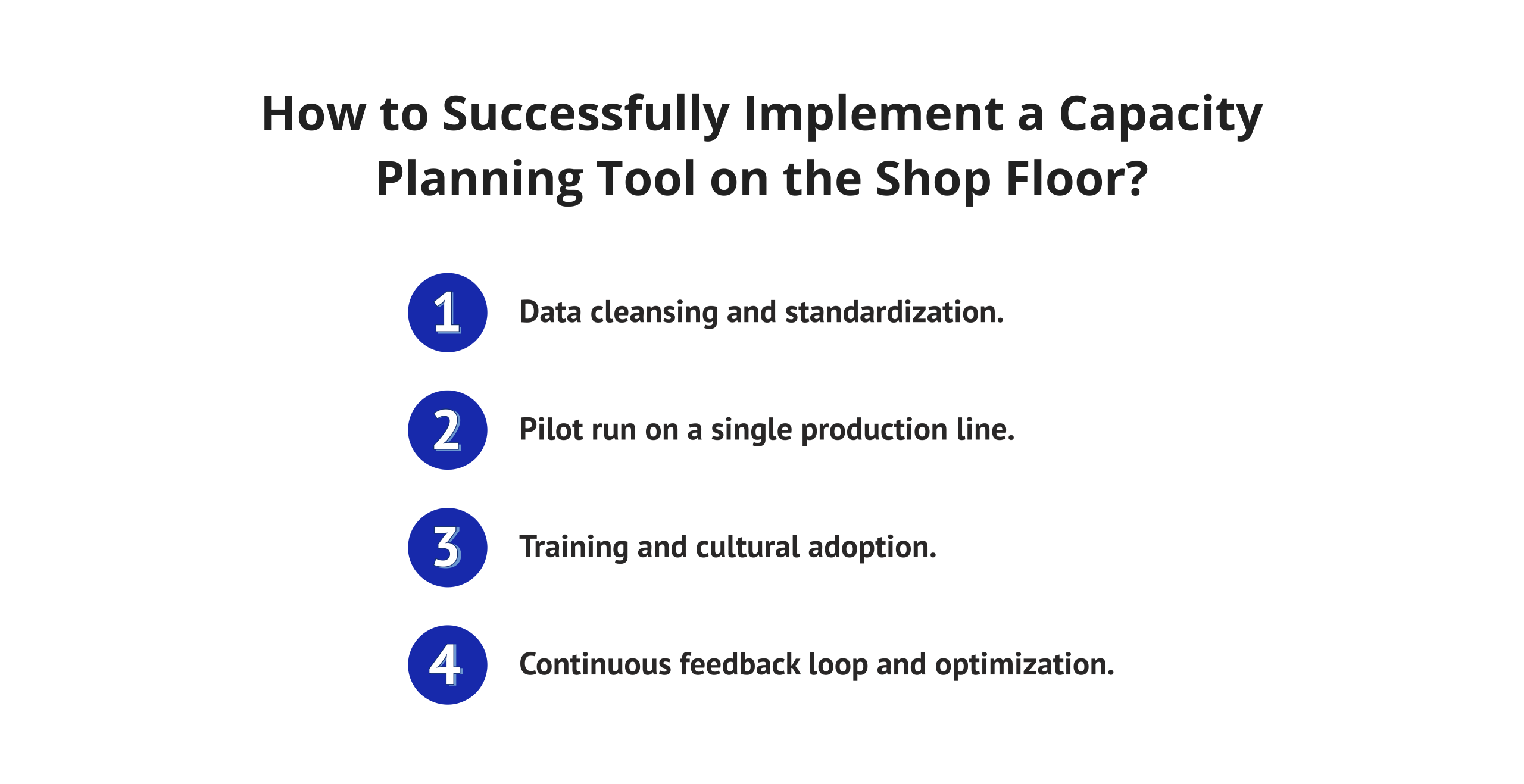
Selecting the right platform is half the challenge. Implementation quality determines whether you actually realize the benefits you invested in.
1. Data cleansing and standardization
Before go-live, invest time cleaning your existing data. Standardize resource profiles, shift patterns, machine availability windows, and project structures. Garbage in, garbage out — this principle applies to every manufacturing capacity planning software deployment without exception.
2. Pilot run on a single production line
Start small and controlled. Run the new platform on one production line or one facility before a full rollout. This approach surfaces integration issues, data gaps, and usability problems early. A successful pilot also creates internal champions who advocate for the tool across the wider organization.
3. Training and cultural adoption
Technology adoption fails when people do not trust or understand the tool. Invest in role-specific training for planners, production supervisors, and senior leaders. Frame training around how the tool makes each person’s daily work easier and more effective — not as a compliance exercise. Change management is as important as technical configuration.
4. Continuous feedback loop and optimization
Once live, set up scheduled evaluations at fixed intervals. Feedback from users comes in consistently; it shapes early adjustments. Platform usage patterns emerge over time, offering insight when compared to earlier benchmarks. Performance indicators align with original targets, revealing gaps or progress.
Configuration updates follow naturally from observed results in daily operations. Report formats adapt as needs shift across departments. Workflows evolve through incremental tweaks driven by actual output. Tools for planning production capacity grow more effective, provided attention stays on refinement. Progress depends less on initial setup and more on sustained oversight.
This article provides a comprehensive overview of production capacity planning software, but in order to stay competitive, your business needs more sources of verified information. Follow us on LinkedIn, where our experts publish analysis on manufacturing operations, startup news, and groundbreaking AI releases.
Trends in Manufacturing Capacity Planning Software for 2026
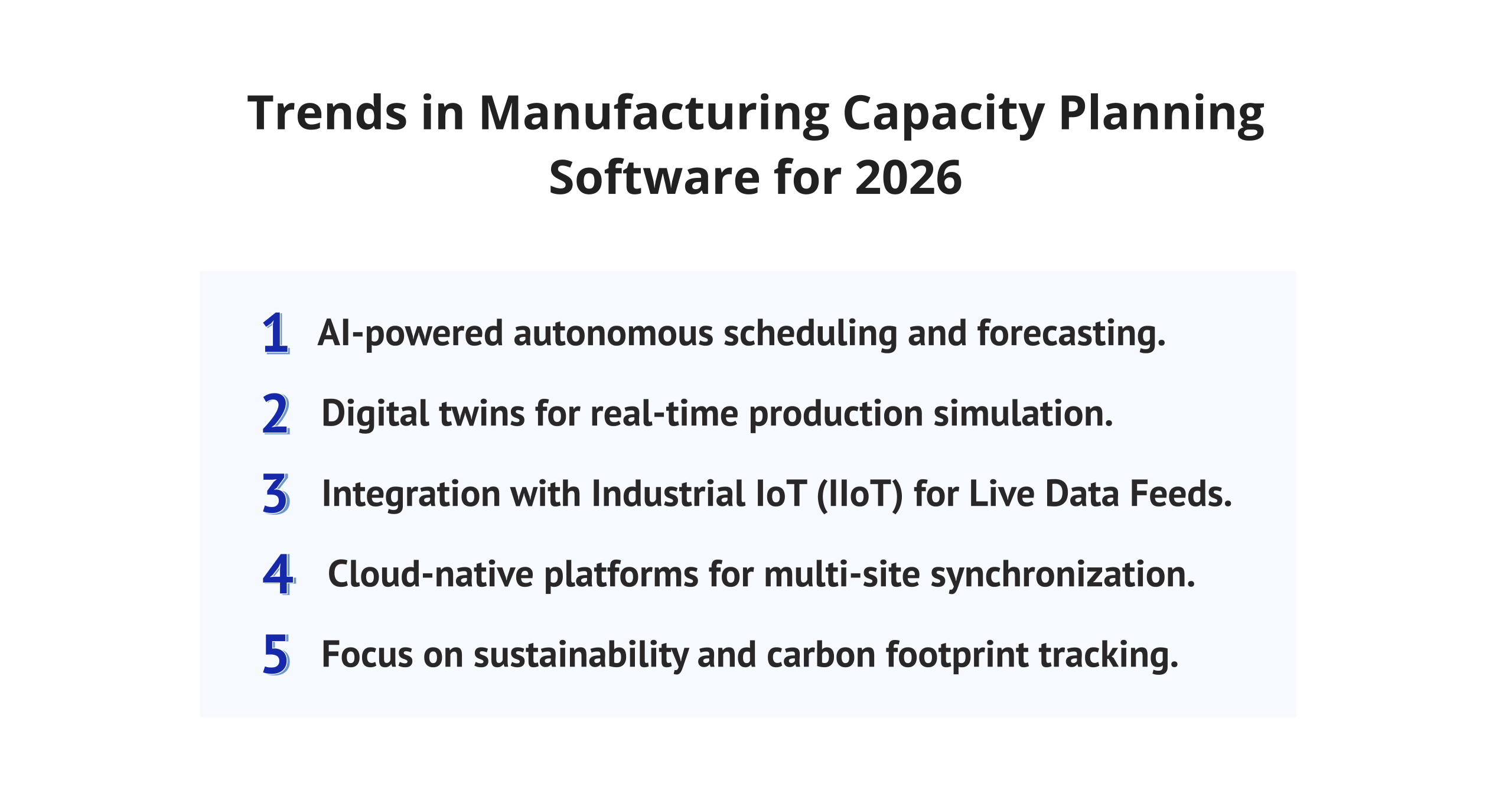
The manufacturing capacity planning software market is evolving at a rapid pace. Here are five trends every operations leader should track in 2026.
1. AI-Powered Autonomous Scheduling and Forecasting
Despite common belief, artificial intelligence now shapes factory planning in quiet but deep ways. Rather than simply reporting past trends, today’s systems anticipate shifts through adaptive algorithms. When inputs change, scheduling adjusts without waiting for human input.
Predictions emerge from patterns machines detect over time. Problems often slow down production; these tools act earlier by design. What once required guesswork now follows observed behavior. Forecasting tools do more than summarize—they project. Decisions gain support from a silent analysis running constantly.
2. Digital Twins for Real-Time Production Simulation
Digital twin technologies allow manufacturers to create virtual representations of their manufacturing environment. Manufacturers can use these representations to simulate potential capacity scenarios and assess how to run capacity scenarios without impact on their real-time operations. Digital twin technology lowers the cost and risk associated with performing physical experiments and helps expedite real-time decision-making by allowing users to compress the timeline of analysis from weeks to hours.
3. Integration with Industrial IoT (IIoT) for Live Data Feeds
IIoT placement of sensors on machines supports the delivery of machine performance data in real-time to support capacity planning. Eliminating manual data entry enables the planner to see the available capacity in real time.
As a result, plans are being scheduled closer to the actual execution time due to tighter scheduling associated with more accurate available capacity. IIoT-enabled capacity planning systems allow for quicker response time to equipment failure and measurable improvement in overall equipment effectiveness (OEE) metrics.
4. Cloud-Native Platforms for Multi-Site Synchronization
Beginning remotely, these systems link factories worldwide through instant updates across locations, work periods, and regional clocks. A single picture of production ability emerges for international firms — no elaborate or expensive technology setup required. From another angle, moving operations online shortens launch duration while removing persistent software update demands.
5. Focus on Sustainability and Carbon Footprint Tracking
Due to regulatory influences and ESG pressures on businesses to be able to plan sustainably, we now see that manufacturers need to monitor their energy use, as well as measure their carbon output, in addition to the measurement of traditional capacity.
The top manufacturing capacity planning applications of 2026 will have sustainability-based KPIs incorporated into their planning dashboards so that the operational planning capabilities are set to link environmental performance directly to production decisions.
Read more: AI Agent Orchestration for Complex Workflows: Everything You Need to Know
Final Words
Now seen as central to business strategy, manufacturing capacity planning capabilities shape profit levels. Where competition is fierce and timing counts, it influences how well customers are served.
The 13 manufacturing capacity planning tools covered in this guide represent the strongest options available in 2026. The right choice depends on your scale, production complexity, and existing systems landscape. Use the selection framework in this guide to evaluate your options systematically. Implement thoughtfully. Invest in user adoption. Measure results continuously against clear KPIs.
Key takeaways:
- Epicflow leads for multi-project resource management and AI-driven forecasting across complex portfolios.
- Planview excels in enterprise portfolio management and strategic capacity alignment at scale.
- Float and Ganttic suit visual planners managing smaller, project-based production teams.
- Saviom and Kantata serve large enterprises with deep organizational and skills-based planning needs.
- Celoxis and Smartsheet offer the best balance of features and accessibility for mid-market manufacturers.
- Monday.com and Wrike fit cross-functional teams that prioritize flexibility and collaboration.
- Productive is the strongest fit for engineering-to-order and service-oriented manufacturing businesses.
- Zoho Projects and Tempo serve budget-conscious and Jira-native teams, respectively.
There may be different tools depending on your environment; ensure you choose a tool that fits your operational complexity.
Every week, a new manufacturing capacity planning software launches. Every month, a startup changes the rules. Knowing what to pay attention to — and what to ignore — is the real competitive edge. Subscribe to Digest.Pro on LinkedIn, and our experts will do that filtering for you.
Why Could You Trust Our Manufacturing Capacity Planning Software Reviews?
To guarantee the highest level of analytical accuracy, we assembled a specialized team of industry professionals — from senior operations managers and PMO leaders to manufacturing engineers and enterprise software analysts.
This panel conducted a rigorous, evidence-based assessment to identify platforms that genuinely meet the demands of modern production environments.
In addition to the above, the team performed a thorough comparative evaluation across multiple layers of the leading manufacturing production planning platforms that are currently on the market today.
We used multiple criteria for each manufacturing capacity planning tool listed in this database to ensure that the final selection of tools made by each member of the team fully reflects their independent evaluations as follows:
- Manufacturing specific features: Manufacturing functionality is what we were focused on in the platforms we chose that have real production planning issues, such as scheduled shifts, modeled machine capacity, coordinated scheduling across multiple locations, and the integration of ERP/MES systems. Generic project management features were not evaluated as sufficient for us.
- User experience and adoption potential: A planning tool can work only if, in its capacity, the planners, supervisors, and company executives actually use it. We evaluated the clarity of the interface, the visual quality of data, and how long it takes for the average non-technical user to learn the tool so they can use it on the shop floor.
- Integration and data connectivity: The manufacturing capacity planning software must have the ability to connect seamlessly with the systems already in use. We examined how well each platform connects with the major ERPs (SAP, Oracle, and Microsoft Dynamics) as well as the MES systems.
- Market reputation and Independent research: We validated each platform’s real-world reputation using a combination of vendor assertions in addition to independent G2 and Capterra user reviews, as well as analyst research via Gartner, Forrester, and IDC.
No vendor paid for inclusion or preferential placement in this guide. Every tool was assessed using identical criteria, applied consistently across all 13 platforms.
FAQs
Resource management tools, ERP planning tools, production scheduling tools, MES tools, and spreadsheets can be applied to capacity planning. However, the best tools to apply to capacity planning in the modern world would be dedicated manufacturing capacity planning tools.
It depends on your environment. Epicflow leads for multi-project resource and portfolio management. Planview suits enterprise-scale operations. Float and Ganttic work well for smaller teams needing visual scheduling. Define your requirements before evaluating any platform.
Follow five core steps: measure current capacity, forecast future demand, identify gaps between supply and demand, plan how to close those gaps, and monitor results continuously. Modern manufacturing capacity planning software automates most of this process in real time.
It is a software module or methodology that measures a facility’s maximum output potential under real operating conditions — evaluating machine availability, labor hours, shift schedules, and downtime rates. Most manufacturing capacity planning platforms include this functionality natively.
Capacity planning can be classified into three general categories: lead (add capacity before the need for additional capacity becomes apparent), lag (add capacity after the need for additional capacity has been confirmed), and match (incrementally add capacity as per additional customer requirements). The levels of risk and/or flexibility associated with any of these options will vary greatly.
Manufacturing capacity = (Machines or operators) × (Available hours per shift) × (Number of shifts) × (Efficiency rate). Subtract planned downtime to get the net available capacity. Most modern platforms calculate this automatically from connected data sources.
- Define scope and planning objectives.
- Collect and validate current capacity data.
- Forecast future production demand.
- Calculate capacity gaps and surpluses.
- Identify and evaluate capacity options.
- Select and approve the optimal plan.
- Implement and configure resources.
- Monitor performance and refine continuously.
OEE = Availability × Performance × Quality. Example: 90% × 85% × 95% = 72.7% OEE. World-class manufacturers typically target OEE above 85%.
The three basic phases in capacity planning are:
- assessment — understanding the current capacity;
- planning — planning the future state to meet the predicted capacity; and
- executing — executing the plan. This cycle is repetitive rather than a single event.
While both capabilities assist you in realizing capacities that are obtainable through your resources, there are significant differences between them. To illustrate: Capacity planning quantifies the amount of “work” that can be accomplished by your resources over a specified period of time.
Alternatively, production scheduling allocates specific “tasks” to specific “resources” at specific “times” within that same period of time. While the constraints are placed by capacity planning, schedules will be optimized to execute within those constraints.
All enterprise systems will be able to integrate with SAP, Oracle, and Microsoft Dynamics. Although there are differences between the ability to integrate an MES (Manufacturing Execution System) depending on vendors and/or available systems versions, you must confirm the compatibility of your system stack using version numbers and data schema before committing to a contract.
Planners can create alternative versions All enterprise systems will be able to integrate with SAP, Oracle, and Microsoft Dynamics. Although there are differences between the ability to integrate an MES (Manufacturing Execution System) depending on vendors and/or available systems versions, you must confirm the compatibility of your system stack using version numbers and data schema before committing to a contract.of the capacity plan without affecting the live environment.
The software calculates instantly how each version of a capacity plan will affect schedules, resource loads, and delivery dates on all orders from the complete order portfolio when either a new order is created, a supplier refuses to supply at their promised time, or a supplier resource is unable to fulfill their commitment.
You should always use demonstrated capacity or the actual output of your facility. Theoretical capacity is unrealistic because it doesn’t take into account any downtime or inefficiencies in the facility.
Target 75–85%. Below 75% signals underutilization and excess cost. Above 85% leaves too little buffer for demand spikes or equipment issues. The optimal rate varies by industry complexity and service level requirements.
References
- Montgomery, O. (2023). 2024 Tech Trends in Manufacturing: Insights to Attract and Retain Software Buyers. [online] Gartner. Available at: https://www.gartner.com/en/digital-markets/insights/2024-tech-trends-in-manufacturing.
- Dilda, V., Mori, L., Noterdaeme, O. and Schmitz, C. (2017). Manufacturing: Analytics unleashes productivity and profitability | McKinsey. [online] www.mckinsey.com. Available at: https://www.mckinsey.com/capabilities/operations/our-insights/manufacturing-analytics-unleashes-productivity-and-profitability.
- de Boer, E., Friligos, Y., Giraud, Y., Liang, D., Malik, Y., Mellors, N., Shahani, R. and Wallace, J. (2022). Advanced manufacturing and the promise of Industry 4.0 | McKinsey. [online] www.mckinsey.com. Available at: https://www.mckinsey.com/capabilities/operations/our-insights/transforming-advanced-manufacturing-through-industry-4-0.
- Gómez, M., Riveros, J. and Sachs, K. (2021). Labor-intensive factories–analytics-intensive productivity | McKinsey. [online] www.mckinsey.com. Available at: https://www.mckinsey.com/capabilities/operations/our-insights/labor-intensive-factories-analytics-intensive-productivity.
- Ellis, S., Hojlo, J., Thompson, E., Paquin, R., Pinder, A., Casidsid, M., Krishnan, S., Lee, S. and Snow, J. (2023). IDC FutureScape IDC FutureScape: Worldwide Manufacturing 2024 Predictions. [online] Available at: https://www.idc.com/wp-content/uploads/2025/03/IDC_FutureScape_Worldwide_Manufacturing_2024_Predictions_-_2023_Oct.pdf.
- Veronesi, L. (2024). IDC MarketScape: Worldwide Manufacturing Execution Systems 2024–2025 Vendor Assessment. [online] IDC: The premier global market intelligence company. Available at: https://my.idc.com/getdoc.jsp?containerId=US51813624 [Accessed 23 Mar. 2026].
- Shepley, S., Hardin, K., Morehouse, J. and Dwivedi, K. (2024). 2025 Manufacturing Industry Outlook. [online] Deloitte Insights. Available at: https://www.deloitte.com/us/en/insights/industry/manufacturing-industrial-products/manufacturing-industry-outlook.html.
- Coykendall, J., Hardin, K. and Morehouse, J. (2023). 2024 manufacturing industry outlook. [online] Deloitte Insights. Available at: https://www.deloitte.com/us/en/insights/industry/manufacturing-industrial-products/manufacturing-industry-outlook/2024.html.
- PWC, Geissbauer, Dr.R., Vedso, J. and Schrauf, S. (2016). Industry 4.0 building your digital enterprise april 2016. [online] PWC. Available at: https://www.pwc.com/gx/en/industries/industries-4.0/landing-page/industry-4.0-building-your-digital-enterprise-april-2016.pdf.
- Teerasoponpong, S. and Sopadang, A. (2021). A simulation-optimization approach for adaptive manufacturing capacity planning in small and medium-sized enterprises. Expert Systems with Applications, 168(1), p.114451. doi:https://doi.org/10.1016/j.eswa.2020.114451.