Managing cloud spend remains a top challenge for 85% of the more than 750 cloud decision-makers in Flexera’s 2026 State of the Cloud survey, and estimated wasted cloud spend rose to 29%, the first increase in five years [1]. Many of those costs start with migration choices: what you move, how you size it and what you forget to switch off. That is why cloud migration tools deserve more care than a quick vendor pick.
The job is bigger than moving virtual machines. A real program needs discovery and dependency mapping, database conversion, application modernization, bulk data transfer, testing, governance and cost control. The right mix depends on the workload, the destination, your downtime tolerance and who will run the system afterward.
This guide groups tools by the job they do, compares the native toolkits from AWS, Microsoft Azure and Google Cloud, and gives you a selection matrix and a pilot plan. It does not rank vendors. Platform fit, not a leaderboard, settles most tool decisions.
Key takeaways
- Choose cloud migration tools by job: discovery, server moves, database migration, modernization, data transfer, and governance and cost control.
- Decide the strategy for each workload (the “7 Rs”) before you pick a tool. The strategy tells you which category you need.
- AWS, Azure and Google Cloud each offer native discovery, assessment and migration services that accept workloads from other environments. Product names change, so verify before you commit.
- Score tools against your workload: source and target, data volume, downtime tolerance, skills, security, licensing and support.
- Start with a representative low-risk pilot, prove rollback, then move in waves with a cost owner for every workload.
What do cloud migration tools do?
A cloud migration runs through a few broad phases. Google Cloud’s migration guide names them assess, plan, deploy and optimize [2]. Microsoft frames Azure Migrate around decide, plan and execute [3]. The labels differ, but the work is the same: understand what you run, decide what happens to each workload, move it, then operate and improve it.
Cloud migration tools support one or more of those phases. Assessment tools build an inventory, measure utilization and map dependencies. Execution tools replicate servers, convert database schemas, move bulk data or repackage applications. Post-migration tools track cost, performance and access once the workload is live.
Tool choice follows the workload and the destination, not the other way around. A stable file server, a customer-facing order database and a monolith due for redesign need different tools, even inside one program. Buy a platform first and you tend to bend the plan around what that platform does well. For the bigger picture of where cloud platforms are heading, see our analysis of cloud computing trends.
Tool categories across the migration lifecycle
Most programs need six categories of tooling. Each one should produce a specific piece of evidence that the next decision depends on.
Discovery and assessment
These tools inventory servers, databases and applications, collect performance data and map network dependencies. Azure Migrate, for example, uses a lightweight appliance that collects configuration and performance data, and adds dependency analysis and cost estimates, according to Microsoft [3].
Server and VM migration
Rehost tools replicate machines to the target cloud while the source keeps serving users. AWS’s migration strategy guidance says rehosting can move large numbers of machines from physical, virtual or other-cloud sources, and that downtime depends on your cutover strategy [4].
Database migration
Database services handle schema conversion and data replication. AWS documentation says AWS Database Migration Service supports one-time migrations and ongoing replication that keeps source and target in sync, while DMS Schema Conversion converts schemas when you change database engines [5].
Application and container modernization
These tools analyze code, repackage applications or support re-architecture. They matter when the strategy is replatform or refactor. AWS’s strategy guide points to App2Container for moving .NET and Java applications into containers without code changes [4].
Data transfer
Online transfer services and offline appliances move large datasets. Google Cloud’s Transfer Appliance handles hundreds of terabytes up to one petabyte, and Azure Data Box plays the same offline role [2][3].
Governance and FinOps
Cost, tagging, access and policy tools keep the new estate under control. The FinOps Foundation describes FinOps as a practice that creates financial accountability through collaboration between engineering, finance and business teams [6].
| Category | Evidence to demand before you commit |
|---|---|
| Discovery and assessment | Dependency coverage, utilization history, cost estimate per workload |
| Server and VM migration | Supported sources, replication behavior, cutover downtime, rollback path |
| Database migration | Engine compatibility, schema conversion effort, data validation method |
| Application modernization | Language and framework support, effort estimate, test coverage |
| Data transfer | Throughput on your links, offline option, integrity checks |
| Governance and FinOps | Tagging, budgets, cost allocation to a named owner |
Compare platform-native and cross-cloud options
Each major provider offers its own toolkit for bringing workloads onto its platform. Treat it as the default for that destination, then add specialist tools where the native set falls short. The table summarizes the main native services by job, based on each provider’s documentation.
| Job | AWS | Microsoft Azure | Google Cloud |
|---|---|---|---|
| Discovery and assessment | AWS Transform, partner tools in the AWS catalog | Azure Migrate discovery, assessment and business case | Migration Center |
| Server and VM migration | AWS Transform MGN | Azure Migrate and Modernize | Migrate to Virtual Machines |
| Database migration | AWS DMS, DMS Schema Conversion | Azure Database Migration Service | Database Migration Service |
| Offline or bulk data | Data mobility tools in the AWS catalog | Azure Data Box | Transfer Appliance, Storage Transfer Service |
Sources: AWS [4][5][7][8], Microsoft [3], Google Cloud [2][9].
Three points matter more than the product names.
Native tools accept many sources. AWS’s rehost guidance covers physical, virtual and other-cloud sources [4]. Azure Migrate treats VMs from other public clouds as physical servers for migration [3]. Google Cloud positions Migration Center for moves from on-premises or other cloud environments [9]. “Cross-cloud” often means a native tool on the destination side, not a separate product.
Native catalogs include partners. AWS Prescriptive Guidance lists 38 migration tools across discovery, business case, application mobility and data mobility, including third-party products such as BMC Helix Discovery, CAST Highlight and Cirata [7]. Microsoft calls Azure Migrate a free service but notes that partner tools may charge [3]. Google’s Migration Center inventories servers and SQL Server, MySQL and PostgreSQL databases, maps dependencies and produces total cost of ownership reports [9].
Names and scope change fast. AWS Migration Hub stopped accepting new customers on November 7, 2025, and AWS points new projects to AWS Transform, which it launched in May 2025 [8]. AWS Application Discovery Service is also closed to new customers, with AWS Transform named as the alternative [10]. Recheck every tool on its official page before it goes into a plan.
Specialist tools earn a place when you run a true multi-cloud destination, need one inventory across several providers, have mainframe or unusual platforms, or need deeper code analysis than native assessment offers. Treat their capability claims as vendor-reported and test them in the pilot.
There is no provider-neutral winner. If the destination is fixed, its native toolkit is the usual starting point. If the destination is still open, base the assessment on neutral data and don’t let a tool vendor’s preferred target make the decision for you.
How to choose cloud migration tools for a real workload
Score candidate tools against the workload, not a feature list. Use this matrix as a first pass, weight the criteria that matter for each wave, and drop any tool that fails a must-have.
| Criterion | Question to ask | Why it matters |
|---|---|---|
| Source and destination | Does it support your exact platform, OS versions and target service? | Unsupported sources mean manual work |
| Scale | Can it plan and track the servers and databases in one wave? | Tracking breaks down at volume |
| Data gravity | Can your network move the data inside the cutover window? | Large datasets may need offline transfer |
| Downtime tolerance | Does it support continuous replication and a tested cutover? | Sets whether you need live sync |
| Skills | Can your team run it, or do you need a partner? | Tools without operators stall |
| Security | Encryption, access control, data residency | Regulated data narrows the options |
| Licensing | Does the move change OS, database or software licensing? | License terms can erase savings |
| Support | Who fixes a failed replication during cutover? | Support is part of the tool |
Illustrative example (assumptions are hypothetical). A mid-size manufacturer plans to move 120 virtual machines to one public cloud. The destination is already chosen. Eighty VMs are stable line-of-business servers. One SQL Server order-entry database can tolerate at most 30 minutes of downtime. A 40 TB file archive sits behind a slow WAN link.
The matrix points to a short stack, not one product: the destination’s native assessment tool for inventory and dependencies, its rehost service for the 80 stable servers, a database service with ongoing replication for order entry, and an offline transfer device for the archive. The remaining VMs wait for a retire, retain or replatform decision until dependency data comes back.
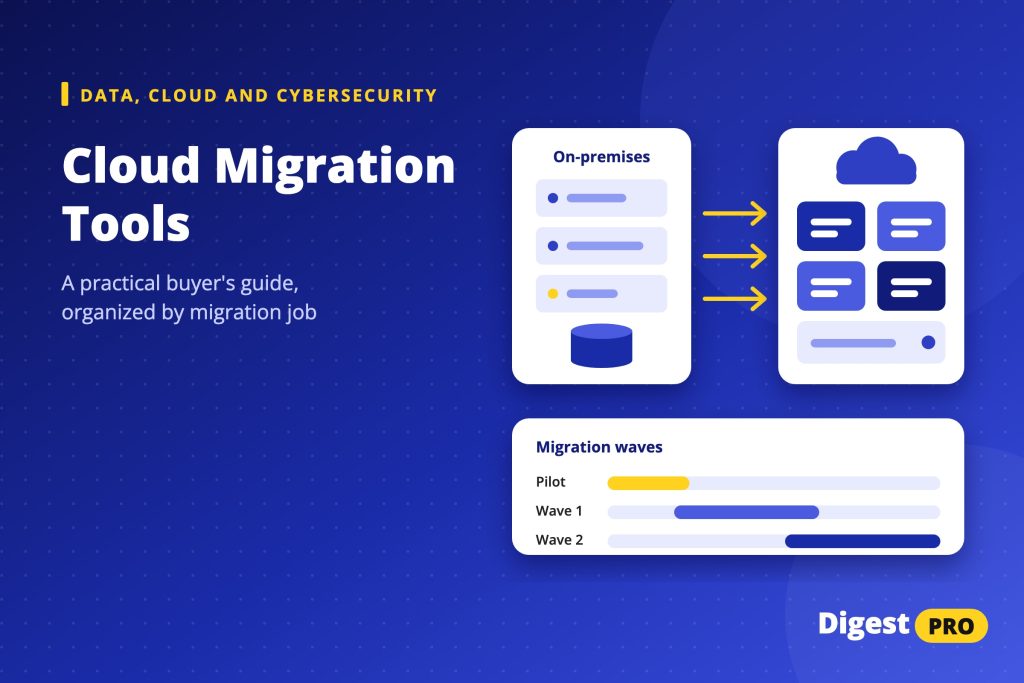
Plan a safe pilot and migration wave
Run a pilot before any critical workload moves. Pick a representative, low-risk application: it should use the same network, identity and database patterns as later waves, but its failure should not hurt customers.
- Inventory and classify. Confirm the owner, data classification and assigned strategy.
- Map dependencies. Check discovered connections with the application owner. Batch jobs and hard-coded addresses are easy to miss.
- Test in the target. Run functional and performance tests against a baseline captured before the move.
- Validate data. Compare row counts, checksums or business totals between source and target.
- Rehearse rollback. Define the trigger, the decision owner and the time limit for reverting.
- Measure after cutover. Track response time, error rate and cost against the baseline for at least one business cycle.
Use the pilot to measure the tools as much as the workload. Record replication time, cutover duration, defects and manual steps. Those numbers set realistic wave sizes.
Group later waves by dependency, not by department, so connected systems move together. AWS recommends rehosting, relocating or replatforming in large migrations and modernizing after the move, because refactoring during migration is the most complex strategy [4].
Common mistakes and post-migration controls
Most migration failures trace back to decisions, not tools. These patterns mirror wider digital transformation challenges.
- Lift and shift by default. Rehosting is fast, but it carries inefficiency into the cloud. Schedule modernization explicitly, in line with your digital transformation trends roadmap.
- Moving dead weight. AWS describes applications averaging below 5% CPU and memory use as zombie applications and candidates to retire [4]. Use discovery data to switch them off instead of migrating them.
- Untested dependencies. A missed dependency turns a clean cutover into an outage. Confirm every connection before the wave.
- Orphaned data. Snapshots, test copies and old backups linger in both environments. Assign deletion dates.
- No cost owner. Flexera’s estimate of 29% wasted spend shows what happens when nobody owns the bill [1].
After cutover, keep five controls running: monitoring against the pre-move baseline, tested backups, an access review, monthly cost review by owner, and a modernization backlog with dates.
Summary
Cloud migration tools are a stack, not a single purchase. Decide the strategy for each workload, map it to a tool category, and use the destination’s native toolkit as the default before you add specialists. Prove the stack on a representative pilot with a rehearsed rollback, then move in dependency-based waves with cost owners in place.
The decision rule is simple: if you cannot name a workload’s strategy, downtime limit and owner, you are not ready to pick its tool. Your next step is a one-page inventory of your first ten workloads with source, target, data size, downtime tolerance and strategy, then a shortlist per category from that sheet.
FAQs
What are the top 10 cloud migration tools?
There is no reliable universal top 10, because the right tool depends on the destination cloud, the workload and the migration job. A more useful shortlist names one or two options per category: discovery, server migration, database migration, modernization, data transfer and cost governance. Start with the native toolkit for your target cloud, then verify each specialist tool on its official page.
What are the AWS migration tools?
AWS recommends AWS Transform for new migration and modernization projects. AWS Migration Hub and Application Discovery Service no longer accept new customers [8][10]. AWS Transform MGN handles rehosting, AWS DMS and DMS Schema Conversion cover databases, and App2Container helps containerize .NET and Java applications [4][5]. AWS also lists partner tools in its migration catalog [7]. Check current availability in AWS documentation before planning.
What are the 7 Rs of cloud migration?
The 7 Rs are migration strategies: retire, retain, rehost, relocate, repurchase, replatform, and refactor or re-architect. AWS uses them to decide what happens to each workload, from switching it off to redesigning it for cloud-native services [4]. Other providers and consultancies use different labels and counts, so agree on one definition with your team and partners before you plan.
References
- Flexera Finds Cloud Value is Rising While AI Waste Grows. Flexera, March 18, 2026. Accessed 28 Oct 2026.
- Migrate to Google Cloud: Get started. Google Cloud, last updated November 20, 2024. Accessed 28 Oct 2026.
- About Azure Migrate. Microsoft Learn, updated October 13, 2026. Accessed 28 Oct 2026.
- About the migration strategies. AWS Prescriptive Guidance, undated. Accessed 28 Oct 2026.
- What is AWS Database Migration Service?. AWS documentation, undated. Accessed 28 Oct 2026.
- What is FinOps?. FinOps Foundation, updated March 2026. Accessed 28 Oct 2026.
- Migration tools. AWS Prescriptive Guidance, catalog entries dated 2023 to 2024. Accessed 28 Oct 2026.
- AWS Migration Hub availability change. AWS documentation, change effective November 7, 2025. Accessed 28 Oct 2026.
- Migration Center overview. Google Cloud, last updated October 26, 2026. Accessed 28 Oct 2026.
- What is AWS Application Discovery Service?. AWS documentation, undated (availability notice at top of page). Accessed 28 Oct 2026.